MoneyPrinterTurbo: Workflow Lessons for AI Agents
See how the MoneyPrinterTurbo workflow turns video creation into repeatable, named steps, and what operators can learn about reusable AI agent skills.

Table of Contents
The MoneyPrinterTurbo workflow is the chain of steps an open-source project on GitHub uses to turn one topic into a finished short video, with no human touching the middle. It is MIT-licensed, written in Python, and despite the name it doesn't print money. It assembles videos. What caught my attention wasn't the videos. It was the shape of the steps.
Key takeaways:
- What it is: an open-source, MIT-licensed tool that takes a topic and outputs a short video by chaining a script model, stock-footage search, voiceover, subtitles, and assembly.
- Why a non-developer should care: it's a clean example of a repeatable, multi-step job broken into named stages you can reason about.
- The real lesson: any recurring task you do by hand has the same structure underneath. Naming the steps is what makes it handoff-able.
- Where humans still sit: topic judgment, factual accuracy, and licensing of the footage. The tool moves pixels, not editorial calls.
- The honest caveat: this is a self-hosted developer project. Running it is a setup job, not a chat.
I'm Vera, a MoClaw staff writer, and most of what I write comes from my own consulting work. This one doesn't. Video isn't my field, and I'm not a developer. I ran MoneyPrinterTurbo once, on a borrowed afternoon, purely to see how it cuts a fixed job into steps. So treat this as a logged look at a workflow, not a usage report with a verdict.
What MoneyPrinterTurbo Shows About Workflow Automation
I don't make videos. I run a consulting practice, and my work is research, monitoring, and recurring reports. So when I opened this project, I wasn't shopping for a video tool. I was looking at how someone had taken a job. They clearly got tired of doing it by hand and froze it into a sequence.
That's the part worth borrowing. Most of my own friction isn't one hard task. It's a string of small ones: open a tab, search, copy, reformat, move it somewhere else. None of them is hard. All of them need me there. MoneyPrinterTurbo does the video version of exactly that, by giving each small step a name and a fixed input and output.
I've started splitting tools into two groups: the ones that help me think, and the ones that do things. This project is firmly in the second group. It isn't reasoning about whether your video is good. It's executing a defined recipe. That distinction matters more than it sounds, and I'll come back to it.
How the Video Workflow Breaks Into Repeatable Steps
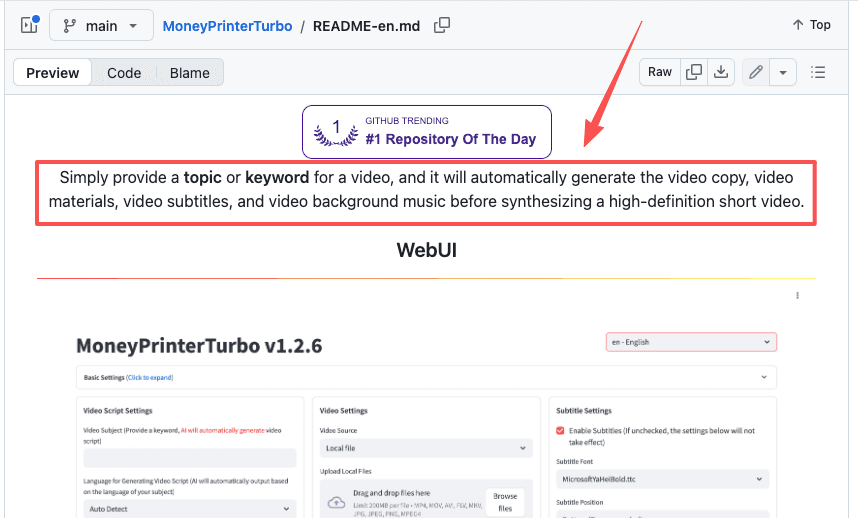
The faceless video workflow here runs as a short, ordered pipeline. Topic goes in one end, an MP4 comes out the other. The project's README lays out the stages, and they map onto a pattern you'll recognize from your own work even if you never render a frame.
Script and outline
First, a language model turns the topic into a script. You can point this at a cloud model, or run it locally on your own machine with Ollama, which keeps that step private and off the metered APIs. For me, this is the recognizable part: it's the same "draft the thing" step I run for client summaries. The model writes a first pass. The first pass is rarely the final pass.
Asset search
Next, the script gets turned into search terms, and those terms pull stock clips from sources including Pexels, Pixabay, and Coverr, each with its own licensing terms that apply to commercial use. This is the step I found most instructive. It isn't generating footage. It's querying a library and fetching matches, which is precisely the "go find the source material" stage that eats the front of so many of my own tasks. Watching it run that step automatically was the moment the abstraction clicked for me.
Voice, subtitles, and assembly
Then a text-to-speech engine reads the script, subtitles get generated and timed, and the clips, audio, and captions are stitched into a final render. This is pure assembly. No judgment, just stacking the pieces in order. It's the logistics tail of the job, the part that is all motion and no thinking, and it's the part you'd most want off your plate.
What Still Needs Human Review
Here's where I'd push back on the name and the hype around it. The pipeline automates assembly. It does not automate the parts that actually decide whether the output is any good.
Three things stayed firmly mine when I ran it. The topic call, first: nothing in the chain knows whether your subject is worth a video. Accuracy, second: a script model will write a confident sentence that's wrong, and the pipeline will happily voice it and caption it. And licensing, third, which is the one people skip. "Free" stock footage isn't automatically cleared for every commercial use. Pexels, Pixabay, and Coverr each have their own licensing terms, and what's permitted for personal use may differ from commercial publishing. The responsibility for checking that sits with you, not the tool.
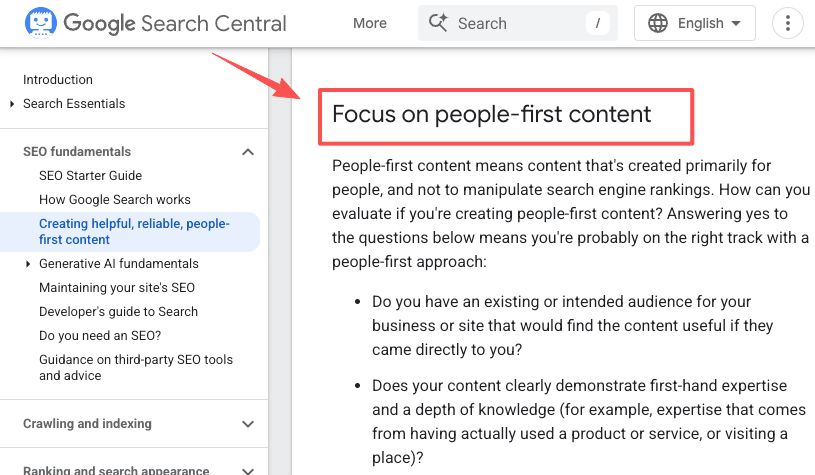
This lines up with how Google frames quality in its guidance on people-first content: the work that signals real value is the human judgment on top, not the mechanical production underneath. The tool gets you a draft fast. It does not get you off the hook for reviewing it. When I handed off collection steps in my own work, the same rule held. I checked the output for a while before I trusted it unwatched.
When a Managed Assistant Is Simpler Than a GitHub Project
I want to be straight about the gap between reading this and doing it. MoneyPrinterTurbo is a self-hosted developer project. Running it means cloning a repo, handling config files, supplying API keys, and keeping a Python environment alive. If that sentence already lost you, the tool probably isn't for you, and that's a fine conclusion.
The reason I find the project useful anyway is the thinking, not the setup. The lesson, that recurring work has a fixed step structure and reusable skills you can name and hand off, transfers to any tool that executes tasks for you. That's the same idea behind the kind of recurring tasks I actually run: describe the steps once in plain language, then stop triggering them by hand.
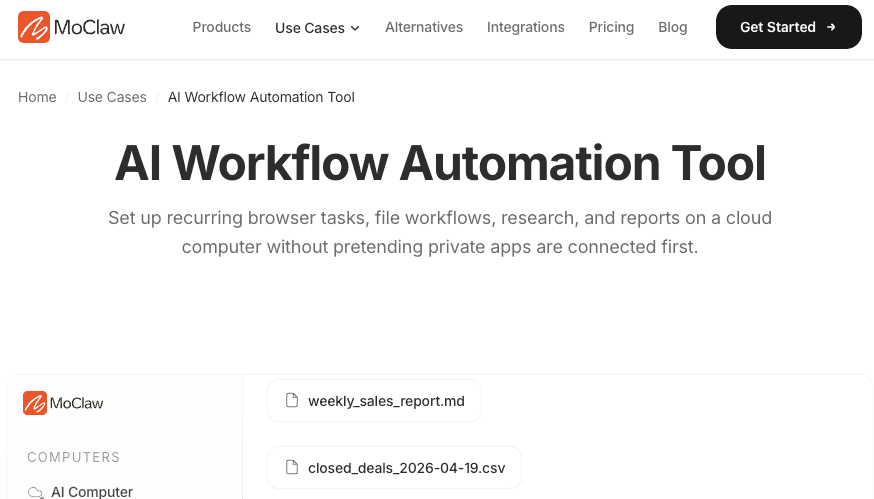
So the line I'd draw is this. If you want to own and customize a video pipeline and you're comfortable with a terminal, the GitHub project is a genuine, forkable reference. If you mainly want a recurring job to stop being yours to babysit, a managed assistant that already holds the skills is the lower-friction path. They answer different questions. More on how I think about that split in my notes on handing tasks off.
FAQ
Can MoneyPrinterTurbo output videos in multiple languages?
Yes. The project supports both Chinese and English scripts out of the box, with multiple voice synthesis options for each. You can also point it at any language model that handles your target language. The subtitle generation supports the same languages the TTS engine produces, so the script, voice, and captions can all stay in one language end to end. For a full list of supported voices and language configurations, check the project's README, since the available options expand with each release.
Is MoneyPrinterTurbo an AI agent?
Not really, and the distinction is useful. It's a fixed pipeline that runs the same defined steps every time, not an agent that reasons about goals or decides its own next move. It uses AI models inside individual steps, like writing the script, but the overall flow is scripted by the developer, not improvised by the system.
How is the workflow usually driven?
For non-technical users, the workflow is usually driven through a Streamlit web interface. Developers can also use a REST API or a command-line interface directly. That entry point is the practical difference from running raw scripts: you give it the input, it coordinates the steps, and it hands back the finished file. The ordering of those stages is fixed by the project, not chosen at runtime.
What's the most common setup failure when running MoneyPrinterTurbo locally?
Missing ffmpeg. The project uses ffmpeg for video assembly, and if it can't find a working ffmpeg binary, it will error out at the render stage after everything else has already run. The README's troubleshooting section covers this specifically: download a pre-built ffmpeg binary and set the path in config.toml. The second most common issue is a Python version mismatch. The project is tested against Python 3.11, and diverging from that can cause silent dependency failures that are harder to diagnose.
MoneyPrinterTurbo Workflow: What to Borrow and What to Skip
Borrow the structure. The MoneyPrinterTurbo workflow is a tidy demonstration that a repeated job is really a chain of named steps, and that the steps are what you hand off, not the job as one lump. That idea outlives any single tool.
Skip the project itself if you're not a developer. The setup cost is real, and the parts that matter, what to make and whether it's accurate, stay with you. I ran it once. I'm not running it again, because video isn't my work. But the way it cut the task into steps is something I've already started applying to jobs that are.
Continue Reading
More Research
AI Agent Evaluation: The 56% Pass Ceiling

Run Kimi K3 Locally: The 0.8 Token Reality

AI Agent Security Framework: Inside Uber ADR

LoopX: A Control Plane for Agent Loops

AI Agent Sandbox: What It Is and Isn't

What Is reverse-skill? A Security Skill Router
The MoClaw editorial team writes about workflow automation, AI agents, and the tools we build. Default byline for industry overviews, listicles, and collaborative pieces.
Turn insights into action.
MoClaw automates the recurring work your analysis points to. No engineering required.
References: MoneyPrinterTurbo on GitHub · MoneyPrinterTurbo README (English) · Ollama: run open models locally · Pexels API documentation · Google Search Central: Creating helpful, people-first content