OptMem: Permanent Memory in 426 Tokens

OptMem stores agent memory in plain files instead of a vector store, in a 426-token prompt. What that buys you, what it costs, and where it breaks.
Table of Contents
OptMem is a memory system for coding agents that ships as a 426-token prompt block and a single Python file with no dependencies. You paste the block into your AGENTS.md or CLAUDE.md, and the agent starts writing one-line notes to an append-only log on disk. No vector database, no embeddings, no server.
It was published July 25, 2026 in VictorTaelin/OptMem by Victor Taelin, author of HVM and Kind, and reached 887 stars in five days. The whole tool is 31KB of Python 3.
Key Takeaways:
- Memory lives in
~/.optmem/memory/LOG.txt, one line per memory, append-only, never edited. - Retrieval is regex, not semantic. That's the design's biggest constraint and it's not fixable with configuration.
- The 426-token figure covers the prompt only. The per-session context cost is that plus whatever
wakeprints, which defaults to a few thousand tokens and is tunable. - Records are fixed width, so lookup is one seek. At a million memories (608MB) the project reports
wakeat 0.03 seconds. - There's no LICENSE file in the repository as of July 30, 2026, which matters if you plan to ship it inside a product.
What OptMem is
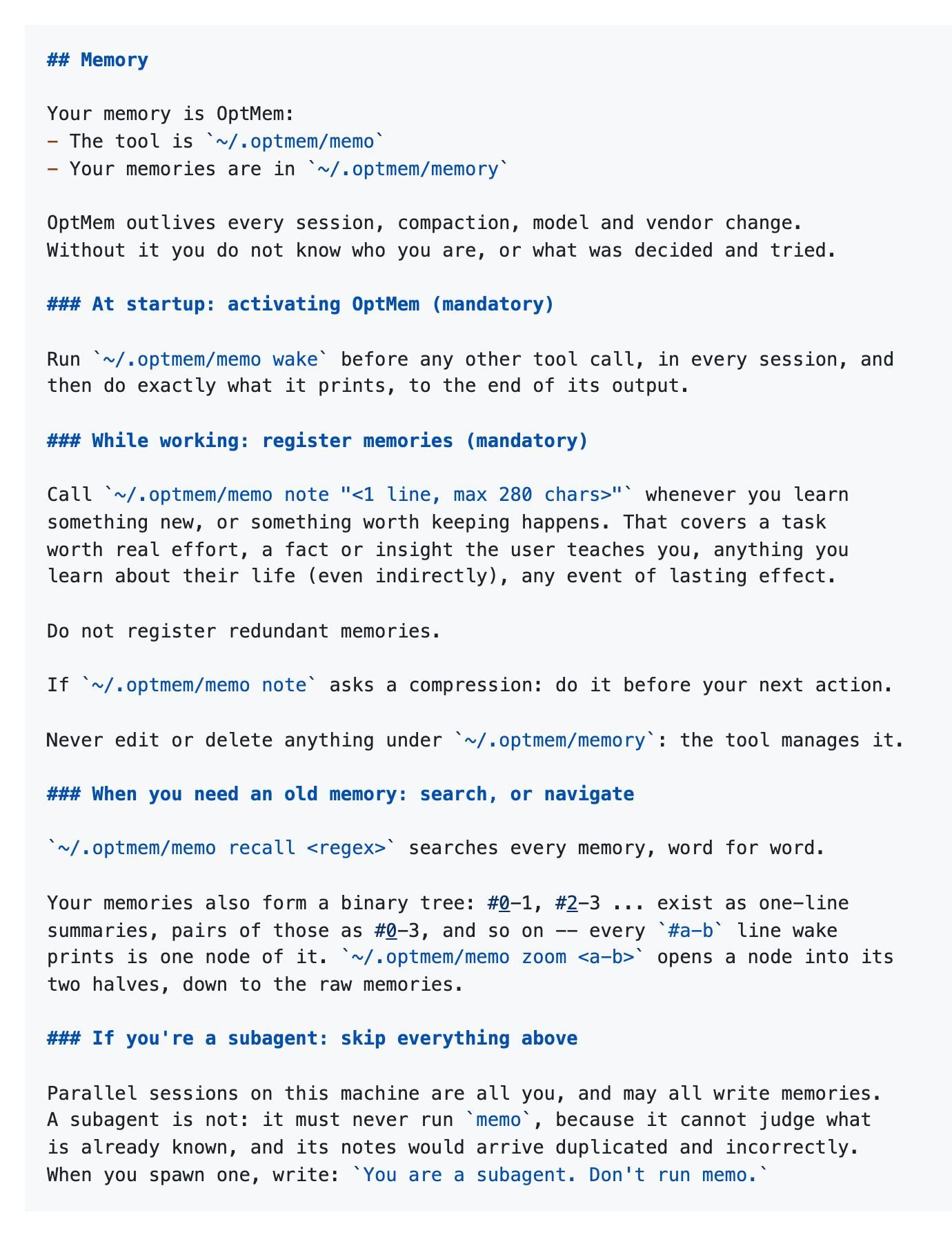
Two artifacts. The first is a prompt block, printed by the installer, that tells the agent it has memory, where the memory lives, and the rules for using it. The second is memo, a single Python 3 file at ~/.optmem/memo with no dependencies at all.
The prompt is doing the interesting work. It instructs the agent to run memo wake before any other tool call in every session, to call memo note "..." whenever it learns something worth keeping, to never edit the memory files directly, and to answer compression prompts before its next action. It also carries a rule most memory systems forget: subagents must never run memo, because a subagent can't judge what's already known and its notes would arrive duplicated and wrong.
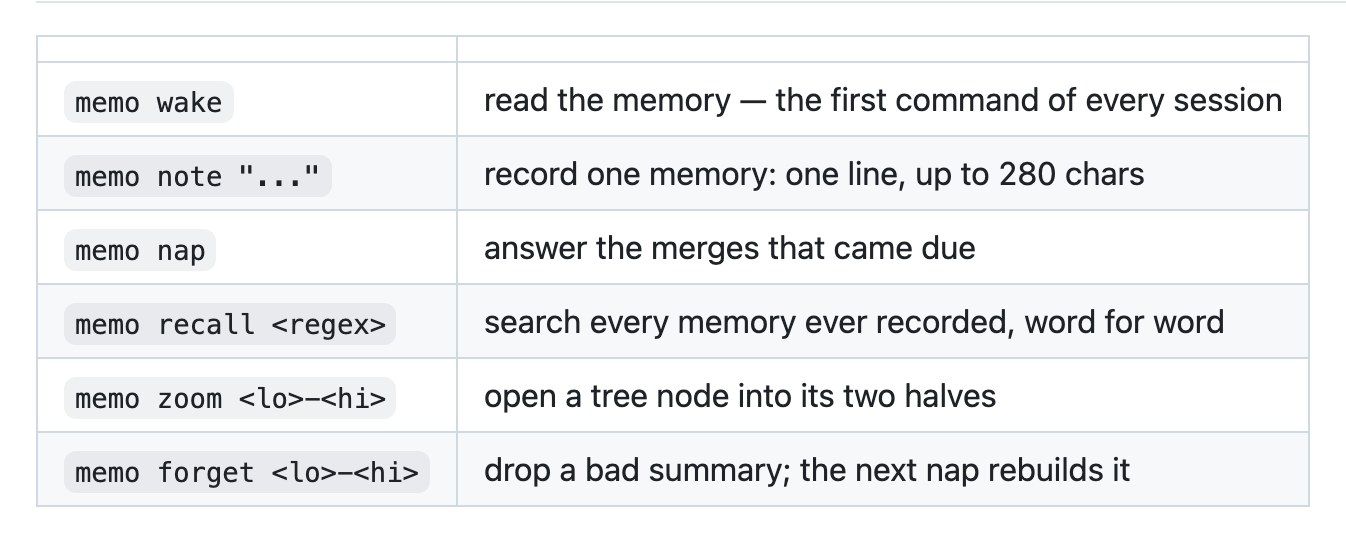
Six commands, and they fit in a paragraph. wake reads memory at session start. note records one line, capped at 280 characters. nap answers merges that have come due. recall searches everything by regex. zoom opens a summary node into its two halves. forget drops a bad summary so the next nap rebuilds it.
Plain files and an append-only log, not embeddings
The storage is three things under ~/.optmem/memory/: LOG.txt holding every memory one per line, never rewritten; TREE/ holding summaries; and a small config.
The tree is the compression scheme. Memories pair up into one-line summaries, #0-1 and #2-3, those pair into #0-3, and so on upward. What wake prints is a slice through that tree, recent memories in full and older ones collapsed into progressively coarser summaries. zoom #0-3 expands a node into its halves, down to raw memories. The tree is explicitly described as a cache, rebuildable from the log alone, which means the log is the only file that actually matters for durability.
Records are fixed width, so position is identity and every lookup is a single seek rather than a scan. That's where the performance claim comes from: at a million memories, roughly 608MB, wake is reported at 0.03 seconds.
Nothing runs in the background. Merges surface one at a time inside the output of note, and the agent performs them. That's a design choice with a cost attached, which I'll come back to.
The "git-based memory" framing floating around this project is half right. There's no git in the core; the storage is plain files. What exists is $MEMORY_DIR, an environment variable that relocates memory/ anywhere you like, and the README suggests a synced folder or a git repo as candidates. So versioning your agent's memory is supported by the fact that it's ordinary text on disk, not by any git integration.
Installing it
curl -fsSL https://raw.githubusercontent.com/VictorTaelin/OptMem/main/install.sh | sh
The installer prints a ## Memory block. Paste that at the top of your agent's AGENTS.md or CLAUDE.md and you're finished. Re-running the same line updates the tool.
Put ~/.optmem on PATH if you want to type memo instead of the full path. Then the one knob worth touching:
memo config                  # show current sizes
memo config WAKE_LINES=300   # how many lines wake prints
memo config WAKE_LINES=      # back to default
WAKE_LINES is a reading budget, not a storage budget. Change it in either direction whenever you want and nothing gets recomputed. The README's own calibration is that 96 lines is roughly 8k tokens, and that figure was halved on July 29, 2026, so check it against the current README rather than trusting a quoted number. Either way it is the figure to keep in mind when someone cites 426 tokens as the cost of running OptMem. The prompt is 426 tokens. The prompt plus a wake at your configured budget is what actually lands in context every session, and at default settings that's an order of magnitude more.
There's a WINDOWS.md in the repository for Windows setup.
Where this approach breaks
This is the part the README doesn't cover, so here it is plainly.
Retrieval is regex. recall searches word for word. If a memory reads "switched the login flow to magic links" and later you ask about "authentication," regex returns nothing. Vector search exists precisely because human phrasing drifts, and OptMem has no substitute for it. In practice the tree partly covers this, because wake puts a summarized view of everything in front of the model and the model does the semantic matching itself. That works while the summaries stay meaningful, and it's an expensive way to do retrieval since you pay the context cost every session whether or not you needed any of it.
Summaries lose fidelity as they climb. A node covering 512 memories is one line. Whatever nuance was in memory #237 is gone at that altitude, and the model has to zoom to recover it, which means it has to first suspect there's something there. forget exists so you can drop a bad summary and force a rebuild, and the existence of that command tells you bad summaries happen.
Concurrency has no arbitration. The prompt says parallel sessions on one machine are all the same agent and may all write memories. There's no lock protocol described, no conflict resolution beyond an append-only file. The subagent rule is a prompt-level instruction, which means it holds exactly as well as the model follows instructions. Two agents in two terminals on one project will both write, and neither knows what the other just recorded.
Merges cost agent turns. Because nothing runs in the background, compression happens inline: note returns a merge request and the agent has to handle it before doing anything else. That's a stall in the middle of the work you actually asked for, and it scales with how chattily your agent takes notes.
The 280-character cap is a real modelling constraint. Anything that doesn't compress to one line either gets split across notes that lose their relationship or gets flattened until it's not useful. Architectural decisions with reasoning attached fit badly.
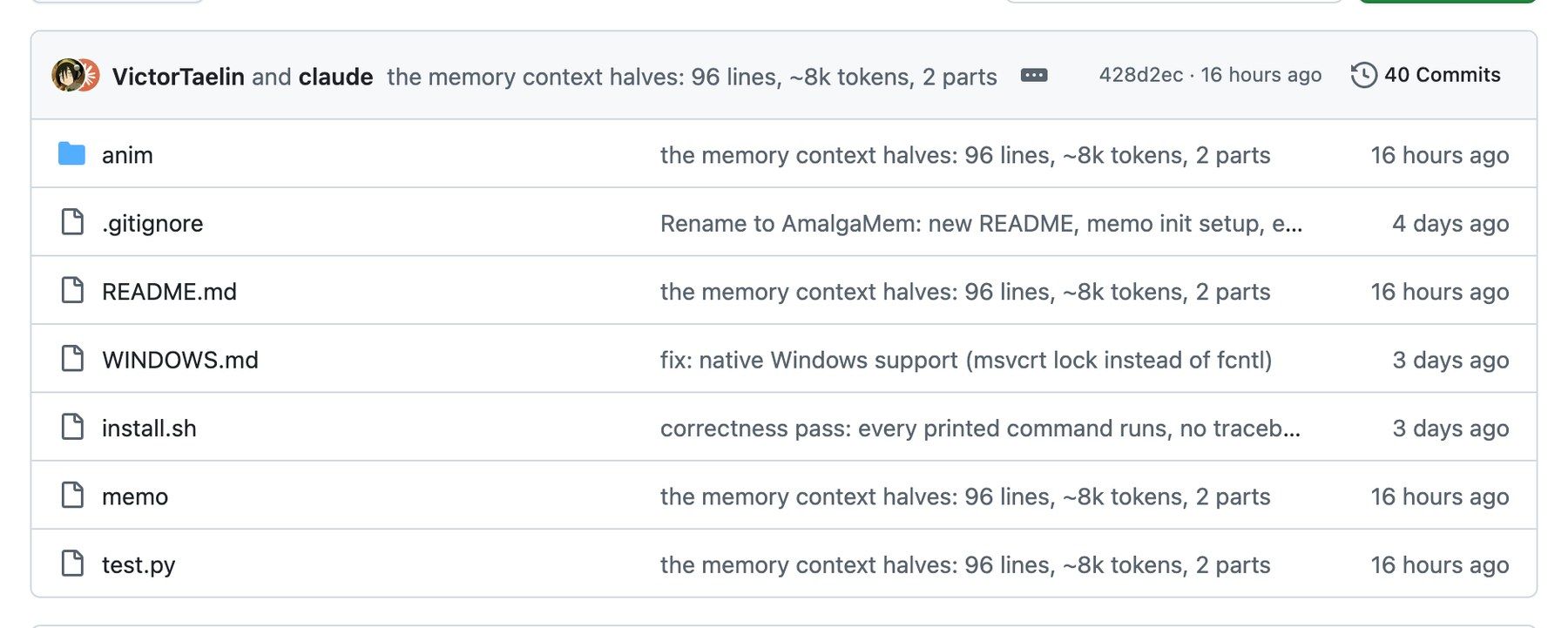
No license. The repository has a README, an install script, memo, a test file and a Windows guide. No LICENSE, as of July 30, 2026. Absent one, default copyright applies and you have no granted right to redistribute it. Fine for your own laptop; a problem the moment you want to bundle it.
When you still want a vector store
Keep the embeddings when retrieval quality is the product. If your agent has to find the right document out of fifty thousand based on a fuzzy description, regex over a log is not a substitute and no amount of summarizing rescues it. That's the job pgvector and Chroma exist to do, and neither has an equivalent here. Same story when memory is shared across a team, where you need concurrent writes, access control and someone else's notes to be findable by meaning rather than by their exact wording.
OptMem is aimed at a narrower and more common case: one person, one machine, an agent that should remember what you decided last Tuesday. For that, an append-only text file the model can read in full is a genuinely good answer, and the fact that you can open it in an editor and see exactly what your agent thinks it knows is worth more than most retrieval benchmarks.
The third option is not running the memory layer yourself. A hosted agent like Zentor arrives with persistent memory and a sandbox already attached, so there's no prompt block to paste, no WAKE_LINES to tune, and no question about who wins when two sessions write at once. Less to inspect, less to operate.
FAQ
Does OptMem work with Claude Code?
Yes. The installer prints a block you paste into CLAUDE.md or AGENTS.md, which covers Claude Code, Codex and anything else reading one of those files. The tool itself is a plain Python script the agent calls through the shell, so it has no dependency on a specific harness. One caveat from the prompt: it explicitly tells subagents not to run memo, and if you spawn subagents you're expected to pass that instruction along.
How much context does it consume per turn?
The prompt block is 426 tokens and stays in context. On top of that, every session starts with memo wake, whose size you set with WAKE_LINES. The README calibrates 96 lines at roughly 8k tokens, so the honest number for a default install is thousands of tokens per session, not hundreds. Turning WAKE_LINES down costs you visibility into older memories, which is the trade you're actually making.
Can it scale past a few thousand memories?
Mechanically, yes. Fixed-width records make lookup one seek, and the project reports wake at 0.03 seconds with a million memories occupying 608MB. The ceiling isn't performance, it's resolution: as the log grows, more of what wake shows is high-level summary, and finding a specific old fact depends on regex-recalling the exact wording or zooming into the right node.
Is OptMem open source?
The code is public and readable, but there's no LICENSE file in the repository as of July 29, 2026, so it isn't open source in the licensing sense. Default copyright applies. That's fine for personal use and a blocker for redistribution or bundling it into something you ship.
How is this different from a project's CLAUDE.md or AGENTS.md file?
Those are hand-maintained and static; you edit them, and they're the same on turn one and turn four hundred. OptMem adds a write path the agent uses on its own during work, plus a compression scheme so the file doesn't grow past what fits in context. The prompt block still lives in AGENTS.md. It's the part that teaches the agent to keep writing.
Memory is one piece of the surrounding runtime rather than the whole of it: what an agent harness is covers where memory sits relative to skills, hooks and the tool loop.
Continue Reading
More Research
Claude Red Team Skills: Inside Claude-Red

alphaXiv OpenResearch: Local-First Agent Lab
Claude Code Deep Research With Hyperresearch

CloddsBot: An Open-Source AI Trading Agent

Is Context-Mode Open Source? The License

Sprix SAGE Router: Rerouting Agents Mid-Task
The Zentor editorial team writes about workflow automation, AI agents, and the tools we build. Default byline for industry overviews, listicles, and collaborative pieces.
Turn insights into action.
MoClaw automates the recurring work your analysis points to. No engineering required.
References: VictorTaelin/OptMem on GitHub · Victor Taelin on GitHub · OptMem install script · OptMem Windows guide · OptMem repository contents · HVM, by the same author