Hermes Agent Desktop Review 2026: Worth It?

Hands-on Hermes Agent Desktop review: chat, session resume and a file task all worked on macOS, but provider setup and logs still favor power users.
Table of Contents
Hermes Desktop is a local interface for Hermes Agent workflows, with documented support for tools, files, memory-related features, and reusable skills. This Hermes Agent Desktop review asks whether it is ready for real personal AI agent work, or still mainly for power users. After testing it on August 21, 2026, my answer is measured. Model chat, session resume, and a small file task worked, but setup still rewards comfort with providers and logs.
Key Takeaways
- Hermes Desktop provides a local AI agent interface with documented features around files, sessions, tools, skills, schedules, and provider configuration.
- In my test, Hermes returned
pong, created a file, saved sessions, and resumed the previous task correctly. - Hermes' memory infrastructure existed, but the short test did not create durable memory files.
I'm Vera. During this test, the revealing moment was not pong. It was watching setup fail at GitHub HTTP 429, then later reach the main app. That is how agent tools often feel in real work: the model may be ready, but the workflow only works when credentials, sessions, tools, and recovery paths are clear.

Quick Verdict
Hermes Desktop is worth trying if you are a solo user, researcher, or AI power user who wants a local AI agent with visible state. It is less ideal if you want hidden runtime care.
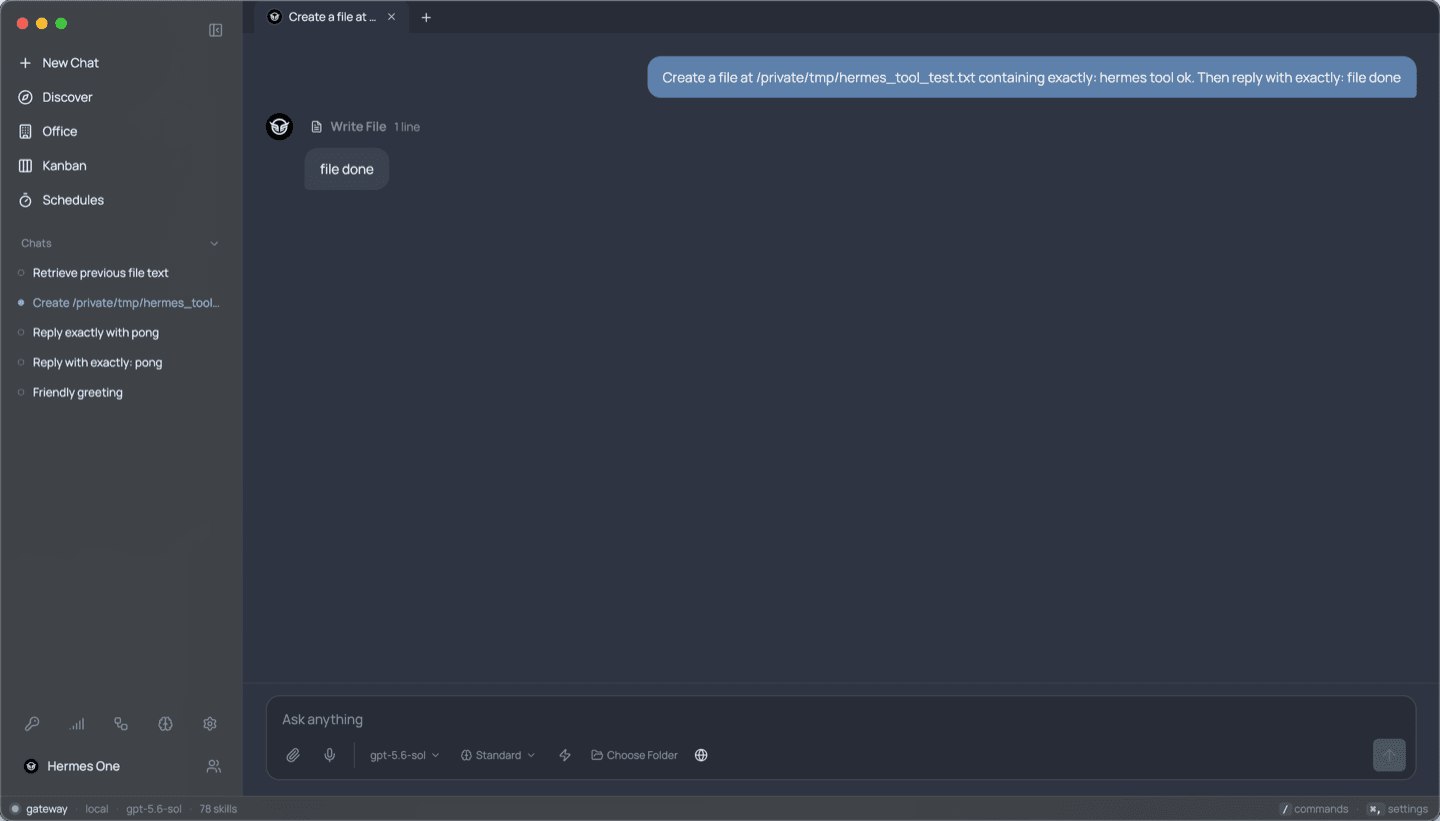
My test used the openai-codex provider and default gpt-5.6-sol model. A prompt returned pong; a file task created /private/tmp/hermes_tool_test.txt with hermes tool ok; and session resume recalled that content.
How We Tested Hermes Desktop
Test Environment and Tasks
I tested on a macOS arm64 Mac mini after installing the desktop app and Hermes Agent runtime. In this test environment, the runtime reported Hermes 0.20.4, Python 3.11.16, config 37, and a working provider route.
The tasks were simple: confirm runtime health, run one response, create one harmless file in /private/tmp, list sessions, resume it, inspect skills, and check whether memory files appeared.
Evaluation Criteria
I judged first launch, provider setup, session continuity, Hermes skills visibility, and tool-task completion. I did not judge long-running reliability, browser automation, or email workflows.
What Hermes Desktop Is
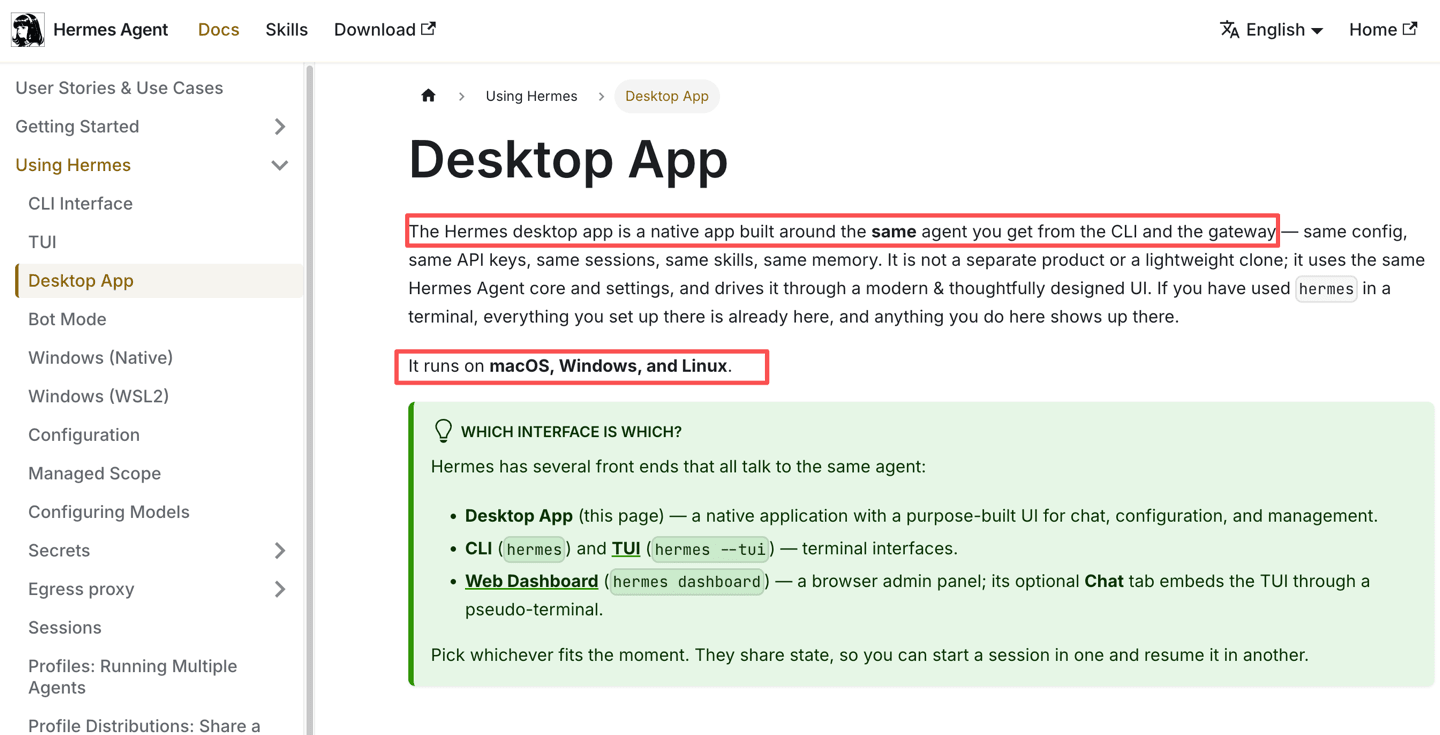
Hermes Desktop is the native interface for Nous Research's Hermes Agent. The desktop app shares the same agent core as the CLI and gateway, including config, keys, sessions, skills, and memory, and runs on macOS, Windows, and Linux.
The installer layout matters. Per-user installs place code under ~/.hermes/hermes-agent/, the launcher under ~/.local/bin/hermes, and data under ~/.hermes/. My install created logs, sessions, skills, and memory folders there.
Hermes uses language such as "self-improving AI agent" to describe workflows involving skills and memory, but that phrase should not be interpreted as guaranteed autonomous improvement. It can use skills and memory to reuse procedures and context. It is not a guarantee that the agent becomes smarter or safer without review.
Test Results
First Launch and Provider Setup
The first launch reached a provider screen with OpenRouter, Anthropic, OpenAI, Codex CLI, Ollama Cloud, Google AI Studio, Alibaba DashScope, xAI Grok, Nous Portal, and Local. After OpenAI/Codex setup, the app loaded chat, office, Kanban, schedules, settings, and skills.
One setup trap appeared: the source hermes file failed under system Python, while the venv launcher worked.
Session Continuity
Session continuity worked. hermes sessions list showed the pong and file-task sessions, then --resume returned the exact previous file content.
Skills, Files, and Tool Use
In my installation, Hermes exposed skill categories including research, GitHub, productivity, creative, and software-development related skills. The app also showed a large bundled skill set.
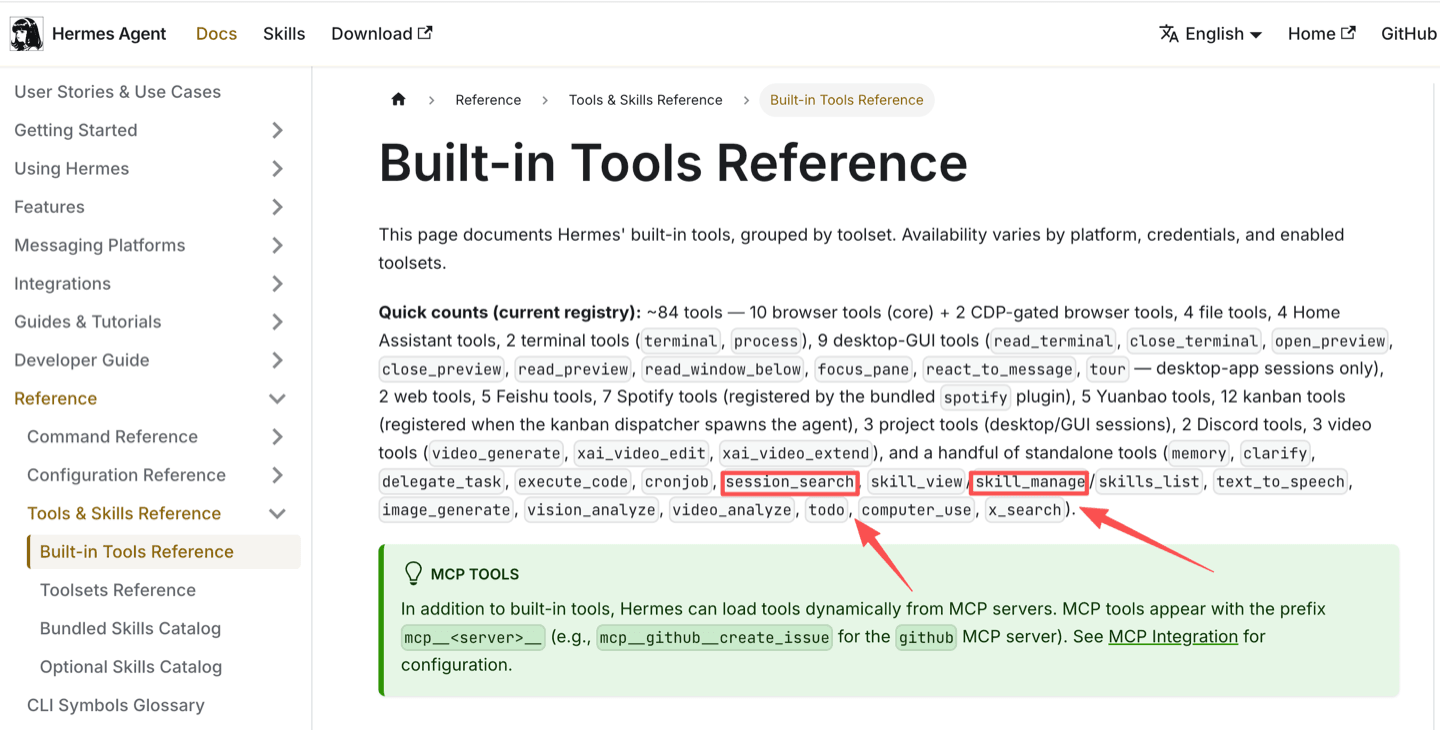
The file-tool task succeeded. Hermes wrote the expected text to /private/tmp/hermes_tool_test.txt, and the usage report marked the run as completed. The tool reference includes session search and skill-management tools, which matched local behavior. Hermes memory was more limited: the persistent memory system has a directory, but no durable memory files appeared during the brief test.
Strengths and Trade-Offs
Hermes Desktop's strength is control. It combines a local runtime, provider selection, files, sessions, skills, schedules, logs, and a desktop UI.
The trade-off is ownership. My doctor run found a fixable state.db FTS issue, and browser tools were not fully available. MoClaw's AI agent deployment methods guide gives a managed-versus-self-managed frame. For bot terminology, the Grok Bot vs AI Agent explainer is the better internal companion.
Who Should Use Hermes Desktop
Use Hermes Desktop if you want a hands-on local agent environment and do not mind configuring providers, reading logs, choosing models, and testing tools. It fits power users who want Hermes Agent Desktop, Hermes skills, local files, and resumable sessions.
Wait if your priority is managed availability, browser work that survives a closed laptop, or team review without local runtime care. MoClaw's persistent AI cloud computer guide explains the managed alternative.
FAQ
Can Hermes Desktop connect to a remote gateway?
Yes. Hermes Desktop can connect to a remote backend, but the remote machine must run hermes serve and handle authentication. That is operator-owned work.
Where does Hermes Desktop store API credentials?
The install layout uses ~/.hermes/ for per-user data, and remote-backend examples use ~/.hermes/.env for secrets. Do not paste that file into support chats.
Where can you report a Hermes Desktop bug?
Use the NousResearch issue tracker. Include OS, install method, provider, command, and sanitized logs.
What happens when the desktop app is closed?
Local work should not be assumed to continue after the app is closed. A remote backend can keep running only if someone maintains it separately.
Does Hermes Desktop require a paid model plan?
Hermes Desktop needs a working model route: provider account, OAuth route, API key, or local endpoint.
Hermes Agent Desktop Review Verdict for 2026
This Hermes Agent Desktop review finds a usable local agent once setup is complete. It is worth testing for power users who want control, skills, files, and resumable work, but non-technical users should budget time before trusting daily workflows.
Continue Reading
More Research
Kimi WebBridge: Browser Agents That Reuse Work

Agent Substrate: 250 Agents on 8 Pods

Caveman Skill: What the 65% Really Buys

Cursor Origin Landed During a GitHub Outage

AI Agent Sandbox: What It Is and Isn't

Inside OAK, an On-Device AI Agent Kernel
The MoClaw editorial team writes about workflow automation, AI agents, and the tools we build. Default byline for industry overviews, listicles, and collaborative pieces.
Turn insights into action.
MoClaw automates the recurring work your analysis points to. No engineering required.
References: Desktop App — Hermes Agent docs · Installation — Hermes Agent docs · Built-in Tools Reference — Hermes Agent docs · Persistent Memory — Hermes Agent docs · NousResearch/hermes-agent issue tracker