Grok Bot vs AI Agent: Is There a Difference?

Grok Bot vs AI Agent is not a real contest: Grok Bot already is an AI agent. How Grok chat, Automations, Bot, and xAI API agents differ, verified Aug 2026.
Table of Contents
Grok Bot vs AI Agent is not a contest between two separate product types. By xAI's current definition, Grok Bot is already a persistent, named agent, so this article explains terminology and product layers rather than inventing a category battle.
Key Takeaways
- Grok Bot is an AI agent, not a renamed chat window.
- Grok chat, Automations, Bot, and API agents solve different workflow problems.
- AI agent remains broader than a single xAI product surface.
- Grok Bot needs an eligible plan, so the category question and the access question are separate.
- Compare agents by persistence, tools, approvals, and access ownership.
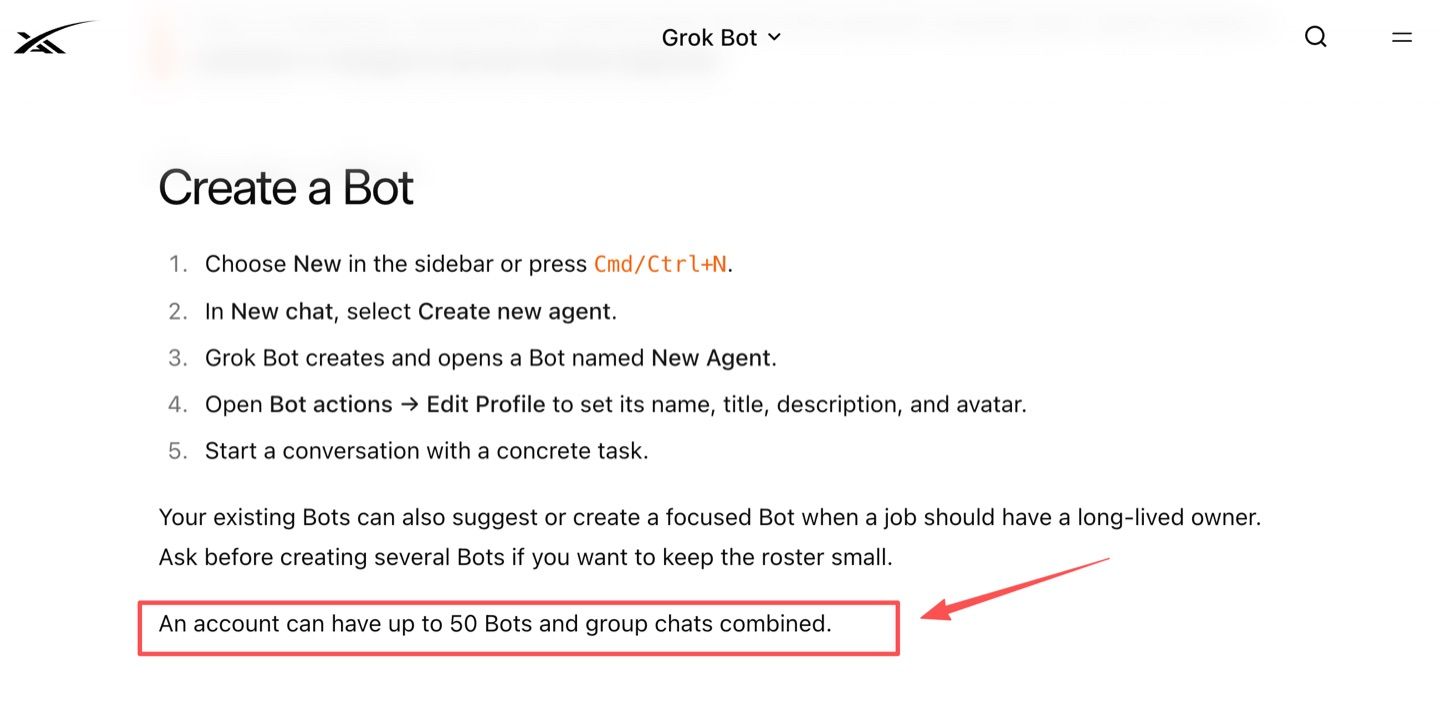
Vera here. I see this confusion when a team writes "bot" in one requirements note and "agent" in another. I ran into it during a small workflow review where one person expected a chat helper, another expected a scheduled research assistant, and a third assumed the system could open files and keep working after the laptop closed. The word was the same in the meeting notes, but the expectations were completely different. That is why I no longer ask, "Is this a bot or an agent?" first. I ask what the system needs to remember, what it can access, what it can do, and who approves the next step. One concrete number anchors the category: a Grok Bot account can have up to 50 Bots and group chats combined, which looks closer to role-based agent work than one chat thread.
Checked on August 17, 2026: This MoClaw article uses xAI's public Grok, Grok Bot, Automations, and API materials. Access, model routing, and admin controls can change, so verify current pages before rollout.
Short Answer: Grok Bot Is an AI Agent
Grok Bot explained simply: it is an AI agent because xAI describes Grok Bot as a persistent, named agent with a working environment. It can keep role context, use files, work in apps, coordinate with Bots, and pause for approval.
That does not mean every Grok experience is a Grok Bot. A normal Grok chat can answer, analyze, create, and use connected tools inside a conversation. Grok Bot is the more durable teammate layer, and xAI introduced it as a separate product rather than as a mode inside chat.
Why "Grok Bot vs AI Agent" Is a Category Question
The phrase Grok Bot vs AI Agent is really an AI agent terminology problem. "Bot" can sound like a chat helper. "Agent" usually implies goals, tools, memory, action, and some ability to continue work.
Grok Bot sits inside that broader category. A cleaner comparison is: "Grok chat, Grok Automations, Grok Bot, or an xAI API agent for this workflow?"
Four xAI Product Layers to Keep Separate
Separate the product surfaces before judging them.
Grok chat
Grok chat is xAI's assistant experience on the web and mobile apps. It supports conversation, file uploads, voice, image and video creation, and connectors. If the task is drafting, analyzing, or working through a question interactively, Grok chat may be enough.
Grok Automations
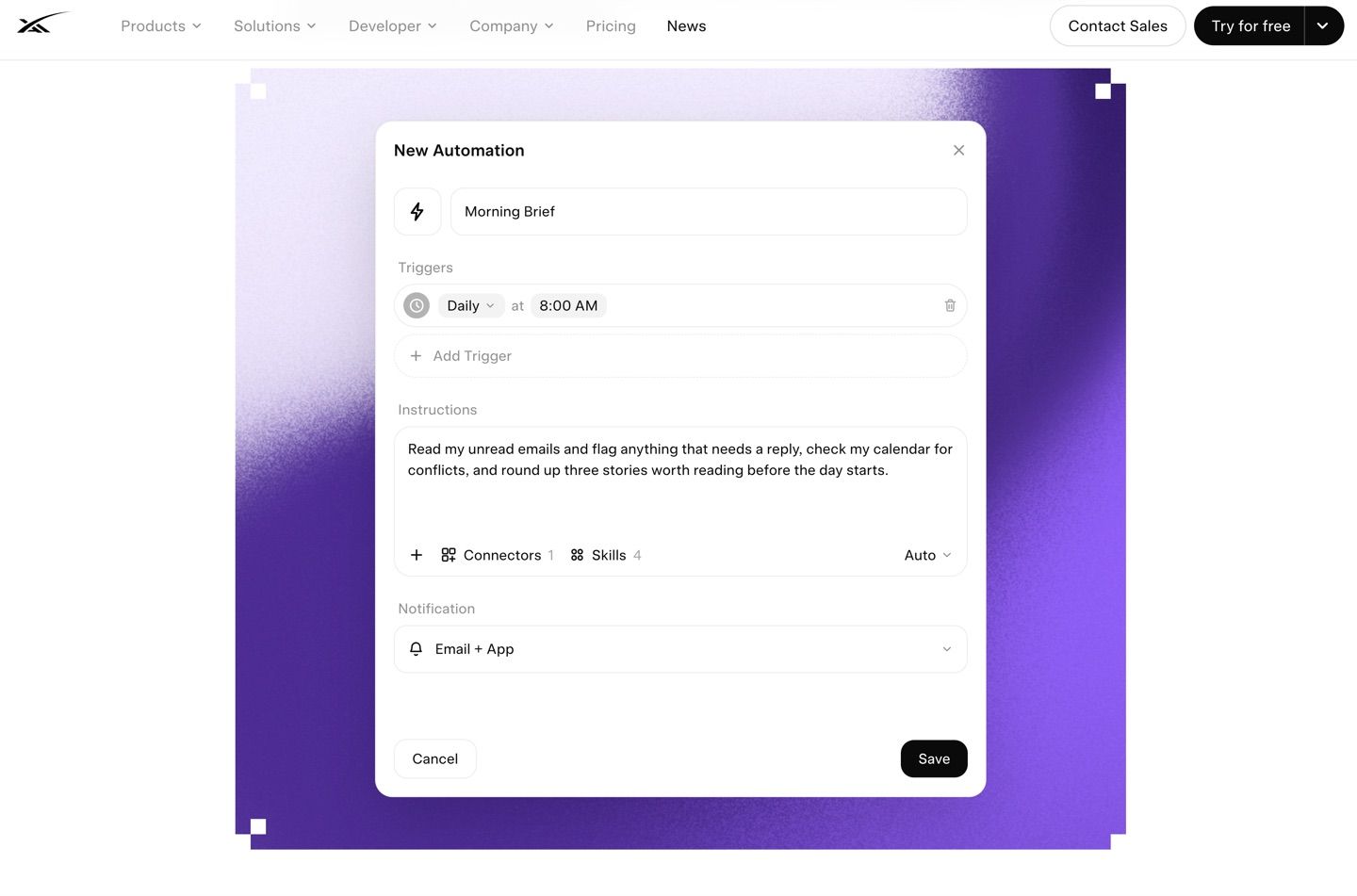
Grok Automations are saved jobs that run on a schedule or, for email triggers, when matching email arrives. Schedule options include once, daily, weekdays, weekly, monthly, and yearly, at a time in your own timezone. Every run is a fresh request against current data using the same saved instructions, which is why this layer fits repeated work rather than one-off questions. xAI says scheduled automations are available to everyone, while email triggers come with SuperGrok.
Grok Bot
Grok Bot is the persistent teammate layer. A Bot is described as having a name, role, conversation context, and access to a cloud computer. For a power user, the practical Grok chat vs Grok Bot difference is continuity.
It is also the layer with a gate in front of it. The setup page lists an eligible plan and the desktop app for macOS or Windows as prerequisites, and says Linux is not currently supported. Our breakdown of what SuperGrok Heavy actually buys you covers that gate in more detail.
xAI API agents
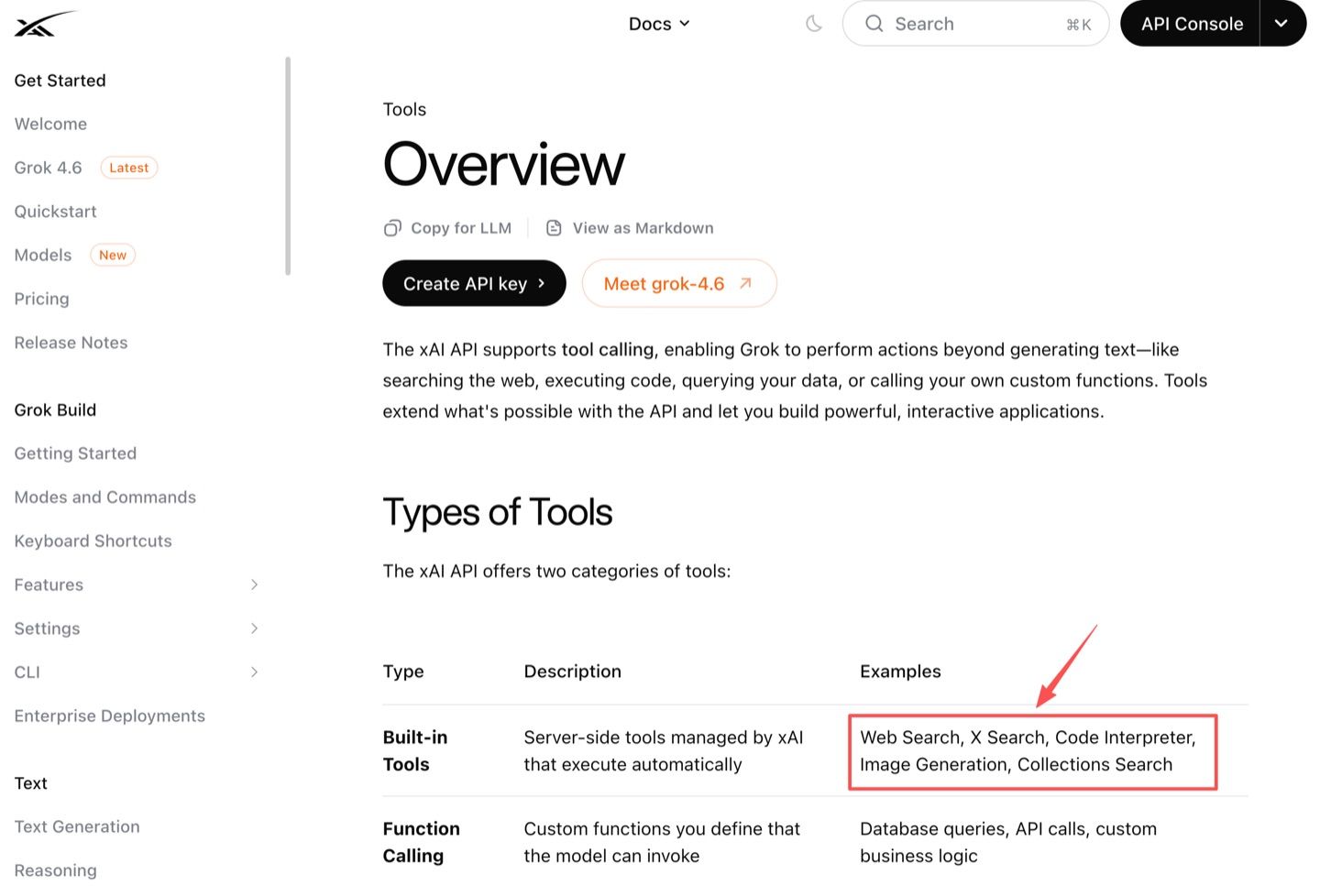
An xAI API agent is something a developer builds using xAI models and tool-calling primitives. The xAI API tools layer supports built-in tools such as web search, X search, code execution, image generation, and collections search, plus custom function calling. Built-in tools run server side and xAI handles execution; function calling hands control back to you. The developer still owns permissions, storage, and review.
What Makes Grok Bot Agentic
Grok Bot is agentic because it combines persistence, tools, delegation, routines, and approval points.
Persistent cloud computer
The strongest agent signal is the persistent cloud computer. Grok Bot can use a browser, command line, files, and connected tools from a cloud machine, and the documentation states that closing the app or the laptop does not stop cloud work.
The handback rules are just as telling. A Bot asks you to take over for a password or passkey, two-factor authentication, a CAPTCHA, a payment or identity check, or a site that explicitly requires a human. Those are approval and security boundaries, and a chat window has no need for them.
Tools, files, and apps
Grok Bot can work with files, links, websites, connectors, and computer actions. For reviewable work, ask for source links, screenshots, timestamps, file names, action logs, and unresolved questions.
Multiple Bots and handoffs
Multiple Bots collaborate through shared context, and handoffs happen through direct messages, group chats, shared files, and visible context. That is why "Grok Bot AI agent" is a reasonable phrase.
Read the boundaries carefully before team use. All Bots on an account use the same computer, so browser cookies, signed-in sessions, and files are shared rather than isolated per Bot. Duplicating a Bot copies the profile, settings, skills, and routines, but not conversation history or learned memory. Persistence and isolation are separate properties, and the second one is where most agent comparisons get sloppy. We drew the same line in our piece on agent memory versus chat history.
Skills, routines, and approvals
Skills and routines split repeatable work into two pieces: a skill is a reusable set of instructions for how to do a task, and a routine tells one Bot when to run that work, on a schedule or after an event. The documented sequence is to run the task once by hand, make it reliable, save the method as a skill, and only then automate it. Approvals keep consequential actions from becoming invisible automation. In workflow reviews, source checks, stop conditions, and approval boundaries are what make the work operational.
Where the Term AI Agent Is Still Broader
AI agents are still broader than Grok Bot. The term can describe open-source runtimes, enterprise agents, API tool loops, browser agents, voice agents, coding agents, and managed workspaces.
That broader term helps when comparing architecture. A developer might need API tool calling. An operations lead might need a named agent with approvals. A founder might care most about work continuing after the laptop closes. If you want the cross-vendor version of that question, our three-way comparison of Grok Bot, Claude Cowork, and ChatGPT Work puts the same layers side by side.
How to Read AI Agent Comparisons More Carefully
Read agent comparisons by behavior, not by label. Ask whether the product has persistent state, tool access, file handling, scheduled work, approvals, auditability, and admin controls.
Then ask what the vendor has decided on your behalf. xAI's team and enterprise documentation says Grok Bot has no model picker for members or admins, that model choice is fully managed by the product with automatic failover, and that plugin and MCP restrictions live in the team policy layer. That is a real answer, not a gap, and it is the kind of detail worth finding before rollout rather than after. Other things genuinely are undocumented: per-Bot security boundaries, routine export portability, and access eligibility over time. The product FAQ points billing questions back to the current access page, which is a fair signal that the terms are still moving.
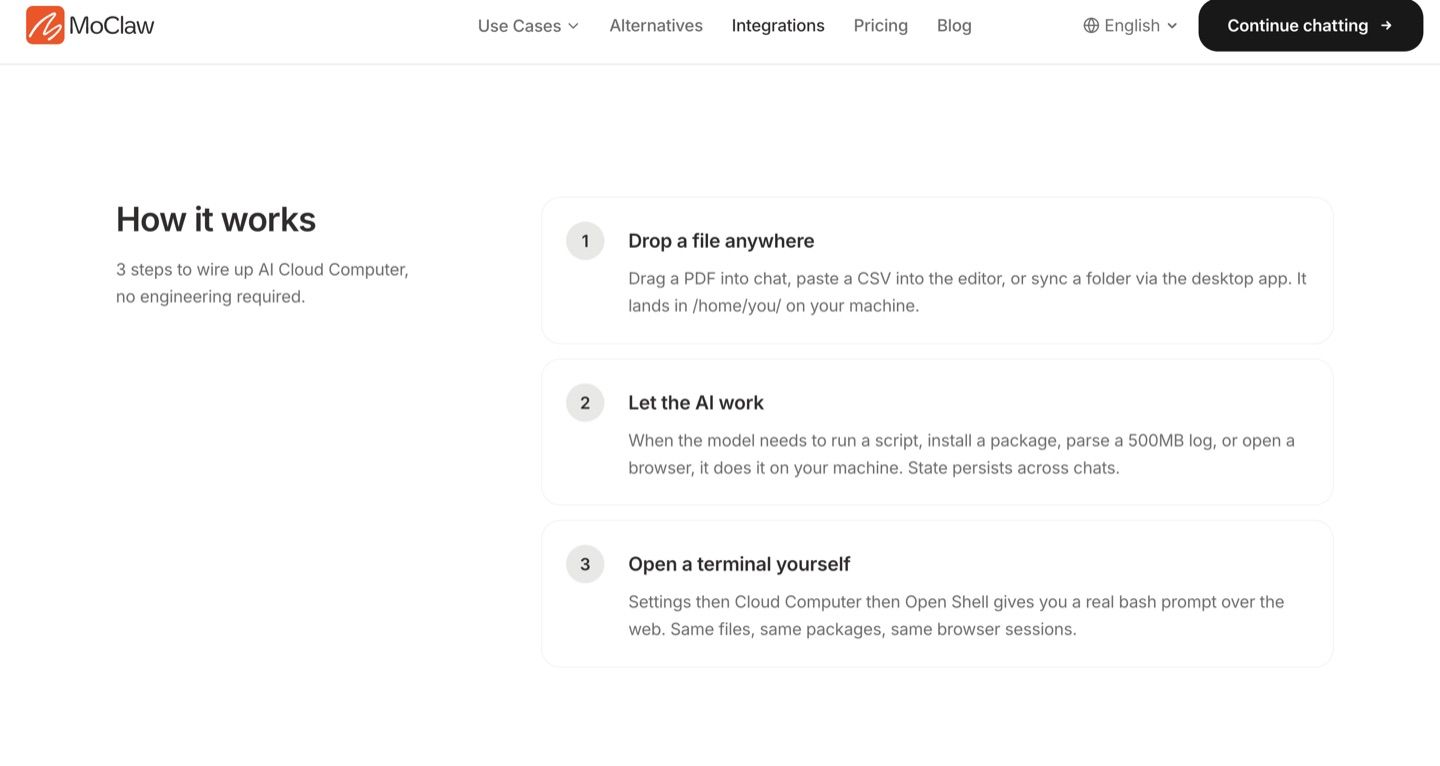
MoClaw is useful as an adjacent reference point because it treats the cloud computer as the working layer for an agent, not just a chat add-on. Its persistent AI cloud computer guide explains how browser sessions, files, scheduled work, and reviewable outputs fit into a persistent agent workflow. That makes it a helpful internal link for readers who want the broader cloud-computer category after understanding where Grok Bot sits.
FAQ
Does every Grok user automatically get Grok Bot access?
No. Public Grok access and Grok Bot access are not the same thing. Eligible access includes plans such as SuperGrok Heavy, Cursor Ultra, Cursor Teams Premium, and certain trials, while team and enterprise availability can vary.
Are Grok Automations stored inside a Grok Bot workspace?
Not publicly documented as a universal rule. Grok Automations are a Grok product surface, while Grok Bot routines belong to Bots. Treat them as separate layers unless your account shows a direct connection.
Can Grok Bot routines move to another agent platform?
Routine portability is not publicly documented as a guaranteed export path. Keep a plain-language copy of the goal, inputs, approval rules, output, and failure behavior outside the product.
Do separate Grok Bots have separate app permissions?
Not as separate security boundaries by default. Bots share one user-scoped computer, including files, browser sessions, and sign-ins. For teams, plugin and MCP policies live in the team policy layer.
Can Grok Bot use models from outside xAI?
No. xAI's team documentation states there is no model picker for members or admins, that it does not plan to allow model choice for Grok Bot, and that requests route to a fixed published set of models with automatic failover.
Grok Bot vs AI Agent: The Practical Conclusion
The practical answer to Grok Bot vs AI Agent is simple: Grok Bot is already an AI agent, but AI agent remains broader. Use Grok chat for interactive thinking, Grok Automations for repeated jobs, Grok Bot for persistent named work, and xAI API agents when building your own product layer.
The more useful habit is to stop sorting products into "bot" and "agent" and start asking the four questions instead. What does it remember, what can it reach, what can it do without asking, and who signs off on the step that matters.
Fact-check, August 17, 2026: the 50 Bots and group chats limit, the shared-computer behavior, and the duplication rules come from xAI's "Create and manage Bots" documentation. Schedule options and email trigger availability come from the Automations announcement on x.ai. Cloud persistence and human-handback triggers come from the "Use the computer and apps" page. Eligible plans and platform support come from the Grok Bot get-started page. The no-model-picker and MCP policy statements come from the teams and enterprises page. Grok Bot was in early beta at the time of writing, so access terms and admin controls may have changed since.
Continue Reading
More Guide
Claude Model Upgrades: Protect Recurring AI Workflows

Relay.app Alternative: Move Before Sep 14

What Is pgbot? Read-Only Postgres Checkups

What Is Cumora? AI Agents as Teammates

Mistral OCR: Your Version Gates Features

Kimi K2.6 Pricing Hides a Precision Trade
The MoClaw editorial team writes about workflow automation, AI agents, and the tools we build. Default byline for industry overviews, listicles, and collaborative pieces.
Ready to put this into practice?
MoClaw runs browser tasks, research, and schedules automatically. Try it free.
References: Grok Bot overview (xAI docs) · Create and manage Bots (xAI docs) · Use the computer and apps (xAI docs) · Skills and routines (xAI docs) · Teams and enterprises (xAI docs) · Automations in Grok (xAI news) · Introducing Grok Bot (xAI news) · xAI API tools overview