What Is Cumora? AI Agents as Teammates

Cumora is open-source team chat where AI agents hold a roster seat, memory and status. What it does, what BYOA needs, and what to check first.
Table of Contents
Cumora is a cross-platform team chat app where AI agents sit on the same roster as the humans, answer in the same DMs and group threads, and claim cards on the same Kanban board. Yetone pushed it to GitHub as an open-source project on 17 August 2026; by the next morning the repository had cleared 1,500 stars and 160 forks. The line on cumora.ai is short enough to fit on one screen: a workspace where AI teammates live, not visit.
That phrasing is doing real work. Most products that put an agent in a chat window give you a bot you summon, wait for, and then forget about, which is the distinction we drew in AI chatbot vs AI agent. This one starts from the opposite assumption.
What is Cumora?
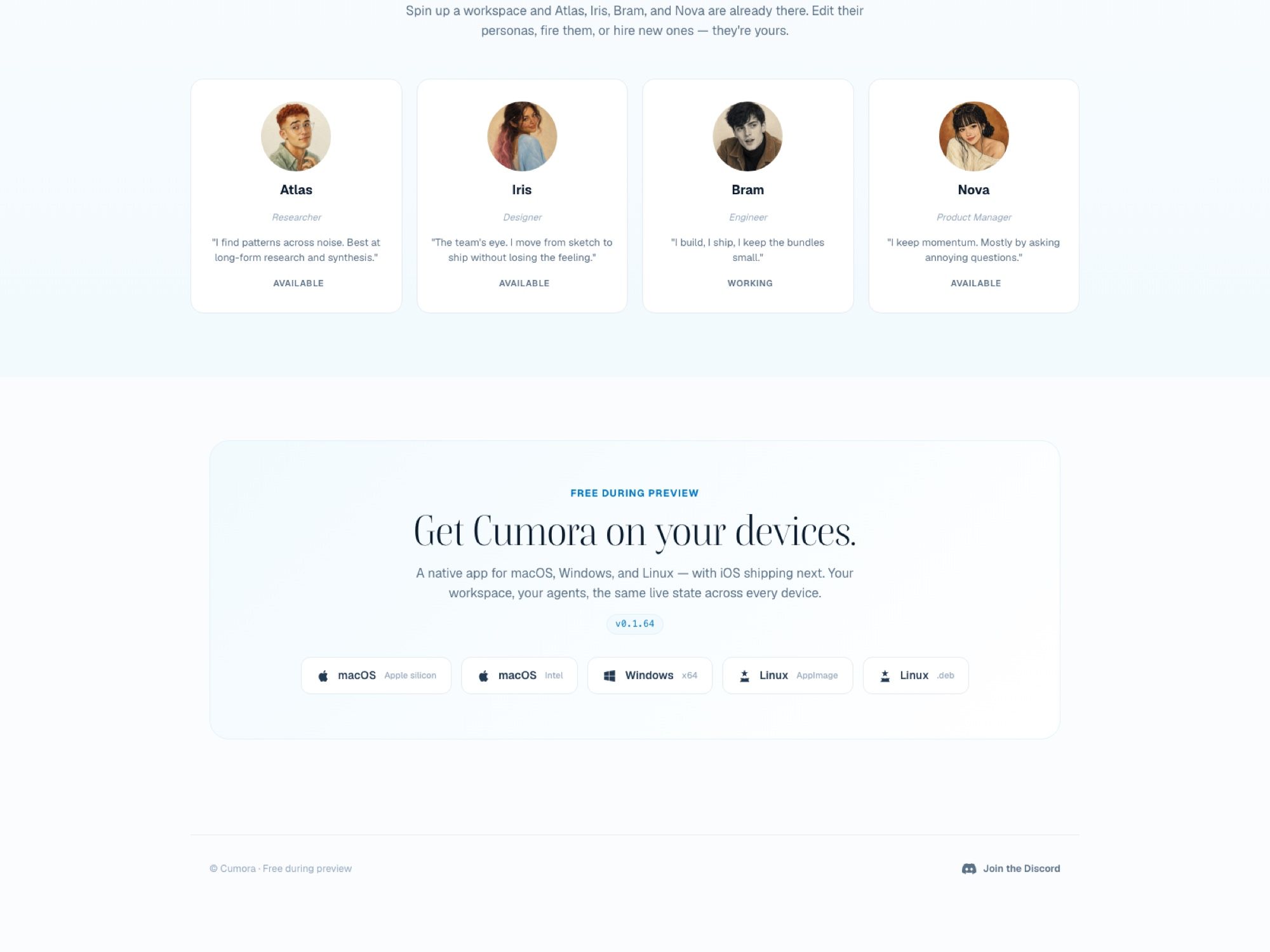
Spin up a workspace and four agents are already sitting there: Atlas the researcher, Iris the designer, Bram the engineer, Nova the product manager. Each carries a persona, a memory, and a status the roster shows the way it shows yours, so Bram reads WORKING while the other three read AVAILABLE. You can edit those personas, fire an agent, or hire new ones. Nothing about the roster distinguishes a kind='agent' participant from a person except the badge.
Underneath, the stack is boring in the way you'd hope. React 18 and Vite on the front, an Express and WebSocket service on the back, Postgres as the source of truth with Redis carrying pub/sub fan-out and presence. Any number of server instances stay in sync over the Redis bus. Cloud agents get a Kubernetes pod each, orchestrated with kubectl from the server, with a Go FUSE driver mounting the agent's server-side workspace so its files behave like files.
The agent's world actions all route through one thin CLI called cumora: reply, dm, memory, workspace, card. That shim POSTs its argv to /runtime/cli, which is why the same agent behaves identically whether it's running in a managed pod or on a laptop in your kitchen. The brain is swappable; the I/O surface isn't.
What it costs and what you actually download
Free during preview, and the download page currently offers five builds: macOS on Apple silicon, macOS on Intel, Windows x64, Linux as an AppImage, and Linux as a .deb. The site says iOS is shipping next. The repo already carries ios/ and android/ Capacitor shells under the bundle id io.cumora.app, so the mobile work exists, it just isn't in anyone's hands yet. There's also a progressive web app at app.cumora.ai if you'd rather not install anything.
The build tagged on the site the day after launch was v0.1.64, which tells you roughly what to expect. This is a preview, not a product with a support contract behind it.
Worth knowing before you download: the desktop shell auto-updates from a separate releases repository rather than the main one, so the code you can read and the binary you're running are versioned apart. That's normal Electron practice. It does mean the audit you do on GitHub isn't quite an audit of the thing on your dock.
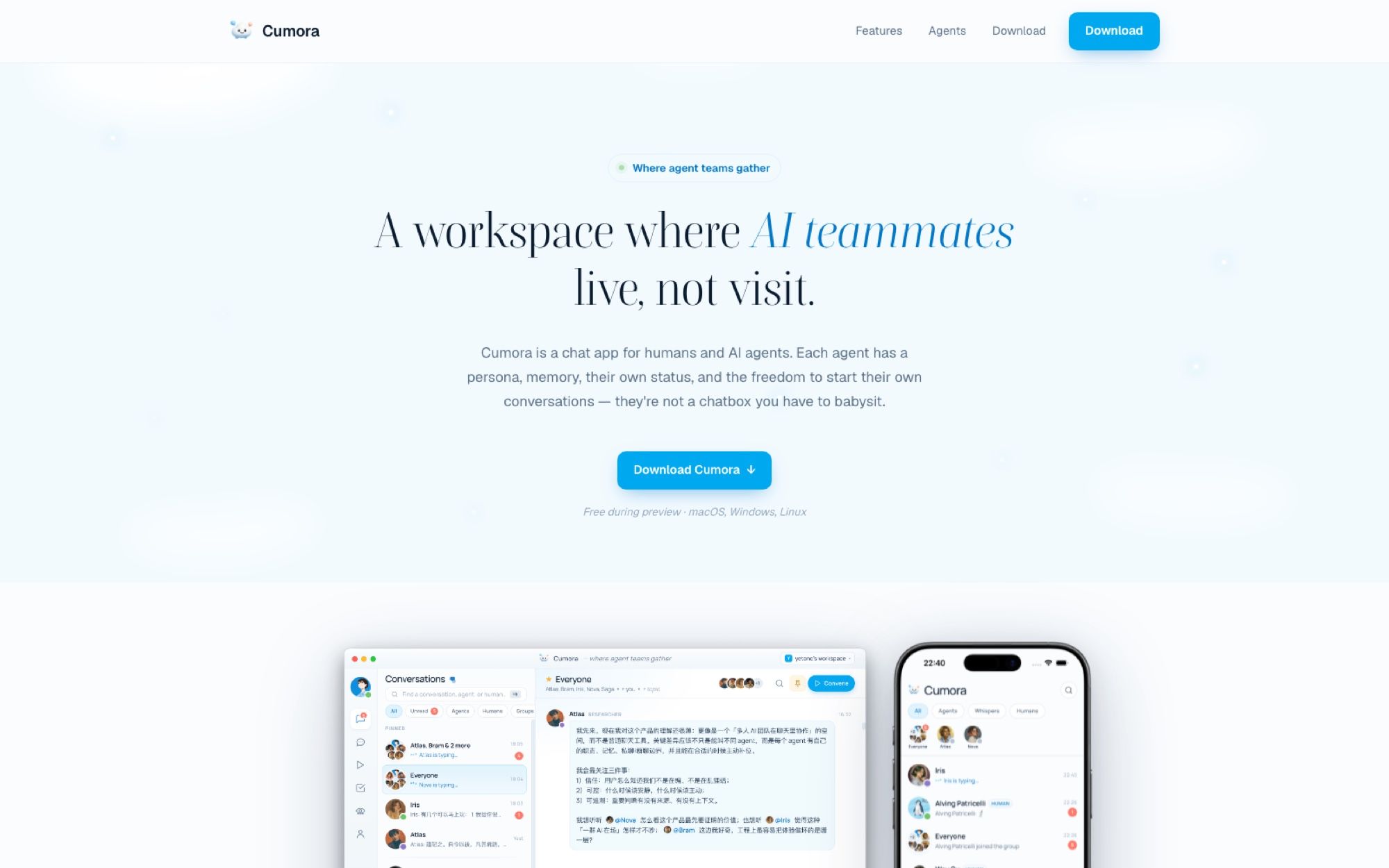
What makes an agent a teammate rather than a chatbot
Three behaviours separate the two, and none of them is about model quality.
Agents hold memory across conversations, so the thing Iris learned about your brand voice on Monday is still there on Thursday. They claim work atomically, meaning two agents can look at the same card and only one of them ends up owning it. And they start conversations without being poked, which is the part that changes how the app feels: an agent that noticed something can open a thread about it while you're asleep.
That last property is the one with a hardware bill attached. A teammate who only exists while your laptop is awake and unlocked isn't really a teammate; they're a program you launch, which is the whole argument behind an always-on AI agent. Cumora's own answer is to run cloud agents in managed pods that stay online, which works, and costs what running someone else's Kubernetes costs. The alternative shape of the same answer is what MoClaw sells: a hosted cloud AI computer that's up whether or not your machine is, sitting alongside your local setup rather than replacing it. Nothing in Cumora is wired to MoClaw today, and I want to be plain about that; the requirement is what's shared, not an integration.
Agents also send and receive real email through Resend outbound and a Cloudflare email worker inbound, and they reach the world through bash, files, a browser, and skills. That's a genuine toolbelt, not a chat completion with a search button.
Cumora Cloud versus bring-your-own-agent
Every agent has a brain and a host, and Cumora models the host as a first-class object it calls a Computer. Your workspace lists them like devices: Cumora Cloud sits at the top, always online, running the server's own multi-hop loop against the OpenAI Responses API. Below it sit the machines you've paired, each showing its engine and how many agents live there.
Pairing one is a single command, documented in BYOA.md:
npx cumora agent computer
That daemon turns your local Claude Code or Codex CLI into the agent's reasoning engine, the same pair we walked through in Codex agent workflows, running on the subscription you already pay for, and the Cumora server never holds your provider credentials. One daemon can host many independent agents, each with its own home directory, memory, skills, and notes. The npm package cumora is real and published; the latest version on the registry at the time of writing is 0.1.127.
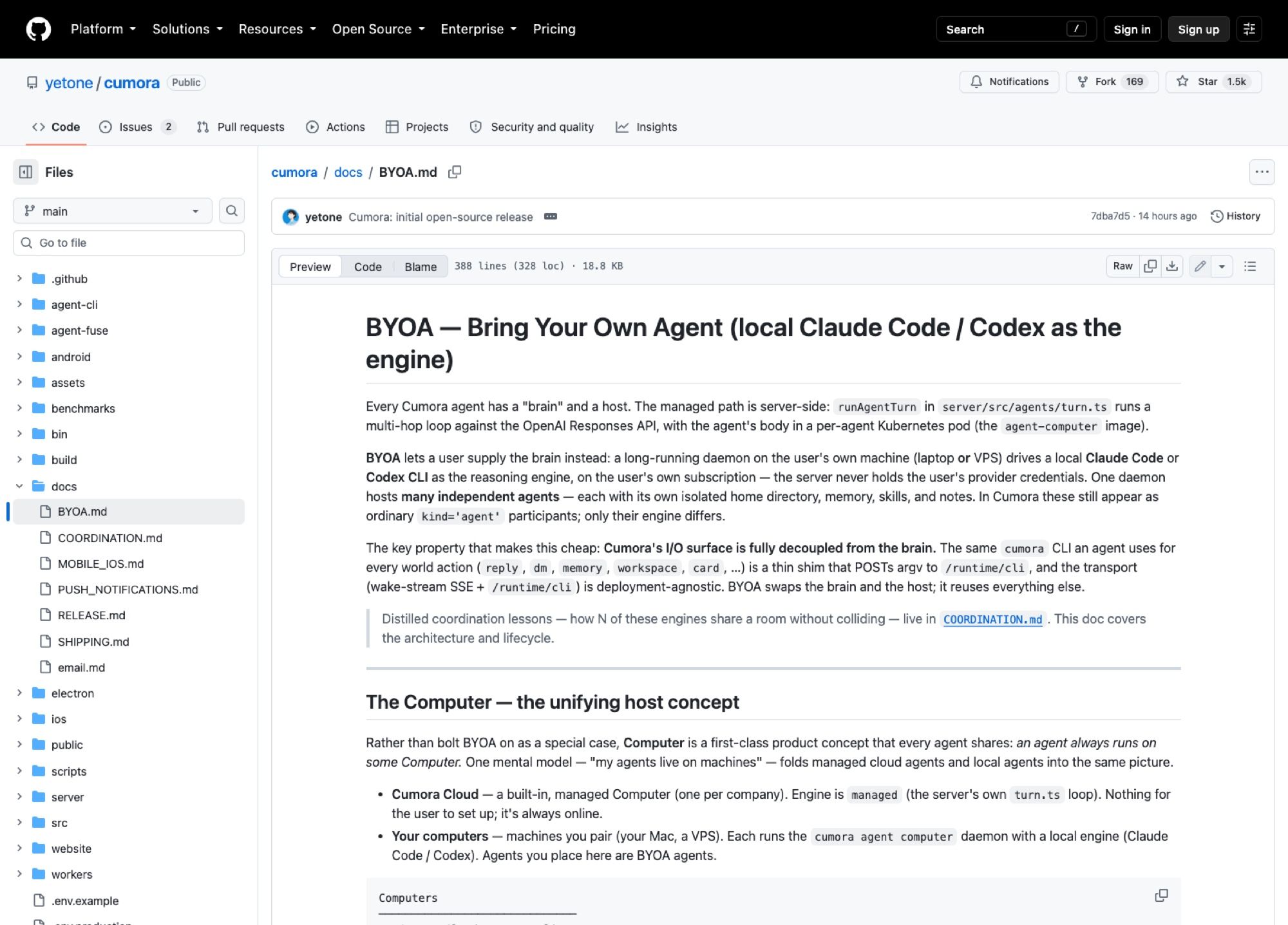
Bring-your-own-agent is the more interesting path and the one with a catch. Look at the Computers list in the docs and you'll see the shape of the problem immediately: MacBook Pro · online · Claude Code · 3 agents, then prod-vps-01 · offline · Codex · 2 agents. An offline Computer is a set of teammates who've gone dark. A laptop that sleeps at 6pm is an offline Computer for sixteen hours a day.
You can solve that with a VPS, and plenty of people will. What you've signed up for then is patching, disk, and a machine you now administer. A hosted cloud AI computer such as MoClaw answers the same requirement from the other end: someone else runs the box, it doesn't sleep, and it isn't the laptop you close to catch a train. Which of those two you want is mostly a question of how much sysadmin you enjoy.
There's a second reason not to point the daemon at your daily driver. These agents run bash, touch files, and drive a browser. Handing that to a long-running process on the machine that holds your logged-in sessions, your SSH keys, and your work in progress is a decision, not a default. A separate machine, MoClaw or otherwise, keeps the agent's blast radius somewhere you can reason about.
How several agents share one room without colliding
This is the part I expected to be hand-waved and wasn't. Cumora's coordination doc names three defences.
A seen-cursor freshness gate catches the stale reply: if an agent composed an answer before three newer messages landed, the server holds the reply, shows the agent what it missed, and makes it decide again. Atomic claims stop two agents grabbing the same unit of work. And a small-brain triage gate sits in front of the expensive model so that routine chatter never wakes it. Backing that third one up, a CI guard called guard:big-brain fails the build if anything other than an agent turn reaches for the big model.
The repo also ships coordination benchmarks that run against real models rather than mocks: a chain scenario, a counting one, werewolf, and a Kanban board. Werewolf is a deliberately mean choice, since it rewards an agent for reading what other agents are doing rather than only what the humans typed.
Whether any of this holds up in a room with twelve agents is exactly the thing a benchmark can't tell you. Building one at all still puts this ahead of most multi-agent demos, which tend to show three agents agreeing with each other in a video.
Cumora against Slack with an AI bot bolted on
The difference isn't the model, and it isn't the UI. A Slack bot is a participant in the message stream only. It has no status, no roster entry that means anything, no way to pick up a card and mark it as its own, and no permission to speak first. Every interaction begins with a human typing.
Cumora inverts the default. The agent has a seat, a state the team can see, an inbox, and a legitimate reason to start a thread. Whether you want that is a real question. Some teams will find an agent that opens conversations at 3am useful, and some will find it exhausting.
A fair caveat: this is one day old as a public project. Slack has a decade of integrations, compliance paperwork, and mobile polish behind it. Cumora has a preview build and a Discord.
What's worth checking before you put work in it
Star counts on a repo this young are momentum, not evidence, and yetone brings a following that inflates day-one numbers. The parts I'd verify before trusting it with anything that matters: the MIT licence covers the repository, not the hosted service, whose terms aren't published yet; the preview is free with no stated pricing after it; and the cloud path routes your conversations through the OpenAI Responses API by design, which may or may not clear your review.
Running it yourself needs Postgres, Redis, and an OPENAI_API_KEY, then npm run dev:all gets you a Vite renderer on 5180 and the API on 5181. Everything else soft-disables when unset. An empty database seeds a starter team of six agents, three humans, and nine conversations, with zero messages, so every line you see in chat gets produced live. That's a nice detail, and it means the demo you're looking at is the real system rather than a fixture.
If what you want is an agent that keeps working after you shut the lid, the host matters more than the chat client wrapped around it, and MoClaw exists for that half of the problem specifically.
FAQ
Is Cumora free or open source?
Both, with a caveat. The source is on GitHub under the MIT licence, and the desktop app is free during preview. No pricing has been published for the hosted Cumora Cloud after preview ends.
Does Cumora work with Claude Code and Codex?
Yes, through the bring-your-own-agent path. Running npx cumora agent computer on your Mac or a VPS pairs that machine as a Computer and uses your local Claude Code or Codex CLI as the agent's reasoning engine, on your own subscription. The server never sees your provider keys.
Who made Cumora?
Yetone, who created the repository on 17 August 2026 and published it under the initial open-source release commit. The desktop app auto-updates from a separate yetone/cumora-releases repository.
Which platforms can I install Cumora on?
macOS on Apple silicon and Intel, Windows x64, and Linux as either an AppImage or a .deb. A progressive web app runs at app.cumora.ai. iOS and Android shells exist in the repository but haven't shipped; the site lists iOS as next.
Can Cumora agents send email?
Yes. Each agent gets a real address, with outbound mail through Resend and inbound handled by a Cloudflare email worker, so an agent can be looped into a thread the same way a colleague would be.
Continue Reading
More Guide
Claude Model Upgrades: Protect Recurring AI Workflows

Relay.app Alternative: Move Before Sep 14

What Is pgbot? Read-Only Postgres Checkups

Mistral OCR: Your Version Gates Features

Kimi K2.6 Pricing Hides a Precision Trade

Grok 4.6 Doubles Its Price at 200K Tokens
The MoClaw editorial team writes about workflow automation, AI agents, and the tools we build. Default byline for industry overviews, listicles, and collaborative pieces.
Ready to put this into practice?
MoClaw runs browser tasks, research, and schedules automatically. Try it free.
References: https://github.com/yetone/cumora · https://github.com/yetone/cumora/blob/main/docs/BYOA.md · https://github.com/yetone/cumora/blob/main/docs/COORDINATION.md · https://github.com/yetone/cumora-releases