Claude Model Upgrades: Protect Recurring AI Workflows
Learn how to test recurring AI workflows before a Claude model upgrade, preserve approvals, document failures, and keep a rollback path you control.

Table of Contents
A Claude model upgrade can change how an existing recurring task behaves even when you never touch the task itself, so the safe move is to test your repeating workflows before the new model becomes your default, not after something looks off.
Key takeaways
- A model upgrade can shift a recurring task's output format or stopping behavior even if you never edit the task.
- Keep a short regression set: your real tasks plus one saved correct output as the answer key.
- Write your rules into the instructions, not into your memory of how the old model happened to act.
- Shadow-test the new model against the old before switching, and keep a rollback path.
- A managed execution layer trades some control over the model for less upgrade maintenance.
Here's where this started. I run a few tasks I no longer think about: a morning digest, a recurring client summary, a page I have something watch over. One came back formatted differently one day. Nothing was broken, exactly. The information was right, but the structure had shifted, and I'd been forwarding that output to a client without rereading it. I had no process for "the model changed and my task didn't." This piece is that process, for people who depend on recurring digital work and don't write code.
Vera here. I write for MoClaw and use it most working days for research and recurring operations work, so take that for what it is. This one is a process write-up, not a benchmark. I'm not putting run counts or credit numbers in here, because the point isn't any single task. It's the habit of checking before the model changes under you.
Why Model Upgrades Can Break Recurring Workflows
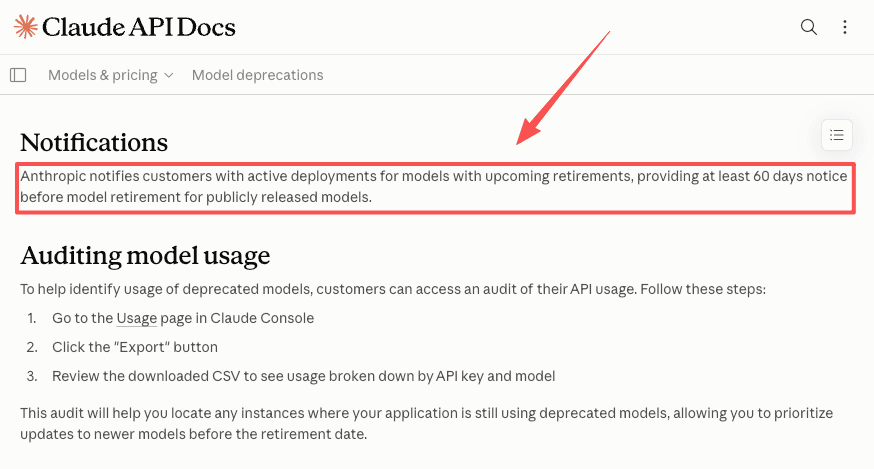
Providers retire older models on a published schedule, and Anthropic notifies affected users by email and in its model deprecation documentation, with at least 60 days' notice before any publicly released model retires. On consumer surfaces the default model gets swapped for you. Either way, the assistant running your task may not be the one you set it up with. New models are usually better, but better still means different.
Changes in tool behavior and output formats
The most common break is format drift. A task that returned a tidy table starts returning prose, or reorders fields. Whether the assistant reaches for a given tool on a given turn is steerable through instructions, and Anthropic's tool use documentation notes that boundary shifts with how you prompt, so the same instruction can land differently across a change.
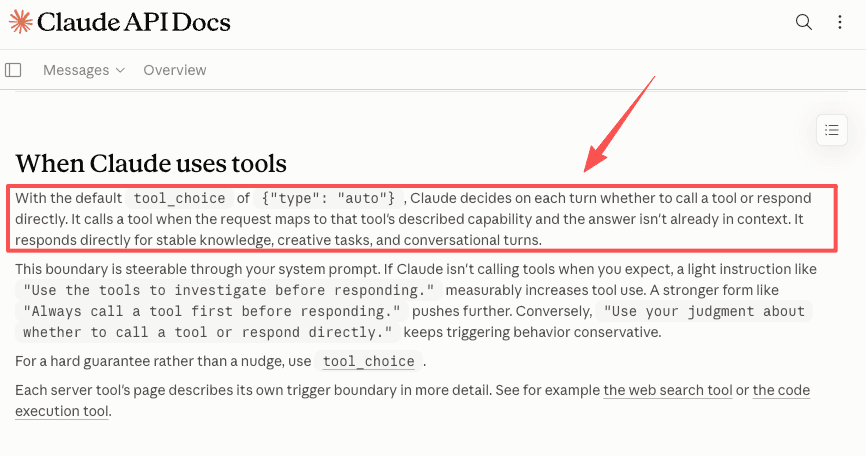
Shifts in clarification and stopping behavior
Newer models often ask fewer clarifying questions and act more directly. For a one-off chat that's an improvement. For a recurring task, a model that used to pause and confirm and now just proceeds can quietly skip a checkpoint you relied on.
Impact on approval timing and human handoff points
If your task hands off to you at a specific step, watch that step hardest. A model that stops sooner or later than before moves the handoff. I had one that used to wait for my okay and then start finishing on its own. The output was fine, but I'd lost a control I thought I had.
Build a Lightweight Regression Set for Your Workflows
You don't need a testing framework, just a short fixed list of your real recurring tasks and the correct answer for each. This is regression testing stripped down to what a small team can keep up.
Capture real recurring tasks as test cases
Write down the tasks you depend on, the exact instruction you give, and one good past output as the reference. That saved output is your answer key.
A browser-based monitoring task
For anything that reads a live page, save a recent good run. Browser tasks are the least stable across changes, so I re-check this one first.
A file-to-report workflow
For "take these files, give me this report," keep a sample of inputs and the report you expect, then compare new output to old.
A scheduled task with human handoff
For tasks that loop in human review, the test isn't just the content. It's whether the handoff still happens at the same step.
How often to re-run the regression set
Re-run it when a change is announced or your default switches, and once more a few days after. Otherwise leave it alone. A regression set you run constantly is one you'll abandon.
Separate Your Workflow Rules from Model Behavior
The tasks that survived my own upgrades kept their rules in the instructions, not in my memory of how the old model behaved. That's most of what model-agnostic AI workflows means in practice.
Keep instructions stable while allowing model changes
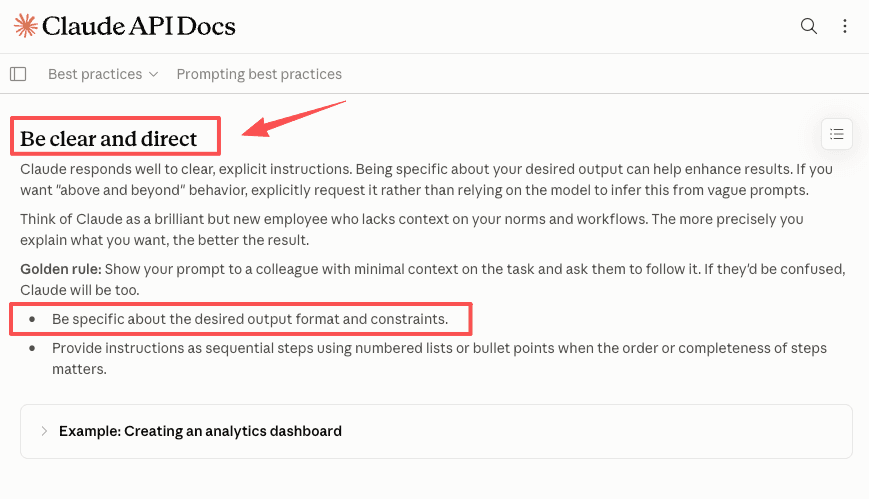
State the format, steps, and constraints explicitly, following Anthropic's prompt engineering best practices. For example, instructions like "Return a table with these exact columns" are much more reliable than vague ones like "Summarize this nicely".
Use explicit approval and stopping rules
Don't rely on the model to know when to stop. Write it: "Stop and wait for my confirmation before sending." That rule is the closest thing to a fallback model behavior you control yourself, because it holds no matter which model is underneath.
Create a Safer Upgrade Process
Shadow-test before switching models
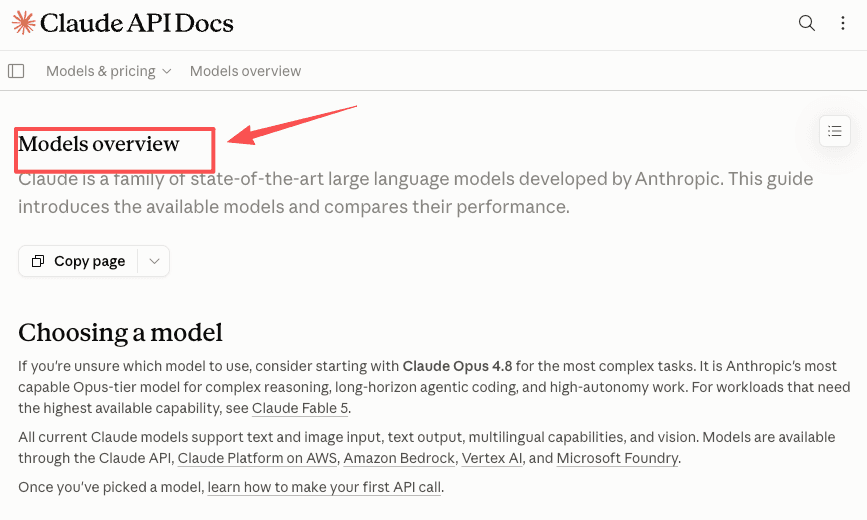
Before a new model runs real tasks, run your regression set against it while the old one still does the live work. Anthropic's model overview is where I check what changed. Only switch the tasks that pass.
Maintain a rollback path
Know which model your tasks ran on before, and how to point them back. On the API you pin a version. On consumer surfaces, the default switches when the old model retires. Your tasks keep running, but on a different model than before.
Document failures and preserve approvals
When something breaks in shadow-testing, write down what broke, keep the failing output next to the correct one, and preserve your approval steps through the switch. The note turns a scramble into something you don't repeat.
When a Managed Execution Layer Reduces Upgrade Risk
This is where my own bias shows, so I'll name it. I work for MoClaw, and part of why I hand some recurring tasks to a managed assistant is exactly this problem.
How managed assistants absorb model changes
A managed execution layer sits between you and the raw model and can hold your instructions, formats, and approval rules steady when the model changes. You can see the recurring work people hand off this way in MoClaw's use cases. The honest version: it absorbs some of the shock, not all. Output can still shift, and you still re-check.
Trade-offs between control and reduced maintenance burden
There's a real trade-off, and it doesn't always favor a managed layer.
| You want | Lean toward | What you give up |
|---|---|---|
| Full control over the exact model and version | Direct API with pinned models | You own the regression testing and migrations |
| Less maintenance on routine tasks | A managed execution layer | Granular control over the underlying model |
If version-pinning is something you'd do anyway, a managed layer adds little. If a model change landing in your inbox fills you with a specific dread, it buys back maintenance time. I keep my messy, judgment-heavy work in direct chat and hand off the stable, repeating tasks. That split is mine, not a recommendation.
FAQ
What should I check first when a regression run comes back different?
Start with the structure, not the words. If a downstream step parses a table, a field, or a JSON shape, that's the first place a model change shows up, because the content can be completely accurate while the format is wrong enough to break what reads it. After structure, check where it stopped: did the handoff still happen at the same point, or did the task run past a checkpoint you expected? Facts are usually fine. Format and stopping points are where the breaks hide.
Can I pin a specific Claude model version to avoid upgrade-related breaks?
Yes, on the API. Pinning a model version identifier means your task calls the same model until that version is deprecated and eventually retired. Check current version identifiers and retirement dates on Anthropic's model deprecations page, since they change. On consumer interfaces, pinning isn't available and the default switches when a model retires. A regression set still matters either way, because even pinned versions can have infrastructure changes that shift output without a version number change.
How do deprecation notices affect scheduled or automated AI tasks?
Deprecation notices mean a model has a retirement date, after which calls to it fail. Tasks pinned to that exact model stop working unless migrated, while consumer-interface tasks get moved to the new default for you. Treat the notice as a deadline to shadow-test, not a formality, and confirm current dates against the provider's official documentation.
When is it better to keep a recurring workflow on an older model?
Keep an older model when a task is stable, contractually formatted, and a newer model changes its output in ways you'd have to re-validate. Deprecated models remain usable until their retirement date, a window Anthropic describes in its commitments on model deprecation and preservation. Use that window to migrate on your schedule.
Deciding Your Claude Model Upgrade Plan Before the Next One Lands
A Claude model upgrade isn't something to fear, but it isn't something to ignore either, especially if recurring tasks quietly run your day. Keep a short regression set, write your rules into instructions instead of the model's habits, shadow-test before you switch, and keep a rollback path you decided on in advance. Pick the one task you'd most hate to find broken, and go look at its last output. That's where I'd start.
Model availability and deprecation dates change frequently. The details here were last verified against Anthropic's official documentation as of the time of writing. Verify the latest on the official model and deprecation pages before making any production decision.
Continue Reading
More Guide
ChatGPT Codex: From Chat to Tasks
Programmatic Tool Calling for Agents

pxpipe Workflow: Compress Context Safely

TRAE Work Guardrails: Permissions and Review
AI Agent Orchestration: Design Guide

Claude Tag Workflows for Shared Slack Context
The MoClaw editorial team writes about workflow automation, AI agents, and the tools we build. Default byline for industry overviews, listicles, and collaborative pieces.
Ready to put this into practice?
MoClaw runs browser tasks, research, and schedules automatically. Try it free.
References: Anthropic: Model deprecations · Claude: Tool use overview · Claude: Prompt engineering best practices · Claude: Models overview · Anthropic: Deprecation and preservation commitments