TRAE Work Guardrails: Permissions and Review

TRAE Work guardrails explained: how execution AI workflows use read-only defaults, MCP allowlists, permission levels, audit logs, and human review.
Table of Contents
TRAE Work guardrails are the operating rules a team sets before an AI workspace can read files, call tools, change work artifacts, or send outputs outside the workspace. The point is practical: define what the AI can touch, what stays read-only, what needs human review, and what must be logged before real actions happen.
Key Takeaways:
- TRAE Work guardrails should start before tool access, not after the first risky action.
- Read-only defaults reduce damage while a team learns where execution AI is reliable.
- An MCP allowlist should mean approved servers, approved tools, and approved actions, not "any MCP server that works."
- Human review should stay explicit before external messages, system changes, code changes, exports, and destructive actions.
- Audit logs, rollback notes, and incident reviews turn agent safety from a vague policy into an operating habit.
The habit that finally let me leave an execution agent running was boring: decide what it may do before it does anything. Safe, reversible actions like reading a file, querying data, or drafting a change get a standing yes. The destructive ones, deleting, overwriting, sending, or dropping a table, get an explicit no until a person clears them. That one split is the whole difference between an agent that is autonomous and one that is simply unsupervised.
Why Execution Workflows Need Guardrails
TRAE's official TRAE Work page describes an AI workspace that breaks down tasks, calls tools, keeps project files in one workspace, previews results, supports feedback, and can run multiple tasks in the background. That is the difference between chat and execution AI. Chat answers. An execution workspace can move work forward.
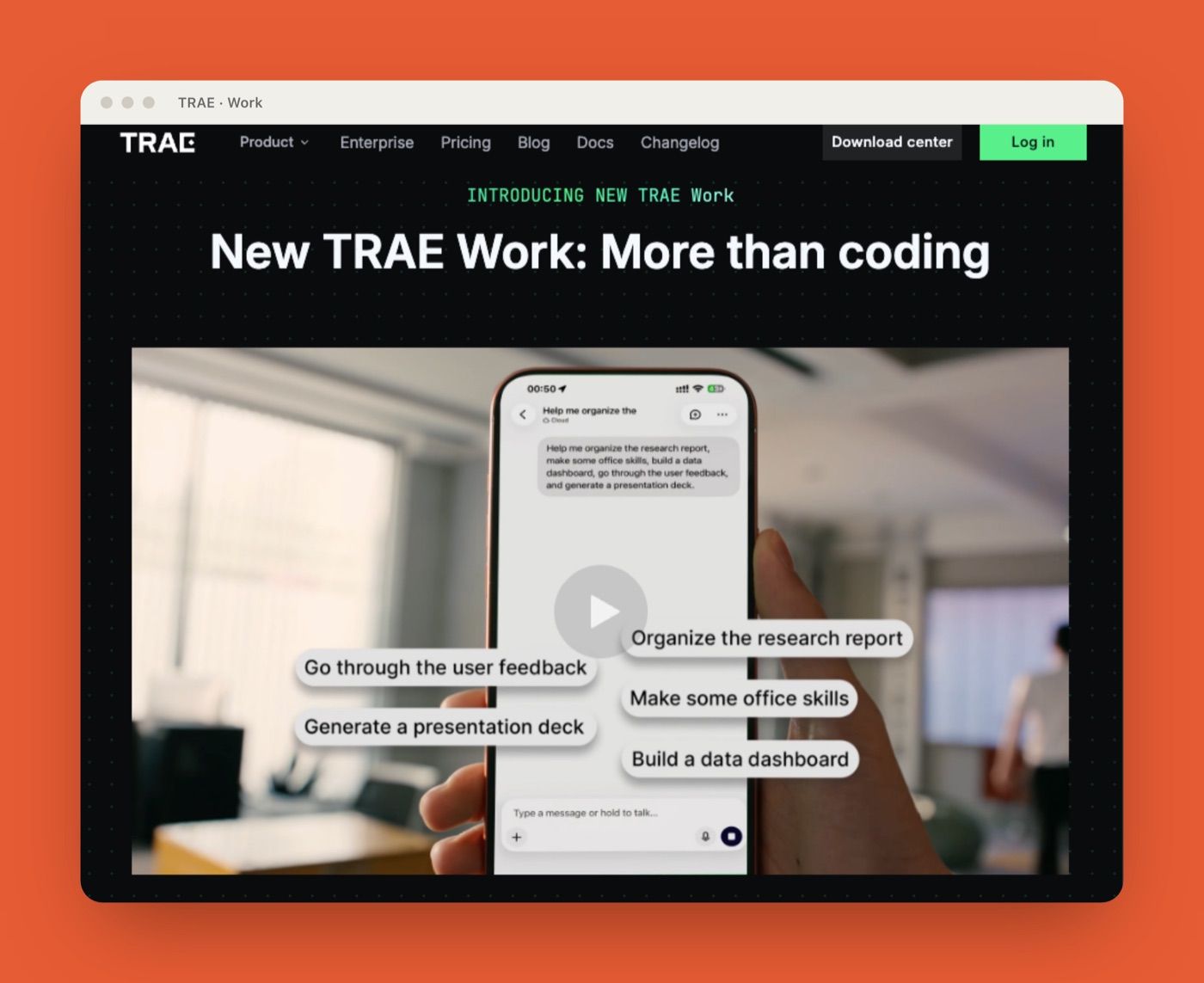
That shift changes safety issues. A hallucinated answer is bad. A hallucinated answer that updates a file, changes a ticket, sends a message, or edits code is worse.
TRAE Work guardrails should be designed around the action surface. What can the workspace read? What can it write? Which tools are enabled? Which MCP servers are allowed? Who approves external actions? Where are audit logs stored? If those questions are answered after tool access is enabled, the team is already late.
Guardrails Before Tool Access
The safest time to define permissions is before the workspace touches real systems. This is where teams should separate curiosity from execution. It is fine to explore. It is not fine to let exploration quietly become system access.
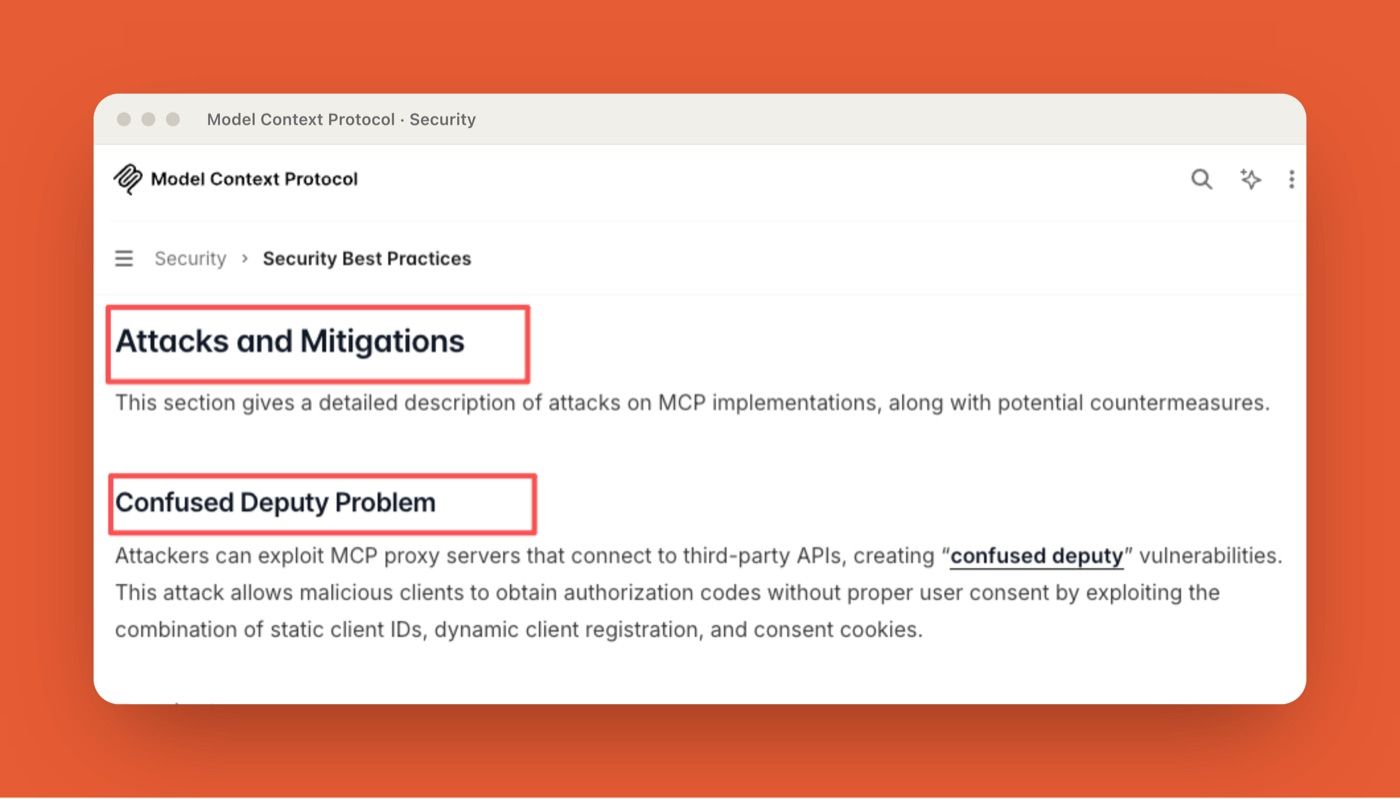
The Model Context Protocol's Security Best Practices call out risks such as confused-deputy attacks, token passthrough, SSRF, session hijacking, local server compromise, OAuth authorization URL validation, stdio transport security, and scope minimization. That guidance is not TRAE-specific, but it is directly relevant to any AI workspace that connects to MCP servers, tools, or data sources.
Read-only defaults
Start with read-only access unless the workflow has a named reason to write. Read-only should apply by default to repositories, customer records, spreadsheets, project management systems, file stores, docs, and external communication channels. This does not block useful work. It lets the AI workspace research, summarize, classify, compare, and prepare drafts while humans decide when to act. For example, a support lead might let TRAE Work read recent support notes and draft a reply, but not send the message.
Tool allowlists
A tool allowlist is the practical version of MCP access control. It should name approved MCP servers, approved tools inside those servers, and approved action types.
"Allow GitHub" is too broad. "Allow read access to issues and pull requests for triage summaries" is better. "Allow write access to labels only after human approval" is better still.
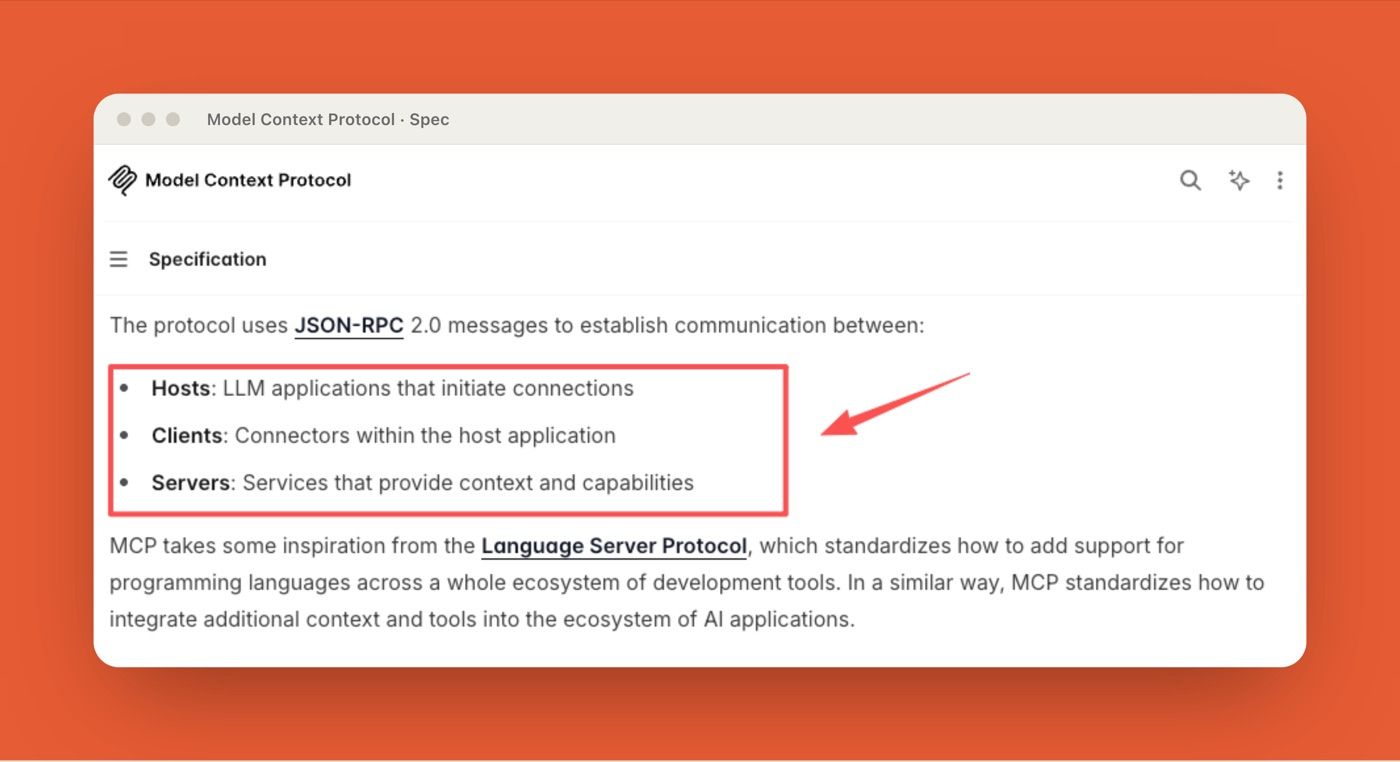
The MCP specification separates hosts, clients, servers, tools, prompts, and resources. Teams should mirror that separation in their allowlist. Approving a server is not the same as approving every tool it exposes.
Permission levels
Permission levels should follow workflow maturity. A new workflow starts as observe-only: read files, inspect sources, and produce recommendations. A stable workflow can move to draft mode: prepare changes, comments, or files for review. Only a proven workflow should reach action mode: write, send, update, export, or trigger another system.
Review Points Before External Actions
Human review should sit before actions that leave the workspace or change a system of record. That includes customer-facing replies, code changes, merged documents, exported reports, database updates, ticket changes, scheduled emails, and file deletions.
Here is the failure that made me keep a hard review gate. An automated research run I had started to trust read a vendor's pricing page and reported a limited-time promo as the standard price, stated with complete confidence. Caught in review, it was a shrug. Shipped into a client-facing report, it would have read as my mistake, not the model's. Fresher context made the workspace faster and, without a review step, quietly riskier.
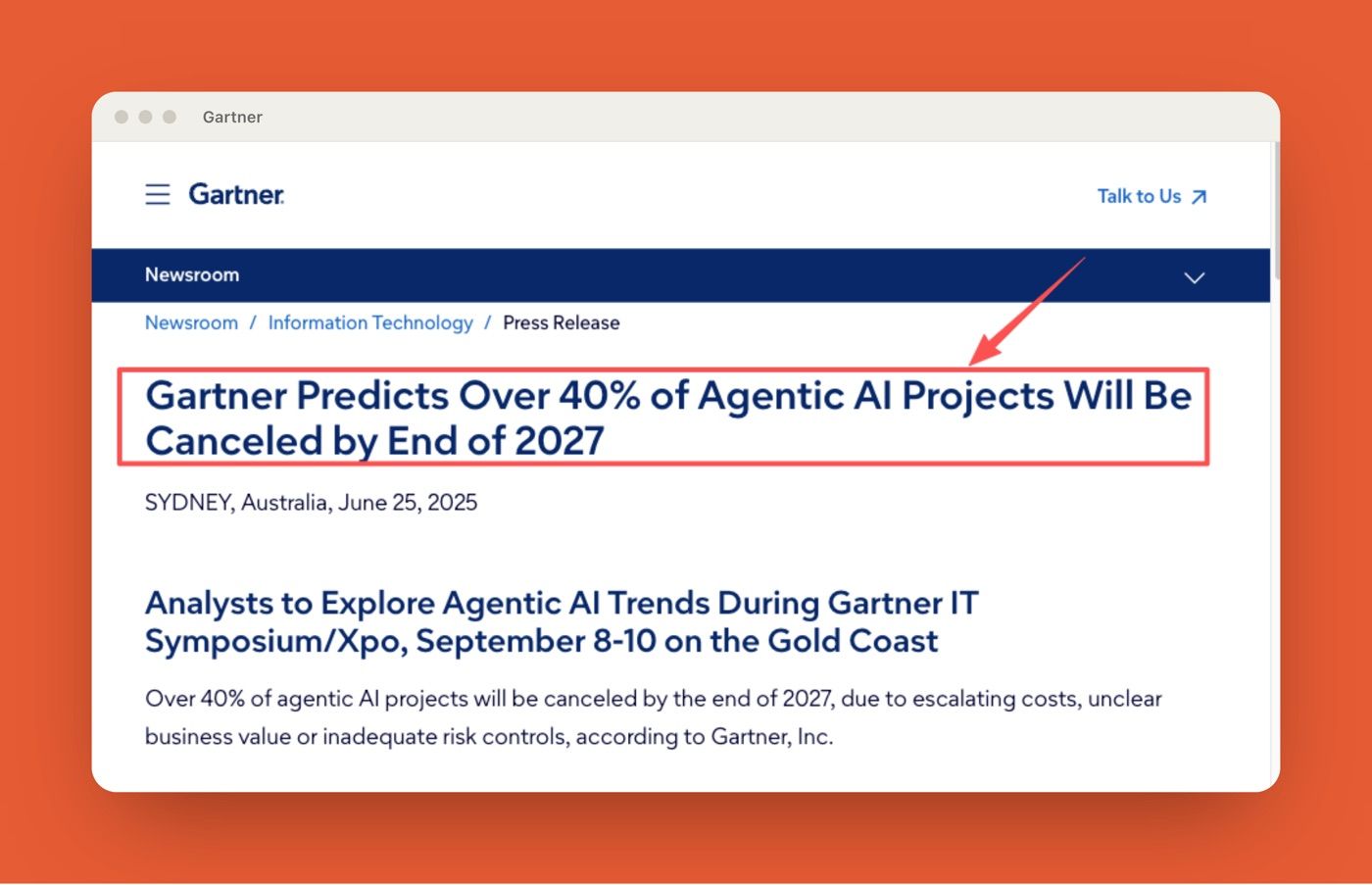
That is why the review layer matters. The U.S. Census Bureau's Business Trends and Outlook Survey shows that AI use among U.S. businesses hovered around 17% to 20% from December 2025 to May 2026, and adoption rises with company size: 37% of firms with at least 250 employees reported using AI in the period ending May 3, 2026. The adoption curve is real, but adoption is not the same as reliable execution. Gartner's forecast that over 40% of agentic AI projects could be canceled by the end of 2027 points to the same gap: workflows break down when cost, business value, and risk controls are not handled clearly. Since then, any workflow that extracts pricing, availability, legal terms, or customer commitments gets a manual review gate before publishing.
Logs, Incidents, and Rollback Notes
Audit logs are how operators reconstruct what happened when an AI workspace makes a wrong call. A useful log should capture the request, user, workspace, files touched, tools called, MCP server involved, output produced, human approval, and final action. If audit logs are not available in the product surface, teams should create lightweight rollback notes in the workspace itself.
NIST's AI Risk Management Framework frames AI risk management around trustworthy design, use, evaluation, and governance. For execution AI, that means recording enough detail that a reviewer can understand what happened, why it happened, and what should change before the next run.
Incident reviews should stay practical. Ask what the AI saw, which tool it used, which permission allowed the action, what review step failed, and what should change. Rollback notes should include the exact file, ticket, message, or system state to restore. Before a team gives an AI workspace broader tool access, the guardrail review should answer these questions:
| Guardrail check | Safe default | Risk if skipped |
|---|---|---|
| MCP server source | Use official or internally reviewed servers only | A malicious or abandoned server can expose data or unsafe tools |
| Data access | Start with read-only files and records | The workspace may pull sensitive or irrelevant context into the run |
| Tool actions | Separate read, draft, write, send, delete, and export actions | A summary workflow can quietly become a system-changing workflow |
| Authentication | Use scoped credentials and rotate stale tokens | A leaked token can turn one mistake into broader account access |
| Human review | Require approval before irreversible actions | The AI can change work before a person sees the result |
| Logging | Capture request, tool calls, files touched, approvals, and final action | The team cannot reconstruct what happened |
| Rollback | Define how to restore files, tickets, messages, or records | Incident response becomes guesswork |
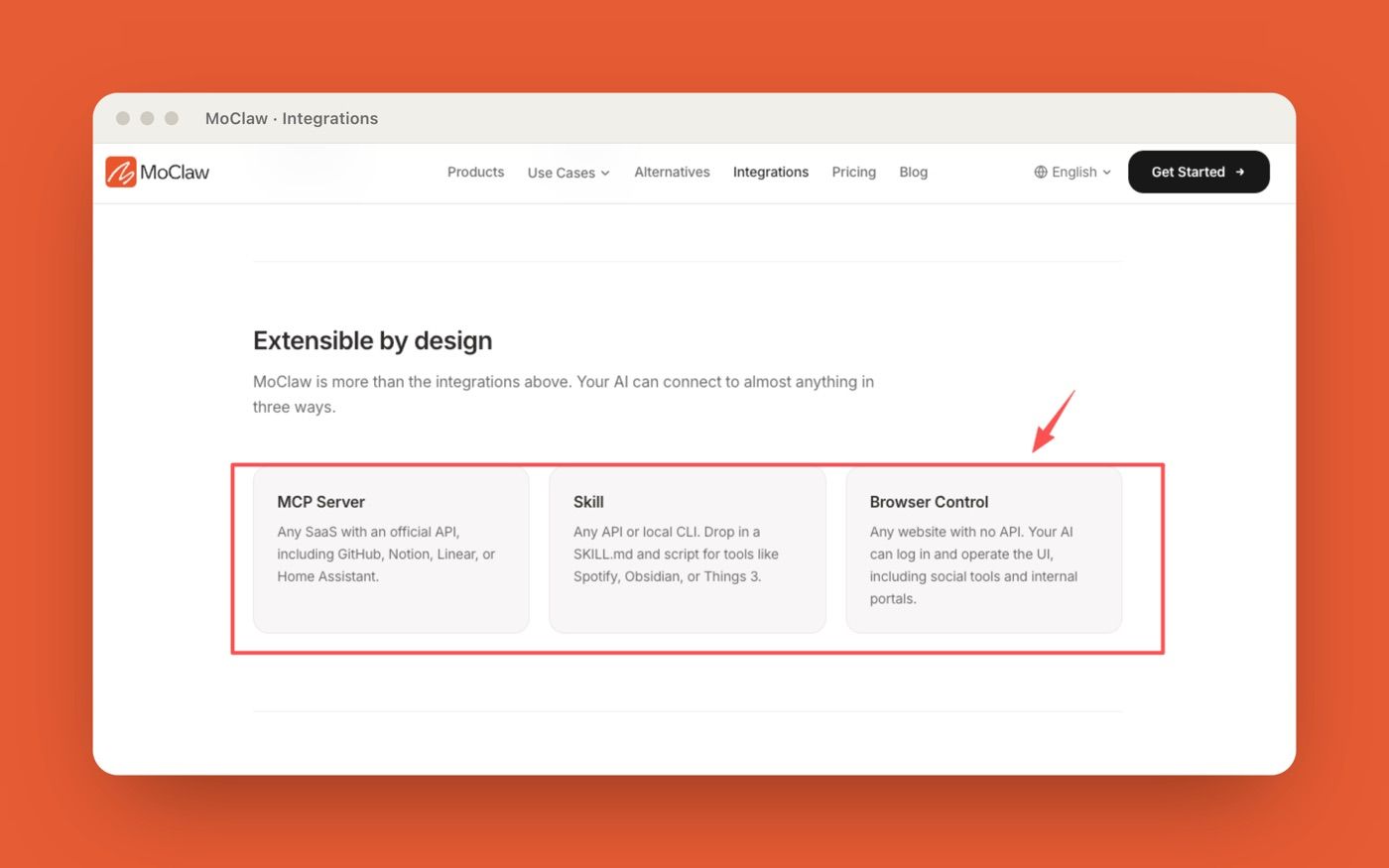
MoClaw approaches similar workflow-control problems from a different product layer. Its AI workflow automation use case shows recurring browser tasks, files, reports, logs, and scheduled delivery inside one cloud workspace. The MoClaw integrations page also frames MCP, Skills, and browser control as separate access paths for tools and systems.
FAQ
Which actions should stay read-only by default?
Customer records, repositories, financial spreadsheets, legal files, production tickets, shared drives, and external communication channels should stay read-only by default. The AI workspace can inspect, summarize, classify, and draft from these sources first. Write access should be earned only after the workflow has a clear owner, review path, and rollback plan.
What should trigger a human review step?
Human review should trigger before any external message, code change, file deletion, export, database update, permission change, purchase, customer commitment, or system-of-record edit. Review should also trigger when the AI cites stale data, handles secrets, summarizes regulated information, or acts through an MCP server with write-capable tools.
How should teams handle leaked or stale secrets?
Leaked or stale secrets should be rotated, removed from workspace context, and recorded in incident notes. Do not only delete the visible message. Check whether the secret appeared in files, prompts, tool logs, cached outputs, or MCP server traces. Then update the workflow so secrets are redacted before future runs.
TRAE Work Guardrails for Real Execution Work
TRAE Work guardrails matter because execution AI is not just a better chat box. Once an AI workspace can read files, call tools, run background tasks, and prepare real outputs, teams need read-only defaults, MCP allowlist discipline, permission levels, human review, audit logs, and rollback notes. The practical rule is simple. Let TRAE Work help with real work, but make the action boundary visible. The workspace can move faster only when the team knows what it can touch, what it must ask before doing, and how to review what happened after the run.
Disclosure: This article was produced by MoClaw. Vera is a MoClaw staff writer. For this piece, I reviewed TRAE's public Work page, the MCP Security Best Practices page, the MCP 2025-06-18 specification, and NIST's AI Risk Management Framework on July 6, 2026. I did not test TRAE Work's internal permission controls, audit logs, MCP support, or allowlist behavior in a production workspace, so this article should be read as a source-based guardrails explainer, not a TRAE security audit.
Continue Reading
More Guide
Claude Model Upgrades: Protect Recurring AI Workflows

ChatGPT Codex: From Chat to Tasks

Third-Party Agent Skills: Permissions and Review

pxpipe Guardrails: Text Fallbacks for Image Context

Programmatic Tool Calling for Agents

pxpipe Workflow: Compress Context Safely
The MoClaw editorial team writes about workflow automation, AI agents, and the tools we build. Default byline for industry overviews, listicles, and collaborative pieces.
Ready to put this into practice?
MoClaw runs browser tasks, research, and schedules automatically. Try it free.
References: TRAE Work product page · Model Context Protocol: Security Best Practices · Model Context Protocol specification (2025-06-18) · U.S. Census Bureau: AI use among U.S. businesses · Gartner: Over 40% of agentic AI projects will be canceled by 2027 · NIST AI Risk Management Framework