Claude Tag Workflows for Shared Slack Context
Claude Tag puts an AI teammate in Slack. See how shared context, permissions, spend limits, and human review reshape team workflows before you switch it on.
Table of Contents
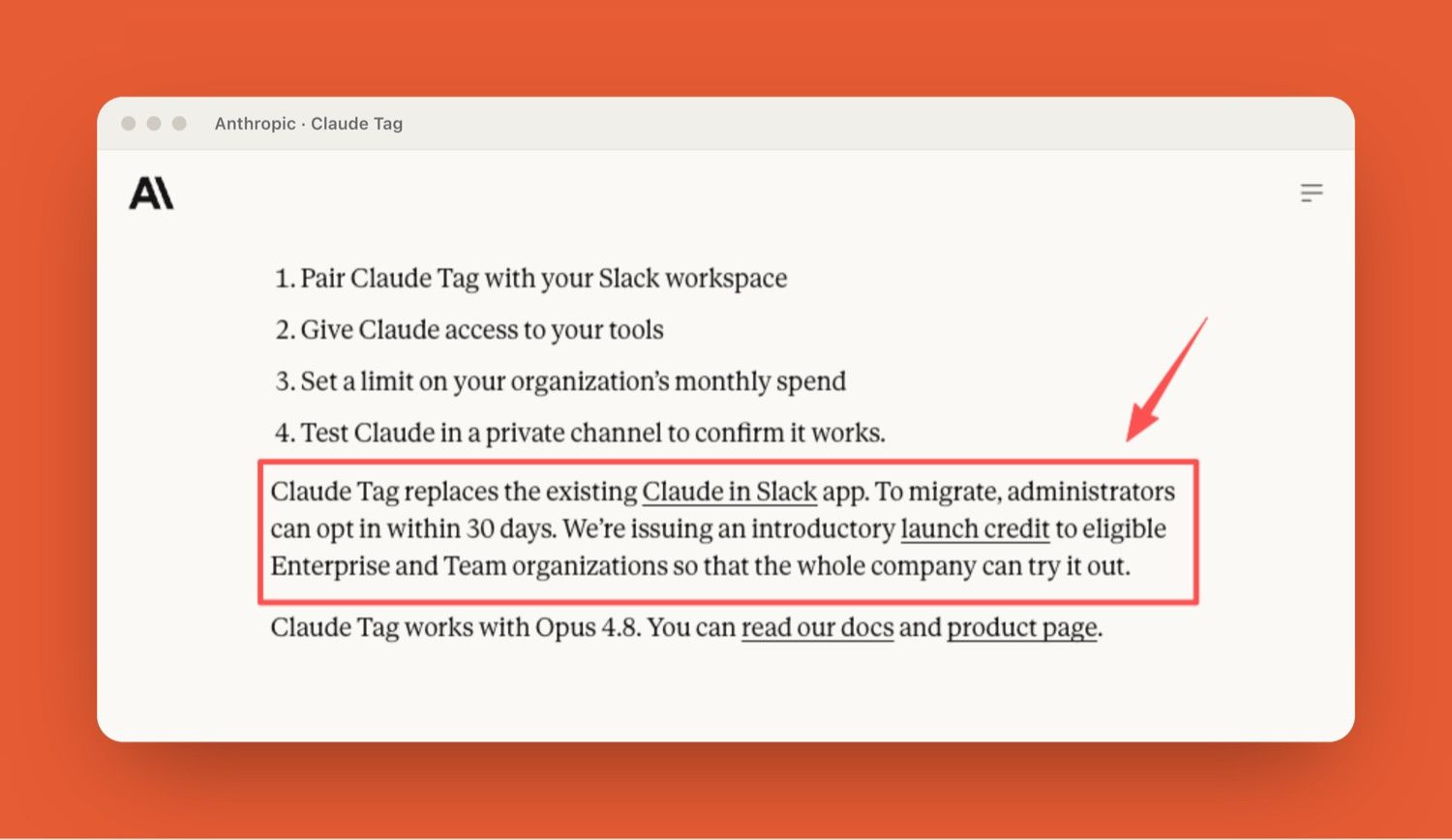
Claude Tag is Anthropic's new way of putting Claude inside Slack as a shared team member: you tag @Claude in a channel, hand it a task in plain language, and it works through connected tools before posting the result back in the thread. It launched in beta for Enterprise and Team customers on June 23, 2026, and according to Anthropic's Claude Tag announcement, it replaces the older Claude in Slack app, with a 30-day window for administrators to migrate.
Key Takeaways:
- Claude Tag is a Slack AI agent that everyone in a channel talks to through a single shared identity, not a private DM bot.
- It builds memory from the channels it's in, so you stop re-explaining context every task.
- The real decisions aren't technical. They're about who can tag it, what it reads, and when work needs human review.
- It runs on Opus 4.8, works asynchronously, and admins scope its access per channel.
- Slack is the entry point, but recurring digital work often spills past it.
That last point is where I keep landing. I spend most of my week in recurring research and ops work, and most of my "AI problem" was never the model. It was the tab-to-tab logistics around it. So when a teammate AI shows up living inside the channel where work already gets assigned, I paid attention. Here's what actually changes, and what doesn't.
Why Shared Context Changes Agent Workflows
One visible teammate instead of private chats
When the AI teammate is private, every person briefs it from zero. Five people, five separate context dumps, five slightly different versions of the same answer. With a shared identity, the briefing happens once and stays in the open. TechCrunch's coverage frames this as a play for organizational context, not just productivity; the channel accumulates institutional knowledge over time.
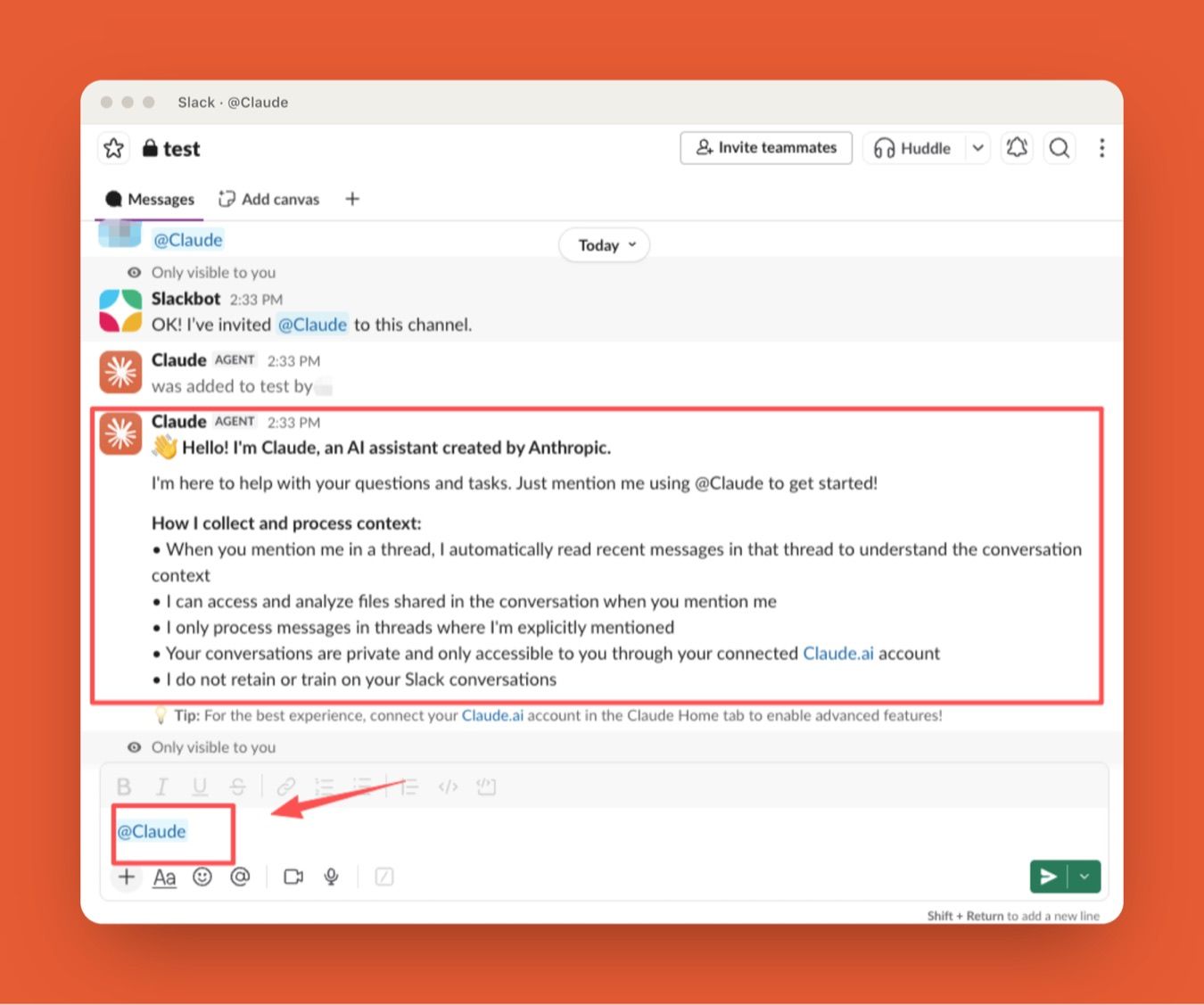
I noticed this fastest in handoffs. Someone starts a task, gets pulled into a call, and the thread just sits there with the work half-done. With a single visible Claude, the next person reads what it already did and continues. No "wait, where did you leave off." That continuity is the part I underestimated.
Channel memory and task continuity
Claude builds context from the channels it follows, stops asking the same background questions, and can pull from other channels admins have granted access to, without touching private ones. Admins scope each identity, so legal Claude and engineering Claude stay separate.
The workflow this enables: schedule a task, walk away, come back to a finished thread. It breaks requests into stages and runs them in turn.
What this changes: the unit of context stops being a person and starts being a channel, so knowledge survives handoffs. What it leaves open: a shared identity also means shared authority to assign work, which is a governance question, not a feature.
The Real Workflow Questions Teams Must Answer
The setup is easy. The governance is where teams actually spend their thinking. Three questions matter more than any feature.
Who can tag Claude?
Anyone in a channel can tag @Claude, which is the point and also the thing to watch. A shared teammate means shared authority to assign it work. Admins decide channel membership, so the honest first step is deciding which channels Claude lives in before deciding who's in them.
What can Claude read or use?
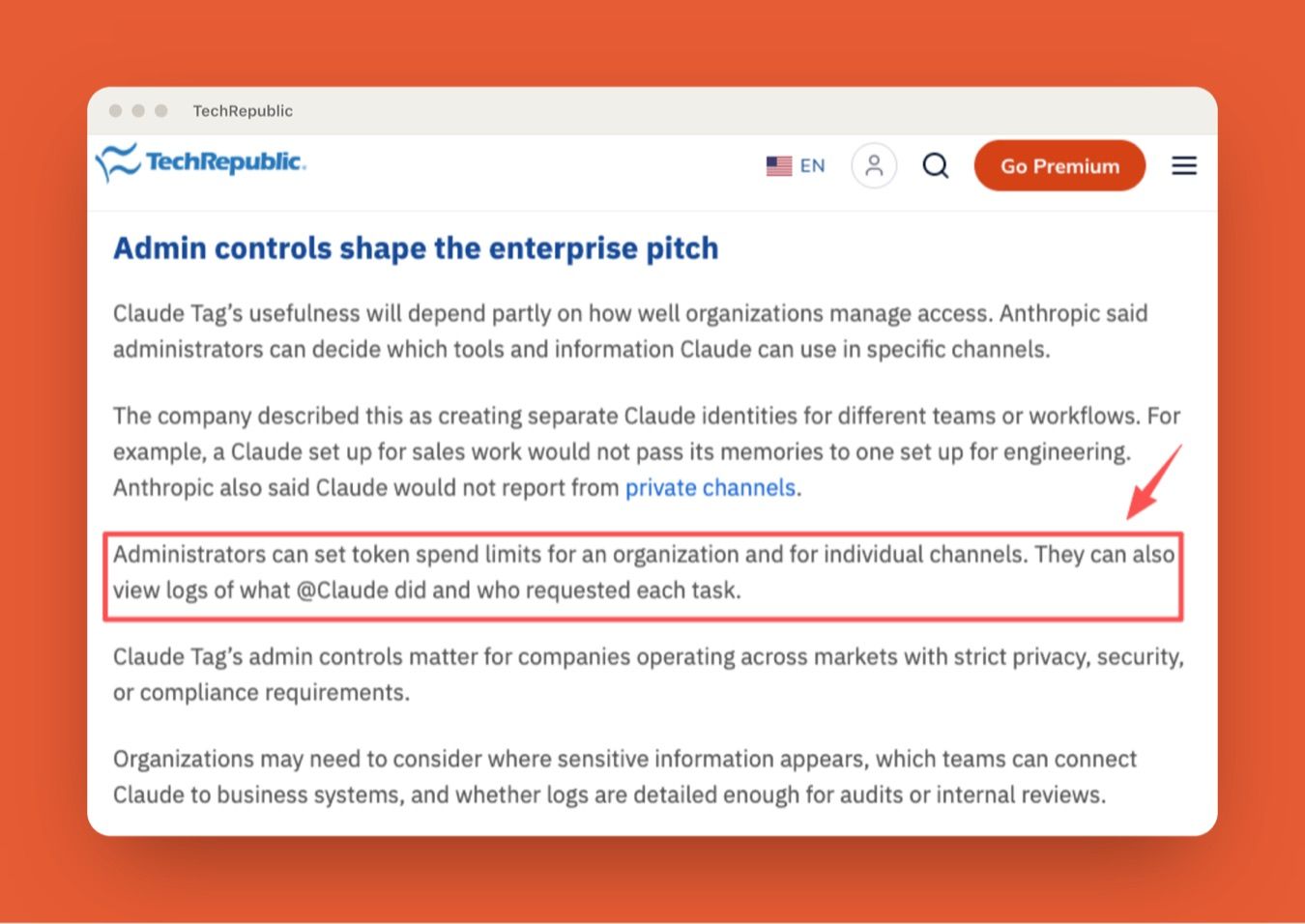
Administrators specify which tools, data sources, and channels each Claude identity can touch. Per TechRepublic's reporting, admins can also set token spend limits per organization and per channel, and view logs of what Claude did and who requested it. If you operate under privacy or compliance rules, that audit trail is the column you check first, not the feature list.
When does work need human approval?
This is the one I'd answer before turning anything on. Some tasks are safe to let run; some need a person to sign off before the output goes anywhere. Claude Tag delivers work into a thread where it's visible, which makes human review natural, but "visible" is not the same as "approved." Decide which task types get a default checkpoint. I keep anything client-facing on a manual gate. Not because the output is bad, but because the decision is still mine.
What this changes: the hard part of adoption moves from configuration to policy, so the teams that win are the ones that write the rules first. What it leaves open: the tools enforce permissions, but only you can decide which outputs need a human signature.
Where Claude Tag Fits in Recurring Team Work
Support follow-ups
Anthropic runs support tickets and product-metrics queries through it internally. The ambient mode version, which nudges stalled threads, is what actually saves the in-between motion.
Research and reporting loops
This is my home turf. The slow part of a recurring report was never writing it. It was pulling together what to write about. A Slack AI agent that collects and pre-organizes the source material before I sit down changes where my work starts. I still do the judgment pass. The collection just stopped being mine.
Internal coordination tasks
Pure logistics with no real decision in it is exactly what a channel-resident agent absorbs well. One fewer thing to hold in working memory.
What this changes: the work that fits is the repetitive, between-steps kind nobody wanted to own. What it leaves open: the heavy, long-running execution that doesn't live in a chat thread, which is the next section.
When Slack Is Only Part of the Workflow
Slack is a strong entry point because it's where work gets assigned. But recurring digital work rarely stays inside one app. It touches the browser, files, schedules, external systems, and long stretches of background execution that don't map cleanly to a channel thread.
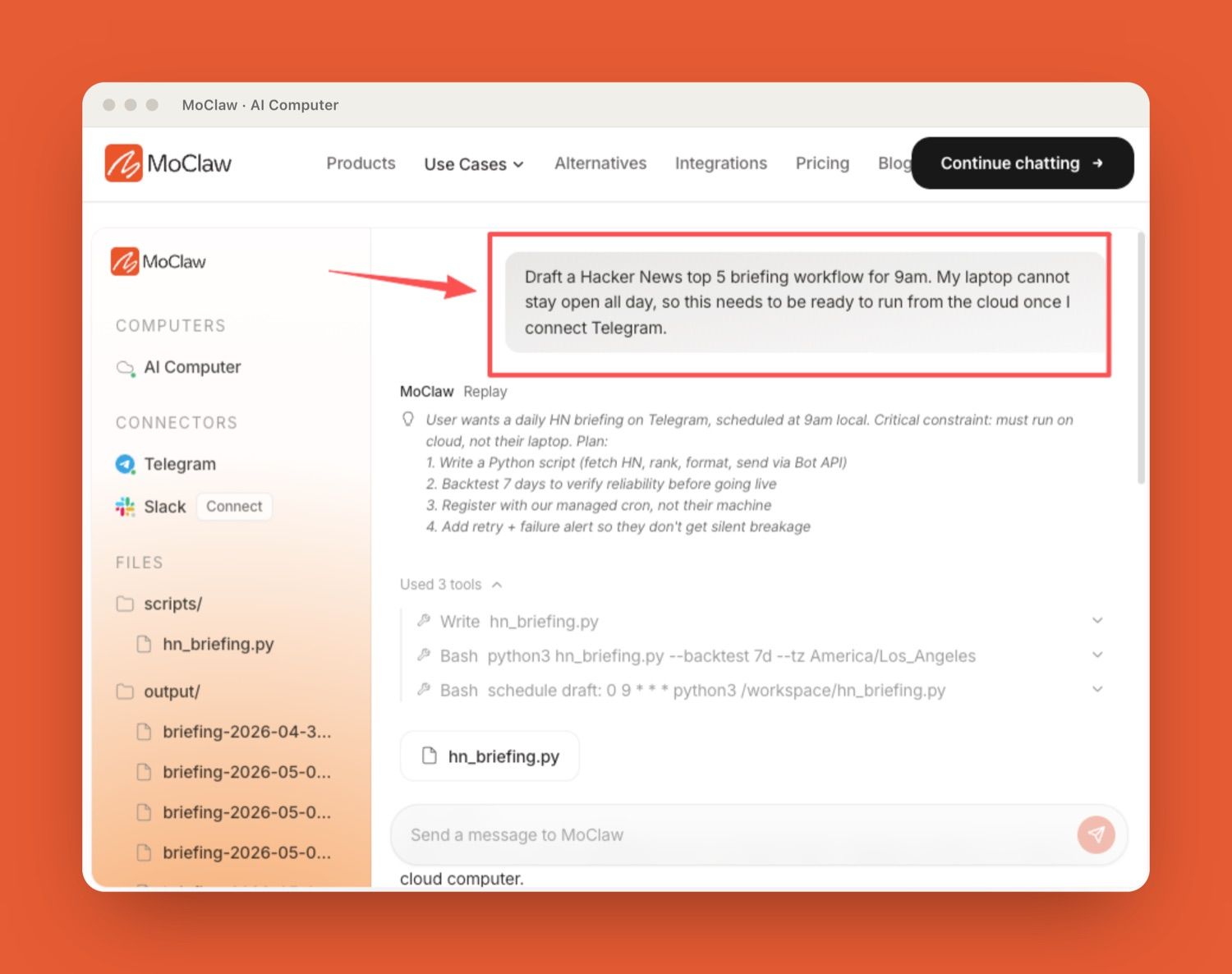
That's a different execution layer. Tools like MoClaw, an independent managed cloud AI computer that runs always-on for recurring digital work and browser-based workflows, sit in that gap. MoClaw has no official relationship with Anthropic, Claude Tag, or Slack. The honest framing is that a chat-channel teammate and a standing cloud assistant solve adjacent problems: one lives where you talk about work, the other runs the parts that happen after, on its own machine, whether or not you're online. If your blocker is Claude Tag's five-seat packaging rather than its channel limits, that is a different comparison, and our cheaper Claude Tag alternative breakdown covers the pricing side.
I'm not making the call for your stack. My frequency and tolerance are probably different from yours. But the distinction between "respond in the channel" and "execute in the background for hours" is real, and it's worth drawing before you assume one tool covers both.
For verifying what each layer can do, the Claude Tag docs are the source of record on permissions and availability, since beta details shift fast.
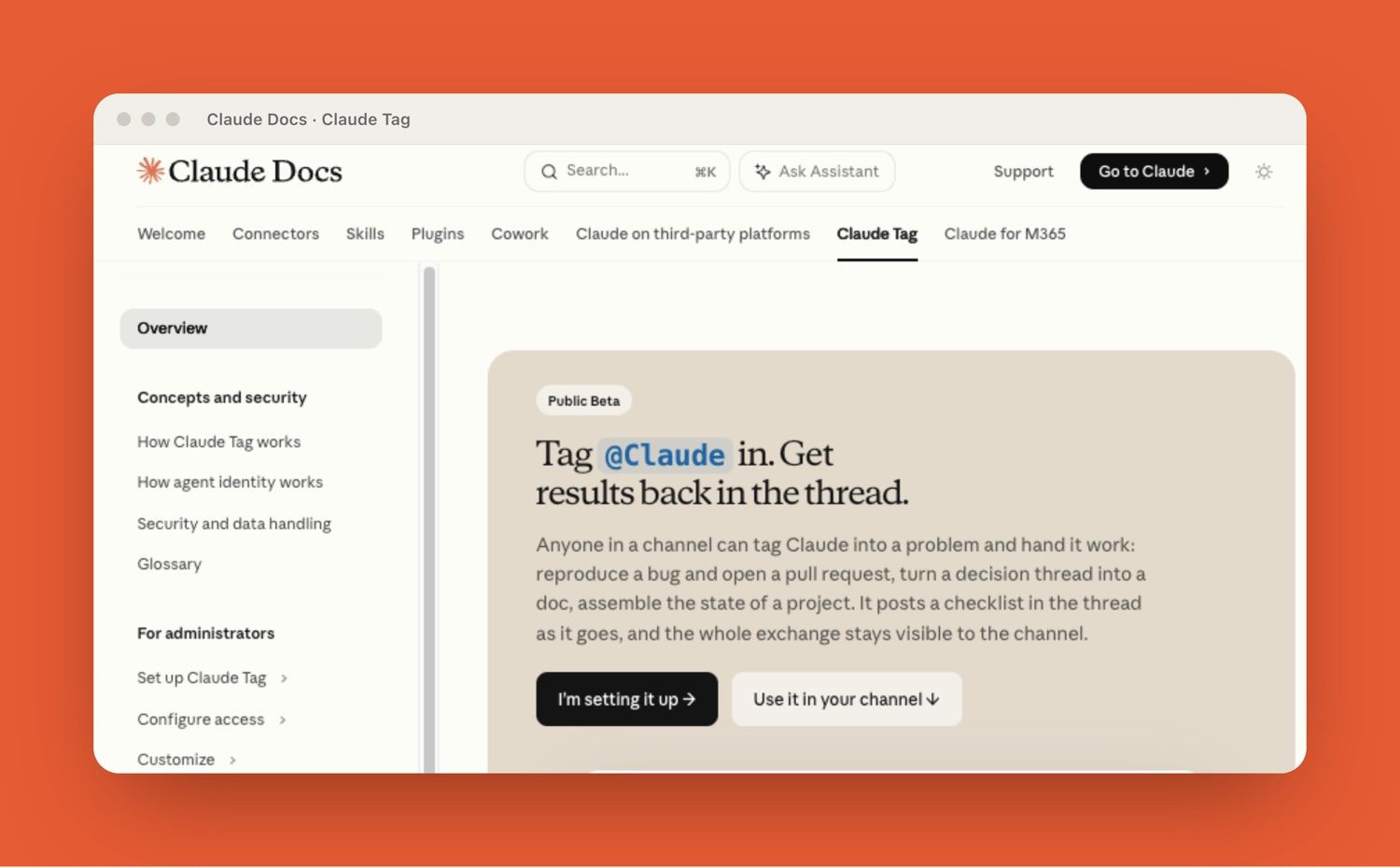
What this changes: Slack becomes the place you assign recurring work, not necessarily the place it runs. What it leaves open: which execution layer owns the long jobs is a per-stack decision, and it is worth drawing on purpose.
FAQ
Can guests or external partners safely tag Claude?
Treat external access as a permissions decision, not a default. Claude Tag's identity is scoped to whichever channels admins define, so the safer pattern is a dedicated channel with a limited tool and data scope before any guest is added. Confirm current guest-account behavior in the official docs, since beta access rules are still changing.
What happens when a Slack thread changes direction?
Because Claude builds context from the channel, a thread that pivots mid-conversation can carry stale assumptions into the new direction. The practical fix is a quick re-anchor: state the new goal explicitly rather than expecting it to infer the turn. Channel memory is a feature, but it doesn't replace telling it when the target moved.
Who owns the final decision after Claude responds?
The human who assigned the task owns it, and logs make that traceable, but ownership isn't automatic. Anthropic provides activity logs showing who requested each task, which supports accountability, yet your team still has to define which outputs need sign-off. Visibility in a thread is not the same as approval. Set that line yourself.
Claude Tag for Teams: When to Lean In and When to Wait
Claude Tag is worth turning on if your team already runs in Slack and your friction is the shared, repetitive, between-steps work that nobody should have to own manually. It's an AI teammate that holds context and moves tasks forward in the open, and for support loops, research prep, and coordination, that's a real change.
Wait, or start in a single private channel, if you haven't yet decided your permissions, your spend limits, and your human review checkpoints. The tool isn't the hard part. The governance is. And if your recurring work lives mostly outside the channel, in browsers, files, and long background runs, remember that Claude Tag is the entry point, not the whole execution layer. Decide what belongs in Slack, and what belongs somewhere that just keeps running. If that second category is most of your week, see how an always-on cloud agent handles it.
This content is produced by MoClaw. I tested Claude Tag's shared-channel flow in late June 2026, during its beta launch week, using a small research workspace. Where I describe behavior I couldn't fully verify in beta, I've pointed to Anthropic's official docs instead of guessing.
Continue Reading
More Guide
ChatGPT Codex: From Chat to Tasks
Programmatic Tool Calling for Agents

pxpipe Workflow: Compress Context Safely

Claude Tag Guardrails for Workspace AI Access

TRAE Work Guardrails: Permissions and Review
AI Agent Orchestration: Design Guide
We test automation patterns inside MoClaw and publish what works (and what doesn't). Specific use-case breakdowns, workflow templates, and step-by-step playbooks.
Ready to put this into practice?
MoClaw runs browser tasks, research, and schedules automatically. Try it free.
References: Anthropic: Introducing Claude Tag (official announcement) · Claude Help Center: What is Claude Tag · TechCrunch: Claude Tag is learning your company, one Slack message at a time · TechRepublic: Anthropic's Claude Tag AI agent for Slack · 9to5Mac: Anthropic launches Claude Tag with ambient mode · Claude Docs: Claude Tag overview