Claude Tag Guardrails for Workspace AI Access

Claude Tag guardrails decide what AI can read, remember, and act on in shared Slack. A governance checklist for access, memory, spend, and human review.
Table of Contents
Claude Tag guardrails are the rules a team agrees on before Claude can read, remember, or act inside shared Slack channels: what it can see, what it can use, what it can keep, and when a person still has to approve the next step. The setup takes an afternoon. The governance is the part that decides whether shared AI helps your team or quietly leaks context it should not.
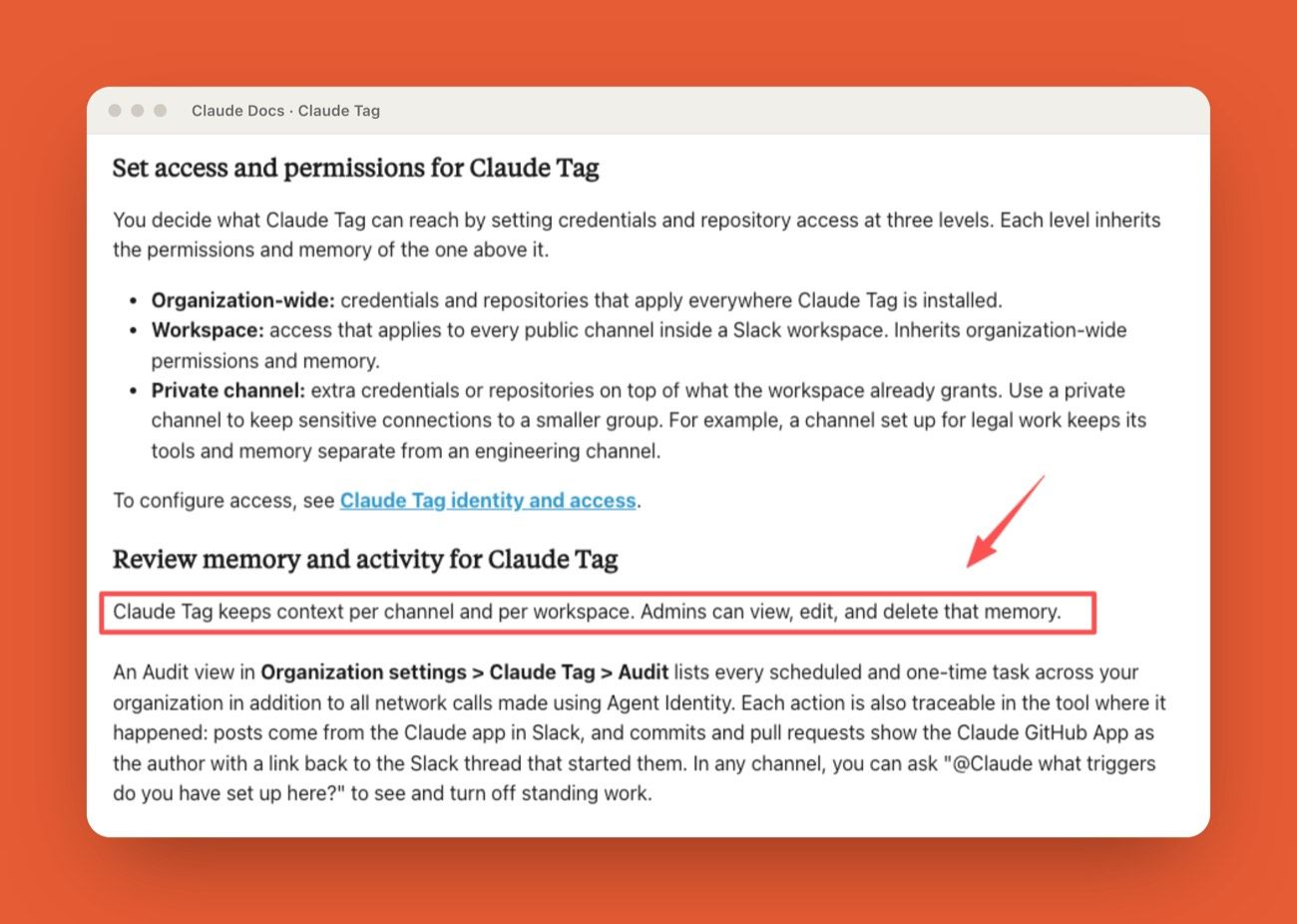
Anthropic launched Claude Tag in beta for Enterprise and Team on June 23, 2026, per its official announcement. It keeps context per channel and per workspace, and admins can view, edit, and delete what it remembers, according to Anthropic's Claude Tag documentation. That single design choice, persistent per-channel memory, is why guardrails come before setup steps: the moment Claude is in a channel, it starts building long-term context out of conversations people never wrote for an audience.
Key Takeaways:
- Claude Tag guardrails start with access, memory, review, and audit decisions, not setup steps.
- Shared channels mix customer context, internal judgment, and stale history faster than teams expect.
- Split access into four decisions: channel access, tool access, memory scope, and spend visibility.
- Keep human review explicit for customer-facing replies, data changes, and exports.
- MoClaw is a managed cloud AI computer for recurring, browser-based work, not an Anthropic or Slack replacement.
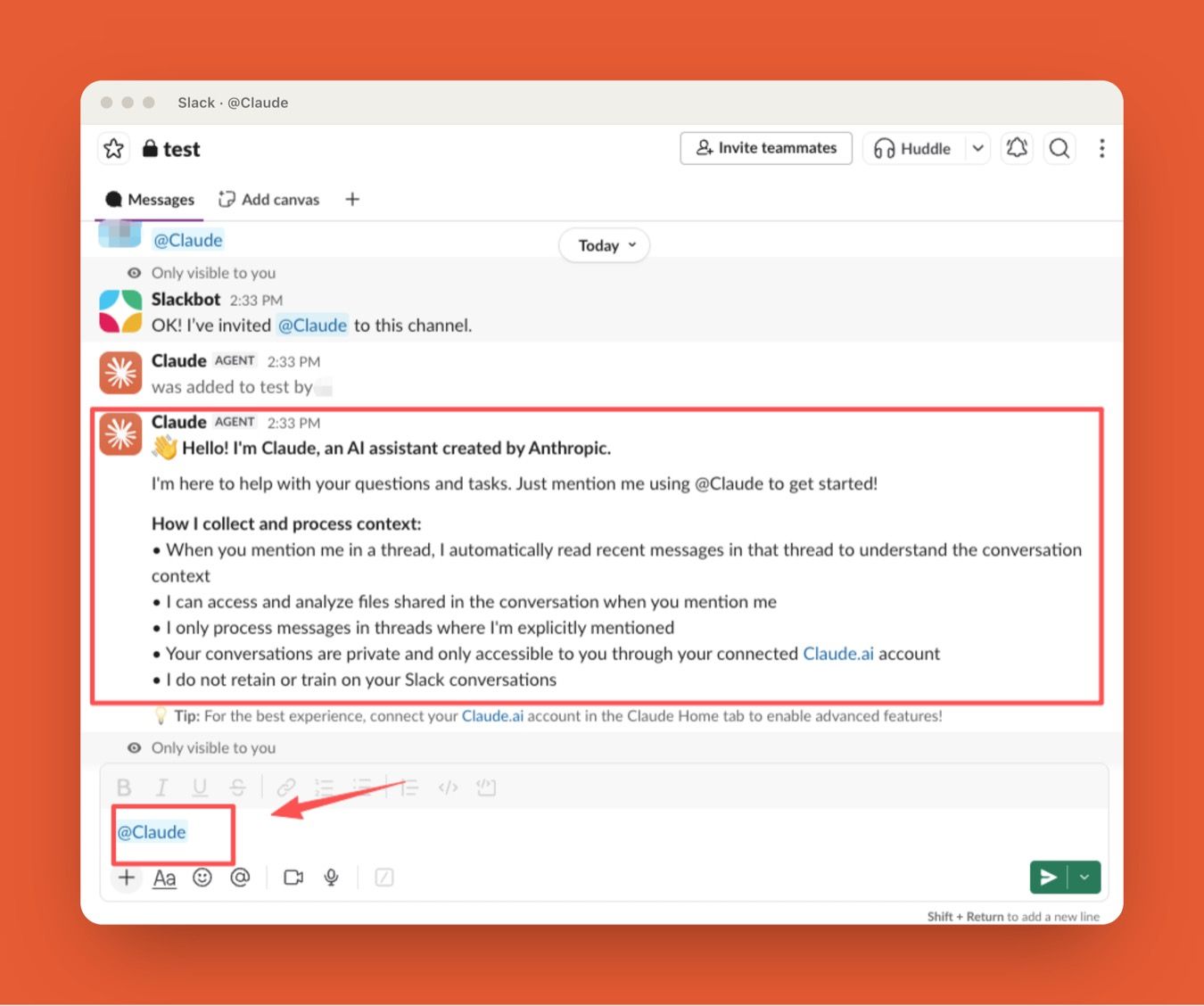
I would treat this like access planning, not tool adoption. The first mistake teams make with Claude in Slack is assuming every channel is just another prompt box. It is not. A shared workspace is where customer context, internal judgment, and half-finished decisions live together, and that is exactly what makes it a sensitive AI input.
Why Workspace Conversations Are Sensitive AI Inputs
Workspace conversations are messy records. They hold facts, guesses, customer names, pricing exceptions, incident notes, and things people would phrase differently if they knew they were creating long-term AI context. Turning Claude Tag loose on all of it at once is the first mistake I watch teams make.
Customer and internal context mix quickly
Customer and internal context rarely stay separate in real work. A single support thread can carry a customer complaint, a contract detail, a product limitation, a proposed workaround, and a private note about what already failed. That does not mean Claude should never read it. It means workplace AI security starts with deciding which channels are appropriate for shared AI access, before you decide who belongs in them.
Take Maya, an ops lead at a 40-person SaaS company. She switched Claude Tag on across 12 channels in one afternoon because people asked for it. Three weeks later, a Claude-drafted customer reply repeated a workaround from a March incident thread that engineering had quietly retired in May. Nothing broke, but the customer got guidance the team no longer stood behind. Maya rescoped Claude to four channels she could name a reason for: incident summaries, customer-response drafts, engineering handoffs, and weekly status cleanup. The practical question was never "is this useful?" It was "what could Claude learn here that should not travel elsewhere?"
Old threads can create stale assumptions
Old threads are helpful until they are wrong. A workaround from March may be obsolete by July. An escalation may be resolved. A policy may have changed. Because Claude Tag keeps context per channel and per workspace, and admins can view, edit, and delete that memory, memory review becomes an operating task, not a one-time setup item. If a channel's purpose changes, its memory should be reviewed too.
What this changes: the first guardrail is not a toggle, it is a decision about which conversations are safe to turn into durable AI memory. What it leaves open: memory drifts as the work changes, so somebody has to own reviewing it on a schedule, not just at setup.
Four Access Controls Teams Should Separate for Claude Tag
Access should not be one large yes or no. I split it into four separate decisions, because bundling them is how a channel that needed summaries quietly ends up with the ability to change records.
Channel access
Channel access decides where Claude can work. Only a Primary Owner or Owner can set up Claude Tag's access and channels, which is a useful control, but the team still needs an internal reason for every included channel. "People asked for it" is not a reason. A real reason sounds like: this channel uses Claude for incident summaries, customer-response drafts, engineering handoff notes, or weekly status cleanup. If you cannot name the job, the access is too vague.
Tool access
Tool access decides what Claude can reach outside Slack, and this is where AI agent permissions get real. Reading a knowledge base is different from opening a repository. Drafting a customer reply is different from sending it. Looking up an account is different from changing a CRM field. Tool access should follow the channel's job. A summaries channel should not inherit write tools because some future workflow might want them.
Memory scope
Memory scope decides what Claude carries forward. Anthropic describes organization-wide, workspace, and private-channel levels for credentials and repository access, with each level inheriting permissions and memory from the one above it, and the Claude Tag overview docs are the source of record while beta details shift. That hierarchy is useful, and it is also why sensitive workflows should not casually live in broad shared spaces. Private channels can help for legal, executive, security, or customer-specific work, but only if memory and tools are scoped carefully. Privacy is not created by the channel name alone.
Spend and usage visibility
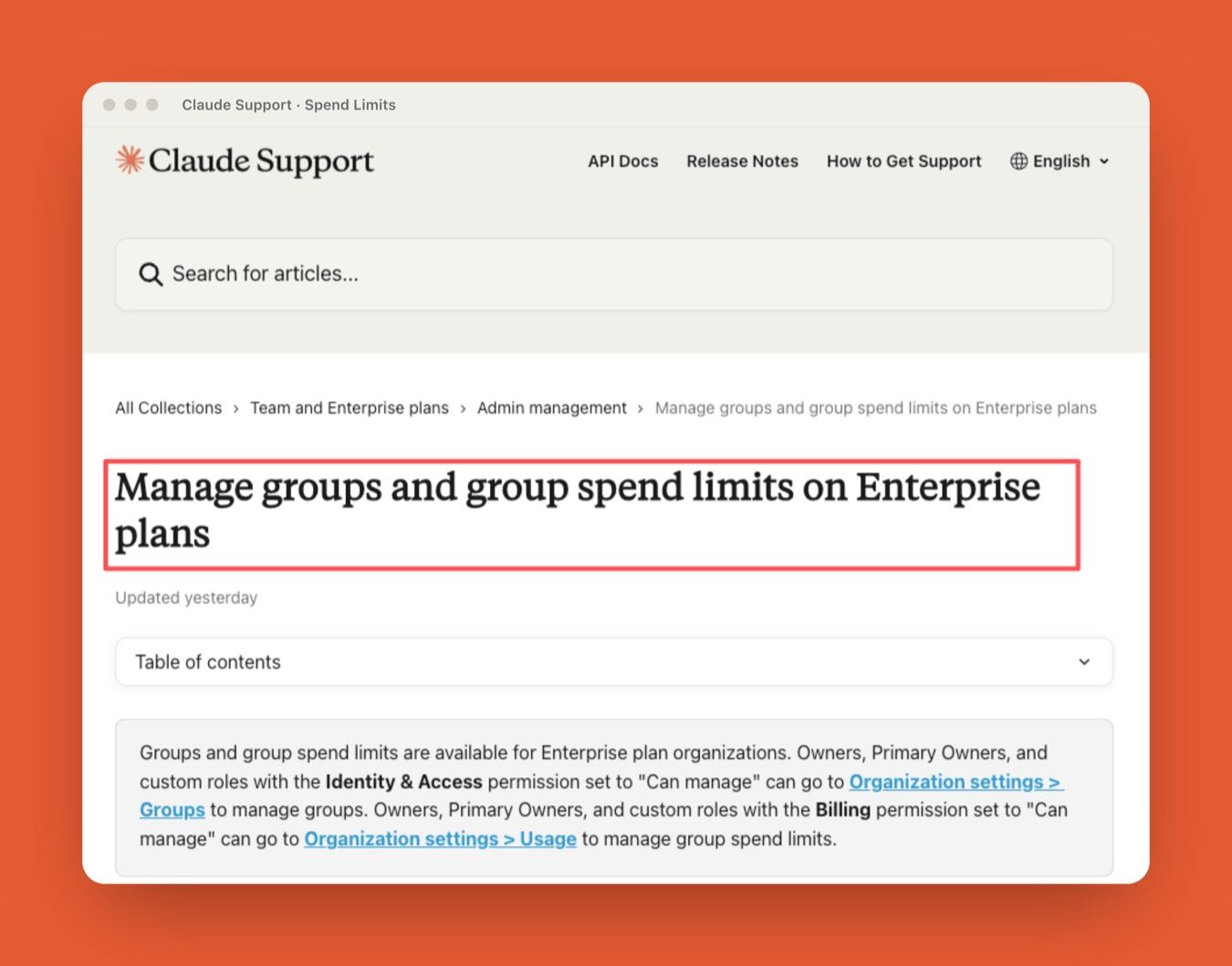
Spend is a governance signal, not just a finance line. Claude Tag is consumption-based and supports organization-wide limits, per-channel limits, threshold alerts, and per-channel usage breakdowns, and Anthropic's Enterprise group and spend-limit controls add group-level caps on Enterprise plans. Per TechRepublic's reporting, admins can set token spend limits per organization and per channel and view logs of what Claude did and who requested it.
I read spend like a smoke alarm. High usage might mean the workflow is valuable. It might also mean the channel is too broad, the prompts are looping, or people are using AI for work that needs a simpler process. Devin, a workspace owner I compared notes with, got a threshold alert when one support channel burned through about 70% of its monthly token budget in nine days. The cause was not a valuable new workflow. It was a saved-reply job people were routing through Claude one message at a time. He capped the channel and fixed the process, which is the whole point of watching spend: the number is an early question, not a bill you read after the fact.
What this changes: access becomes four small, defensible decisions instead of one broad switch. What it leaves open: the four still interact, so the review has to look at the combination, not each control alone.
Human Review Points That Should Stay Explicit
Human review should stay tied to risk. Not every answer needs approval; some actions do. In a support channel, Claude might analyze past interactions to suggest a reply, but a team lead should review the output for accuracy and tone before it reaches the customer. Claude Tag provides approval interfaces and audit logs that record the original thread context, the proposed action, and the final decision, which makes review possible. It does not decide for you where review is required.
Customer-facing replies
Customer-facing replies should remain reviewable before they leave the workspace. Claude can draft, summarize, and suggest language, and a person should still approve the message before a customer sees it. The issue is not only factual accuracy. It is tone, promise, account context, and whether the team is creating an expectation it cannot actually meet. I keep anything client-facing on a manual gate, not because the drafts are bad, but because the decision is still mine.
Data changes or exports
Data changes and exports deserve a higher bar: updating customer records, exporting reports, sharing files, creating tickets with sensitive context, or pushing information into another system. If an action changes a system of record or moves data out of its original setting, keep human approval explicit. Visibility in a thread is not the same as approval.
What this changes: the hard part of adoption moves from configuration to policy. What it leaves open: the tools enforce permissions, but only your team can decide which outputs need a human signature.
Misfires, Escalation, and Audit Trails in Shared AI Work
Misfires are part of using AI in shared work. The guardrail is not pretending they will not happen. The guardrail is knowing how they will be found, reviewed, and corrected.
How teams record what happened
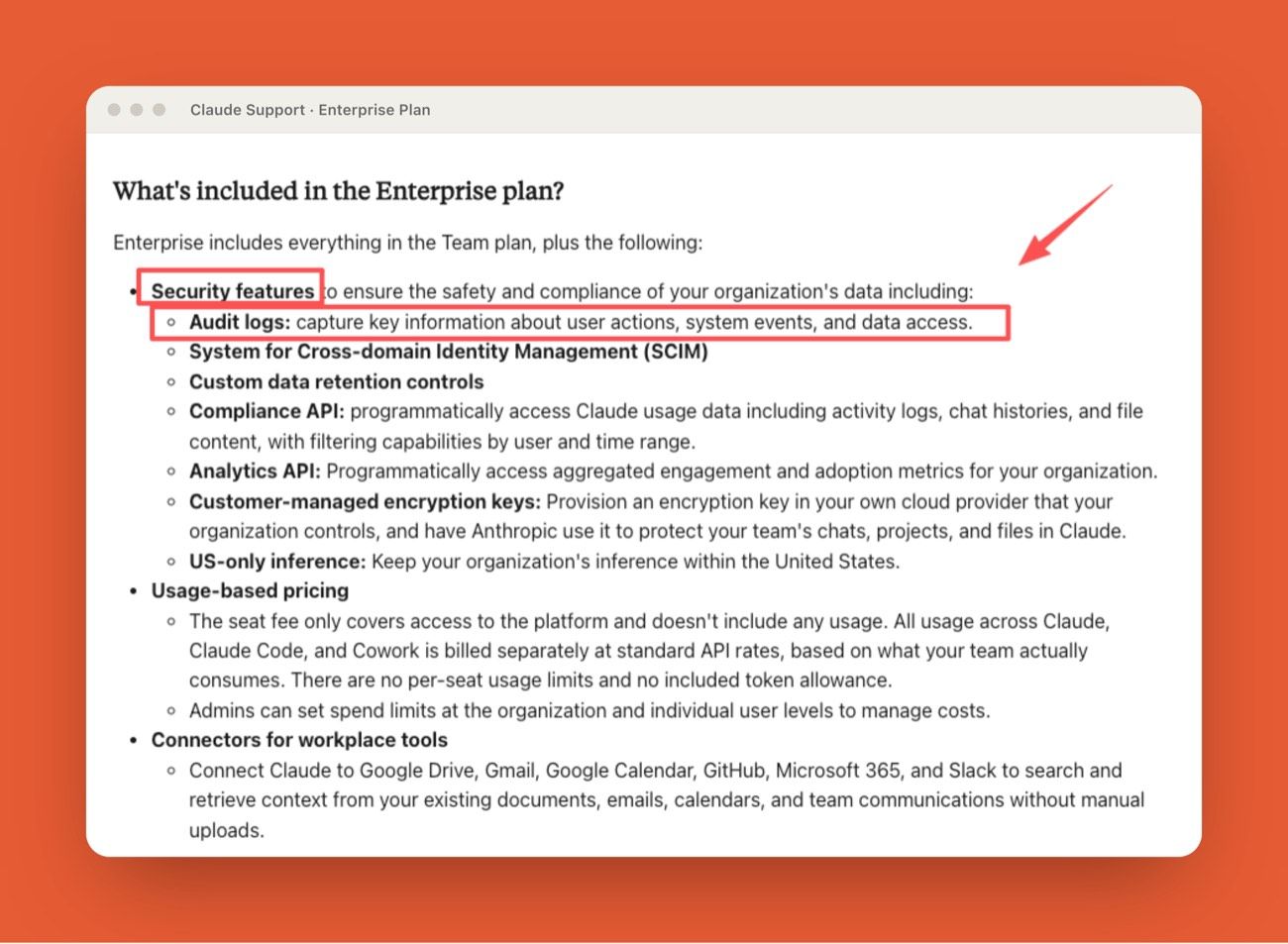
A useful record connects the channel, the user, the task, the tool call, the output, the approval, and the result. Claude Tag includes an Audit view for scheduled and one-time tasks across the organization, plus network calls made using Agent Identity, and Anthropic's Enterprise plan documentation describes audit-log access as part of its security and data controls.
That matters because "Claude did it" is not an explanation. A team needs to know what happened before the action, not just after.
Who decides the escalation path
Escalation ownership should be assigned before the first serious mistake, not during it. Customer-message issues may belong to support. Access mistakes may belong to IT. Data exposure may belong to security or legal. Spend anomalies may belong to finance or the workspace owner.
Here is what happens when nobody owns the path. A fintech team I talked to shipped a Claude-drafted reply that quoted a 20% discount which had expired the previous quarter. Because no one owned escalation, three teams, support, revenue, and legal, spent about 90 minutes in a room reconstructing who approved what from memory. I have been in that meeting. Nobody leaves it feeling more organized. They assigned owners by risk type that week, and the next misfire took ten minutes instead of ninety.
What this changes: an audit trail turns "Claude did it" into a reviewable sequence. What it leaves open: logs record what happened, but only named owners turn a record into a correction.
Where MoClaw Fits When Work Outgrows the Channel
Slack is a strong entry point because it is where work gets assigned. But recurring digital work rarely stays inside one app. It touches the browser, files, schedules, external systems, and long stretches of background execution that do not map cleanly to a channel thread.
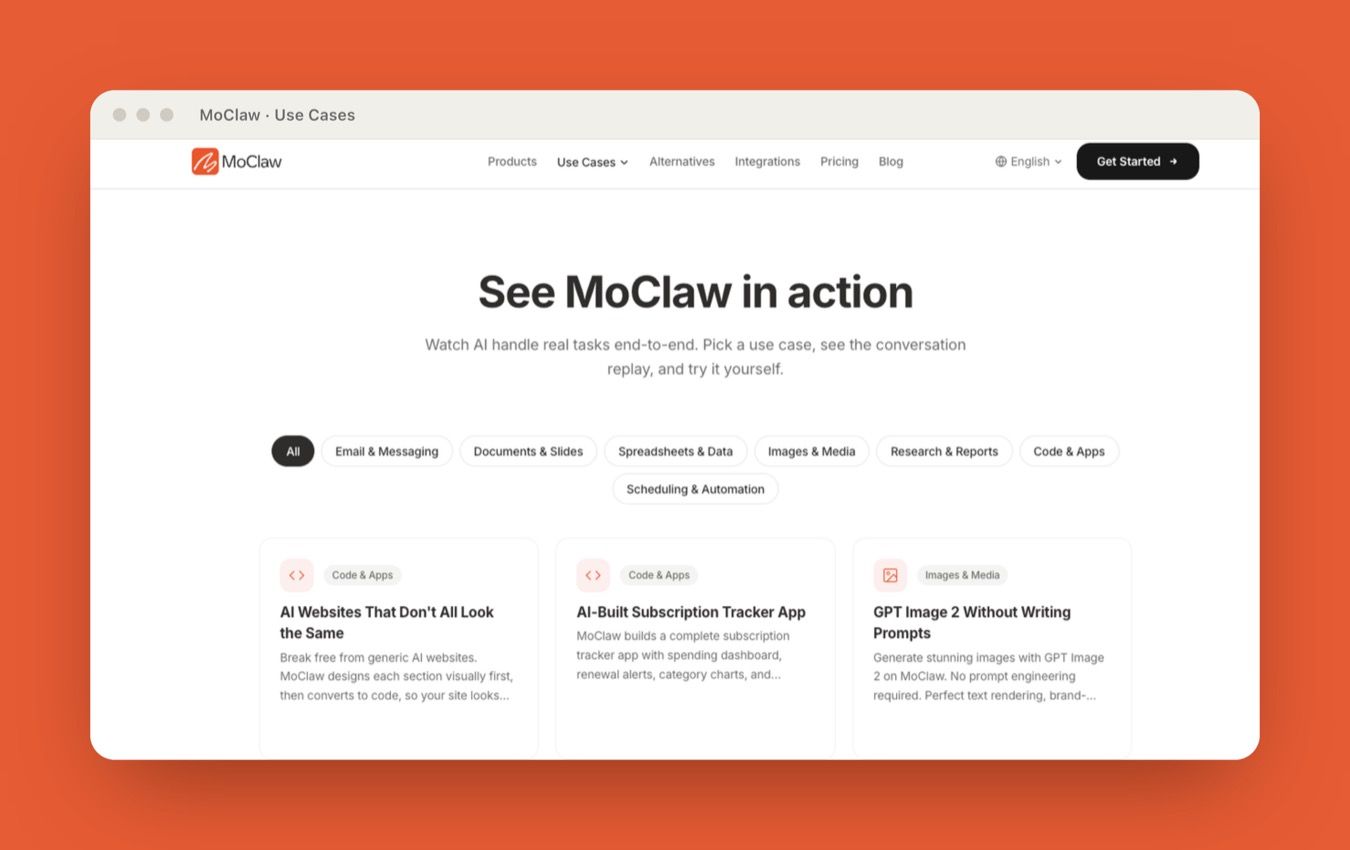
That is a different execution layer. MoClaw, an independent managed cloud AI computer, runs always-on for recurring digital work and browser-based workflows, and it sits in that gap. MoClaw has no official relationship with Anthropic, Claude Tag, or Slack. The honest framing: a chat-channel teammate and a standing cloud assistant solve adjacent problems. One lives where you talk about work; the other runs the parts that happen after, on its own machine, whether or not you are online. If your blocker is Claude Tag's seat packaging rather than its channel limits, that is a different comparison, and our Claude Tag alternative breakdown covers the pricing side. For how shared context reshapes team workflows before you switch anything on, the Claude Tag Slack workflows guide is the companion piece.
The same guardrails logic applies to any standing agent: scope what it can reach, decide what it can keep, and keep a human on the actions that change a system of record or leave the building.
What this changes: Slack becomes the place you assign recurring work, not necessarily the place it runs. What it leaves open: which execution layer owns the long jobs is a per-stack decision worth drawing on purpose.
A Claude Tag Guardrails Checklist Before You Switch It On
Before Claude Tag goes into a shared channel, walk the seven decisions below. Each one names the question to answer and who should own it, so the guardrail exists before the workspace depends on it.
| Guardrail | The question to answer | Who owns it |
|---|---|---|
| Channel access | Can we name this channel's Claude job in one sentence? | Primary Owner / Owner |
| Tool access | Does Claude need to read only, or also write and send? | Channel owner |
| Memory scope | What should Claude keep, and what must never persist? | Channel owner + security |
| Spend visibility | What per-channel limit and alert threshold is normal? | Workspace owner / finance |
| Human review | Which outputs need a person's sign-off before they ship? | Team lead |
| Escalation path | Who owns customer, access, data, and spend incidents? | Assigned per risk type |
| Audit review | Who reads the audit log, and how often? | Security / IT |
None of this is paperwork for its own sake. Each row is a decision that is cheaper to make now than to reconstruct in the meeting after a misfire.
FAQ
Should archived channels be included in Claude access?
Archived channels should usually stay out unless there is a specific review reason. They can hold outdated decisions, former customer states, and old assumptions that read as current once Claude surfaces them. If you do include one, assign an owner for stale-context review first.
How should teams handle customer data exceptions?
Document customer-data exceptions outside the thread. The policy should define which fields can be used, what must be redacted, which channels are approved, and who can approve an exception. Regulated data should go through legal or security review before it ever enters a Claude-accessible channel.
When should Claude be removed from a channel?
Remove Claude when the channel's purpose changes, sensitive work moves in, memory goes stale, spend looks unexplained, or no owner remains for review. Removal is normal access hygiene, not an admission of failure.
Who reviews mistakes after a workspace AI action?
Match the reviewer to the risk. Customer-facing mistakes go to the customer owner or support lead. Data exposure goes to security or legal. Tool misuse goes to IT or the system owner. Spend issues go to the workspace owner or finance contact. The point of naming them in advance is that the record already knows who to call.
Claude Tag Guardrails Turn Shared AI Into Governed AI
Claude Tag guardrails are not a compliance chore. They are the operating rules for shared AI inside the conversations where your team actually works. The setup is easy; the governance is where the thinking goes. Separate channel access, tool access, memory scope, and spend visibility. Keep human review explicit for customer-facing replies, data changes, and exports. Assign escalation owners and read the audit log before you need it, not after.
Do that, and a shared AI teammate becomes an asset you can reason about instead of a context leak you find out about later. And if most of your recurring work lives outside the channel, in browsers, files, and long background runs, remember that Slack is the entry point, not the whole execution layer. See how an always-on cloud agent runs the rest.
This article was produced by MoClaw for workspace admins, team leads, and security-conscious operators evaluating Claude Tag governance. I reviewed Anthropic's Claude Tag setup, Enterprise controls, memory management, spend limits, and audit-log features on July 1, 2026, and mapped them into a practical guardrails checklist. No live customer workspaces or private data were accessed; the Maya, Devin, and fintech examples are composites drawn from common rollout patterns.
Continue Reading
More Guide
Claude Tag Workflows for Shared Slack Context

AI Slack Integration in 2026: What Actually Works

Claude Model Upgrades: Protect Recurring AI Workflows

Relay.app Alternative: Move Before Sep 14

What Is pgbot? Read-Only Postgres Checkups

What Is Cumora? AI Agents as Teammates
Field notes from the MoClaw team. We compare the agent stack we run in production against the alternatives we evaluated and dropped. Production stories with real numbers, not vendor decks.
Ready to put this into practice?
MoClaw runs browser tasks, research, and schedules automatically. Try it free.
References: Anthropic: Introducing Claude Tag (official announcement) · Claude Help Center: What is Claude Tag · Claude Support: Manage groups and group spend limits on Enterprise plans · Claude Support: What is the Enterprise plan · TechRepublic: Anthropic's Claude Tag AI agent for Slack · Claude Docs: Claude Tag overview