Skill Zoo: Reusable Agent Skills for AI Workflows

Skill Zoo explained: why AI workflows need reusable agent skills with stable instructions, a repeatable process, tool boundaries, and reviewable output.
Table of Contents
Skill Zoo is a useful phrase for describing a collection of reusable AI skills that help agents run repeatable workflows instead of relying on long one-off prompts. The important idea is not the name alone. It is the shift from prompt engineering as a single message to agent skills as stable, reusable work instructions.
Key Takeaways:
- Skill Zoo is best used as a methodology page for reusable agent skills, not as an unverified product claim.
- Reusable AI skills reduce prompt drift by packaging stable instructions, process steps, and expected outputs.
- Claude skills and the open Agent Skills format show why skills are becoming a shared workflow layer.
- Skills should be reviewable, versioned, and removable without breaking the whole workflow.
What moved me from prompts to skills was watching the same instructions get re-pasted forever: the brand voice, the heading structure, the "never promise X" rule, the final review checklist. Every run, someone retyped it. Every run, the same details slipped. The fix was not a longer prompt. It was a reusable skill that carried the process, the voice, structure, blocked claims, and review, every time it ran.
Why One-Off Prompts Break Down
One-off prompts break down because they ask the user to rebuild the workflow every run. The model may remember the current message, but it does not automatically inherit the team's source standards, output shape, review habits, or domain vocabulary. That is fine for a quick answer. It fails when the work repeats.
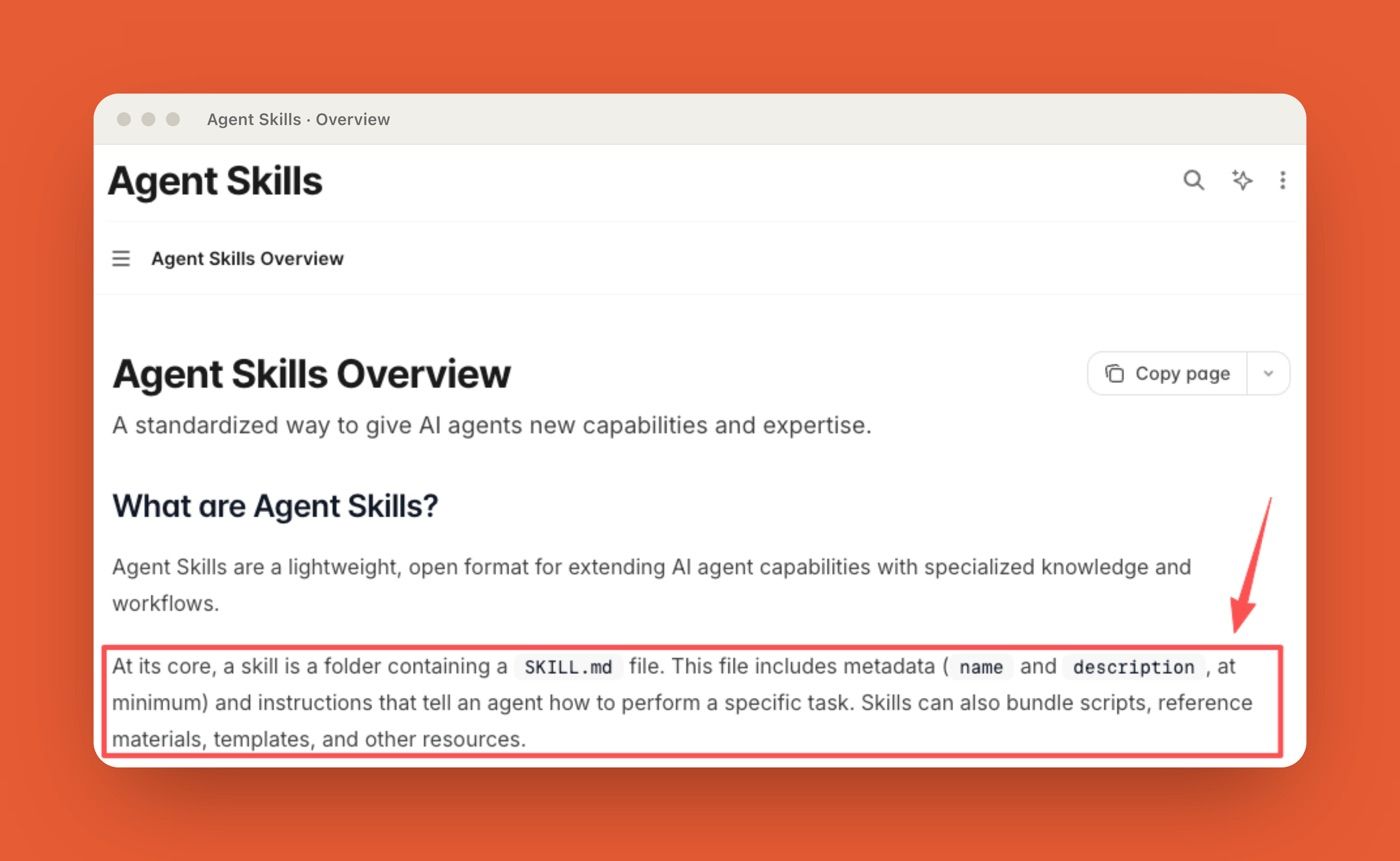
A long prompt also becomes hard to maintain. Someone adds source rules. Someone else adds style rules. Then a third person adds a warning about outdated data. Soon, the prompt is a pile of instructions with no clear owner. The official Agent Skills overview describes skills as folders containing a SKILL.md file, instructions, and optional scripts, references, assets, or resources. That structure matters because it turns repeated prompt text into a reusable capability.
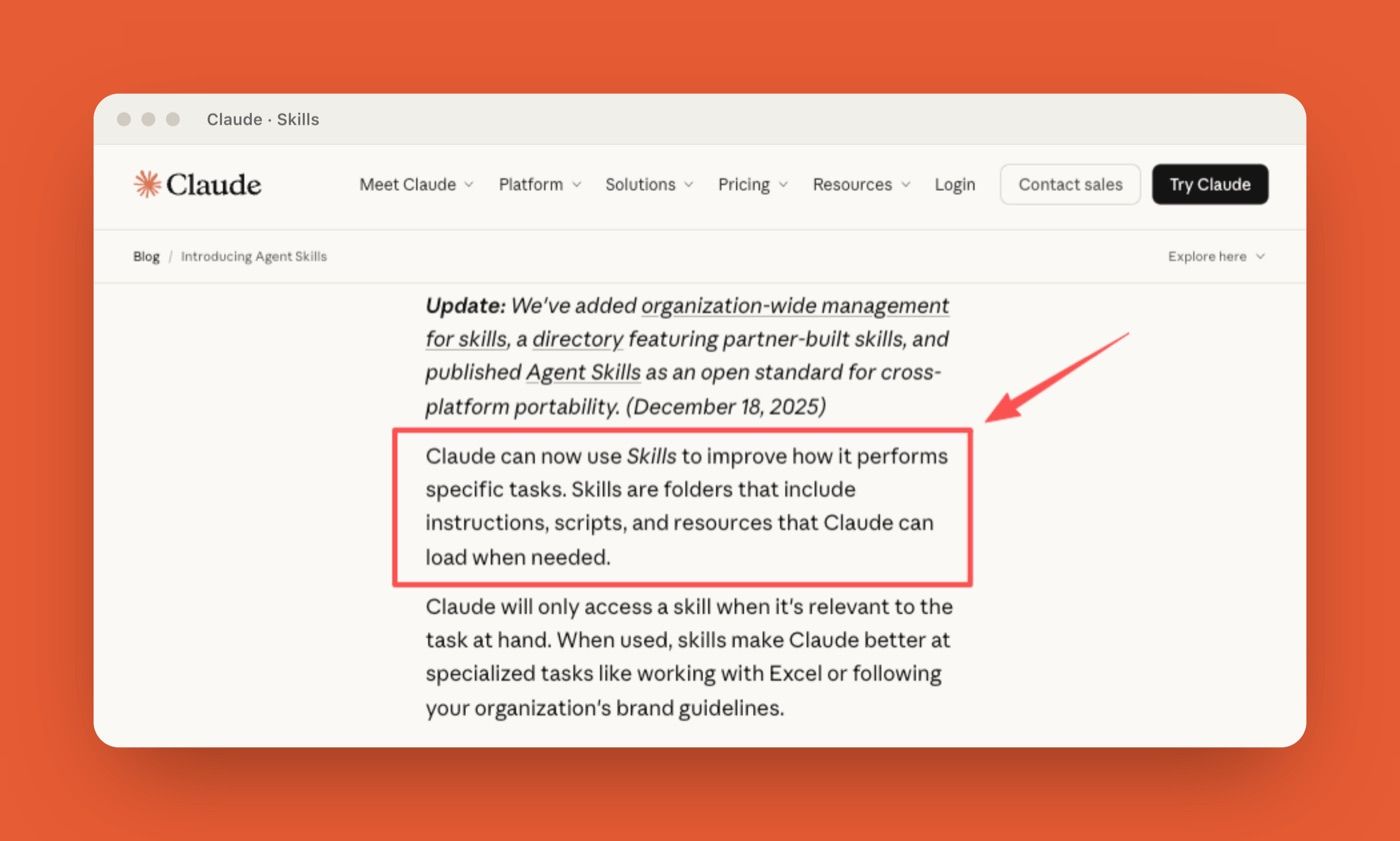
Anthropic's Claude skills announcement makes the same shift visible: skills let Claude load specialized instructions, scripts, and resources when relevant, instead of forcing users to restate the whole workflow each time.
What Reusable Agent Skills Add
Reusable agent skills add continuity. They let a workflow keep its operating rules even when the user changes, the task repeats, or the output needs to stay consistent. A skill is not magic. It is closer to a small operating manual that the agent can load when the task matches.
Stable instructions
Stable instructions tell the agent what should stay true across runs. For a content workflow, that might mean citation rules, tone rules, title behavior, and blocked claims. For a spreadsheet workflow, it might mean how to read sheets, preserve formulas, and report anomalies.
This is where reusable AI skills improve on ordinary prompt engineering. The instruction does not live in one user's memory. It lives in a skill that can be edited, reviewed, and reused.
Repeatable process
A repeatable process tells the agent what order to follow. It can define how to inspect inputs, what to produce first, where to pause, and how to package the final result.
For example, a market brief skill might require the agent to inspect official sources first, separate facts from interpretation, draft a short summary, and flag uncertain claims. That process makes the next run easier to evaluate because the output follows the same path.
Tool boundaries
Tool boundaries define what the skill assumes and what it should not touch. This page is not about permission governance, but skills still need to describe their capability shape. Writing skills may not need tools. A data skill may expect spreadsheets. A design skill may expect templates or assets. The Agent Skills documentation says skills can bundle scripts and resources. That is useful, but it also means the skill should make its expectations clear. A skill that quietly depends on hidden files or private habits will not travel well.
Reviewable behavior
Reviewable behavior is the real test. A reusable skill should make it easier to see whether the agent followed the process. I once used a reusable research skill for product comparison drafts. The first version only said, "compare the tools." The better version required a source note, a decision table, and a final "claims to verify" section. The output became less flashy, but much easier to trust.
How Skill Zoo Fits the Larger Skill Trend
Skill Zoo fits the larger skill trend as a discovery and reuse idea. If teams keep creating skills, they eventually need ways to browse, compare, organize, and retire them. This is already visible in the broader ecosystem. Anthropic says Skills are composable, portable, efficient, and able to include executable code when traditional programming is more reliable than token generation. The Agent Skills standard also emphasizes portability across compatible agents.
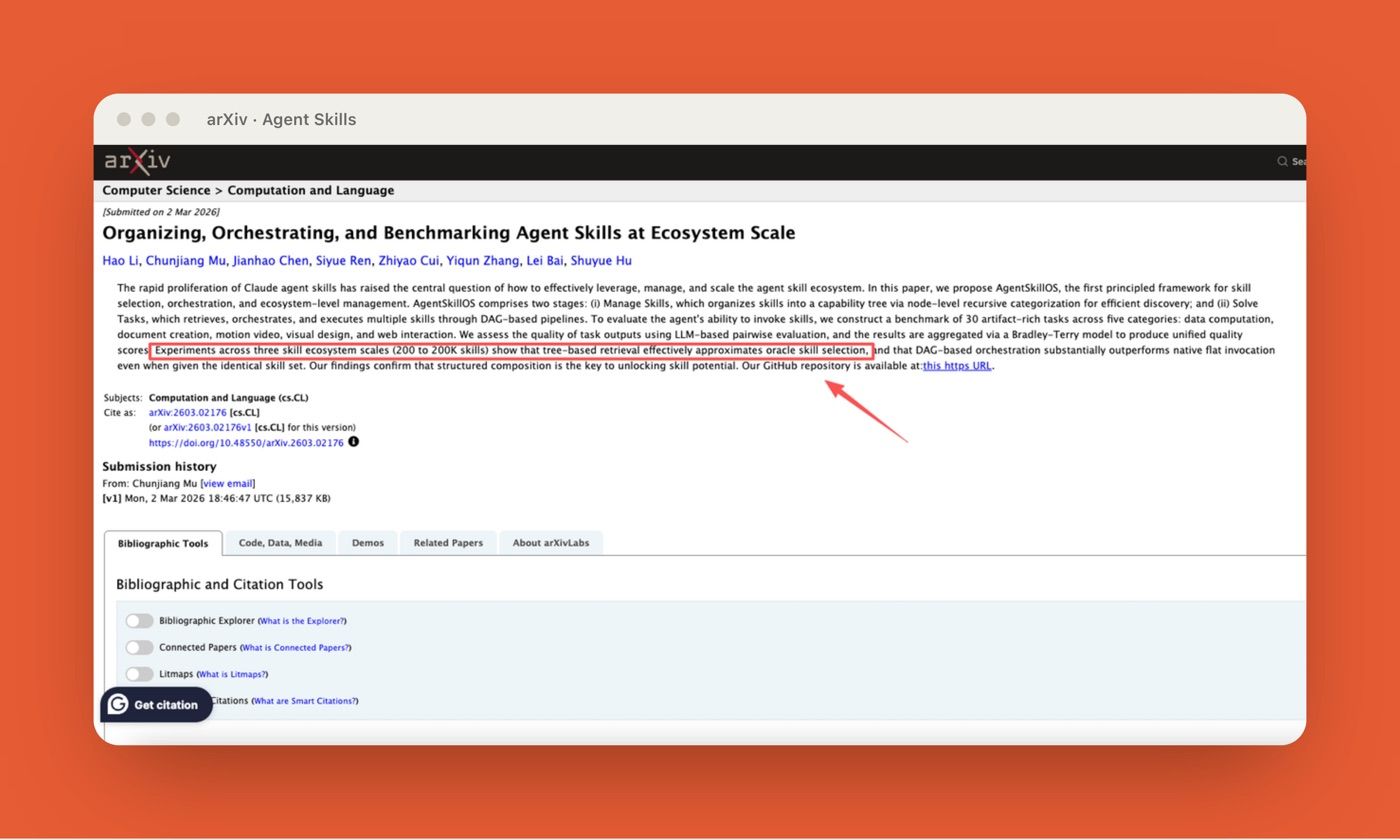
Research is moving in the same direction. A 2026 paper on Agent Skills analyzed 40,285 publicly listed skills and found that skills are becoming an infrastructure layer for agents, while also surfacing risks around redundancy and state-changing actions. Another paper on AgentSkillOS tested 30 artifact-rich tasks across data computation, document creation, motion video, visual design, and web interaction, and found that DAG-based orchestration outperformed native flat invocation across skill ecosystem scales from 200 to 200K skills.
That is the "zoo" problem. A few skills are easy to remember. Dozens need naming rules. Hundreds need discovery, ownership, and lifecycle control. Skill Zoo, used carefully, is a useful label for that moment.
How Managed Cloud Workflows Can Use Skills
Managed cloud workflows can use skills to make recurring work less fragile. A cloud workspace can keep files, browser state, logs, schedules, and feedback around the skill instead of forcing the user to rebuild context in every chat.
MoClaw's AI workflow automation use case shows recurring browser tasks, files, reports, logs, and scheduled delivery running together in one workspace. A skill fits naturally there because the workflow has a repeated shape: gather inputs, process them, produce an artifact, and leave a review trail.
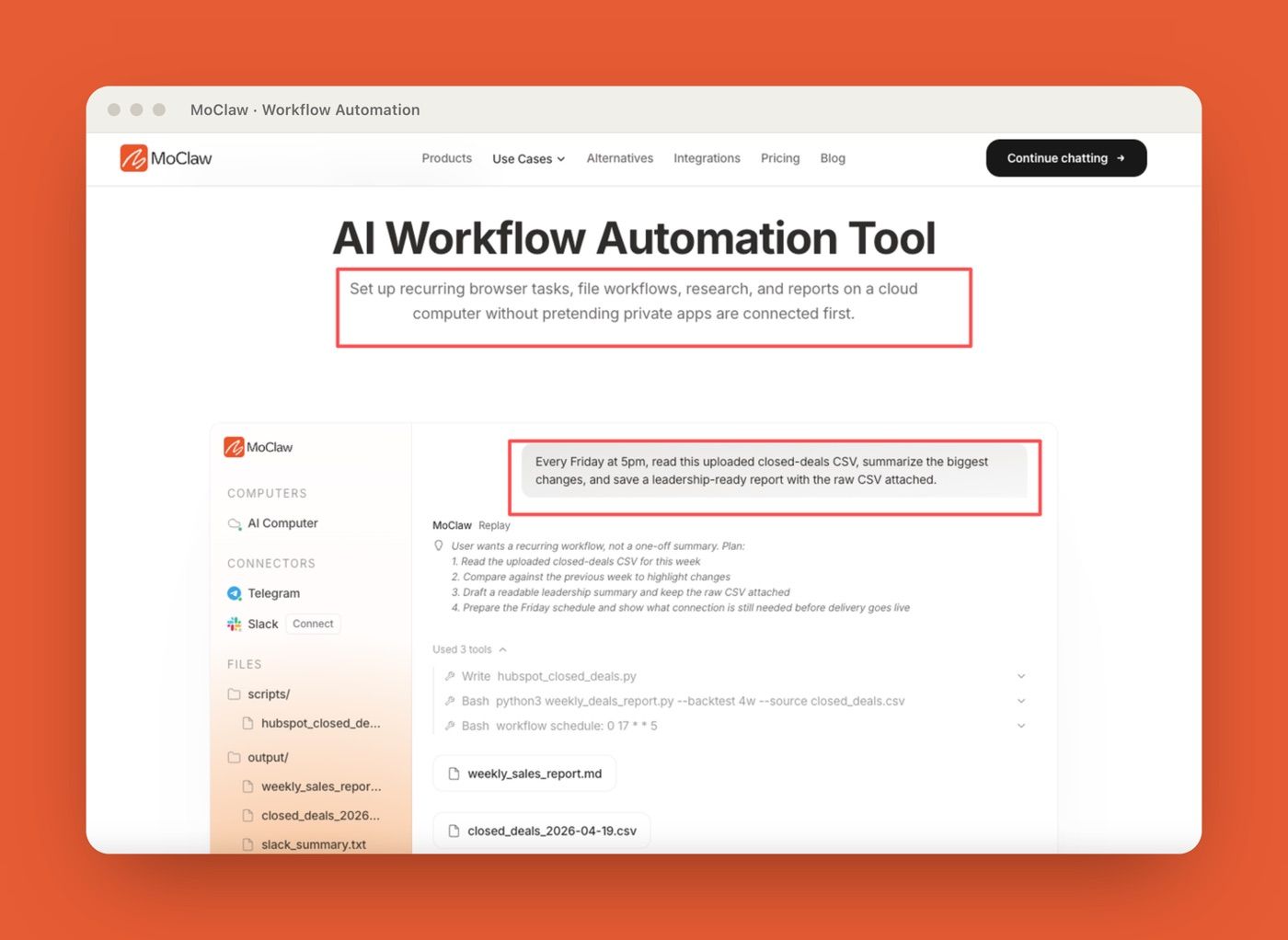
The MoClaw AI Cloud Computer integration describes a private cloud machine with a filesystem, browser, shell, and persistent state. That matters for skills because some work needs continuity. A skill for weekly research is more useful when the workspace remembers files, source lists, prior feedback, and output expectations.
Still, skills should not become a hidden pile of instructions. A managed workflow should let users see which skill ran, what it changed about the process, and where the output should be reviewed.
| Skill Zoo check | Why it matters |
|---|---|
| Source | Who created or maintained the skill? |
| Trigger | When should the agent load it? |
| Files | Does it include scripts, references, templates, or assets? |
| Tool assumptions | Does it expect browser, files, shell, spreadsheets, or APIs? |
| Review point | Where should a human inspect the output? |
| Removal plan | What happens if the skill is disabled or replaced? |
FAQ
What if two skills give conflicting instructions?
The more specific skill should usually win, but the workflow should expose the conflict instead of hiding it. A brand voice skill and a legal review skill can both apply to the same document. If one says "make it punchier" and the other says "avoid implied guarantees," the agent should preserve the stricter claim rule and mention the tradeoff.
How should a team choose trusted skill sources?
A team should choose trusted skill sources by provenance, maintainership, review history, and fit to the workflow. Official vendor skills, internally reviewed skills, and version-controlled team skills are easier to trust than random copied instructions. For community skills, inspect what files, scripts, references, and external assumptions the skill includes.
When should a skill stay experimental?
A skill should stay experimental when its outputs still require heavy rewriting, its trigger conditions are unclear, or reviewers keep correcting the same behavior. Experimental skills are useful, but they should not become default workflow infrastructure until the team understands where they fail.
Can a skill be removed without breaking workflows?
Yes, if workflows are designed with graceful fallback. Removing a skill should reduce specialization, not make the task impossible. Teams can support this by documenting what the skill adds, keeping templates separate when possible, and testing important workflows after skill removal.
Skill Zoo Turns Prompt Engineering Into Reusable Workflow Design
Skill Zoo is useful because it names a real shift: AI teams are moving from long prompts toward reusable agent skills. A good skill carries stable instructions, a repeatable process, tool expectations, and reviewable behavior. That makes workflow automation easier to run, share, and improve. The durable lesson is simple. Do not make every recurring task depend on someone remembering the perfect prompt. Put the repeatable part into a skill, keep the skill reviewable, and let the workflow improve without rebuilding the whole instruction stack every time.
Disclosure: This article was produced by MoClaw. Vera is a MoClaw staff writer. For this piece, I reviewed the Agent Skills overview, Anthropic's Claude Skills announcement, the Agent Skills arXiv paper, the AgentSkillOS arXiv paper, and MoClaw workflow pages on July 7, 2026. I found a public Skill Zoo GitHub project, but this article uses "skill zoo" generically as a methodology lens for reusable agent skill systems, not as a review of that specific product or **repository*.*
Continue Reading
More Guide
How to Build Claude Skills for Agent Workflows

Claude Skills for Marketing

HyperFrames Workflow: Video Rules as Skills

Hunyuan 3D as an Agent Tool for 3D Asset Workflows
Meta Skills AI, Explained

Automating Fast-Changing Data Needs Review
The MoClaw editorial team writes about workflow automation, AI agents, and the tools we build. Default byline for industry overviews, listicles, and collaborative pieces.
Ready to put this into practice?
MoClaw runs browser tasks, research, and schedules automatically. Try it free.
References: Agent Skills overview · Anthropic: Claude Skills announcement · arXiv: Agent Skills, a data-driven analysis of Claude Skills · arXiv: Organizing, Orchestrating, and Benchmarking Agent Skills at Ecosystem Scale (AgentSkillOS)