Hunyuan 3D as an Agent Tool for 3D Asset Workflows
Hunyuan 3D explained as an agent tool: how AI 3D generation fits into repeatable asset workflows for creation, review, and handoff.

Table of Contents
Hunyuan 3D is Tencent's open-source generative model that turns a text prompt or reference image into a textured 3D mesh in seconds, exporting standard GLB and OBJ files that drop into Blender, Unity, and Unreal without conversion.
Disclosure: This is a MoClaw-produced piece. I'm Vera, a MoClaw staff writer. 3D asset work isn't my core area; I run market research and ops support, so this is one test I ran in early June 2026, not a practice I've repeated for months. I'm flagging that up front because it changes how much weight to give my reading.
Key takeaways:
- Generation is fast and scriptable. The output format is consistent every run, which is what makes it pipeline-friendly.
- It takes text, a single image, or multiple reference angles as input. Image-to-3D is the most common path for product work.
- Draft output is a starting point. Mesh density, fused geometry, and topology suitability all need a check before anything moves downstream.
- 3D earns its place when the deliverable has to occupy space. If a flat image works, skip the pipeline.
- Commercial use runs under the Tencent Hunyuan Community License. Confirm terms before assets ship.
A product designer I do contract research for sent me a Slack message in early June: forty product reference photos, and she wanted rough 3D drafts of each, fast, so her team could pick which ones were worth modeling properly. Her actual question wasn't "Is Hunyuan 3D any good?" It was "can I push this through a repeatable pipeline, so I'm not babysitting forty generations one at a time."
That's a workflow question, not a tool-review question. So I ran one batch through to see where the handoff breaks. This piece is about that, where AI 3D generation slots into a repeatable asset pipeline, and where a human has to step back in.
What Hunyuan 3D Adds to Asset Workflows
The thing that makes tencent hunyuan 3d interesting for workflow automation isn't raw quality, it's that the whole thing is scriptable and the output is boringly consistent. Every run gives you a GLB (or OBJ), with the same structure every time. Boring is what you want in a pipeline. A step you can't predict is a step you have to watch.
Three properties matter when you're wiring this in:
- Open and API-addressable. Weights are on Hugging Face; the same capability runs through Tencent Cloud. Local or remote, it's a function, not a tab.
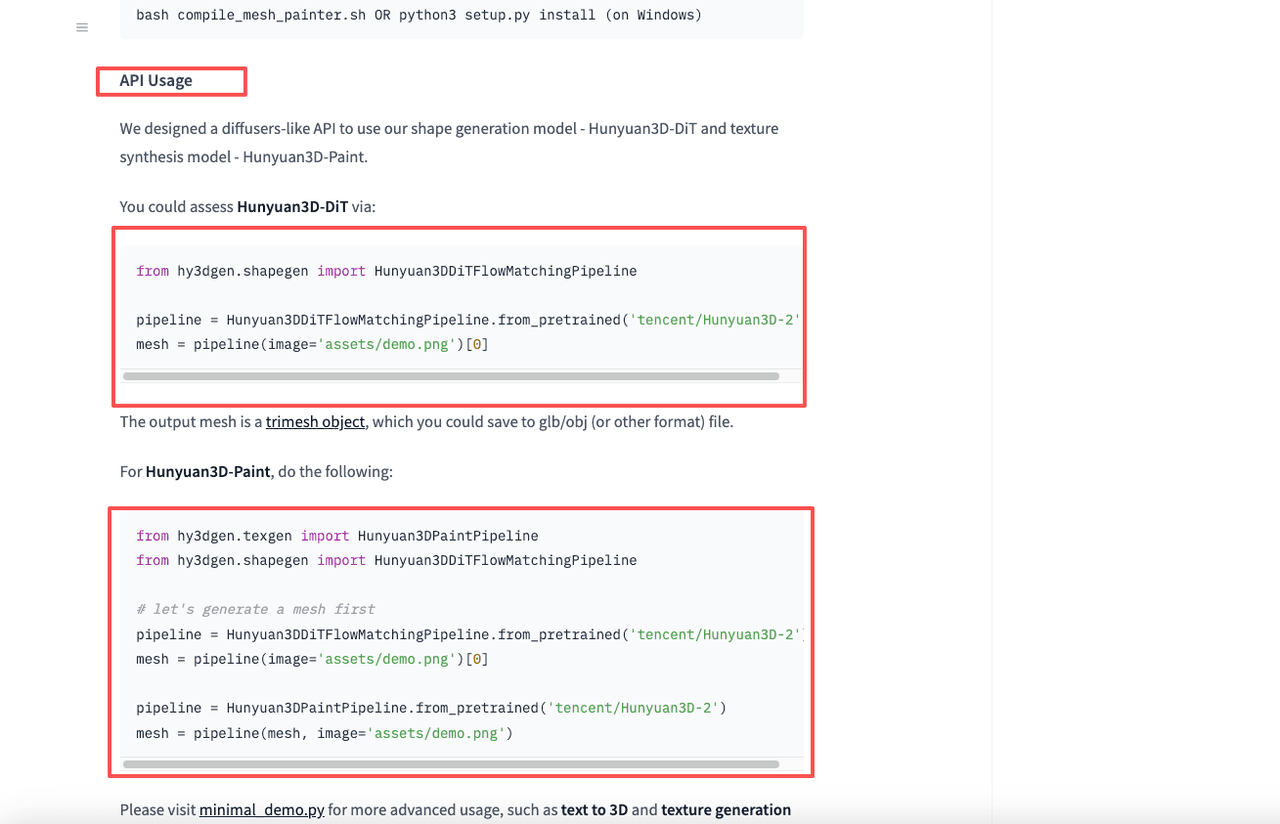
- Fixed output format. GLB or OBJ, same structure every run. Both import into Blender, Unity, and Unreal without conversion.
- Multiple input types. Text, a single image, or reference angles. For the designer's batch, image-to-3D was the obvious path.
What it changed wasn't the quality of any single model. It's that "generate forty drafts" stopped being forty manual actions and became one task I triggered and walked away from.
[Task data: 1 run | 40 sub-tasks (40 images) | 6 returned with visible geometry errors | active: Jun 5, 2026, single session]
I'm putting that failure count in on purpose. Six of forty came back with geometry I wouldn't pass along. That's the number that tells you generation is a draft step.
Where 3D Generation Fits in a Repeatable Pipeline
A pipeline is three questions in order: what goes in, what gets checked, and what moves on. Generation only owns the first. Most of the value and most of the risk live in the other two, which is exactly the layer MoClaw's workflow automation handles for the recurring parts.
Brief to asset draft
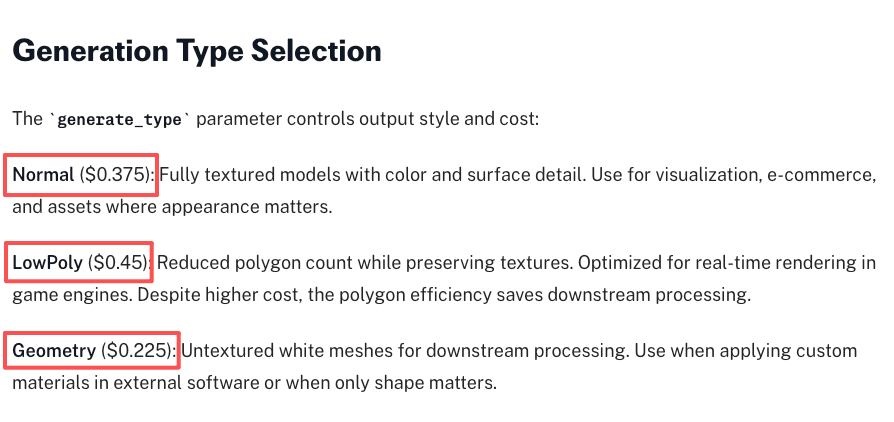
This part automates cleanly. Feed in a prompt or reference images, and get a draft mesh back. The model supports three generation modes, Normal, LowPoly, and Geometry, documented in fal.ai's Hunyuan 3D guide, a community-maintained prompt reference, and which you pick depends on where the asset is going. Real-time game users want LowPoly. Visualization wants Normal with PBR on. 3D printing wants geometry without the texture overhead.
Pick the mode once, lock it into the task, and the draft step runs identically every time. Cleanest handoff in the chain.
Format and quality checks
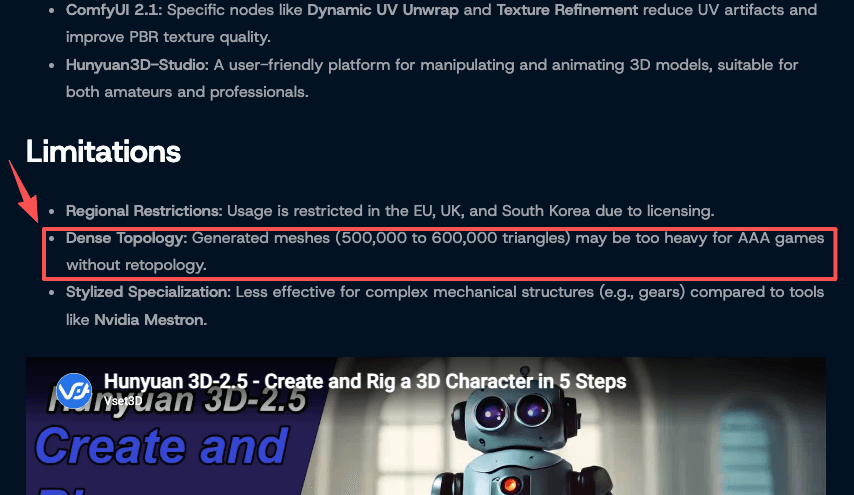
Here's where I stopped trusting full automation. The format check scripts easily, confirm a valid GLB, and confirm the maps you asked for. The quality check does not. Meshes from this kind of 3d ai tool routinely come out dense; community reports put some outputs in the 500,000-plus triangle range needing retopology before they're game-ready. A machine can flag the triangle count. It can't tell you the character's hand fused into the prop, which happened on two of my forty.
So this is a gate, not a pass-through. Automate the measurable checks. Keep a human in the visual one. I batched all forty into one Blender viewer pass and eyeballed them, twenty-five minutes for the whole set, cheap insurance against shipping a broken mesh.
Handoff to design or video tools
Once a draft clears the gate, moving it on is pure logistics, the part I most want off my plate. A clean GLB drops straight into Unity or Unreal. For review, you can push it to a viewer like Sketchfab, which renders GLB natively and lets non-technical teammates spin the model around with nothing installed. That was the step the designer cared about most: drafts in front of her team for a yes/no, fast.
This handoff automates well precisely because the format is standard. No reformatting, no manual export dance.
Why 3D Generation Still Needs Review
I went in assuming the review was a formality. It wasn't. A wrong word you skim past; a malformed mesh breaks the next tool.
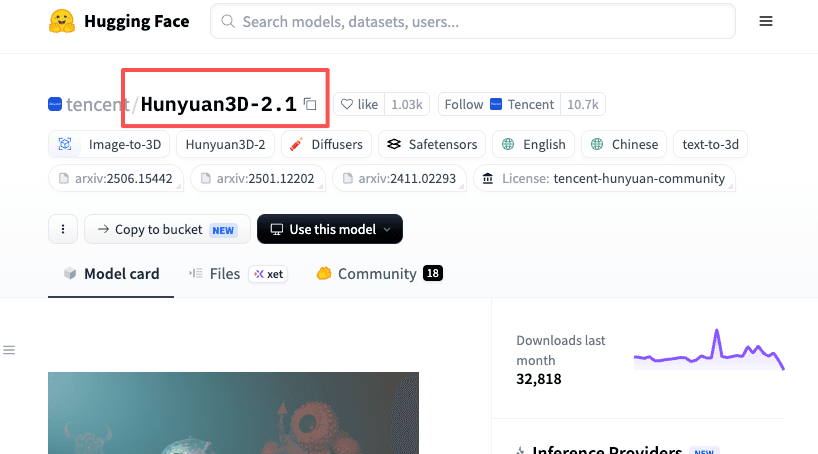
Two failure types showed up that no automated check caught: fused geometry, where two parts merged that shouldn't; and topology that is technically valid but useless, fine for a still, wrong for anything rigged or animated. The Hunyuan3D-2.1 model card is candid that retopology is often part of the downstream path, which matches what I saw.
There's a licensing check that belongs in the gate, too. Commercial use runs under the Tencent Hunyuan Community License, and terms differ between the open model and hosted services; some hosted tiers limit commercial use to paid plans. If the output is going into client work, confirm the license before the asset ships.
I'm not selling a clean conclusion. Generation got faster. Review didn't get easier. Both are true.
When a Normal Image or Video Workflow Is Enough
A lot of what people reach for in 3D generation doesn't need a 3D asset.
If the end product is a flat image, an image workflow gets there with less cleanup. No mesh to inspect, no retopology, no format check. If you need motion but the camera doesn't orbit a real object, video is simpler.
3D earns its place when you need the spatial asset: something rotated, rigged, printed, or placed in an interactive scene. The designer's case qualified. If she'd only needed a single marketing render, I'd have told her to skip the pipeline.
Rough rule: if the deliverable can be a picture, make a picture. The pipeline holds, generation is cheap, and review is not optional. Whether it's worth standing up depends on how often you need real 3D, and only you know your ratio.
FAQ
What is Hunyuan 3D?
Hunyuan 3D is Tencent's generative model that creates a textured 3D mesh from text or reference images. It's commonly used as the image to 3d model step in early prototyping, then refined in Blender or Unity. The open weights allow local runs, while the hosted version offers a quicker no-install path.
Can AI-generated 3D assets be used directly?
Rarely without cleanup. The output is a good starting mesh, but most production pipelines still need retopology, UV fixes, or topology optimization. Use raw output for quick prototypes; budget human time for anything going into games or client deliverables.
What quality checks matter before handoff?
Three the automated steps won't catch: visual geometry integrity (fused parts, missing faces), topology suitability for the downstream use (dense triangle meshes are fine for stills, wrong for animation), and triangle count against your engine's budget. A format validator confirms the file is well-formed. None of these is about the file being well-formed. They are about the model being usable.
When is a normal image or video workflow enough?
When the deliverable doesn't need spatial interaction. If no one downstream will rotate, rig, or place the asset in 3D space, skip the image to 3d model step entirely. A well-lit 2D render is faster and sufficient for most marketing or social use cases.
Hunyuan 3D in a Pipeline: Fast Generation, Mandatory Review
Generation is the easy part. The pipeline holds, and forty drafts in one triggered batch are genuinely different from forty manual runs. What didn't get easier is the review. Six of my forty came back with geometry I wouldn't pass along, and no automated check caught the two cases where parts had fused. That gap is permanent, not a version problem.
Set up the generation step, automate the format checks, and keep a human on the visual pass. If you only need a flat image, skip all of it. If you need the spatial asset, this is a reasonable way to get drafts fast. The review is the cost of entry, not the exception.
For commercial-use specifics, licensing terms, and current version details, check Tencent's official documentation; these change, and the official source is the only one worth trusting on policy.
Continue Reading
More Guide
Skill Zoo: Reusable Agent Skills for AI Workflows
Automating Fast-Changing Data Needs Review
AI Browser Automation Tool: 2026 Guide

How AI Automation Evolved: From Zapier to Adaptive Agents
ChatGPT Codex: From Chat to Tasks
AI Travel Planning Workflow for Busy Teams
Field notes from the MoClaw team. We compare the agent stack we run in production against the alternatives we evaluated and dropped. Production stories with real numbers, not vendor decks.
Ready to put this into practice?
MoClaw runs browser tasks, research, and schedules automatically. Try it free.
References: Hugging Face · fal.ai's Hunyuan 3D guide · 500,000-plus triangle range needing retopology · Hunyuan3D-2.1 model card