What Are AI Agent Skills? A Practical Guide

If your agent needs the whole process re-explained every run, is it really skilled? Here's what AI agent skills are, how they work, and when to use one.
Table of Contents
AI agent skills are reusable working methods that let an agent handle a familiar task with the same rules, context, and output standard every time. They carry the part of the work that should not have to be re-explained on every run: the method, sources, examples, output shape, and review points.
A good AI response can hide a weak working process. It may answer the question and look useful in the moment, then fail later when the same type of work returns with different inputs and the agent has to meet the same standard again. According to Anthropic's engineering write-up on agent skills, the point of a skill is to package that method so the agent does not rebuild it from scratch each time. If the agent needs the whole path rebuilt on every run, the team is still carrying too much of the work.
Key Takeaways:
- A skill is the reusable method (rules, sources, examples, output standard, review points); a prompt is the live, one-off intent for this task.
- Use a skill when a task repeats, has rules, and mistakes create rework. Skip it for rare, one-off, or constantly-changing work.
- A strong skill has three layers: method, materials, and matching logic (when to load it and how much context).
- Skills are one layer in the agent stack, sitting between what the model can understand and what the agent is allowed to do.
- The safest skills share three traits: clear ownership, narrow boundaries, and a defined stop point.
Quick Answer: What Are AI Agent Skills?
People use "skill" in an agentic context to mean one of two things. The practical meaning describes the abilities an agent brings into a workflow: planning, research, tool use, coding, file handling, communication, and escalation. The more structured meaning, described in Claude's agent skills documentation, is a packaged unit of task knowledge: instructions, rules, examples, scripts, templates, files, and metadata that guide how the agent handles a recurring job. For the OpenClaw registry itself, our ClawHub guide explains skills, plugins, installation, and review checks.
What connects both meanings is method. An agent may have the ability to analyze a spreadsheet; a spreadsheet-analysis skill defines what to check, what to ignore, how to format the result, and when the work needs review. A real skill does not just expand what the agent can attempt. It gives the agent a way to return to the work with a steadier standard.
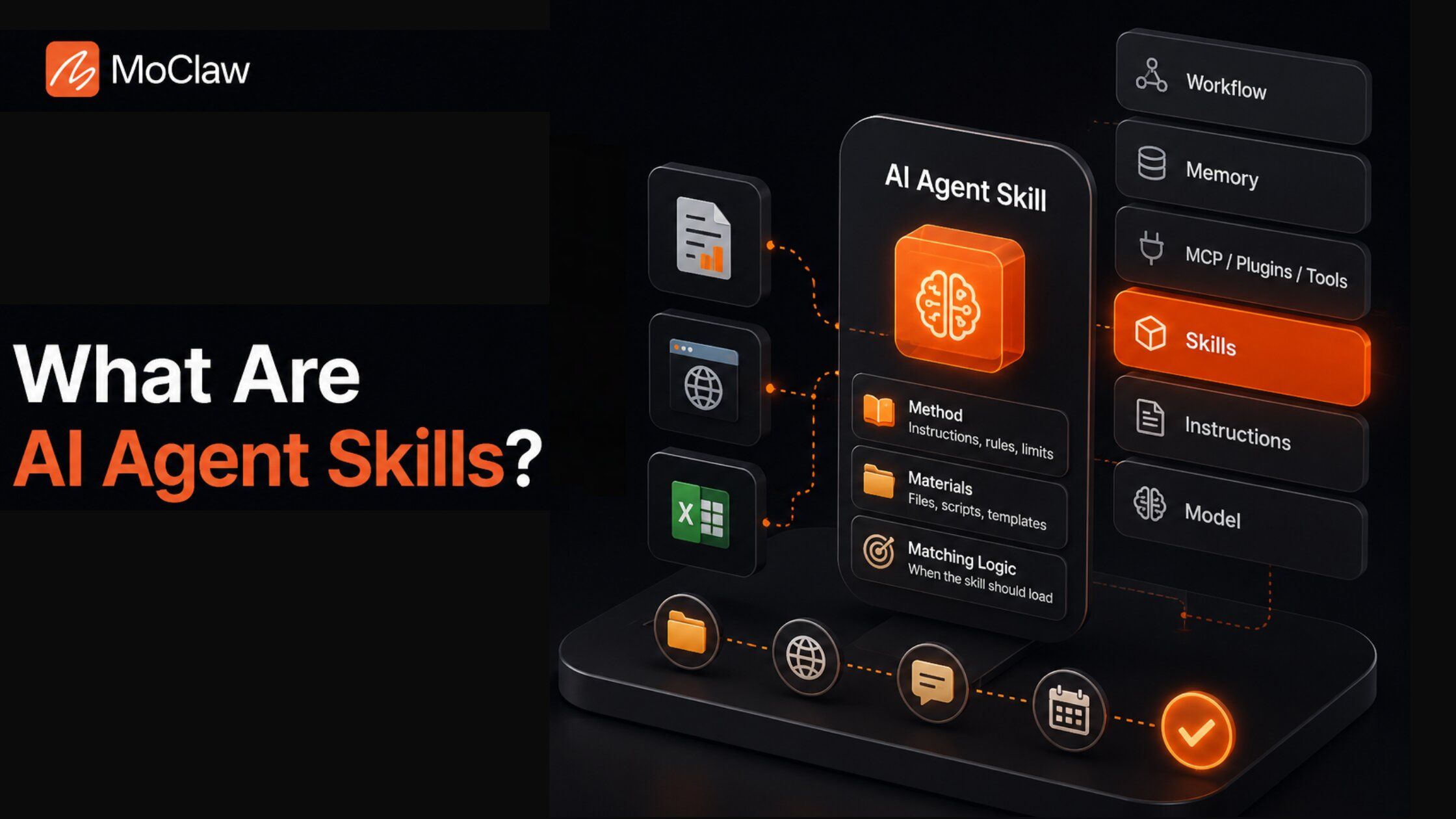
Section summary: A skill turns a loose ability into a repeatable method. The test is whether the standard holds the next time the task returns.
How Skills Differ From Prompts
Prompts carry live intent. They tell the agent what this task needs right now: the goal, audience, constraints, files, or extra context. Skills carry the part that should not have to be re-explained: the method, rules, examples, source logic, output standard, and review points.
When every recurring task needs a full-process prompt, the agent has not really learned the work. It is borrowing the user's instructions for one run. A skill gives the system a way to keep the method intact while the request keeps changing.
Section summary: Prompt is for this task; skill is for every task like it. If you keep re-typing the method, it belongs in a skill.
When Should You Use an AI Agent Skill?
Repetition alone is not enough. A task can repeat and still be too simple for a skill. The stronger signal is process weight. Use a skill when a task meets three conditions: it repeats, it has rules, and mistakes create rework.
You need a skill when the agent must follow a known sequence, use approved sources or files, apply the same judgment criteria, produce the same output shape, track what changed between runs, or pause before sending, publishing, editing, or deleting anything. Skip a skill when the task is rare and unclear, the goal changes every time, the user only needs a one-off answer, or the agent would need broad permissions before the method is proven. A simple rule helps: if you would train a teammate on the process, the agent may need a skill for it.
Section summary: Repeats plus rules plus rework equals skill. One-off or shape-shifting work stays a prompt.
What's Inside an AI Agent Skill?
A strong skill usually has three layers: method, materials, and matching logic.
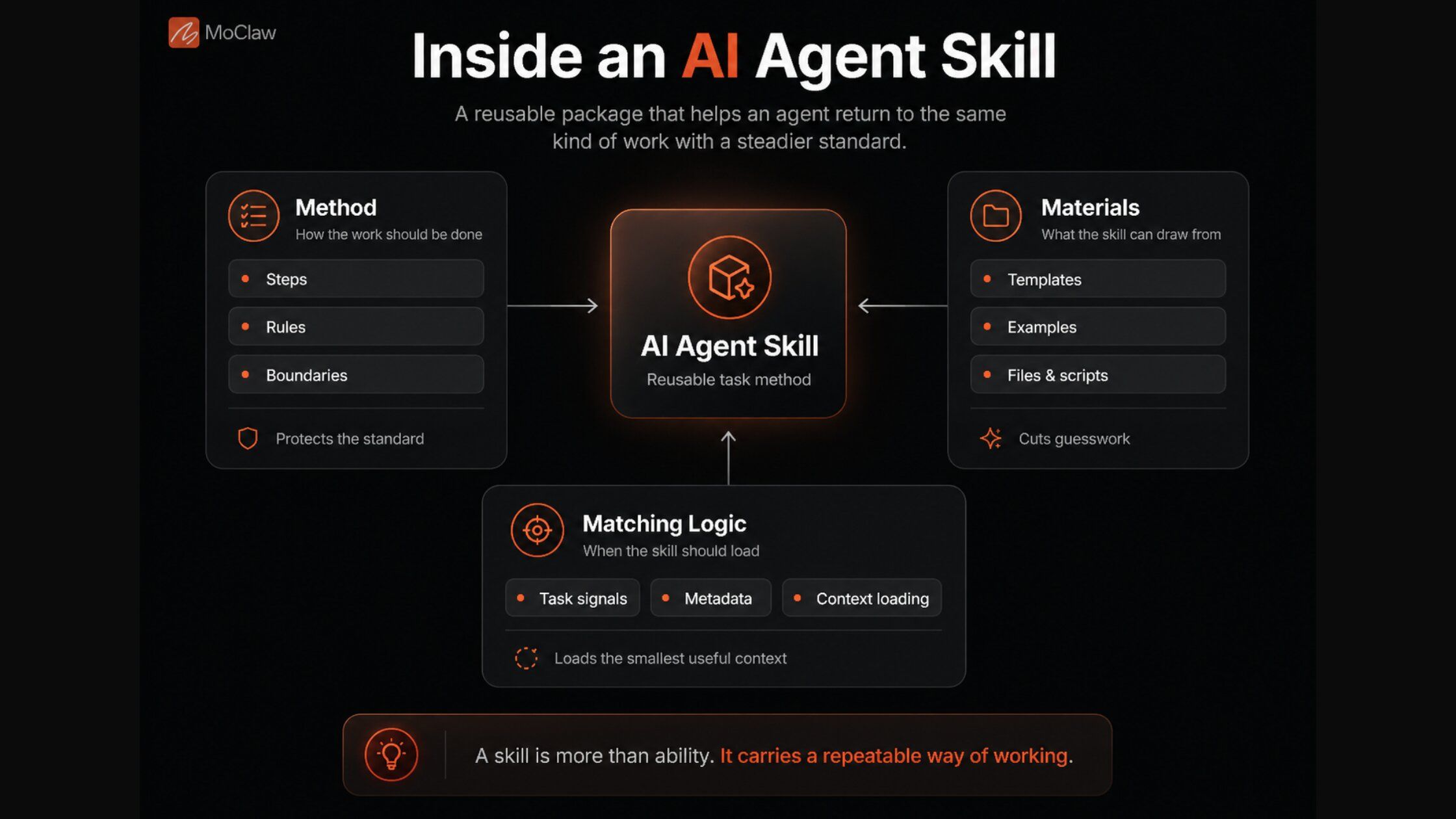
The method: instructions, rules, and boundaries. Instructions define the steps, quality bar, output format, and common mistakes to avoid. Rules set the limits: when to pause, when to ask for approval, what to leave untouched, and which sources deserve more weight. For a support skill, the method may require checking policy before drafting a reply, avoiding refund promises without approval, and flagging angry customers before any response goes out.
The materials: code, files, templates, and examples. Some skills carry reusable assets: a cleanup script, report template, source list, sample output, brand guide, or layout rule. These reduce guesswork, so the agent works from an asset instead of inferring the standard from a vague request.
The matching logic: triggers, metadata, and context loading. A skill needs a way to recognize the right task. Good skill systems avoid flooding the agent with every instruction at once: they show a basic description first, then load deeper instructions, files, or code only when the task requires them. Too little context leaves the agent guessing; too much makes it carry noise.
Section summary: Method, materials, matching logic. The last one matters most in practice: load the smallest useful set of instructions for the job.
Why Skills Matter in AI Agents
Most workflow problems start with a missing standard. The agent may complete the task but use the wrong source, skip a review step, change the format, or continue when approval is needed.
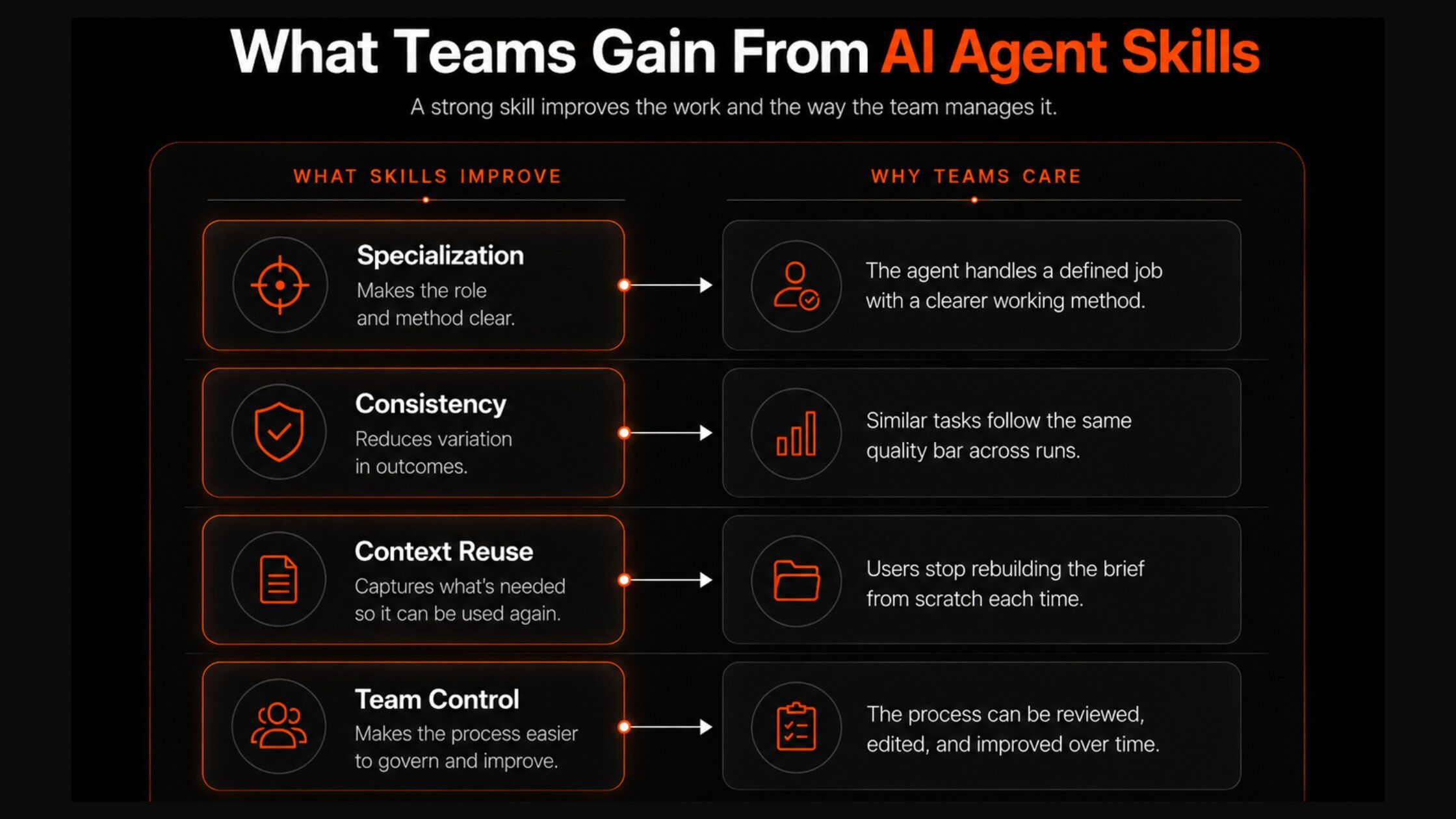
Take a support skill at a 40-person SaaS company. Before it existed, replies drifted: one run checked the refund policy, the next skipped it. Packaged as a skill (check policy first, never promise a refund without approval, flag angry customers), the same checks ran every time, and the share of tickets that bounced back to a human for cleanup dropped noticeably. The value goes beyond consistency. Once the method is visible, the team can improve the process rather than fixing the output after it lands.
Section summary: Skills move the standard into the system, so quality stops depending on memory or prompting. A visible method is one you can improve.
How AI Agent Skills Work
A skill gives the agent a route through the task before it starts acting. The work begins with recognition: the agent reads the goal, files, audience, risk level, and expected output. It then selects the skill that carries the right method, and the skill pulls in the context needed to guide the work: rules, examples, templates, scripts, source preferences, output formats, or review limits. From there the agent acts (search, read, calculate, update, draft, convert), and the final output reveals the method behind it, so the team can fix the step that failed instead of treating every weak output as a fresh mistake.
A concrete example, a weekly competitor-research skill: Priya, a research analyst, used to rebuild her tracking method every Monday. Packaged as a skill, the run now recognizes "competitor monitoring," loads the approved competitor URLs, source rules, report template, and change categories, then checks pricing pages, product pages, and changelogs. It flags claims with weak sources and pricing movement, returns a short table with source links and confidence notes, and stops before publishing or messaging the team without approval. Priya reviews a table instead of rebuilding the process.
Section summary: Recognize, match, load context, act, show the work. The same five steps are what make a skill auditable.
Core Types of AI Agent Skills
The easiest way to understand skills is to watch where real work slips: the agent misreads the task, trusts weak context, uses the wrong tool, shapes the output poorly, or keeps going when judgment should take over. Each skill type handles one point in that chain.
- Planning and task breakdown skills help with the first decision: what work is actually being asked for, separating the goal from the steps and identifying missing inputs.
- Communication and output skills shape the result around the reader, channel, and next action. A support message needs restraint; a sales summary needs signal over volume.
- Research and retrieval skills define what deserves trust, what to ignore, and when the evidence is too thin to use.
- Coding and file-handling skills protect the deliverable when a task ends as a file, script, dataset, or export.
- Tool-using and automation skills guide the agent when the task needs a browser, spreadsheet, database, email draft, or API call, keeping action tied to the permission level and the right system.
- Decision-making and escalation skills protect the line between automation and responsibility, giving the agent a defined way to pause before the wrong work moves forward.
Section summary: Each type guards one failure point in the chain from request to output. Most real workflows need a few, not all.
The Agent Stack: Where Skills Fit
An AI agent is more than a model in a chat box. It works through layers, and the common mistake is treating them as interchangeable.
| Layer | What it controls | Common mistake |
|---|---|---|
| Model | Reasoning, language, interpretation | Treating it as the full agent system |
| Instructions | Rules, tone, limits, quality bar | Treating them as reusable task methods |
| Skills | Repeatable task knowledge | Confusing them with the tool or app |
| Tools | Actions outside the chat | Expecting them to define the method |
| Plugins | Connections to specific apps | Treating one app connection as a workflow |
| MCP | Standard access to external tools, data, prompts | Expecting protocol to replace skill logic |
| Memory | Useful context from past tasks | Assuming recall guarantees accuracy |
| Workflows | The route from request to outcome | Reducing the full process to one skill |
Skills are the middle layer between what the model can understand and what the agent should be allowed to do.
Section summary: Skills are not the model, the tool, or the protocol. They are the repeatable method that connects them.
How MoClaw Makes Skill-Based Workflows Practical
A skill becomes more useful when the agent has a workbench around it. Real tasks do not stay inside one response; they move through pages, files, drafts, sheets, source checks, and follow-up steps.
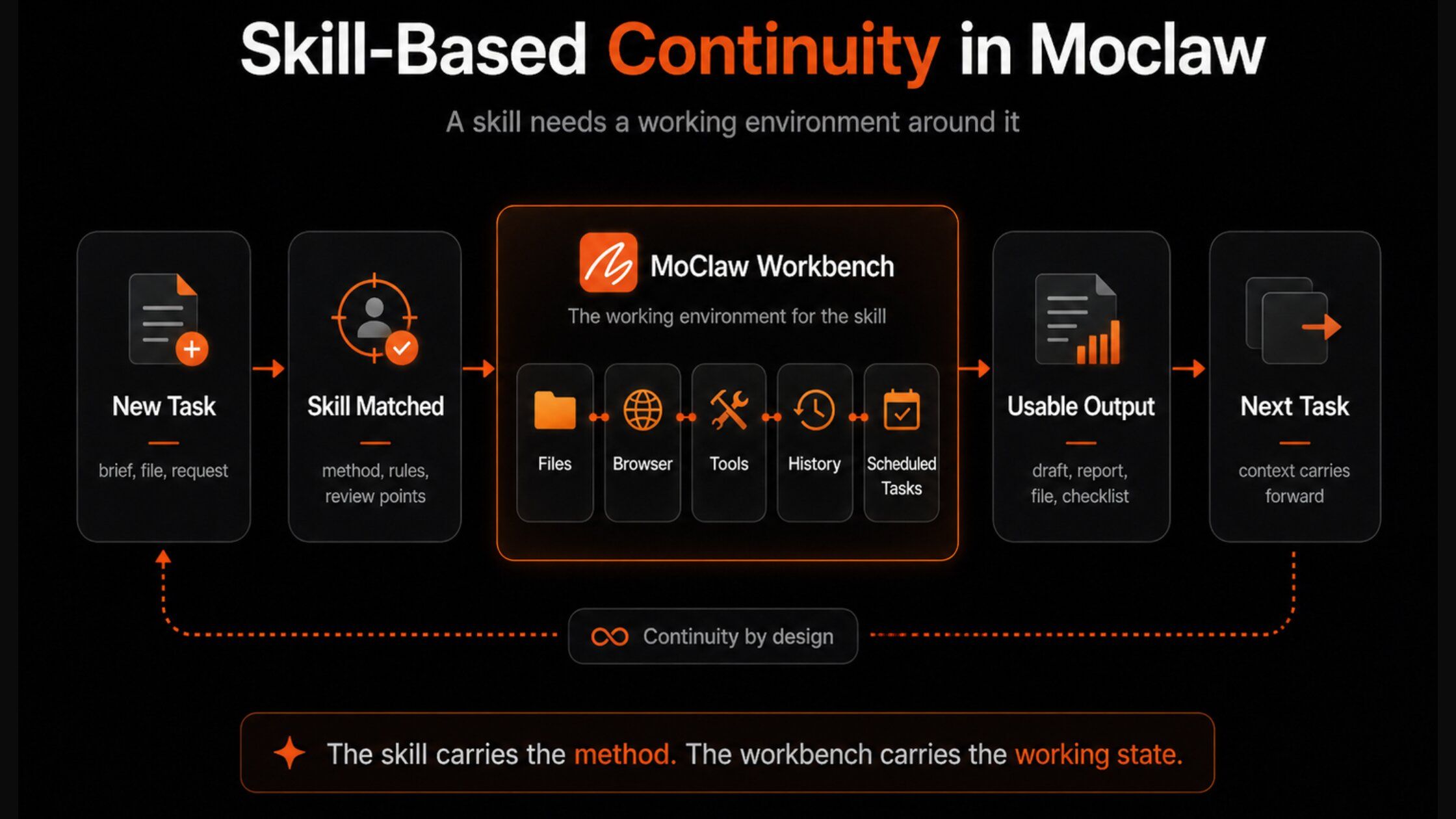
MoClaw gives the agent a cloud computer environment for that workbench, where files, browser activity, chat history, skills, scheduled tasks, and connected tools stay part of the same working space. A skill defined once persists there: the next run reloads the same method, sources, and templates instead of starting from an empty chat, which is what reuse actually looks like in practice. The practical gain is continuity, so the agent spends less time recovering context and more time moving the task forward. You can see this pattern in a real content research run and across the use-case library.
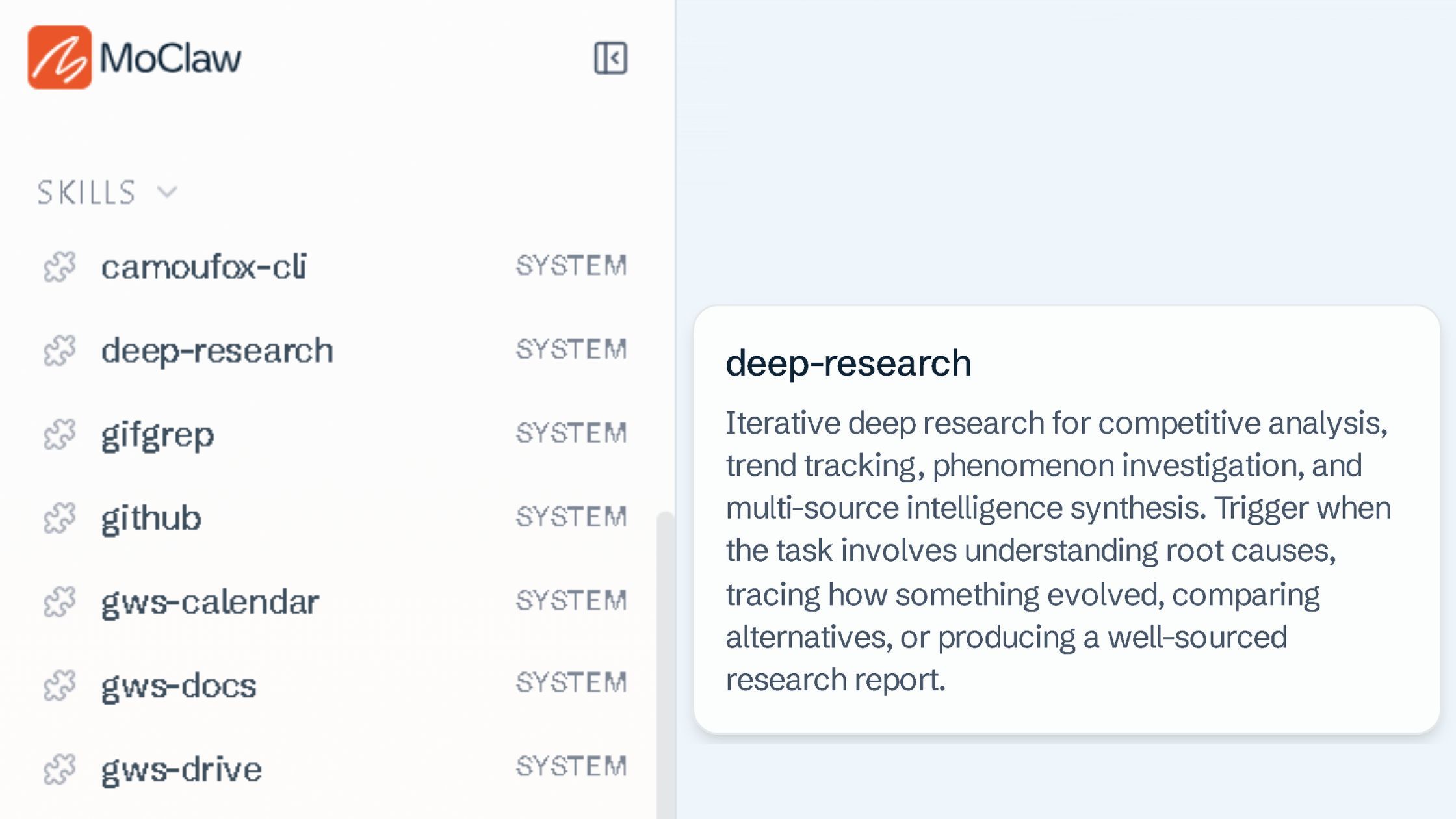
MoClaw also ships a growing library of built-in skills. Its deep-research skill, for instance, behaves like a quality-control system: it tracks open questions instead of chasing sources, marks source reliability, and begins writing only once the research is deep enough to support the answer. That restraint is the same thing that separates a chatbot from an AI agent.
Section summary: A skill is more useful with a persistent workbench around it. MoClaw's gain is continuity: the method and its materials survive between runs.
Google's Official Agent Skills
Google publishes its own skill collection at google/skills, and the scale of it says something about where this format is going. The repository lists over a hundred skills across twelve categories, covering Google Cloud onboarding and authentication, AI/ML platform work, infrastructure, databases and analytics, developer and management tools, the Well-Architected Framework, security and identity, web and app hosting, and advertising. Apache-2.0 licensed, and by August 2026 it had passed 17,000 stars since going up at the end of March.
Installation goes through the same tooling the wider ecosystem uses: npx skills add google/skills, which then lets you pick the specific skills you want rather than pulling all of them.
What matters here isn't the count. It's that a platform vendor now maintains the skills for its own products, instead of leaving developers to write and re-write "how to authenticate to Google Cloud" in every project. A skill written by the team that owns the API is a different artefact from one reverse-engineered from documentation: it can be updated when the product changes, and it carries the vendor's opinion about the right way to do something.
The comparison with Anthropic's approach is instructive. Claude Skills defined the format and the runtime; Google is filling it with product knowledge. Those are complementary moves, and together they suggest the interesting competition isn't over who has the better skill format but over who has the deepest library for the systems you actually use.
One caveat worth carrying: the repository describes itself as under active development, and the skills are weighted heavily toward Google Cloud rather than Google's consumer products. If you were expecting Workspace coverage, check the list before you plan around it.
Where Skills in AI Agents Break Down
A weak skill rarely announces itself. The agent may return a polished answer, but polish does not prove the work was handled well.
- Wrong skill, wrong path. Many failures begin with routing: the request sounds clear, yet the agent matches the wrong method and follows it neatly to a confident, wrong answer.
- Weak instructions, weak standards. A skill that names the task without defining the standard lets the model fill the gaps with judgment the team never approved.
- Bad context, bad output. Old files, partial briefs, and stale memory can bend the task before the work begins.
- Broad access, bigger mistakes. A loose method with broad permissions can edit records, overwrite files, publish drafts, or message customers before review.
- No clear stop point. A skill needs a defined pause near money, customer data, legal risk, publishing, or system changes, the same boundaries that decide what an autonomous agent should handle alone.
The broad-access risk is the one most worth making concrete. A simple permission-and-approval ladder keeps access proportional to proven trust:
| Rung | What the skill may do | Who acts |
|---|---|---|
| 1. Read-only | Look, gather, summarize | Nothing changes without a person |
| 2. Draft | Prepare output, stage changes | A person sends or saves |
| 3. Act with approval | Execute a narrow action | Only after explicit sign-off |
| 4. Act within rules | Complete pre-approved low-risk actions | Agent logs every action for audit |
Promote a skill one rung only after the previous rung has run clean for a while. Access should expand later and more slowly than confidence. Skill libraries also decay when nobody owns them: versions drift, duplicate methods compete, and review points disappear. The safest skills share three traits: clear ownership, narrow boundaries, and a defined stop point.
Section summary: Most failures are routing, weak standards, bad inputs, broad access, or no stop point. A permission ladder and an owner are the cheapest fixes.
FAQ
What is the difference between an AI agent skill and a prompt?
A prompt is the live intent for one task. A skill is the reusable method behind a recurring task: the rules, sources, examples, output shape, and review points that should not be re-explained every run.
Do I need a skill for every repetitive task?
No. Use a skill only when the task repeats, has rules, and creates rework when done wrong. A simple, one-off, or constantly-changing task is better served by a prompt.
How are skills related to MCP and tools?
Tools are actions outside the chat, and MCP is a standard way to reach external tools, data, and prompts. A skill is the method that decides when to use a tool and what good output looks like. Protocol and tools do not replace skill logic.
How do I stop an AI agent skill from doing something risky?
Give it a permission ladder and a stop point. Start read-only, move to draft, then act-with-approval, and only later act-within-rules, promoting a rung at a time after the previous one has run clean.
What Your Process Loses Between Tasks
Every team runs on a working standard that rarely lives in one place. Some of it lives in documents, but most of it is judgment: what counts as enough context, which source needs verification, when a reply feels too risky, and when a report is ready. Those decisions disappear between tasks. People change, files move, tools reset, and the next run starts with less knowledge than the last one earned.
AI agent skills help close that leak. They give the agent enough of the working standard to carry it into the next run, so repeated work does not keep falling back to whoever remembers the process best. The question becomes harder to ignore: what part of your process still disappears before the next task begins?
Try MoClaw free and turn one process you keep re-explaining into a skill the agent can reuse.
Continue Reading
More Guide
How to Build Claude Skills for Agent Workflows

Claude Skills for Marketing

HyperFrames Workflow: Video Rules as Skills

Skill Zoo: Reusable Agent Skills for AI Workflows

TRAE Work Skills and MCP: How Execution AI Works

Pexels API as an Agent Skill: Automating B-Roll Search
Field notes from the MoClaw team. We compare the agent stack we run in production against the alternatives we evaluated and dropped. Production stories with real numbers, not vendor decks.
Ready to put this into practice?
MoClaw runs browser tasks, research, and schedules automatically. Try it free.
References: Claude: Agent skills overview · Anthropic: Equipping agents for the real world with agent skills · Model Context Protocol: Introduction · MCP specification: Server tools · MCP specification: Server prompts