HyperFrames Workflow: Video Rules as Skills

A HyperFrames workflow turns layout rules, caption safe zones, style references, and export checks into reusable agent skills you can review before export.
Table of Contents
In this article, HyperFrames workflow refers to the design-rule layer inside a HyperFrames-style agent video process: layout rules, caption safe zones, style references, product protection, and export checks. The useful idea is not "let an agent make the whole video." The useful idea is making visual production rules reviewable before export.
Key Takeaways:
- HyperFrames workflow is safest to explain as visual production rules encoded as reusable agent skills.
- Agent skills can make captions, product placement, style references, and export constraints repeatable.
- Claude Code skills and Codex workflow patterns are useful references, but this is not a coding-agent tutorial.
- Detectors can miss faces, products, or text collisions, so human review still matters.
Hi, I'm Vera. I first noticed the need for this kind of workflow after making short product clips with AI tools. The clip looked good until captions covered the product name in the last three seconds. Another run cropped a speaker's face too tightly for vertical format. The problem was not only generation quality. The problem was that the layout rules were trapped in my head instead of being written as a reusable skill.
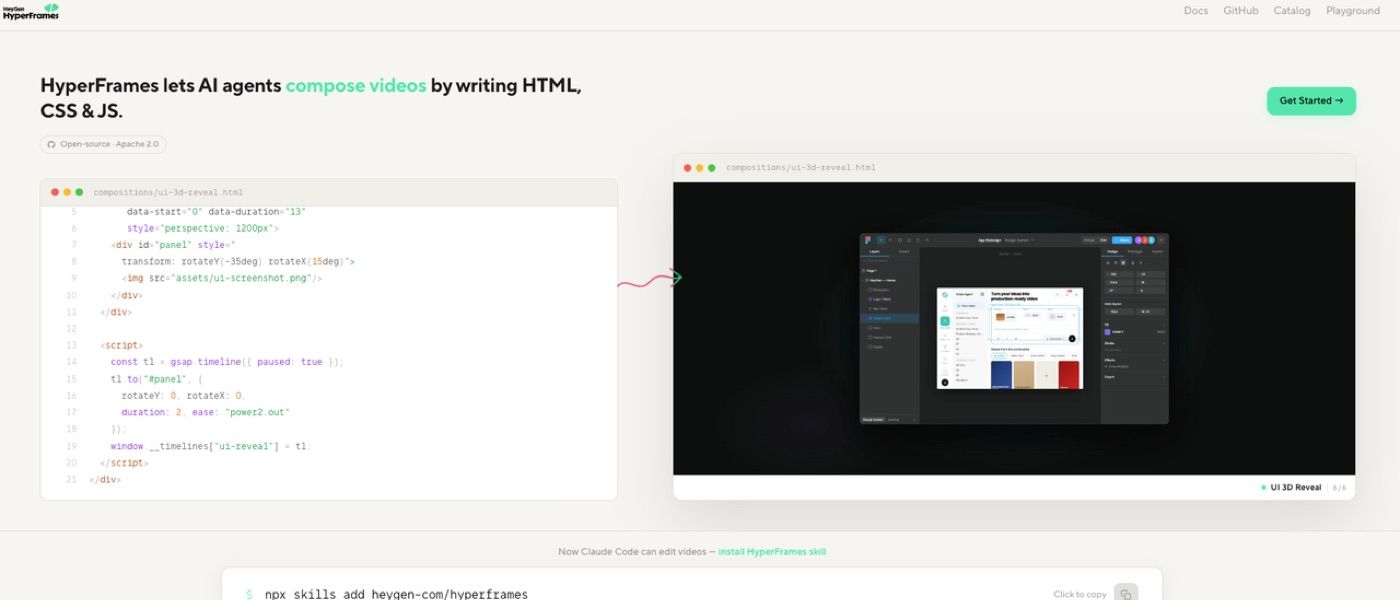
What a HyperFrames Workflow Should Encode
A HyperFrames workflow should encode the visual rules that determine whether a video is usable. It should not only say "make this look good." It should define where captions may sit, what subjects must stay visible, which style references matter, and what export format the final asset needs.
Skills as reusable instruction bundles are useful here. For video work, such a skill could include layout rules, reference examples, checklists, and export expectations.
Layout rules
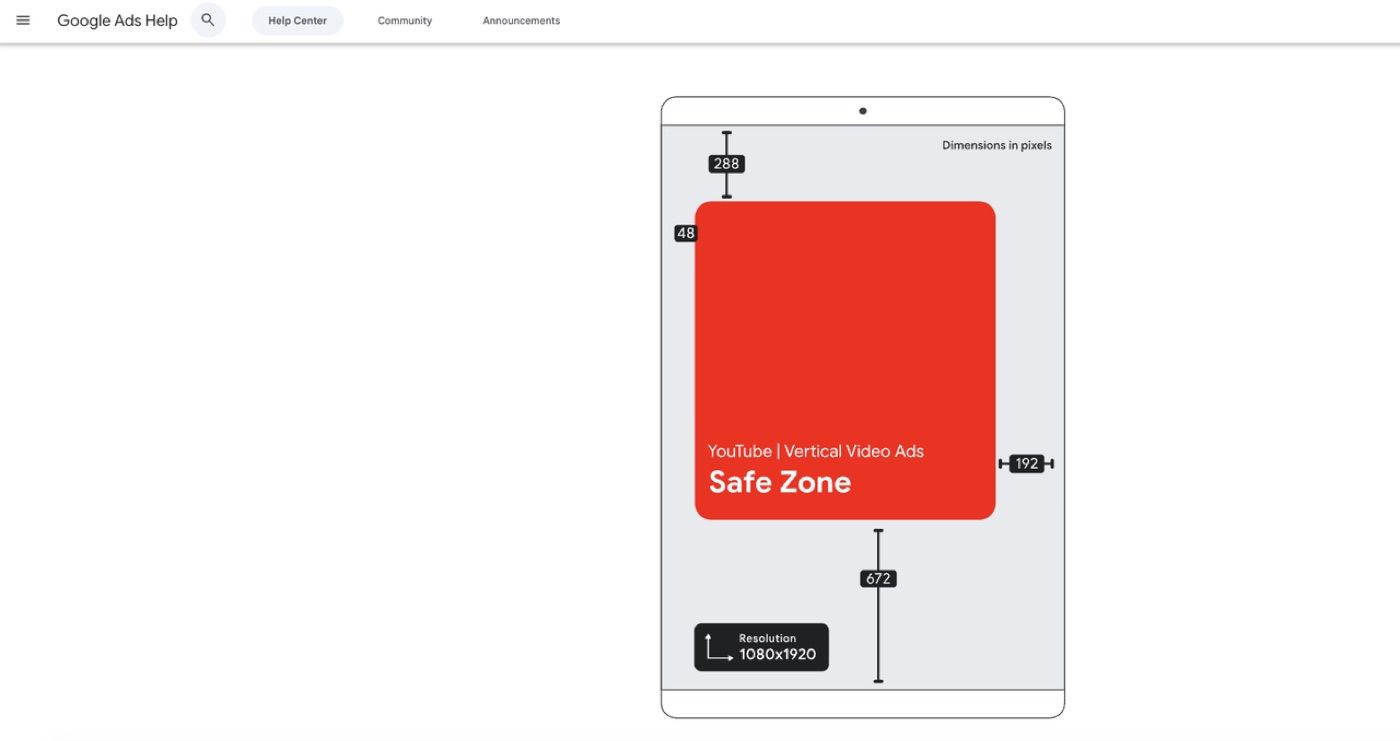
Layout rules define where important visual information belongs. A vertical social clip may need subject center framing, bottom caption clearance, upper logo space, and enough margin for platform UI. A landscape demo may need room for cursor movement, product labels, and callout text.
A practical HyperFrames workflow should make those rules explicit before generation. If the agent waits until export to notice that captions cover the button, the pipeline has already wasted time.
Style references
Style references tell the agent what "on brand" means. That can include color palette, motion pace, typography, camera style, transition style, and examples of approved clips. A style reference can be too vague. "Make it premium" is not a production rule. "Use slow push-ins, muted backgrounds, white captions, and no jump cuts" is closer to a reusable skill. The more concrete the reference, the easier the workflow is to review.
Turning Video Design Rules into Skills
Turning rules into skills means making them repeatable across runs. Instead of rewriting a long prompt for every video, the skill stores the production logic: safe zones, protected subjects, format constraints, and acceptance checks.
This is where Claude Code skills and Codex workflow thinking become relevant as patterns, not product claims. OpenAI's Codex docs and Claude Code’s skills docs are useful references for agent workflow thinking: skills, tool use, approvals, sandboxing, project context, and repeatable procedures.
Caption safe zones
Caption safe zones decide where text can appear without blocking the subject, product, or platform interface. This matters most for short vertical video, where captions compete with hands, faces, buttons, UI overlays, and subtitles.
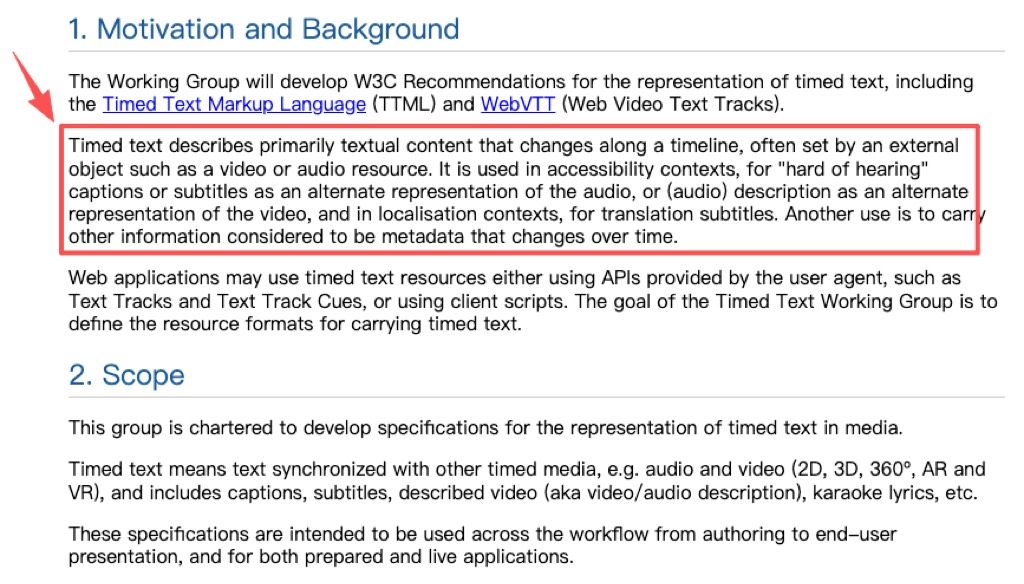
The W3C WebVTT shows why timed text is a real production object, not just decoration. Captions have timing, placement, and rendering behavior. A skill should treat them as part of the video layout.
Product and face protection
Product and face protection rules tell the agent what should not be cropped, blurred, covered, or pushed behind text. This is where the workflow must be careful. It should not be claimed that automatic detection is always accurate.
For example, I once tested a draft clip where the product stayed centered, but a generated sticker drifted over the label near the end. The detector did not flag it because the object was technically still visible. A human review step caught the problem.
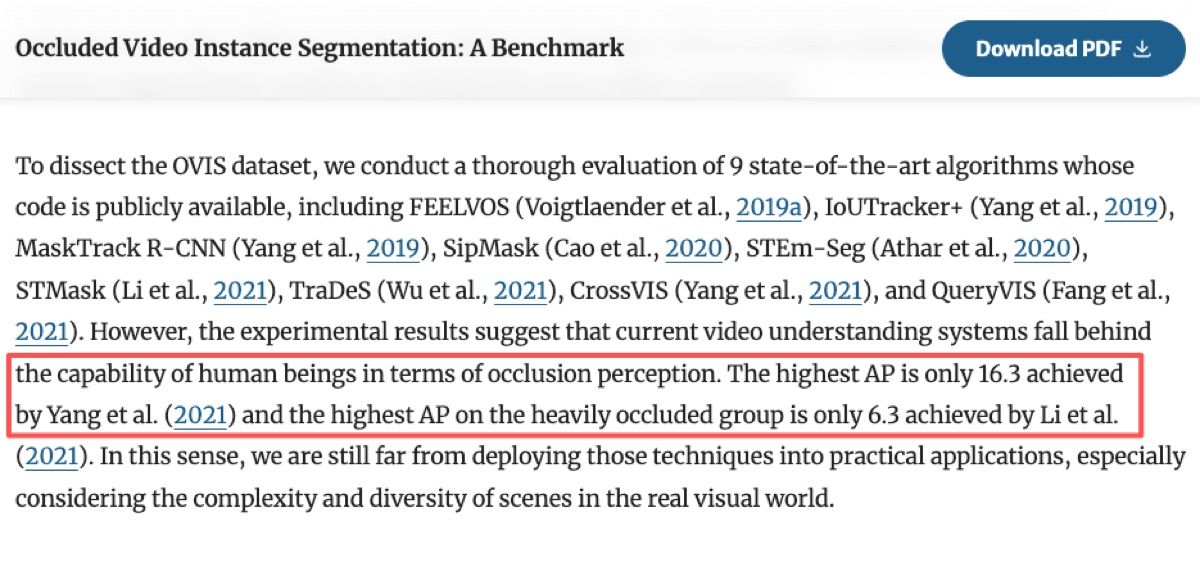
That failure mode is not unusual. The OVIS benchmark for occluded video instance segmentation studies a related computer-vision problem: objects that remain present but become harder to detect, segment, and track when partly covered. OVIS includes 296,000 high-quality instance masks across 25 semantic categories. In the original benchmark paper's evaluation of publicly available methods, the highest reported AP was 16.3, and the highest AP for heavily occluded objects was 6.3. That is why the skill update was simple: labels must be unobstructed, not merely present.
Output format constraints
Output format constraints define aspect ratio, resolution, duration, frame rate, caption file type, and export target. A platform-ready video needs different constraints from a draft preview. A HyperFrames workflow should separate draft outputs from final exports. Drafts can be lower resolution and faster. Final exports need stricter checks for readability, timing, and format.
Acceptance Checks Before Export
Acceptance checks turn video generation into a reviewable process. Without checks, the workflow only produces files. With checks, it produces files plus evidence that the output is usable. The VideoWeaver paper is useful because it studies agentic long video generation as a skill-composition problem and evaluates both execution traces and final video output. That is the right mindset: video quality depends on process, not only the final render.
Readability
Readability checks should inspect caption size, contrast, timing, text density, and whether captions collide with faces, products, or key motion. A readable caption at 16:9 may fail at 9:16 after cropping. I used to approve clips on desktop and then notice on mobile that two-line captions covered the action. Now I treat mobile preview as part of the acceptance check, not a nice-to-have.
Platform fit
Platform fit checks whether the output matches the intended channel: short vertical clip, long-form video, ad creative, product demo, or internal review asset. A skill should define the platform before export, because platform choice changes safe zones, pacing, caption density, and file constraints.
MoClaw's AI workflow automation use case shows the broader pattern: recurring tasks become more reliable when files, logs, schedules, and review steps live in one workflow instead of a loose chat thread. For video production, the same principle applies to drafts, renders, QC notes, and approvals.
Risks and Claims to Verify
HyperFrames claims should stay tied to the official HeyGen HyperFrames repository and docs. Verify the current skill list, supported agent clients, rendering behavior, detector/QC claims, provider integrations, and release maturity before publication. Avoid claiming that face protection, product detection, or caption safety is always accurate. Detection is probabilistic. A missed frame can still break the asset.
Also verify Vibe Motion references before treating the phrase as a specific product or feature. If no primary source defines it, use it only as category language for motion-first AI video workflows.
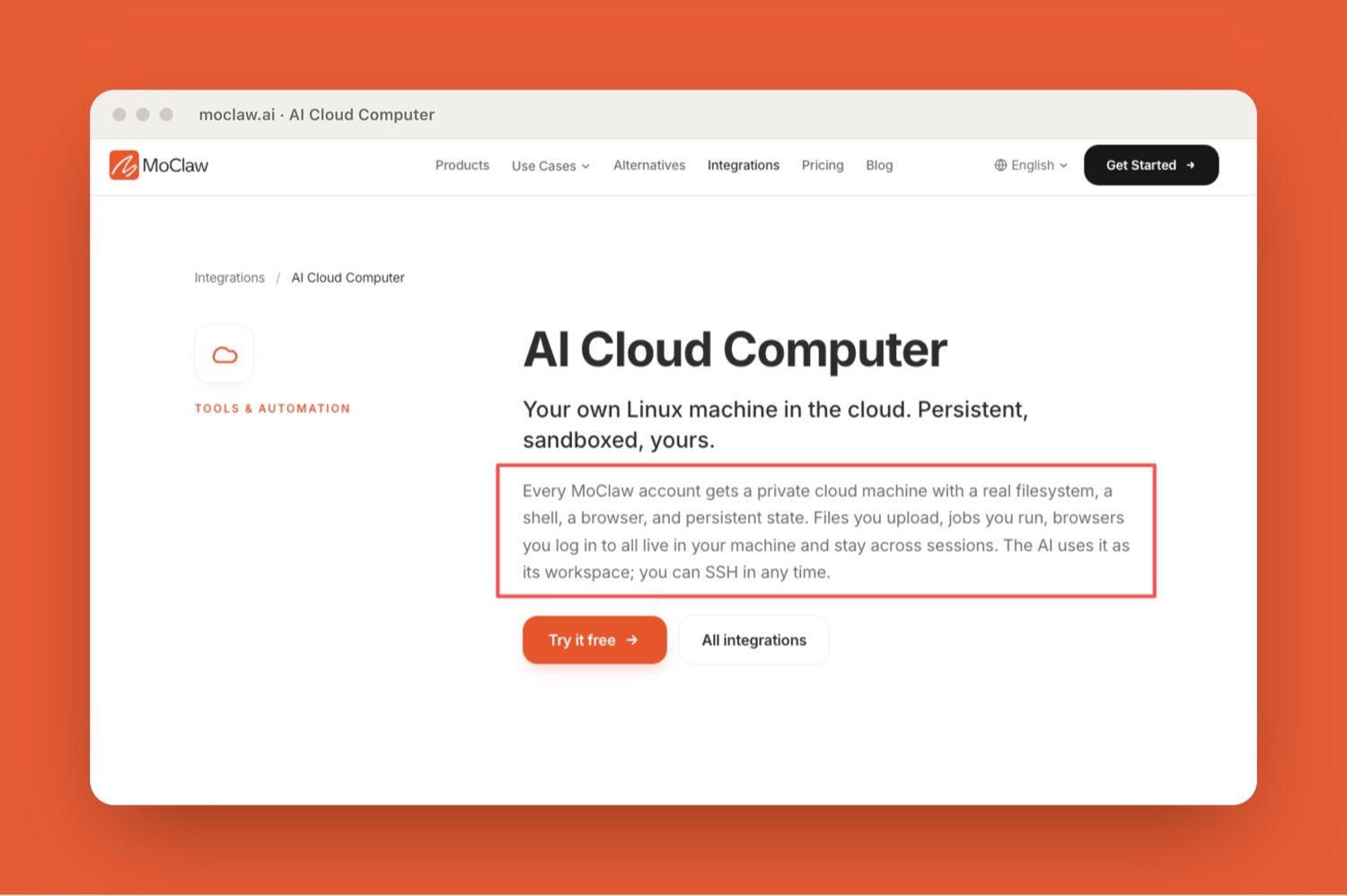
The MoClaw AI Cloud Computer integration describes persistent files, browser state, shell access, and workspace continuity. That is relevant because video workflows need artifacts and review history, not just one-off generations.
FAQ
Can a style reference be too vague?
Yes. A vague style reference creates inconsistent output because the agent has to guess. Replace broad words like "cinematic" or "premium" with concrete rules: color range, pacing, shot style, caption treatment, camera movement, and examples.
Who approves changes to a motion skill?
The person responsible for final video quality should approve changes. That may be a creative lead, brand owner, product marketer, or video producer. The point is to prevent silent rule drift across repeated exports.
Should rules differ by platform?
Yes. Rules should differ by platform because layout, caption density, safe zones, duration, and viewer behavior differ. A horizontal product demo and a vertical short should not share the same export assumptions.
What if a detector misses a frame?
The workflow should keep human review before final use. If a detector misses a frame, update the skill with the failure pattern, add a manual check for that issue, and keep the affected output out of final delivery until reviewed.
HyperFrames Workflow Makes Video Skills Reviewable
A HyperFrames workflow is useful because it turns visual production rules into reusable agent skills. Layout, captions, style references, product protection, export constraints, and acceptance checks become part of the process instead of one-off prompt notes.
The managed workflow lesson is simple. AI video automation gets safer when the pipeline records what it tried, what passed QC, what failed, and who approved the final export. That is how a video pipeline becomes repeatable, not just impressive.
Verification note: HyperFrames is treated here as a visual production workflow topic, not as a confirmed product capability. Claims about HyperFrames, Vibe Motion, automatic detection, provider support, or export behavior should stay tied to primary sources when available.
Continue Reading
More Guide
How to Build Claude Skills for Agent Workflows

Claude Skills for Marketing

Best Claude Skills to Install in 2026

Skill Zoo: Reusable Agent Skills for AI Workflows

Meta Skills AI, Explained

Claude Anthropic Skills, Explained

The MoClaw editorial team writes about workflow automation, AI agents, and the tools we build. Default byline for industry overviews, listicles, and collaborative pieces.
Ready to put this into practice?
MoClaw runs browser tasks, research, and schedules automatically. Try it free.
References: HyperFrames repository (GitHub) · Vertical video ad specs (Google Ads Help) · W3C Timed Text Working Group charter · Occluded Video Instance Segmentation: A Benchmark (OVIS) · VideoWeaver: Evaluating and Evolving Skills for Agentic Long Video Generation