TRAE Work Skills and MCP: How Execution AI Works

TRAE Work MCP explains how skills define repeatable work while MCP sets the tools and data an execution AI workspace can safely reach and review.
Table of Contents
TRAE Work MCP is best understood as an execution AI architecture question: skills define how repeatable work should be done, while MCP defines which tools, data, and external systems an AI workspace can access. This page does not explain Code Mode internals or installation steps. It focuses on the responsibility split between TRAE Work skills, MCP, and the review layer around AI workflow automation. The urgency is not hypothetical: Gartner expects more than 40% of agentic AI projects to be canceled by the end of 2027, usually for missing process and unreliable tool access, not weak models.
Key Takeaways:
- TRAE Work is positioned by TRAE as a professional AI work assistant for tasks beyond coding.
- Skills describe repeatable work patterns, standards, and handoff expectations.
- MCP defines the tool and data interface between an AI workspace and external systems.
- Skills and MCP work best together when the skill knows the job and MCP exposes the right capability boundary.
A familiar workflow problem: an operator asks an AI workspace to research a market, analyze a spreadsheet, draft a deck, and prepare a summary. The AI can talk through the task, but the work breaks when it has no repeatable process and no reliable access to the right files or tools. That is the gap this article is about. Chat explains. Execution AI needs instructions, context, tools, and review.
Why AI Workspaces Need More Than Chat
For example, I used to spend four to six hours a week building competitor briefs in plain chat, fighting hallucinations, stale numbers, and output that changed shape every run. The macro picture rhymes with that experience. The U.S. Census Bureau's Business Trends and Outlook Survey put AI adoption at about 18% of firms at the end of 2025, and use climbs sharply with company size: roughly 37% of firms with 250 or more employees report using AI, versus under 20% of the smallest firms. That gap between adoption and reliable execution is exactly what the Gartner forecast above points to: many agentic projects stall before stable production because the work never got a repeatable process or reliable tool access, not because the model was weak.
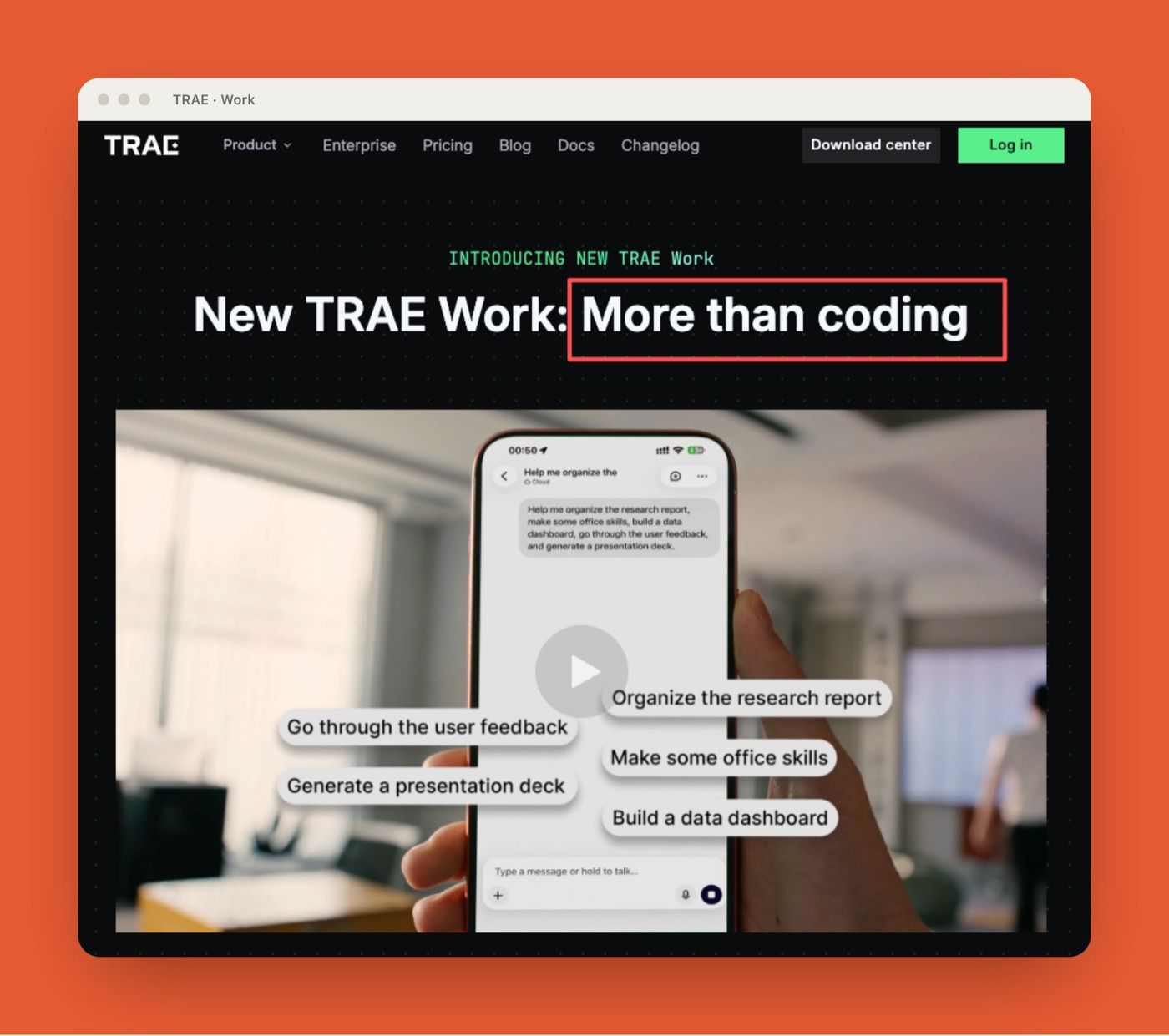
Chat is good for thinking through work. It is weaker as the whole operating layer. TRAE's official TRAE Work page positions TRAE Work as "More than coding" and describes a workspace that can break down tasks, call tools, keep project files in one workspace, reason across documents and datasets, preview results, receive comments, and run multiple tasks in the background. Those claims matter because they shift the product category from simple chat to execution workspace.
Execution AI needs four things chat alone does not guarantee:
| Layer | What it answers |
|---|---|
| Task structure | What does "done" mean? |
| Workspace context | Which files, comments, and outputs belong together? |
| Tool access | What can the AI read, query, create, or change? |
| Review | Who accepts the final result? |
This is why TRAE Work MCP is a useful topic. It lets operators separate two ideas that often get blurred: the repeatable work method and the external capability surface.
What Skills Define in an Execution Workflow
Skills define how work should be performed. They are not just prompts. A good skill tells the agent what kind of task it is handling, which inputs matter, what order to inspect them in, how to format the output, and where human judgment is required.
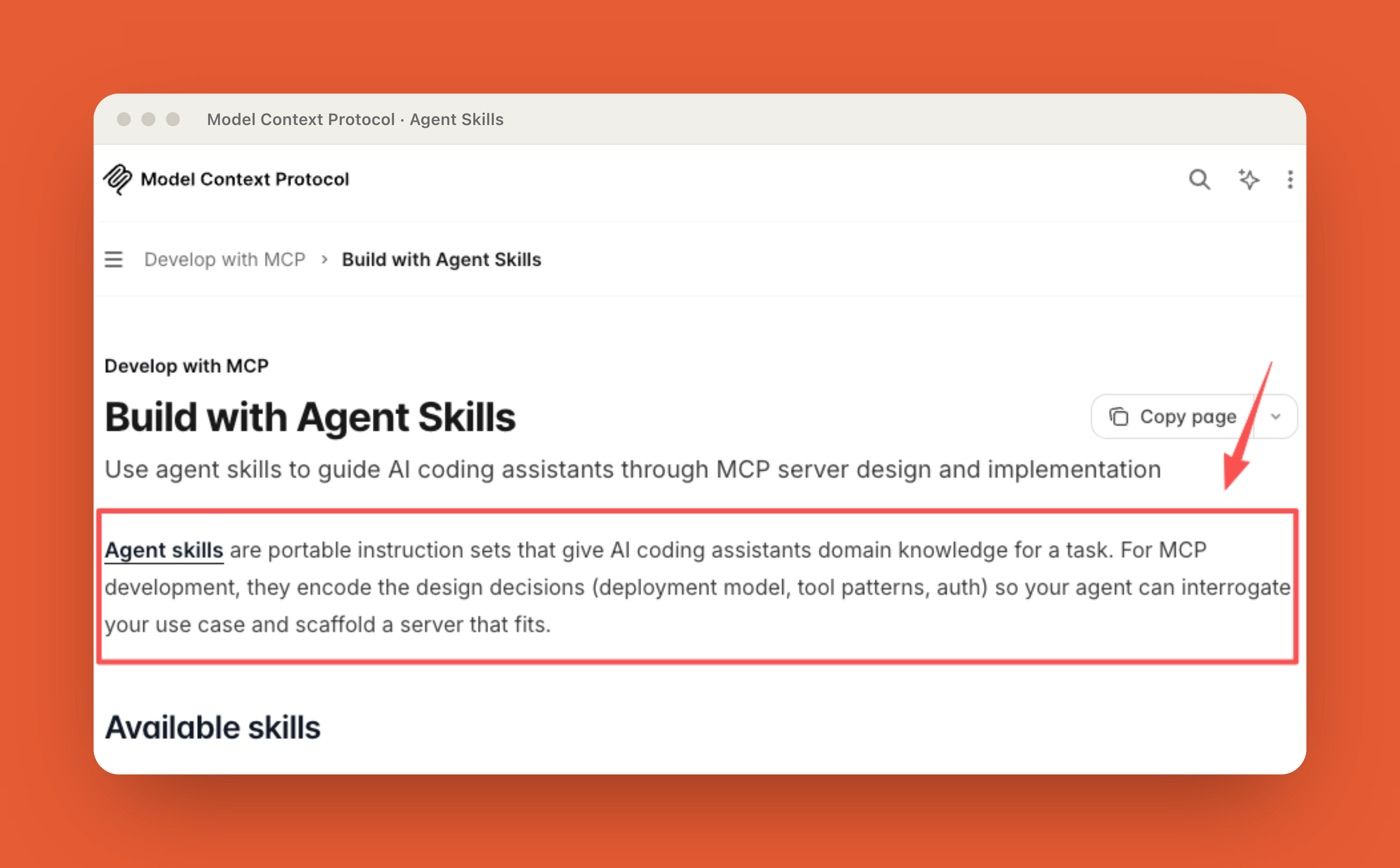
The Model Context Protocol documentation has a useful general explanation of Agent Skills: portable instruction sets that give AI coding assistants domain knowledge for a task. This source is useful for the skills concept, not as proof that TRAE Work exposes a specific official "skills" feature.
For a TRAE Work-style execution workflow, the useful mental model is similar, as long as "skill" is treated as a workflow design pattern rather than a confirmed TRAE product feature. A skill should define the work contract:
| Skill element | Practical role |
|---|---|
| Trigger | When should this skill apply? |
| Inputs | Which files, notes, links, or datasets matter? |
| Procedure | What steps should the AI follow? |
| Output | What should the user receive? |
| Review point | Where should a person inspect or approve? |
For example, a research skill might require source ranking, evidence notes, claim separation, and a final brief. A reporting skill might require spreadsheet inspection, trend extraction, chart suggestions, and a short executive summary. The skill does not need to own every tool. It needs to define the work.
Skill-style workflow instructions make the agent less dependent on one perfect prompt, but the skill still needs the right context and tools to do useful work.
What MCP Defines for Tools and Data
MCP defines the interface layer. The official Model Context Protocol introduction describes MCP as an open standard for connecting AI applications to external systems, including data sources, tools, and workflows. The MCP specification describes hosts, clients, and servers, with server features such as resources, prompts, and tools.
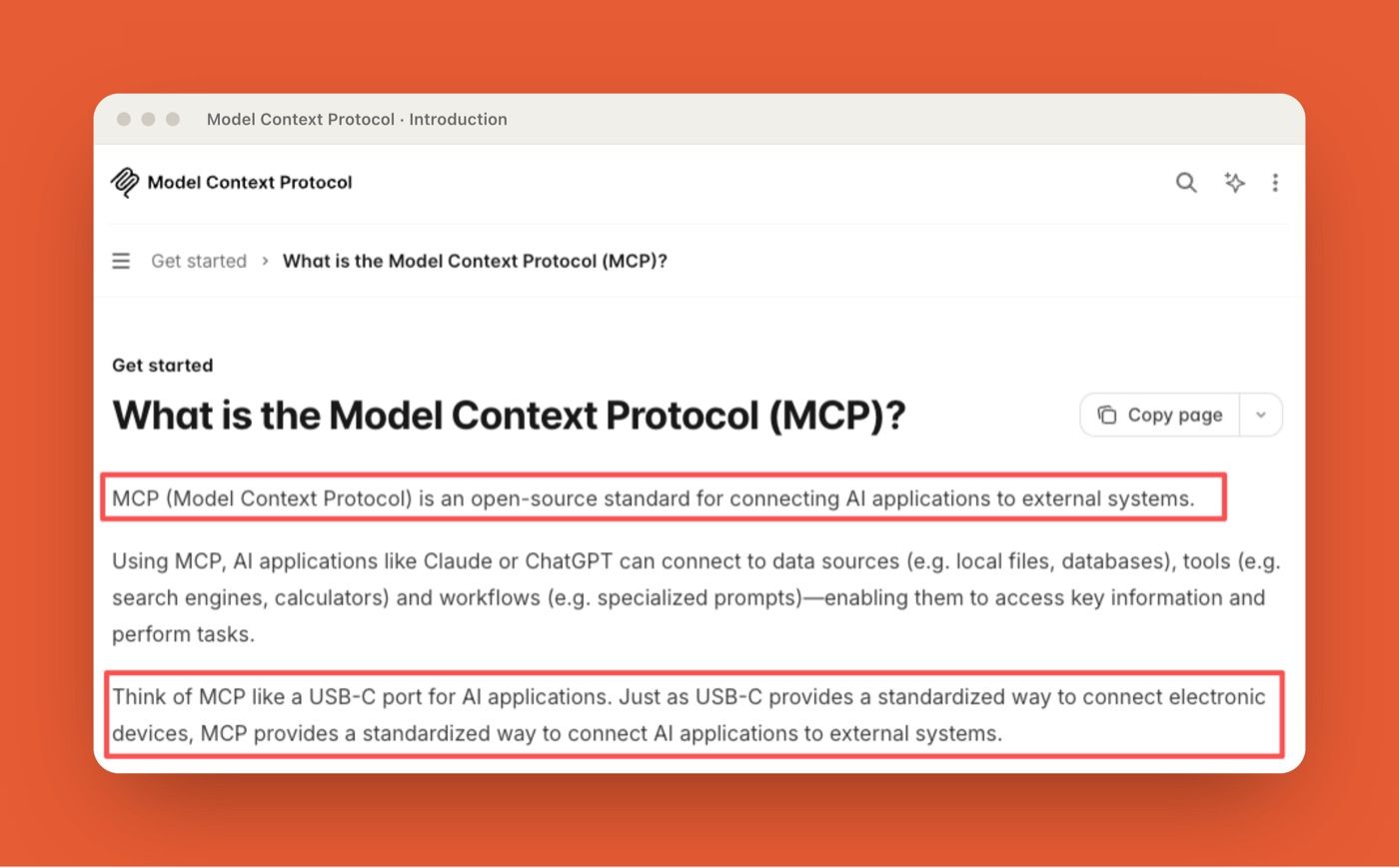
That means MCP is not the work method. It is the access contract. In practical terms, MCP gives the workspace a structured way to understand what it can reach and what it can do. Resources expose context and data. Prompts package repeatable instructions or workflow patterns. Tools define executable actions, while clients and hosts manage how the AI application connects to those servers. Authorization and consent sit around that whole exchange, deciding which access should be allowed before the workflow runs.
For an execution AI workspace, MCP answers questions like: Can the agent read a file system? Query a database? Call a search tool? Pull from Notion? Update a ticket? Send data to another service?
The MCP specification also makes the risk obvious. It says MCP enables powerful capabilities through arbitrary data access and code execution paths, and calls out user consent, data privacy, and tool safety. That is the part operators should care about. Tool access is not a feature checklist. It is a trust boundary.
How Skills and MCP Work Together
Skills and MCP work together when one defines the job and the other defines the reachable surface. A simple pattern:
| Workflow stage | Skill responsibility | MCP responsibility |
|---|---|---|
| Start | Identify the task type | Expose available resources and tools |
| Inspect | Decide what inputs matter | Retrieve files, data, or external context |
| Execute | Follow the work procedure | Run approved tools or calls |
| Package | Format the result | Return artifacts, records, or tool outputs |
| Review | Mark what needs human judgment | Preserve logs, errors, and side effects |
A realistic operator case makes the split clearer. Say Marcus, a growth lead, wants a weekly competitor brief. The skill defines the work: check pricing pages, separate confirmed changes from interpretation, write a short summary, and flag anything that needs review. MCP defines the reachable systems: the browser, saved source list, internal notes, and maybe a Slack delivery channel. Without the skill, the agent has access but no standard. Without MCP, the agent has a standard but still depends on whatever the user pastes into chat. The workflow only becomes execution AI when both sides are present.
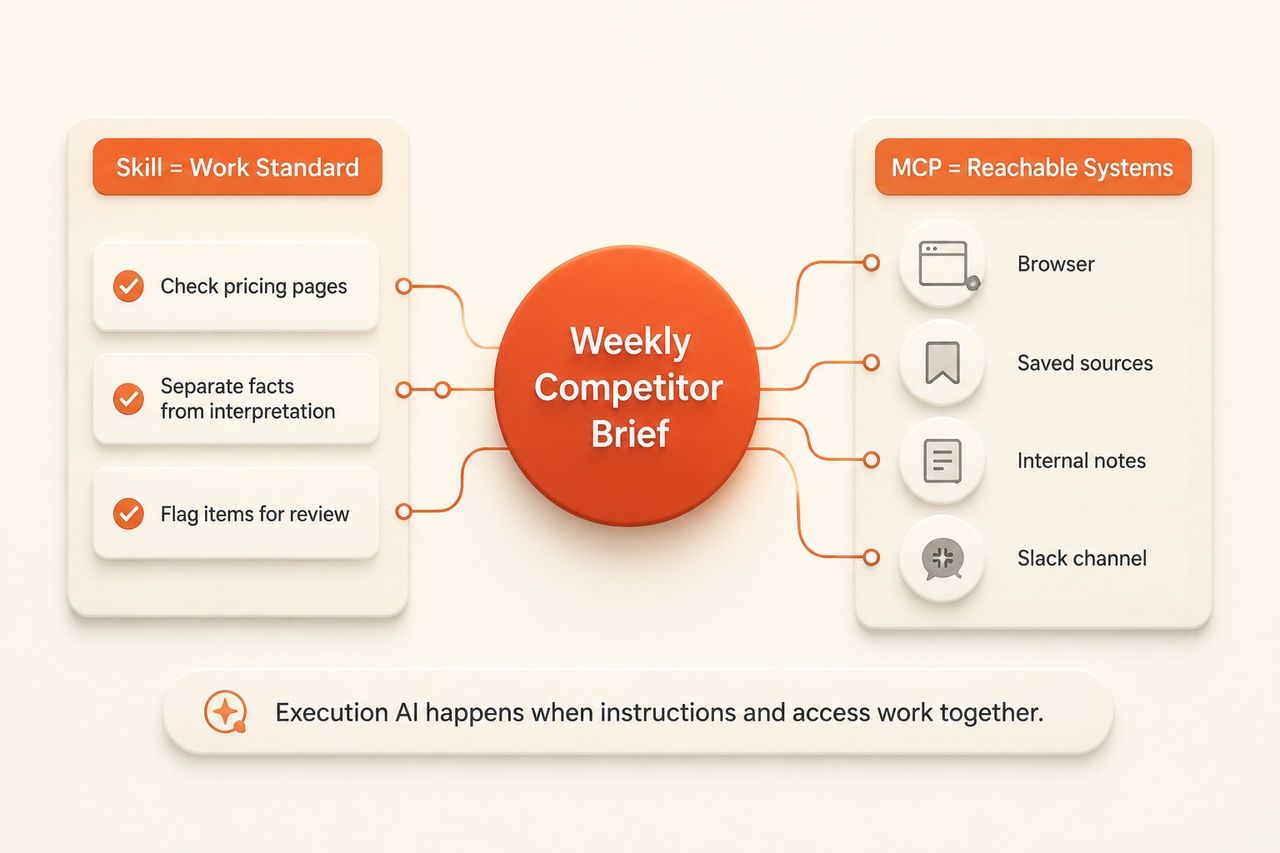
That is the heart of using "TRAE Work MCP" as a capability interface lens. It is not about installing a server. It is about understanding where the work definition ends and the tool boundary begins.
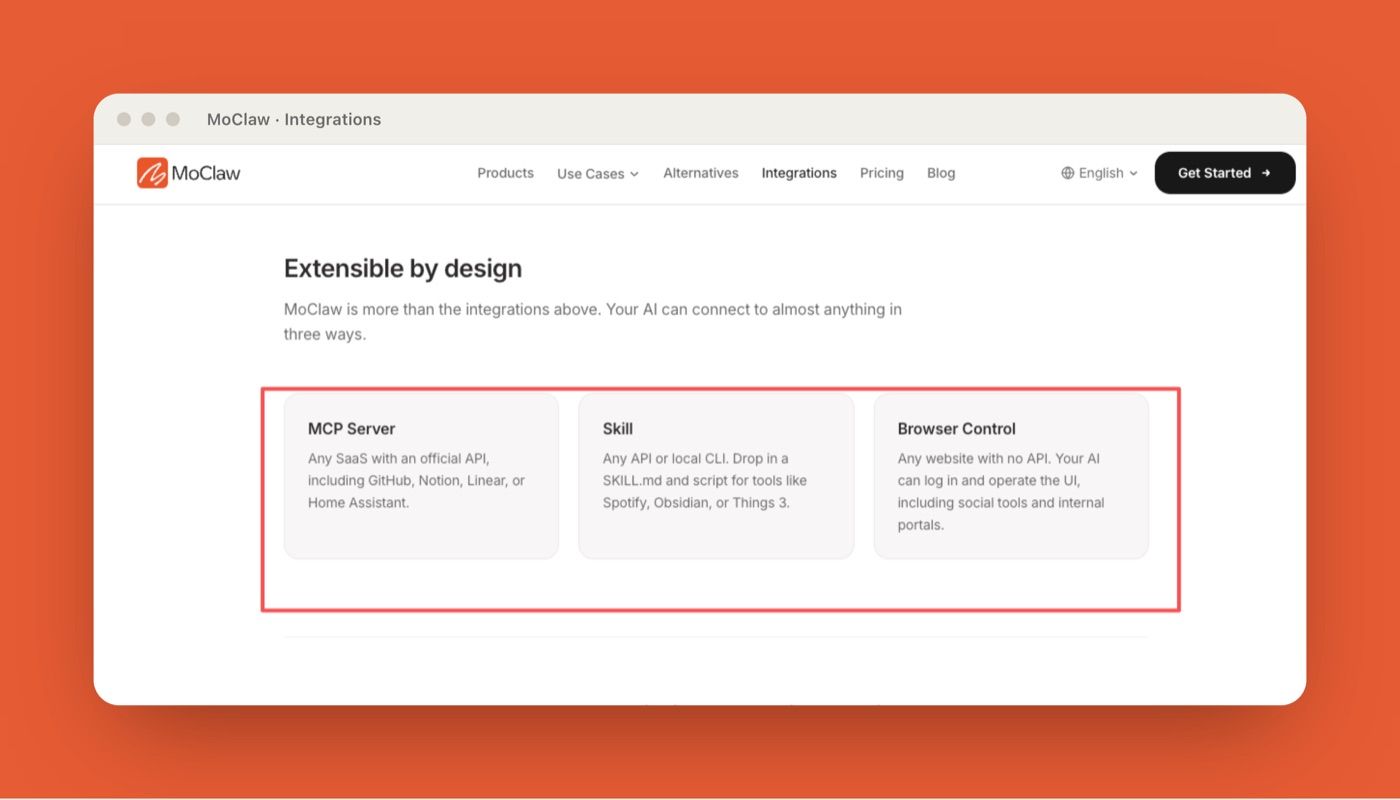
MoClaw approaches the same problem from a different product layer. It is an independently managed cloud AI computer for recurring digital work and browser-based workflows, not a TRAE replacement. Its AI workflow automation use case shows the pattern in a concrete workspace: recurring browser tasks, files, reports, logs, and scheduled delivery running together instead of staying inside a chat response. The MoClaw integrations page also frames MCP, Skills, and browser control as separate ways for an AI workspace to reach tools and systems.
Limits, Setup Burden, and Verification
The limit of skills is that they can become stale. A skill written for last month's reporting format may produce the wrong output after the business changes. Someone has to maintain workspace skills over time. The limit of MCP is that access can grow faster than governance. Adding an MCP server may expose useful data, but it may also add authentication, permissions, tool descriptions, logging, failure modes, and data movement that teams have not reviewed.
The failure mode is just as practical. A support team connected an MCP server to their project tracker because they wanted better reporting. For the first two weeks the agent only read tickets. Then someone asked it to reorganize labels and update statuses across roughly 300 open items. Because the skill never defined which actions need approval, and the MCP server exposed write tools, the workspace had quietly moved from analysis to system change in a single afternoon. That is where review belongs.
Before adding an MCP server to an AI workspace, teams should check:
| Check | Why it matters |
|---|---|
| Source | Is the server trusted and maintained? |
| Data access | What can it read? |
| Tool actions | What can it change or trigger? |
| Auth | How are credentials stored and rotated? |
| Logging | Can the team see what happened? |
| Review | Which actions need human approval? |
Verification should stay close to the workflow. If the task produces a report, review the sources and calculations. If it creates files, open them. If it calls tools, inspect the logs. If it changes a system of record, it requires approval before the action lands.
FAQ
Can skills work without direct tool access?
Yes. Skills can still guide research, writing, review, formatting, and decision structure without direct tool access. The tradeoff is that the user must provide the needed context manually. Once the workflow requires live data, external files, or system actions, MCP or another tool interface becomes more important.
Who maintains workspace skills over time?
Workspace skills should have an owner, usually the operator, team lead, or automation owner closest to the recurring workflow. Maintenance should happen when the output format changes, source systems move, review rules change, or users start correcting the same AI behavior repeatedly.
What should teams check before adding an MCP server?
Teams should check the server's source, permissions, authentication method, exposed tools, data movement, logging, and failure behavior. The most important question is not whether the MCP server is useful. It is what the AI workspace can read or change once the server is connected.
How is this different from simple prompt templates?
Prompt templates provide reusable, parameterized messages or workflow starting points. Skills package broader task instructions and may also include scripts, references, and other resources. MCP adds the external access layer, letting the AI workspace connect to tools and data instead of relying only on what the user pastes into chat.
TRAE Work MCP as an Execution AI Interface
TRAE Work MCP is useful as a lens because it separates two responsibilities that execution AI needs to keep separate. Skills define how repeatable work should happen. MCP defines what external tools and data the workspace can reach. The first gives the agent method. The second gives it access.
For operators and automation players, that distinction is the point. Do not treat an AI workspace as a magic chat with more buttons. Treat it as a work system: define the skill, constrain the tool surface, verify the result, and keep a human review point where the workflow can affect real files, customers, or systems. If you would rather not wire and maintain those servers yourself, a managed cloud computer can hold the skill, the tool scope, and the review point in one place.
Disclosure: This article was produced by MoClaw. Vera is a MoClaw staff writer. For this piece, I reviewed TRAE's public Work page, TRAE's official site, the Model Context Protocol introduction, the MCP 2025-06-18 specification, and the MCP Agent Skills documentation on July 3, 2026. Adoption figures come from the U.S. Census Bureau, the Federal Reserve, and Gartner, cited inline. I did not test TRAE Work in a live production workspace or verify a TRAE-specific MCP implementation, so this is a source-based architecture explainer, not a product benchmark or setup guide.
Continue Reading
More Guide
Claude API for AI Agents: Tool Use & MCP

ChatGPT Codex: From Chat to Tasks

Programmatic Tool Calling for Agents

pxpipe Workflow: Compress Context Safely

GPT-5.6 and Subagents: Agent Workflow Design

Claude Tag Workflows for Shared Slack Context
The MoClaw editorial team writes about workflow automation, AI agents, and the tools we build. Default byline for industry overviews, listicles, and collaborative pieces.
Ready to put this into practice?
MoClaw runs browser tasks, research, and schedules automatically. Try it free.
References: Federal Reserve: Monitoring AI Adoption in the U.S. Economy · U.S. Census Bureau: Larger firms are the biggest AI users · Gartner: Over 40% of agentic AI projects will be canceled by end of 2027 · TRAE: Work product page · Model Context Protocol: Introduction · Model Context Protocol: Specification (2025-06-18) · Model Context Protocol: Build with Agent Skills