Claude API for AI Agents: Tool Use & MCP
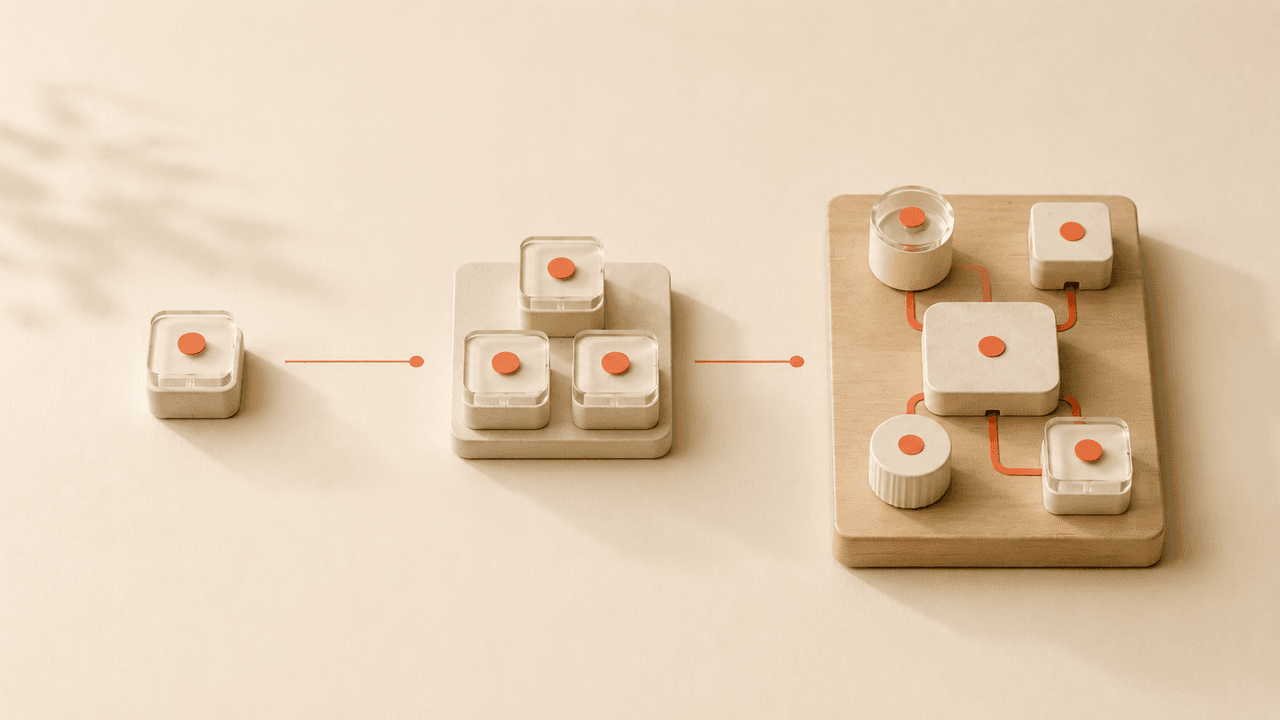
Claude API for agents explained: how tool use, MCP, skills, and the agent loop fit together, and when a managed runner beats building it yourself.
Table of Contents
The Claude API for agents is Anthropic's Messages API used as the decision layer of an automated workflow: you send the model context, and it decides whether to answer directly or call one of the tools you've defined. It's the same Anthropic API behind a normal chatbot, wired into a loop so the model can act, not just reply.
Key takeaways:
- The API decides; your code executes. Tool use, also called function calling, is how the model requests an action and you return the result.
- An agent is a loop: call, run a tool, call again, repeat. You own the loop, the state, and the error handling.
- The API has no memory. You replay the whole conversation on every call.
- MCP connects the model to external tools and data through one open standard, not a custom integration per system.
- Build it directly or hand the loop to a managed layer, depending on how many tasks you automate and how much you want to maintain.
That last point is the one I spent two weekends on. Vera here. I'm not a developer. I run a one-person consulting practice, with a recurring research-and-reporting task I wanted off my list. I'd decided the answer was "build it myself," so I learned how the thing actually works. This is the map I wish I'd had, and the record of where I landed, which wasn't where I expected.
Quick Answer
Quick answer: the Claude API handles the model's decisions, tool use, and the connection to MCP servers. It does not handle storage, scheduling, or recovery. Those you build yourself, or you let a managed runner handle them.
What the Claude API Does in an Agent Workflow
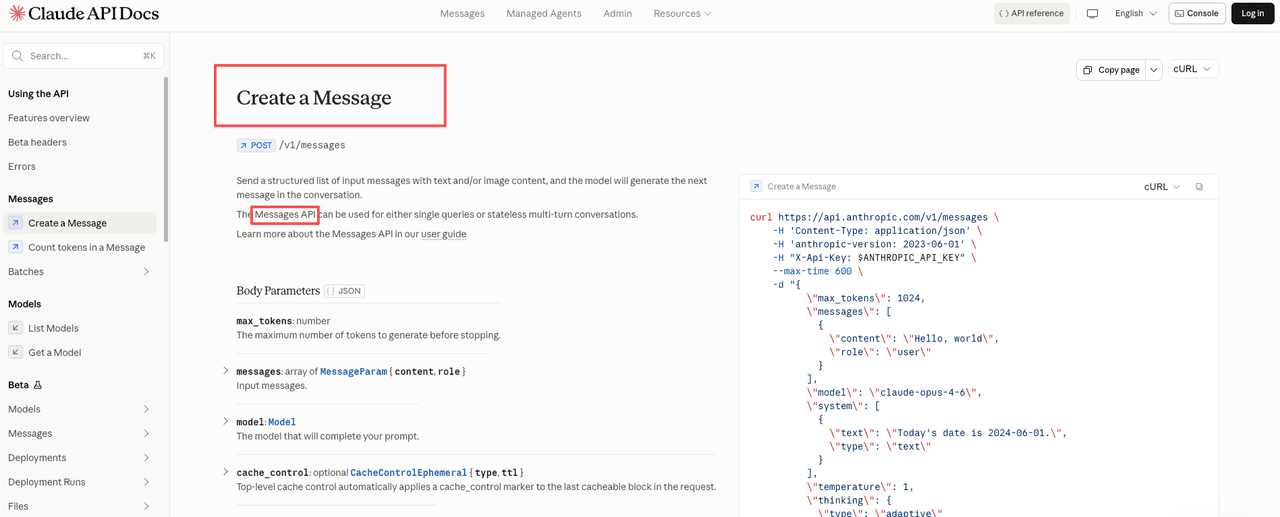
Under the hood it's a request-and-response endpoint: you send a list of messages, you get a response. The official Claude API overview calls this the Messages API, the same endpoint whether you're building a chatbot or an agent. People say "Anthropic API" and "Claude API" interchangeably; they mean this.
What makes it an agent workflow is the loop you wrap around the response. A chatbot shows the text to a user. An agent sees the model wants a tool, runs it, and feeds the result back so the model continues. The model never runs anything itself: it decides, your code executes. I had this backwards at first. I assumed "agent" meant the API worked in the background. It doesn't. You do, or your runner does.
Tool Use and Function Calling Basics
Tool use, also called function calling, is the core mechanism. You describe a tool with a name, a description, and a JSON schema for its inputs. Per Anthropic's tool use documentation, the model decides each turn whether to call a tool, and when it does it returns a structured request instead of text.
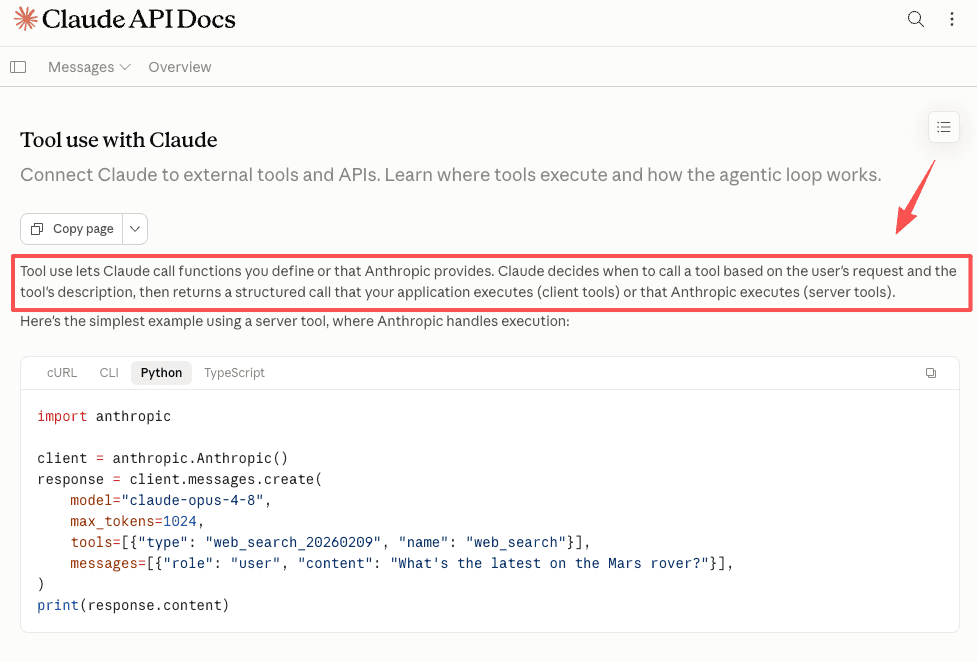
The flow has three beats: you define the tools, the model picks one and fills in the arguments, your code runs it and returns the result, and the model writes the answer from that.
The part nobody warned me about: the description field matters more than the code. I gave a tool a thin description, and the model kept calling it at the wrong moment. Rewriting it to say when not to use the tool fixed the behavior. The schema is for the machine; the description is the instruction. Leave it vague and the model guesses.
From API Calls to Agent Workflows
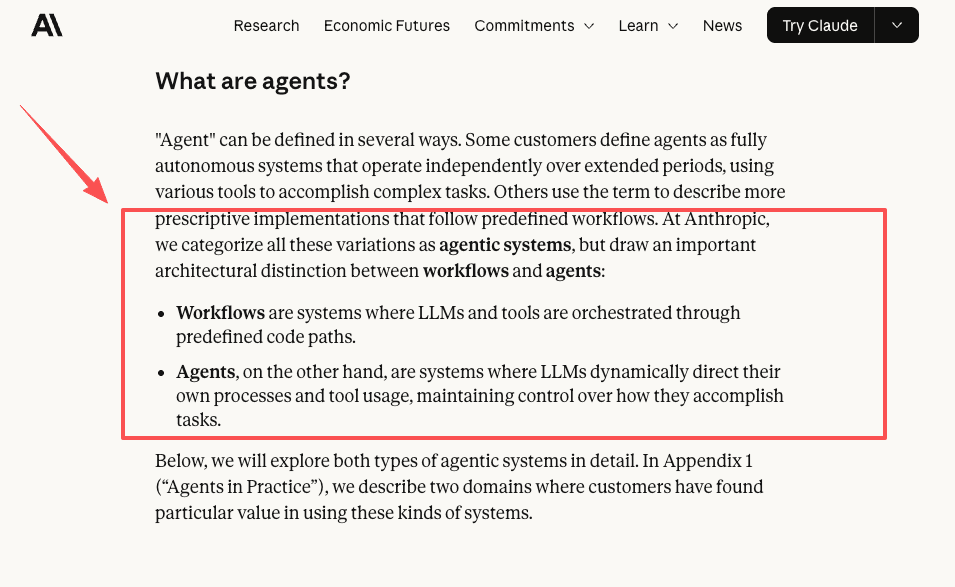
A single API call is a transaction. The agent workflow is the loop you build around it. Anthropic's engineering team draws a useful line in building effective agents between fixed workflows, where you script the steps, and agents, where the model decides the path. Three things make that loop work.
State and context
The API has no memory. Each call is fresh. To make the model remember the last step, you send the whole conversation back every time, including the previous tool calls and their results. For a long-running task, you store the state and replay it. I underestimated how much of agent building is just bookkeeping.
Tool routing
When you give the model several tools, it picks which to call. Past a handful, the definitions eat into the context you send on every call. Anthropic now ships tool search, which loads only the definitions a given turn needs. "Just add more tools" has a cost you eventually manage instead of ignore.
Error handling
Tools fail. The API takes an error like it takes a success: you send back a result that says it failed, and the model decides what's next. Much of agent work is deciding what happens when a step doesn't: retry, ask the user, or stop and report. None of that lives in the API. It lives in the loop you write.
Skills, MCP, and Workflow Runners
Three terms get mixed up here, so a table:
| Term | What it is | What it solves | Who owns it |
|---|---|---|---|
| Tool use | A single function the model can request | Letting the model act, not just talk | You, per tool |
| Skills | Packaged instructions and resources for a task type | Reusing know-how across tasks | You or the platform |
| MCP | An open standard for connecting to external tools and data | Avoiding a custom integration per system | The protocol, shared |
| Workflow runner | Whatever holds the loop and schedule together | Keeping the agent running without you | You or a managed layer |
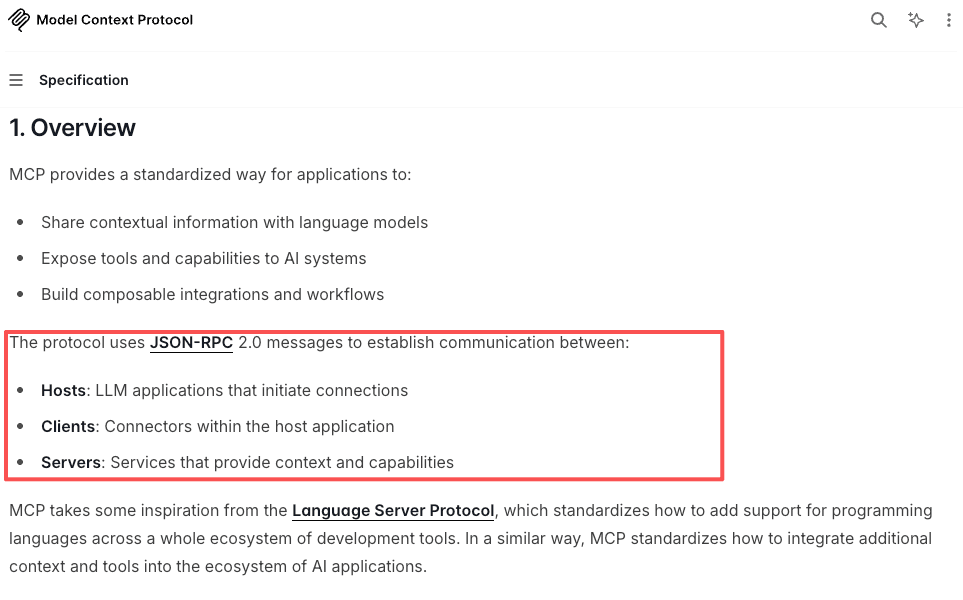
MCP, the Model Context Protocol, is an open standard for connecting a model to external tools and data without hand-coding a connector for each one. The Model Context Protocol specification defines how a host, a client, and a server talk. In practice you point the model at an MCP server that already exposes your database or file store instead of writing the plumbing yourself. The Claude API can act as an MCP client.
Skills are a different layer. Tool use is the primitive: one function, called when it fits. A skill is closer to a playbook the model loads to do a category of work well, often coordinating several tools. MCP supplies tools at scale; the runner keeps the whole thing alive on a schedule. If you want the operator's-eye view of where one ends and the other begins, our tool use vs agent skills breakdown walks the same line from the user's seat.
When Managed Agent Workflows Are Simpler
Building on the Claude API directly gives you full control: your tools, your loop, your state, your error handling. If you're a developer shipping a product, that control is the point.
I'm not that. I had one task, run weekly, that I wanted gone. When I added up the API loop, the state storage, the scheduler, and the error handling for when a page didn't load, the cost wasn't the API. It was maintaining a small piece of software forever, for one task. I'd been calculating how long setup would take, not how long owning it would keep costing me.
For that situation, a managed layer is simpler. Something else holds the loop, the schedule, the state, and the recovery, and you describe the task in plain language. MoClaw is one of these: a managed runner that runs on its own cloud computer, takes recurring tasks through chat, and handles browser-and-files work in the background (its workflow automation use cases show the kinds of work people hand off). MoClaw is not affiliated with Anthropic; it's a separate product that can run on models like Claude. The trade is real: less control, less to maintain. If you want to see what handing off one recurring job looks like, you can try it on a single task before committing to anything.
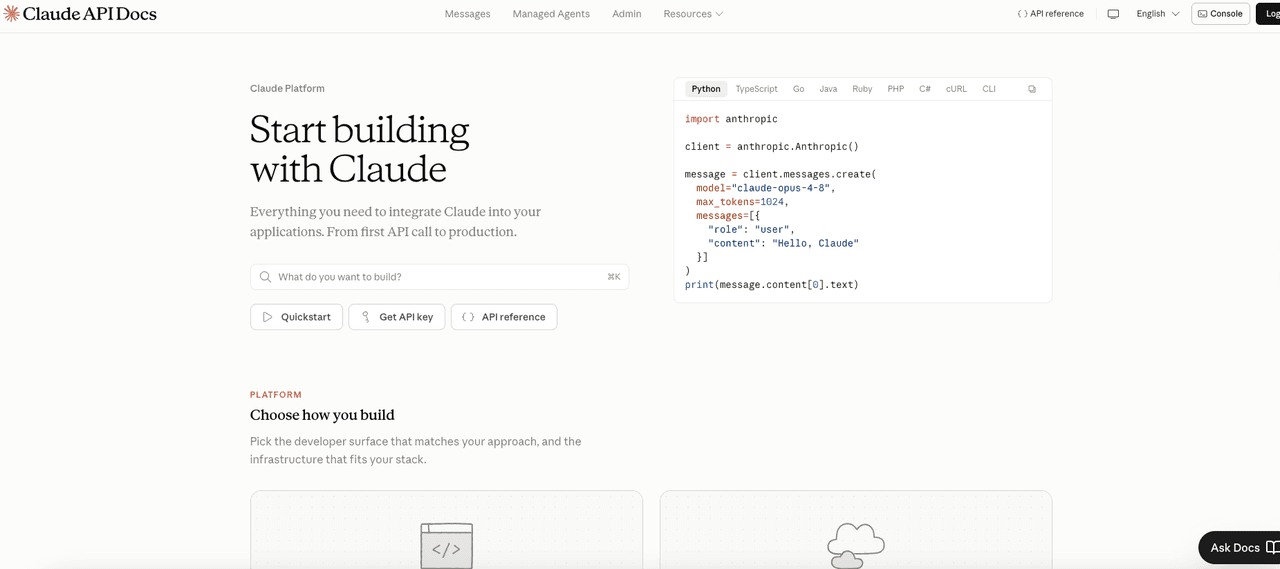
If you build direct, don't hardcode the moving parts. Pricing, rate limits, model availability, and data-retention options change; the reliable source is the official Claude platform documentation, not a blog, including this one.
FAQ
What does the description field in a tool definition actually do?
The description field is the instruction the model reads to decide when to call a tool. The schema defines the inputs; the description tells the model whether this is the right moment to use it. A vague description means the model guesses, and it often guesses wrong. Writing the description to include when not to use the tool is often more useful than describing what it does. If a tool keeps firing at the wrong moment, rewriting the description is the first fix to try, before touching any code.
Do I need the Claude API to build agent workflows?
Not always directly. With a managed platform or an agent framework, you may never touch the raw endpoint; the platform calls it for you. You need direct access to control the loop, define custom tools, or build it into your own product. The real question is how many layers you want between you and the model.
How do skills and tool use differ in the API?
Reach for tool use when you want the model to perform one concrete action: query this, fetch that. Reach for a skill when you have a repeatable kind of work that needs instructions plus resources, not just a single function. One is a building block; the other is structure built on several blocks. The common mistake is engineering an elaborate tool when a clear instruction would have done the job.
What breaks first when you build an agent loop yourself?
State management, almost always. The API has no memory, so you replay the full conversation on every call. For a short task that works fine. For anything long-running, the context grows, costs rise, and if the task fails mid-way you have to decide what to replay and what to skip. Error handling is the second thing: tools fail, and the model needs a structured result back either way. Neither of these lives in the API. They live in the loop you write, and they add up faster than setup time suggests.
Build the Claude API for Agents Yourself, or Hand the Loop Off
The deciding question was never whether the Claude API can run an agent. It can. It's whether you want to own the loop, the state, and the recovery for every task you put on it. Shipping a product or running many tools: build direct. One or two recurring jobs you'd rather not maintain: hand the loop off. Run that math for your own situation, then confirm the current details on the official docs before you commit.
Continue Reading
More Guide
TRAE Work Skills and MCP: How Execution AI Works

How to Build Claude Skills for Agent Workflows

ChatGPT Codex: From Chat to Tasks

Programmatic Tool Calling for Agents

pxpipe Workflow: Compress Context Safely

GPT-5.6 and Subagents: Agent Workflow Design
The MoClaw editorial team writes about workflow automation, AI agents, and the tools we build. Default byline for industry overviews, listicles, and collaborative pieces.
Ready to put this into practice?
MoClaw runs browser tasks, research, and schedules automatically. Try it free.
References: Claude Messages API reference · Claude tool use documentation · Anthropic: Building effective agents · Model Context Protocol specification · Claude platform documentation