OpenClaw Explained: What It Is, Who It Fits

OpenClaw explained for non-technical readers: what it is, how it works, setup and security tradeoffs, and when managed cloud assistants may fit better.
Table of Contents
OpenClaw is a free, open-source AI agent you install on your own machine and reach through Telegram, WhatsApp, or Slack. It runs on a schedule, executes real tasks, and keeps working without prompts; no company manages the infrastructure for you.
Key Takeaways
- OpenClaw is self-hosted: you provide the machine, the model API keys, and the setup time.
- A built-in heartbeat scheduler runs tasks on your behalf even when you are not at your desk.
- Shell, browser, and file access make it powerful and create a documented security surface that non-technical users should read about before installing.
- Managed cloud assistants are a different category: always-on execution without owning the infrastructure.
I run a one-person practice, research and operations, the digital work that quietly piles up. I don't write code. So when three different people asked me in the same week whether they should be running OpenClaw, I stopped and actually looked into it, because I wanted to know if I'd been missing something. This is what I found: what OpenClaw is, what it does, and where the honest line sits between running your own agent and letting someone else run one for you.
Vera here. I'm writing it for people in my situation. Not technical, already buried in tools, and not sure whether this particular thing finally takes work off the plate or just hands you a machine to babysit.
Quick Answer: What OpenClaw Is
OpenClaw is a self-hosted AI agent designed to run real tasks on your behalf. Unlike a chatbot that waits for prompts, it can wake itself up on a schedule, use tools such as a shell or browser, and continue working when you're away. You connect it to your own model providers and run it on hardware you control. You can read the whole thing, code included, in the openclaw/openclaw repository on GitHub, which is also the canonical place to see what it actually ships with.
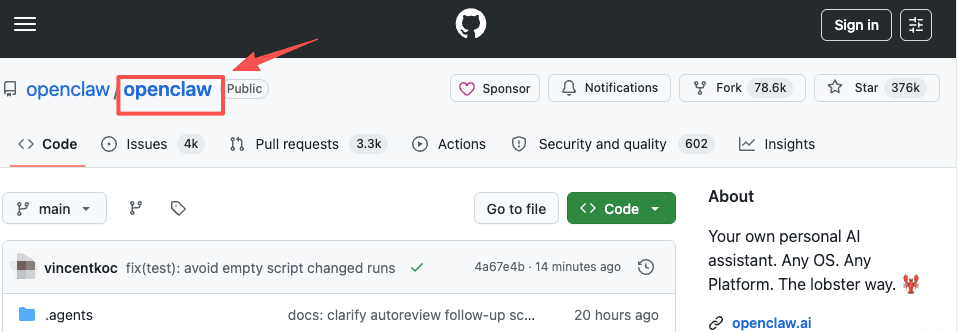
One clarification, because the name trips people up. It often gets filed under "open source agent framework," but a few engineers have pushed back on that, arguing that it's closer to a ready-to-run agent than a library you build on top of. You clone it and run it. You don't import it into your own app. That distinction matters more than it sounds, and it's the thing that decided this for me in the end.
Why OpenClaw Became a Hot Topic
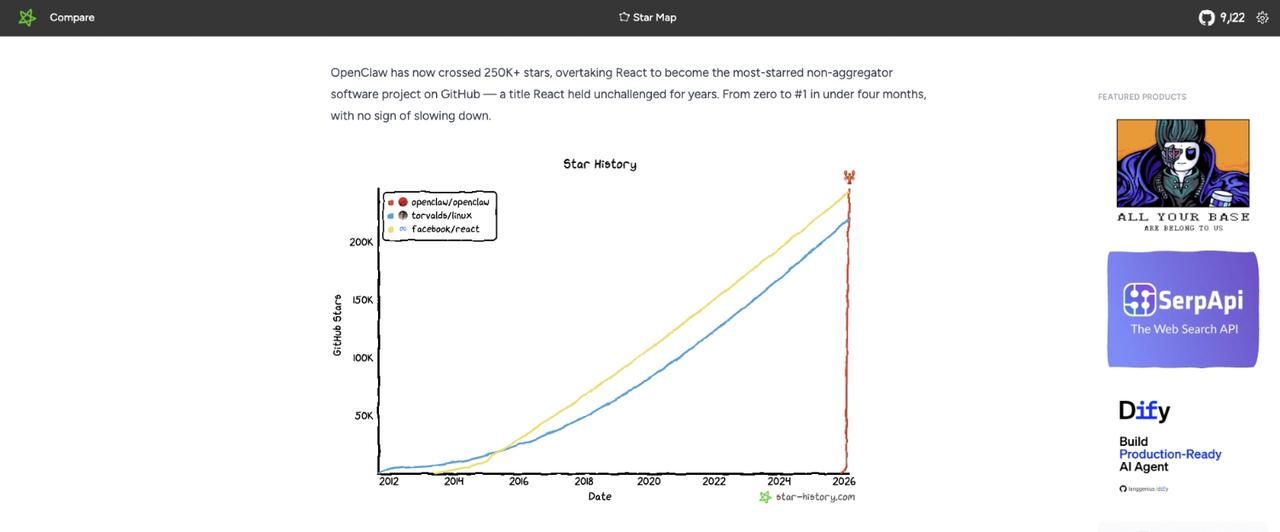
The numbers are most of the story. OpenClaw started in late 2025 as a weekend project called Clawdbot, got renamed Moltbot after a trademark complaint, then settled on OpenClaw at the end of January 2026. Within weeks it crossed 100,000 GitHub stars. By March it passed 250,000 and overtook React as the most-starred software project on GitHub, a trajectory tracked publicly on the Star History chart for openclaw/openclaw. A curve like that doesn't happen for nothing.
Part of it is the person behind it. Peter Steinberger, the developer who built PSPDFKit, made it, and in February 2026, he announced he was joining OpenAI and moving OpenClaw to a foundation so it would stay open and independent. He laid that out plainly in a public post on his personal site: steipete.me. A viral repo, a known builder, and a clean "your assistant, your machine, your rules" pitch. That combination travels fast.
I'll be honest about my own reaction. The star count impressed me. It also told me nothing about whether I, specifically, should run it. Popularity on GitHub is a developer signal. I'm not a developer. I sat with that gap for a minute before I kept reading.
What OpenClaw Can Do Across Devices and Channels
On your own machine
Everything runs locally. The agent lives on hardware you control, your keys and data stay with you, and nothing routes through a company's servers unless you wire it that way. For people who care about data ownership, this is the entire appeal, and it's a real one. The flip side is just as real: if the machine is off, the agent is off. You're now running a small piece of infrastructure, whether or not you set out to.
Across connected chat channels
You don't open a new app. You message it where you already talk: Telegram, WhatsApp, Slack, Discord, and a growing list of others. You text it a task from your phone, it goes and works, it replies in the thread. That part genuinely lowers the friction, and it's the feature people quote most when they tell you it's magic. I get why. Assigning work without opening yet another tab is the whole dream.
With browser, file, and tool access
This is where the OpenClaw AI agent stops behaving like a chatbot. It can drive a browser, read and write files, run shell commands, and act inside connected services. Useful, and also the precise reason the next section exists. Anything that can run a shell command on your machine is something you have to think about before, not after.
Setup and Permission Boundaries for Non-Technical Users
Here's where my enthusiasm cooled. Setting OpenClaw up is not a sign-up form. You're installing software, configuring a model provider in a config file, granting permissions, and ideally sandboxing the whole thing. Doable if you're comfortable in a terminal. A genuine afternoon, or more, if you're not. I'm not, and I want to be straight about that rather than pretend it took twenty minutes.
The bigger issue isn't difficulty. It's the permission surface. Because the agent reads untrusted content (web pages, emails, messages) and can also run commands, it's exposed to indirect prompt injection: a malicious instruction hidden inside something it reads, quietly telling it to do something you never asked for. Security researchers have shown crafted emails and web pages getting exposed instances to leak SSH keys and API tokens. That's not hypothetical hand-wringing; it's documented behavior.
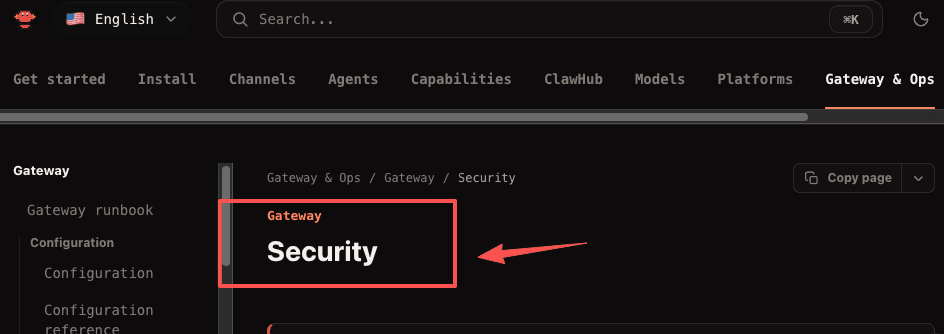
Before running anything, I'd read two things. OpenClaw's own security documentation is direct about the risks and walks through shrinking the blast radius: read-only tools, sandboxing, and minimal file access. And Microsoft's security team published a guide to running OpenClaw safely whose baseline recommendation is blunt: don't run it with your primary work or personal accounts, and don't put it on a device holding sensitive data.
If you read those and think "this is more than I signed up for," that's not you being slow. That's the honest cost of an autonomous agent with hands. A rough checklist if you still want to try it:
- Use a spare machine or VM, not your daily driver.
- Use a separate account, not the one tied to your real email and files.
- Start with read-only or limited tools before granting shell and browser access.
- Keep it off anything you can't afford to leak.
When Managed Cloud Assistants Are a Different Category
This is the part I actually had to sort out for myself, because it sits underneath the whole "should I run OpenClaw" question.
Self-hosting and managed cloud assistants solve the same surface problem: an always-on agent that does digital work. But they're different deals. With OpenClaw you own everything, including the maintenance, the security calls, and the machine. With a managed cloud assistant, a company runs the infrastructure and you trade some control for not being the one patching things at 11pm.
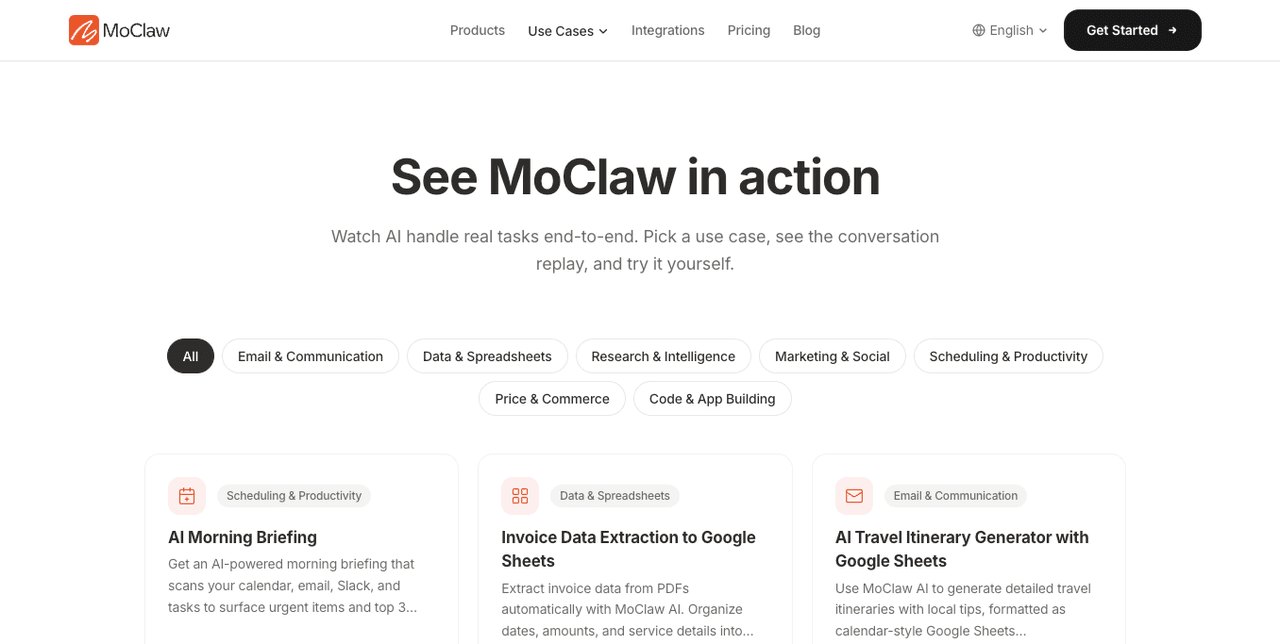
I use a managed one, MoClaw, for exactly that reason: I don't want to run a server. I should be clear that MoClaw is an independent managed cloud AI assistant, not an official hosted version of OpenClaw. You can see what MoClaw handles. They're separate products. The point here isn't which is better. It's that "I want an AI that does things for me" splits into two very different setups, and the right one depends entirely on whether running and securing your own machine is a job you want to own.
If you'd enjoy that control, OpenClaw is genuinely impressive and free. If the security section made your stomach drop, managed is probably less work for your situation. Neither answer is wrong. They're just different jobs, and I think a lot of the confusion online comes from treating them as the same one.
FAQ
What is OpenClaw and how does OpenClaw AI actually work for everyday users?
OpenClaw AI is a ready-to-run autonomous agent you install locally. It goes beyond simple chat by using a built-in scheduler to handle tasks on your behalf without prompts. You send it work through Telegram, WhatsApp, or Slack, and it acts on your own hardware in the background.
Where can I find the official OpenClaw GitHub and what should I know before installing?
The best place is the OpenClaw GitHub repository (openclaw/openclaw). It contains the full source code, setup guides, and security recommendations. Many users recommend reading the docs carefully before starting, especially the security section.
Is OpenClaw considered a true open source agent framework?
Often described that way, but it functions as a complete, ready-to-run agent rather than a modular library for building custom systems. You run it, you do not build on top of it. That makes it accessible to non-developers, and it also means you cannot easily isolate the parts you do not need.
What are the main security risks when running OpenClaw?
Prompt injection via email or web content is the primary documented risk. Researchers have shown that crafted messages can get an exposed instance to leak API keys and run unintended commands. The official answer is sandboxing, using a spare machine, and keeping it away from accounts holding sensitive data.
Should I run OpenClaw self-hosted or use a managed/cloud version?
Self-hosted gives full control and data ownership but requires ongoing maintenance and security awareness. A managed assistant trades some control for someone else handling the infrastructure. If "set it once and stop thinking about it" is your bar, you usually manage to clear it with less friction.
What hardware is recommended for running OpenClaw reliably?
Many run it on a spare Mac Mini, an old laptop, or a low-cost VPS. Basic tasks run fine on modest hardware. Heavier operations, especially browser automation at volume, benefit from more reliable specs and consistent uptime.
Should You Run OpenClaw? One Question Decides It
That's where I landed. I looked, I read the security docs, I decided self-hosting wasn't a job I wanted to take on right now. Your situation might be different. You might want control, or have a spare machine already sitting there doing nothing. If you do, OpenClaw is real and worth the afternoon. If you don't, knowing exactly why you're skipping it is worth something too.
Continue Reading
More Guide
What Is OpenClaw? Self-Host or Not

How AI Automation Evolved: From Zapier to Adaptive Agents

What Is Hermes Bot Mode? Bots and Routines

OpenAI Assistants API Deprecated: What Broke

MCP Tools: What They Are and Which to Use

OpenAI Models Not Available in Cursor Nov 12
The MoClaw editorial team writes about workflow automation, AI agents, and the tools we build. Default byline for industry overviews, listicles, and collaborative pieces.
Ready to put this into practice?
MoClaw runs browser tasks, research, and schedules automatically. Try it free.
References: the openclaw/openclaw repository on GitHub · Star History chart for openclaw/openclaw · steipete.me · OpenClaw's own security documentation · Microsoft's security team published a guide · MoClaw · see what MoClaw handles