What Is OpenClaw? Self-Host or Not

What is OpenClaw and do you actually need to self-host it? How it works, what it can do, and when a managed AI assistant is the simpler choice.
Table of Contents
OpenClaw is a free, open-source AI assistant you run on your own machine: it connects to messaging apps you already use, browses the web, runs commands, handles files, and can operate on a schedule without you watching. Self-hosting is the whole design. There is no official cloud version to sign into.
Key takeaways:
- OpenClaw runs on hardware you control. Always-on means your machine needs to stay on.
- You bring your own API keys and pay the model provider directly. Subscription plans no longer cover third-party agent use.
- The skill ecosystem is a real attack surface. Vet anything before installing it.
- Self-hosting is worth it if you want full control. It is not worth it if you just want the assistant.
- A managed AI assistant gives you the same always-on behavior without the server work, at the cost of owning less of the stack.
The lobster showed up in my feed for about two weeks before I looked into it properly. OpenClaw. Somewhere north of 250,000 GitHub stars by early March 2026, with the count still climbing, and a pitch about a personal assistant that lives in your Telegram and runs around the clock. I'm close to the target reader for that. I spend a chunk of every day on small recurring tasks I'd happily stop doing by hand. So I almost did the obvious thing. I almost spun up a server to run it myself. Then I stopped and asked the question this piece is about: what is OpenClaw, actually, and does someone in my position need to self-host it at all.
What OpenClaw Is
Open-source, self-hosted, always-on
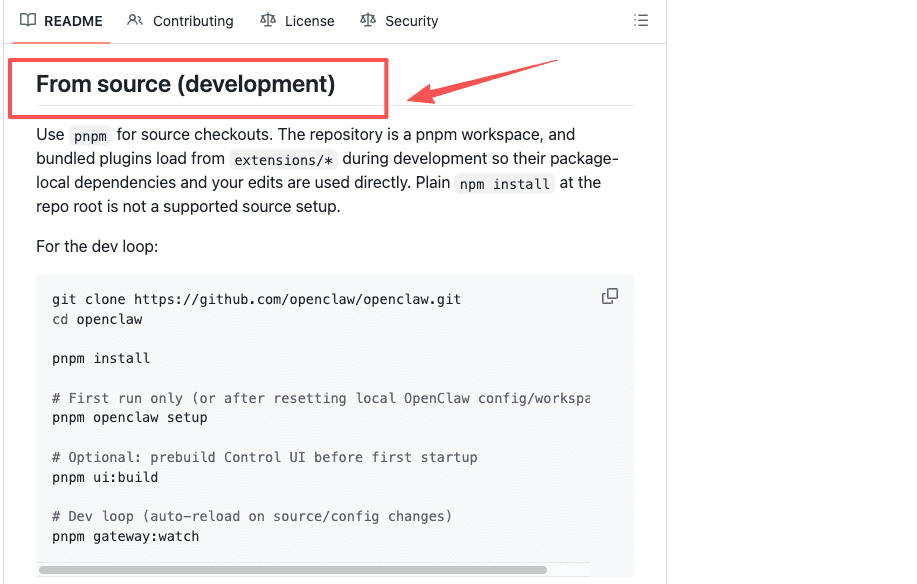
OpenClaw is an open-source agent that runs as a long-lived process on hardware you control: a Windows PC, a Mac mini, a Linux box, or a small cloud server. It's released under the MIT license, and the code lives in the OpenClaw GitHub repository, so you can read exactly what it does before you run it. That openness is part of why it spread the way it did.
The "always-on" part is the bit that took me a second to register. This isn't a chat window you open when you need it. It's a service that stays running, holds memory between conversations, and can act on its own without you watching. When people call it a "24/7 assistant," that's not marketing shorthand. It's the actual shape of the thing.
The Clawdbot and Moltbot renaming history
If you searched this a few months ago, you saw three different names, and that confused a lot of people, me included. The short version: the project launched in late 2025 as Clawdbot. In January 2026, Anthropic raised a trademark concern, since "Clawd" sounds like "Claude." The creator, Peter Steinberger, renamed it to Moltbot, then settled on OpenClaw a few days later because Moltbot never quite stuck. TechCrunch reported on the rebrand and what was happening around it at the time. If the older name appears in your research, our Clawbot to OpenClaw guide explains how it relates to Clawdbot, Moltbot, and OpenClaw.
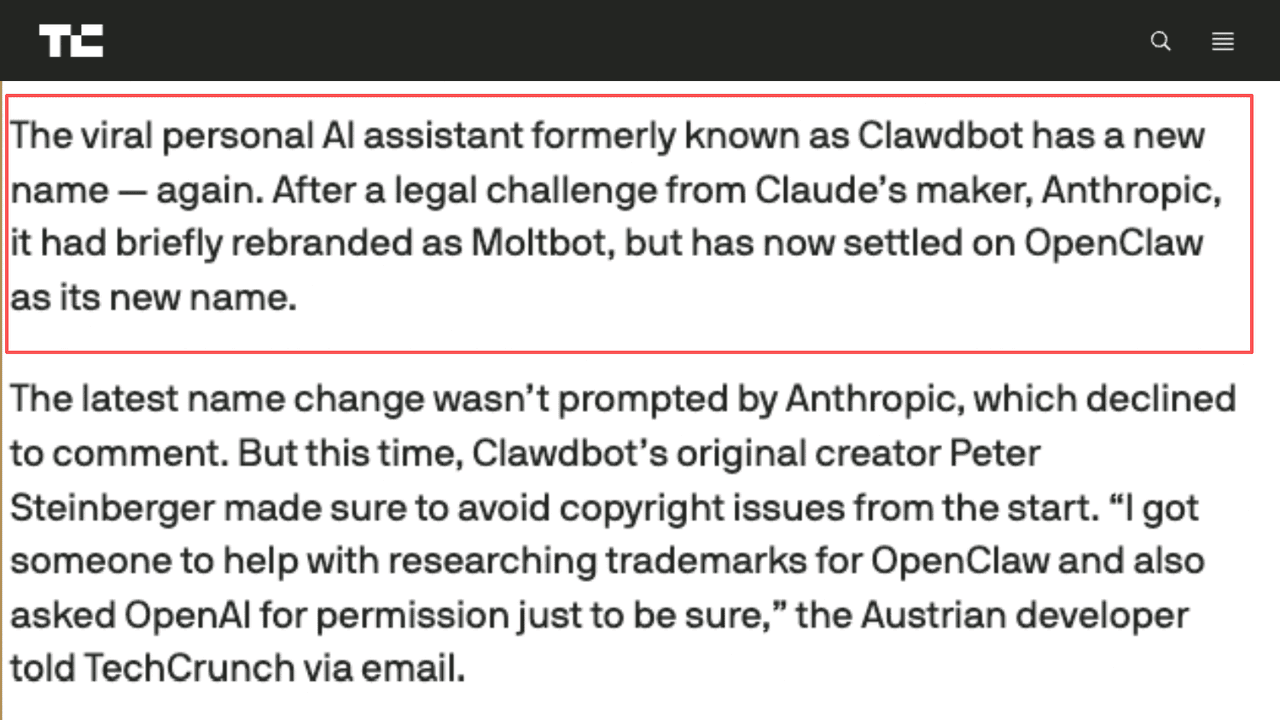
One thing worth saying plainly, because the names invite it: this history belongs to OpenClaw. It has nothing to do with any other similarly named product. The code and the project are the same thing through all three names. Only the label changed. For the verified rename sequence and the distinction between the former project name and current products, see our Clawdbot explainer.
How OpenClaw Works at a High Level
You talk to it where you already talk. It does the work somewhere else. That's the whole model, and it's easier to grasp once you stop thinking of it as an app.
Chat channels in, agent actions out
The front door is a messaging app. OpenClaw supports a long list of them, including WhatsApp, Telegram, Slack, Discord, Signal, and iMessage. For most people the headline use is an AI agent on Telegram: you send a message like you'd text a colleague, and the agent does the task on its machine. AWS published an introduction to running OpenClaw on Amazon Lightsail that walks through pairing a browser and connecting a channel, which is a decent picture of how the pieces fit even if you never use Lightsail.
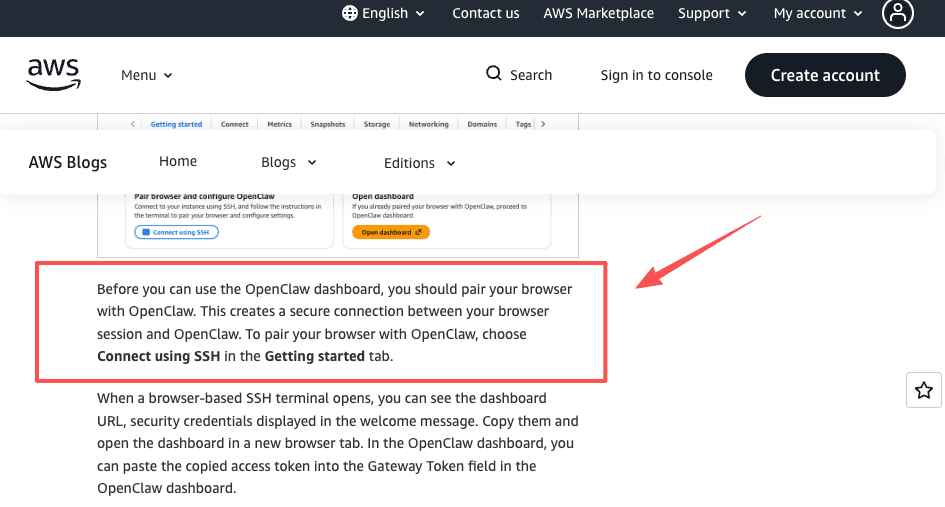
So the interface is a chat thread. The engine is a process running on hardware you own. The output shows up back in the same thread.
What it can do, and what it needs from you
On the "can do" side, the range is genuinely wide. It controls a browser, runs shell commands, reads and writes local files, does research, and runs tasks on a schedule. People use it for everything from morning summaries to managing a server from their phone.
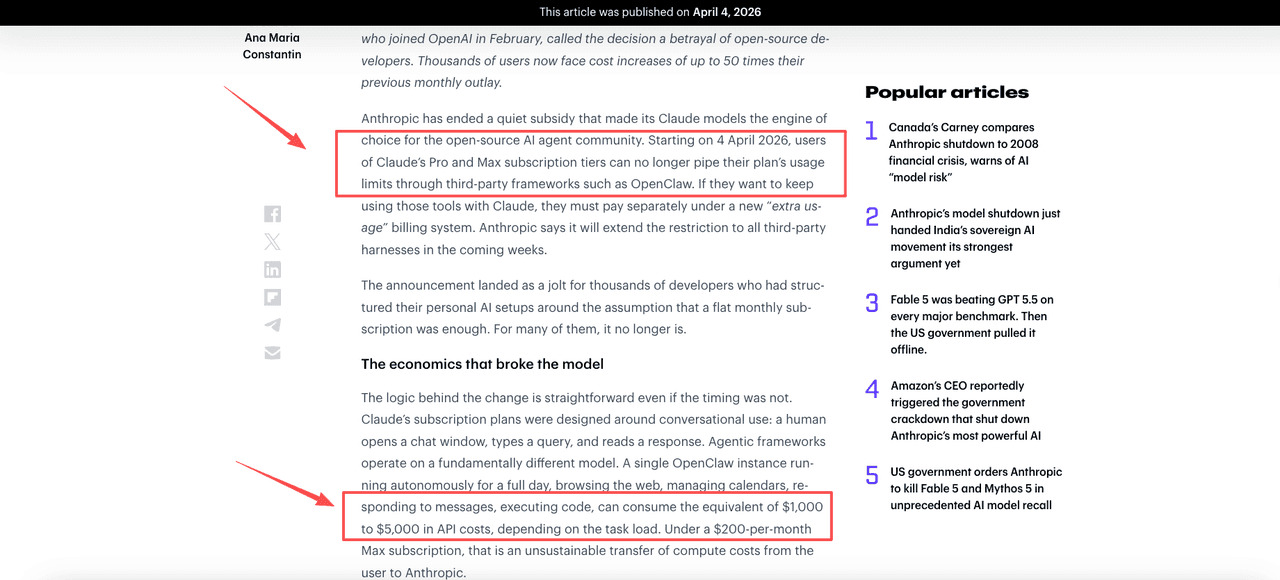
The "needs from you" side is the part the demos skip. Three things, specifically. A machine that stays on, because an assistant that's only awake when your laptop is awake isn't really always-on. Your own model access, meaning your own API keys, which you pay for directly. And a tolerance for maintenance, because a process with this much system access is something you're now responsible for keeping secure and updated. On the model-cost point: Anthropic has blocked OpenClaw from Claude's flat subscription plans as of April 2026, which means Claude users now pay per API call rather than using their subscription allocation. None of this is a dealbreaker. It's just the bill that comes attached to "you run it yourself."
Do You Actually Need to Self-Host?
This is the decision, and it isn't really about OpenClaw's quality. It's about whether the server is your job, and what that really costs after install. Here's the framework I used.
When self-hosting is worth it
Self-host if any of these is true for you. You want full control over the model, the data, and the code, and you'd rather own that than rent it. You're comfortable on a command line, and the words VPS, Docker, and API key don't make you close the tab. You see the maintenance as part of the value, not a tax on it. Privacy is a hard requirement and keeping inference off third-party cloud servers matters to you.
If that's you, OpenClaw is one of the more capable things you can run, and the setup is well documented. The official OpenClaw setup docs are the place to go. I'd point you there rather than invent steps, because the project moves fast and a how-to I wrote today would be stale by the time you read it.
When a managed AI assistant is simpler
Here's where I landed, and the reasoning underneath it. When I priced out self-hosting, I kept calculating how long setup would take. I wasn't calculating the thing that actually costs me: a server I have to keep alive, patch, and worry about, indefinitely. I've started something in Zapier twice and quit both times, not because it was hard, but because the upkeep never felt like mine to take on. A self-hosted server is more of that, not less.
For someone in my situation, a managed AI assistant solves the same problem from the other end. The provider runs the machine, handles the security, and keeps it on. You get the assistant without becoming its sysadmin. Zentor is one option in that category, a managed assistant that runs recurring tasks in the cloud so there's nothing to deploy or maintain. One note, since the names cause genuine confusion: Zentor is not OpenClaw. It isn't a fork of it, and it isn't a hosted version of it. The similar names are a coincidence, nothing more.
I'm not telling you which side to pick. My frequency, my tolerance for server maintenance, and my existing stack are probably different from yours. What I can say is that "do I need to self-host" turned out to be a clearer question than "is OpenClaw good." OpenClaw is good. I just didn't want the server.
| Self-host OpenClaw | Use a managed assistant | |
|---|---|---|
| You want | Full control of model, data, and code | The task done, not the server |
| Setup | VPS or local machine + config + API keys | Sign up and send a message |
| Maintenance | Yours: patching, uptime, security | Vendor's |
| Machine needs to stay on | Yes | No |
| Data location | Your hardware | Vendor's cloud |
| Model costs | Direct API billing, no subscription coverage | Platform-managed or BYOK |
| Best signal | "I'd enjoy maintaining this" | "I'd rather not think about this" |
FAQ
What happened when Anthropic blocked OpenClaw from Claude subscriptions?
As of April 2026, Anthropic ended flat-rate subscription access for third-party agent frameworks, starting with OpenClaw. Users who want to keep running OpenClaw with Claude now pay per API call under a separate billing tier, rather than drawing from their monthly plan. The change shifted significant cost onto heavy agentic users, with some facing increases of up to 50 times their previous outlay. OpenClaw still works with other model providers, and users can supply their own Claude API key separately.
If OpenClaw's scheduled task fails overnight, what actually happens?
Nothing automatic. OpenClaw runs on your hardware, so a failed task just stops. There is no retry notification to your phone, no recovery email, no dashboard that flags the issue until you check. For tasks that matter, you need to build your own monitoring layer, whether that means log alerts, a watchdog script, or just checking the output every morning. This is the part of self-hosting that does not show up in the setup guide.
What's the difference between OpenClaw and other AI assistants?
Most assistants, like ChatGPT, live on a provider's servers and answer when you open them. OpenClaw flips both: it runs on your machine, and it stays running, so it can act on its own and reach you proactively through chat apps. The trade is control versus convenience. You get more ownership and privacy, and you take on the hosting, the model costs, and the maintenance.
Can I run OpenClaw on a cloud server instead of my own machine to keep it always on?
Yes. AWS makes this explicit with its Lightsail blueprint for OpenClaw, which lets you spin up a pre-configured instance without building the stack from scratch. The trade-off is that you are now managing a remote server rather than a local one: you still own the setup, the patching, and the security surface. The machine stays on without your laptop, but the maintenance responsibility stays with you. A managed assistant is the option that removes both. For a lightweight container-based assistant, our NanoClaw setup guide covers isolation, code-based customization, setup, and dashboard limits.
What Is OpenClaw Worth If You Do Not Want to Run a Server
OpenClaw is good. I would not have spent the time if it weren't. The case for it is real: full control, data on your own hardware, no subscription to a provider's product, a community that moves fast. If that's the stack you want to own, the setup is documented and the project is mature enough to actually work.
The case against it, for me, was never about capability. It was about maintenance being permanent. The server doesn't stop needing patches because I got busy. The patching clock doesn't pause for a busy week. I didn't want that job. If you don't either, a managed assistant is not a compromise. It's a different product for a different job.
Author: Vera. I run a one-person practice and write down how I hand recurring work off, one task at a time. Not a tool guide. A record of what the decision actually looked like.
Continue Reading
More Guide
OpenClaw Explained: What It Is, Who It Fits

Manus AI Pricing: What 4,000 Credits Buys

8 Ways to Cut Your AI Agent Bill

OpenAI Models in Cursor: What Happens Nov 12
Content Creation Workflow: Brief to Publish

Rune IDE: Keyboard-Driven and Agent-Optional
The Zentor editorial team writes about workflow automation, AI agents, and the tools we build. Default byline for industry overviews, listicles, and collaborative pieces.
Ready to put this into practice?
MoClaw runs browser tasks, research, and schedules automatically. Try it free.
References: OpenClaw (open-source project) · TechCrunch: OpenClaw rename and rise · AWS: Introducing OpenClaw on Amazon Lightsail · The Next Web: Anthropic blocks OpenClaw from Claude subscriptions · OpenClaw setup docs