Monitor Competitor Website Changes With AI

Learn how AI agents monitor competitor website changes: track real claims, verify evidence under identical conditions, and route clear briefs to owners.
Table of Contents
To monitor competitor website changes without drowning in noise, run a loop that saves the old version of a watched page, verifies the new claim under identical viewing conditions, and routes a proof-backed brief to the one person who owns the next decision. Detection alone is where competitor monitoring usually breaks: teams either miss the edit or react before anyone has checked what changed, where it appeared, and whether it is still live.
In June 2025, Slack announced that its US Business+ price billed annually would rise from $12.50 to $15 per user per month, added more AI features to paid plans, and introduced a new Enterprise+ plan. Those facts sound simple. Inside a company, they can turn into several different stories before lunch. Sales may call it a pricing move, product may see new packaging, and a founder may read it as a push toward larger customers. Each view could be useful, yet only one thing is certain at first: Slack changed its public offer.
That gap between a page change and a business decision is where competitor monitoring often goes wrong. A good AI agent helps with the quiet work in between. It can keep the old version, check the new one, gather proof, and send a clear brief to the person who owns the next decision.
Key Takeaways:
- Begin with a real business question, then watch only the claim that could change the answer.
- Monitor small, useful sections of a page instead of tracking every edit.
- Check a change under the same viewing conditions before sending an alert.
- Keep facts, open questions, and business judgment separate.
- Start with one competitor, one claim, and one owner. Expand only when the setup proves useful.
What Competitor Website Monitoring Should Do
Competitor website monitoring is a repeatable process for checking selected public pages. It looks for changes that may affect pricing, sales, product plans, market position, or customer trust. It is different from uptime monitoring, which tells you whether a page is online, and it differs from SEO competitor research, which studies rankings, links, traffic, keywords, and content gaps.
The useful question is narrower: what changed in the competitor's public story, and does anyone on our team need to review it? A pricing update may affect a sales guide. A new integration could change a product comparison. A revised security claim may matter during an enterprise deal. The page itself is only the container; the claim inside it is what carries business meaning.
Basic website change detection tells you that something moved. A strong monitoring workflow preserves the earlier claim, checks the new one, records the conditions, and prepares the evidence for review.
Section summary: Monitor claims that change a decision, not pages that merely change. Detection is the start of the job, not the end of it.
Use a Signal-to-Decision Loop
Many monitoring tools stop after detection. The alert arrives, but the reader still has to find the change, check it, and work out who should care. A useful workflow carries the signal through six stages.
| Stage | What happens | Question |
|---|---|---|
| Scope | Choose the claim, reason, and owner | What work could this affect? |
| Detect | Compare the watched section with its saved version | What changed? |
| Verify | Recheck the page and gather supporting evidence | Is the change real and stable? |
| Package | Save the old claim, new claim, proof, and gaps | What does the reviewer need? |
| Route | Send the brief to one person or role | Who should review it? |
| Review | Track whether the alert helped | Did it improve a decision? |
This Signal-to-Decision Loop gives each alert a purpose. It also keeps a small page edit from turning into a confident claim about a competitor's wider plan.
Section summary: Six stages carry a signal from page edit to owned decision. Skip the last three and you have an alert nobody can act on.
Start With the Decision
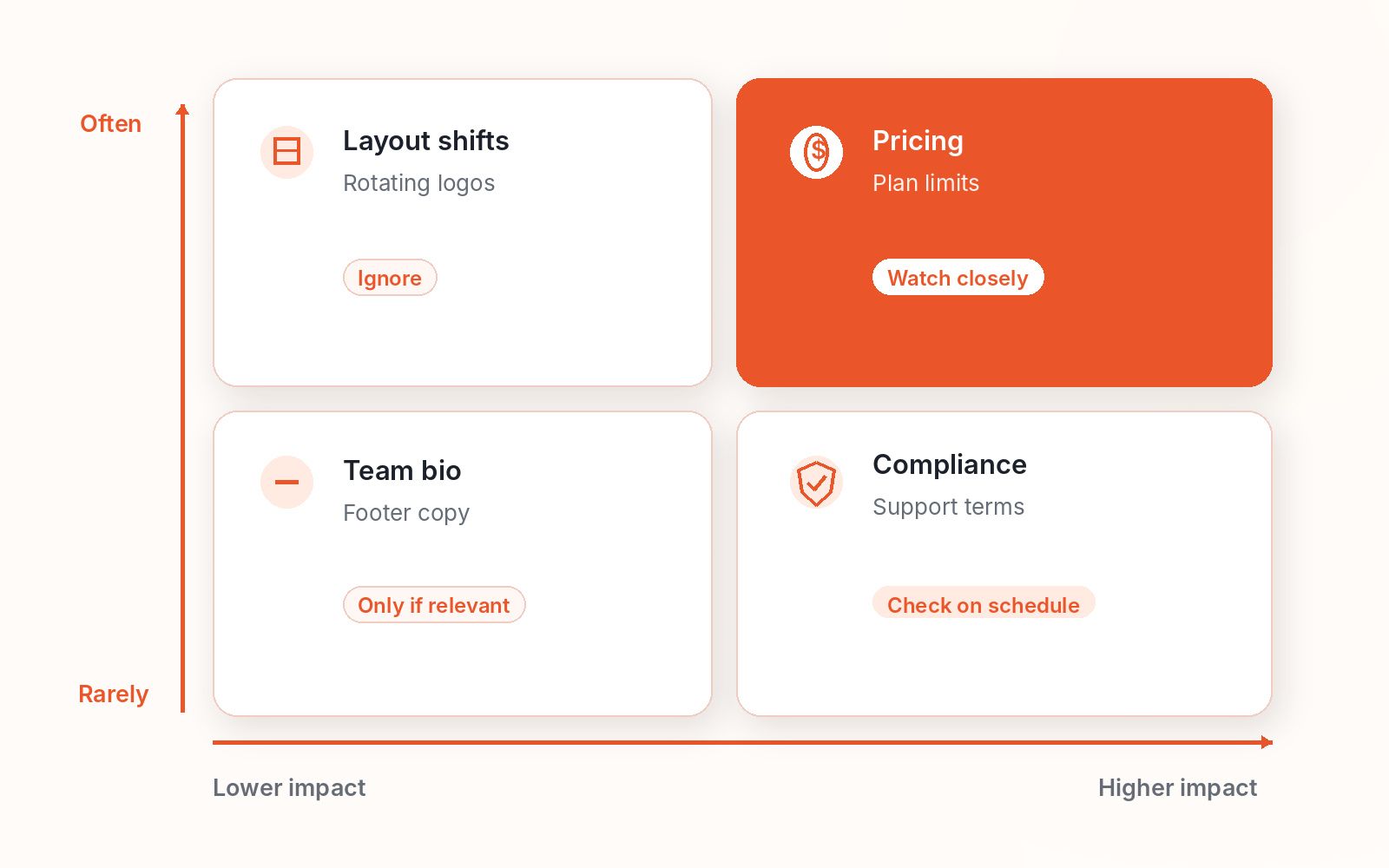
A long watchlist can look thorough while creating very little value. The better starting point is a choice your team may need to make. Write one sentence for every watch: we track this claim because a confirmed change may affect this decision.
A sales lead may watch a plan price because it could affect live deals. Product marketing may track an integration claim because it could change a comparison guide. A sales engineer may follow a compliance promise during an active security review. For each watch, record the competitor, page section, claim, reason, schedule, ignore rules, and review owner. When the reason or owner is unclear, leave the page off the list. You can always add it later.
Take Ravi, a sales engineer working a live enterprise deal. He sets one watch on a rival's SOC 2 status line, because if that claim weakens mid-deal it changes how his security review answers procurement. This is a composite example, not a promise about response times; its point is that a single well-scoped watch beats a dashboard of everything.
Section summary: Start from a decision and attach one claim to it. A watch without an owner and a reason is noise waiting to happen.
Track Claims, Not Whole Pages
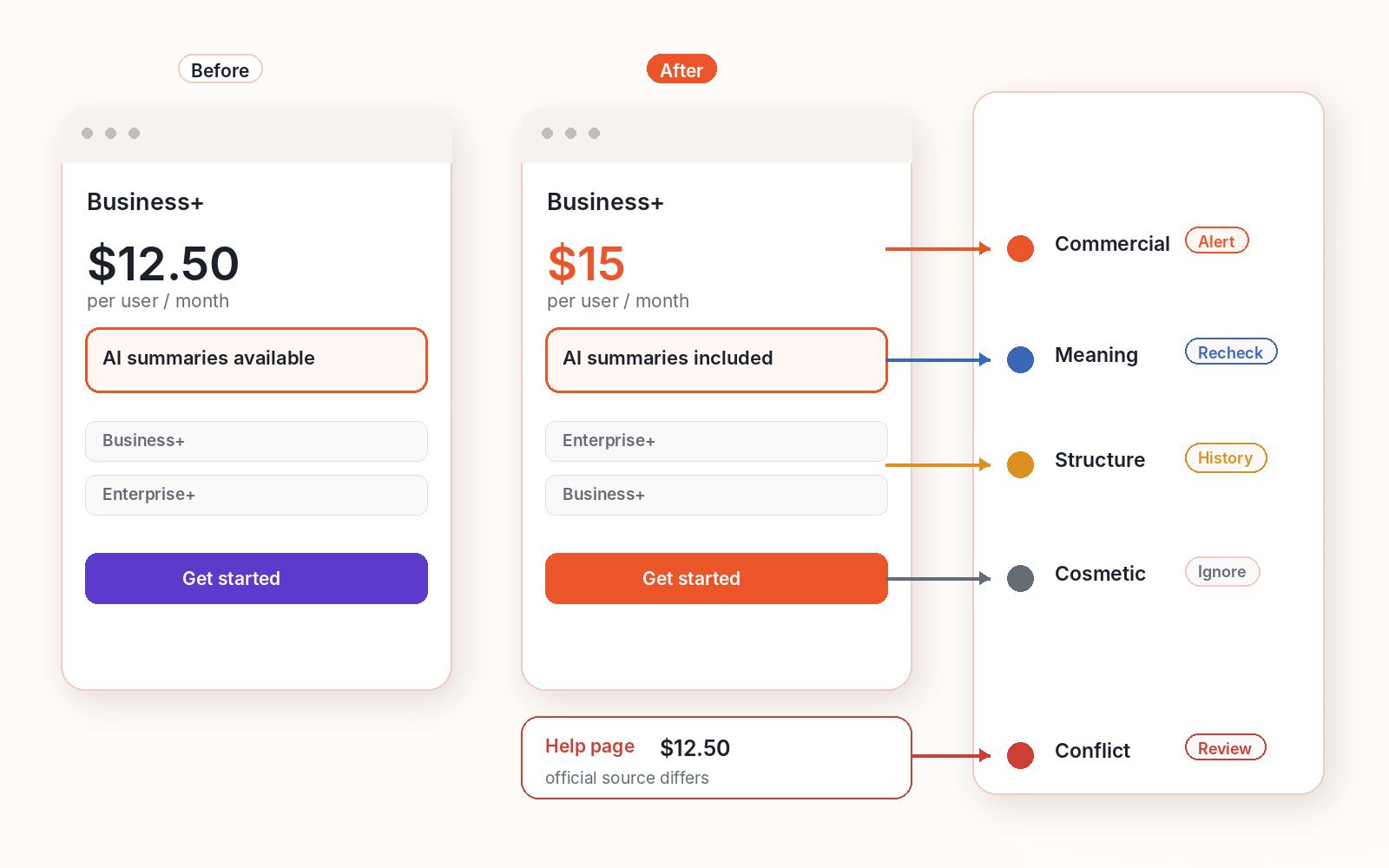
Competitors keep updating their sites. Menus change, customer quotes rotate, blog cards refresh, and images shift. Most of that activity has little to say about the offer. Focus on claims a buyer could notice and act on:
- Prices, plans, trials, limits, and billing terms
- Features, integrations, support, and plan access
- Homepage promises, use cases, and target customers
- Security, privacy, reliability, and compliance claims
- Regional offers, sales paths, and partner announcements
Make every watch rule narrow enough to review quickly. "Monitor the pricing page" is vague. "Watch the annual price and usage limit of the Business plan on the US pricing page" gives the system a clear target. Small text changes can still matter: "AI summaries available" and "AI summaries included" look almost the same, yet they describe different offers. The rule should ignore visual movement without ignoring a change in meaning.
A simple test helps: could this edit cause a named person to review a plan, message, asset, deal, or customer call? When the answer is no, keep the change in history and move on.
Section summary: Watch the narrow claim a buyer would act on, not the whole page. Meaning changes matter; layout shuffles do not.
Verify the Change Before Anyone Reacts
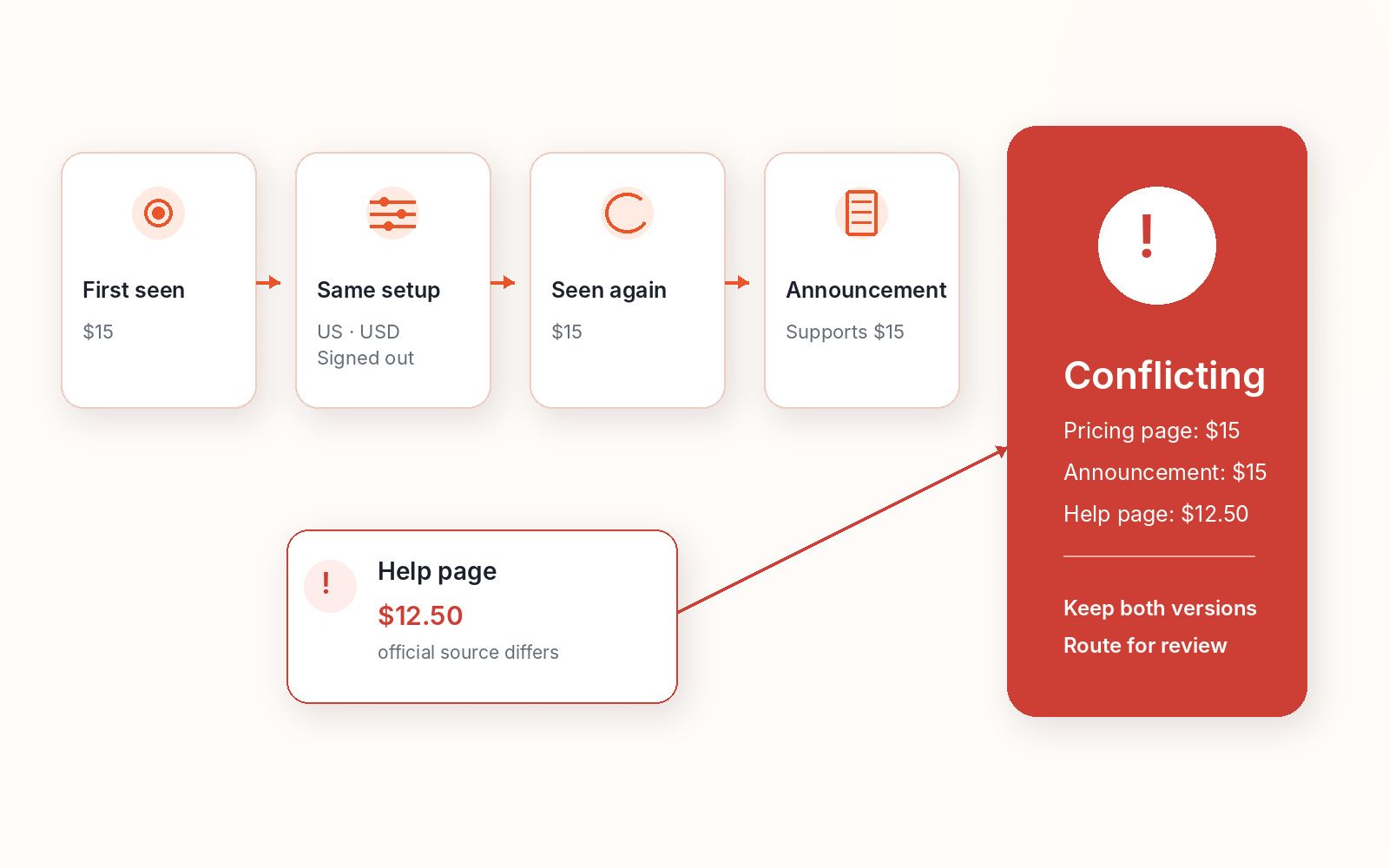
Treat the first detection as a signal, not proof. Web pages can show different content because of an A/B test, a visitor's location, language, currency, device, or account state. Google notes that locale-adaptive pages may change based on country or preferred language, and its guidance on website testing describes how A/B variants serve different visitors different content.
For a clean comparison, use the same URL, page section, country, language, currency, screen size, and sign-in state. Since much of that variation is driven by HTTP cookies and responsive layout, pin those conditions before you compare. Save the visible text, check the time, and take a screenshot when it adds useful context. Then check the finding again.
Use a simple status so the reviewer can see how much trust to place in the result:
- Confirmed means the new claim remains visible under known conditions.
- Recheck needed means the change appeared once but may not last.
- Missing context means the edit is real, though an important term is unclear.
- Conflicting means two official pages show different claims.
When the evidence disagrees, keep both versions and show the gap. A tidy explanation is less helpful than an honest record.
Section summary: Recheck under identical conditions before you alert anyone. A first detection is a hypothesis, not a fact.
Turn the Evidence Into a Brief Someone Can Use
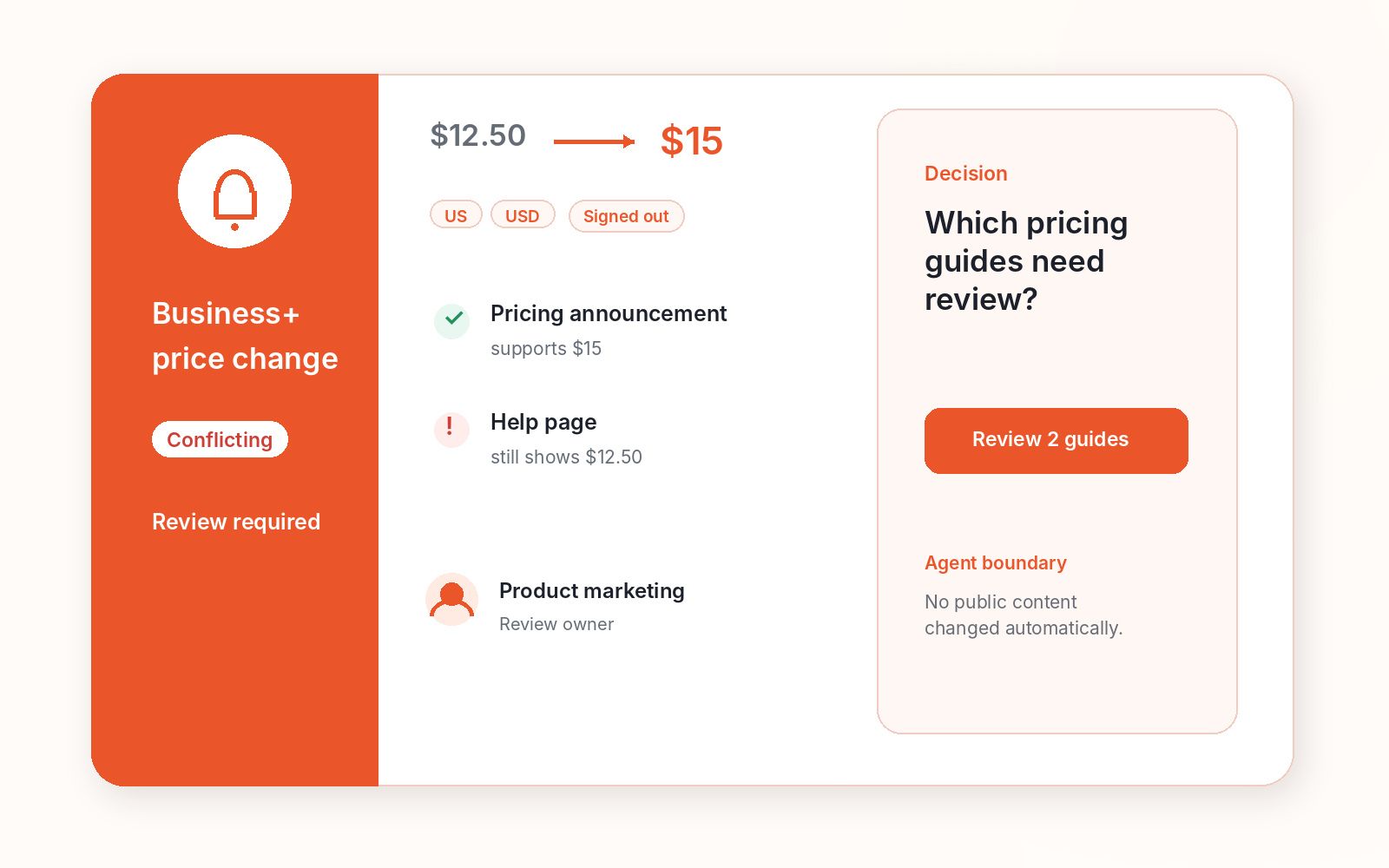
"Competitor pricing page changed" may be accurate. It still hands the investigation to the reader. A useful brief answers a few practical questions: what changed, what the page said before, what it says now, where and when the change appeared, how well it was checked, what is still unknown, and who should review it and what decision they own.
Consider Lena, a product marketer who keeps her company's sales guides current. This is a composite example, not a claim about saved time or alert rates. Her monitoring agent finds Slack's pricing announcement and checks the related plan details. The pricing page and announcement show the new Business+ price, added AI features, and the Enterprise+ plan, but an older Slack help page on plan pricing still shows the previous figure, so the brief marks the evidence as Conflicting instead of hiding the mismatch.
The brief does not claim that Slack is "moving upmarket," because public pages cannot prove that. Instead it asks Lena a bounded question: do our pricing notes, plan comparison, or active sales guides need an update? Lena maintains 7 active sales guides, and the agent flags that 2 still quote the old $12.50 Business+ price. She sends a short note to the account owners who rely on those two guides, and the agent changes no public material on its own. Its value is the shape of the handoff: Lena receives enough proof to act without repeating the research.
Section summary: Ship a decision-ready brief, not an alert that reopens the investigation. The agent supplies proof; the person keeps the call.
Keep Human Judgment Where It Belongs
An AI agent is well-suited to repeat evidence work. It can revisit approved pages, preserve earlier versions, compare claims, apply ignore rules, schedule rechecks, flag conflicts, and draft a brief. The harder questions require context the public page may not contain: why did the competitor make the change, how will buyers respond, and should your company update its price, product plan, or sales message?
Those decisions depend on customers, live deals, company goals, and the cost of acting too early. The responsible person should make them. The agent's job is to arrive with a clean record, not a dramatic conclusion. If you are deciding how much to hand over in the first place, what autonomous AI agents should handle maps the safe line.
Section summary: Automate the evidence work, keep the judgment human. A clean record beats a confident guess every time.
How MoClaw Can Support the Workflow
Competitor monitoring becomes fragile when each part lives in a different place: the new page is open in a browser, the earlier version sits in a folder, a screenshot is buried in chat, and the schedule and watch rules live elsewhere. MoClaw can keep that work within a single persistent cloud computer. Its browser control and scheduled tasks can revisit approved pages, while its cloud computer retains files and working context between checks.
A focused setup can save the watchlist, baseline copies, viewing rules, and owner map. On schedule, it can open the approved sections, compare them with the last saved state, apply the ignore policy, and prepare a brief when the evidence meets the send rule. Reviewers can receive the result in the MoClaw web app or through supported channels such as Slack and Telegram. Continuity is the main advantage: the workflow remembers what it checked, why the claim matters, and what happened last time. Actual gains will depend on the pages, rules, and team, so treat the first setup as a measured pilot rather than promising a result before you have data. For more recurring patterns, see the use-case library or try MoClaw on one watched page.
Section summary: One persistent workspace holds the baseline, rules, and history so runs build on each other. The platform supplies continuity; you supply the watch rules.
Measure Whether the Monitor Helps
A monitor can run every day and still create more work than it removes. Review the setup each month and look at four measures: useful alert rate, how many alerts led to a real review, update, or decision; noise rate, how many alerts should have stayed in the history; missed-change count, which important changes came through another path; and decision prep time, how much work remained after the brief arrived.
The numbers tell you what to change. High noise may call for a narrower claim or stronger ignore rules. Missed changes may point to the wrong page or schedule. Slow reviews often mean the brief needs clearer evidence. A four-week pilot is a sensible place to begin. Add more pages only when people trust the current findings and know what to do with them.
Section summary: Grade the monitor on useful alerts, noise, misses, and prep time. If it makes more work than it removes, narrow it before you expand it.
People Also Ask
How often should competitor pages be checked?
Match the schedule to the cost of learning late. Pricing, plan, and major product pages may deserve daily checks. Trust pages, customer stories, and partner pages often work well on a weekly or monthly cycle.
How many competitors should you monitor first?
Start with one to three close competitors. Choose companies that appear in sales calls, product talks, or market plans, and track one useful claim for each before adding more.
Can an AI agent explain why a competitor changed a page?
Not from the page alone. It can gather related facts and list possible reasons as ideas, but the cause may depend on private tests, customer feedback, contracts, or internal plans.
Start With One Useful Watch
Strong competitor monitoring does not give your team more to read. It removes the work between noticing a change and deciding what to do about it. Choose one competitor, one claim, and one reviewer. Save the first version, set the viewing rules, then run the Signal-to-Decision Loop for four weeks. Keep the alerts that make a real decision easier, fix the ones that arrive with weak proof, and remove the pages that create activity without value. The result should feel less like surveillance and more like good preparation: the right evidence, ready when someone needs it.
Continue Reading
More Guide
What Is Hermes Bot Mode? Bots and Routines

OpenAI Assistants API Deprecated: What Broke

MCP Tools: What They Are and Which to Use

OpenAI Models Not Available in Cursor Nov 12

Coding Agent Security: When Your Tools Lie

OpenAI Python HTTPX2: What Actually Breaks
The MoClaw editorial team writes about workflow automation, AI agents, and the tools we build. Default byline for industry overviews, listicles, and collaborative pieces.
Ready to put this into practice?
MoClaw runs browser tasks, research, and schedules automatically. Try it free.
References: Slack: June 2025 pricing and packaging announcement · Slack: Updates to feature availability and pricing for Slack plans · Google Search Central: Website testing and Google Search · Google Search Central: Locale-adaptive pages · MDN: HTTP cookies · MDN: Responsive design