AI Travel Email Integration for Bookings
AI travel email integration automated travel booking response workflows can sort confirmations, detect changes, and prepare replies for review.

Table of Contents
AI travel email integration automated travel booking response workflows help teams sort booking emails, extract itinerary details, detect changes, and prepare replies for human review.
Key takeaways:
- Travel booking automation should handle confirmations, changes, cancellations, receipts, and draft replies, not fully autonomous ticketing.
- High-risk actions such as payment, rebooking, cancellation, passport details, visas, and insurance should stay human-approved.
- The safest booking email workflow extracts fields first, flags uncertainty, and drafts a response only after review criteria are clear.
- AI travel agent email systems need masking rules for passport numbers, payment details, and private traveler information.
- MoClaw fits when travel email work needs a managed cloud workflow with inbox handling, files, browser checks, logs, and review steps.
Vera here. I have handled travel threads where one airline change notice created three follow-up tasks: update the traveler, check the hotel arrival time, and ask finance whether the fare difference was acceptable. The risky part was not reading the email. It was deciding what the email meant and what should happen next. That is exactly where AI can help, but only if the workflow keeps human approval before the travel plan changes.
What Travel Email Automation Should Handle
Travel email automation should start with operational sorting. It should identify the type of booking message, extract key fields, compare changes, and prepare a draft response. It should not silently book, pay, cancel, or reissue travel without a person.
Booking confirmations
A confirmation email usually contains traveler name, airline or hotel, booking reference, dates, times, route, room type, price, payment status, and receipt details. An AI travel email integration can turn that message into a structured record and draft a quick acknowledgment.
For example, a safe draft might say: "I found Maya Chen's hotel confirmation for April 12–15. The booking reference and room dates are present, but the email does not list a guaranteed late check-in time. Since the flight arrives after 9:00 PM, please confirm whether you want me to request late arrival with the hotel before I reply."
That is useful because it separates confirmed data from missing data.
Change notices
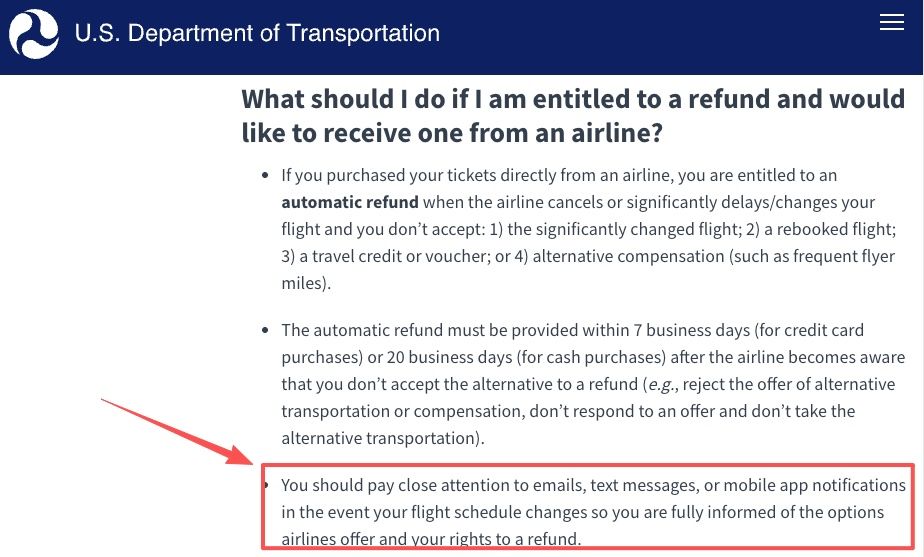
Change notices deserve extra caution. A flight time change, room change, fare change, or supplier update can affect meetings, transfers, visas, and client timing. In the U.S., airline refund rules include specific protections when a flight is canceled or significantly changed, and the Department of Transportation reminds travelers to pay attention to emails, texts, and app notifications when flight schedules change.
An automated travel booking response should not accept a change just because the email offers a button. It should summarize the difference, show the original and new details, and ask the human owner to approve the next step.
Cancellations and receipts
Cancellation emails and receipts need two separate paths. A cancellation email asks, "Is this intended, and what downstream tasks are affected?" A receipt asks, "Is this expense valid, categorized, and ready for records?"
A good booking email workflow can attach the receipt to a report, flag missing tax details, or draft a note to finance. But refund requests, dispute language, cancellation acceptance, and payment method updates should stay human-controlled.
A Safe Booking Email Workflow
The safest workflow is not one big AI action. It is a staged process: capture, extract, flag, and draft.
Capture the email
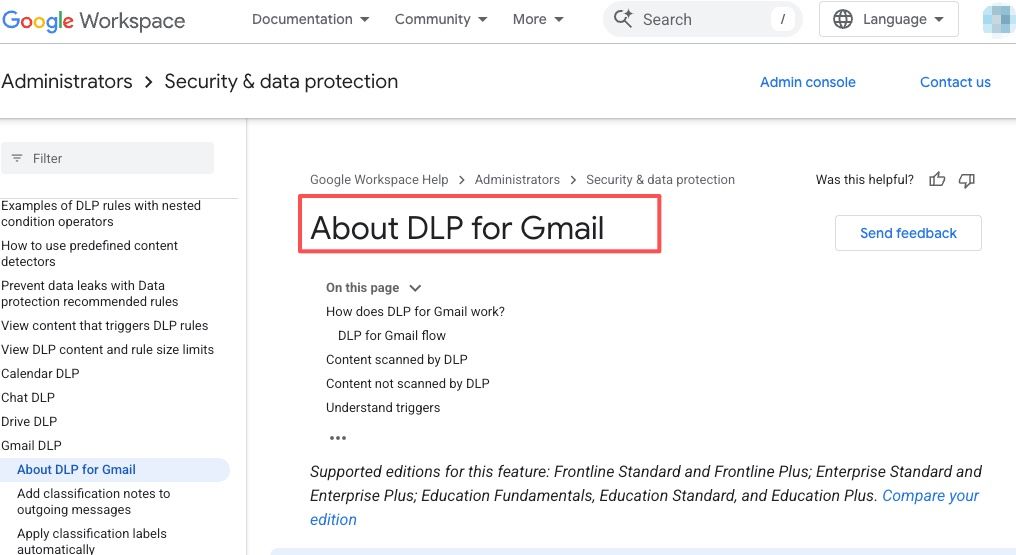
Capture the email with its sender, timestamp, subject, attachments, and thread context. If the workflow connects to Gmail or another inbox, sensitive content rules matter. Google Workspace can scan email messages for sensitive content and apply DLP actions, which is the kind of control teams should consider before routing travel emails into AI workflows.
The capture step should also label the message type: confirmation, change, cancellation, receipt, invoice, visa note, insurance note, or traveler question.
Extract key fields
Extraction should produce a structured sheet or task card, not only a paragraph. Useful fields include traveler, destination, provider, booking reference, travel dates, departure and arrival times, cost, currency, payment status, cancellation deadline, attachment names, and open questions.
A compact field map helps prevent over-automation:
| Email type | Extract first | Human check |
|---|---|---|
| Confirmation | booking reference, dates, price | traveler name, timing, payment status |
| Change notice | old value, new value, deadline | accept, reject, rebook, notify client |
| Cancellation | canceled item, refund note | whether cancellation was intended |
| Receipt | amount, currency, vendor | expense category and duplicate risk |
Flag missing or risky details
Missing details should stop the workflow from drafting a confident response. If the passport name does not match the booking name, if two emails show different flight times, or if the fare difference is unclear, the AI should flag the issue.
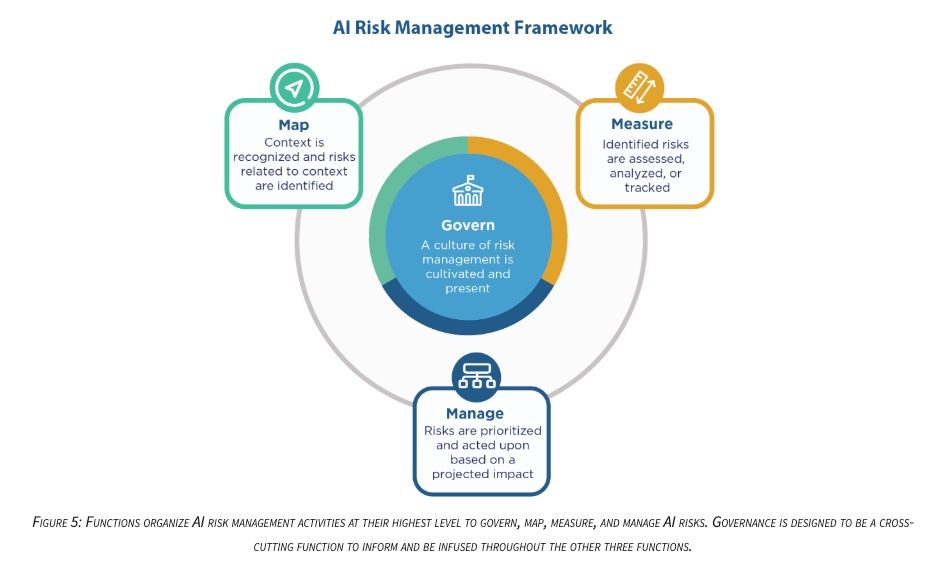
NIST frames trustworthy AI risk management around govern, map, measure, and manage. For travel booking automation, that means the team should know which data the AI reads, which decisions it can propose, how errors are measured, and who manages exceptions.
Draft a response for review
The draft should be helpful but restrained. A safe AI travel agent email reply might say: "I can confirm the new departure time is 8:40 AM, but the arrival transfer may need to be adjusted. Please confirm whether you want me to request a later pickup."
The draft should not say: "I accepted the change and updated the booking," unless a human already approved that action. For travel, the difference between "prepare" and "send" is the whole safety boundary.
What Should Never Be Fully Automated
Some actions should never run end-to-end without a person. Payment, cancellation, rebooking, passport submission, visa information, insurance claims, traveler identity changes, loyalty account use, refund acceptance, and client-facing itinerary changes all need review.
Passport and payment details deserve special handling. The workflow should mask full passport numbers, card numbers, birth dates, and government IDs unless the reviewer has a legitimate need to see them. A useful rule is: show the last few characters for matching, keep the full value out of summaries, and store sensitive fields only in approved systems.
A second realistic case: a client emails, "If there is an earlier flight, please move me up." The AI can find the request, match it to the booking, check whether the airline shows a fare difference, and draft the available options.
It should not move the client automatically. An earlier flight might change the hotel arrival window, trigger a fare approval, conflict with a meeting, or affect a visa or transfer plan. The safe output is not "changed the flight." It is: "Here are the options, here is the cost difference, here is what may be affected, and here is what needs approval."
How MoClaw Fits This Workflow
MoClaw fits as a managed cloud workflow layer for recurring travel email work, not as an automatic ticketing replacement. The relevant use case is inbox-driven operations: capture messages, check browser-based sources, organize files, preserve logs, and prepare outputs for review.
MoClaw's AI inbox automation is the closest internal fit for booking email workflow design because travel work starts in the inbox and depends on thread context. MoClaw's AI workflow automation is relevant when the process expands into browser checks, reports, attachments, scheduled follow-ups, and delivery records.
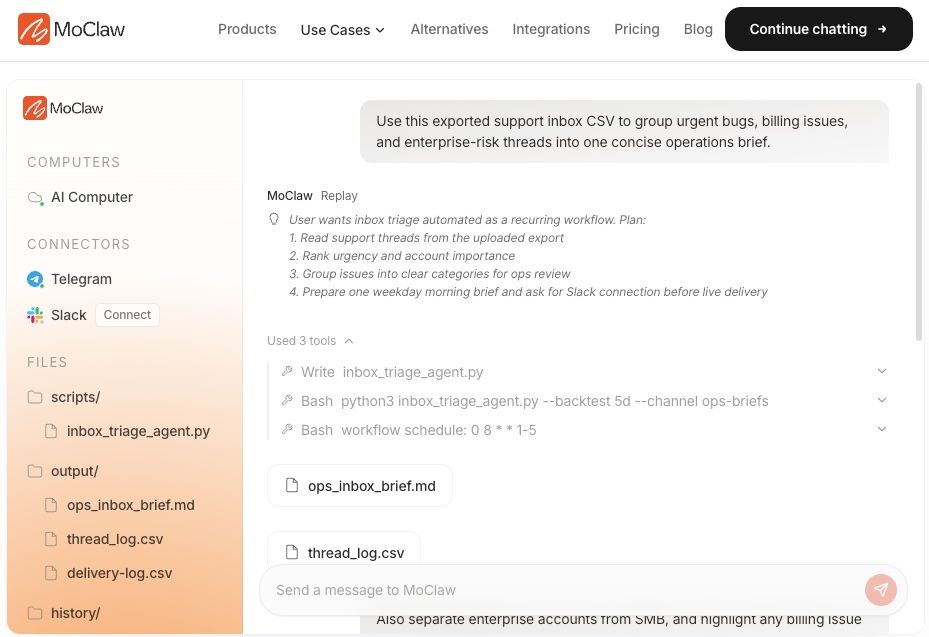
The practical MoClaw role is to keep the workflow visible. The assistant can prepare the record, draft the reply, and flag risks. A person still approves the booking change, cancellation, payment, or final client message.
FAQ
Who approves a booking change before it is sent?
The traveler owner should approve ordinary timing changes, while finance should approve cost changes and a client owner should approve client-facing itinerary changes. If the change affects visas, insurance, legal commitments, or a high-value trip, route it to the responsible specialist before sending.
How should private passport details be masked?
Mask passport numbers by default and show only the minimum needed for matching, such as issuing country, expiration month, and final characters if policy allows. Do not include full passport numbers in AI summaries, email drafts, chat messages, or general task logs unless the approved workflow requires it.
What happens when two booking emails conflict?
The workflow should stop and create a conflict note. It should show the sender, timestamp, booking reference, old value, new value, and affected traveler. A person should decide which source is authoritative before any reply, calendar update, or itinerary change is sent.
Can old travel emails support future workflows?
Yes, but old emails should be treated as historical context, not current truth. They can help identify traveler preferences, supplier patterns, or prior approval rules. Before reuse, remove unnecessary personal data, check retention policy, and avoid training a workflow on outdated booking details.
Travel Email Automation Works Best as Draft, Check, Approve
AI travel email integration automated travel booking response workflows are most useful when they reduce inbox labor without taking over risky travel decisions. Let AI capture confirmations, extract fields, flag changes, organize receipts, and draft responses. Keep humans in charge of payments, cancellations, rebooking, passports, visas, insurance, and final client communication. That balance turns travel booking automation into a dependable assistant workflow instead of an unsafe autopilot.
Continue Reading
More Guide
How to Access FLUX 3: Early Access Guide

What Is FLUX 3? Multimodal Model Explained

How to Access Claude Opus 5: Every Path

What Is Buzz? Block's Hive Mind Workspace

What Is OpenWorker? Andrew Ng's AI Coworker

Best Claude Skills to Install in 2026
The MoClaw editorial team writes about workflow automation, AI agents, and the tools we build. Default byline for industry overviews, listicles, and collaborative pieces.
Ready to put this into practice?
MoClaw runs browser tasks, research, and schedules automatically. Try it free.
References: U.S. Department of Transportation - Refunds · Google Workspace - Prevent data leaks in email and attachments (Gmail DLP) · NIST AI Risk Management Framework - Core