ChatGPT Work vs Codex: Which Should Non-Developers Use?

ChatGPT Work vs Codex compared for non-developers: when to use each OpenAI surface for everyday work, code changes, connected tools, and the right review path.
Table of Contents
[ChatGPT Work](https://moclaw.ai/blog/grok-bot-vs-claude-cowork-vs-chatgpt-work) vs Codex: Which Should Non-Developers Use?
ChatGPT Work vs Codex is a choice between two OpenAI work surfaces: one shaped for everyday professional tasks, and one shaped for coding, repositories, diffs, tests, and technical review.
Key takeaways:
- ChatGPT Work and Codex are related OpenAI agent experiences, not unrelated products.
- Work is the better first stop for briefs, research, documents, connected apps, and recurring updates.
- Codex is the better first stop when the task involves repositories, code changes, tests, diffs, or pull requests.
- Codex for non-developers can still make sense when the work is technical, and a developer can review the result.
- Admin settings, tool access, files, approvals, and availability should be verified before a team builds a workflow around either surface.
I would not tell a non-developer, "Never use Codex." I would ask what the output is supposed to be. If the output is a client brief, use Work. If the output is a tested code change, use Codex and bring in a technical reviewer. The tool choice follows the review path.
The Official Relationship Between Work and Codex
OpenAI Work and Codex now sit closer together than many users expect. OpenAI's July 6-10, 2026 update introduced ChatGPT Work as an agent in ChatGPT that can gather context from files and plugins, take action across workflows, and create reviewable documents, spreadsheets, presentations, Sites, and other finished work. The same update says Codex moved into the ChatGPT desktop app on July 9, keeping its dedicated coding experience alongside Chat and Work.
So the right comparison is not "general chatbot vs coding robot." It is closer to "which OpenAI interface fits this task outcome?"
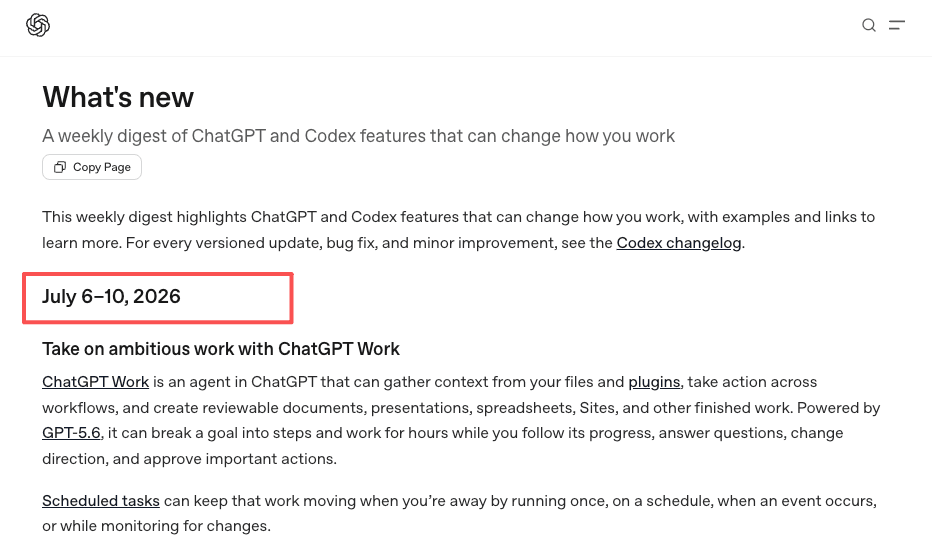
Shared core capabilities
Both surfaces share some agent-style work patterns: context, tools, files, progress, and reviewable outputs, though approvals and execution controls differ between Work and Codex. Work uses those patterns for everyday work. Codex uses them around technical projects and software changes.
That shared foundation matters because a task can cross boundaries. A product marketer may ask for a launch analysis in Work, then discover the website needs a pricing-table update. The first half is everyday work. The second half may belong in Codex.
Work as the everyday-work experience
ChatGPT Work explained in practical terms: it is the everyday work agent surface for tasks with clear outcomes, such as a brief, deck, analysis, recurring update, workflow, or reviewable file. OpenAI frames Work around substantial tasks with multiple steps, sources, tools, or deliverables, not just quick replies.
For non-developers, that is the key. Work starts from the language of business outputs: "make the report," "compare the options," "prepare the deck," "refresh the agenda," or "draft a weekly update."
Where Their Default Workflows Differ
The difference is not intelligence. It is workflow gravity. Work pulls tasks toward documents, research, files, apps, and recurring operations. Codex pulls tasks toward repositories, environments, tests, diffs, and merge reviews.
Documents, research, and connected apps
Use Work when the task depends on professional context rather than code context. A marketing manager can ask Work to review campaign notes, pull approved sources, create a spreadsheet, and flag missing claims. An operator can ask for a Monday update from Slack and Google Drive if those connectors are installed and authorized.
Work also fits when the final artifact needs human review but not technical integration. For example, a customer research summary should include source links, unknowns, and recommendations. It should not need a Git branch.
Repositories, code, and tests
Use Codex when the task requires understanding or changing software. Codex Cloud is explicitly built to run coding tasks in isolated cloud environments, configure dependencies, work in parallel, and return summaries and diffs before merge. That is a different operating loop from making a deck.
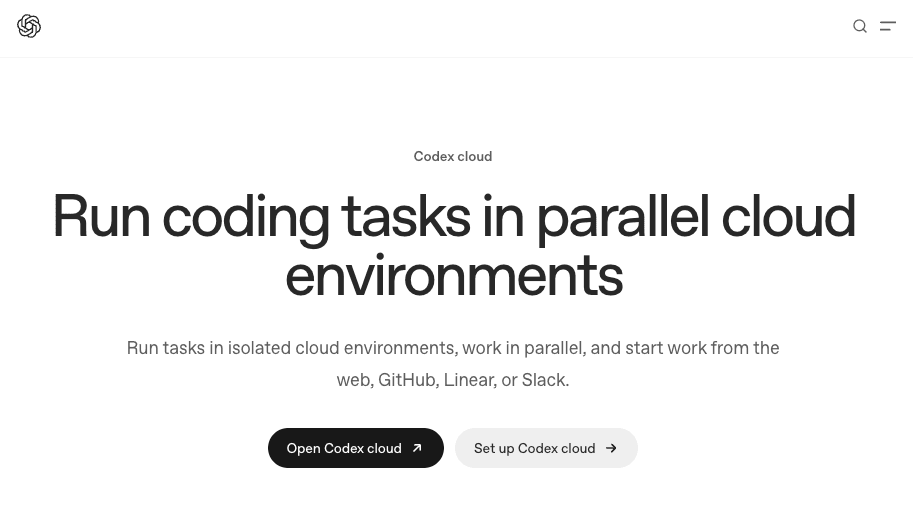
This does not mean Codex is only for senior engineers. Codex for non-developers can be useful when a non-technical owner knows the desired product behavior, but a developer must review the code. For example: "Fix the typo in the pricing page and show the diff" is a Codex-shaped request if the site lives in a repository.
Compare Environment, Context, and Outputs
A practical decision starts with three questions: where is the context, what environment must run, and what output needs review?
| Aspect | ChatGPT Work | Codex |
|---|---|---|
| Best For | Everyday work, research, documents, reports, recurring updates | Code changes, repositories, tests, diffs, PRs |
| Primary Environment | Files, connected apps such as Gmail, Drive, and Slack, browser tasks, and plugins | Git repositories, dev environments, dependencies, sandboxes |
| Typical Outputs | Reports, decks, spreadsheets, PDFs, analyses, Sites | Code diffs, test results, pull requests, task logs |
| Review Focus | Business judgment, source accuracy, presentation quality | Code correctness, tests, security, and merge impact |
| Target Users | Non-developers, marketers, ops, product teams | Developers, or non-developers working with technical review |
| Workflow Gravity | Document creation, cross-app automation, business processes | Code implementation, parallel execution, environment setup |
| Risk/Approval Level | Depends on connected tools, data sensitivity, and whether the task can act externally | Depends on repository access, sandbox settings, network access, and whether changes can be merged or deployed |
Files, browser, and plugins
Work is strongest when the environment is built from files, connected apps, browser tasks, and reviewable artifacts. When a task produces a file, ChatGPT can use source data, file type, structure, and review criteria to create and refine documents, spreadsheets, presentations, and PDFs.
Plugins also matter. ChatGPT can use installed plugins for tasks such as summarizing unread Gmail threads or pulling launch notes from Google Drive, while a specific plugin can be invoked with @ to gain tighter control. That makes Work suitable for non-developer workflows that live across documents, inboxes, meetings, and dashboards.
For a broader workflow design lens outside this OpenAI interface choice, MoClaw's AI workflow automation page is useful because it focuses on recurring tasks, files, browser work, logs, and delivery checkpoints rather than one-off chat output.
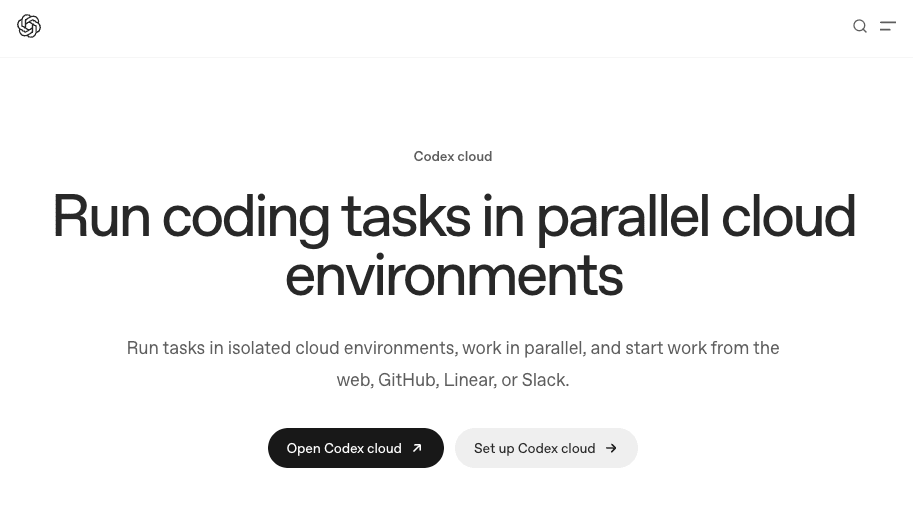
Development environments, diffs, and checks
Codex needs a different environment. If the task involves a GitHub repository, dependencies, tests, environment variables, secrets, or a pull request, the review object is not a PDF or deck. It is a change set.
Codex cloud workflows are organized around environments, logs, summaries, diffs, follow-up changes, and pull requests. For non-developers, the important part is not learning every developer term. It is knowing when to stop and ask a technical reviewer to inspect the result.
If the task says "update the website copy in the repo," Codex may fit. If the task says "draft three homepage copy options," Work probably fits first.
A Decision Guide for Non-Developers
Use the review object as your guide. If the thing you need to approve is a document, report, spreadsheet, or recurring business update, start with Work. If the thing you need to approve is a code diff, test output, or deployment-related change, start with Codex.
Research, reporting, and operations
Choose Work for research, reporting, operations, project updates, meeting prep, customer summaries, competitive analysis, content drafts, spreadsheet comparisons, and recurring updates.
A realistic case: I need a weekly competitor update. Work can inspect approved sources, draft the summary, create a table of changes, and stop before sharing.
In one small test, I reviewed 7 competitor-update drafts. Five captured the main changes correctly, but 4 still needed human judgment: 2 overstated how important a feature update was, 1 missed that the source was a marketing page, and 1 treated a pricing note as final when it was still unclear. The human review is about source quality, interpretation, and business judgment.
MoClaw's AI Agents Research Digest shows a similar pattern for recurring research: the value comes from source tracking, repeatable output shape, and reviewable summaries, not from treating the assistant as automatically correct.
Software maintenance and technical changes
Choose Codex when the desired output changes software or verifies technical behavior. Examples include fixing a bug, updating a dependency, editing a page in a repo, adding a test, checking a pull request, or investigating a build failure.
A non-developer can still write the request in plain language: "The signup form error message is confusing. Update it to match this approved wording, run the relevant checks, and show me the diff." The non-developer can review the wording, while an engineer reviews the implementation and tests.
Limits and Availability to Verify
Do not assume every account, workspace, plan, or client has the same capabilities. Before choosing between ChatGPT Work vs Codex, verify current access to Work, Codex, desktop app features, web features, file previews, plugins, browser use, computer use, scheduled tasks, repository connections, and approval settings.
Admin controls matter too. Workspace roles, managed configuration, plugin controls, skill controls, and model availability can change what users can access. Enterprise workspaces can restrict or govern features through roles and workspace permissions, so an article about OpenAI Work should not promise that every reader can use the same setup.
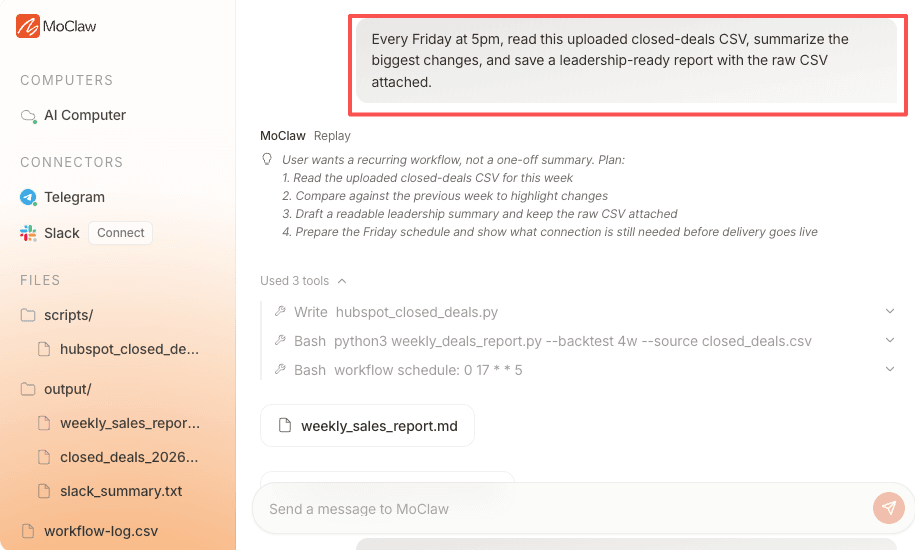
Approvals are also not cosmetic. For Codex and command-running contexts, sandboxes and approval policies can control file edits, network access, external effects, and destructive actions. For Work business workflows, teams should still define their own review rules. For non-developers, the safest rule is simple: use Work or Codex to prepare evidence, but keep a person in the loop before sharing, merging, deleting, publishing, or changing production systems.
FAQ
Can a Work task reopen in Codex without restarting?
Do not assume a seamless transfer. If a Work task becomes technical, capture the task brief, relevant files, links, constraints, and desired outcome before moving to Codex. If an official handoff is unavailable in your workspace, restarting with a clean technical brief is safer than hoping all context carries over.
Do Codex files appear automatically inside Work?
Not necessarily. Codex files, repository changes, generated artifacts, and task logs may live in a different project or environment. If Work needs them, attach or reference the approved outputs explicitly. Treat file visibility as a permission and workspace question, not as an automatic bridge.
Can admins enable Work while restricting Codex?
They may be able to separate access through workspace settings, roles, plugin controls, model availability, or managed configuration, but the exact controls depend on the current plan and admin surface. Teams should verify the live admin settings rather than relying on assumptions from another workspace.
Who reviews a task that shifts from operations to code?
The reviewer should change with the risk. An operations lead can review the business outcome, but a developer should review code, tests, repository changes, and deployment impact. If one task crosses both areas, split the review instead of forcing one person to approve everything.
ChatGPT Work vs Codex Is a Review-Path Choice
For non-developers, ChatGPT Work vs Codex should not be framed as which tool is "more powerful." Work is usually the better starting point for everyday work, research, documents, connected apps, and recurring updates. Codex is usually the better starting point when the outcome is a technical change that needs environments, diffs, checks, and code review. Pick the surface where the final output can be reviewed by the right person before it becomes real.
Vera note: This article compares Work and Codex by review path. If the final object is a brief, deck, analysis, spreadsheet, or recurring business update, Work is usually the better starting point. If the final object is a repository change, diff, test result, or pull request, Codex is usually the better starting point. Exact access, approvals, connected tools, and workspace controls should still be checked in the live account before using either surface for important work.
Continue Reading
More Comparison
Lindy vs MoClaw: Teammate or Cloud Computer?

DeepSeek vs ChatGPT: Research, Code, Price

ChatGPT vs Microsoft Copilot: Which Fits You?

Gemini vs ChatGPT for Work: Which Is Better?

Cursor Cloud Agent vs Grok Bot

GPT-5.6 Sol vs Terra vs Luna: Pick One
The MoClaw editorial team writes about workflow automation, AI agents, and the tools we build. Default byline for industry overviews, listicles, and collaborative pieces.
Choosing between tools? Let MoClaw run the work.
Always-on AI assistant on its own cloud computer. No switching required, no setup.
References: https://learn.chatgpt.com/docs/whats-new · https://learn.chatgpt.com/docs/cloud · https://learn.chatgpt.com/docs/artifacts-viewer · https://learn.chatgpt.com/docs/enterprise/roles-and-workspace-permissions · https://learn.chatgpt.com/docs/agent-approvals-security