OpenClaw Slack vs Claude Tag for Team Agents
OpenClaw Slack vs Claude Tag, compared by workflow ownership, hosting model, permissions, memory, and human review so you pick the right team agent.
Table of Contents
OpenClaw Slack is the self-managed way to bring OpenClaw agents into Slack DMs and channels, while Claude Tag is Anthropic's managed Slack-native team agent for Claude Team and Enterprise customers. The decision is not "which Slack AI agent is better?" It is who owns the runtime, permissions, review process, and long-term channel hygiene.
Key Takeaways:
- OpenClaw Slack fits teams that want self-managed control, self-hosted routing, and custom agent guardrails.
- Claude Tag fits teams that want managed Slack-native delegation with owner-controlled access, memory, tools, repositories, logs, and spend limits.
- Claude Slack is now better treated as a legacy or search-variant phrase, because Anthropic says Claude Tag replaces the existing Claude in Slack app.
- OpenClaw and Claude Tag both need human review when agents touch customers, code, data, or external systems.
- MoClaw is an independent managed cloud AI computer for recurring digital work and browser-based workflows, not an official alternative to either product.
Vera here. I would start the comparison with a boring question: who gets paged when the agent does the wrong thing? I watched a small ops team test a channel bot for weekly support summaries. The first summaries were useful, but the test quickly moved past writing quality. The team had to decide which support channels the bot could read, whether private escalation notes should be excluded, who reviewed stale memory, and who owned the tool list when the bot started pulling from the wrong source. That is the layer this article compares.
Quick Answer: These Are Not the Same Choice
OpenClaw Slack is the infrastructure you operate on. Claude Tag is a managed Slack experience you govern.
Choose OpenClaw Slack if your team wants self-hosted routing, custom agent boundaries, and multi-channel control. Choose Claude Tag if your team wants Slack-native delegation with memory, tools, repositories, logs, and spend limits managed by a Primary Owner or Owner.
Why Chat-Native Agents Are Becoming a Workflow Layer
Slack already contains the raw material of work: decisions, customer notes, incident context, product debates, and half-finished handoffs. A chat-native agent can sit where the request starts instead of waiting for someone to copy context into another tool. The catch is that Slack is not a clean database. A channel can mix facts, guesses, outdated workarounds, and private judgment in the same thread. That makes agent guardrails more important, not less.
Plain chat can draft a summary of a busy Slack thread, but it keeps dropping the context that matters and reshaping the output on every run. The moment that work moves into a persistent, tagged workflow, the question changes. It stops being "can it summarize this?" and becomes "which channels can it read, which facts need review, and where does the output go?" That shift is why this comparison is really about workflow ownership.
OpenClaw Slack: Local-First Control from Chat
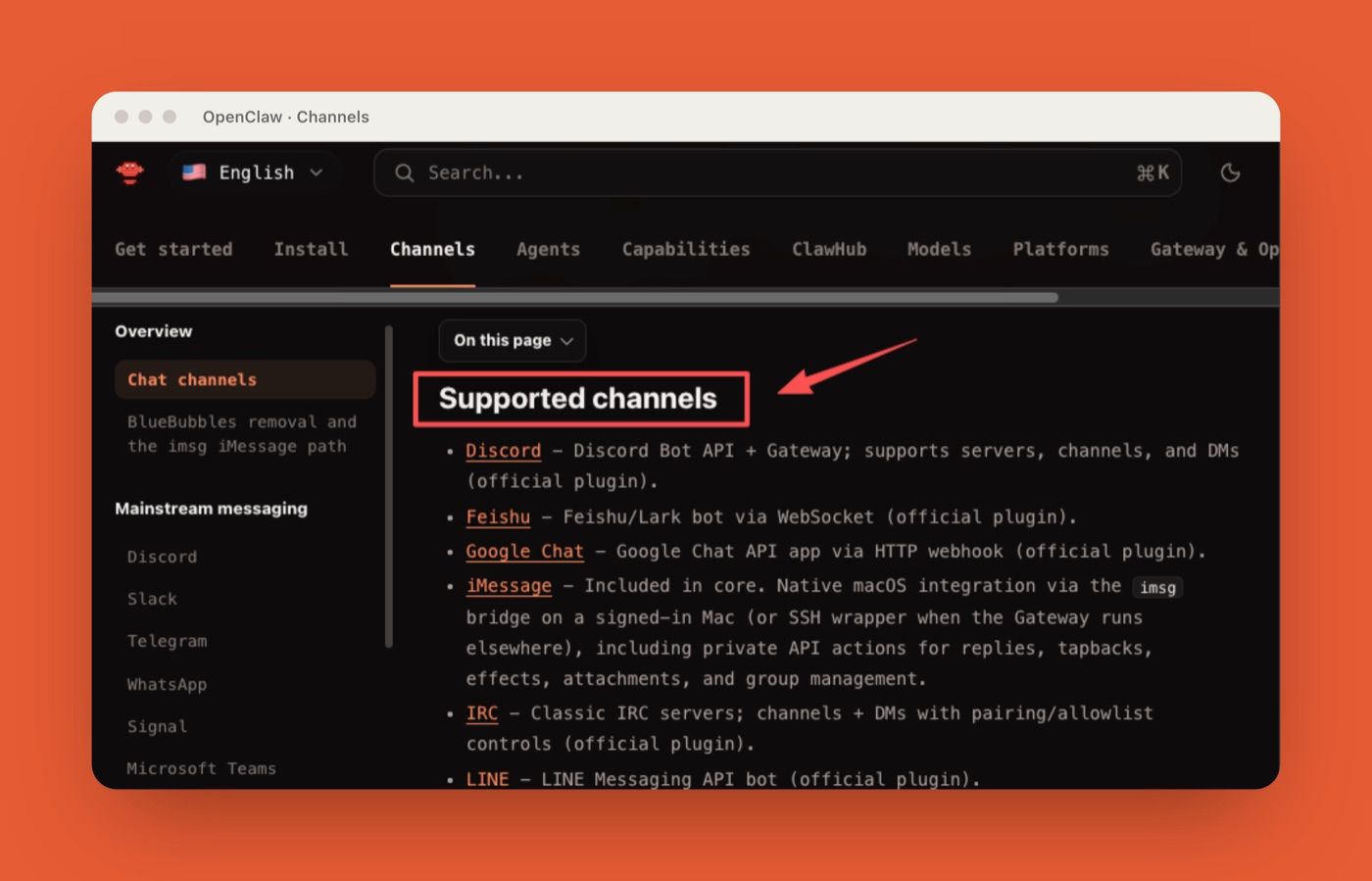
OpenClaw is strongest when a team wants to control the agent layer itself. Its chat channels page lists Slack alongside Discord, Telegram, WhatsApp, Signal, Microsoft Teams, Google Chat, Matrix, and other channels. Slack is one surface in a broader self-hosted system. That flexibility is useful for technical teams. It also creates responsibility. Someone has to own tokens, scopes, gateway health, routing, updates, skills, logs, and user access.
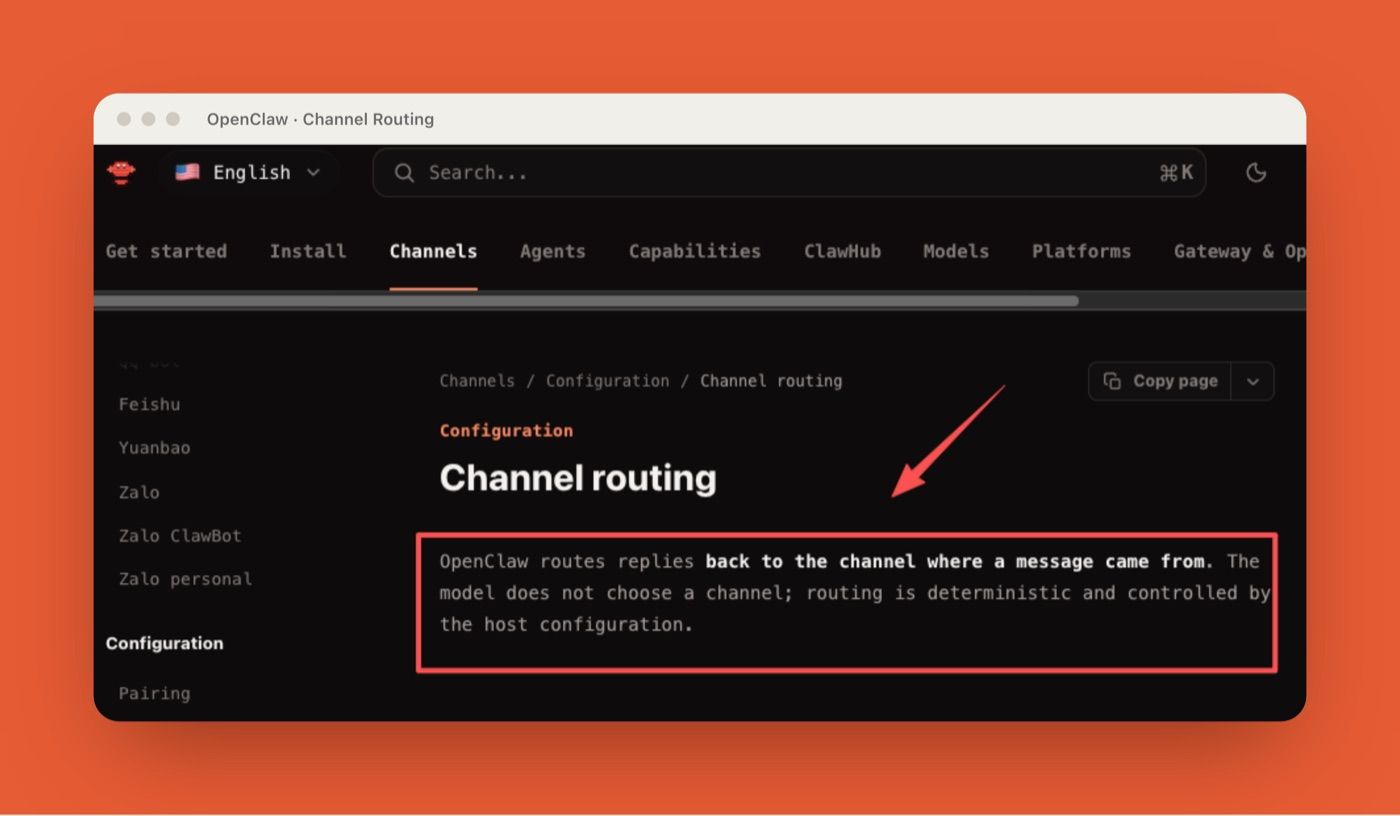
Channel routing and paired access
OpenClaw's channel routing documentation frames routing as deterministic: messages return to the channel where they came from, and channel identity can influence which agent handles the work. In practice, this lets teams separate support, engineering, and operations agents instead of giving one bot the whole workspace. The Slack docs also note that Slack DMs default to pairing mode. That matters because private messages can otherwise become invisible workflow surfaces. Pairing makes access explicit before a person starts using the agent in a DM.
For a technical team, this is the appeal: OpenClaw can be shaped around your own channel map and access model. The tradeoff is that the map becomes something you must maintain.
Self-managed setup and maintenance
OpenClaw has a more developer-shaped setup: self-hosted runtime, plugins, gateway operations, configuration, and deployment decisions all become part of the work. That is fine if your team treats agents like infrastructure. It is risky if nobody wants to own the operational surface after the first week.
A practical example: a developer team may want OpenClaw Slack because it can route one channel to a repo-aware agent and another to a support triage agent. In a setup like that, I would not treat channel routing as the final guardrail. I would still keep a short permission checklist: which Slack scopes are enabled, which repositories or notes the agent can reach, where secrets are stored, what the agent is allowed to write back, and what happens when routing fails. Local-first control is not free. It is control plus maintenance.
Claude Tag: Managed Team Context in Slack
Claude Tag starts from a different assumption: the team should be able to tag @Claude where work is happening, while Primary Owners or Owners manage channel access, tools, memory, repositories, and spend.
Anthropic's Claude Tag help article says Claude Tag is available in beta on Team and Enterprise plans, works in Slack today, and will replace the existing Claude in Slack experience on August 3, 2026. That is why this article uses Claude Tag as the main entity, not Claude Slack.
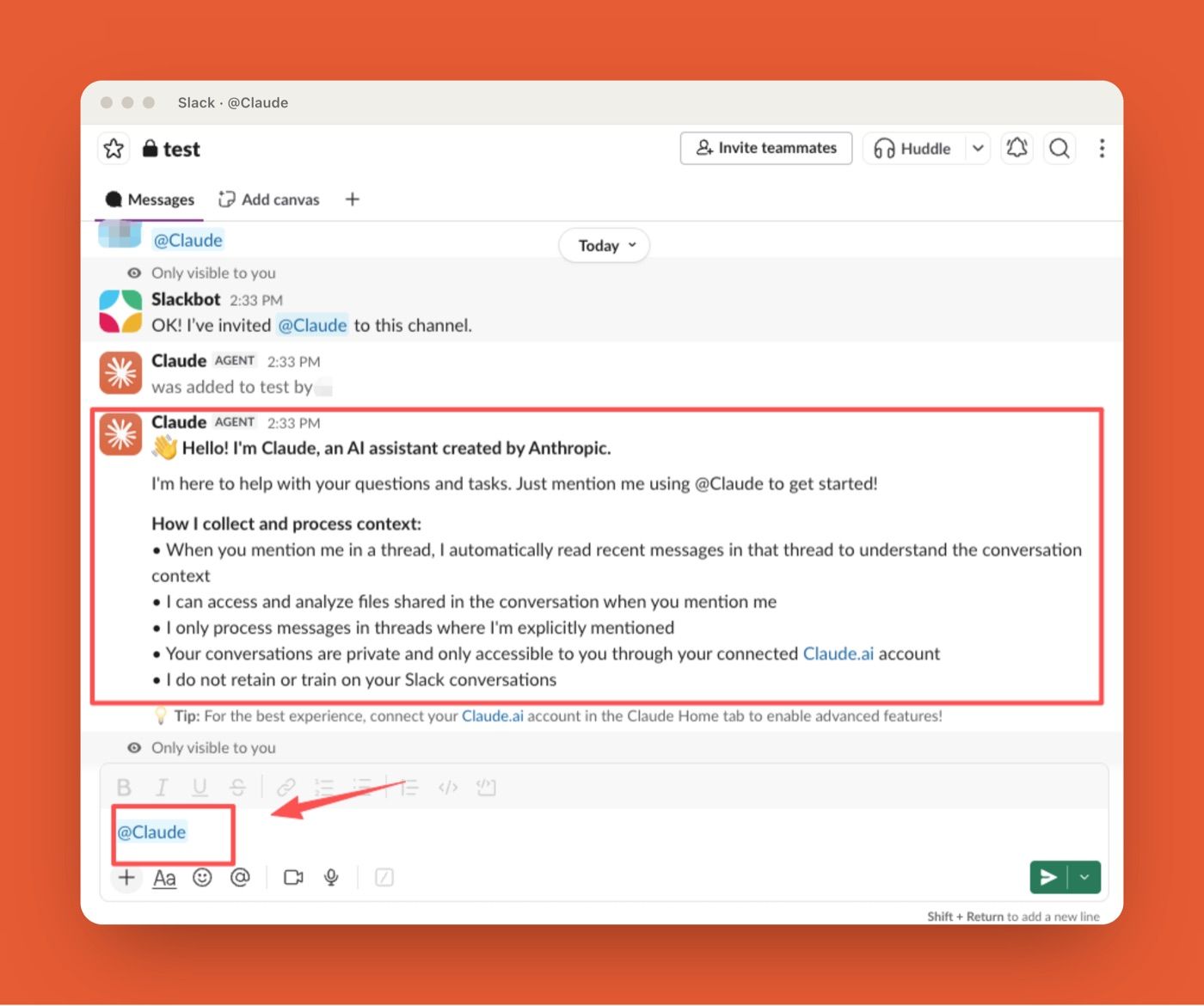
Shared channel memory
Claude Tag is built around shared channel context. Anthropic says everyone in a channel works with the same Claude, and Claude keeps context per channel and per workspace. Primary Owners or Owners can review, edit, and delete that memory. That can reduce repeated explanations. It can also preserve stale assumptions. A support channel that used one escalation policy in May may not want Claude to reuse that policy in July.
The useful operating rule is simple: memory needs an owner. If a channel changes purpose, Claude's memory should be reviewed with it.
Admin-scoped tools and logs
Claude Tag's managed advantage is admin-scoped governance, but the role boundary matters. According to Anthropic's Claude Tag help and setup documentation, Claude Tag access, channel configuration, connected tools, authorized repositories, and spend limits are handled by a Claude organization Primary Owner or Owner, not by a regular Claude Admin role or a Slack Admin alone.
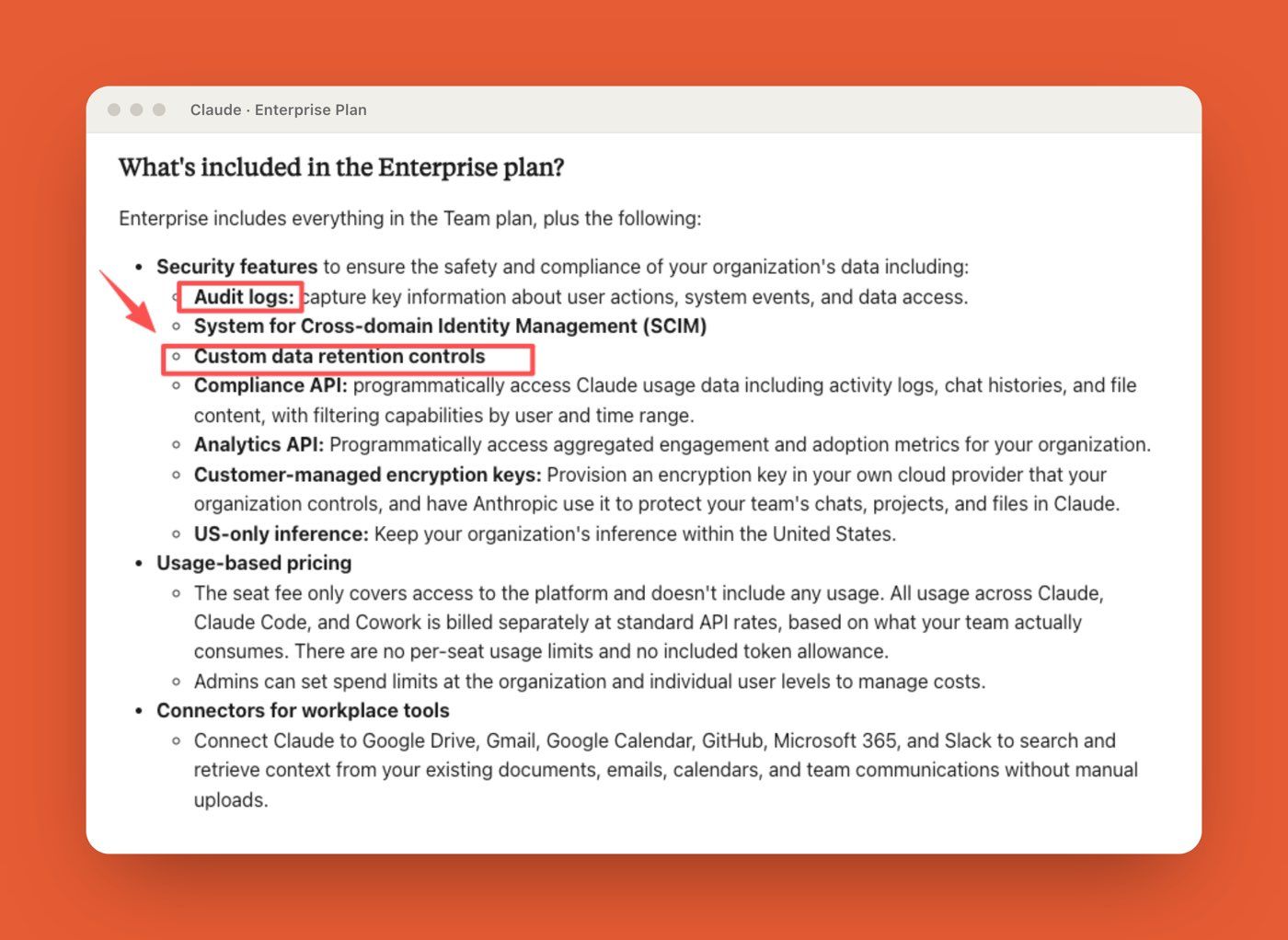
Anthropic's Enterprise plan documentation also lists audit logs and data controls as Enterprise features. For teams that prefer product-managed governance over gateway operations, this is the main draw.
But managed does not mean automatic safety. A person still needs to approve risky outputs.
Comparison Table: Ownership, Permissions, Review
| Dimension | OpenClaw Slack | Claude Tag |
|---|---|---|
| Hosting model | Self-hosted gateway and Slack app integration | Managed Anthropic Slack experience |
| Best owner | Technical operator or platform team | Claude organization Primary Owner or Owner, with Slack admin support where app installation approval is required. |
| Slack surface | DMs, channels, assistant threads, slash commands, depending on setup | Channel tags, direct messages, and assistant panel |
| Permission model | Pairing, routing, Slack scopes, config, skills, tools | Admin-scoped channels, tools, memory, roles, limits |
| Review burden | Team-defined and infrastructure-owned | Admin-defined, with managed logs and spend controls |
| Best fit | Teams that want control and can maintain it | Teams that want managed delegation inside Slack |
| Main risk | Misconfiguration and weak maintenance | Overtrusting shared memory or channel access |
Which Path Fits Which Team?
The decision starts with ownership, not features. If the team cannot name who maintains permissions over time, the safer path is the one with clearer owner-level controls.
Technical teams that want self-hosted control
OpenClaw fits teams that already run internal tools, review permissions, and understand the tradeoffs of self-hosting. It is useful when Slack is one channel among several, when agents need custom routing, or when the team wants to keep orchestration close to its own infrastructure.
It also fits builders who want to customize agent guardrails. The downside is simple: if the person who set it up leaves, the system still needs an owner.
Teams that want managed Slack-native delegation
Claude Tag fits teams that want to work inside Slack without building the agent infrastructure themselves. It is better for product, support, operations, and engineering-adjacent teams that want visible delegation in shared threads.
For example, a customer support lead might tag @Claude to summarize a long issue thread, draft a reply, and surface related bugs. That is useful. The human still reviews the reply because tone, promise, and customer history remain human-accountability work.
Where MoClaw Fits Outside Slack-Only Workflows
MoClaw sits outside this Slack-only comparison. It is an independently managed cloud AI computer and always-on assistant for recurring digital work and browser-based workflows, not an official OpenClaw or Claude Tag replacement.
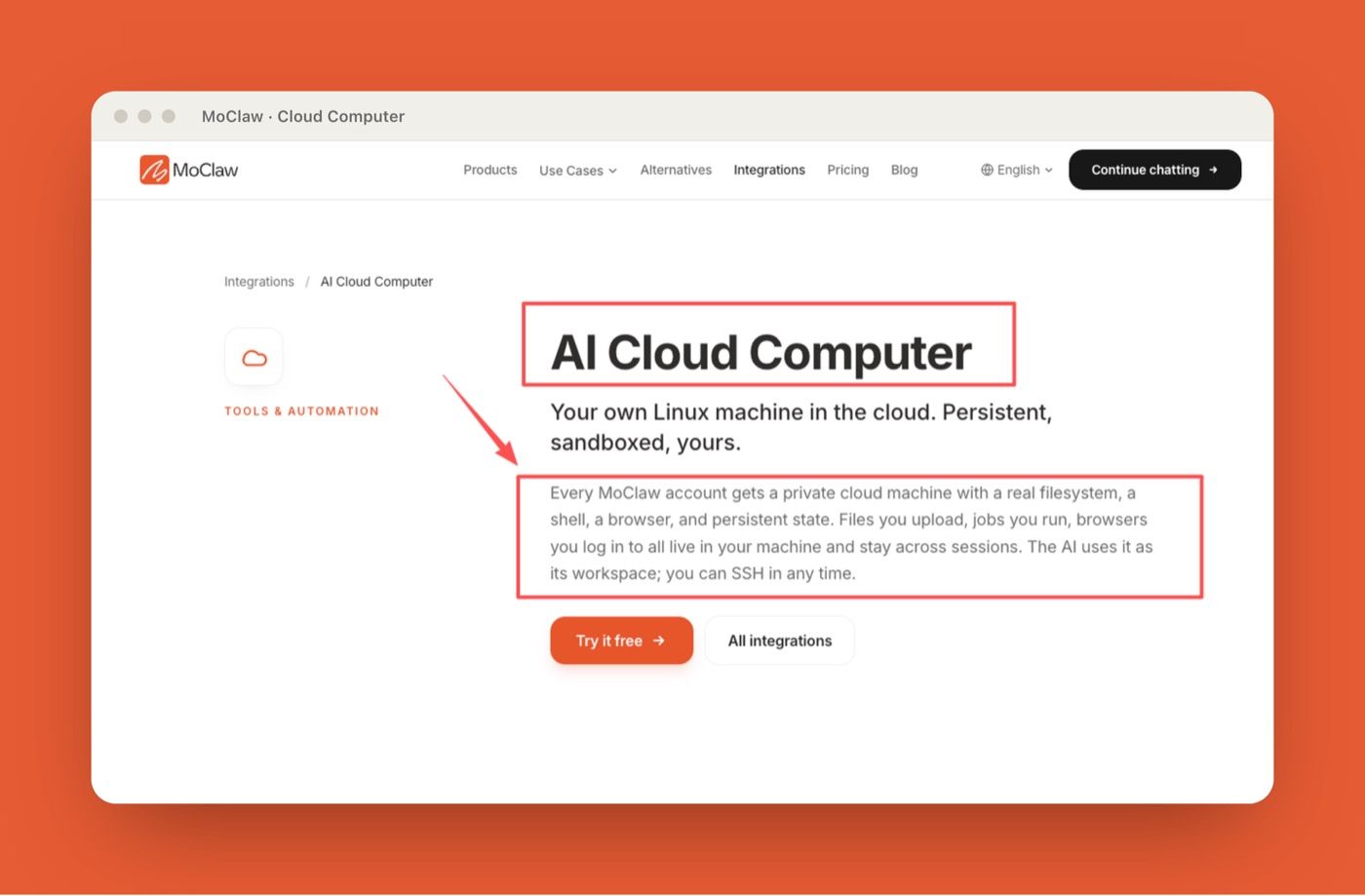
MoClaw's AI workflow automation use case shows recurring browser tasks, files, reports, logs, and scheduled delivery running in one cloud workspace. Its AI Cloud Computer integration describes a private cloud machine with a filesystem, shell, browser, and persistent state.
That distinction matters. Slack can be the inbox where a task starts. The work may still need a browser, files, scheduled checks, and artifacts that live beyond a thread.
FAQ
Can a team run both approaches at once?
Yes, if each approach has a separate job. Use Claude Tag for shared Slack-native delegation and OpenClaw for self-hosted workflows that need custom routing or multiple channels. Do not let both agents share broad tool access without a written owner and review path.
What changes when Slack is only the inbox?
Slack becomes the request surface, not the execution layer. The agent still needs somewhere to browse, read files, call tools, preserve artifacts, and run follow-ups. If the workflow continues after the thread goes quiet, the team should define where that state lives.
Who maintains channel permissions over time?
A named owner should review channel access whenever teams reorganize, private work moves into a channel, tools change, or memory becomes stale. For OpenClaw, that is often a technical owner. For Claude Tag, channel access should be owned by a Claude organization Primary Owner or Owner, with a Slack admin involved when workspace installation or consent is required.
When is a private DM workflow risky?
A private DM workflow is risky when the work should be visible to the team. Drafting is fine. Customer commitments, code changes, data exports, pricing decisions, and incident responses should move into reviewed channels or approval paths. Private AI work can hide mistakes that shared reviews will catch.
OpenClaw Slack vs Claude Tag Comes Down to Ownership
OpenClaw Slack and Claude Tag solve adjacent problems, but they ask teams to own different parts of the agent workflow. OpenClaw gives technical teams more control over hosting, routing, channels, and custom agent guardrails. Claude Tag gives teams a managed Slack-native agent with admin-scoped access, memory, logs, and spend controls. Neither removes the need for human review. The practical decision is who should maintain the agent over time, who approves real actions, and whether Slack is the whole workflow or only the inbox where work begins.
Disclosure: MoClaw produced this comparison for teams evaluating Slack-native agents and AI cloud computer workflows. Product availability, beta status, channel support, and admin controls were checked against official OpenClaw and Anthropic documentation on July 6, 2026.
Continue Reading
More Comparison
Claude Tag Alternative: Tag an AI for $20/mo

AI Agent Skills vs Zapier: Beyond Trigger Automation
Claude Skills vs OpenClaw Skills
Best Open Interpreter Alternative in 2026: Six Picks
Cursor Cloud Agent vs Grok Bot

GPT-5.6 Sol vs Terra vs Luna: Pick One
The MoClaw editorial team writes about workflow automation, AI agents, and the tools we build. Default byline for industry overviews, listicles, and collaborative pieces.
Choosing between tools? Let MoClaw run the work.
Always-on AI assistant on its own cloud computer. No switching required, no setup.
References: OpenClaw: chat channels documentation · OpenClaw: channel routing documentation · Anthropic: What is Claude Tag · Anthropic: What is the Enterprise plan