Drag-and-Drop Deployment vs Agent Workflows

Drag-and-drop deployment puts an AI page live in under a minute. See where Vercel Drop, Netlify, and Cloudflare stop and where an agent review layer takes over.
Table of Contents
Drag-and-drop deployment is publishing a website by dragging a file, folder, or zip into a browser, with no Git, no command line, and no local setup. Vercel Drop, Netlify Drop, and Cloudflare Pages each offer a version of it, and an AI-generated page can go from your downloads folder to a live URL in under a minute.
That speed is real. What this piece is about is the part after the URL exists: who checks it, who signs off, and who owns it.
Key Takeaways
- Drag-and-drop deployment is the fastest way to put a demo, prototype, or one-off page online. It is a publish action, not a release process.
- Vercel Drop publishes straight to production as a brand-new project. It is not built for pushing repeated updates into the same site.
- The friction does not show up at upload. It shows up at handoff: page checks, who approved what, rollback awareness, and notes for whoever takes over. Netlify, GitHub Pages, and Cloudflare Pages add pieces like preview URLs and rollbacks, but you still drive every step by hand.
- Zentor does not deploy anything. It runs the check, preview-review, approval, and handoff layer after the page is already live.
Vera here. I build client pages with AI tools now. A consultant deliverable that used to be a slide is increasingly a small live page: a proposal microsite, a one-pager, a data summary. I generate it, download a folder, and need it online to send to someone. Last month I dragged one onto Vercel Drop. Live in about forty seconds. I sent the link. Then the client replied asking which version this was, whether the pricing block was final, and who had checked the numbers. I had a URL and nothing around it. No record of what I had verified, no note on what was still a draft. That gap is the thing I eventually handed off.
The Real Question: Demo Upload or Repeatable Release?
Most comparisons of these tools argue about build speed and pricing. For an AI-generated page, that is the wrong axis. The page took thirty seconds to deploy either way. The axis that matters is whether you are doing a one-time upload or running something you will repeat.
A demo upload is a single event. You have a finished folder, you want a link. Done.
A repeatable release is a loop: build, check it, preview it, get someone to approve it, hand it over, and know how to roll it back if it breaks. The drop flow nails the first. It does almost nothing for the second, because it was never trying to. I had judged the tool on the wrong job for a month before I noticed.
| Demo upload (e.g. Vercel Drop) | Repeatable release (e.g. Netlify + review layer) | |
|---|---|---|
| What it does well | One-off link, fast, no setup | Stable URL, version history, rollback |
| Approval record | None | Manual or agent-assisted |
| Rollback | Re-drop required | One-click (Netlify/Cloudflare) |
| Who it suits | One author, one viewer, short life | Client deliverables, repeated updates |
| Review layer | On you | Can be delegated to an agent |
What Vercel Drop Changes for Instant Deployment
Vercel Drop is a recent official feature, and it removes the parts of deployment that used to stop non-technical people cold.
File, folder, or zip upload
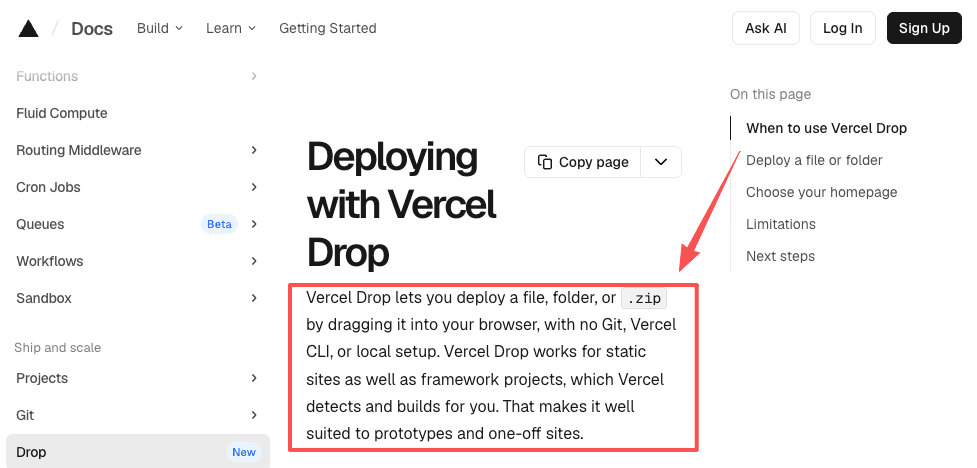
You drag a file, a folder, or a .zip onto the page and it deploys. According to the official Vercel Drop documentation, each drop creates a new project rather than redeploying into an existing one. That detail matters: Drop is built around the single-event model, not the loop. Update your page, drop it again, and you get a second project, not a new version of the first.
No Git or CLI requirement
No repository to connect, no terminal, no local install. For me this is the whole point. I do not keep a Git workflow for a client one-pager. The exports from AI builders land as a folder, and the folder is all Drop needs.
Live preview before review
You get a shareable production URL in seconds, which you can open and eyeball before you send it anywhere. That is a preview in the practical sense: look at it first. It is not a staging gate. The drop goes to production immediately, so "preview" here means "you looked," not "the tool held it for sign-off."
Where Drag-and-Drop Deployment Works Well
For a clear set of jobs this is the right call.
It works well for prototypes, internal demos, and pages with a short life. If I need a stakeholder to see a layout by this afternoon and the page will not survive the week, dropping a folder is correct. The Netlify Drop quickstart shows the same shape: drag a folder, get a live URL in seconds, with an option to claim the site later by signing in.
It also works when there is one author and one viewer: no approval chain, no version confusion, no handoff.
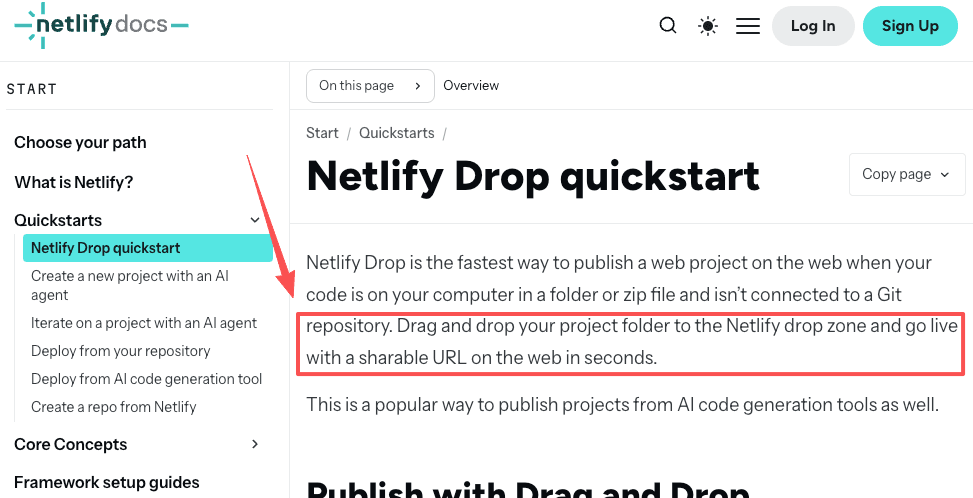
Vercel Drop creates a new project on every drop, so a stable address you keep updating requires switching to Git or the CLI. Netlify handles this differently: you can drag an updated folder directly into your project dashboard and it publishes as the latest version of the same site. The distinction matters when you start making changes. GitHub Pages documentation is upfront that it serves static files from a repository. That gives you a durable home, but pulls you back into a Git flow, the exact thing the drop zone let you skip. Most AI pages sit awkwardly between those two ends.
Where Agent Deployment Workflows Start to Matter
The middle is where workflow automation earns its place. Not automation as in "connect ten apps." Automation as in: the boring, repeatable steps around the page stop being mine to do.
Here is the loop I kept running by hand. Open the live URL. Click every link. Confirm the numbers match the source. Note what is still a draft. Write down which version this is. Tell the client what to look at. Save a way to revert. None of those steps is hard. I ran them maybe thirty times before I asked if they should still be mine.
That is not a deployment problem. The page is already deployed. It is a release problem, and that is where an agent workflow does something a drop zone cannot: it watches, checks, and reports without me sitting there.
The Review Layer Between Preview and Handoff
Between "it is live" and "someone else owns it" there is a layer most instant-deploy tools leave empty.
Page checks before sharing
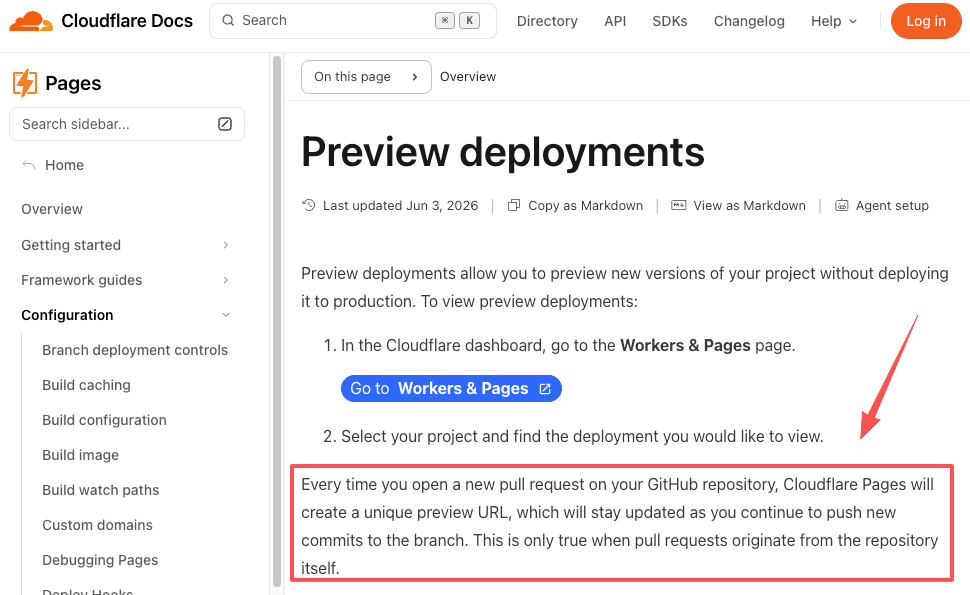
Before I send a link, I want to know the obvious things are not broken: no dead links, no placeholder text I forgot, the right version showing. Cloudflare Pages preview deployments generate a separate URL per branch so changes get a look before they touch production. Useful, but it assumes a branch-based flow. For a dropped folder there is no branch and no automatic check. The checking is on you.
Approval ownership
Who said yes, to which version, and when. On a one-off this lives in your head. Across a few client pages a month it stops fitting there. I have sent the wrong version to a client because I could not remember which deploy was approved. That was not a tooling failure. There was simply no record, because nothing in the drop flow creates one.
Handoff notes and rollback awareness
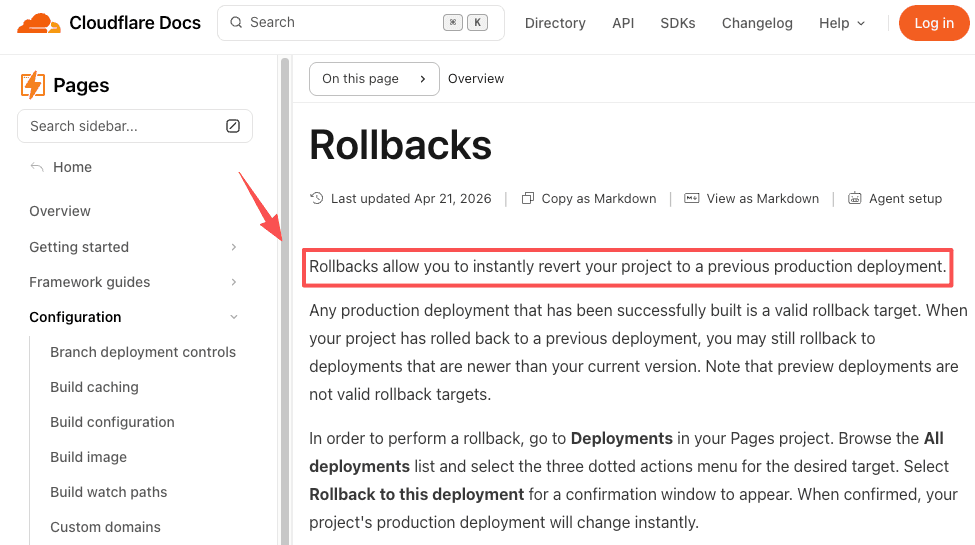
When you hand a live page to a client or teammate, they inherit a URL and, ideally, a short note: what is final, what is pending, how to undo a bad change. Rollback is the part people skip until they need it. Cloudflare Pages rollbacks let you revert to a previous production deployment instantly, and Netlify offers one-click rollbacks too. The capability exists on the platform. What usually does not exist is a note telling the next person it is there and when to use it.
How Zentor Fits After an AI Page Is Built
To be clear about scope: Zentor does not deploy your page, and it does not replace Vercel, Netlify, or Cloudflare Pages. You still drag your folder wherever you drag it. What changed for me was the layer after that.
Zentor runs on its own cloud computer and can open a live URL in a browser, so I now hand it the page after it is deployed. It clicks through the links, checks the content against what I gave it, and sends back a short report on what passed and what looks off. It drafts the handoff note: which version, what is final, what is still a draft. It keeps a record of what I approved, because it remembers context across tasks. I send one message, close my phone, and the check runs without me.
The build-to-handoff steps I used to repeat by hand are off my list now. The scope is narrow. Inside that scope, it is real. The Zentor use cases page has live examples of tasks like this, and the no-code AI agent guide is honest about where a managed agent fits and where it does not.
I am still watching the version-tracking part. It holds at a handful of pages a month. I have not pushed it to high volume, so I will not make that call for you.
FAQ
What usually happens after teams start sharing previews created with drag-and-drop deployment?
Version confusion sets in first. With each drop creating a separate project or URL, people start sharing different links and lose track of which one is current. The page works fine. The problem is social: nobody is sure which preview is the real one, and that uncertainty slows the next review down.
Can I update a site deployed with Netlify Drop without creating a new project?
Yes. Netlify Drop lets you drag an updated folder directly into your existing project dashboard, under Production deploys, and it publishes as the latest version of the same site. Vercel Drop behaves differently: each drop creates a new project, so you get a new URL rather than an updated version of the old one. If you need a stable address you keep updating, Netlify's approach handles it. Vercel's is better suited for one-off deploys.
When do teams typically realize they need a more structured deployment workflow?
Usually on the second or third update to a page they thought was one-off. The first deploy feels free. The moment a client asks for a change and someone has to figure out what the current version is and who approved it, the missing structure becomes obvious. Recurring pages, not single demos, trigger the realization.
How do I know which version of a client page is the one they actually approved?
You usually don't, if you only have a URL. The drop flow creates no approval record. If a client replies asking which version was final and when you checked the numbers, the only answer is what you remember. The fix is not a better deploy tool. It is a record made at the moment of sign-off, either a message thread you can search, or an agent that writes the note for you when it runs the check. The version question comes up on every client page eventually.
Drag-and-Drop Deployment for Speed, A Review Layer for Handoff
The choice is not Vercel Drop versus an agent. They sit at different points in the same loop. This approach is the right tool when the job ends at a live URL: a demo, a prototype, a page nobody will update. Use it, and do not over-build.
The moment the page becomes a deliverable that someone has to check, approve, and own, the upload was never the hard part. The review layer was. That layer is where I stopped doing the steps myself. Whether it is worth handing off depends on how many pages you ship and what a wrong version would cost you. You know those numbers. I only know mine.
Continue Reading
More Comparison
AI Agent Skills vs Zapier: Beyond Trigger Automation

AI Agent vs Automation Tool: 5 Myths for 2026
Autonomous AI Agents: Self-Host vs Managed

Cursor Projects vs Background Agents

PILOT AI Chief of Staff vs Always-On Agent

Hermes Desktop vs Bot Mode: Sessions or Bots?
The Zentor editorial team writes about workflow automation, AI agents, and the tools we build. Default byline for industry overviews, listicles, and collaborative pieces.
Choosing between tools? Let MoClaw run the work.
Always-on AI assistant on its own cloud computer. No switching required, no setup.
References: Vercel Drop documentation · Netlify Drop quickstart · GitHub Pages documentation · Cloudflare Pages preview deployments · Cloudflare Pages rollbacks