Managed OpenClaw Alternative: No Self-Hosting

Looking for a managed OpenClaw alternative? See how a cloud-hosted OpenClaw runs always-on agents without VPS setup, Docker, patching, or surprise API bills.
Table of Contents
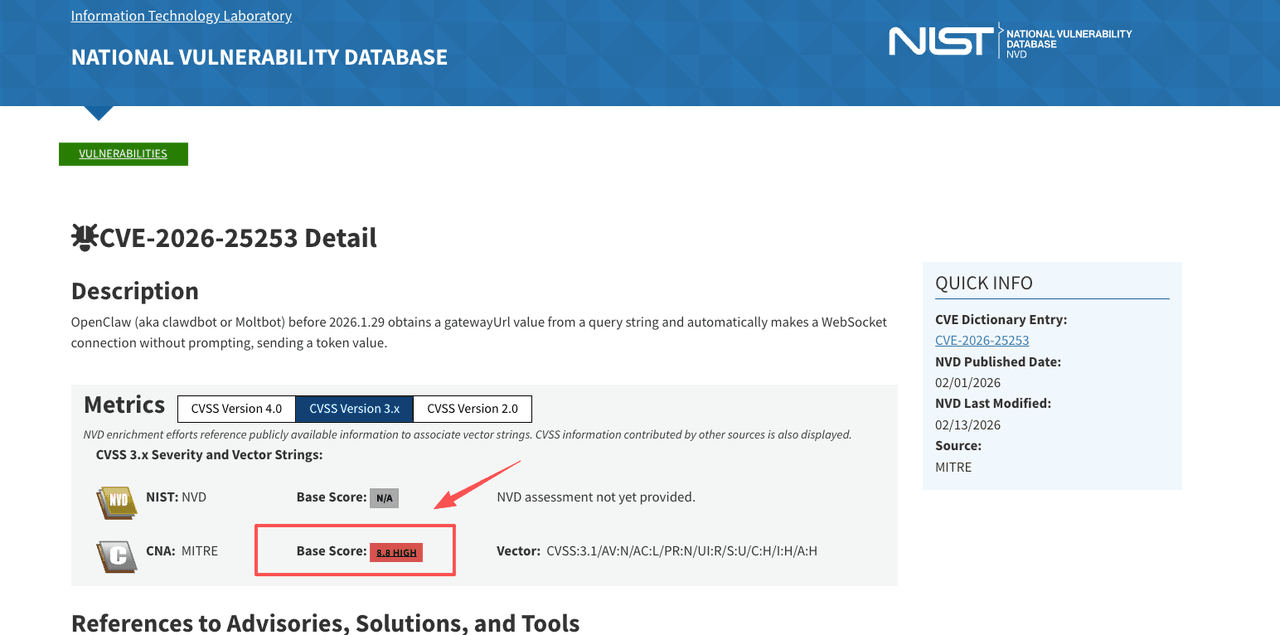
A managed OpenClaw alternative is a hosted way to run OpenClaw without the VPS, Docker, or self-hosting the open-source project asks of you. You let a service run OpenClaw's always-on agent model for you, and you just send tasks. The pull is real: self-host OpenClaw and you own the security patches yourself, including fixes for issues like CVE-2026-25253, a one-click remote code execution flaw rated 8.8 on the CVSS scale.
Key takeaways
- A managed OpenClaw alternative gives you OpenClaw's always-on agent behavior in the cloud, with no server to set up or patch.
- The real choice is self-hosting OpenClaw yourself versus letting a service host OpenClaw for you. Both run the same OpenClaw way of working; only the operations move.
- People skip self-hosted OpenClaw for three recurring reasons: setup and maintenance, security exposure (the one-click RCE above), and runaway API costs.
- What to look for in a hosted OpenClaw: always-on execution, browser control, scheduled tasks, and no coding.
- Self-hosting still wins if you want full source control and your own infrastructure.
- Disclosure: Zentor, which I mention below, is a cloud-hosted OpenClaw, one of the managed options in this space.
I went looking for this because I wanted what OpenClaw does, not what OpenClaw asks of me. Hi everyone, I'm Vera. I run a one-person consulting practice. The recurring thing on my list was simple: have something check a few sources every morning and hand me a summary, without me opening a single tab. OpenClaw can do that. Then I read the setup guide, saw "provision a VPS," and closed it. I'd been doing the task by hand for weeks at that point. This is about the path I took instead, and where it does and doesn't make sense.
Managed OpenClaw Alternative: The Short Answer
If you want OpenClaw's "it does things while I'm asleep" behavior but you don't want to run a server, a hosted OpenClaw is the path. You give up some source-level control and a bit of configurability. In return, you skip the VPS, the Docker setup, the security patching, and the API-bill surprises. Zentor is one option here: a cloud-hosted OpenClaw, so you get the OpenClaw agent model without operating the machine. Whether that trade is worth it depends on one thing: do you actually want to operate infrastructure, or do you just want the output.
What a Managed OpenClaw Alternative Actually Means
The phrase gets used loosely, and the difference matters before you pay for anything.
Self-hosting OpenClaw vs letting a service host it
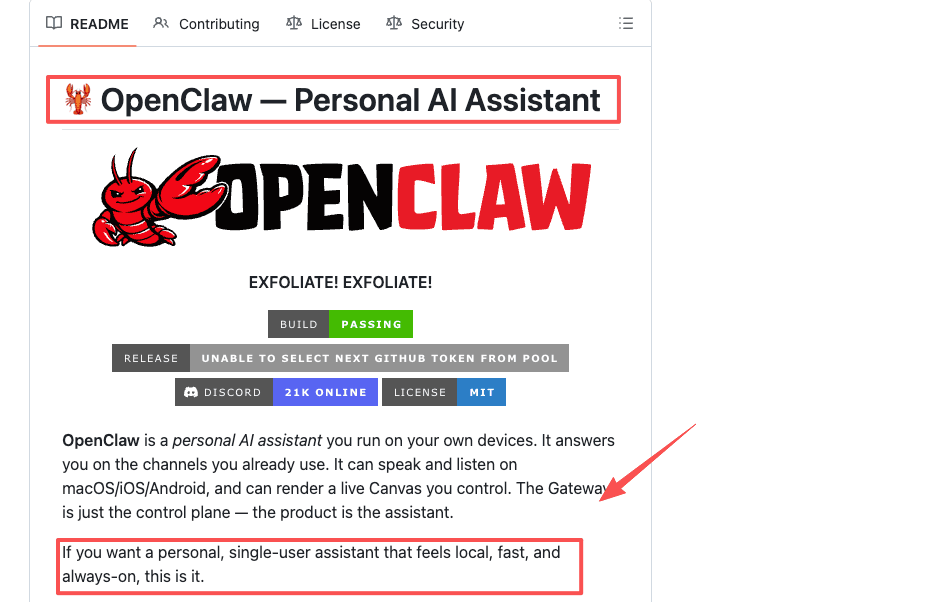
Most things marketed as "managed OpenClaw" are exactly that: a vendor runs OpenClaw on infrastructure they maintain, so you get OpenClaw's behavior without touching a server. You're still on OpenClaw, just operated by someone else. That is the trade most people actually want: keep the OpenClaw way of working, drop the server.
The open-source, self-hosted OpenClaw project is the other end of the same line. Same software, except you run it and you patch it.
Zentor sits on the hosted side. It is a cloud-hosted OpenClaw: it runs OpenClaw's agent model for you, with production-grade engineering on top, so the skills, the always-on execution, and the multi-channel messaging are there without you provisioning anything. The "Claw" naming is crowded right now (OpenClaw, MyClaw, KiloClaw, ClawMates, and others), and several of those are managed-OpenClaw services too. The thing to compare is not the name on the box, it is how much you have to operate.
| Self-hosted OpenClaw | Cloud-hosted OpenClaw (e.g. Zentor) | |
|---|---|---|
| What runs | OpenClaw, on your server | OpenClaw's agent model, hosted for you |
| Setup | VPS, Docker, gateway config | None, you just send a task |
| Security patching | Your responsibility | Handled for you |
| Skill format and ecosystem | OpenClaw's own | SKILL.md-compatible |
| Cost model | Your infrastructure + per-token API | Flat monthly, often with a BYOK option |
Why People Look Past Self-Hosted OpenClaw
OpenClaw is genuinely good at what it does. The reasons people reach for a hosted OpenClaw instead are rarely about capability. They're about everything around the capability.
Setup and maintenance burden
Running OpenClaw yourself means provisioning a server, configuring the gateway, connecting your messaging channels, and keeping the whole thing patched. None of that is conceptually hard. It's just ongoing, and it's yours forever.
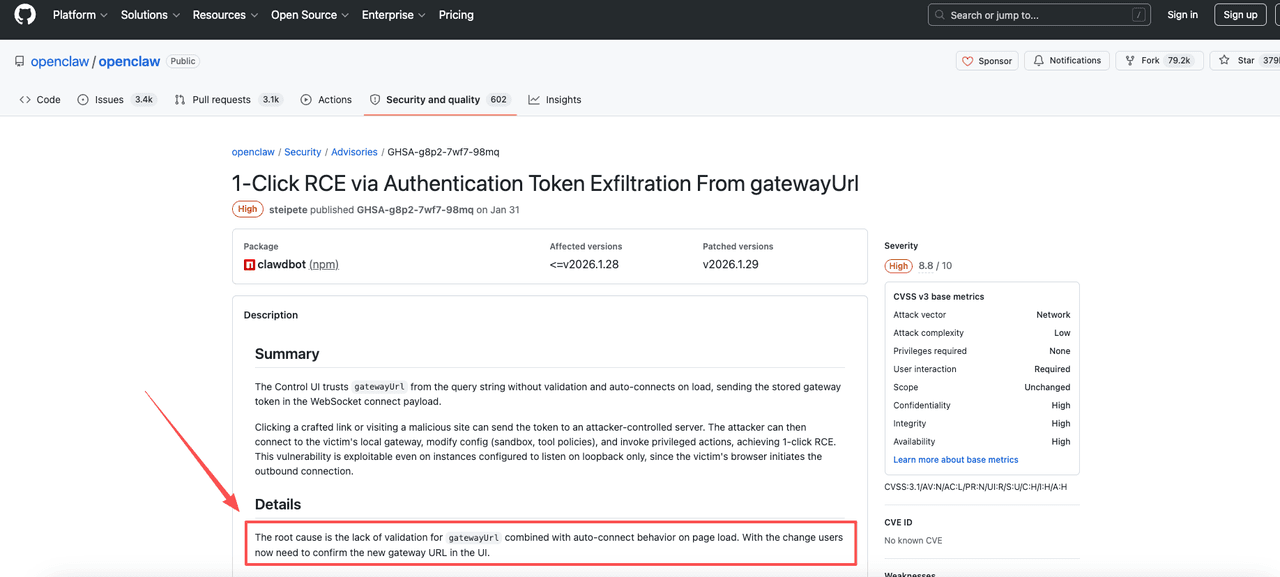
The patching part isn't optional, either. When a serious flaw lands, you're the one who has to notice and apply the fix. OpenClaw's own security advisory for the gateway token flaw shipped a patched release that self-hosters had to install themselves. A hosted OpenClaw moves that responsibility off your plate. That's the actual product you're buying: not the agent, the absence of the maintenance.
Security and runaway-cost risk
OpenClaw runs with deep, system-level access on the machine it lives on. That's the source of its power and also the source of the risk. In early 2026, researchers disclosed CVE-2026-25253, the one-click remote code execution flaw mentioned up top. A crafted link could get a victim's OpenClaw to leak its gateway token over a WebSocket and hand an attacker control of the host. It was patched in version 2026.1.29. The point isn't that OpenClaw is uniquely unsafe. It's that running an autonomous agent with system access on your own box puts the security work on you.
Then there's the bill. OpenClaw is free, but the model behind it is not. Automated, always-on use runs through the provider's API, and providers like Anthropic bill that usage per token. A background scheduler firing on an interval, or an agent stuck retrying a failed step, can quietly stack up token charges. There are real reports of single runaway loops turning a modest expected cost into a few-hundred-dollar surprise. You can cap this with config. You have to know to do it first.
What to Look for in a Hosted OpenClaw
Once you've decided you want a hosted OpenClaw rather than a self-run one, the question becomes what separates a real one from a chatbot with a nicer label. Three things.
Always-on execution
The whole point is that it keeps working when you're not there. An always-on assistant has its own machine that stays up, so a task can run overnight and the result is waiting in the morning. I didn't fully understand what that meant until the first morning the summary was already there and I hadn't turned my laptop on the night before. If a tool only "runs" while your browser tab is open, it's not this category.
Browser control and scheduled tasks
Real execution means the assistant can open pages, click, fill forms, and read what it finds, not just generate text about doing so. Pair that with scheduling (run this every weekday at 7am) and you've replaced a standing manual chore. Zentor handles both, and you can reach it from the channels it plugs into, including Web, Telegram, and Slack, so assigning a task is just sending a message.
No coding, no servers
This is the dividing line for non-technical users. A hosted OpenClaw should ask you for a task in plain language, not a config file. No Docker, no gateway, no terminal. Pricing should be predictable too, which matters after the per-token horror stories above. Zentor uses flat monthly pricing and supports bringing your own API key; the current pricing and credit details live on its pricing page, and I'd check there rather than trust a number in any blog post, including this one.
Where a Managed Approach Fits, and Where Self-Hosting Still Wins
A hosted OpenClaw fits people who want the output and not the operations. Solopreneurs, freelancers, consultants, marketers, and small teams without an engineer to babysit a VPS. If your reaction to "provision a server" is to close the tab, like mine was, you're in this group.
Self-hosting still wins in real cases, and I won't pretend otherwise. If you want to read and modify the source, keep every byte of data on your own hardware, build custom skills, or run a local model with no per-token bill, self-hosted OpenClaw is the better answer. Control is a real feature. It just comes with real work attached, and you should want the work, not merely tolerate it.
I can only speak to my setup. My frequency is daily, my tolerance for maintenance is low, and I'd rather not be my own sysadmin. Your weighting might land somewhere else.
FAQ
If I'm already running OpenClaw, can I migrate to a hosted OpenClaw without losing my setup?
Mostly, yes. Because a hosted OpenClaw runs the same OpenClaw model, your skills move over: the SKILL.md format is the same, so individual skills are usually adaptable with little change. What you don't bring is the part you're trying to get rid of, the VPS, the gateway, and the runtime config, because the host runs that for you. In practice you re-point your skills and recreate the schedule, minus the server.
What happens to a scheduled OpenClaw task if my server goes down?
It stops. Self-hosted OpenClaw runs on your machine, so if the VPS reboots, loses power, or hits a resource limit, the scheduled task doesn't fire until the machine is back and the service restarts. This is one of the quieter costs of self-hosting: monitoring uptime becomes part of the job, even when nothing about the agent itself has changed.
Can I bring my own API key to a hosted OpenClaw, or am I locked into the vendor's billing?
Some hosted options support bringing your own API key (BYOK), which keeps the per-token cost with your chosen provider while the platform itself charges a flat fee for hosting and execution. Others bundle everything into one subscription. The two models have different cost behavior at high usage, so check which one a given platform uses before assuming the flat fee covers everything.
How do I know if a runaway loop is costing me money on self-hosted OpenClaw?
Check your model provider's usage dashboard, not OpenClaw's own logs alone. A scheduler retrying a failed step or a misconfigured task can generate API calls far faster than a normal workflow, and the first sign is often the bill, not an error message. Setting a spend cap or alert at the provider level catches this before it becomes a surprise, rather than after.
Choosing a Managed OpenClaw Alternative: It Comes Down to One Question
Every comparison I read tried to rank these tools. After going through it, I don't think ranking is the right frame. A managed OpenClaw alternative and self-hosted OpenClaw answer two different questions, and the question is yours, not the tool's: do you want to run a server, or do you just want the task done. If you want the control, self-host and accept the maintenance. If you want the morning summary and never want to think about the machine, go with a hosted OpenClaw.
The task I started with is off my list now. That's the highest thing I can say about it.
Continue Reading
More Comparison
Self-Hosted AI Agent Alternatives 2026

PILOT AI Chief of Staff vs Always-On Agent

7 Best OpenWorker Alternatives in 2026

OpenClaw vs ChatGPT vs Managed Assistant

Zentor vs ChatGPT Agent vs Zapier (2026)

AI Agent Platform Comparison: 7 Picks for 2026
The Zentor editorial team writes about workflow automation, AI agents, and the tools we build. Default byline for industry overviews, listicles, and collaborative pieces.
Choosing between tools? Let MoClaw run the work.
Always-on AI assistant on its own cloud computer. No switching required, no setup.
References: OpenClaw (open-source project) · OpenClaw gateway token security advisory · CVE-2026-25253 (NVD) · CVSS scale (FIRST) · Anthropic API pricing