MoClaw vs ChatGPT Agent vs Zapier (2026)
MoClaw vs Zapier and ChatGPT Agent, compared by the job each does best: recurring execution, trigger automation, and answering, plus scheduling and review.

Table of Contents
MoClaw vs Zapier is not really a head to head, and adding ChatGPT Agent to the picture makes that clearer, not messier. Zapier is structured trigger automation: when something happens in one app, it makes something happen in another. ChatGPT Agent is a conversational assistant that answers questions and, as of 2026, can also browse, take real actions on the web, and run scheduled tasks. MoClaw is an always-on AI assistant that lives on its own cloud computer and keeps executing work for you. Choosing between them is a question about what kind of AI automation your day actually needs, and getting it wrong is common: Gartner expects more than 40% of agentic AI projects to be canceled by the end of 2027, often because the tool was aimed at the wrong shape of work.
Key Takeaways:
- If your work is "answer this, then act on it inside a chat," ChatGPT Agent fits.
- If your work is "connect two apps so one event reliably triggers another," Zapier fits.
- If your work is "keep doing this on a schedule without me watching it," MoClaw fits.
- All three now touch recurring work. The real difference is how much you have to be there.
- There is no single winner. The right pick depends on frequency, browser dependence, and how much human review you want.
Vera here. I run a one-person consulting practice. What pushed me to sort these tools out was simple. I had three jobs that all looked like "automation," and I kept reaching for the wrong tool for each one. So I stopped and figured out which job belonged to which.
The Three Different Jobs These Tools Do
Here is the split that finally made it click for me.
Answering is one job. You ask, it thinks, it hands something back. Trigger automation is a second job. Something happens, and a fixed sequence runs. Recurring execution is a third job. A task runs on its own, on a schedule, and produces output whether or not you are at your desk. If you want that distinction in product terms, the AI chatbot vs AI agent breakdown covers where answering stops and acting begins.
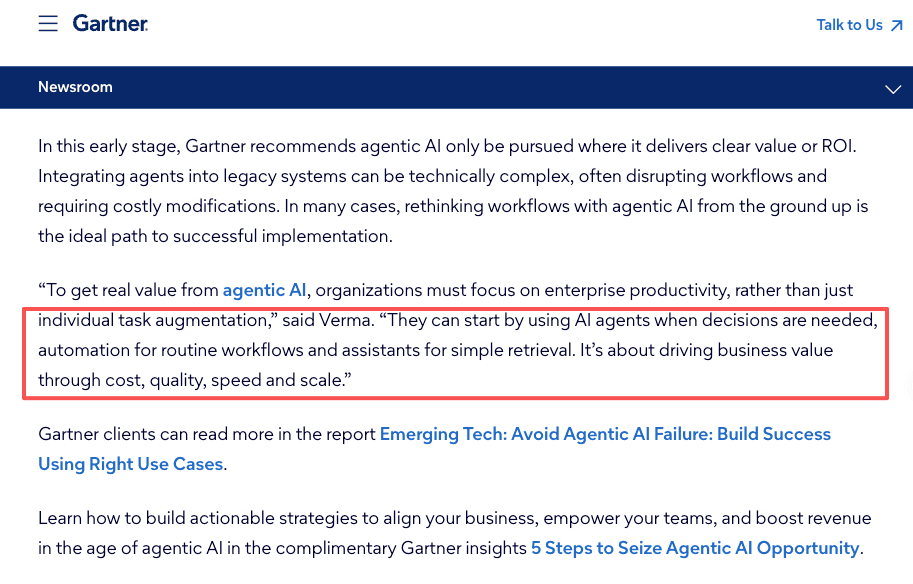
Most comparisons blur these together. Gartner's analysts draw roughly the same line when they advise teams to use assistants for simple retrieval, automation for routine workflows, and agents for the decisions that actually need judgment, a framing laid out in Gartner's research on agentic AI adoption. The labels matter less than the question underneath: am I asking, am I connecting, or am I handing off.
ChatGPT Agent leans toward answering, with a growing ability to act. Zapier owns trigger automation. MoClaw is built for recurring execution. That is the MoClaw vs Zapier line in one sentence: Zapier waits for an event, MoClaw works on a clock. Before I framed it this way, I was trying to make Zapier think and make a chat window remember. Both kept disappointing me, for reasons that turned out to be my fault, not the tool's.
The takeaway: name the job first (asking, connecting, or handing off), and the tool picks itself.
Comparison Table: Answering, Trigger Automation, and Recurring Execution
Here is the same three-way split as a table, before the one row that trips people up.
| Dimension | ChatGPT Agent | Zapier | MoClaw |
|---|---|---|---|
| Core job | Answer, then act in-session | Connect apps by trigger and action | Run recurring work on its own machine |
| Recurring work | Can repeat scheduled tasks | Strong for event-driven repeats | Built around always-on execution |
| Browser tasks | Browses and acts, with takeover prompts | Mostly via app APIs, not raw browser | Browser control (verify current scope) |
| Scheduling | Daily, weekly, monthly recurrences | Time-based and event-based triggers | Schedules and recurring runs (verify) |
| Setup effort | Describe it in chat | Build the Zap step by step | Describe it in chat |
| Human review | Confirms high-impact actions | You design the guardrails | You decide what needs a check |
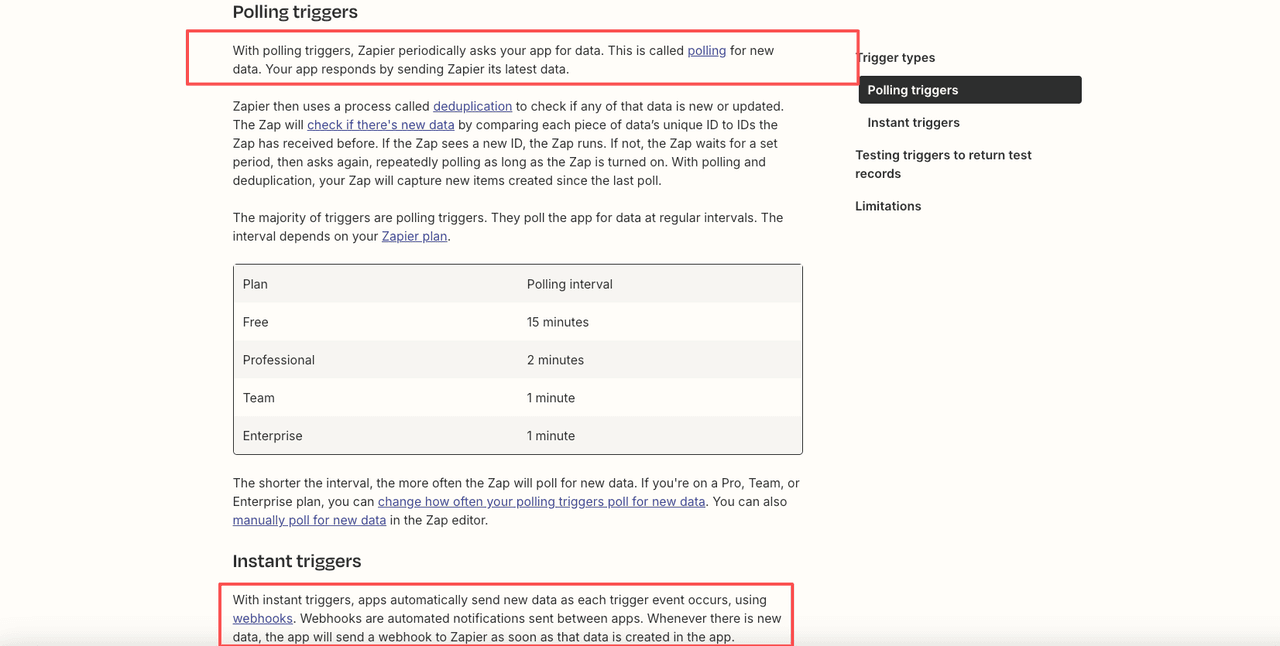
A note on the scheduling row, because it is where people assume the most and verify the least. ChatGPT can now set a finished task to repeat, and OpenAI's help documentation on recurring ChatGPT tasks describes daily, weekly, and monthly options plus a supervised "watch mode" for sensitive sites. Zapier's side is different in kind, not just degree: per Zapier's documentation on how triggers work, a trigger either polls your app on an interval or fires instantly through a webhook. One waits for a clock. The other waits for an event. That distinction decides more than any feature list.
Reading the table: the scheduling row is the real divider. Clock versus event explains almost every other difference below it.
When ChatGPT Agent Fits Best
ChatGPT Agent fits when the work starts as a question and only sometimes turns into an action. You want to think something through, pull together research, draft an output, and occasionally have it go do a thing on the web for you. The 2026 version is not the answer-only tool people remember. In OpenAI's introduction of ChatGPT agent, it browses, fills forms, builds documents, and chains steps, asking for confirmation before anything consequential.
Where it fits best for me: one-off agentic tasks that live inside a conversation, and recurring work that I still want to glance at. The handoff is loose by design. It asks before it acts on something that matters.
Best fit: question-first work that sometimes acts, with you still glancing at it. Skip it when: the job must run every morning and land somewhere specific, untouched by you. That is not a flaw. It is a different job.
When Zapier Fits Best
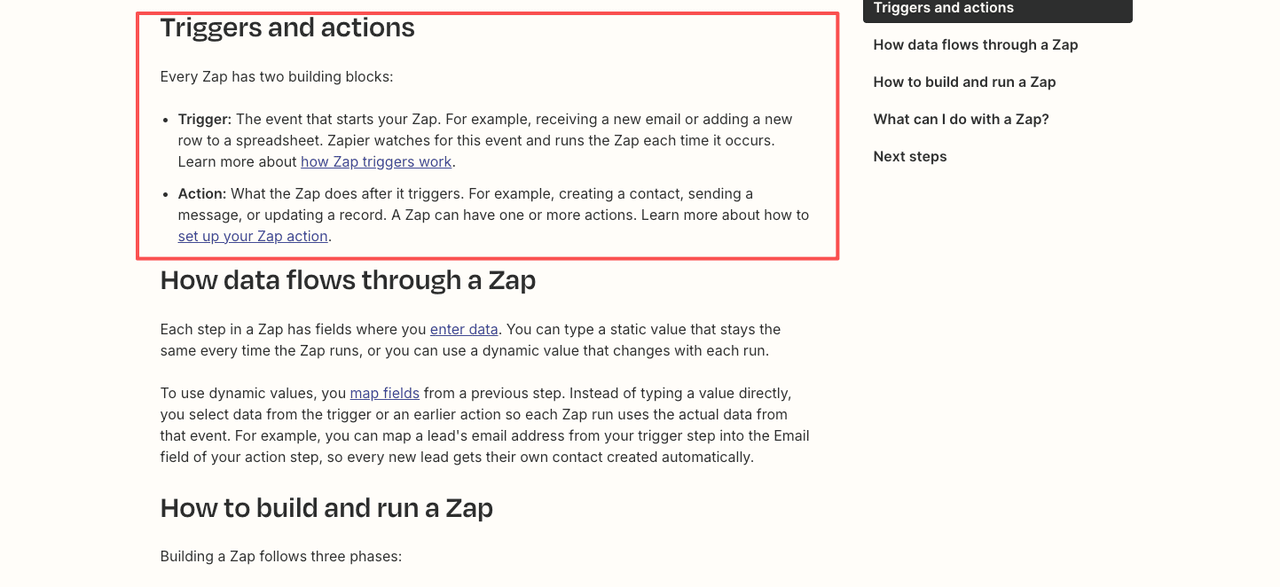
Zapier fits when your work is logistics between apps. A form gets submitted, so a row gets added. An email arrives, so a record updates. According to Zapier's own explanation of what a Zap is, a Zap is just a trigger paired with one or more actions, running every time the trigger event happens. When the connection you need is between two services that both have a place in Zapier's catalog, nothing beats it for reliability.
This is also where I quit twice. Not because Zapier was hard. Because the job I had was not actually event-driven. I did not have a clean trigger. I had "go check a few places every morning and tell me what changed," and there is no app event for that. I kept trying to force a clock-shaped task into an event-shaped tool. If you are hitting the same wall, the Zapier alternative guide walks through what to reach for instead.
Best fit: a clean app event triggers a reliable action between two catalog services. Skip it when: there is no discrete trigger, only a schedule and some judgment, or the task needs to read messy pages without a tidy API.
When MoClaw Fits Best
This is where the MoClaw vs Zapier difference stops being abstract for me. MoClaw is an always-on AI assistant with its own cloud computer, and it is built to keep doing a task on a schedule. Per its own materials it handles browser control, file work, research, and scheduled tasks, reachable through chat entry points like Telegram and Slack, though I would check MoClaw's integrations for the current, exact scope rather than taking my word for it.
Here is the one first-hand thing I will stand behind. I set up a morning summary task through MoClaw's scheduled work and went to bed. The next day the output was there, and my laptop had been off all night. That was the moment the "its own cloud computer" line stopped being marketing copy to me. The task ran on a machine that is not mine to keep awake. I did not trigger it. I did not watch it. From "I need to do this" to "this is being done," a short setup stood between those two states, and I had been doing the same thing by hand for weeks.
It is not magic, and I will mark the honest limits. The feature edges around browser tasks and file handling are the parts I would verify against current docs before betting a workflow on them. Some pages still need a human pass. And I have only used the slice of it that maps to friction I actually have. The rest is there when I have a reason. You can browse the patterns it is built for in the use-case library and compare plans on the pricing page.
Best fit: recurring, hands-off execution that should run on its own machine without you watching. Skip it when: the task is genuinely a single app-to-app trigger (Zapier is cleaner) or a one-time research-and-act job you want to supervise (ChatGPT Agent is lighter).
FAQ
Can I use all three tools in the same workflow?
Yes, and this is often the strongest setup. Zapier catches the app event, hands the fuzzy part to an agent, and delivers the structured output at the end. ChatGPT Agent handles one-off research or supervised actions mid-flow. MoClaw runs the clock-driven layer that needs no trigger and no one watching. Each tool stays in its lane, and the seam between them is usually a webhook, a file drop, or a shared channel message.
What happens if my schedule-based task fails overnight with MoClaw?
For routine, read-only tasks, a failed run usually means a missed output you catch the next morning. For anything that writes, sends, or posts, you want to know what the recovery behavior looks like before you rely on it. I keep an approval step on anything consequential, and I read the output the first few times a new task runs before I stop watching it. Check MoClaw's current documentation for what the retry and error behavior actually looks like for your task type.
Is ChatGPT Agent enough for recurring work?
It can be. It now supports recurring scheduled tasks, so a daily or weekly run is on the table. The thing to weigh is supervision: it is built to confirm impactful actions and, on sensitive sites, to keep you in the loop. For routine, low-stakes repeats that is fine. For fully hands-off execution, read OpenAI's latest documentation and decide how much oversight your task actually requires.
Which tool is best for browser-based tasks?
ChatGPT Agent does real browser actions with takeover prompts, and MoClaw lists browser control among its features, while Zapier mostly works through app APIs rather than raw page interaction. For anything that depends on logged-in pages or fragile site layouts, confirm the current limits in each vendor's official docs before you rely on it. Browser automation is the area where capabilities shift fastest, so the live documentation beats any comparison written months ago.
How is MoClaw different from a Zapier alternative?
Most Zapier alternatives are still trigger-and-action tools: they wait for an event and run a fixed sequence. MoClaw is built around a clock instead of an event, so it suits work that has no clean trigger, only a schedule and some judgment. If you are comparing the broader field, the best AI automation tools comparison lines them up side by side.
MoClaw vs Zapier vs ChatGPT Agent: Choose by the Job, Not the Brand
The choice between MoClaw, Zapier, and ChatGPT Agent has a boring answer that happens to be the right one: match the tool to the shape of the work. Asking goes to a chat-first agent. Connecting goes to trigger automation. Handing off something that should keep running goes to an always-on AI assistant on its own machine.
I stopped looking for the best tool the day I admitted I had three different jobs. Two of mine went to MoClaw because they were clock-shaped, not event-shaped. Yours might split differently. You know your frequency, your tolerance for checking on things, and how much of your day is browser work. I do not.
That is where it stands for me. Still running. I will update if something changes. If one of your jobs is clock-shaped too, you can try MoClaw and set it once.
Continue Reading
More Comparison
OpenClaw vs ChatGPT vs Managed Assistant

Managed OpenClaw Alternative: No Self-Hosting
Codex vs MoClaw: Code Agent vs Work Assistant

Zapier Alternative: 2026 Selection Guide

n8n Alternatives 2026: Expert Myth Guide

AI Automation Tool Alternatives 2026
The MoClaw editorial team writes about workflow automation, AI agents, and the tools we build. Default byline for industry overviews, listicles, and collaborative pieces.
Choosing between tools? Let MoClaw run the work.
Always-on AI assistant on its own cloud computer. No switching required, no setup.
References: Gartner: 40%+ of agentic AI projects canceled by 2027 · OpenAI: ChatGPT agent help documentation (recurring tasks) · OpenAI: Introducing ChatGPT agent · Zapier: How Zap triggers work · Zapier: What is a Zap?