Qwen 3.8 27B Overthinking: Turn Down xhigh

Qwen 3.8 27B overthinking comes from one shipped default, reasoning_effort=xhigh. Here is what it costs and the exact settings that turn it down.
Table of Contents
Qwen 3.8 27B overthinking isn't a bug, it's the shipped default: the model arrives with reasoning_effort set to xhigh, the most expensive of its three levels, and it will happily spend twenty thousand reasoning tokens on a request that deserved two hundred. Drop it to low and the same job finishes in a fraction of the time. That's the whole fix, and almost nobody finds it before their first bad run.
Alibaba released the 27B dense model on Hugging Face on August 5, 2026 under Apache 2.0, with a native context window of 262,144 tokens. It has pulled 2.36 million downloads on the official repo as of August 24, and Unsloth's GGUF conversion has pulled another 6.67 million. So a lot of people are meeting this default at once.
Key Takeaways:
- Qwen 3.8 27B ships with
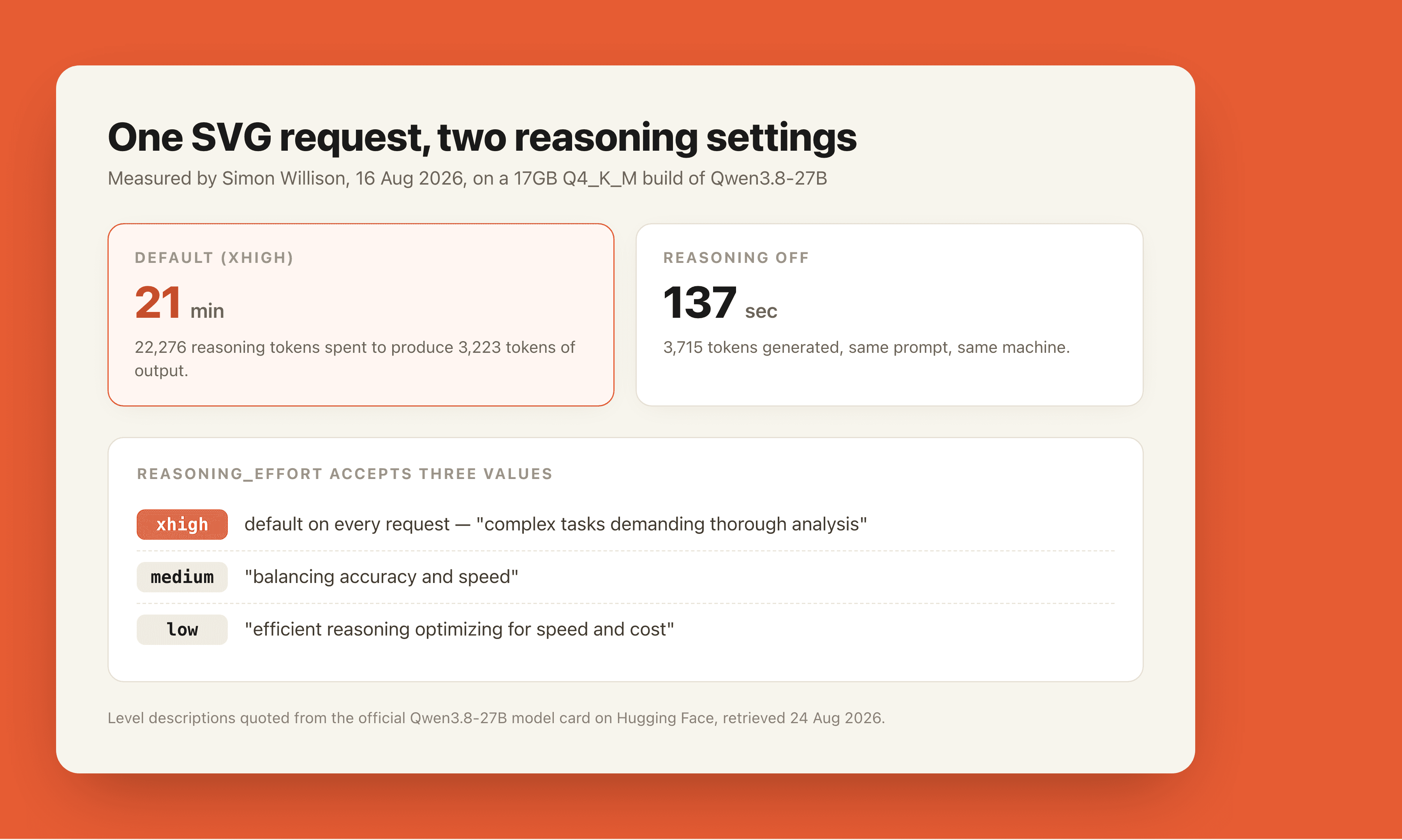
reasoning_effort="xhigh"on by default. The Hugging Face card describes that level as being for "complex tasks demanding thorough analysis", which is not what most prompts are. - Simon Willison measured one SVG request at 21 minutes and 22,276 reasoning tokens to produce 3,223 tokens of output. With reasoning off, the same request took 137 seconds.
- Three knobs control it:
reasoning_effort(low/medium/xhigh),enable_thinking, andpreserve_thinking. The last two live inchat_template_kwargs, not in the top-level call. - Several people running it in production report that
mediumstill thinks too much, and go straight tolow. - The model is genuinely good. The complaints are about the default, not the weights.
What Qwen 3.8 27B overthinking actually looks like
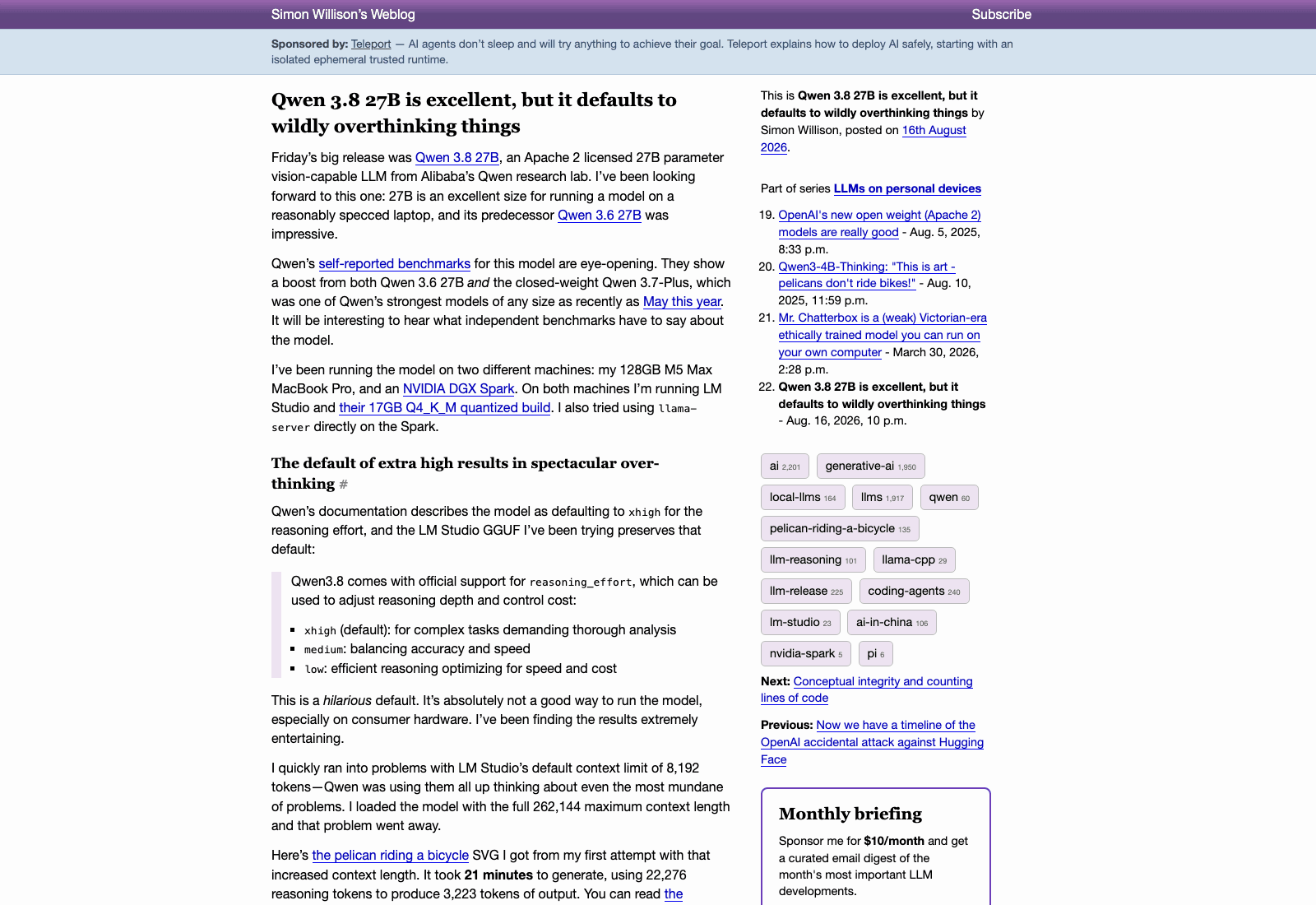
The official model card documents three reasoning levels. xhigh is "for complex tasks demanding thorough analysis", medium is "balancing accuracy and speed", and low is "efficient reasoning optimizing for speed and cost". Thinking mode is on by default, and so is preserve_thinking. Nothing in that list is wrong. The problem is which one is selected when you don't select anything.
Ask it for a circle and it will consider the circle. Simon Willison's write-up from August 16 caught the reasoning trace planning "concentric guide circles", tick marks, and a subtle animation, on a prompt that asked for an SVG of a circle. His verdict on the default was blunt: "This is a hilarious default. It's absolutely not a good way to run the model, especially on consumer hardware."
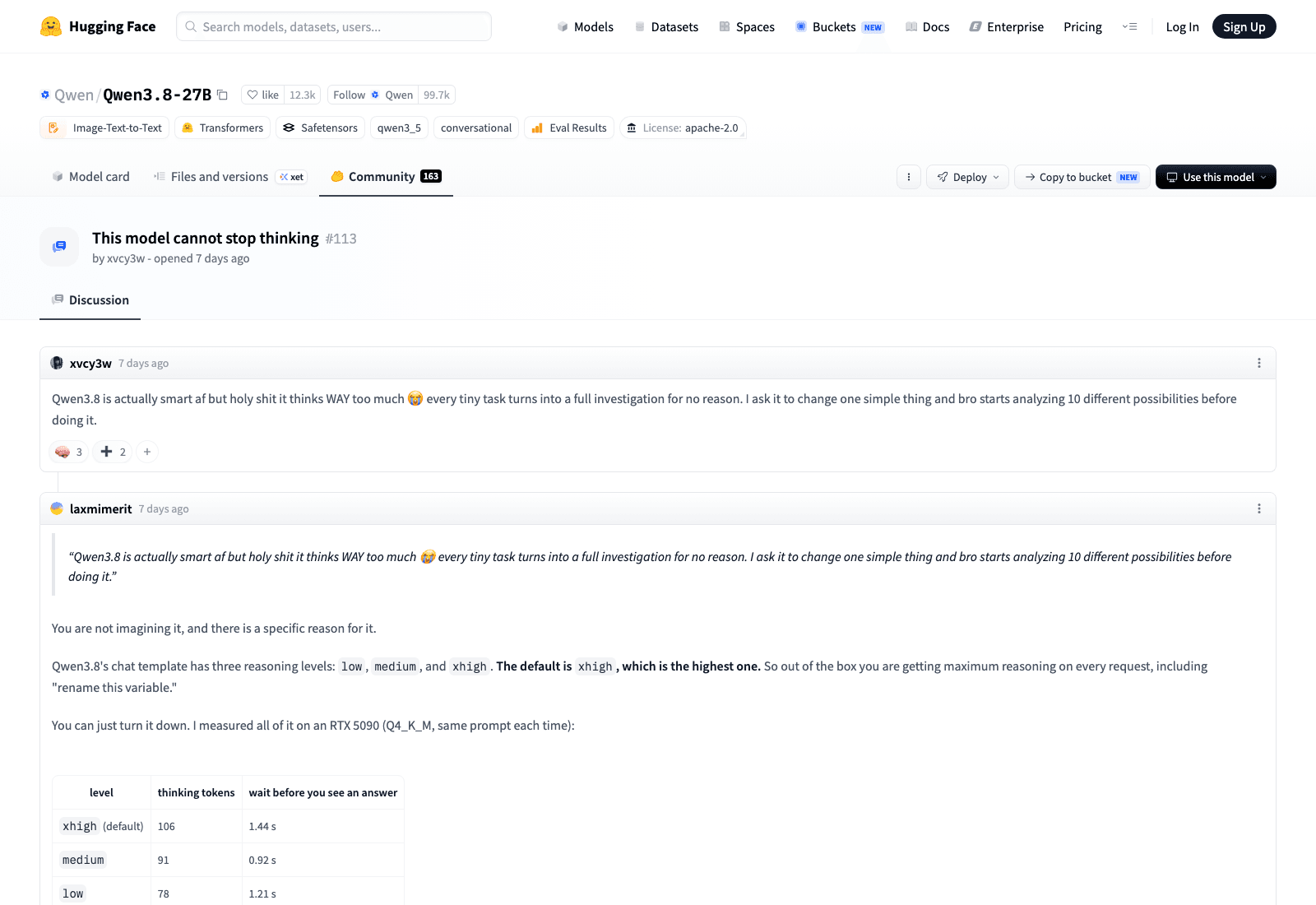
The threads on Qwen's own repo say the same thing in fewer words. Discussion 113 is titled "This model cannot stop thinking", and it opens with a complaint that will sound familiar to anyone who has pointed the model at a small task: "every tiny task turns into a full investigation for no reason. I ask it to change one simple thing and bro starts analyzing 10 different possibilities before doing it." Discussion 97 is titled "A crazy thinking model". Discussion 76 asks "Why Qwen3.8-27B overthinks?" and offers a partial fix. Those are all on Alibaba's own Hugging Face page, not on a competitor's blog.
The 21-minute circle: what the default costs you
Willison ran his usual pelican-on-a-bicycle SVG test on a 128GB M5 Max MacBook Pro and on an NVIDIA DGX Spark, using a 17GB Q4_K_M quantized build. At the stock xhigh setting the run took 21 minutes and burned 22,276 reasoning tokens to emit 3,223 tokens of actual output. Turning reasoning off dropped it to 137 seconds and 3,715 generated tokens.
That ratio is the part worth sitting with. Nearly seven reasoning tokens for every output token, on a drawing task. If you're paying per token through an API, the default is a billing decision that was made for you. If you're running locally, it's your afternoon.
The trap catches benchmarkers too. Anyone who tested the model early without touching reasoning_effort measured it at its slowest and priciest setting, then published that number as the model's speed.
There's a second failure that looks like a different bug entirely. Willison hit LM Studio's default context limit of 8,192 tokens and watched the model consume the entire window on reasoning before it had produced anything, on ordinary prompts. Loading the model at its full 262,144-token context made that symptom disappear. So if your output is getting truncated or the model seems to forget the question, check the context length you loaded at before you blame the weights: an xhigh reasoning pass can eat an 8K window on its own.
How to turn the reasoning effort down
There are two separate controls and people mix them up constantly.
reasoning_effort is a top-level parameter on the completion call, and it takes low, medium, or xhigh. This is the one you want most of the time, because it keeps thinking on but stops the model from spiraling.
enable_thinking and preserve_thinking are different: they live inside chat_template_kwargs, and setting enable_thinking to False switches reasoning off entirely. The model card's own example makes the nesting explicit:
completion = client.chat.completions.create(
    model="Qwen/Qwen3.8-27B",
    messages=messages,
    extra_body={
        "chat_template_kwargs": {
            "enable_thinking": True,   # on by default
            "preserve_thinking": True, # on by default
        },
    },
    reasoning_effort="xhigh",
)
Change that last line to reasoning_effort="low" and most of the problem goes away. For translation, summarizing, reformatting, or anything where the answer is a transformation rather than a deduction, set enable_thinking to False and skip the reasoning budget altogether.
If you're on llama.cpp, Willison's faster invocation was llama serve -hf ggml-org/Qwen3.8-27B-GGUF:Q4_K_M --spec-type draft-mtp, which uses the model's own multi-token-prediction head for speculative decoding and bought him roughly a 72% speedup. That's orthogonal to the reasoning setting; you can do both.
What people running it in production settled on
The consensus that formed over the past week is more aggressive than the docs suggest. Ivan Fioravanti put it plainly on X: "The only way to use Qwen 3.8 27B is with reasoning_level low, anything else, including medium, thinks really too much." (The parameter is spelled reasoning_effort; the sentiment survives the typo.)
Gregor Žunič, who works on browser agents, reported a different route: "qwen 3.8 27B is an overthinker BUT you can fix it with vLLM. Put reasoning into structured output then make dynamic logit bias to cap reasoning tokens fixes it." That's a harder fix than flipping a parameter, and it exists because latency matters more than tokens in his workload.
Benjamin Marie described treating effort as adaptive rather than fixed: if a task fails under xhigh by running out of context or timing out, drop the thinking effort and retry. A Reddit thread in the same week asked whether people are managing the model's long reasoning through prompts and an agents.md file, with the poster noting it can run through 30,000 response tokens on an initial plan.
Not everyone wants it off. One developer testing it in LM Studio said the extra-high setting overthinks a lot but is "actually useful for better results", which is the honest counterweight: the tokens aren't wasted, they're just badly proportioned to most requests.
When xhigh earns its keep
Multi-step code generation, proofs, anything where a wrong intermediate step poisons everything after it. Those are the jobs the level was built for, and on those the extra tokens are cheap insurance.
The mistake is leaving it there for everything else. A sensible split: low as your baseline, medium when a task involves more than one hop of logic, xhigh reserved for the runs where you'd have reviewed the reasoning trace anyway. Fioravanti's position, that medium is already too much, is worth testing against your own workload rather than adopting on faith; his measurement of "too much" comes from interactive use where a 40-second wait for the first token is unacceptable.
If you want to see how the 27B stacks up against the other open-weight model everyone is testing this month, our Qwen 3.8 versus Kimi K3 comparison covers the tradeoffs at a model level rather than a settings level. The hardware side of the same question, meaning what you actually need to host a large open-weight model yourself, is closer to what we walked through in running Kimi K3 locally on CPU.
Running it without a GPU under your desk
Not everybody fixing Qwen 3.8 27B overthinking is doing it on local hardware. The model is listed on OpenRouter at $0.40 per million prompt tokens with a 1M context window, verified August 24, 2026, and reasoning_effort is a normal API parameter there. Through an API the overthinking default stops being a heat problem and becomes a line item.
Which is where the second half of the problem shows up. Turning effort down shortens the run; it doesn't make the run portable. A 20-minute agent job still needs something awake for 20 minutes, and a laptop that sleeps when you shut it is a poor host for that. MoClaw is a hosted cloud AI computer built for exactly that shape of job: the task lives in the environment, so closing the lid doesn't kill it. It sits alongside your LM Studio install rather than replacing it, and the local copy is still the right tool when you want the weights on your own disk.
The same property covers the retry pattern Marie described. Adaptive effort means running the job more than once, sometimes at three settings, and if each attempt is 20 minutes, you want those attempts happening somewhere you aren't sitting and watching. On MoClaw the retries happen in the environment and you read the result later, from whichever machine you happen to be at. Starting a run at your desk and checking it from a phone is the difference between an experiment you'll actually finish and one you abandon at minute nine.
There's a smaller benefit that only shows up after a few weeks: because the run isn't tied to a particular laptop, the settings you've tuned travel with the environment instead of living in one machine's LM Studio config. MoClaw keeps the working setup in one place, which matters more than it sounds when you've spent a week finding out that low is right for your prompts and medium isn't.
FAQ
Why does Qwen 3.8 27B think for so long?
Because reasoning_effort defaults to xhigh, the most thorough of the three levels the model supports. Nothing is broken. The model is doing what the shipped setting asks for, and most requests don't need that setting.
Is Qwen 3.8 27B overthinking a sign of a bad quantization?
Usually not. The behaviour follows the chat template's reasoning level rather than the quant, and people report it across Q4_K_M GGUF builds, FP8, and the hosted API alike. Rule the setting out first, then look at the quant.
How do I stop Qwen 3.8 27B from overthinking?
Pass reasoning_effort="low" on the completion call. If the task needs no reasoning at all, set "enable_thinking": False inside chat_template_kwargs. The two controls are separate and live at different levels of the request.
Is medium reasoning effort enough?
Sometimes. Several people running it interactively report that medium still thinks too long and use low as their default. Test it on your own prompts before deciding; the answer depends heavily on whether you're waiting on the output.
Does turning off reasoning make the model worse?
For transformation work like translation, summarizing, and formatting, the difference is small and the speed difference is large. For multi-step code generation and anything where an early mistake compounds, keep reasoning on and raise the effort.
What license is Qwen 3.8 27B under?
Apache 2.0, per the Hugging Face model card as of August 24, 2026. It's a 27B dense model with a 262,144-token native context window.
Set the effort before you judge the model
The weights are good and the default is loud, and those two facts keep getting collapsed into one review. If your first run took 21 minutes to draw something simple, you measured xhigh, not Qwen 3.8 27B. Set reasoning_effort to low, run the same prompt again, and decide from there. Then decide separately where the job should live, because a well-tuned reasoning setting still doesn't keep a machine awake.
Continue Reading
More Guide
What Is DeepSeek Harness (DSH)?

DeepSeek Vision API: What It Sees and Misses
Claude Code Voice Mode: What /voice Can't Do

Apache Maka: The Agent That Logs Everything

Ruflo Is Claude Flow: What Actually Changed

Ox Alpha: What We Know So Far
The MoClaw editorial team writes about workflow automation, AI agents, and the tools we build. Default byline for industry overviews, listicles, and collaborative pieces.
Ready to put this into practice?
MoClaw runs browser tasks, research, and schedules automatically. Try it free.
References: https://huggingface.co/Qwen/Qwen3.8-27B · https://simonwillison.net/2026/Aug/16/qwen-38-27b/ · https://huggingface.co/Qwen/Qwen3.8-27B/discussions/113 · https://huggingface.co/Qwen/Qwen3.8-27B/discussions/76 · https://openrouter.ai/qwen/qwen3.8-27b · https://x.com/ivanfioravanti · https://x.com/gregpr07