Tokentab: See What Claude Code Actually Costs

Tokentab reads Claude Code, Codex and Gemini CLI session logs off your disk and prices them by model, project and day. What it does and where it stops.
Table of Contents
You already know roughly what your AI coding bill looks like, because the invoice arrives once a month and you wince once a month. What you probably don't know is which project ate it. Tokentab, a Python CLI that turned up on GitHub on 27 August 2026 and collected 212 stars in a day, answers that by reading files that have been sitting on your disk the whole time.
No account, no API key, no upload. It parses the session logs Claude Code, Codex and Gemini CLI already write, prices them against a table shipped in the repo, and prints the total broken out by model, project, day and the kind of work each session was doing.
Key Takeaways:
- Tokentab prices AI coding sessions from logs Claude Code, Codex and Gemini CLI already write to your disk.
- It runs entirely locally: no account, no API key, and no network call even to fetch prices.
- Cached tokens get subtracted before pricing, so you are not charged twice for the same context.
- Cursor appears in the README's first line but its provider is still a stub that returns nothing.
- MIT licensed, six commits, 212 stars as of 28 August 2026, and it reads every session log in your home directory.
What tokentab actually does
The bare command gives you the last seven days across every tool it can find. From there it's flags: -today, -month, -p all for everything you've ever run, --provider claude to isolate one tool, --project myapp to isolate one codebase, --from and --to for a window you pick. --json pipes it somewhere else, and colour drops automatically when the output isn't a terminal, so pasting a summary into a pull request doesn't drag escape codes along with it.
If a tool isn't installed, tokentab skips it silently. You see the tools you actually use and nothing else, which is a small decision that makes the first run readable instead of a wall of zeroes.
The grouping is the part worth caring about. Per-model totals answer whether you're paying Opus rates for Haiku work. Per-project totals answer the question that actually causes arguments, which is whether the experiment nobody greenlit is quietly outspending the thing you're shipping. Per-day totals make a spike visible, and a spike is usually a story: a runaway loop, an afternoon of re-reading the same enormous file, a session where the context never went stable. None of that shows up on a monthly invoice, which gives you one number and no way to attribute it.
The logs were already there
Nothing about tokentab is an integration in the usual sense. There's no OAuth handshake, no vendor API to enable, no dashboard to sign into. Each of these tools writes a session log to your home directory as a side effect of running, and tokentab just reads them.
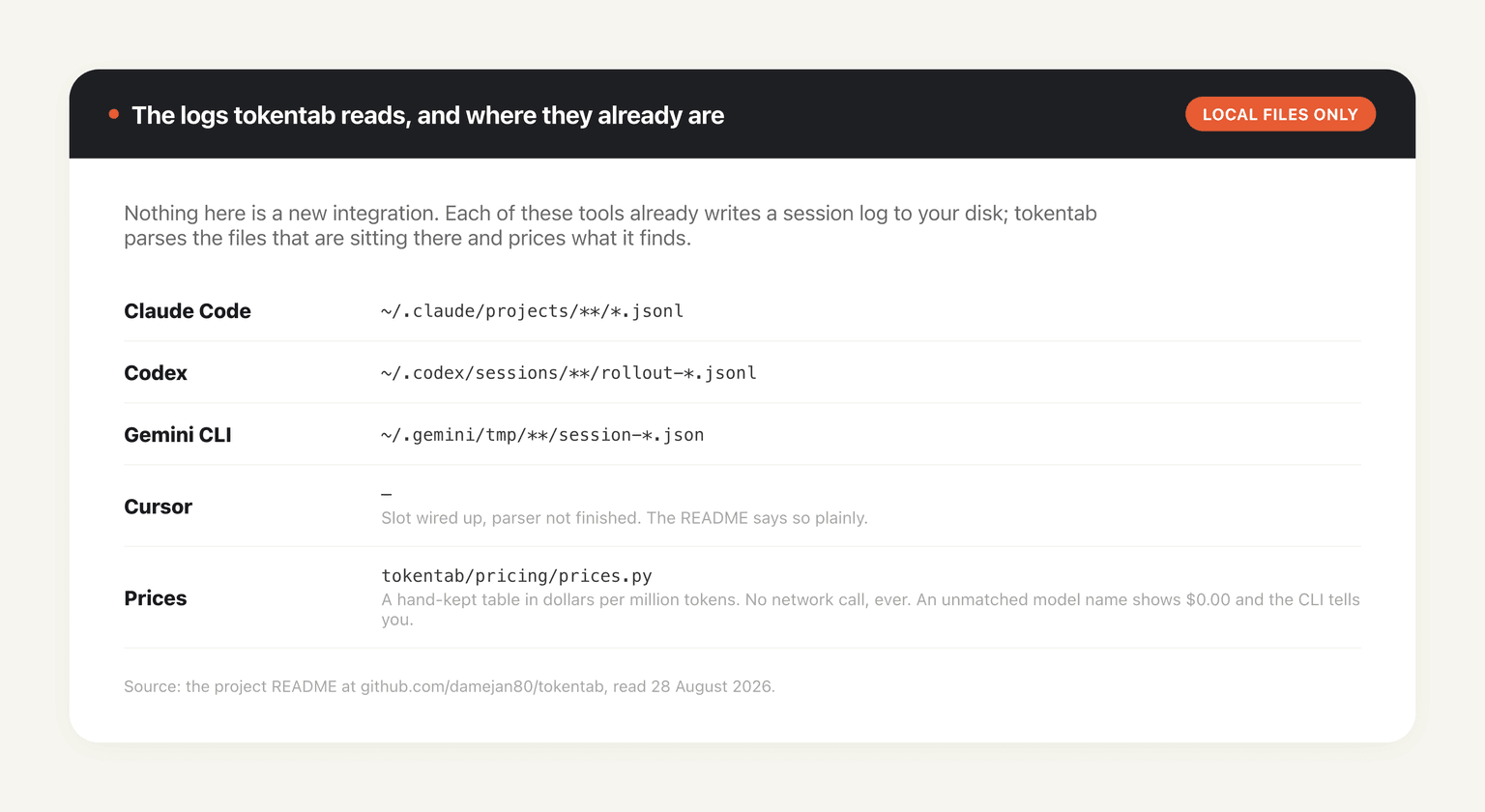
Claude Code leaves JSONL under ~/.claude/projects/, Codex writes rollout files under ~/.codex/sessions/, and Gemini CLI drops session JSON in ~/.gemini/tmp/. That's it. The whole design rests on the observation that the data you want was never missing, only unsummed.
That also sets the honest boundary of the tool. It measures the machine it runs on. If half your agent work happens on a second laptop, in CI, or on a remote box, tokentab won't know, and the number it gives you will be confidently incomplete. Anything that runs somewhere other than your own disk needs its own accounting; one reason MoClaw reports usage against a hosted cloud AI computer rather than a folder path, since a machine that isn't yours to ls can't be audited by a local parser.
How it works out the money
Tokens come straight out of the logs. Every one of these tools records its own per-call counts, so nothing in that column is estimated, and tokentab is careful to say so.
Caching is where it earns its keep. Claude splits cache reads and writes into separate fields; Gemini reports input tokens including the cached portion. Left alone, a naive summer would bill you twice for the same context on one provider and not the other. Tokentab pulls the cached tokens back out before pricing, which is exactly the kind of unglamorous correctness that separates a tool from a one-liner.
Prices live in a hand-kept table at tokentab/pricing/prices.py, in dollars per million tokens. The author is explicit about why it's a table rather than a lookup: the tool never touches the network to price anything, and a slightly stale number beats a crash when a vendor renames a model overnight. Matching is fuzzy, so claude-opus-4-6-20260514 still resolves to claude-opus-4-6. When a name matches nothing, the row shows $0.00 and the CLI tells you it happened rather than quietly counting it as free. Add a line to the table and it's fixed.
Activity classification is the weakest column and the README says so. Whether a session gets labelled coding, debugging, refactor or testing comes from which tools got used and the wording of your first message. It's deterministic, with no model call involved, so it's fast and you can eyeball whether it's roughly right. Treat it as a hint, in the author's words, not gospel.
The web view is a statement, not a dashboard
python cli.py -web opens localhost:4747 and lays the same numbers out as a monthly bill.
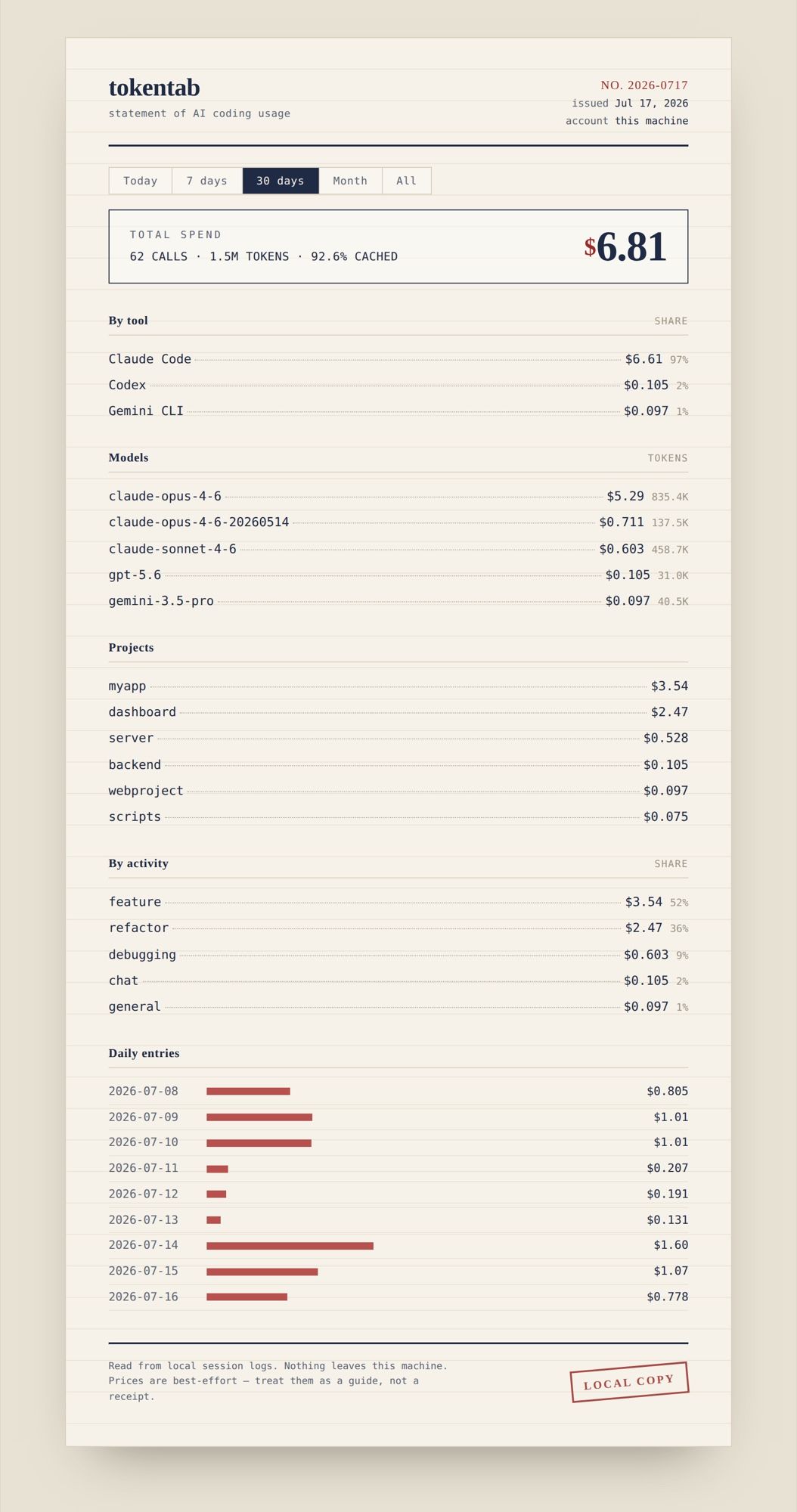
The framing is deliberate and it works. A total across the top, then everything itemised beneath it: share by tool, tokens and cost by model, cost by project, share by activity, and a daily list with bars. Down in the footer, in small caps, the two disclaimers the whole tool rests on: read from local session logs, nothing leaves this machine, and prices are best-effort so treat them as a guide rather than a receipt.
Under it is Python's standard-library HTTP server. No Flask, no framework, nothing extra to install. It re-reads from disk on every request, since the data is small enough that caching would only risk showing you something stale, and it binds to localhost. It doesn't even pull fonts from a CDN; whatever serif and mono your system already has is what you get, so it works with the network unplugged. The only third-party dependency in the whole project is rich, for the terminal tables.
Cursor is on the list and isn't finished
Worth knowing before you install it expecting four tools.
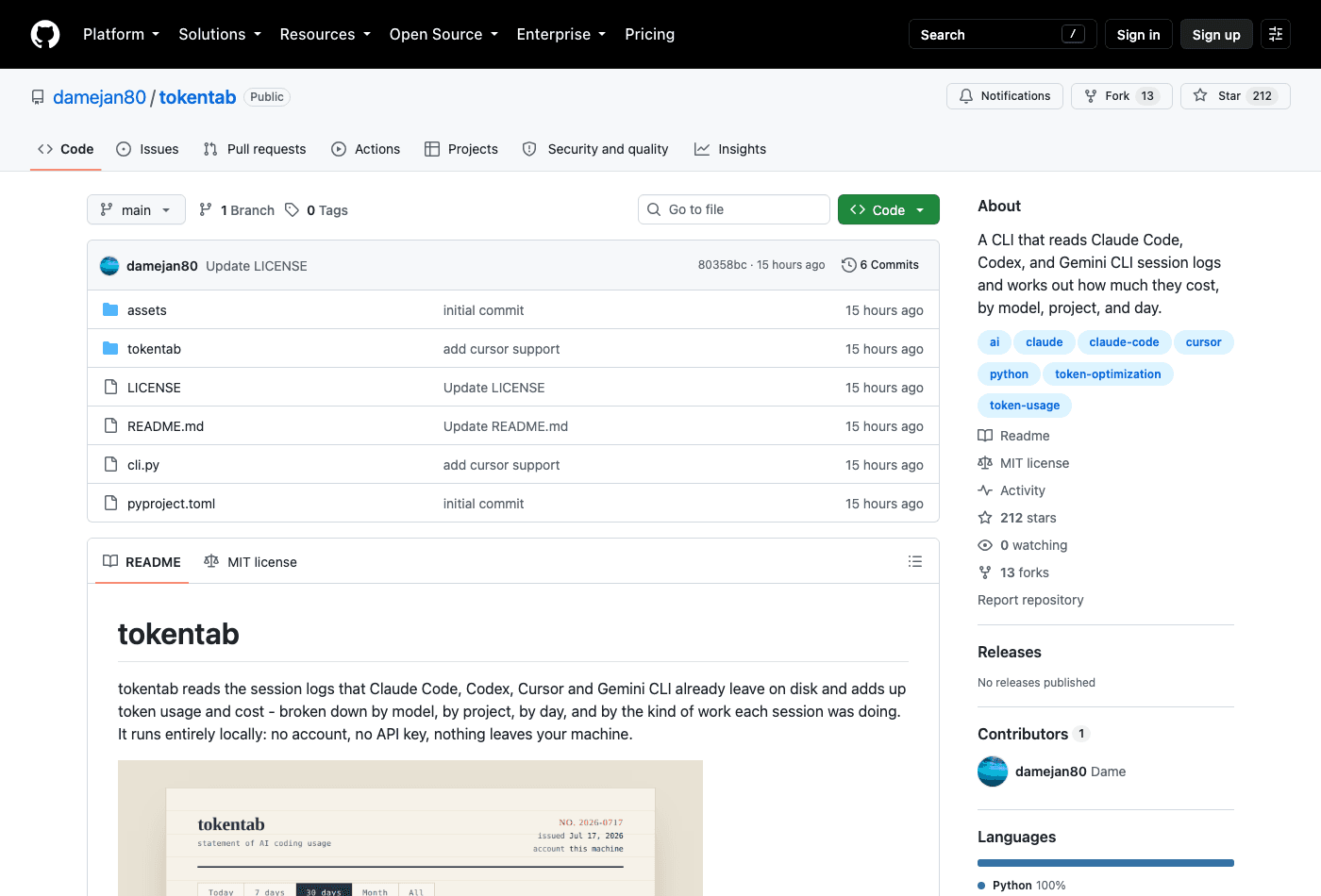
The README's opening sentence names Claude Code, Codex, Cursor and Gemini CLI. Its own table two paragraphs later marks Cursor a stub, and the code agrees: tokentab/providers/cursor.py opens with """STUB — not implemented yet.""" and returns an empty list so the rest of the tool keeps working. If Cursor is installed you get one gentle nudge and nothing more.
The stub is unusually good reading for a stub, mind you. It documents where Cursor keeps its data on all three platforms, explains that it's a SQLite database rather than a text log, points at where the token counts live inside the conversation blobs, warns that they're Cursor's own estimates, and lists the three steps to make it real. That's an invitation with a map attached. Six commits, thirteen forks, no releases yet, MIT. Somebody may well have taken it up by the time you read this.
What the numbers are actually for
The README closes with three patterns worth watching in your own data, and they're better than most tools' documentation manages because none of them are a verdict.
A cache hit rate that sits consistently under about 80% suggests your context isn't stable between calls, or caching isn't switched on at all. One odd session means nothing; weeks of it is worth an hour. A big model dominating cost across many small calls usually means you're reaching for the expensive one on work a cheaper model would have finished in a single pass. And when "chat" or "exploring" takes a large share of the spend, most of the money went to talking and reading rather than editing, which is sometimes the job and sometimes a session that wandered.
These are starting points, as the author puts it, not judgements. The tool shows you the data; you know what the work actually was.
That's also where a cost tracker stops being useful on its own. Learning that 97% of last month went to one model on one project tells you what to change, not where to change it. Our own writing on token consumption and on what self-hosting an agent really costs covers the arithmetic on the other side, and the caveman skill's token savings is one concrete example of moving a number after you've seen it. MoClaw approaches the same problem from the front rather than the back: credits are spent against a hosted machine, a $20 subscription carries 1,000 credits a month, and you watch the balance while the work happens instead of reconstructing it from logs afterwards. It runs alongside the local tooling, not instead of it.
Who should install it
Anyone who runs two or more of these CLIs daily and has never seen the split. The install is a clone and a pip install ., the read is entirely local, and the worst case is you learn your bill is boring. If you only use one tool and already watch its own usage page, tokentab is a nicer table and not much else.
There's a second audience the README doesn't name: anyone about to argue for a budget. A per-project column with real dollars in it is a far better opening than a hunch, and because the output pipes to JSON, the same numbers go into a spreadsheet without anyone retyping them.
One caution that isn't the project's fault: this is a six-commit repository from an author with no other public history, and it reads every session log in your home directory. Nothing leaves the machine according to the README and according to the code, which is checkable in an afternoon because there isn't much of it. Check it, or wait a few weeks and let someone else.
FAQ
What is tokentab?
A local Python CLI that reads the session logs Claude Code, Codex and Gemini CLI already write to disk, adds up token usage, and prices it by model, project, day and activity. MIT licensed, created 27 August 2026, 212 stars as of 28 August 2026.
Does tokentab work with Codex and Gemini CLI?
Yes, both. It reads ~/.codex/sessions/**/rollout-*.jsonl for Codex and ~/.gemini/tmp/**/session-*.json for Gemini CLI. Cursor is listed but the provider is still a stub that returns nothing.
Is tokentab free, and does it send anything anywhere?
Free and MIT licensed. It makes no network calls at all: prices come from a table in the repository, and the optional web view binds to localhost and loads its fonts from your system rather than a CDN.
How accurate are tokentab's costs?
The token counts are exact, since they come straight from the logs the tools themselves wrote, and cached tokens are removed before pricing so you aren't charged twice for the same context. The dollar figures depend on a hand-maintained price table, so a model priced after the table was last updated shows $0.00 and says so.
Can I add a tool it doesn't support?
Each provider is a single module in tokentab/providers/ exposing a collect() function that returns a flat list of UsageRecord objects. Write the module, add it to the list in __init__.py, and pricing, grouping and the dashboard all pick it up, because everything downstream only touches that one shared shape.
Continue Reading
More Guide
Praxist License: Fair Source, Not Open Source

What Is GLM-5.3-Flash? Specs and Price

Open Higgsfield: One Prompt Bar, 40 Models

ChatGPT Ads India: Who Sees Them, How to Stop

OpenAI Assistants API Deprecated: What Broke

No Endpoints Found for OpenAI Batch Models

The MoClaw editorial team writes about workflow automation, AI agents, and the tools we build. Default byline for industry overviews, listicles, and collaborative pieces.
Ready to put this into practice?
MoClaw runs browser tasks, research, and schedules automatically. Try it free.
References: https://github.com/damejan80/tokentab · https://claude.com/claude-code · https://github.com/google-gemini/gemini-cli · https://github.com/Textualize/rich · https://api.github.com/repos/damejan80/tokentab