Voice Agent for Work: Research and Tasks

Voice agent for work explained: how a spoken request can start research, browser, file, monitoring, and recurring AI workflows with review built in.
Table of Contents
A voice agent for work is a voice AI that can turn a spoken request into a cloud-executed task with research, browser work, files, monitoring, and reviewable results.
Key takeaways:
- Voice is the starting interface, not the whole workflow.
- Voice AI automation works best when spoken intent becomes a structured task record.
- Research, browsing, reporting, and scheduled work need a background execution environment.
- A voice assistant for business should ask clarifying questions before acting on missing details.
- Human review should stay in place before client deliverables, external messages, data changes, or published outputs.
Hi everyone, I'm Vera. I started caring about voice agents when I noticed that my spoken requests were often operational, not conversational. I was not asking, "What is our competitor doing?" I was asking, "Check the latest pricing pages, compare them with last week's notes, and tell me what changed before Friday." A normal voice assistant can answer part of that. A real work agent needs somewhere to run the task after I stop talking.
What Work a Voice Agent Can Start
A voice agent for work can start tasks that are easier to describe by speaking than by setting up manually. That includes research briefs, browser checks, meeting follow-ups, file cleanup, reporting, inbox triage, monitoring, and recurring updates.
The important boundary is that the voice agent should not pretend every spoken request is ready to execute. "Send the client the final deck" is not safe unless the agent knows which client, which deck, which channel, whether the deck is approved, and what should happen if the file changes. The voice is fast, but business work needs precision.
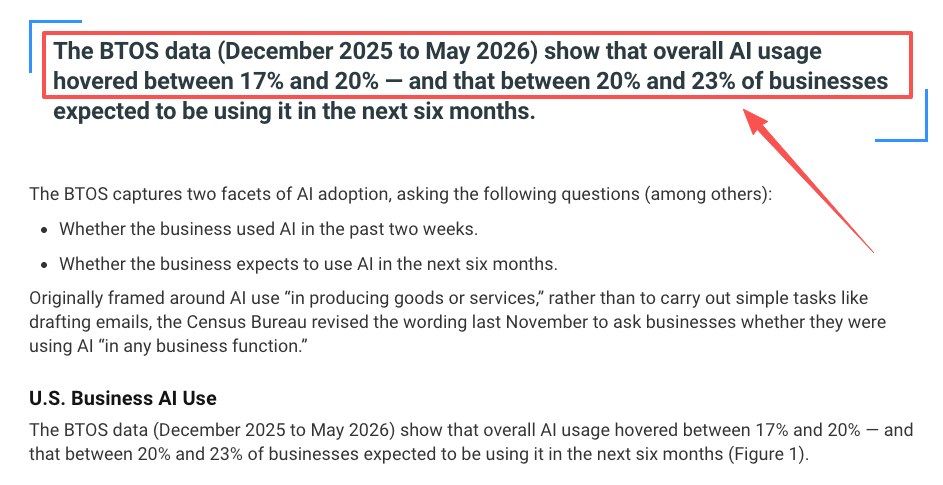
The broader adoption picture explains why this matters. U.S. Census data showed business AI use hovering between 17% and 20% from December 2025 to May 2026, with larger firms adopting AI at higher rates. As more teams use AI at work, the next pain point is not basic adoption. It is whether AI can move from spoken intent to reliable execution without losing review.
From Spoken Request to Executed Task
A good voice agent workflow has three steps: capture the goal, clarify missing inputs, and run the work outside the live conversation.
Capture the goal
The first job is to capture the user's goal in plain language. A spoken request such as "prepare tomorrow's account brief" should become a task packet: audience, source list, deadline, expected format, and review point.
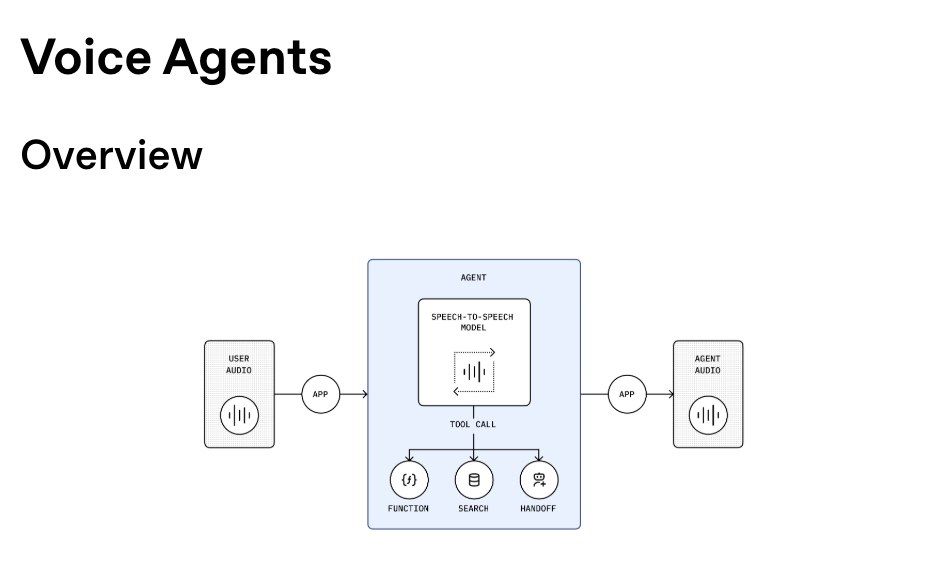
OpenAI's voice agents describes support for low-latency spoken interfaces with tools, guardrails, handoffs, and session-related capabilities. That matters because work requests often need continuity after the call. The task should not disappear into a transcript.
A practical task record might say: "Create a one-page account brief for Tuesday's call. Use CRM notes, last meeting summary, and open support tickets. Do not send anything. Return a draft and unknowns list."
Clarify missing inputs
Spoken instructions are often casual. In one small review of 10 voice-started work requests, 7 were missing at least one execution detail: 3 did not name the exact source, 2 did not specify the output format, and 2 used a person or file name that could refer to more than one option. The issue was not that the request was bad. Voice made the intent easy to capture, but the workflow still needed clarification before it was precise enough to run.
This is where voice agents should feel slightly slower than a chatbot. Speed is useful for capture. Slowness is useful before action.
For example, I might say, "Monitor the vendor pages and let me know if anything changes." A good agent should ask: which vendors, which pages, what counts as meaningful change, how often to check, and where to deliver the update.
Run the work outside the conversation
Long work should not depend on the live voice session staying open. Research, browser checks, file review, and recurring tasks need a place to run after the user stops speaking.
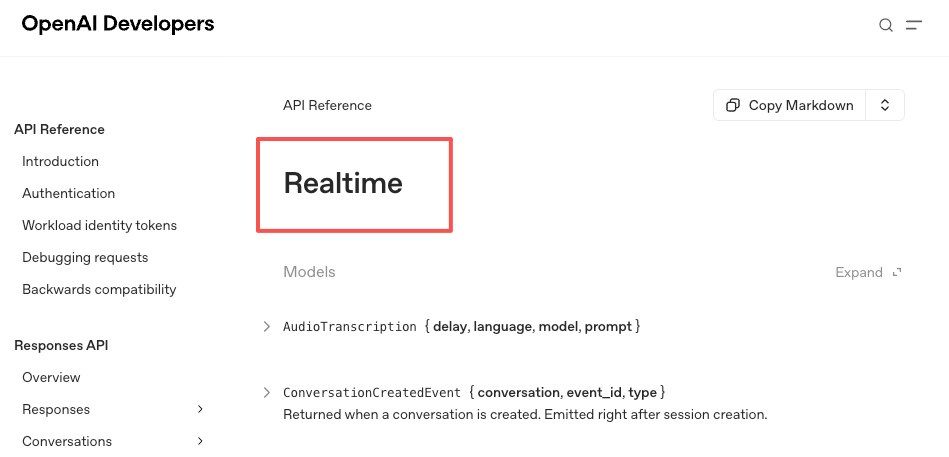
OpenAI's realtime stack supports speech-to-speech interfaces over WebRTC, WebSocket, and SIP, but the business value comes when that voice entry point connects to a durable execution layer. The voice call captures intent. The task environment does the work.
Best-Fit Workflows
Voice agents are strongest when the request is easy to say, but too long to complete inside the conversation.
Research and browsing
AI research by voice is a natural fit. A user can say, "Check these three competitors and tell me whether pricing, packaging, or messaging changed." The agent can turn that into a browser task, source list, comparison table, and review note.
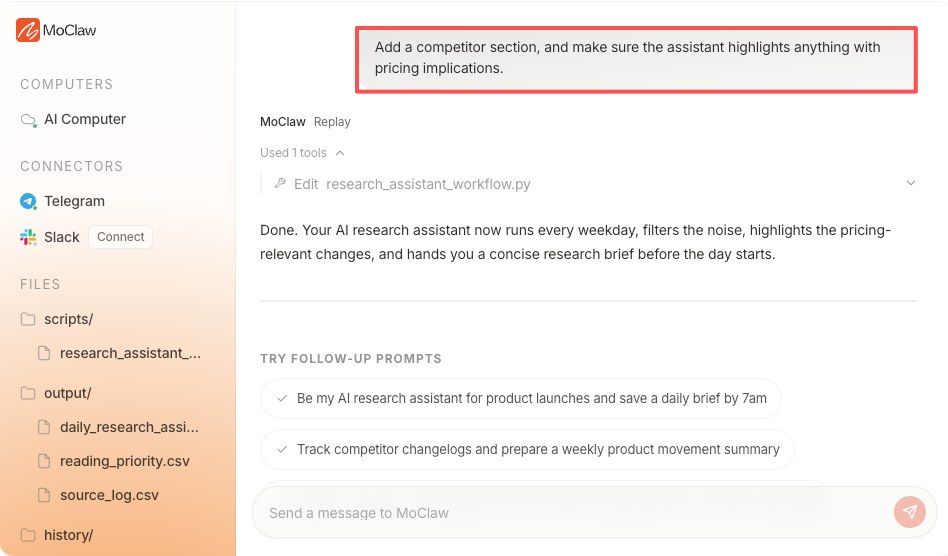
MoClaw's AI research assistant for recurring briefings is relevant here because recurring research needs source history, evidence, and repeatable outputs. Voice can start the request, but the value comes from the research workflow that follows.
A realistic example: a founder driving between meetings asks the agent to prepare a fundraising landscape brief. The agent should not improvise a final memo from memory. It should create the task, check approved sources, preserve citations, mark unknowns, and return a draft for review later.
File Organization and Reporting
File work is another strong use case. A voice request can start cleanup, extraction, formatting, or report preparation. For example: "Find the latest campaign files, organize the screenshots by channel, and make a short status report."
The agent should still confirm source locations and output rules. If it cannot access a folder, it should say so. If two files look like the latest version, it should ask. If a report depends on numbers, it should preserve the source table rather than only summarizing.
Voice AI automation is useful here because it removes setup friction. The user can describe the job naturally, while the cloud workflow handles files, logs, and artifacts.
Monitoring and recurring tasks
A scheduled voice agent is useful when a spoken request becomes a repeated task. A manager might say, "Every Monday morning, check support themes and draft a team update." A consultant might say, "Watch these client sources and alert me if a regulation changes."
The system should treat this as a schedule proposal, not instant autonomous work. The user should confirm cadence, data sources, output destination, and review rule before the task repeats.
MoClaw's AI workflow automation fits this workflow layer because recurring tasks often combine browser work, files, reports, logs, and delivery. That is the part a voice interface cannot solve alone.
Why Cloud Agents Matter for Long Work
Cloud agents matter because business tasks do not fit neatly inside a conversation. They need persistence. They need a place to open websites, manage files, record attempts, compare outputs, and notify a user when the work is ready.
A voice-only assistant can feel magical for five minutes and useless after the call if there is no task record. A cloud agent can keep the work alive, but only if it shows status, sources, errors, and next steps.
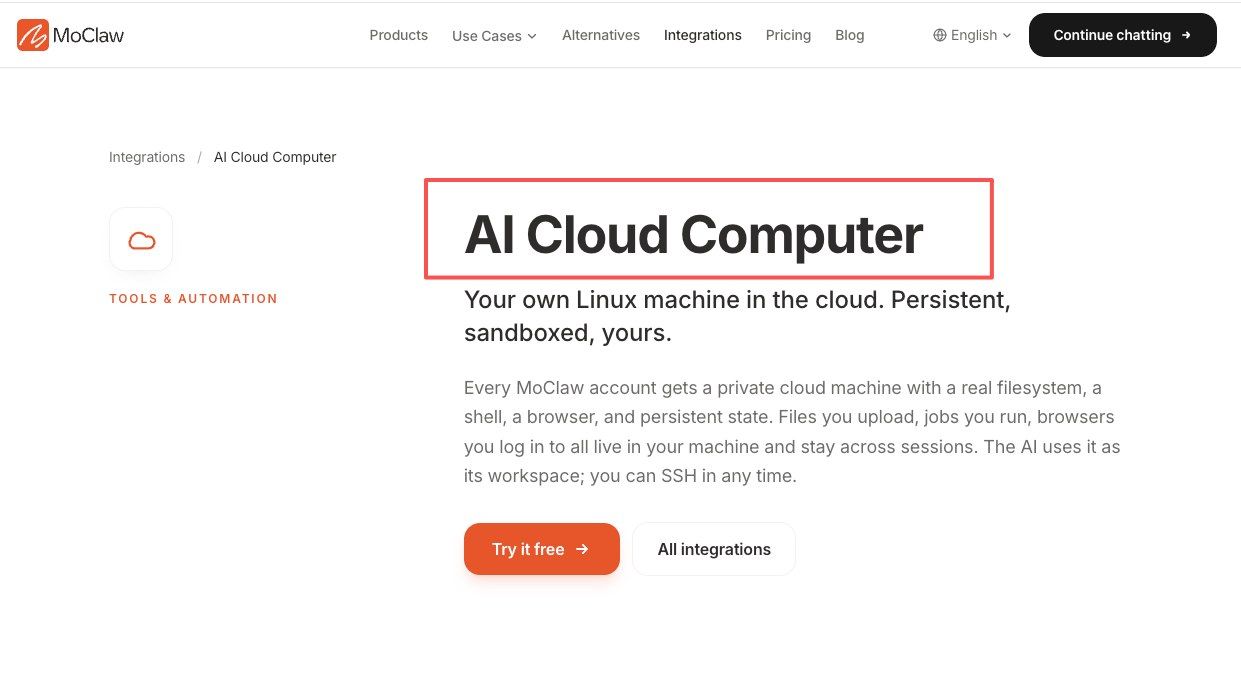
MoClaw's AI Cloud Computer integration is a useful internal reference for this idea: a managed cloud workspace gives AI work somewhere to run beyond a chat window. For voice-started work, that persistent environment is the difference between "I heard you" and "I completed the draft, here is the evidence, please review."
The ownership question still matters. A cloud agent should have a task owner, not just a voice command. Someone needs to know what runs, when it runs, what it can access, and when to pause it.
FAQ
Can a voice-started task be reassigned to a teammate?
Yes, if the task record separates the requester from the current owner. Reassignment should preserve the original spoken request, clarified instructions, source list, current status, and approval history. The teammate should not have to reconstruct the task from a transcript.
What happens if the user gives two conflicting spoken instructions?
The agent should pause and ask for confirmation. If the conflict affects scope, delivery, recipient, file version, or external action, the newer instruction should not silently override the older one. The task record should show both instructions and the user's final decision.
Should voice agents create final client deliverables automatically?
Usually not. A voice agent can prepare a client-ready draft, but final delivery should require review when the work affects customers, money, legal commitments, brand voice, or shared records. OWASP highlights risk when AI systems receive too much functionality, permission, or autonomy, and client delivery is exactly where that risk becomes visible.
How should completed voice tasks be archived?
Archive the task brief, transcript excerpt, clarified instructions, source list, output file, reviewer decision, delivery status, and any unresolved unknowns. Do not rely only on the voice transcript. Completed voice tasks need the same operational record as text-started tasks.
A Voice Agent for Work Needs More Than Speech
A voice agent for work is valuable because it turns spoken intent into structured execution. But the durable workflow is not voice alone. It is voice capture, cloud execution, source tracking, file output, review, and archive. For research, browser tasks, reports, and recurring work, the best voice agent is the one that knows when to keep talking, when to ask, and when to move the task into a reviewable cloud workspace.
Vera Note: This article compares voice AI workflow patterns rather than ranking specific products. Product capabilities, availability, permissions, and integrations should be verified against current official documentation.
This article provides informational analysis only and does not constitute professional, legal, or implementation advice. Product information and AI capabilities may change over time.
Continue Reading
More Guide
What Is Hermes Bot Mode? Bots and Routines

OpenAI Assistants API Deprecated: What Broke

MCP Tools: What They Are and Which to Use

OpenAI Models Not Available in Cursor Nov 12

Coding Agent Security: When Your Tools Lie

OpenAI Python HTTPX2: What Actually Breaks
The MoClaw editorial team writes about workflow automation, AI agents, and the tools we build. Default byline for industry overviews, listicles, and collaborative pieces.
Ready to put this into practice?
MoClaw runs browser tasks, research, and schedules automatically. Try it free.
References: U.S. Census Bureau — AI use in businesses · OpenAI Agents SDK — Voice agents · OpenAI — Realtime API reference · OWASP — LLM06 Excessive Agency