ChatGPT Voice vs Voice Agent: What Changes?

ChatGPT Voice vs voice agent: compare natural conversation, search, task handoff, connected tools, background work, and the review gates that make speech safe.
Table of Contents
ChatGPT Voice vs voice agent is the difference between spoken conversation and voice-started execution: one helps you talk through a question, while the other turns speech into a structured task with tools, state, background work, and review gates. ChatGPT Voice is a conversational layer. A voice agent is an execution layer.
The gap is not cosmetic, and OpenAI's own docs draw the lines. Live voice does not initially support video, screen sharing, connected apps, or plugins, and the cloud browser that can actually act on the web runs only on paid plans and, at launch, cannot sign in to sites or complete payments. That is the boundary between talking well and taking action safely.
Key Takeaways:
- ChatGPT Voice is strongest for natural conversation, search, brainstorming, and spoken follow-up.
- A voice agent is different in kind: it turns speech into a structured task with tools, state, and reviewable output.
- Current ChatGPT Voice limits matter. Ordinary Live voice is not the same as connected app automation.
- Do not assume a "GPT-Live agent" exists as a product unless OpenAI names and documents that exact behavior.
- For business workflows, the real question is whether the spoken request creates a reviewable task after the call.
Vera here. I use voice when I want speed, not finality. Saying "compare these vendors before my call" is easy. Reviewing the exact sources, numbers, and recommendation still belongs in text, files, or a task workspace. That is the practical gap between a voice assistant that talks well and a voice assistant that takes action safely.
Quick Verdict: Conversation Is Not Execution
ChatGPT Voice can make AI feel more natural because you can speak, interrupt, and continue the same conversation. It is useful for thinking, searching, explaining, and drafting. But conversation is not execution unless the system can create a task, use approved tools, preserve evidence, and return a result for review.
OpenAI describes ChatGPT Voice as natural, free-form voice conversation that works inside a chat. Its Voice modes differ by plan: Live is the newest experience and can use web search and memory when available, while Standard transcribes your speech first. The same docs note a key boundary: Live does not initially support video, screen sharing, connected apps, or plugins.
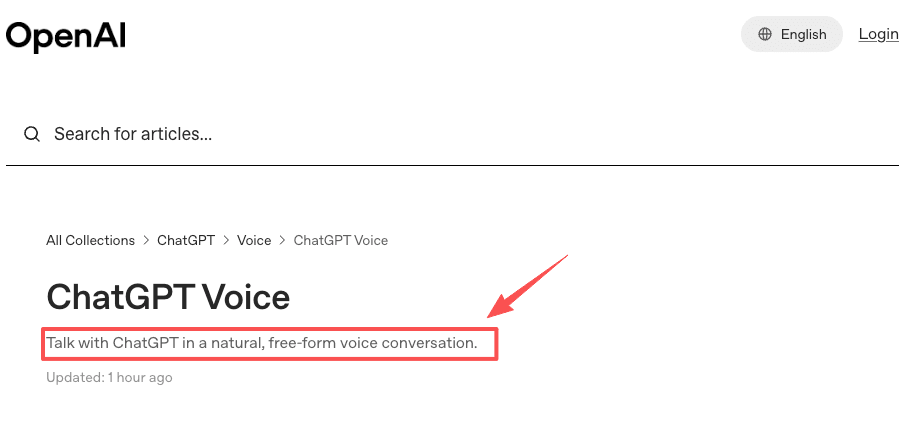
That is the quick verdict. ChatGPT Voice is a strong conversational layer. A voice agent is an execution layer. What this proves: voice can be genuinely natural. What it leaves unsolved: none of that naturalness creates a record you can inspect later.
ChatGPT Voice vs Voice Agent: A Side-by-Side Look
Before the details, here is the split laid out flat. The point is not that one is better. They do different jobs, and confusing them is where teams get burned.
| Dimension | ChatGPT Voice | Voice agent |
|---|---|---|
| Primary job | Talk, think, search, draft out loud | Turn a spoken request into a running task |
| Output | A spoken or on-screen answer | A task card, sources, draft, log, approval request |
| Tools | Web search and memory where available; no connected apps or plugins in Live | Browser, files, CRM, messaging, scheduled jobs |
| State after the call | Ends with the conversation | Persists in a workspace the agent keeps working in |
| Review | You listen and hope you heard right | You inspect evidence before anything ships |
| Best for | Low-stakes, fast back-and-forth | Recurring, multi-step, high-stakes work |
| Wrong use | Approving a vendor spend by voice alone | Brainstorming a joke for a toast |
What this proves: the two overlap in feel but not in function. What it leaves unsolved: the same account can offer both surfaces, so you still have to know which one you are actually in.
What ChatGPT Voice Is Good At
ChatGPT Voice is good when the output can stay conversational. Use it to explore a topic, rehearse a pitch, brainstorm options, ask a follow-up, summarize a visible idea, search for timely information, or talk through a decision.
It is also useful when typing would slow you down. Take Marcus, a solo strategy consultant who bills in 15-minute increments and hops between four client calls a day. In the elevator between meetings, he asks ChatGPT Voice for three sharp questions to open a discovery call, or has it summarize a dense one-pager he is about to walk into. That is a perfect fit: low stakes, fast, and the only "output" is Marcus sounding prepared. He does not need a paper trail for a warm-up question.
The limitation is review. Voice transcripts may not exactly match the spoken conversation, and important details can be misheard or simplified. ChatGPT Voice limits also vary by plan, workspace, region, app version, and usage window. For professional work, assume voice is a fast input method, not a complete approval surface.
What this proves: voice removes friction from thinking. What it leaves unsolved: the moment the output needs to be trusted by someone else, spoken words are not enough.
What a Work Voice Agent Needs Beyond Voice
A voice agent needs more than speech quality. It needs tool access, a persistent workspace, and a reviewable output path. Miss any one of the three and you have a very smooth demo that quietly loses your work.
Tool access
Tool access is where AI voice automation becomes operational. A voice agent may need to search the web, open a browser, read files, check a CRM, create a draft, update a spreadsheet, or trigger another workflow.
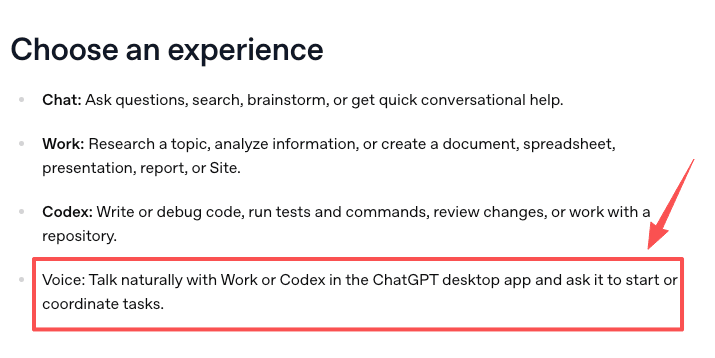
OpenAI separates ordinary Voice from Voice in Work and Codex, where users can start tasks, check progress, ask questions about agents, and coordinate work inside eligible desktop experiences. That distinction matters. A spoken interface can coordinate tasks when it sits inside a task-capable surface, but ordinary ChatGPT Voice should not be described as automatically having connected apps, plugins, Work, or Codex actions.
Tool access also needs boundaries. OWASP warns that LLM systems become riskier when they receive too much functionality, permission, or autonomy. In voice workflows that risk is sharper, because a casual phrase can sound like permission. "Just send it" is a sentence, not a signature.
Persistent workspace
A voice agent needs a place for work to continue after the voice session ends. Search results, file changes, browser steps, draft outputs, logs, and approval requests should not depend on the user staying in a live call.
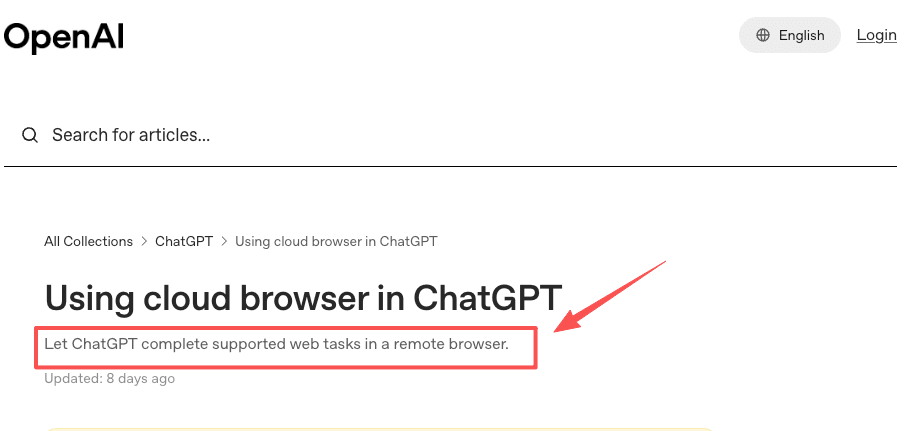
This is where cloud execution matters. ChatGPT's cloud browser can complete supported web tasks in a remote browser and pause when it needs more information or confirmation. That is closer to task execution than a spoken answer, but availability still depends on plan, region, rollout status, and workspace permissions.
MoClaw's AI Cloud Computer is the same idea from the agent side: persistent cloud work needs somewhere to run, store artifacts, and return evidence. Voice may start the job, but the workspace is what makes the job inspectable. For a deeper look at why that always-on layer matters, see our guide to a persistent AI cloud computer.
Reviewable task output
A real voice agent should produce something you can inspect after the conversation: a task card, source list, draft, file, status log, or approval request. If the only record is "the assistant answered out loud," the workflow is fragile.
I noticed this during a pricing check I did before a partner call. With about 20 minutes to spare, I said, "Check these three competitor pages and prepare a short pricing update." That sounded like a simple voice request. It was not a simple question.
A conversational assistant could have answered from memory or pulled a quick search result. That was not enough. I needed the agent to create a task, open the three approved competitor pages, compare them against my last saved notes, record exactly what changed on each, and draft a short update I could scan before sharing it with the partner. When it came back, one competitor had dropped its entry tier and another had renamed a plan. Those were the two lines that actually mattered, and I only trusted them because I could click through to the source.
That was the moment the difference became clear to me. Voice was useful for starting the work. The value came from turning that spoken request into a visible task with sources, changes, and a review step.
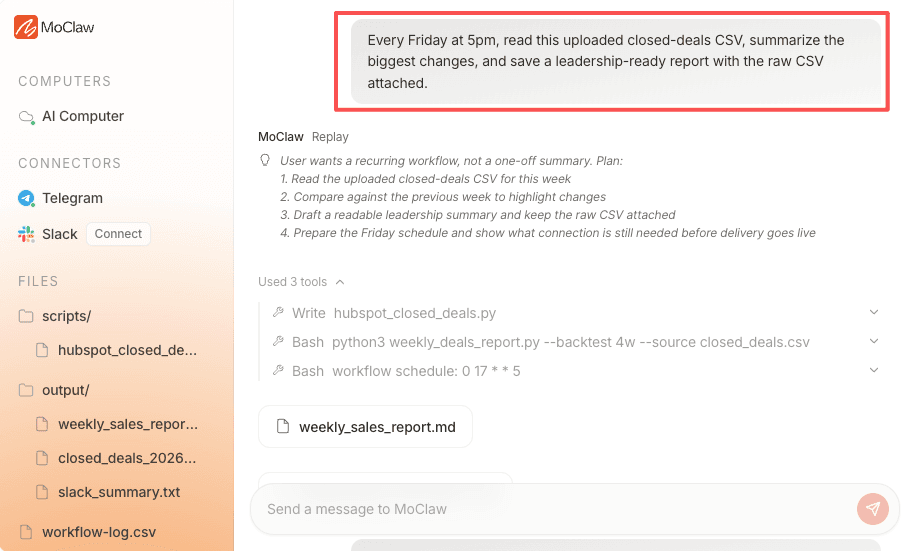
MoClaw's AI workflow automation fits this kind of recurring digital work, and a competitor website analysis run is exactly the pricing-check pattern above: browser tasks, files, reports, logs, and review points matter more than the initial voice command.
What this proves: the three legs (tools, workspace, review) are what separate an agent from a talkative assistant. What it leaves unsolved: none of them remove the human. They make the human's review possible instead of guessed.
When to Use Each
Use ChatGPT Voice when the task is conversational: brainstorming, coaching, explaining, searching, practicing, or exploring an idea. It shines when you want fast back-and-forth and the stakes are low.
Use a voice agent when the spoken request should become work: research, monitoring, filing, reporting, browser actions, app coordination, or multi-step task handoff. That does not mean the task should run without humans. It means voice should create the task packet, not finish the work invisibly.
For example, "What should I ask in the vendor call?" fits ChatGPT Voice. "After the call, summarize the transcript, compare it with last week's notes, draft follow-up questions, and wait for approval before sending" fits a voice agent workflow. If you want the longer version of that spoken-to-task pattern, our pieces on a voice agent for work and the broader voice assistant vs voice agent distinction go deeper, and pricing covers what a managed agent plan includes.
One caution on names. If OpenAI does not use "GPT-Live agent" as a product name, treat GPT-Live as the voice model layer, not a confirmed connected-agent product. Do not assume ChatGPT Voice can schedule, send, publish, or update records unless the exact task surface documents it. The safer framing for business use is simple: ChatGPT Voice can start or discuss work, while a task-capable voice agent needs tools, workspace state, output records, and human review.
What this proves: the choice is about the output, not the audio quality. What it leaves unsolved: surfaces are shipping fast, so the honest answer is to check what your exact account and plan actually support before you rely on it.
FAQ
Can a spoken ChatGPT answer become a scheduled task later?
Yes, if the user turns the idea into a structured task in a surface that supports scheduling. The safe path is to convert the spoken answer into text instructions, define cadence, name sources, set review rules, and confirm the owner before scheduling anything.
What should users export before moving a voice task to another agent?
Export the transcript, clarified task brief, source list, files, decisions, unknowns, and approval status. Do not rely on memory of the voice session. Another agent needs a clean task packet, not a vague summary of what was said.
Can a team share one voice task history safely?
Only if the shared history excludes private or irrelevant details and every recipient is allowed to see the sources. Voice sessions can include casual comments, client names, and sensitive context. Teams should share task records, not raw voice history, unless there is a clear reason.
What if a voice session contains private client names?
Treat the session as sensitive. Limit sharing, avoid copying names into unrelated task systems, and create a redacted task brief when possible. If the task needs client-specific action, route it through the team's normal approval and data-handling process.
Is "GPT-Live agent" a real OpenAI product?
Treat it as unconfirmed unless OpenAI names and documents it. GPT-Live is best understood as the voice model layer. Connected-agent behavior (starting tasks, coordinating Work or Codex) is documented separately and depends on plan, region, and surface, so verify it for your exact account rather than assuming.
ChatGPT Voice vs Voice Agent Is a Handoff Decision
The real shift in ChatGPT Voice vs voice agent is not whether the voice sounds natural. It is whether the spoken request becomes a controlled handoff. ChatGPT Voice is excellent for conversation, search, and thinking aloud. A voice agent needs tools, persistent workspace state, reviewable outputs, and approval gates before work becomes real. For teams, the safest rule is simple: speak to start, review to approve, and keep the task record after the call.
Continue Reading
More Comparison
Lindy vs MoClaw: Teammate or Cloud Computer?
DeepSeek vs ChatGPT: Research, Code, Price

ChatGPT vs Microsoft Copilot: Which Fits You?

Gemini vs ChatGPT for Work: Which Is Better?

Cursor Cloud Agent vs Grok Bot

GPT-5.6 Sol vs Terra vs Luna: Pick One
The MoClaw editorial team writes about workflow automation, AI agents, and the tools we build. Default byline for industry overviews, listicles, and collaborative pieces.
Choosing between tools? Let MoClaw run the work.
Always-on AI assistant on its own cloud computer. No switching required, no setup.
References: ChatGPT Voice: natural, free-form voice conversation (OpenAI Help Center) · Voice Mode FAQ: Live, Advanced, and Standard modes (OpenAI Help Center) · ChatGPT Work and Codex: starting and coordinating tasks (OpenAI Help Center) · Using cloud browser in ChatGPT (OpenAI Help Center) · LLM06:2025 Excessive Agency (OWASP GenAI Security Project)