Citation Checker
Upload the deck, paper, or report you are about to send and <a href="/blog/always-on-ai-agent-2026">get every citation opened</a>, every number traced, and a corrected file back with a change log.
Runs on managed cloud. No scripts, no Zapier.
A link that resolves is not the same as a source that supports the claim. I should extract every claim with its citation, open each source, and compare what the source says against what the slide says. The internal numbers need checking against the uploaded spreadsheet instead.
Used 3 tools
Read Market_Review.pptx
21 claims found across 10 slides. 14 carry an external citation, 7 reference the uploaded forecast.
WebFetch Opening 14 cited sources in parallel
13 reachable, 1 returns 404. Slide 4 cites EUR 301B for the EU data economy; the cited page states EUR 829B by 2025 on page 3.
Read FY25_forecast.xlsx
Sheet 2, growth assumptions: 32%. Slide 7 says 26%.
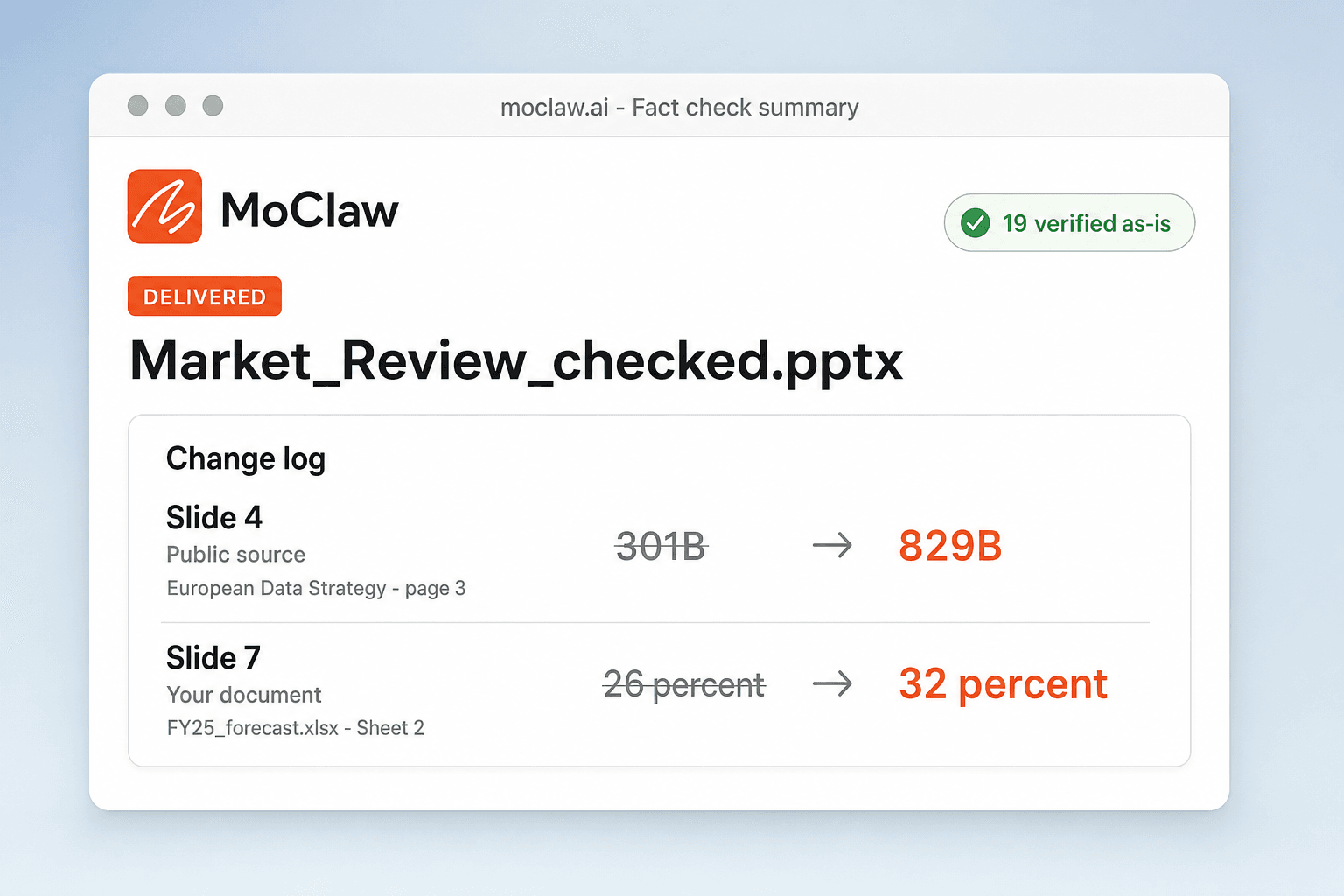
21 claims checked. 19 verified as they stand, 2 fixed:
Slide 4, public source. EUR 301B corrected to EUR 829B. The European Data Strategy, European Commission, page 3.
Slide 7, your own document. Projected growth 26% corrected to 32%, from FY25_forecast.xlsx sheet 2.
The corrected deck is attached with sources appended to each fixed slide, and the change log lists what moved and why. Nothing else in the file was touched.
- 21 claims checked. 19 verified as they stand, 2 fixed:
- *Slide 4, public source.** EUR 301B corrected to EUR 829B. The European Data Strategy, European Commission, page 3.
- *Slide 7, your own document.** Projected growth 26% corrected to 32%, from FY25_forecast.xlsx sheet 2.
- The corrected deck is attached with sources appended to each fixed slide, and the change log lists what moved and why. Nothing else in the file was touched.
How the AI citation checker works
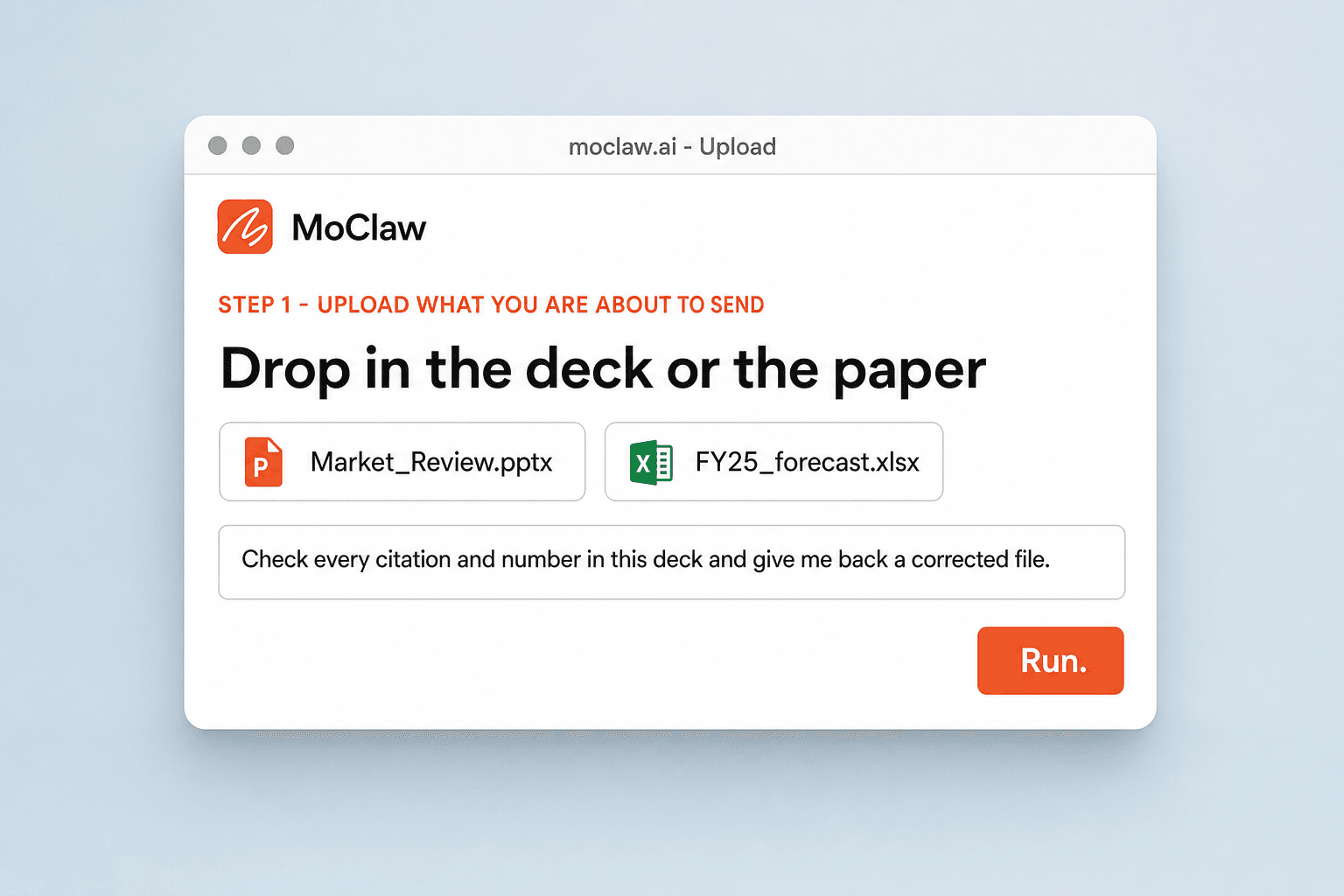
Upload What You Are About to Submit
Drop in the deck, paper, or report. Attach the internal documents your numbers came from if you have them, so private figures can be checked too.
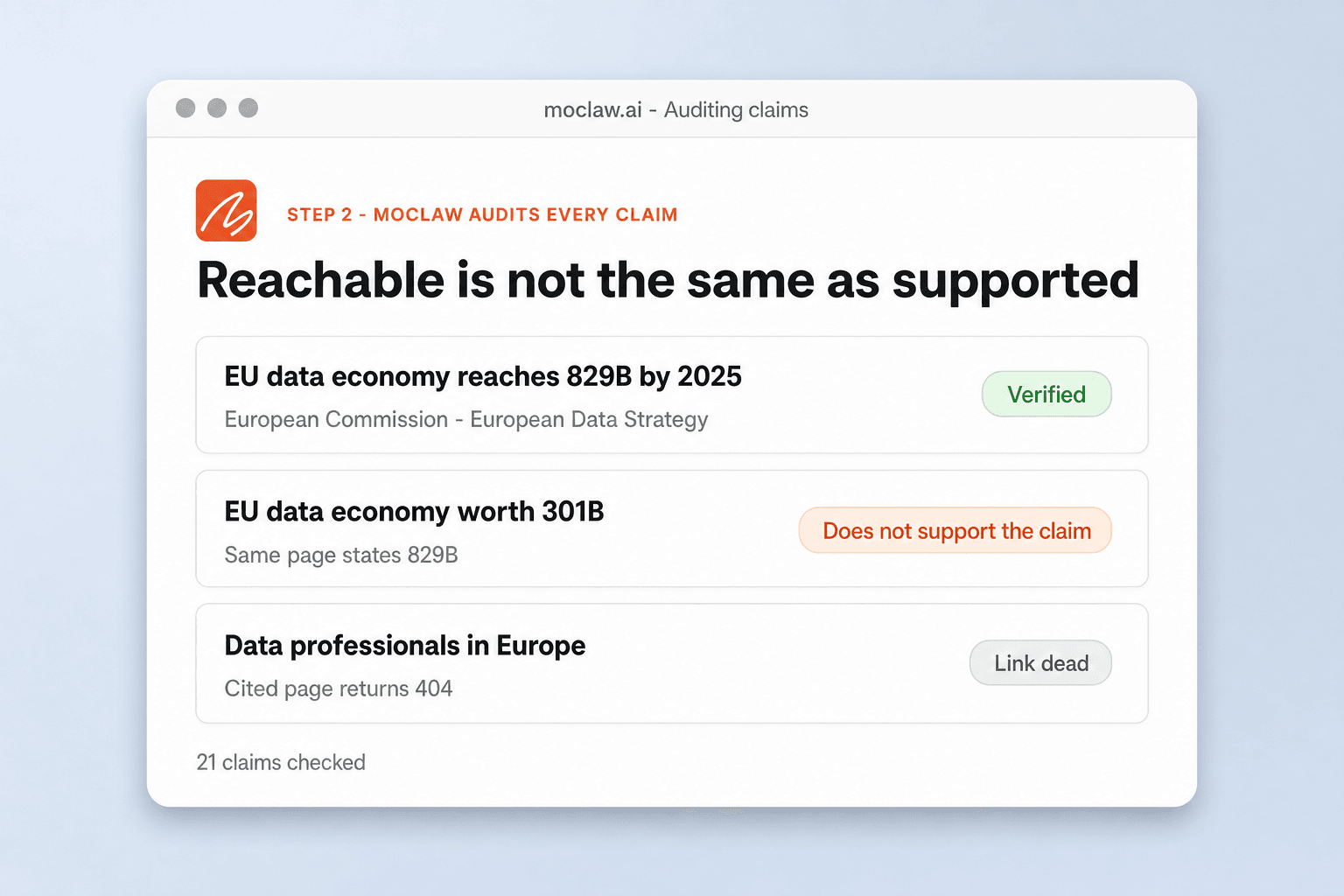
MoClaw Audits Every Claim
Each citation is opened and read, each number traced. Unsupported claims, broken links, and contradictions get flagged with the reason, not just a warning icon.
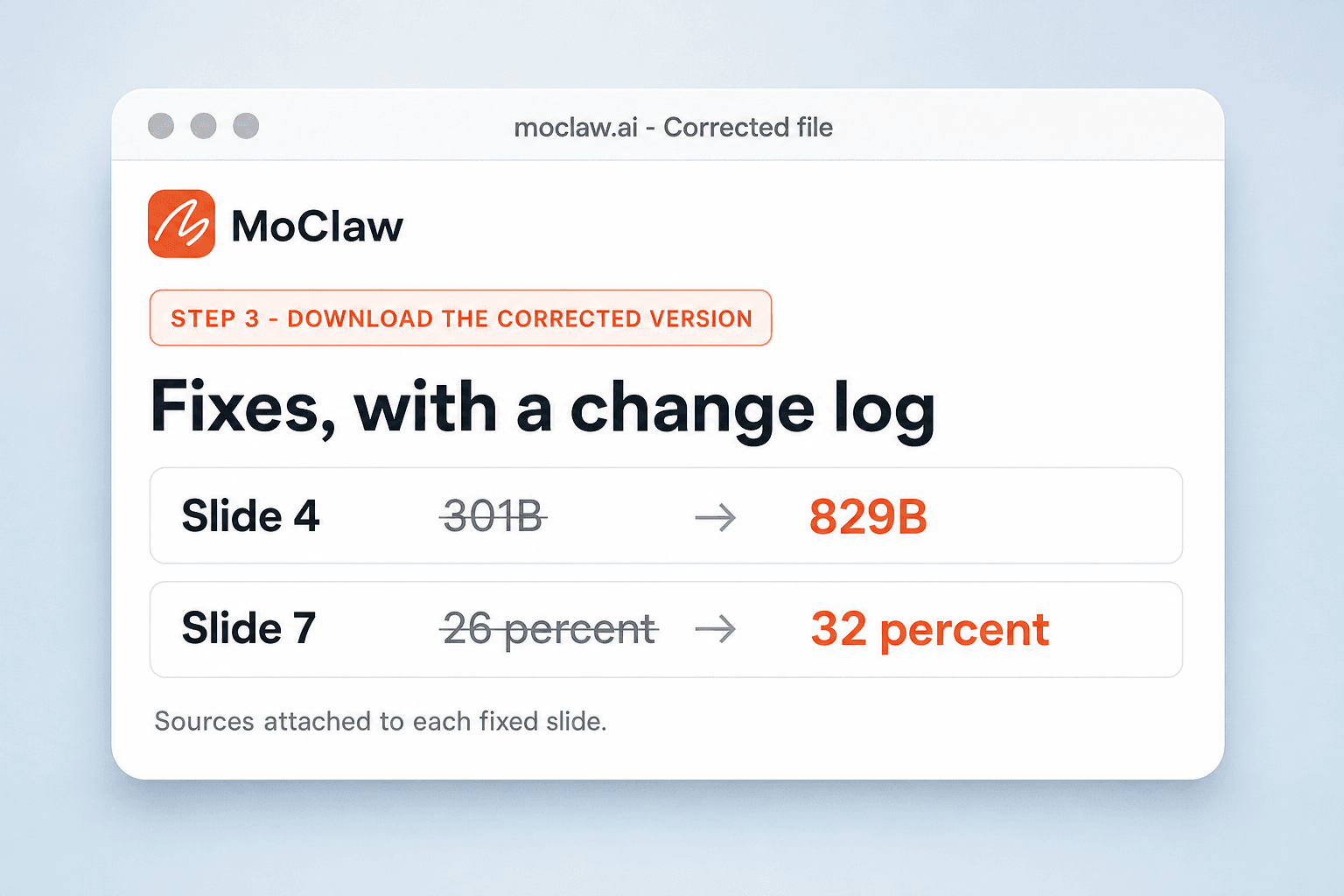
Download the Corrected Version
You get back a fixed file with sources attached and a change log. Review the diffs, then send it.
What gets checked
What your AI citation checker sends you
A real example of what MoClaw hands back, shown before you sign up.
AI citation checker: MoClaw vs format-only citation checkers
See how MoClaw's AI-powered approach differs from traditional tools.
| Feature | Checking by hand | Format checker | MoClaw |
|---|---|---|---|
| What is actually verified | Whatever you have time to reopen | Citation formatting and style | Whether the source supports the claim |
| File types | Any, slowly | Papers and prose | Decks, reports, and papers |
| Private figures | Cross-checked manually | Out of scope | Checked against the documents you attach |
| Broken links | Found by clicking each one | Flagged | Flagged with a replacement source where one exists |
| Output | Notes to yourself | A list of warnings | A corrected file plus a change log |
Why this citation checker is different
An AI fact checker should read the source, not just the citation format.
It Reads the Source, Not Just the Format
Format checkers confirm your commas are in the right place. MoClaw confirms the source actually says what you claim it says, which is a different job and the one that matters.
Built for the Last Step Before Sending
This is not a research tool you live in. It is the final pass before you hit send: upload, get the verdict, ship.
A Full Audit in Minutes
Reopening thirty references by hand takes an evening. They get checked in parallel while you fix the one slide you already knew was wrong.
Ways to extend your AI citation checker
Click one to load it into the box above, ready to run.
AI citation checker FAQ
What is a citation checker? ⌄
It verifies the sources and numbers in your work. MoClaw opens each citation, compares it against the claim it supports, and returns a corrected version of your file with a change log.
Can it check citations in a PowerPoint, not just papers? ⌄
Yes. Decks and reports are handled the same way as papers, which matters because a deck is usually where an unsourced number ends up in front of a client.
Does it verify that the source actually says what I claimed? ⌄
Yes. That is the point. A reference that resolves but does not support the sentence citing it is flagged with the reason, not just marked as reachable.
What citation formats are supported? ⌄
Common academic formats and plain inline references both work, because the check is on the source behind the citation rather than on its punctuation.
Can it check numbers against my internal data? ⌄
Yes. Attach the spreadsheet or report your figures came from and each number in the document is compared against it, for the claims no public source can confirm.
How does it fix a problem it finds? ⌄
You get a corrected file back: the wrong number replaced, the citation repaired or swapped for a working source, and a change log showing what was touched and why.
Is my document kept private? ⌄
Yes. Your document stays in your own workspace and is used only to run the check and produce the corrected version.
Is there a free citation checker to try? ⌄
The free tier lets you run a check on one deck or paper before moving to a paid plan for higher volumes.
Integrations
Best integrations for AI citation checker
Who it's for
Who uses AI citation checker
Related document automation use cases
From our blog
Try Citation Checker for free
No credit card required