Browser Use Life Recorder: A Local Audio Diary
Life Recorder from browser-use records iPhone audio and transcribes it locally with Whisper into one Markdown file. What installing it really costs.
Table of Contents
The browser use Life Recorder is an iPhone app plus a Mac companion that records your day, transcribes it locally with Whisper, and appends the result to one long Markdown file. No cloud transcription, no subscription, no vendor holding the audio. It landed on GitHub on 11 September 2026 from the browser-use organisation and had 203 stars two days later, which is the sort of curve that gets a project written about before anyone has checked what installing it involves.
We checked. The privacy story holds up better than most, and the installation story is much steeper than the star count suggests. Those two facts are related: the reason nothing touches a cloud service is that every piece of this runs on hardware you already own and had to configure yourself, which is a real guarantee bought with a real afternoon.
What browser use Life Recorder actually does
The split is two pieces. A native Swift app on the iPhone records continuously in roughly one-minute AAC chunks, staying alive with the screen locked and while you use other apps. A Python receiver on your Mac accepts those chunks over an authenticated HTTPS endpoint, runs them through whisper-cli from whisper.cpp against a local GGML model, and writes the text into a single continuous document called life.md with an hourly capture marker.
Audio is deleted once the receiver has durably received it and transcribed it successfully. That ordering matters: the phone holds pending chunks until the Mac acknowledges them, so a dropped connection queues rather than loses, and nothing is discarded before the text exists.
This is not an app you download
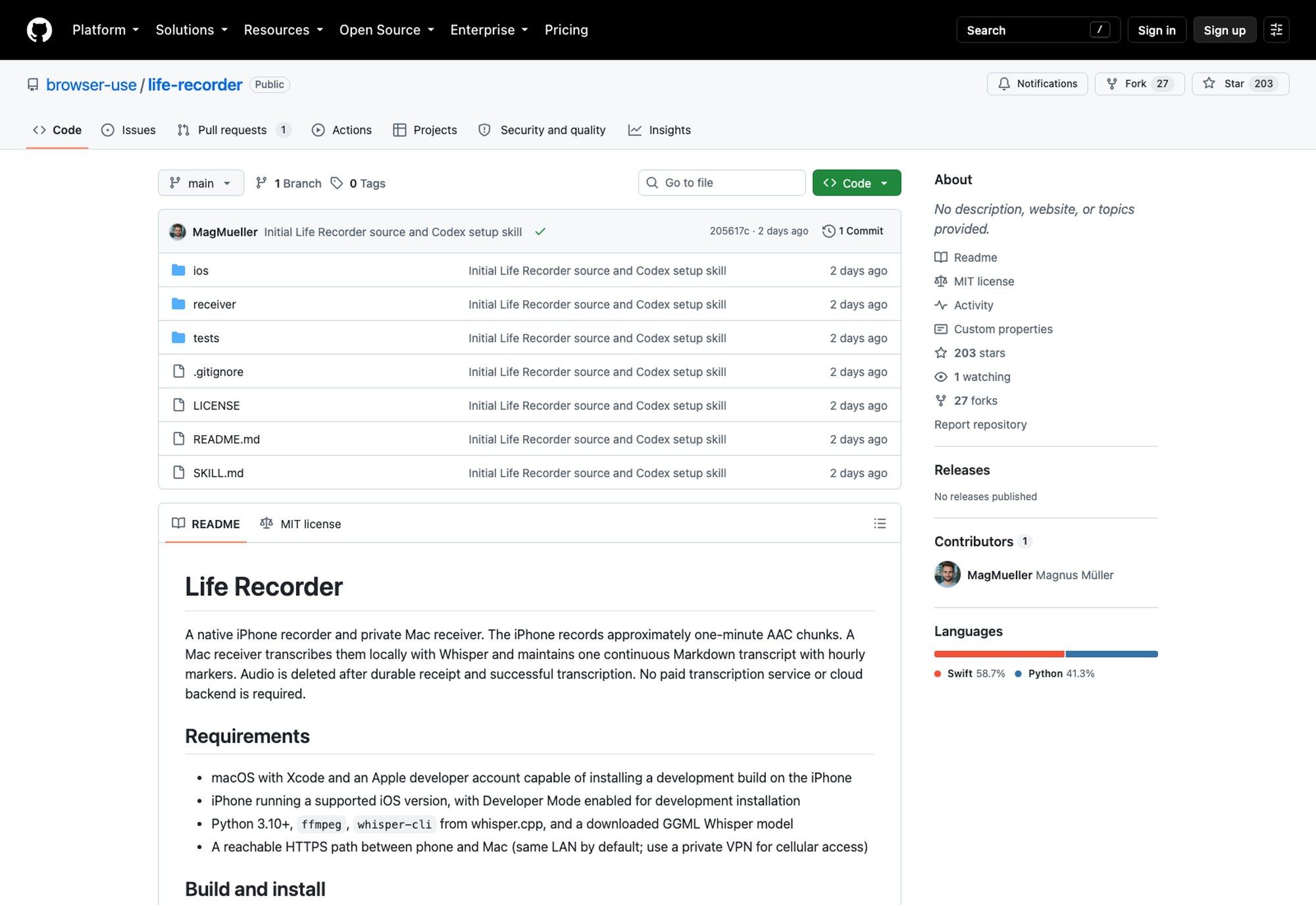
Here is the part the star count hides. There is no App Store listing, and as of 13 September 2026 the repository has no releases at all. To run browser use Life Recorder you open ios/LifeRecorder.xcodeproj in Xcode, select your connected iPhone, pick an Apple development team, and build.
The requirements list is explicit about what that means: macOS with Xcode and an Apple developer account able to install a development build on the phone, an iPhone with Developer Mode turned on, Python 3.10 or newer, ffmpeg, whisper-cli compiled from whisper.cpp, and a GGML Whisper model downloaded to disk. Then a reachable HTTPS path between phone and Mac, which defaults to the same local network.
So the audience is narrower than "anyone who wants a private audio journal". It's people who already have a paid Apple developer account and are comfortable sideloading a development build, which also means re-signing it when the provisioning profile expires. Describing this as a consumer product would be a category error, and nothing in the repository describes it that way.
How the local transcription actually runs
python3 receiver/setup.py takes a data directory, a path to your GGML model, and an --install-agent flag. Setup generates a random bearer token, a self-signed TLS certificate, and a private pairing page you open once on the intended iPhone. The token lands in the iPhone Keychain and in the private Mac runtime directory, and it's gitignored.
Whisper then runs on the Mac, entirely offline. The receiver strips common stage-direction markers and the repetitive noise Whisper hallucinates against silence, then appends to the running document. The README is careful to call that cleanup rather than a guarantee of accurate transcription, which is the right disclaimer: a model trained mostly on clear speech will produce confident nonsense from a pocket recording in a café.
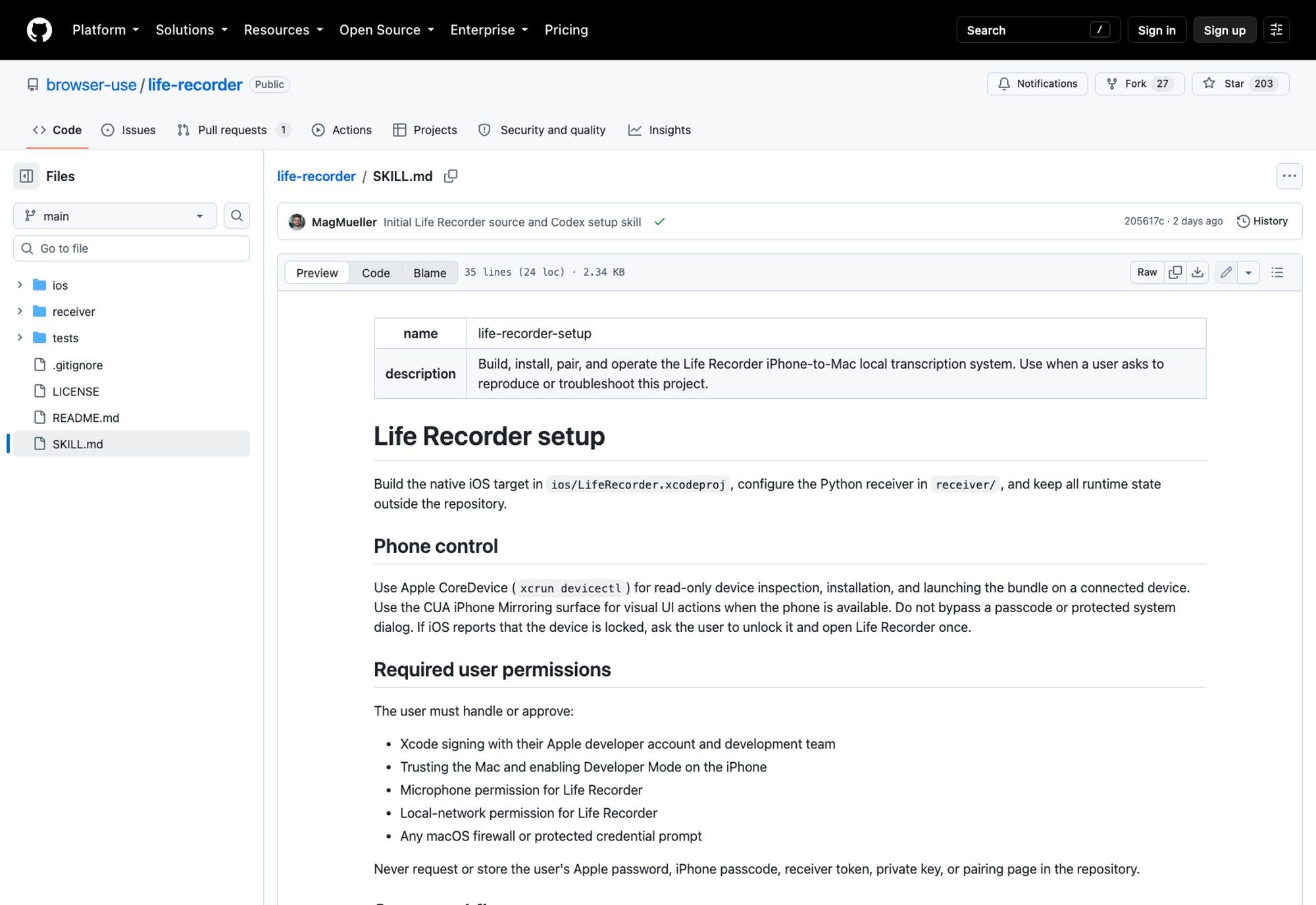
The repository also ships a SKILL.md, a reusable Codex procedure for reproducing the whole setup: inspecting the source, building with Xcode, and installing to a connected iPhone through Apple's CoreDevice tooling, with iPhone Mirroring for the visual steps. The guardrails in it are specific. Codex must not guess or bypass the passcode, the user handles trust dialogs and Developer Mode and microphone approval, and Codex must never print or commit tokens, private keys, pairing pages, audio, transcripts, or device identifiers.
Shipping the install procedure as an agent skill rather than a script is quietly the most 2026 thing about this project. If you want the wider view of where that pattern went this year, our rundown of the best Claude skills covers the ones worth having.
Where "no cloud" is exactly true, and where it needs an asterisk
The transcription claim is clean. Whisper runs on your Mac, there's no paid transcription service, and no cloud backend is part of the design. The receiver binds an authenticated upload endpoint and, per the README, does not expose transcript downloads or arbitrary access to the Mac.
The network claim needs the asterisk. The default is local-LAN HTTPS with certificate pinning and a 256-bit random bearer token, which means the phone has to be on your home network to hand anything over. For recording away from home the README's answer is a private VPN back to the Mac, and it says plainly that there is no public tunnel or cloud storage built in. Off-network, the phone queues and waits.
There's one more limit stated outright: anyone who can read the private runtime directory can read both the token and the transcript. Disk encryption and keeping that directory out of backups and repositories is on you. A file holding a continuous record of everything said near your phone is roughly the most sensitive artefact you could generate, and the design deliberately hands you the whole responsibility for it rather than assuming it away.
The gap between the phone and the receiver
Follow the architecture and you find the interesting operational hole. The iPhone records whenever you want it to; the Mac transcribes only when the Mac is awake and reachable. Those are different availability guarantees attached to the same pipeline.
In practice that means a laptop that sleeps in a bag builds up a queue of chunks on the phone, and the transcript stops being current until you're home and open the lid. The project's own fix is to run the receiver as an installed agent, which helps if the machine is a desktop that never sleeps and does nothing if it's the laptop you carry. That shape is exactly what Zentor exists for: a hosted cloud AI computer that stays up, so the side of a pipeline that has to be always-on is, without you keeping hardware awake at home for it.
What it's actually for
One Markdown file of everything you said today isn't useful on its own; it's useful as input. Hourly markers and a single continuous document is a deliberate format choice, and it's the format an agent can read without any parsing work.
That's the unstated bet in the design. Nobody reads a raw transcript of their own day. You ask something about it, which puts a model between you and the file. The project doesn't ship that half, and given how sensitive the file is, leaving the querying layer to you is a defensible place to stop. If you'd rather that querying happen somewhere durable than on the machine that also holds the raw file, Zentor gives you a second, always-on computer to put it on, separate from the one recording.
A note on finding it, and on who shipped it
Search the bare phrase and you will not find this project. The first page belongs almost entirely to Aphex Twin's "Blackbox Life Recorder 21f" and to a musician recording under the same name, across Bandcamp, Wikipedia, Pitchfork and Warp. A 2009 TechCrunch piece about wearable life recorders shows up too. The GitHub repository is nowhere near it, which is why the browser use prefix is load-bearing rather than decorative.
The other thing worth knowing is who published it. browser-use is better known for browser automation for AI agents, and this has nothing to do with browsers: it's Swift and Python, a microphone and a Markdown file. Three projects came out of that organisation in the week to 13 September 2026. Reading a browser-automation team ship an on-device audio recorder tells you something about where attention moved this year, from making agents act on the web toward giving them a private record of your actual life to act on. The skills layer is the other half of that movement, and we covered what agent skills are and why they spread separately.
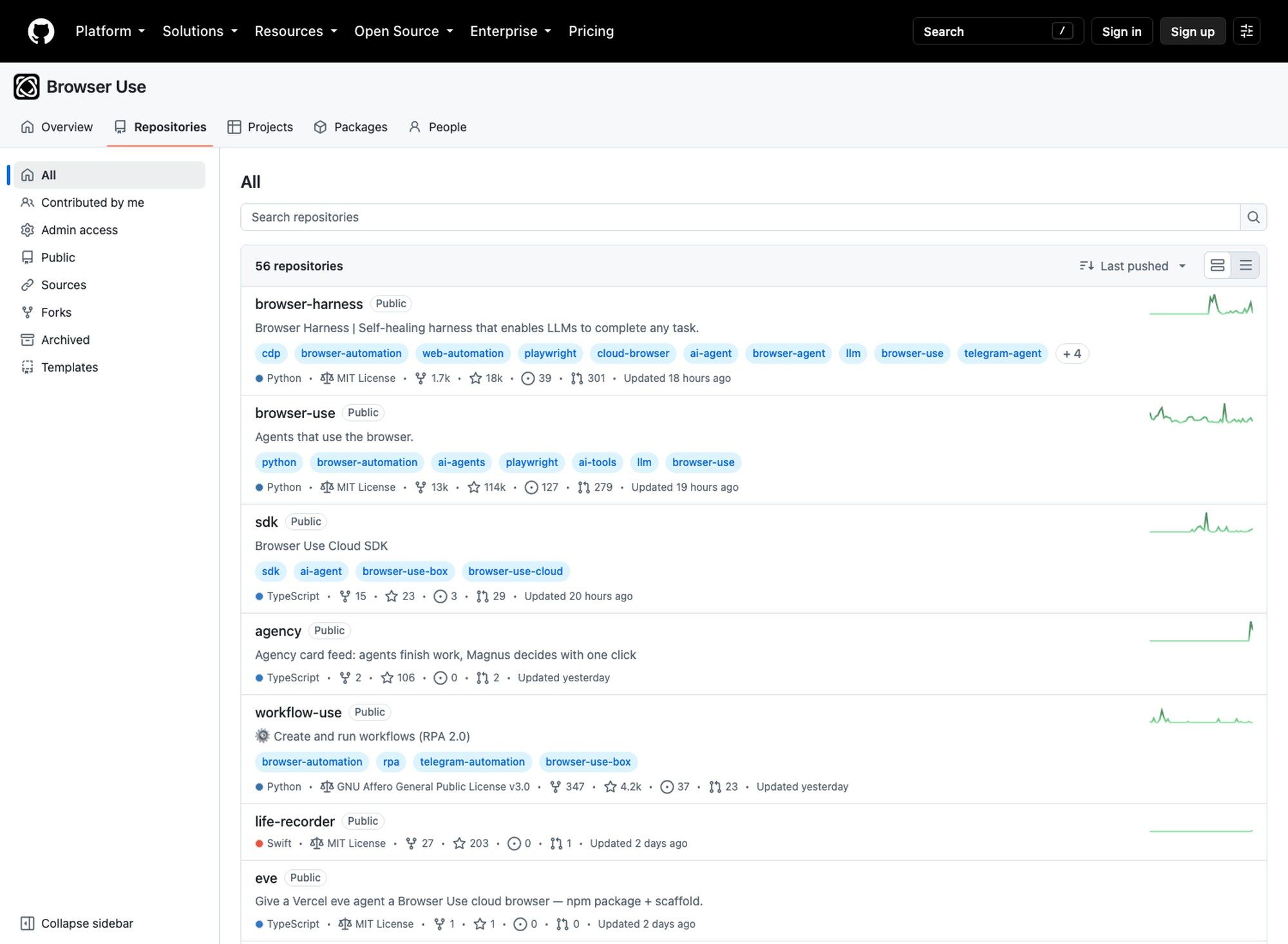
None of that makes the project easier to install. It does make it worth reading, because a team that good at one thing shipping a careful design in a completely different one is a better signal than the star count.
FAQ
Is Life Recorder free and open source?
Yes, MIT licensed, with the source at github.com/browser-use/life-recorder. Free in the licence sense; an Apple developer account to install it on your own phone is not free.
Does Life Recorder send my audio to the cloud?
The design has no cloud backend and no paid transcription service. Audio travels from the phone to your own Mac over authenticated HTTPS on your local network, Whisper transcribes it there, and the audio is deleted after successful transcription. For access outside the home network the README prescribes a private VPN, not a hosted relay.
What is Whisper transcription?
Whisper is OpenAI's open speech-recognition model family. Life Recorder uses whisper-cli from the whisper.cpp project with a downloaded GGML model, which runs the model on your own hardware instead of sending audio to an API.
Can I install it from the App Store?
No. There are no releases in the repository and no store listing. Installation means building from source in Xcode with your own Apple development team and installing to a phone with Developer Mode enabled.
How accurate is the transcript?
That depends on your microphone position, the room, and which GGML model you downloaded, and the README explicitly declines to promise accuracy. The receiver strips stage-direction markers and the repetitive text Whisper emits against near-silence, which it calls cleanup rather than correction. Expect a usable record of what was discussed and not a court reporter's transcript.
What happens if my Mac is off while I'm recording?
Pending audio stays on the phone until the receiver acknowledges it. Uploads retry, and stale connectivity tasks get cancelled so they can't block the queue indefinitely. The transcript simply doesn't advance until the Mac is back.
Worth reading, harder to run
Life Recorder is a well-argued piece of engineering with an honest README, from Magnus Müller, the sole contributor on the repository and the maintainer behind browser-use. The privacy design isn't marketing: audio deleted after transcription, a token in the Keychain, an endpoint that refuses to serve transcripts back, and a written statement of exactly who can read what.
It's also one commit old, has no releases, and needs a paid Apple developer account before you can hear it record a single minute. Nobody else has contributed yet, and a single-maintainer Swift project that requires re-signing every few months is a maintenance commitment you are taking on rather than one somebody is offering you. Read it as a reference design for private on-device capture, which it is, rather than as a thing you'll be using by tonight.
Everything here was checked against the repository and the GitHub API on 13 September 2026.
Continue Reading
More Guide
TRAE Work Guardrails: Permissions and Review
OpenTag Workflow: Slack Threads to Approval Trails
Claude Tag Guardrails for Workspace AI Access
Claude Tag Workflows for Shared Slack Context
What to Use Instead of Manus in 2026
Grok 4.5 API Europe: Access and Setup
The Zentor editorial team writes about workflow automation, AI agents, and the tools we build. Default byline for industry overviews, listicles, and collaborative pieces.
Ready to put this into practice?
MoClaw runs browser tasks, research, and schedules automatically. Try it free.
References: https://github.com/browser-use/life-recorder · https://github.com/browser-use/life-recorder/blob/main/SKILL.md · https://github.com/ggerganov/whisper.cpp · https://github.com/orgs/browser-use/repositories