MarkItDown: When Your Markdown Comes Back Thin

MarkItDown turns PDFs and Office files into Markdown for LLMs. Why a bare pip install and silent OCR skips lose content, and how to catch it.
Table of Contents
You run pip install markitdown, point the command at a quarterly report, and get back a tidy stack of headings with every table gone. Nothing errored. The exit code was zero, the Markdown reads fine, and the loss only shows up when you diff it against the source PDF. That first hour trips up a lot of people, and hardly any of it is a bug. Microsoft's converter behaves exactly as documented; the problem is that the documentation and the big blue install button on PyPI say different things.
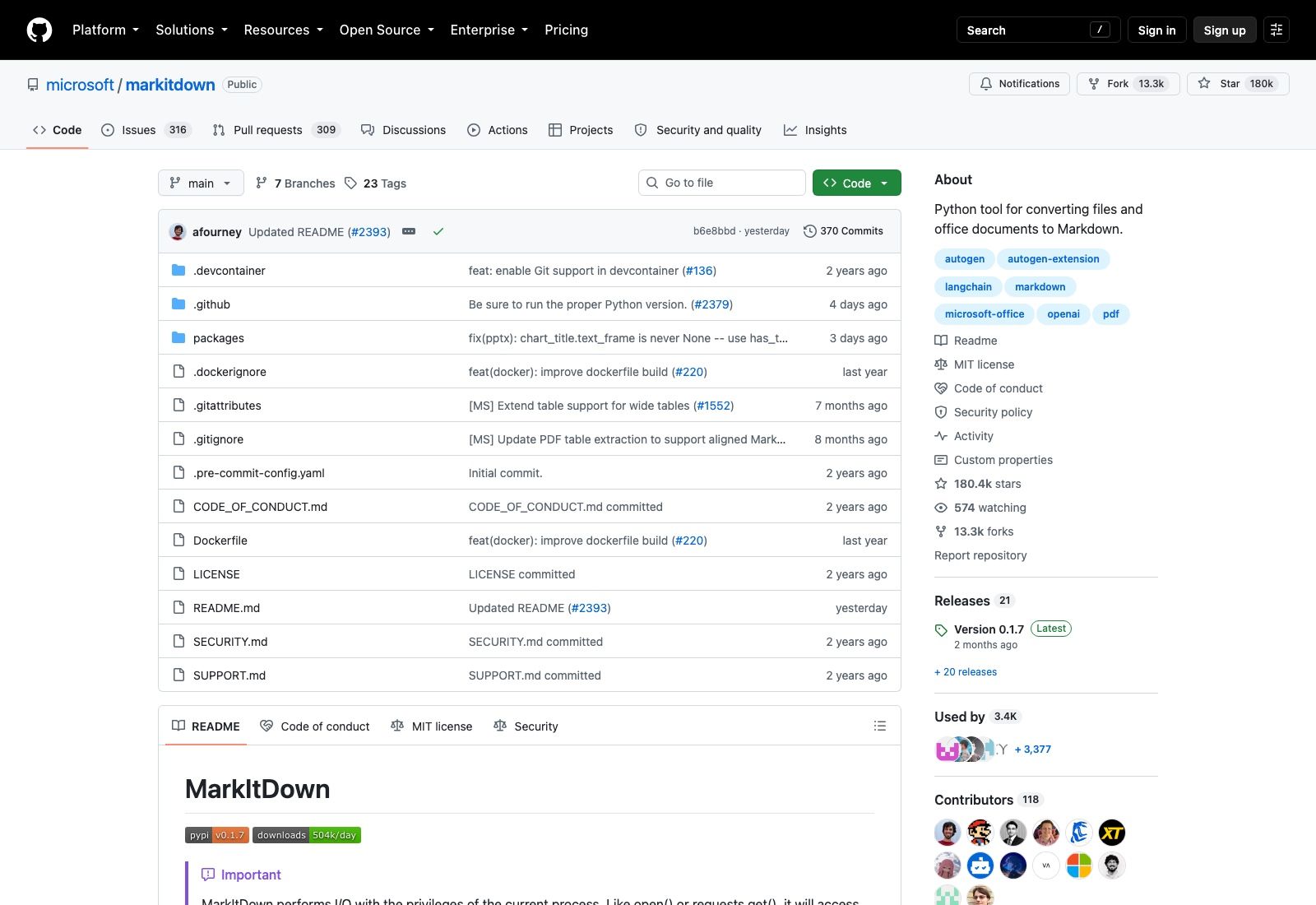
The project crossed 180,000 stars this month (180,423 as of September 8, 2026), with 13,300 forks and 118 contributors. The latest stable release is 0.1.7 from July 29, 2026, with a 0.1.8b1 beta tagged on September 4. It is MIT licensed, Python 3.10 or newer, and it does roughly 504,000 PyPI downloads a day. None of that popularity stops the same three failure shapes from showing up in every agent pipeline that adopts it.
The PyPI install button hands you a broken MarkItDown
Open the PyPI page and the first thing offered is a copy button containing pip install markitdown. Scroll about two hundred pixels and the Installation section says pip install 'markitdown[all]'. Those are not the same package.
The package ships its format support as optional dependency groups. The bare install gets you the library, the CLI, and support for text-shaped formats. PDF, Word, Excel, PowerPoint, Outlook messages, audio transcription: each sits behind an extra. The full list from the README is [all], [pptx], [docx], [xlsx], [xls], [pdf], [outlook], [az-doc-intel], [az-content-understanding], [audio-transcription] and [youtube-transcription].
![PyPI's markitdown 0.1.7 page. The header copy button offers `pip install markitdown`; the Installation section below it specifies `pip install 'markitdown[all]'`. The two are different packages.](https://assets.moclaw.ai/cms/uploads/md_pypi_843f113a81.jpg)
The quotes matter too. Without them your shell tries to glob the brackets and zsh will refuse outright. It's a small thing that generates a steady trickle of issues.
If you're installing it inside a container that an agent will use, take [all] and stop thinking about it; the extras exist to keep a lightweight deployment lightweight, and an agent that might be handed any file type is the opposite of that use case.
The tool optimises for the model, not for you
The README is unusually blunt about this. MarkItDown preserves "important document structure and content as Markdown (including: headings, lists, tables, links, etc.)" but the output "may not be the best option for high-fidelity document conversions for human consumption."
Read that as a design position rather than a disclaimer. The project compares itself to textract, and its stated audience is text analysis pipelines. Markdown wins here because mainstream models were trained on enormous quantities of it and produce it unprompted, and because the markup costs very few tokens compared with HTML or a JSON document tree.
So when a converted contract comes back with the signature block flattened and the letterhead gone, the converter did its job. It threw away presentation and kept the parts a model can reason over. If what you actually needed was a faithful reproduction for a person to read, you picked the wrong tool and no flag will fix it.
That distinction decides which complaints are worth filing. Lost table structure is a bug. Lost typography isn't.
Images are where content quietly disappears
Here's the failure that costs the most and announces itself the least.
The library handles images through EXIF metadata and OCR, and the separate markitdown-ocr plugin extends OCR into PDF, DOCX, PPTX and XLSX by reading embedded images with an LLM vision model. It uses the same llm_client and llm_model arguments the core library already accepts for image descriptions:
from markitdown import MarkItDown
from openai import OpenAI

md = MarkItDown(
    enable_plugins=True,
    llm_client=OpenAI(),
    llm_model="gpt-4o",
)
result = md.convert("document_with_images.pdf")
print(result.markdown)
Now the part to write on a sticky note. The plugin's own README states that if no llm_client is provided, the plugin still loads, OCR is silently skipped, and the standard built-in converter runs instead. No warning. No exception. Your pipeline returns Markdown that is missing every chart label, every scanned page and every screenshot of a table, and it returns it with a success status.
An agent downstream will happily answer questions about that document. It will be confident and it will be wrong, because the evidence it needed was in a PNG that never became text. If you run it over anything scanned or chart-heavy, assert on output length or on the presence of expected strings; treating a zero exit code as proof of extraction is how this bites.
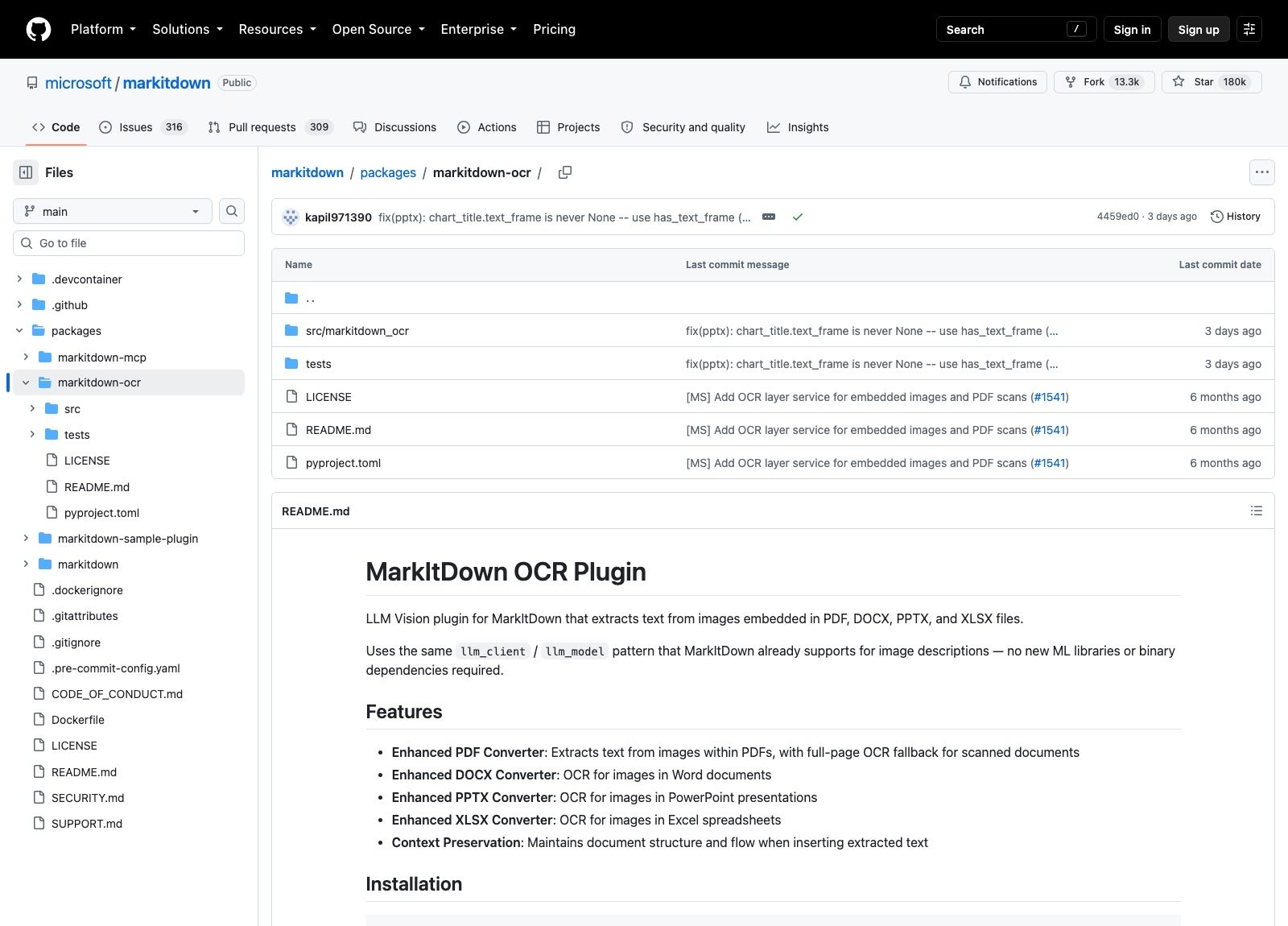
Plugins are also disabled by default. markitdown --list-plugins shows what's installed, and you have to opt in explicitly.
The security note most pipelines walk straight past
The README leads with an IMPORTANT block, and PyPI repeats it above the fold: MarkItDown performs I/O with the privileges of the current process. Like open() or requests.get(), it reaches whatever the process can reach.
The guidance is specific. Don't pass untrusted input to convert(), which is deliberately permissive and will accept local paths, remote URIs and byte streams alike. If you only ever read local files, call convert_local(). If you want control over fetching, do the requests.get() yourself and hand the response to convert_response(). For the tightest grip, open the stream and call convert_stream(). Microsoft's own wording asks you to restrict file paths, limit URI schemes and network destinations, and block private, loopback, link-local and metadata-service addresses.
That last item is the one that should make you sit up. An agent that accepts a user-supplied document URL and passes it to convert() is one crafted link away from fetching your cloud instance metadata endpoint and putting the response into a model's context.
The clean answer is not to run that converter next to your credentials. Give it a machine of its own with a small blast radius and no standing access to anything you care about. This is a large part of why MoClaw exists as a hosted cloud computer rather than a local install: the document work happens on infrastructure that was never holding your SSH keys in the first place, and the narrow convert_* call is easier to enforce when the process boundary is real.
When Azure Document Intelligence is the honest answer
Two of the optional extras, [az-doc-intel] and [az-content-understanding], wire the converter into Azure's document services. They exist because the local converters have a ceiling.
Multi-column academic PDFs, forms with checkbox state, tables that span pages, anything scanned at an angle: these are hard problems that a pure-Python extraction path is not going to solve. Reaching for the Azure path means accepting a per-page cost and a network round trip, and it means your documents leave the machine. For an internal archive of scanned invoices that tradeoff is usually worth it. For a nightly job over public filings it usually isn't.
Deciding this early saves a fortnight. Run twenty representative documents through plain MarkItDown, read the output yourself, and only escalate the categories that actually fail.
MarkItDown versus pandoc is the wrong comparison
People reach for pandoc because it converts documents, so the two look interchangeable. They aren't, and the difference isn't quality.
Pandoc is a document conversion system built around a rich internal AST, and it's excellent at moving between markup formats where the source is already structured text. It does not read PDFs as input at all. MarkItDown starts from binary office formats and scanned pages and produces one output format, aiming at something a language model can consume rather than something a typesetter can round-trip.
Conversion tools sit at the same layer as the glue between agent skills and traditional automation platforms: plumbing that decides what your agent can even see. If your source is LaTeX or DocBook or reStructuredText and your output is a document, use pandoc. If your source is a folder of PDFs and PowerPoints and your output is going into a context window, MarkItDown is the tool built for that. The overlap is small enough that "which is better" doesn't have an answer.
Putting MarkItDown behind an agent that outlasts your laptop
Conversion is cheap and fast. The work around it isn't.
A realistic pipeline watches a folder or an inbox, converts each arriving file, chunks the Markdown, embeds it, and answers questions against the result. We've written up what that shape of document automation looks like end to end if you want the wider view. Most of that runtime is waiting: for a document to show up, for an embedding call, for a person to ask something. Run it on your own machine and the whole thing stops when you close the lid, which is fine for a script you babysit and useless as a service other people depend on.
That gap is the specific one MoClaw fills. It's a hosted cloud AI computer that stays up, so a document pipeline has somewhere to live between events, and it sits alongside your existing local setup rather than asking you to move everything. Free trial is 3 days or 1,000 credits; the $20 subscription includes 1,000 credits a month.
There's a second thing a laptop is bad at here, and it only shows up once more than one person touches the pipeline. Document work is bursty and it arrives on other people's schedules: someone drops forty scanned invoices into a shared folder on a Friday afternoon, and whoever is meant to check the extraction is on a phone. A pipeline pinned to one developer's machine can't be picked up from a different device, so the review step becomes a bottleneck shaped like a person. Because MoClaw runs the whole environment on a hosted machine, the run you started at a desk is the same run you can look at later from somewhere else, without re-uploading anything or reproducing the install.
A few practical notes for that deployment. Pin the version, because the project is still pre-1.0 and 0.1.8b1 is a beta. Log the byte count of every conversion so a silent OCR skip shows up as an anomaly rather than as a bad answer three weeks later. And keep the ZIP handling in mind: it iterates over archive contents, which is convenient right up until someone uploads a 4GB zip.
FAQ
Is MarkItDown free?
Yes. MIT licensed, no paid tier, no account. Costs appear only if you enable the optional paths that call something else: an LLM vision model for OCR, or Azure Document Intelligence for hard PDFs. Both are opt-in.
Does MarkItDown extract images?
It reads EXIF metadata and runs OCR on standalone image files. For images embedded inside PDFs and Office documents you need the markitdown-ocr plugin plus a vision-capable llm_client. Skip the client and the plugin silently does nothing, so verify your output instead of assuming.
Why does pip install markitdown not convert my PDF?
The bare install omits format extras. Use pip install 'markitdown[all]', or pip install 'markitdown[pdf]' for that one format. Keep the quotes so your shell doesn't try to expand the brackets.
Can I run it on user-uploaded files safely?
Only with care. Microsoft's own security note says to sanitize inputs, call the narrowest convert_* function that fits, and block access to private, loopback, link-local and metadata-service addresses. Running the conversion in an isolated environment rather than beside your production credentials is the sane default.
MarkItDown or pandoc?
Different jobs. Pandoc converts between markup formats and doesn't accept PDF input; MarkItDown reads binary office and scanned formats and emits Markdown for language models. Pick by what your source files are.
All figures here were checked against the GitHub API and the project's own documentation on September 8, 2026.
Continue Reading
More Guide
MiniMax M3 Free Ended: What to Use Instead

Lightpanda Is Fast Because of What It Skips

OpenAI Deprecated Its Codex Skills Repo

Open Science: The AI Workbench for Researchers

How to Use GPT-6 Astra: What It Really Costs

GLM 5.2 Free Is Gone From OpenRouter
The MoClaw editorial team writes about workflow automation, AI agents, and the tools we build. Default byline for industry overviews, listicles, and collaborative pieces.
Ready to put this into practice?
MoClaw runs browser tasks, research, and schedules automatically. Try it free.
References: https://github.com/microsoft/markitdown · https://pypi.org/project/markitdown/ · https://github.com/microsoft/markitdown/tree/main/packages/markitdown-ocr · https://github.com/microsoft/markitdown/releases · https://pandoc.org/