MoClaw Pricing: Is $20 a Month Worth It?

A flat $20/month with 1,000 credits. What the plan covers, how the credit math works at 1-10 per chat, and who should wait instead.
Table of Contents
MoClaw pricing is easiest to judge when you stop comparing it to chat subscriptions and start comparing it to the thing it replaces: a machine that stays on. Checked on 14 August 2026, the MoClaw pricing page lists one plan at $20 per month with a managed cloud computer, 1,000 credits, browser control, scheduling, and a free trial entry point.
Key Takeaways:
- The public price is $20 per month, flat, with 1,000 credits included and no usage tiers
- MoClaw's own estimate for those credits is about 100 conversations or 50 images
- Extra credits are $10 per 1,000, purchasable repeatedly, so a heavy month has a visible ceiling you set
- The plan earns its price on persistent workspace work, not on occasional questions
I review AI subscriptions by asking one dull question first: what bill would I have to explain later? A single $20 line is simple to defend. A $20 line plus credit packs plus a paid connector can still be reasonable, but only if each line has an owner and a reason.
MoClaw Pricing at a Glance
The pricing screen lists one main plan at $20 per month, described as flat price, cancel anytime, no tiers and no usage bills. It includes 1,000 credits per month, estimated at roughly 100 conversations or 50 images, with Claude included.
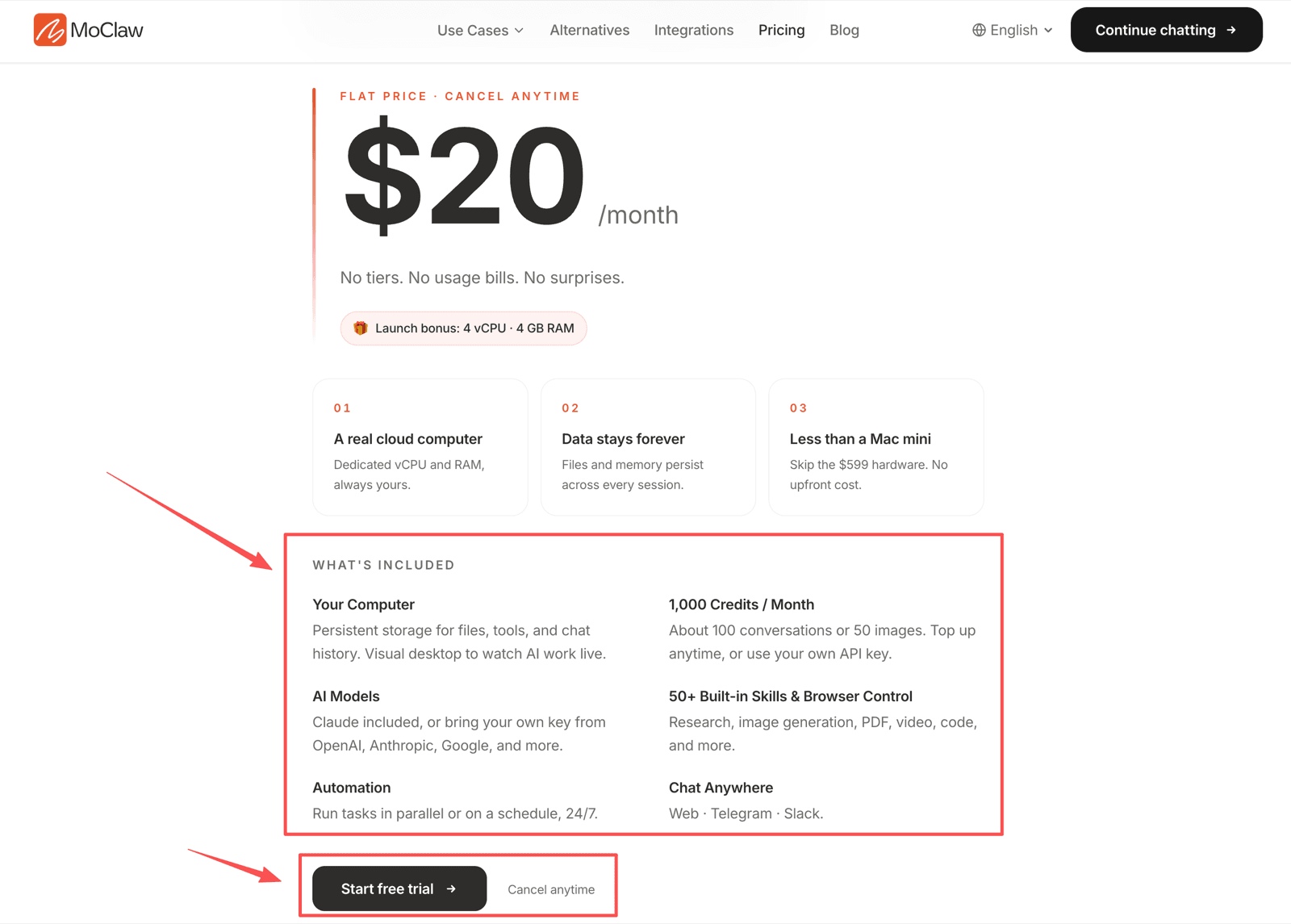
That gives you three cost lines to track, not one: the subscription, the included credits, and optional credit packs. A fourth appears only if your workflow touches paid third-party tools.
What the Monthly Plan Actually Covers
The plan covers managed agent infrastructure. The value question is whether you need a workspace that keeps files, runs tools, controls a browser, and works while your laptop is closed.
The cloud computer
The AI cloud computer is a private Linux machine with a filesystem, shell, browser, and persistent state. That matters if your work involves files, scripts, browser sessions, reports, or repeat tasks.
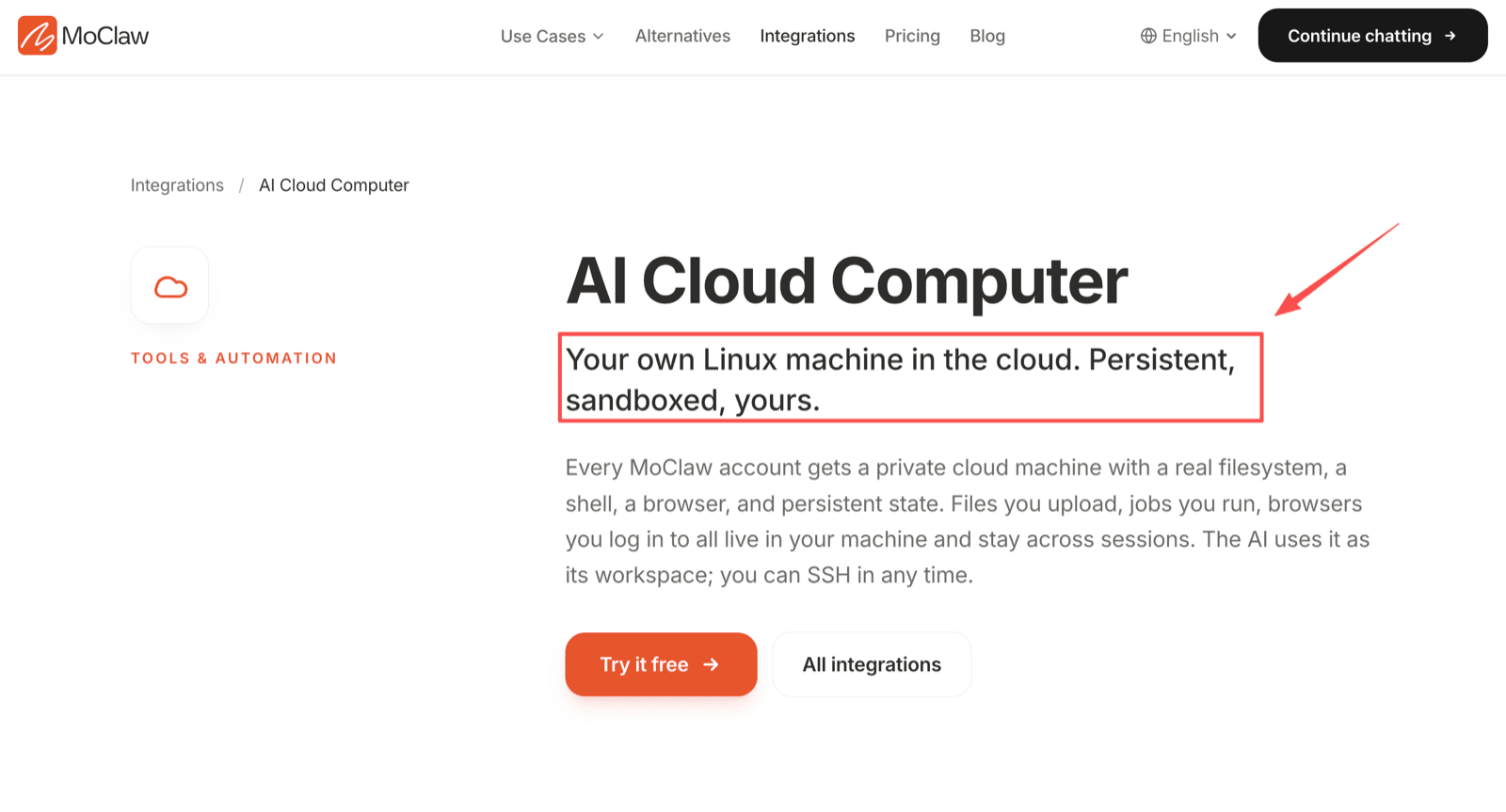
Judge the price against that model. If you mostly ask short questions, this is more structure than you need, and a chat subscription will serve you better for less.
MoClaw's own framing of the comparison is hardware: a Mac mini M4 costs around $599 upfront, and a comparable cloud VM runs roughly $50–80 per month. That is the honest reference class — not another chatbot.
Scheduling and browser control
Scheduling and browser control are what make the cloud computer worth paying for. If your agent checks a page, opens a browser, saves a file, or prepares a scheduled report, the fixed subscription has a clear job.
If you only need one-off drafting, these features are the part you would be paying for and not using.
Doing the Credit Math Before You Subscribe
This is where most pricing posts wave their hands. The numbers are on the page, so use them.
The add-ons panel lists typical usage as roughly 1–10 credits per chat and 3–15 credits per image generation. Against a 1,000-credit monthly allowance, that gives you a usable range rather than a single promise:
- Light text work at the bottom of the range stretches well past the "about 100 conversations" estimate
- Heavy multi-step agent runs at the top of the range burn the allowance in a few dozen sessions
- Image-heavy months hit the ceiling fastest, which matches the page's own "or 50 images" framing
Extra credits are $10 per 1,000 and can be purchased more than once. So the real budgeting question is not whether $20 is cheap. It is how many credit packs a normal month needs. Run one month before deciding, and check usage at week two rather than at renewal.
That is also the honest answer to "is it predictable?" The subscription is fixed. The credits are consumption. If you never buy a pack, your bill is $20; if you buy two, it is $40, and you chose that.
Connected tools
Some workflows depend on email, Slack, Google Workspace, databases, or scheduling tools. MoClaw can orchestrate the work, but the connected tools may have their own paid plans, admin approvals, data rules, or usage limits. Those bills are not on the MoClaw invoice and are easy to forget when you build the business case.
Who Gets the Best Value
MoClaw is most likely worth $20 per month for professionals, solopreneurs, and small team leads with recurring work across files, browser pages, schedules, and review steps. The stronger fit is not "I want another AI chat." It is "I need inspectable agent outputs."
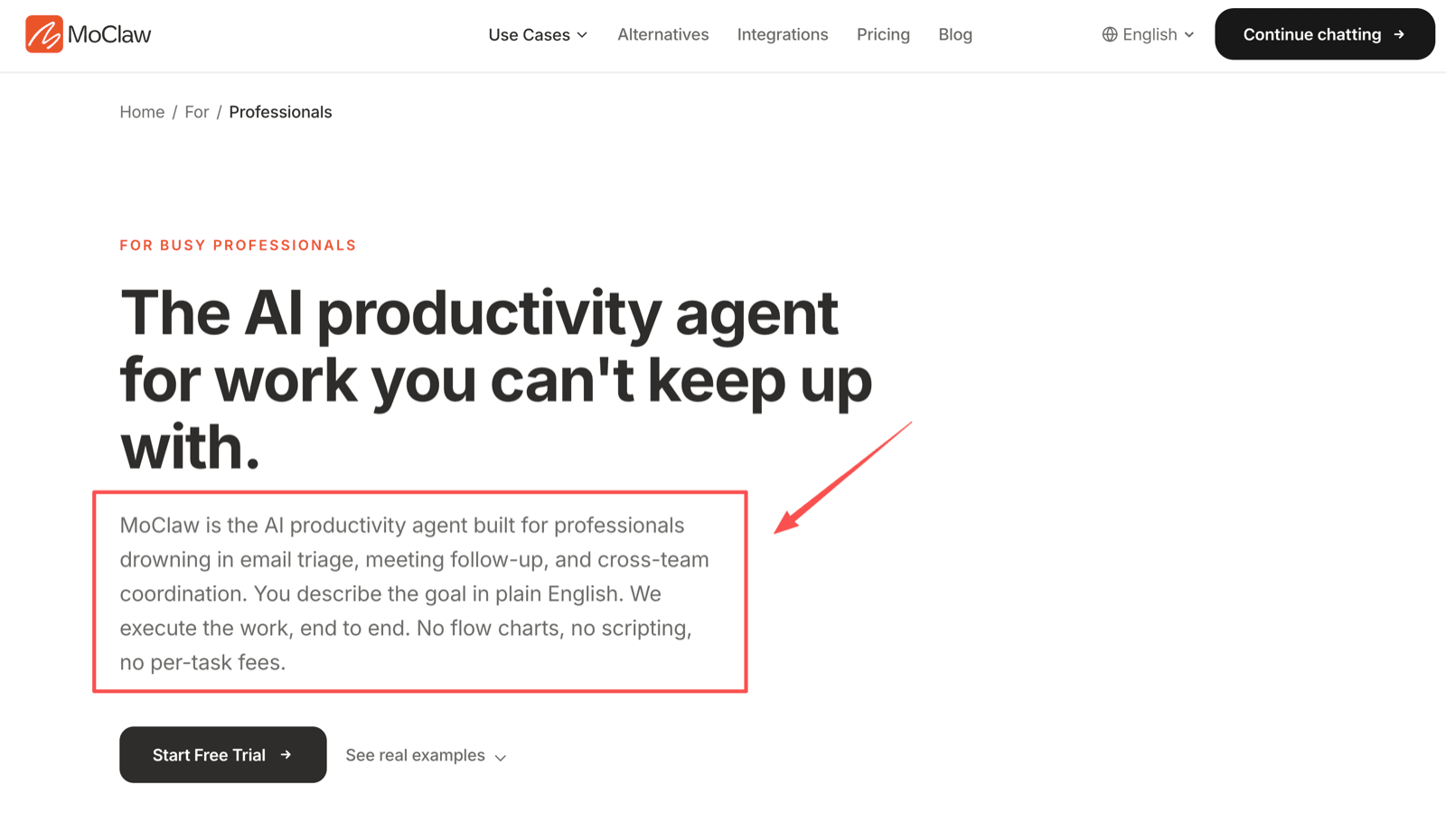
For that buyer, the professional productivity use cases are a better reference than generic chatbot comparisons. The value shows up in the repeated work — inbox triage, report drafts, browser checks, scheduled briefs, handoff artifacts — where the setup cost is what you are actually eliminating.
A useful test before subscribing: name three tasks you would hand it every week. If you can name three, the workspace model probably pays. If you can name one, wait.
Who Should Wait
Wait if you only need occasional text answers, or if your workload is too sensitive for managed processing. Also wait if procurement, compliance, invoicing, or connector approval has to happen first — those take longer than the trial does.
It is also too early if you cannot yet describe what the agent would do on a Tuesday. A pricing decision gets clearer when you can list workflows, review owners, credit risk, and export needs.
FAQ
Can I cancel after exporting my workspace?
The pricing page lists one-click export and cancel-anytime terms. Before canceling, export files, agent instructions, reports, scripts, screenshots, and billing evidence.
Should finance review screenshots before reimbursement?
Yes, if MoClaw is being expensed. Screenshots should show the plan, billing period, account owner, credits, and any credit-pack purchases.
Should I track agent costs by client project?
Yes, if you use MoClaw for billable work. Track which workflows support which client and whether extra credits were bought for a specific engagement.
Can pricing change after an annual budget is approved?
Yes. Pricing, credits, trial terms, and connector costs can change. Keep a dated pricing snapshot with the approved budget and set a review date before renewal.
What proof should a team keep before expensing MoClaw?
The dated pricing screen, invoice, account owner, workspace purpose, export evidence, and approval note.
So, Is It Worth $20 a Month?
MoClaw pricing is worth it when the $20 plan matches work you will actually run: persistent workspace tasks, scheduled browser work, file operations, and reviewable outputs. Treat the subscription, the included credits, and any credit packs as separate lines, and compare the total against a machine you would otherwise buy or rent rather than against a chat subscription. That is the honest way to decide whether it fits your month.
Fact check: prepared for MoClaw after reviewing the public pricing page, add-on panel, cloud computer page, and professionals page on 14 August 2026. Prices, credits, and trial terms can change after publication. This article is budgeting guidance, not financial, tax, procurement, or reimbursement advice.
Continue Reading
More Guide
What to Use Instead of Manus in 2026

Is DeepSeek Harness Enough for Always-On?

DeepSeek Harness for Non-Developers

Personal AI Agents Explained for Real Work

What Is DeepSeek Harness (DSH)?

Orca ADE: Parallel AI Agent Fleet Explained
The MoClaw editorial team writes about workflow automation, AI agents, and the tools we build. Default byline for industry overviews, listicles, and collaborative pieces.
Ready to put this into practice?
MoClaw runs browser tasks, research, and schedules automatically. Try it free.
References: MoClaw pricing