Third-Party Agent Skills: Permissions and Review

Third-party agent skills need permission checks, review, and clear ownership before they touch real AI workflows. Here is how small teams keep them safe.
Table of Contents
Third-party agent skills are reusable instruction packages that can change how an AI agent plans, uses tools, handles files, and completes repeatable workflows.
Key Takeaways:
- Review third-party agent skills like small operational dependencies, not copied prompts.
- The permissions around a skill matter because a skill can influence how an agent uses available tools, files, data, and external services.
- Small teams need one owner for approval, updates, rollback, and removal.
- AI workflow guardrails should separate read-only use from actions that change systems.
- Popularity does not prove a skill is safe.
Hi everyone, Vera here. I treat a third-party skill like a browser extension that wants workspace access. The first question is not, "Does this save time?" It is, "What can it see, what can it change, and who checks it after updates?"
Why Third-Party Agent Skills Need Review
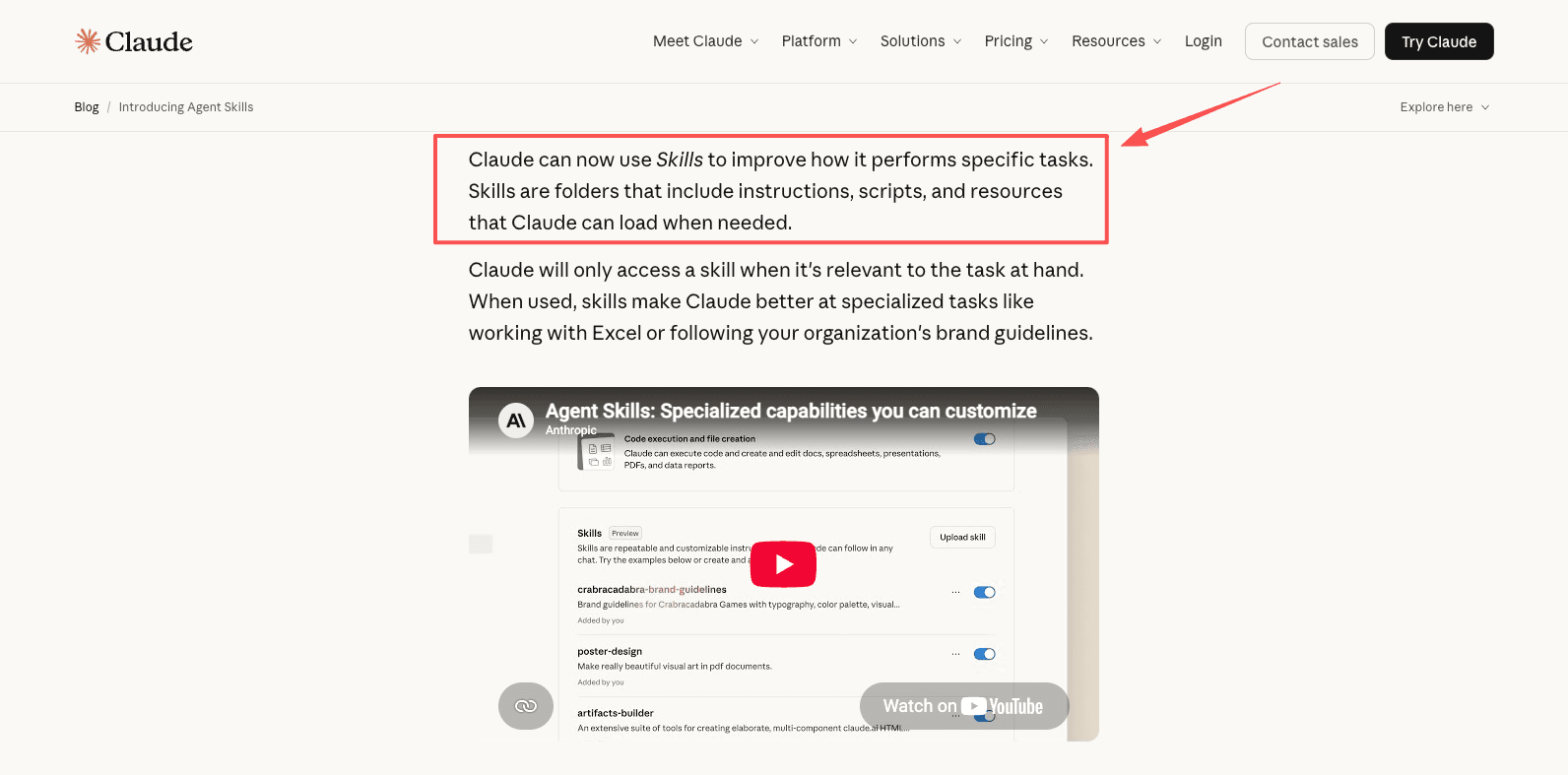
Third-party agent skills are attractive because they turn repeated prompting into reusable behavior. Anthropic describes Claude Skills as folders containing instructions, scripts, and resources that Claude can use for specific tasks. That structure is useful, but it also means a skill can become part of the agent's operating surface.
Skills can change agent behavior
A skill may tell an agent how to summarize tickets, format reports, inspect repositories, classify leads, or call tools. Even if it does not run code directly, it can still bias decisions and push a workflow toward actions your team never approved.
For example, a marketing team may install a campaign cleanup skill for rewriting launch notes. Two weeks later, people start using the same skill to update statuses and draft customer-facing copy. The skill did not become malicious. The workflow simply expanded faster than the review boundary.
In one small review I ran, a skill that was approved for 1 narrow task was used across 5 different content types within three weeks: launch notes, internal updates, customer emails, sales blurbs, and help-center edits. Only 2 of those uses matched the original review scope.
Natural-language instructions as an operational surface
Natural-language instructions are easier to read than code, but they still need review. Agent skills governance should ask what the skill can cause the agent to do, not only what the skill claims to do.
OWASP's Top 10 for Large Language Model Applications is a useful lens here because risks such as prompt injection, sensitive information disclosure, and excessive agency often meet inside agent workflows.
Permission Checks Before Use
Skill permissions should be reviewed before installation, before team sharing, and before connection to real outputs. Start narrow. A skill that only reads examples should not inherit permission to edit live records.
Tool access
Check whether the skill can reach a browser, terminal, file editor, email account, CRM, repository, spreadsheet, or chat channel. If yes, decide whether access is read-only, draft-only, or action-capable.
A sane first rollout is read-only plus draft output. Let the skill summarize, classify, or propose a change. Do not let it send, delete, merge, publish, or modify records until a person has reviewed real outputs.
File and data exposure
File exposure is where small teams get surprised. A skill may only need a style guide, while the agent environment exposes a whole project folder. A skill may only need public sources, while the workspace includes customer exports, invoices, and private notes.
This matters in recurring agent workflows, where sources, files, schedules, logs, artifacts, and delivery often sit in the same workspace. MoClaw's build AI agent without the framework is a related workflow reference for that kind of setup. When a skill shapes the workflow, the review should include which files the agent can read, which files it can write, and which files stay outside the working set.
Network or external service calls
Network access raises the stakes. A skill that calls an external service can leak data, send incomplete work, or create records in another system. That does not make every network call unsafe. It means the destination, data type, and allowed action should be named before approval.
NIST's software supply chain guidance is a useful analogy because it focuses on the acquisition, use, and maintenance of third-party software and services, and on practices that reduce software supply-chain risk.
Keeping a record of what was approved
Deciding a permission is one thing; being able to show the decision six weeks later is another. Most agent clients hand you a transcript, and a transcript tells you the story the model told about its own work rather than what it was actually granted.
Some tools are starting to treat that as an architectural problem. Apache Maka, an incubating local-first agent workspace, writes permission decisions into the same append-only record as model messages, tool calls, tool results and termination events, so the interface reads from the log rather than the log being a side effect of the interface. Anything that leaves its sandbox boundary needs approval, and that approval is stored with what was asked for and what was granted. We covered the design and its limits in Apache Maka's append-only agent log.
You do not need that specific tool to apply the idea. What a small team should take from it is the review question: after a skill runs, can you reconstruct which permissions it exercised, or only that it finished? If the answer is the second one, the approval step is theatre, and the fix is to write the grant down somewhere the tool cannot overwrite.
Review and Approval for Small Teams
Small teams do not need a procurement ceremony. They need clear ownership and a short approval record that still makes sense three months later.
Who signs off
The workflow owner should approve usefulness. The workspace owner should approve access. If the skill touches customer data, finance, legal, production systems, or external messages, a second reviewer should approve the risk boundary.
I would let a content lead approve a newsletter formatting skill for draft work. I would not let that same approval cover automatic publishing, CRM updates, or support inbox use.
What approval records should include
An approval record should capture the skill name, source, version, owner, intended workflow, allowed tools, blocked tools, data scope, review date, rollback path, and reason for approval. Keep it short enough that people maintain it.
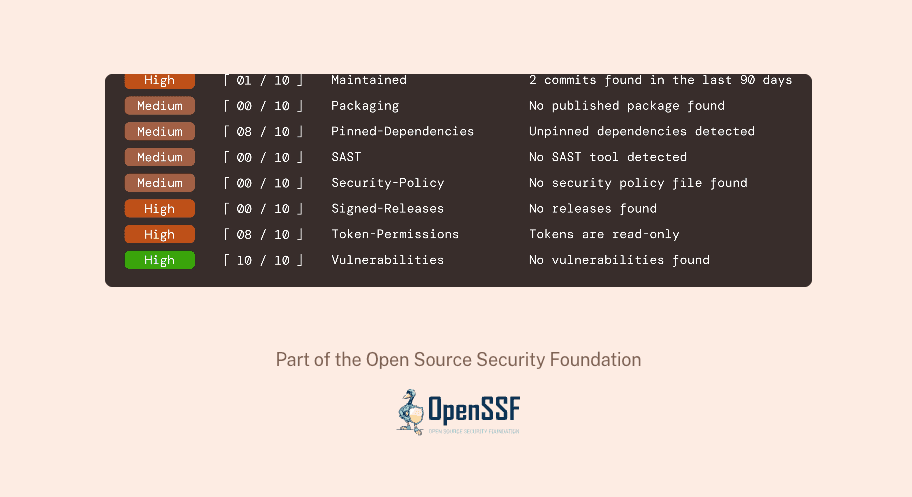
OpenSSF's Scorecard project shows the value of checking maintainership, risky patterns, and project health in open-source software. Third-party skills are not identical to packages, but the habit transfers well.
When to pause rollout
Pause rollout when a skill asks for broader access than the workflow needs, the source changes ownership, update notes are vague, outputs become inconsistent, or nobody can explain why a tool is required.
A realistic pause case: a reporting skill originally reads spreadsheets and drafts summaries. An update adds browser access and "optional delivery support." That may be harmless. It may also move the skill from analysis into external action. Pause until the team understands the change.
Updates, Rollback, and Removal
Skill updates are where trust decays quietly. A skill reviewed in January is not automatically safe in April if its instructions, scripts, dependencies, or default behavior have changed.
Version changes
Version changes should be visible. If a marketplace, repository, or internal registry does not make changes easy to inspect, treat updates as new approvals. The question is simple: does this version still match the permissions we granted?
Failed updates
Failed updates need a rollback path. The rollback note should say which version to restore, what outputs to distrust, which workflows were affected, and whether any external action needs correction.
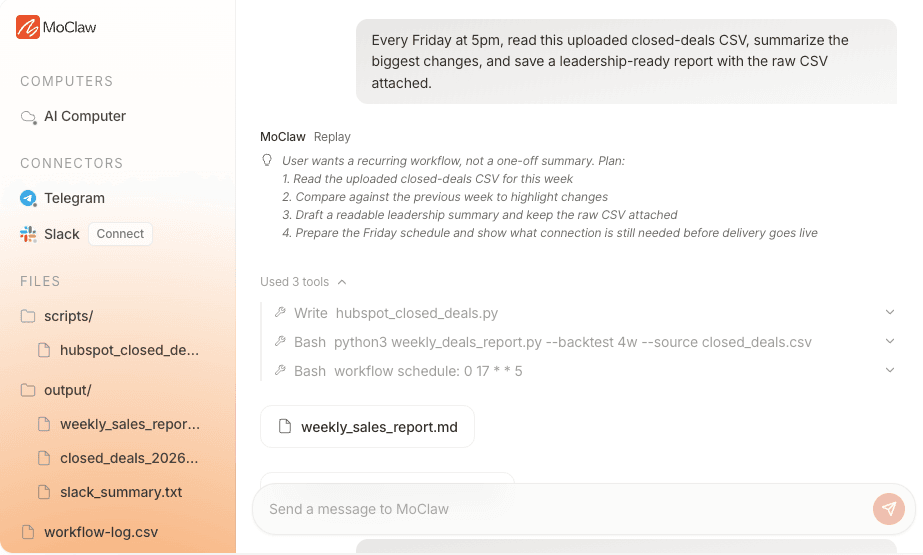
MoClaw's AI workflow automation use case shows why this matters for recurring work: scheduled workflows produce files, reports, logs, and delivery artifacts over time. If a skill update changes behavior, the team needs to know which runs were affected.
Removing unused skills
Unused skills should be removed. If nobody owns a skill, nobody reviews its updates, permissions, or conflicts. A simple rule works well: if a skill has not been used for one review cycle, archive it. If the team needs it again, restore it through the same review path.
When to Avoid Third-Party Skills
Avoid third-party skills when the workflow involves secrets, regulated data, irreversible external actions, production infrastructure, legal judgment, financial movement, or sensitive customer context and the team cannot inspect the skill.
Also, avoid them when the benefit is only convenience. If a skill saves three minutes but asks for repository access, customer exports, or external delivery, the trade is probably wrong.
Third-party skills are strongest when the task is repeatable, the permission boundary is narrow, the output is reviewable, and the owner is clear.
FAQ
Can install counts prove a skill is trustworthy?
No. Install counts can show interest, but they do not prove safe behavior, stable maintenance, or appropriate permissions. Use popularity as a discovery signal, not as approval evidence.
Should contractors use the same skill set?
Not always. Contractors should use only the skills required for their scoped work. If they do not need customer exports, repository write access, or internal strategy notes, their skill set should not expose those surfaces.
Can skills be reviewed without reading code?
Sometimes, but only for low-risk use. A no-code skill can be reviewed by reading instructions and testing outputs. If it includes scripts, external calls, hidden assets, or broad tool access, someone technical should inspect it.
What if two approved skills conflict?
Define precedence before both skills run in the same workflow. If the agent cannot explain which rule wins, stop the workflow and create a small combined policy skill or remove one skill from that task.
Third-Party Agent Skills Need Owners, Not Just Installs
Third-party agent skills can make AI workflows more consistent, but only when the permission boundary is clear. Treat each skill as a small operational dependency: review what it changes, limit what it can access, record who approved it, test updates, and remove what no longer has an owner. That is the difference between reusable agent skills and unmanaged automation drift. For a security-focused Rust implementation, our security-focused IronClaw overview separates its sandbox model from the setup and maintenance it still requires.
Disclosure note: Mentioning third-party agent skills does not mean every external skill is safe to install. This article treats skills as workflow dependencies that require source review, permission checks, update tracking, and rollback planning. Teams should approve each skill against their own data, tools, customer obligations, and production risk before use. For the OpenClaw registry itself, our ClawHub plugin overview explains skills, plugins, installation, and review checks.
Continue Reading
More Guide
pxpipe Guardrails: Text Fallbacks for Image Context

TRAE Work Guardrails: Permissions and Review

What Is GLM-5.3-Flash? Specs and Price

How Lindy AI Memory Works With Files & Skills

Kimi K2.5 Deprecated: Every Date That Matters

AI Token Consumption: Count It, Then Cut It

The MoClaw editorial team writes about workflow automation, AI agents, and the tools we build. Default byline for industry overviews, listicles, and collaborative pieces.
Ready to put this into practice?
MoClaw runs browser tasks, research, and schedules automatically. Try it free.
References: Anthropic: Introducing Claude Skills · OWASP Top 10 for Large Language Model Applications · NIST Software Supply Chain Security Guidance · OpenSSF Scorecard · OpenSSF Scorecard (GitHub)