How to Try Inkling AI Free Online (Playground Guide)

You can chat with Inkling AI free right now in the Tinker Playground, no download needed. Here's how to get in, plus every other way to use Inkling.
Table of Contents
You can try Inkling AI for free right now, no download and no GPU required. Thinking Machines put a hosted Inkling Playground inside the Tinker console: a chat interface, free for a limited time, with agentic web search built in. You type, it answers, same as any chatbot you've used. The one string attached is that phrase, "limited time," and I'll come back to it because it matters. If you want the full rundown of what Inkling actually is before you start poking at it, read our complete Inkling AI guide first.
Key Takeaways:
- You can try Inkling AI free right now in the Tinker Playground, with no download and no GPU required.
- The Playground is free for a limited time, so evaluate the model while the window is open.
- Inkling is an open-weight developer model, not a consumer chat app like ChatGPT.
- Beyond the Playground, you can call a hosted API or download the weights from Hugging Face.
Getting Into the Inkling Playground
Getting into Inkling AI's Playground takes three things: a Tinker account, the console, and the Playground itself. Thinking Machines runs the Playground as part of Tinker, its fine-tuning platform, so there's no standalone Inkling app to install and no multi-gigabyte weights file to pull down before you can say hello to the model.
The steps, honestly, because I'm not going to invent screenshots of a console that'll look different by next month: sign up for Tinker on Thinking Machines' site, open the console once you're in, then find the Inkling Playground and start a chat. That's the flow. Anyone telling you a more elaborate sequence with exact button coordinates is guessing.
The reason it works this way is the model's size. Inkling is 975 billion parameters, and nobody is fitting that on a laptop, or even most workstations. The Playground exists so you can get a feel for how the model behaves without renting a single GPU or touching an inference stack. Everything runs on Thinking Machines' hardware; you just bring a browser and a question.
Once you're in, the fastest way to judge Inkling is to throw your real work at it instead of a party-trick riddle. Paste a chunk of code and ask it to find the bug, drop in a screenshot and ask what's broken in the layout, or hand it a messy voice memo and see how clean the transcript comes back. This is where you find out whether the model's default style actually fits what you do, before you commit a dollar or a GPU-hour, which is precisely the call Thinking Machines wants you making in the Playground rather than after you've paid.
Two signals tell you most of what you need. First, does its default verbosity fit, and if not, can you live with dialing reasoning effort down, since that is a knob you keep after you leave the Playground. Second, does feeding it images or audio actually change your workflow, because native multimodal input is the main thing Inkling offers that a plain text model doesn't. If both land, the fine-tuning stack is probably worth your time; if neither does, a cheaper text-only model likely fits you better.
What You Can Do in the Playground (and What You Can't)
Inside the Playground, Inkling AI handles more than plain text. You can hand it images and audio too, since the model reads all three natively, and it can fire off an agentic web search mid-conversation to pull in something current instead of guessing from stale training data. That last part earns its keep with a brand-new model, since Inkling's training has a cutoff and web search is how it answers anything that happened after it. Thinking Machines built this surface for one job: try the model's behavior first, decide whether it's worth fine-tuning second. That's the whole funnel, and it's a fair one.
Here's what the control surface actually looks like once you're in: the reasoning-effort dial to trade depth for cost, a web-search toggle, the model set to Inkling, and a system prompt panel that quietly confirms the details, a 256K context window and an April 2026 knowledge cutoff.
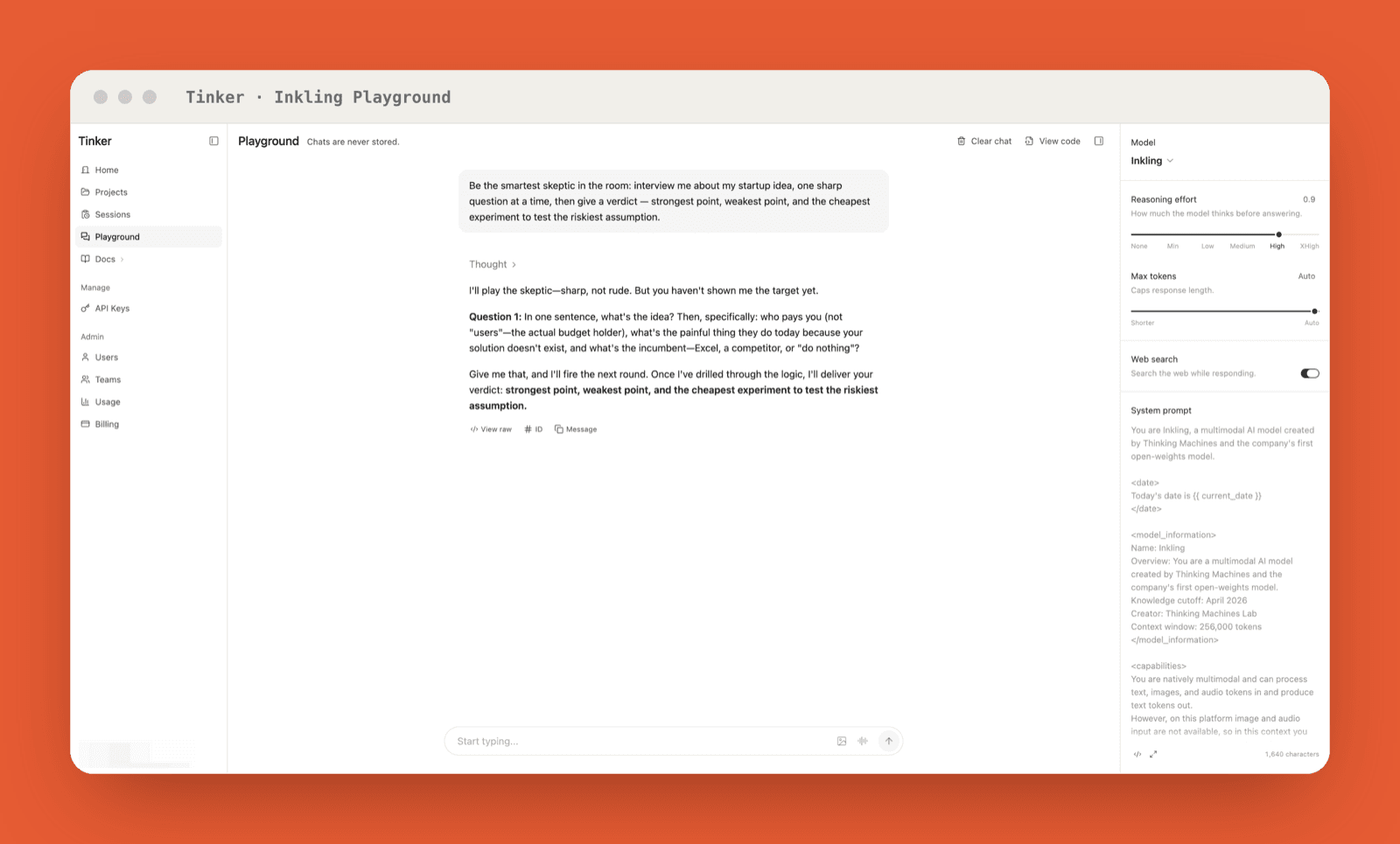
What it won't do: make images, audio, or video for you. Inkling only outputs text, code included, so the multimodal talent is entirely on the input side. Feed it a chart and ask questions, sure; ask it to draw one, no.
Now the part nobody enjoys. The Playground is free for a limited time, not forever. Anyone who's watched a free tier quietly harden into a paywall knows exactly how that sentence tends to end, so plan around it: if you're sizing up Inkling, do it while the window's open, and don't wire anything into the free Playground that you'd be stuck rebuilding the day it closes.
Is There an Inkling AI App or Website Like ChatGPT?
No. There's no Inkling AI app, and no consumer site where you log in and chat the way you do with ChatGPT. If you searched "Inkling AI chat" hoping for that, here's the blunt version: Inkling is an open-weight model aimed at developers, not a finished product with an account, a subscription, and a mobile app. The nearest thing to a chat experience is the Playground, and that's a testing surface bolted onto a developer platform, not a daily assistant your non-technical friends will pick up. The mix-up is fair, honestly: plenty of coverage calls anything with a chat box "an AI," and the Playground does look a lot like ChatGPT once you're typing in it. What sits behind that box, though, is raw model access for people who plan to build something, not a subscription product with a billing page and a support line. If a polished everyday chatbot is what you're after, Inkling isn't it. If you want a model to build on or run yourself, keep reading.
Other Ways to Use Inkling
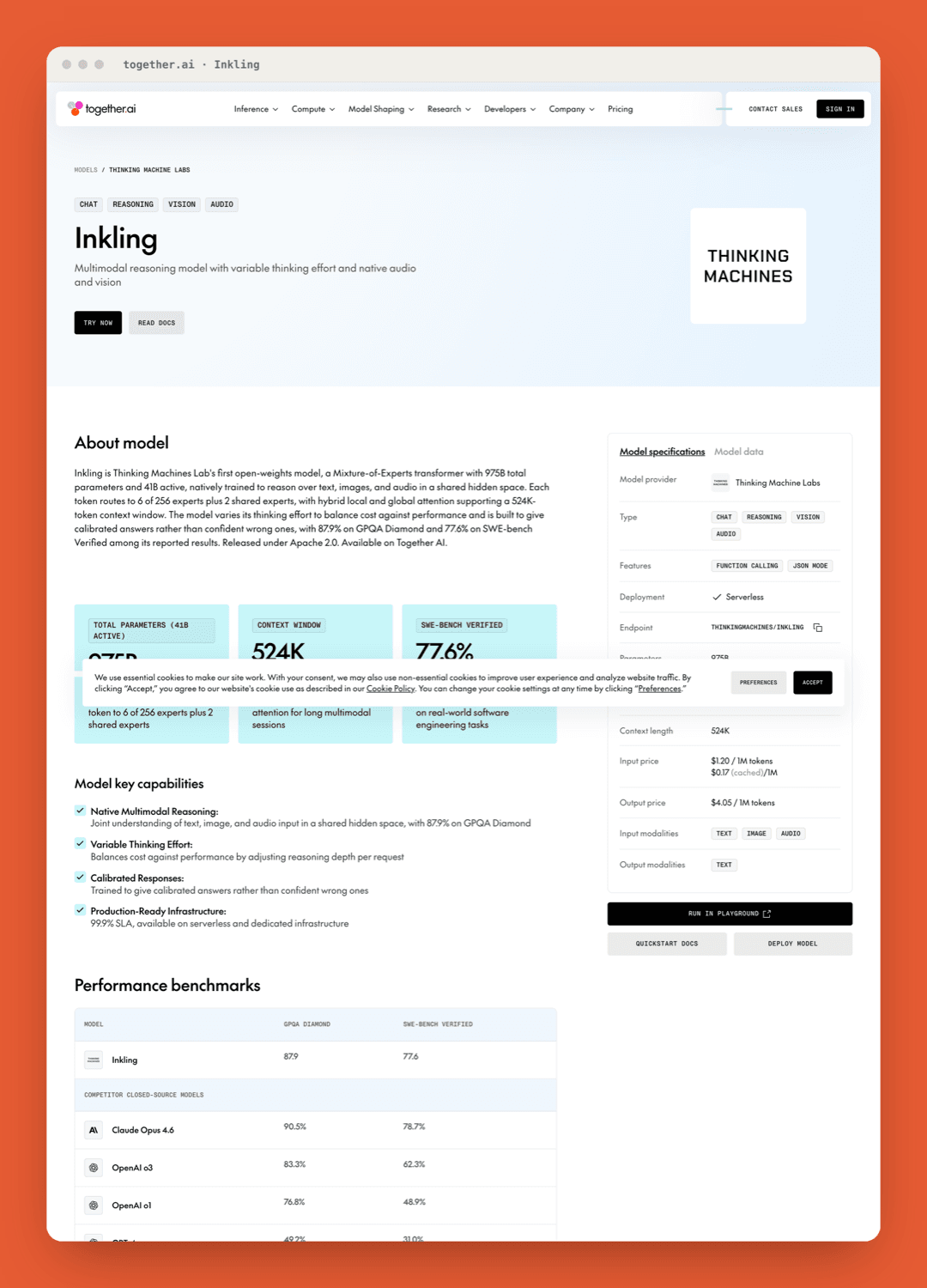
Past the Playground, Inkling AI splits into two routes: call it through an API, or run the weights yourself. On launch day, five providers already had it hosted, Together AI, Fireworks, Modal, Databricks, and Baseten, so you can hit an endpoint and skip infrastructure entirely. That's the quickest way from curiosity to a real project. Which one you pick mostly tracks what you already run: if your stack lives on Databricks, the Unity AI Gateway keeps Inkling inside it, and if you just want a plain endpoint to test against, Together or Fireworks get you there in minutes.
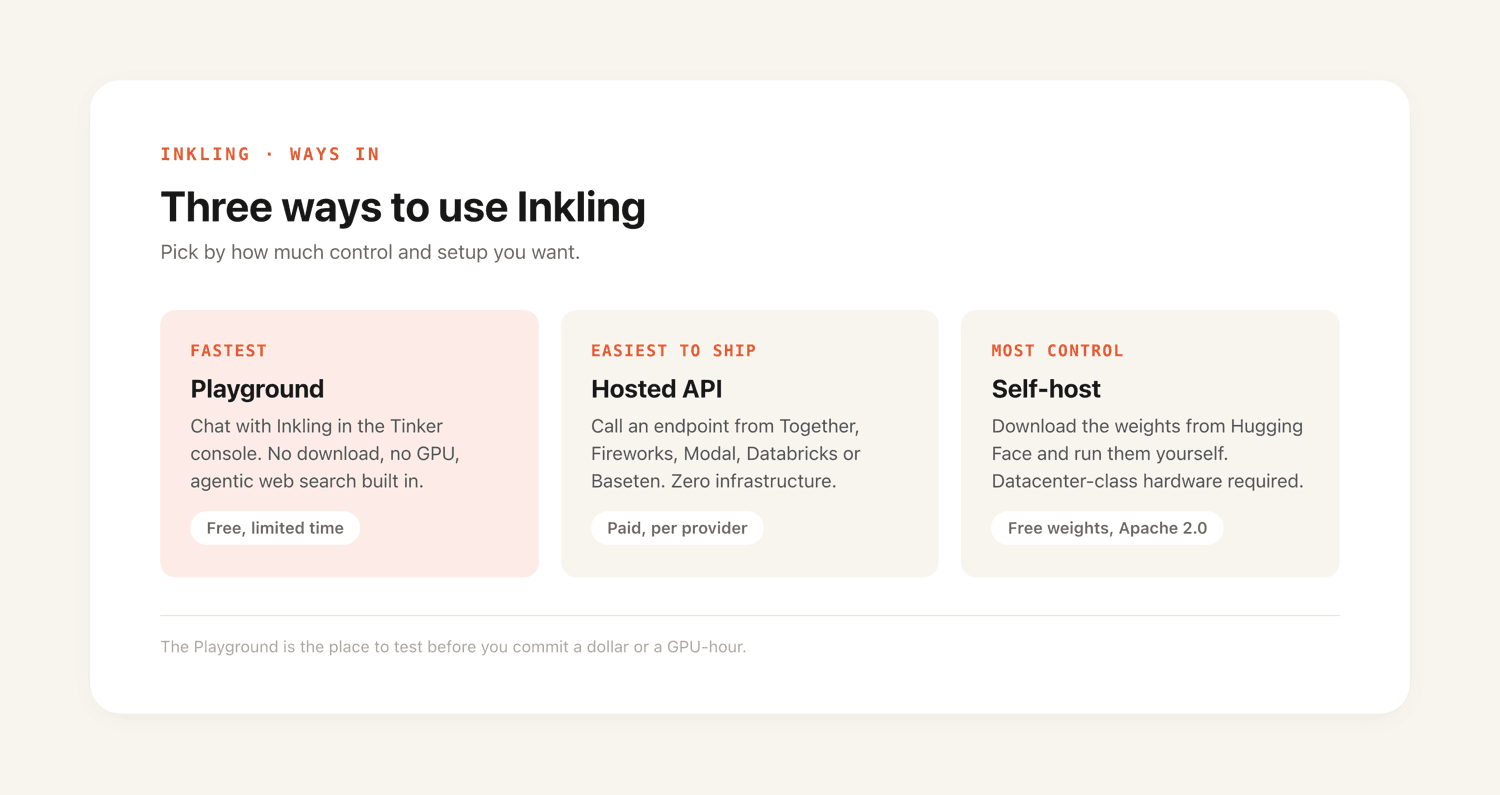
Running it yourself is the heavier commitment. The weights sit on Hugging Face, free to download, in BF16 and NVFP4 formats. But 975 billion parameters is a serious amount of model, and even though only 41 billion fire on any given token, you still have to hold the whole set in memory, which rules out consumer hardware. Most people won't be running this at home. If that's the road you want anyway, the self-hosting section of our complete Inkling AI guide walks through the hardware reality and the supported runtimes.
For a lighter local option, Inkling-Small has since shipped. Thinking Machines released the full weights on 2026-07-30 under Apache 2.0, at 276B total and 12B active, with a context window of up to 1M tokens. They are ungated on Hugging Face, past 167,000 downloads as of 2026-08-23.
FAQ
Is Inkling AI free?
The Inkling Playground is free for a limited time, and the model weights are free to download on Hugging Face. Using Inkling through a hosted API provider is typically a paid service, priced by each provider.
Do I need a GPU to try Inkling?
No. The Inkling Playground runs on Thinking Machines' hardware, not yours, so a browser is enough. You only need a GPU if you decide to download the weights and run Inkling locally.
Does Inkling have a waitlist or early access program?
No. Inkling launched with open weights and day-0 API access, so there's no waitlist or invite gate to get through. You can download the weights or use a hosted provider immediately.
Can I use images or audio in the Inkling Playground?
Yes. Inkling takes text, image, and audio as input, so you can test all three modalities in the Playground. The output is text only, so it won't generate images or audio back.
Is the Inkling Playground the same as ChatGPT?
No. It looks similar once you're typing in it, but the Playground is a developer testing surface inside the Tinker console, not a consumer product with accounts, subscriptions, and a mobile app. It's there so you can evaluate the model before you fine-tune or self-host.
Continue Reading
More Tutorial
How to Use ChatGPT Work for Research and Recurring Tasks

Run GLM-5.3 in Claude Code: Full Setup

GLM-5.3 reasoning_effort: low, high or max

How to Use Grok: Every Access Path

How to Use Kimi K3 in Codex

Run Kimi K3 in an Agent, No Self-Hosting
The MoClaw editorial team writes about workflow automation, AI agents, and the tools we build. Default byline for industry overviews, listicles, and collaborative pieces.
Stop doing this manually.
MoClaw runs on its own cloud computer - research, monitoring, reports, browser tasks. No setup. No self-hosting.
References: Thinking Machines — Introducing Inkling · Inkling model card · Inkling on Hugging Face · Welcome Inkling — Hugging Face blog · Artificial Analysis · Tinker — Thinking Machines