AI Travel Itinerary Generator with Google Sheets
<a href="/blog/ai-tools-for-flight-booking-travel">AI travel itinerary</a> in Google Sheets: describe the trip, get a day-by-day Sheet you can share and edit.
Runs on managed cloud. No scripts, no Zapier.
I'll create a relaxed 5-day New York itinerary and format it as a beautiful calendar-style spreadsheet in Google Drive! Let me start by writing the itinerary data.
Used 2 tools
Write .workspace/nyc_itinerary.csv
Successfully wrote 42 lines to nyc_itinerary.csv
Bash gws sheets spreadsheets create --title "NYC 5-Day Itinerary"
Created spreadsheet: 1HQRwor5MayYbXUYARqSy2MLGJgmMlitvUP23vWe3m0A
Now let me prepare and populate the data into the spreadsheet.
Used 2 tools
Bash cat > /tmp/nyc_data.json << 'EOF' ...
Data payload written. Uploading to Google Sheets...
Bash gws sheets spreadsheets values update --range A1:F50 --data @/tmp/nyc_data.json
Updated 48 rows and 6 columns successfully.
Now let me apply beautiful formatting to make it calendar-style with color coding.
Used 2 tools
Bash cat > /tmp/nyc_format.json << 'EOF' ... (header styling, day highlights, column widths, frozen rows, filters)
Format payload ready. Applying batch update...
Bash gws sheets spreadsheets batchUpdate --data @/tmp/nyc_format.json
Batch update applied: 12 formatting requests completed successfully.
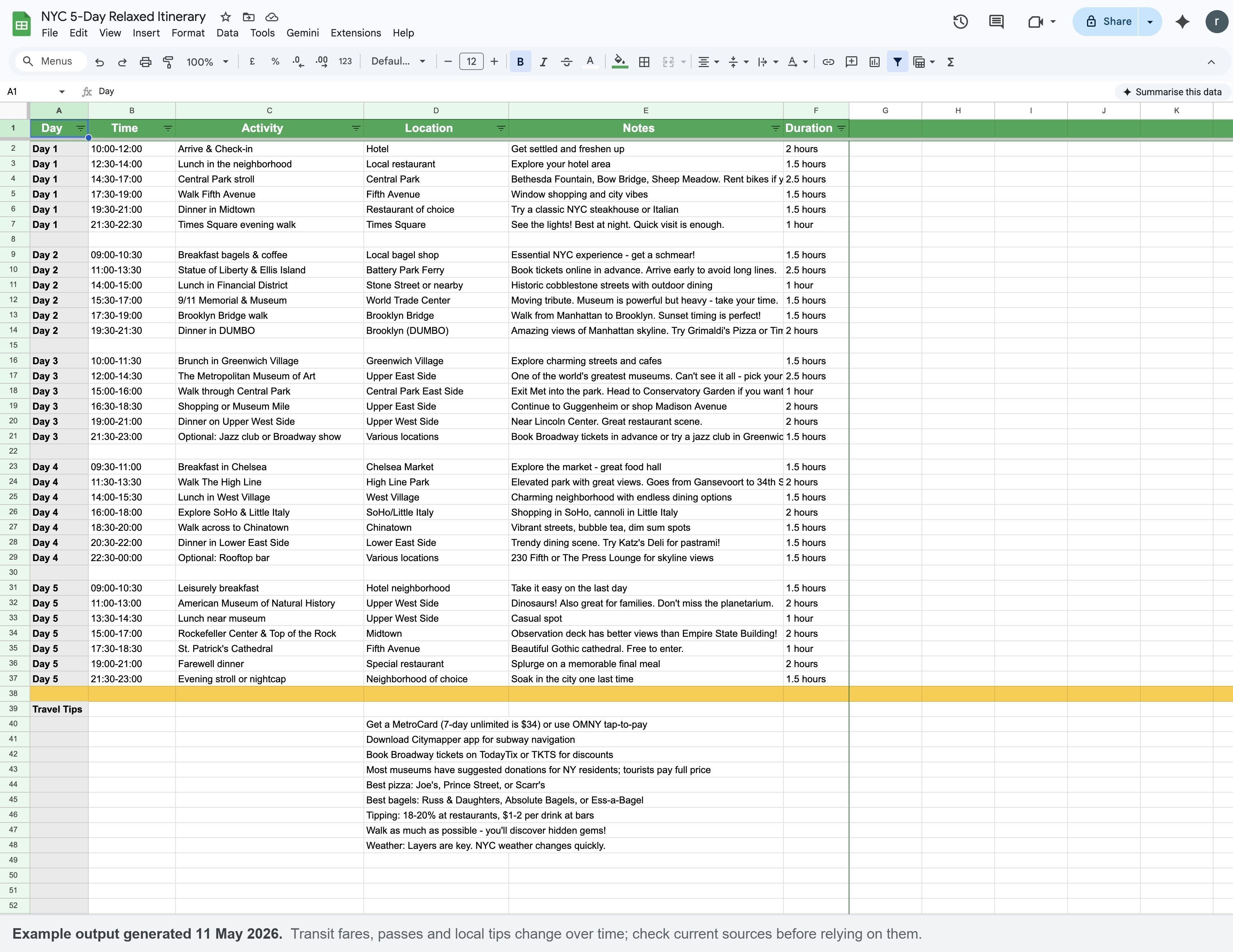
Your NYC itinerary is ready! I've created a beautifully formatted 5-day New York City itinerary in Google Sheets.
Day-by-Day Highlights:
Day 1 - Midtown and Central Park
- Central Park exploration
- Fifth Avenue stroll
- Times Square at night
Day 2 - Iconic NYC and Brooklyn
- Statue of Liberty and Ellis Island
- 9/11 Memorial and Museum
- Brooklyn Bridge walk at sunset
- Dinner in DUMBO with skyline views
Day 3 - Museums and Culture
- Brunch in Greenwich Village
- The Metropolitan Museum of Art
- Optional Broadway show or jazz club
Day 4 - Downtown Neighborhoods
- Chelsea Market breakfast
- The High Line
- West Village, SoHo, Little Italy, Chinatown
- Katz's Deli or rooftop bar
Day 5 - Final Day
- Natural History Museum
- Top of the Rock (better views than Empire State!)
- St. Patrick's Cathedral
- Farewell dinner
Spreadsheet Features:
- Green header with white text for easy reading
- Gray-highlighted day labels
- Yellow-highlighted travel tips section
- Optimized column widths, frozen header row, and filters
Bonus Tips Included:
- MetroCard info and Citymapper app
- Best pizza and bagel spots
- Broadway ticket discounts
- Tipping guidelines and weather advice
Access your NYC itinerary here:
https://docs.google.com/spreadsheets/d/1HQRwor5MayYbXUYARqSy2MLGJgmMlitvUP23vWe3m0A/edit
The pace is relaxed with late starts, time for meals, and flexibility for optional activities. You'll hit all the major sights while still having time to wander and discover. Enjoy the Big Apple!
Try follow-up prompts
How the AI travel itinerary generator works
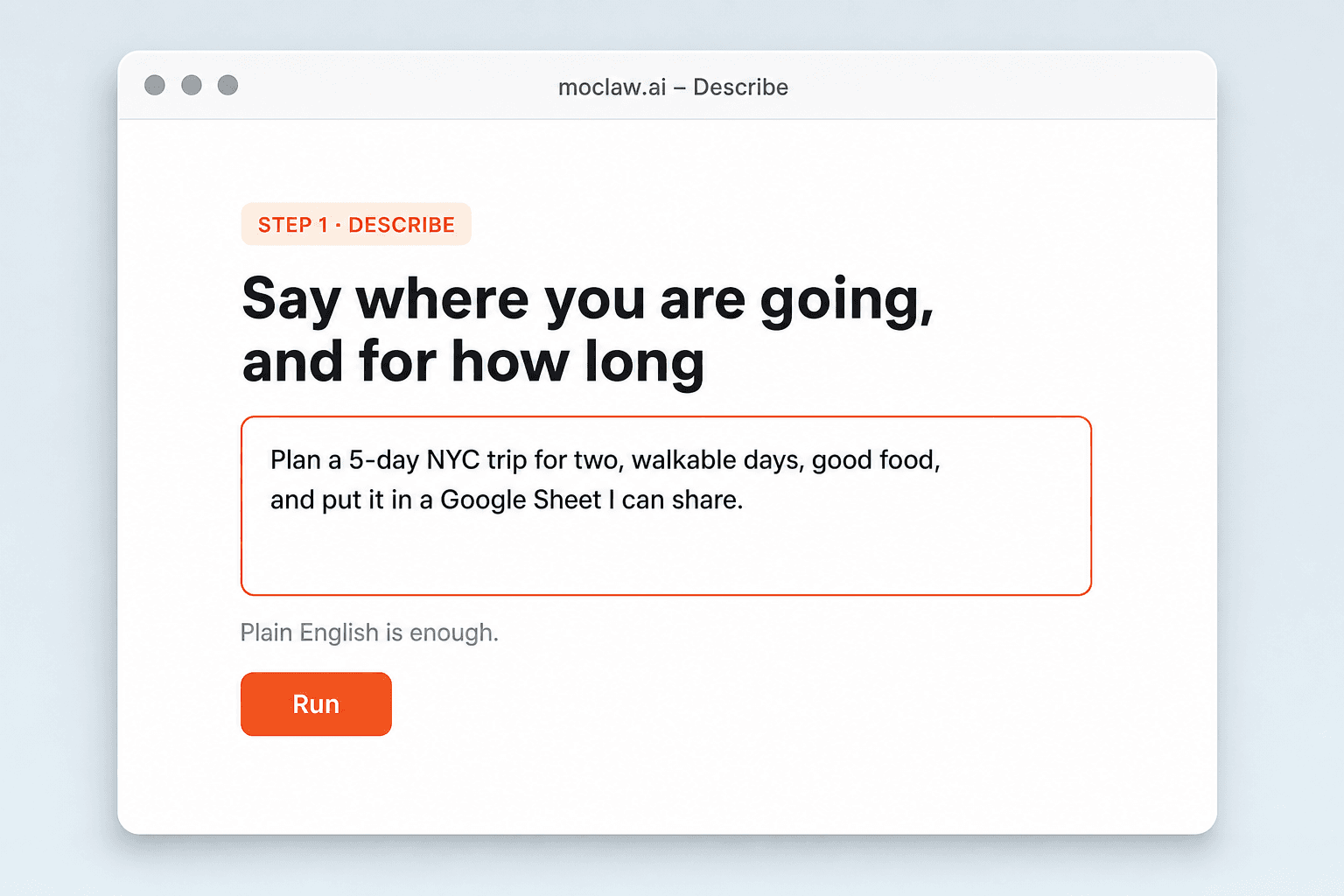
Say where you are going, and for how long
Destination, dates, pace, and any hard constraints. Ask for a Google Sheet if that is how the group plans.
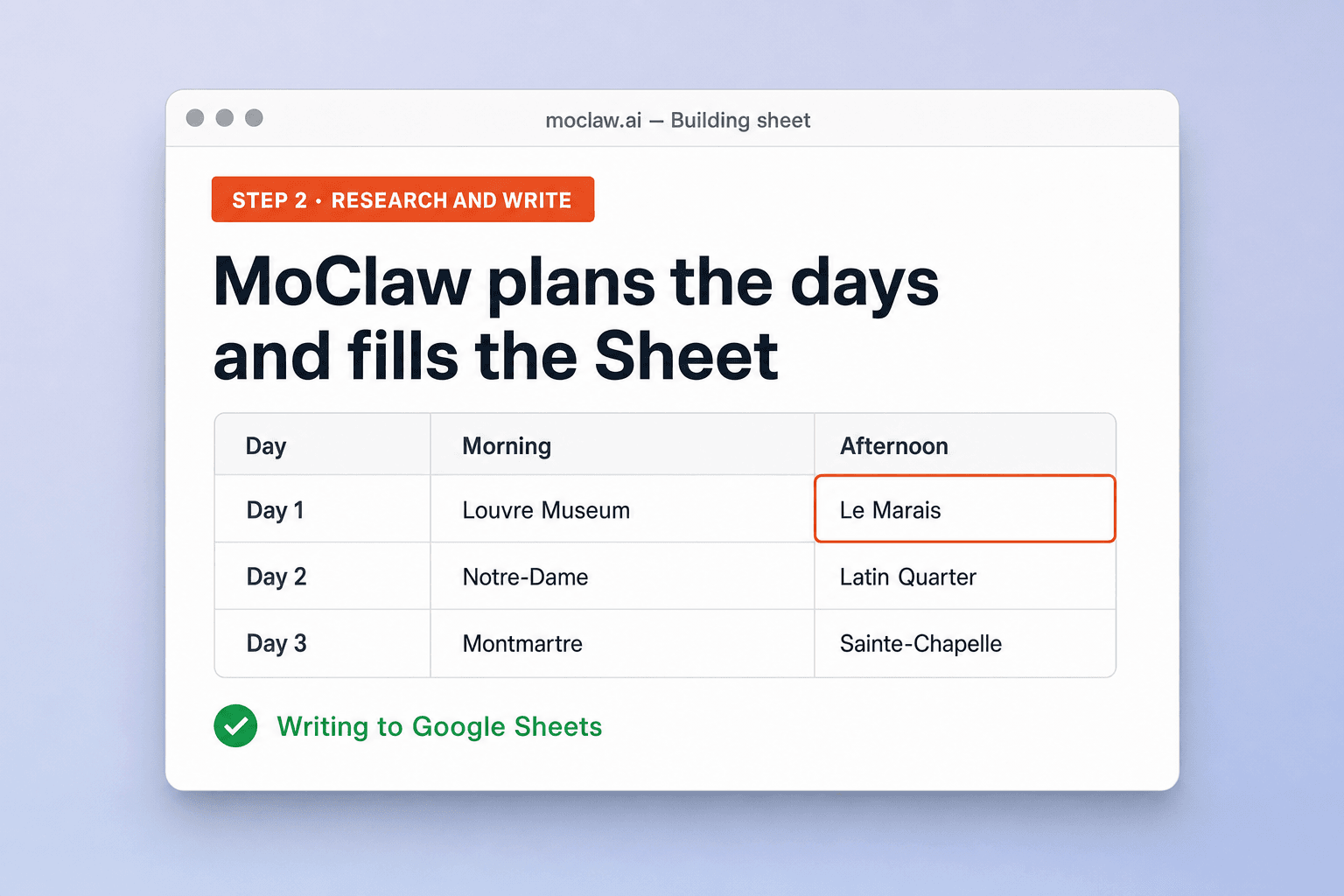
MoClaw plans the days and fills the Sheet
It builds a day-by-day plan, writes it into Google Sheets, and formats headers so the file is readable on a phone.

Get a Sheet link you can send to the group
Open it, edit cells, or ask MoClaw for another pass when plans change.
What lands in the Sheet
What MoClaw watches for you
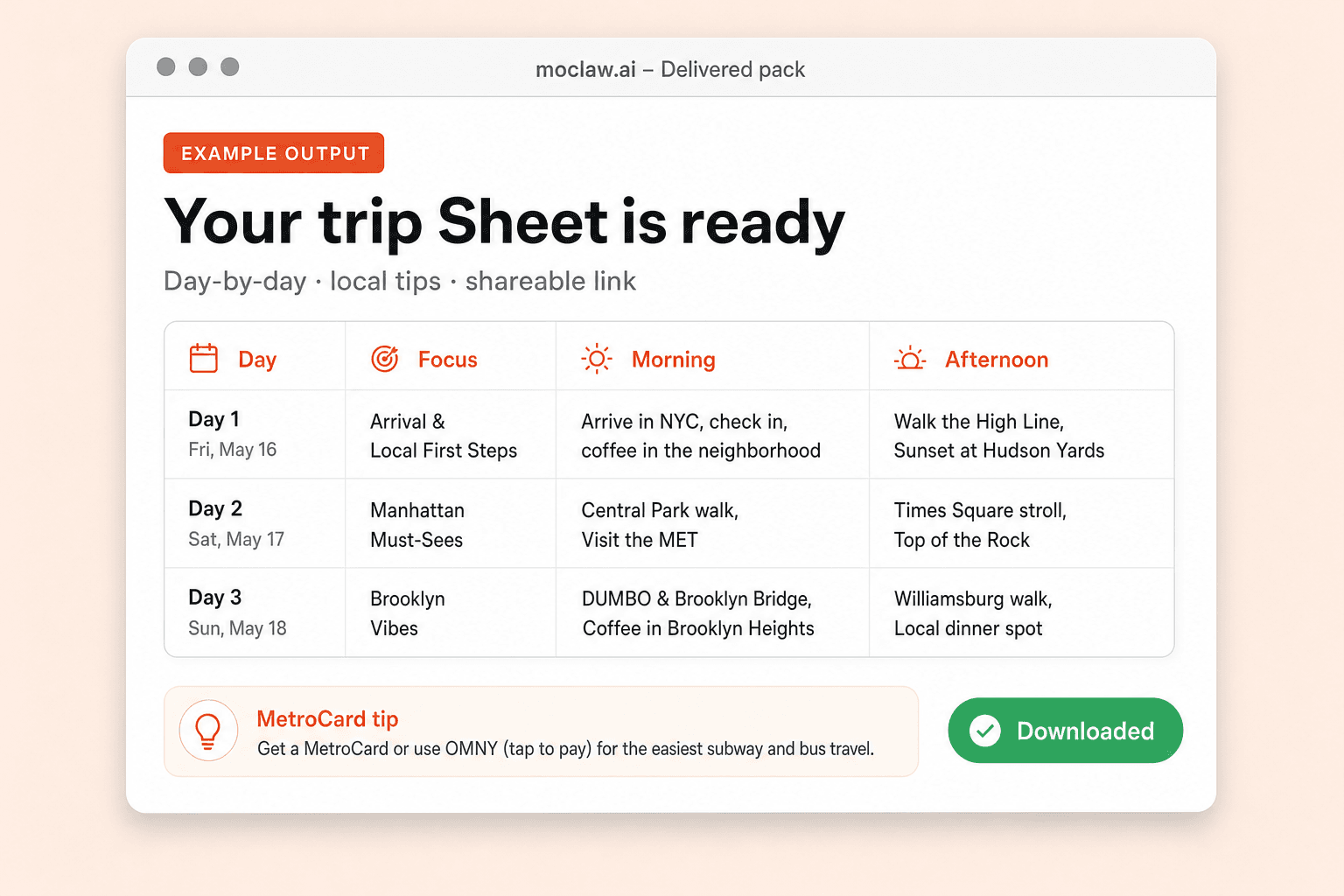
What your AI travel itinerary generator sends you
A real example of what MoClaw hands back, shown before you sign up.
AI travel itinerary generator: MoClaw vs TripIt
See how MoClaw's AI-powered approach differs from traditional tools.
| Feature | Manual planning | TripIt | MoClaw |
|---|---|---|---|
| Time to a first plan | Hours of tabs | You enter bookings by hand | Minutes from one description |
| Where the plan lives | Notes app or Doc | Inside the TripIt app | A Google Sheet you own |
| Local tips | Separate research | Mostly booking-centric | Tips written into the Sheet |
| Group edits | Pass the Doc around | App sharing rules | Anyone with the Sheet link |
| Change mid-trip | Rewrite cells yourself | Edit inside the app | Describe the change in chat |
Why put the itinerary in Google Sheets?
Chat plans get lost. A Sheet stays editable when the group changes Thursday dinner.
Describe the trip, skip the planning form
No rigid wizard. Say the destination, length, and what you care about, and MoClaw handles the structure.
Local tips next to the day's plan
Neighborhood food and transit notes sit in the same Sheet as the schedule, so they travel with the plan.
Output your group can edit
A formatted Google Sheet beats a chat dump when three people need to change Thursday afternoon.
Ways to extend your AI travel itinerary generator
Click one to load it into the box above, ready to run.
AI travel itinerary generator FAQ
How does MoClaw build a travel itinerary in Google Sheets? ⌄
You describe the trip. MoClaw researches a realistic day-by-day plan, creates or opens a Google Sheet, fills the rows, and formats headers so the file is easy to share.
Can I ask for dietary needs or a slower pace? ⌄
Yes. Put those constraints in the first request, or ask for a rewrite after you see the Sheet. MoClaw edits the same file instead of starting from a blank template.
Why Google Sheets instead of a PDF? ⌄
A Sheet is easy to edit mid-trip and share with companions. MoClaw can also export CSV or PDF if you ask, but Sheets is the default for group edits.
How is this different from TripIt? ⌄
TripIt organizes bookings you already made. MoClaw drafts the day plan first and drops it into a spreadsheet you control.
How long does a first draft take? ⌄
A multi-day Sheet usually lands in a couple of minutes, including formatting. Follow-up edits are faster because the file already exists.
Can MoClaw update the itinerary after we book hotels? ⌄
Yes. Tell it the new hotel area or timing constraints and it rewrites the affected days in the same Sheet.
Integrations
Best integrations for AI travel itinerary generator
Who it's for
Who uses AI travel itinerary generator
Related spreadsheet automation use cases
From our blog
Try AI Travel Itinerary Generator with Google Sheets for free
No credit card required