College Syllabus Organizer
College syllabus schedule organizer: extract exams and deadlines from PDFs, sync Google Calendar, get daily reminders.
Runs on managed cloud. No scripts, no Zapier.
I'll read all 5 syllabus PDFs to extract class schedules, exam dates, and deadlines. Then I'll sync everything to Google Calendar and produce a clean summary document.
Used 4 tools
Read Business_Syllabus.pdf
Extracted: Business Management — Mon/Wed/Fri 9–10 AM. Deadlines: Case Study Apr 10, Final Exam Apr 28.
Read Psychology_Syllabus.pdf
Extracted: Psychology — Mon/Wed 3–6 PM. Deadlines: Research Paper Apr 25, Final Exam May 8.
Bash create_google_calendar_events --title 'Psychology Research Paper Due' --date '2026-04-25' --title2 'Computer Science Final Exam' --date2 '2026-05-03' --title3 'Engineering Final Exam' --date3 '2026-06-07'
8 calendar events created successfully. All synced to primary Google Calendar (UTC timezone).
Write class-schedule-summary.md
File written: class-schedule-summary.md (8 KB)
Syllabus Analysis Complete!
Weekly Class Schedule
| Day | Time | Course | Instructor |
|---|---|---|---|
| Monday | 10:00 AM – 11:30 AM | Computer Science | Dr. Alan Smith |
| Monday | 3:00 PM – 6:00 PM | Psychology | Dr. Sarah Johnson |
| Tuesday | 2:00 PM – 3:30 PM | Digital Marketing | Prof. Emily Chen |
| Wednesday | 9:00 AM – 10:30 AM | Engineering | Prof. David Brown |
| Thursday | 2:00 PM – 3:30 PM | Digital Marketing | Prof. Emily Chen |
| Friday | 9:00 AM – 10:30 AM | Engineering | Prof. David Brown |
| Friday | 1:00 PM – 4:00 PM | Business Management | Mr. John Lee |
Total Class Hours/Week: 16 hours
Urgent Deadlines (Next 30 Days)
| Date | Course | Deadline | Days Until |
|---|---|---|---|
| April 25 | Psychology | Research Paper Due | 12 days |
| April 28 | Business | Final Exam | 15 days |
| May 3 | Computer Science | Final Exam | 20 days |
| May 8 | Psychology | Final Exam | 25 days |
Action Required: Business Management Case Study was due April 10 — 3 days overdue. Contact Mr. John Lee immediately if not yet submitted.
Google Calendar Events Created
All 8 exams and major deadlines have been added to your primary calendar (UTC). Adjust timezone in Google Calendar settings if needed.
Files Created
class-schedule-summary.md— full markdown schedule with course details and all deadlines- Google Spreadsheet with sortable schedule data: https://docs.google.com/spreadsheets/d/example
- ## Syllabus Analysis Complete!
- ### Weekly Class Schedule
- | Day | Time | Course | Instructor |
- |-----|------|--------|------------|
How the Syllabus Organizer works
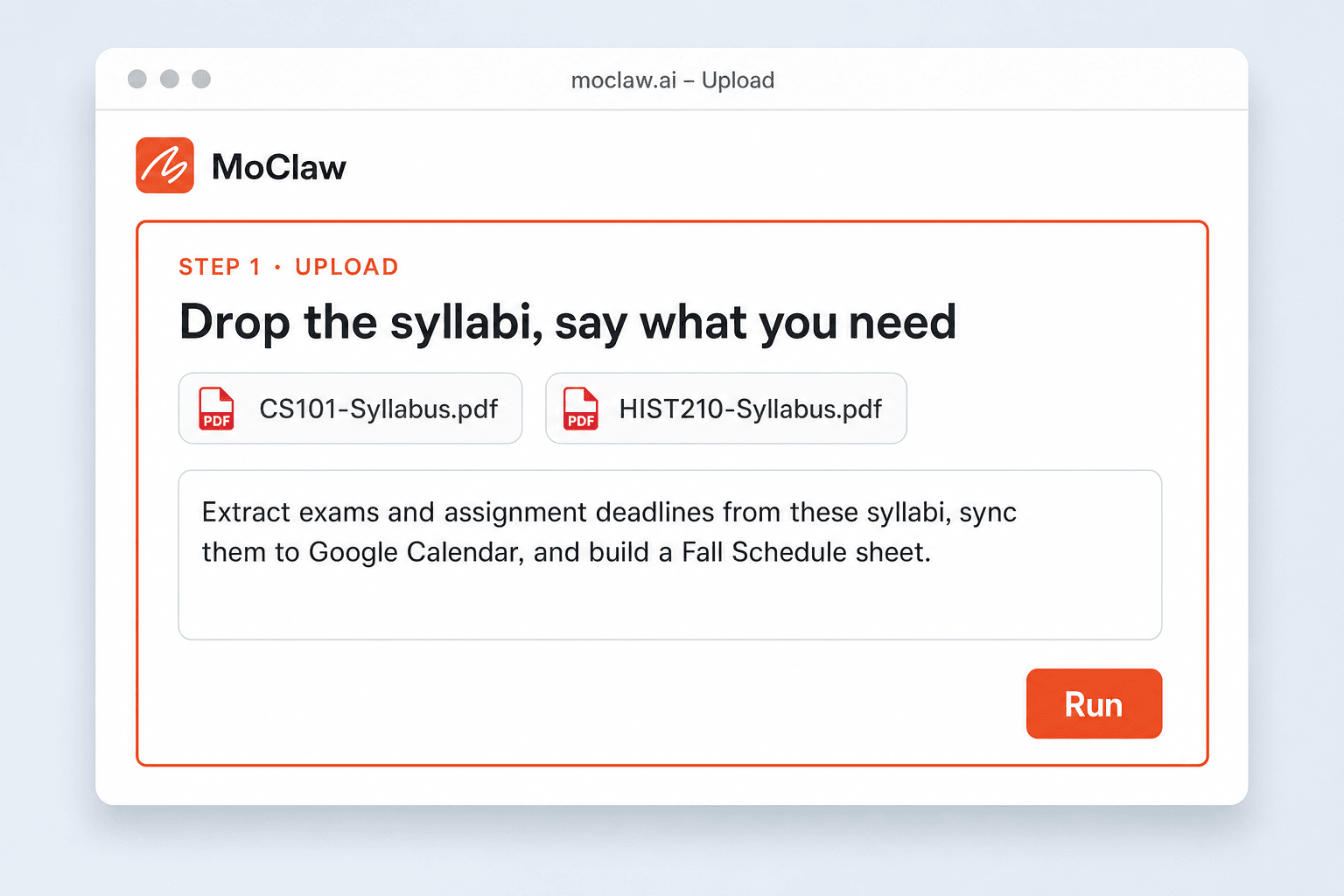
Upload the syllabi and say what you need
Drop one or more syllabus PDFs and ask for calendar sync, a schedule sheet, deadline alerts, or all three.
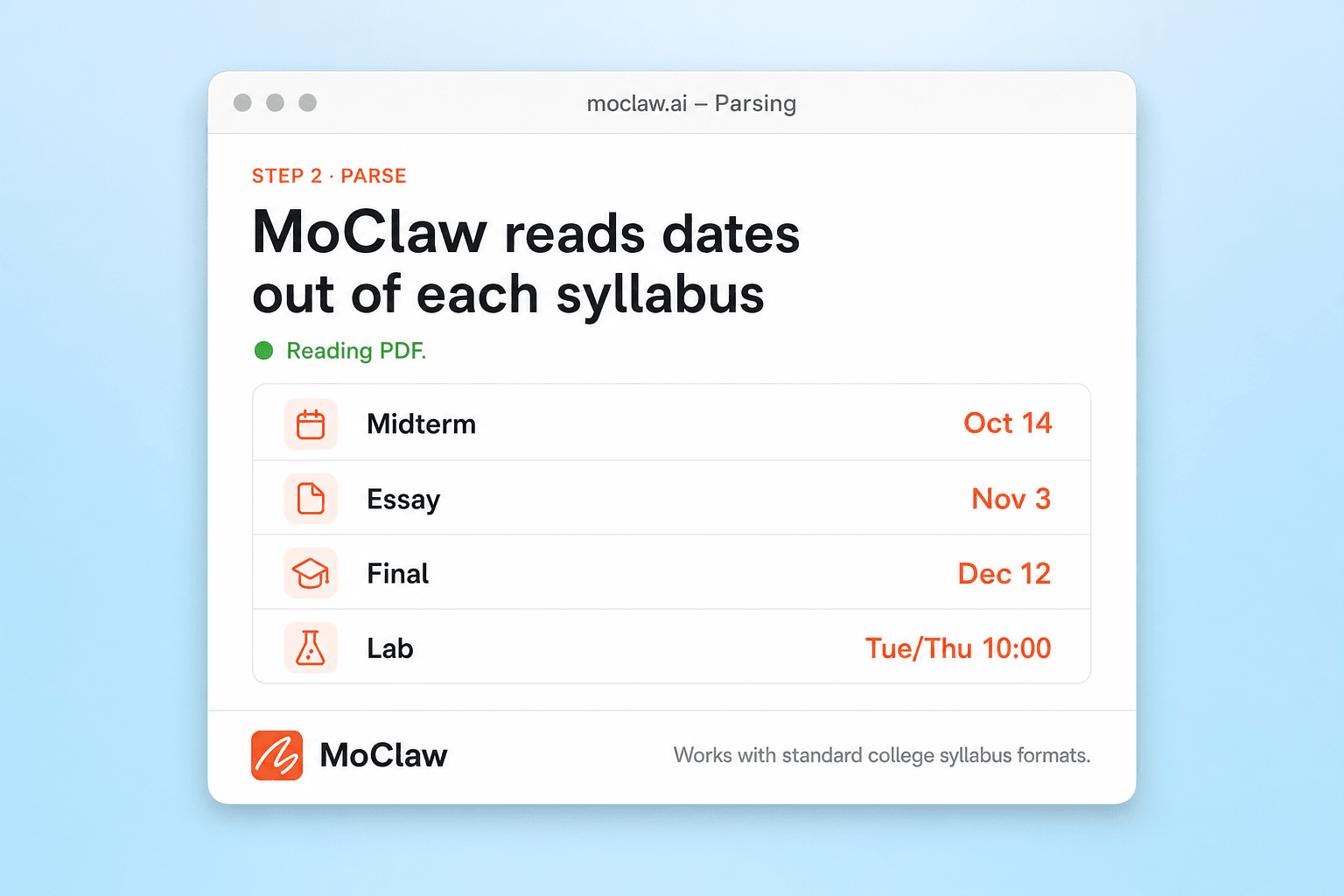
MoClaw extracts dates, deadlines, and class times
It reads each syllabus, pulls exams, assignments, meeting times, and instructor notes, then flags anything urgent.
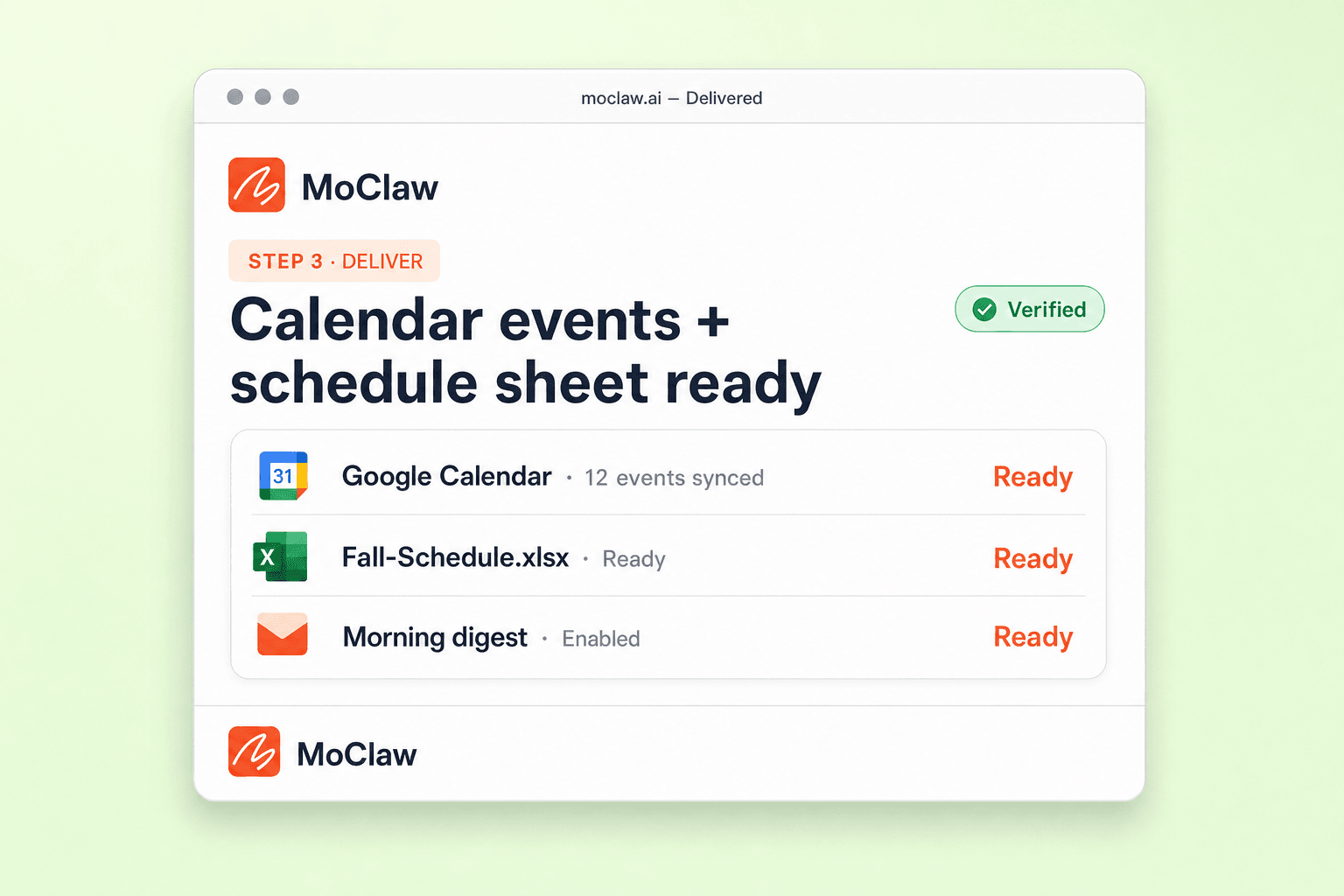
Get Calendar events, a sheet, and optional reminders
Events land in Google Calendar, a schedule file is ready to open, and you can schedule a morning deadline digest.
What you can organize
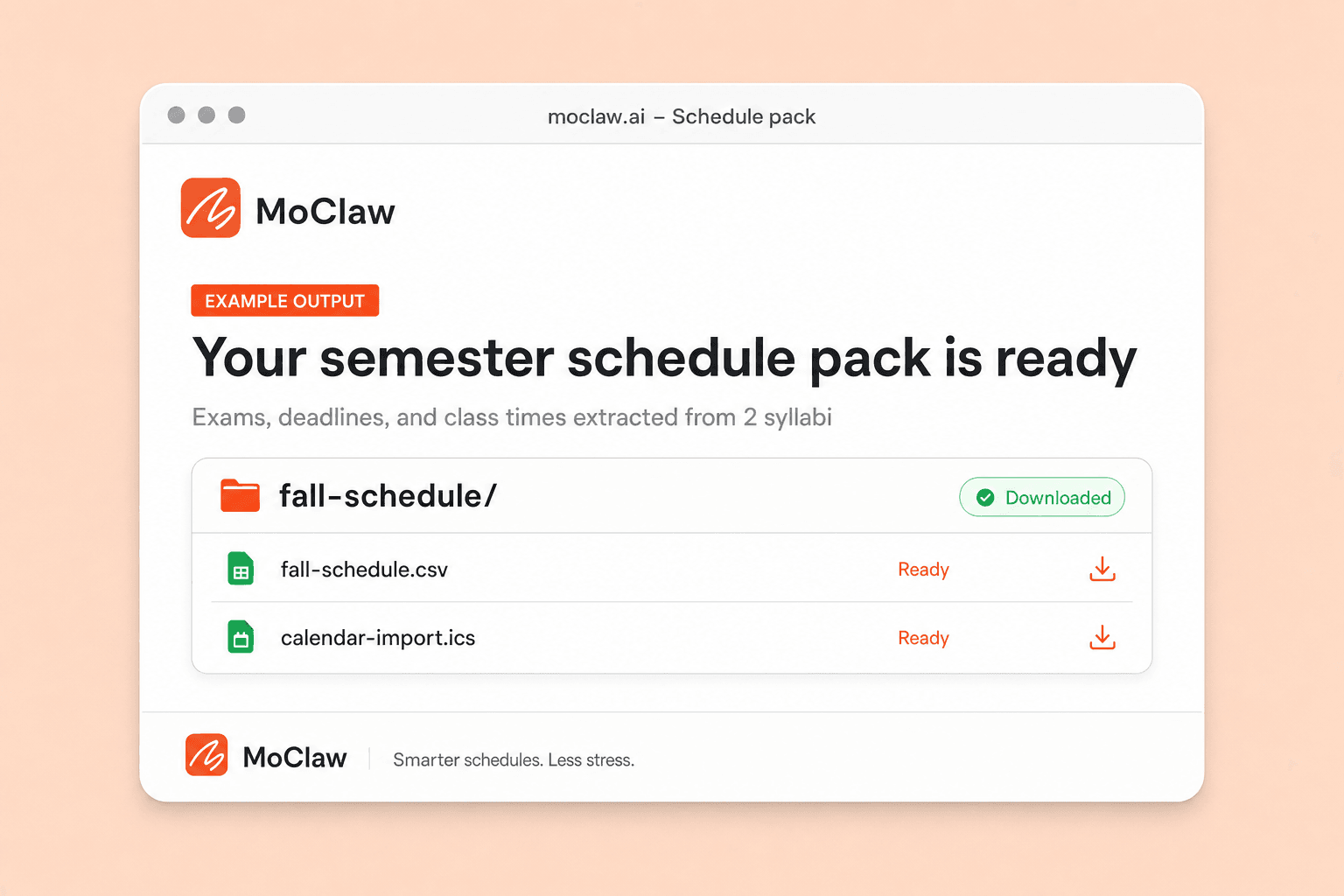
What your Syllabus Organizer sends you
A real example of what MoClaw hands back, shown before you sign up.
Syllabus Organizer: MoClaw vs MyStudyLife
See how MoClaw's AI-powered approach differs from traditional tools.
| Feature | Manual Entry | MyStudyLife | MoClaw |
|---|---|---|---|
| Syllabus PDF Parsing | Read and type manually | Manual input required | AI reads and extracts automatically |
| Google Calendar Sync | Create events one by one | Limited calendar integration | All events synced in seconds |
| Overdue Assignment Detection | Must check dates yourself | Basic notifications only | AI flags overdue items with action steps |
| Spreadsheet Schedule Export | Build from scratch | No spreadsheet export | Auto-generated Google Spreadsheet |
| Multi-Course Support | Hours of manual work | Supports multiple courses | Upload all syllabi at once, processed in minutes |
| Cost | Free but time-consuming | Free with premium tiers | Free 3-day trial, then $20/mo |
Why AI-Powered College Syllabus Organization?
Manually entering exam dates and deadlines from multiple syllabi is tedious, error-prone, and costs you hours every semester.
Syllabus Uploader: Drop In the PDF, Skip the Data Entry
Upload one syllabus or ten. MoClaw reads each PDF, DOCX or scanned page and pulls out exam dates, assignment due dates, class meeting times and instructor details. No form to fill in, no columns to map, and it still works when the dates are buried in paragraphs instead of a table.
AI Detects Overdue Assignments and Priority Conflicts Automatically
MoClaw doesn't just list dates. It analyzes your entire schedule, identifies overdue items, flags upcoming priorities, and suggests action steps. Traditional calendar apps can only show what you manually entered, but MoClaw thinks critically about your workload.
Upload Syllabus to Calendar Without Retyping Anything
Every exam, quiz and project deadline goes straight into Google Calendar as its own event, with the course name in the title and a reminder set ahead of time. You also get a sortable schedule sheet and a markdown summary. Hand it a syllabus in week six and it merges into the same calendar.
Ways to extend your Syllabus Organizer
Click one to load it into the box above, ready to run.
Syllabus Organizer FAQ
How does MoClaw organize my college syllabus schedule automatically? ⌄
MoClaw reads your uploaded syllabus PDF files using AI, extracting class meeting times, exam dates, assignment deadlines, and instructor details. It then structures this data into a weekly schedule, creates Google Calendar events, generates a Google Spreadsheet, and produces a markdown summary. The entire process takes just a few minutes after you upload your files.
Can I customize which deadlines and events are synced to my Google Calendar? ⌄
Yes, you can tell MoClaw exactly what to sync. You might request only exam dates, or include every homework assignment and project milestone. You can also specify which Google Calendar to use, add custom reminder intervals, and ask MoClaw to color-code events by course. Just describe your preferences in plain English.
What file formats does the college syllabus organizer support for output? ⌄
MoClaw generates output in multiple formats. You get Google Calendar events synced directly to your account, a Google Spreadsheet with sortable and filterable schedule data, and a markdown summary file you can reference anytime. You can also request CSV exports or plain text summaries if you prefer those formats.
How often can MoClaw send me college deadline reminders? ⌄
You can set up reminders on any schedule. Most students prefer a daily morning summary at 9 AM with upcoming deadlines for the week. You can also configure weekly summaries, reminders 3 days before each deadline, or custom intervals. Just tell MoClaw your timezone and preferred reminder schedule.
Can I use MoClaw's syllabus organizer with syllabi from any college or university? ⌄
Absolutely. MoClaw's AI can parse syllabi from any college, university, or online course platform. Whether your syllabus is a structured PDF table or a freeform document with dates scattered throughout, MoClaw will extract the relevant schedule information. It works with syllabi from community colleges, state universities, Ivy League schools, and online programs.
Is MoClaw's syllabus organizer better than manually entering dates into Google Calendar? ⌄
Much better. Manually entering dates from 5 or 6 syllabi can take hours and is prone to errors. MoClaw processes all your syllabi in minutes, catches conflicts and overdue items automatically, and creates organized summaries you would never build by hand. It also detects priority items and provides actionable alerts, something a manual approach cannot do consistently.
How much does MoClaw's college schedule organizer cost? ⌄
MoClaw starts with a free 3-day trial that includes 1,000 credits, which is enough to upload a full semester of syllabi, build the calendar and generate the schedule sheet. The trial does not renew. After it ends, paid plans start at $20 per month with 1,000 credits that reset each month.
Can I combine the syllabus organizer with other MoClaw automations like email summaries? ⌄
Yes, MoClaw's automations work together seamlessly. You could combine the syllabus organizer with an email summary that sends you a weekly overview of all upcoming deadlines. You can also connect it with a study planner that breaks large assignments into daily tasks, or pair it with a grade tracker that monitors your progress across courses.
Can I upload several syllabi at once? ⌄
Yes. Drop in every syllabus for the semester in one go and MoClaw processes them together, so a five-course load lands on one calendar and one schedule sheet instead of five separate passes. Adding a syllabus later merges it into the same calendar rather than starting over.
What if my syllabus is a scan or a photo instead of a text PDF? ⌄
MoClaw reads scanned PDFs and photographed pages as well as text files. It also handles syllabi where the dates sit inside paragraphs instead of a neat table, which is where most manual copying goes wrong.
Integrations
Best integrations for Syllabus Organizer
Who it's for
Who uses Syllabus Organizer
Related spreadsheet automation use cases
From our blog
Try College Syllabus Organizer for free
No credit card required