Attendance Tracker
Attendance tracker for Google Sheets: keep your attendance sheet current in plain English, verify the summary, schedule weekly updates.
Runs on managed cloud. No scripts, no Zapier.
I need to locate the Attendance Tracker spreadsheet, read its structure, then figure out which date columns exist for April before making any updates.
Used 4 tools
WebSearch Searching Google Drive for "Attendance Tracker"
Found "Attendance sheet" — spreadsheet ID located. Reading sheet structure now.
Read attendance-tracker — reading header row and existing date columns
Sheet has columns: ID, Name, Department, then daily date columns starting April 4. Currently only April 4 is populated. Will need to add April 5–30 and mark all employees Present, then set John Doe (row 2) to Leave on April 8 and April 9.
Write April 5–30 date headers + Present status for all 5 employees
26 new date columns written. All employees marked P (Present) for April 5–30.
Bash python update_leave.py --employee "John Doe" --dates "2026-04-08,2026-04-09" --status L
Updated: Row 2 (John Doe) — column H (Apr 8) → L, column I (Apr 9) → L. All other cells unchanged.
Attendance tracker updated successfully!
Summary of Changes
Extended April dates: Added dates Apr 5–30 to the sheet (previously only Apr 4 existed).
John Doe — 2 leave days recorded:
- April 8: L (Leave)
- April 9: L (Leave)
Rest of team — perfect attendance: Jane Smith, Michael Brown, Emily Davis, and Chris Wilson are all marked P (Present) for every day in April.
You can view and verify the updated records directly in your Google Sheets Attendance Tracker.
- Attendance tracker updated successfully!
- *Summary of Changes**
- *Extended April dates:** Added dates Apr 5–30 to the sheet (previously only Apr 4 existed).
- *John Doe — 2 leave days recorded:**
How the attendance tracker works
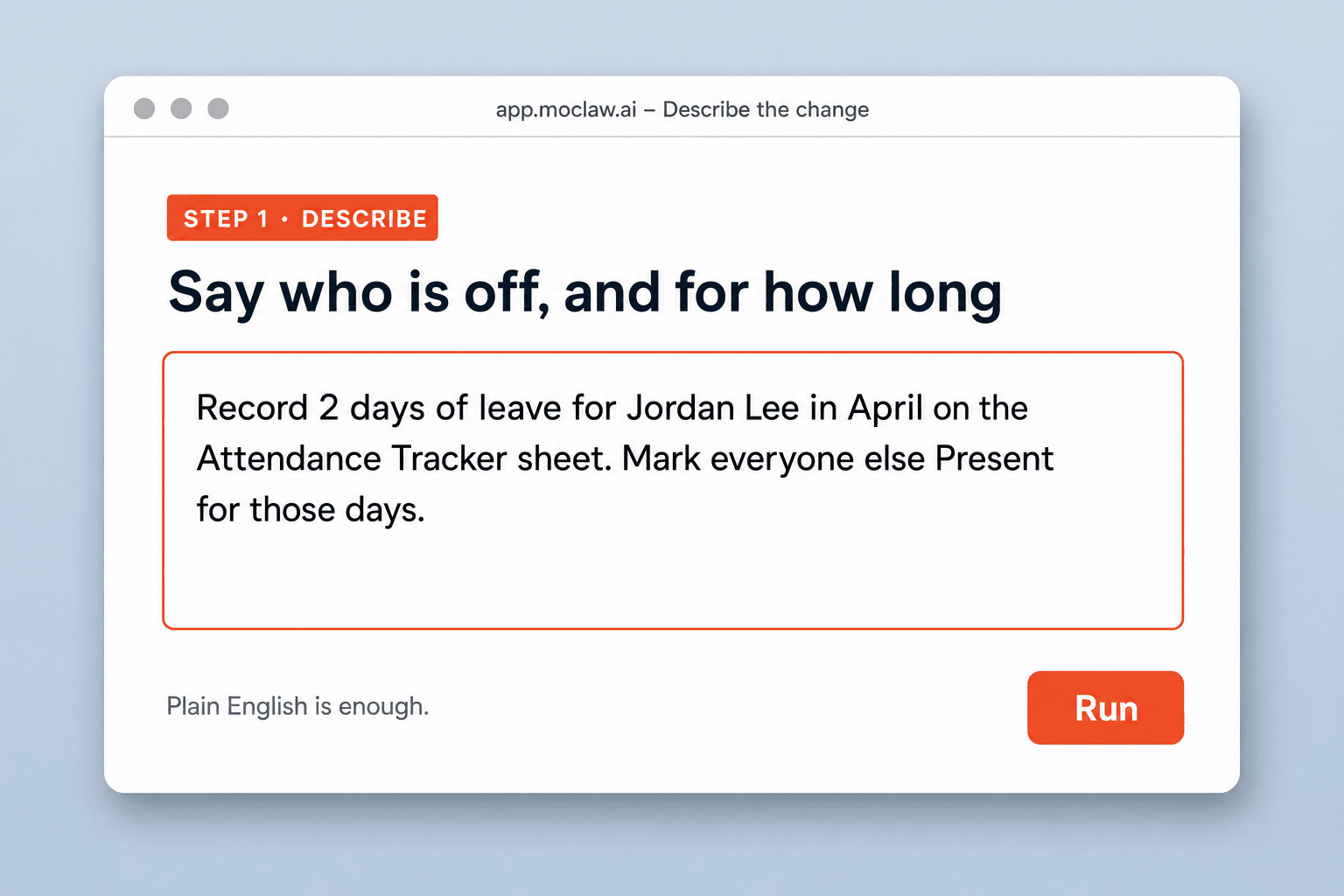
Say who is off, and for how long
Tell MoClaw the person, the dates, and the status code you use. Plain English is enough; you do not point at cells.
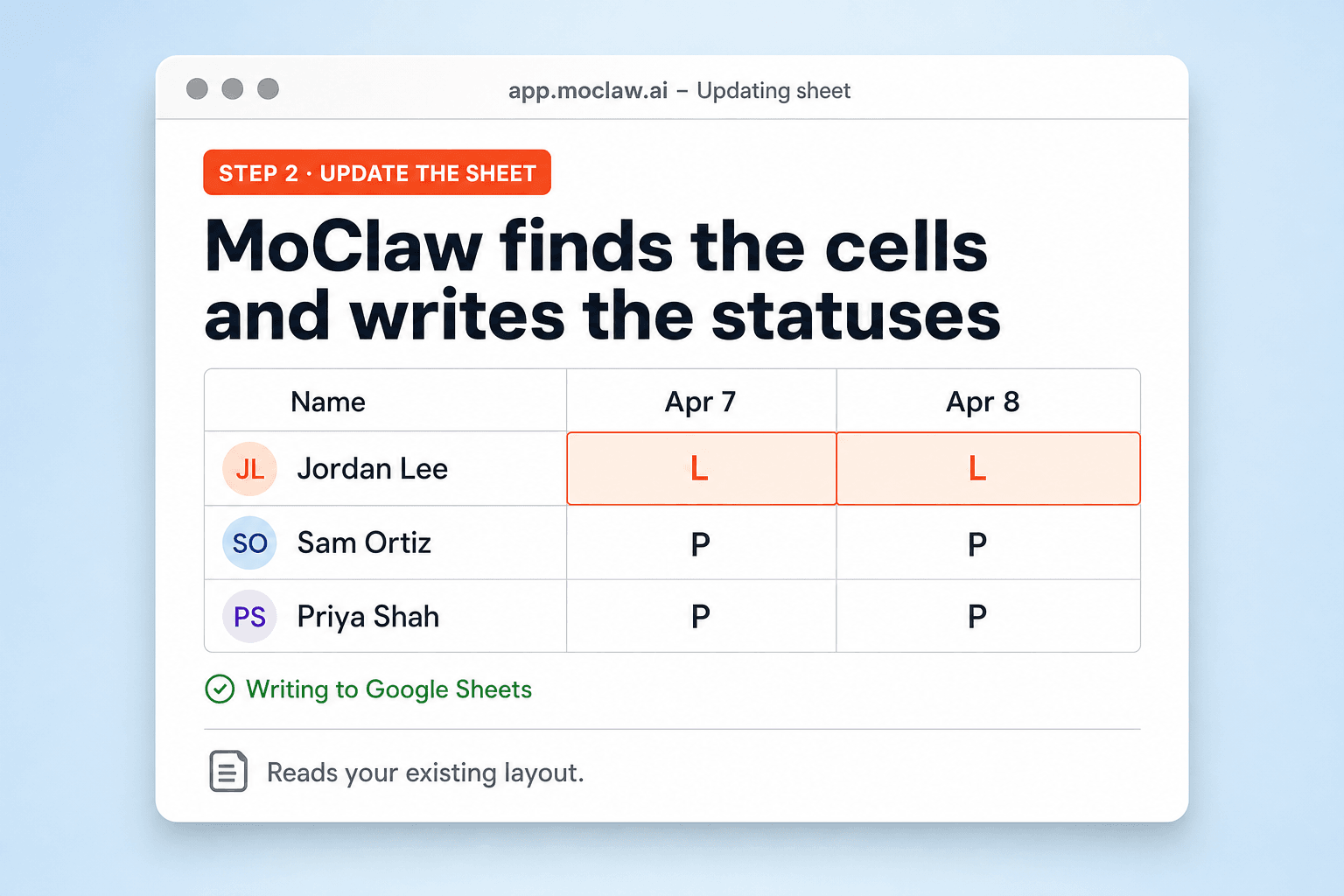
MoClaw finds the cells and writes the statuses
It opens your Attendance Tracker sheet, reads the layout you already have, and writes Present, Leave, or your own codes into the right places.
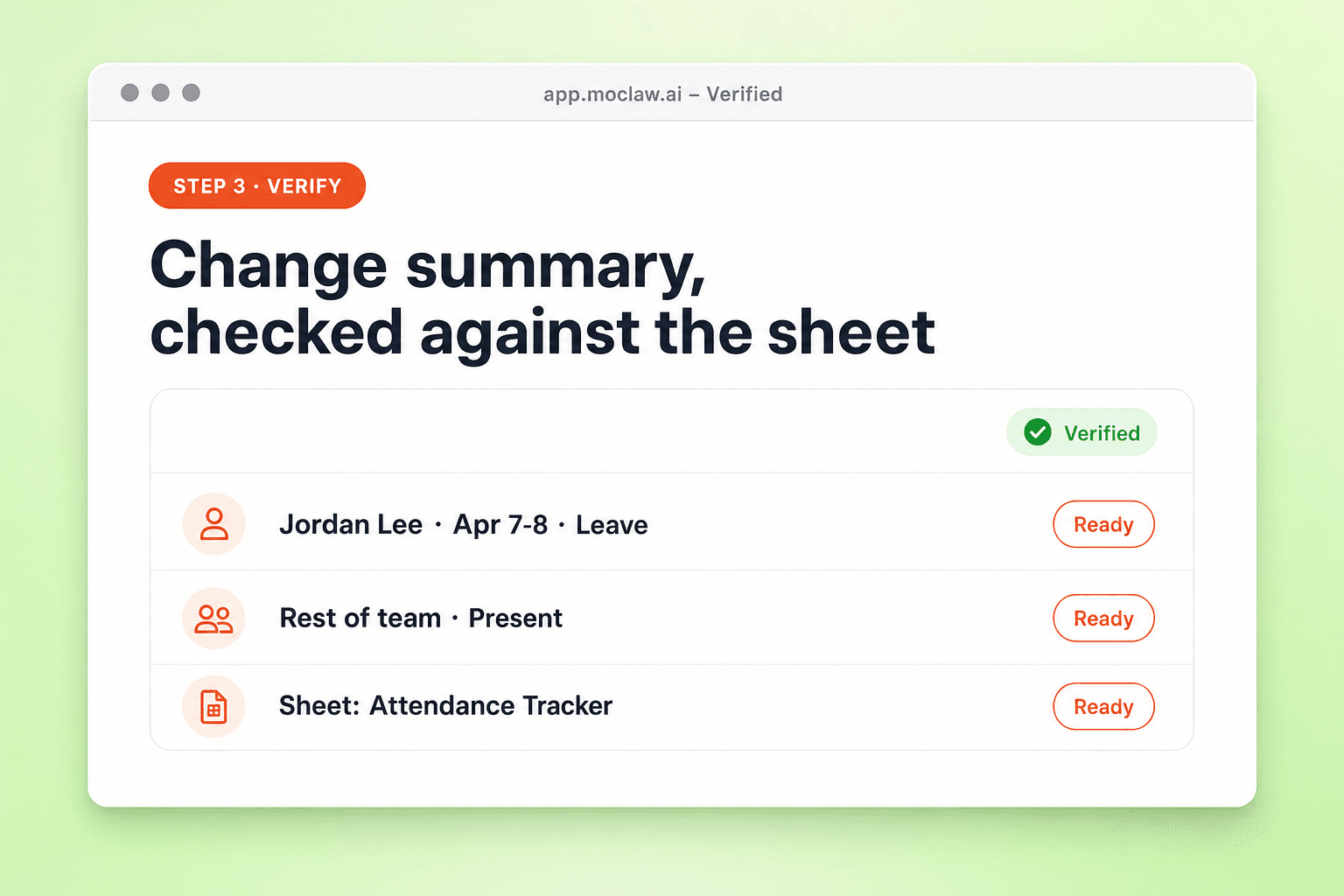
Get a change summary checked against the sheet
After the write, MoClaw reads the sheet back and lists what changed, so you can spot a miss before payroll sees it.
What you can track
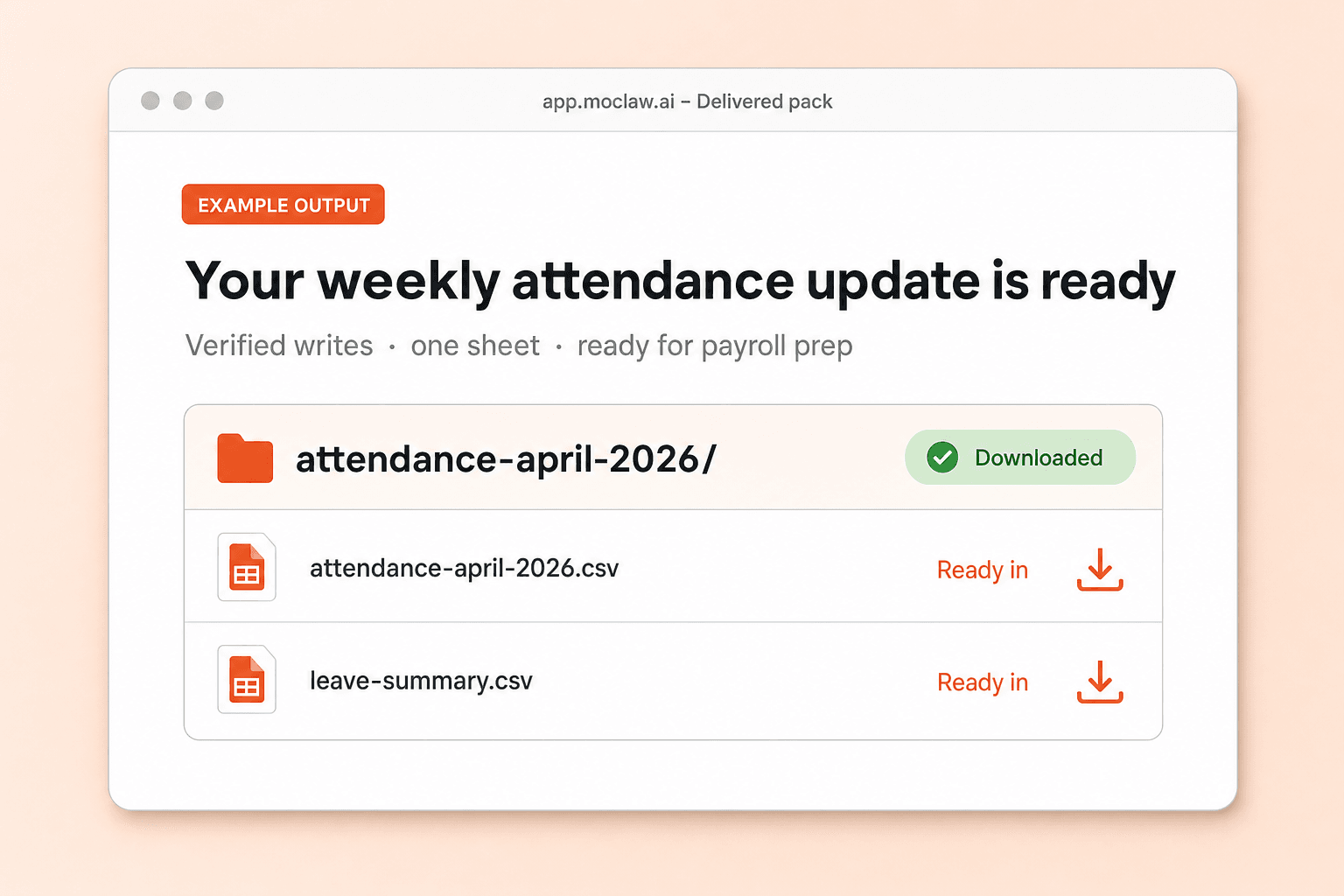
What your attendance tracker sends you
A real example of what MoClaw hands back, shown before you sign up.
attendance tracker: MoClaw vs Jibble
See how MoClaw's AI-powered approach differs from traditional tools.
| Feature | Manual Sheet | HR attendance app | MoClaw |
|---|---|---|---|
| Where the roster lives | Your Sheet, edited by hand | Vendor app or separate portal | Your Google Sheet, updated for you |
| Recording leave | Find the cell, type, repeat | Click through each employee in the UI | One sentence covers the people and dates |
| Setup | Build formulas as the team grows | Days of onboarding and data import | Point at the sheet you already use |
| Cost shape | Free tools, expensive time | Often per employee per month | Automation on the sheet you keep |
Why run your attendance tracker in the Sheet you already have?
Most teams do not need another HR portal. They need the leave marks in the spreadsheet to stay true when people take days off.
No formula rebuild for every leave request
Skip hunting the right cell on an attendance sheet and fighting Apps Script. Describe the leave in a sentence and the sheet updates.
Works with the sheet you already trust
MoClaw reads your current attendance layout instead of forcing a new template. Your history and column order stay put.
Every write comes with a checked summary
After updating, it reads the sheet again and lists the changes, which is what you want before payroll or a manager review.
Ways to extend your attendance tracker
Click one to load it into the box above, ready to run.
attendance tracker FAQ
What is an attendance tracker in MoClaw? ⌄
It is your existing Google Sheet for present and leave marks, updated from plain English instead of cell-by-cell edits. MoClaw reads the layout you already use, writes the statuses you ask for, and returns a verified change summary.
Do I need a new attendance tracker template? ⌄
No. Keep the sheet you already run. MoClaw adapts to employee rows with date columns, or the reverse, and can add a missing date column when the month needs it.
Can I use my own status codes? ⌄
Yes. P, L, A, WFH, HD, or any codes already in the sheet. Say which codes to use in the request and MoClaw applies them consistently.
How is this different from HR attendance software? ⌄
HR tools want your team inside their product, often at a few dollars per employee per month. This attendance tracker stays in Google Sheets, so there is no migration and no per-seat roster fee for the sheet itself.
Can the attendance tracker run on a schedule? ⌄
Yes. Common setups are a Monday morning pass over last week's leave notes, or an end-of-day fill. You can still send a one-off update any time.
What do I get back after an update? ⌄
A short change summary: who moved to Leave, who was marked Present, and which sheet was touched, after MoClaw re-reads the file.
Integrations
Best integrations for attendance tracker
Who it's for
Who uses attendance tracker
Related spreadsheet automation use cases
See also
From our blog
Try Attendance Tracker for free
No credit card required