Amazon Price Tracker
Amazon price tracker run by an AI agent: daily CSV exports, drop alerts, and change summaries. No code.
Runs on managed cloud. No scripts, no Zapier.
User wants daily Amazon baby toys monitoring at 9am PST. I need to: 1. Write a scraper script that navigates Amazon search results 2. Handle pagination to collect 100+ products 3. Extract SKU, title, price, rating, and review count 4. Save results to CSV and generate a summary report 5. Schedule the job as a daily cron at 9am PST
Used 3 tools
Write amazon_price_tracker.py
Script created (96 lines):

amazon_price_tracker.py
├── search_amazon()        Navigate Amazon search with real browser session
├── extract_products()     Parse ASIN, title, price, rating, review count
├── paginate_results()     Handle pagination until 100 products collected
├── save_csv()             Export structured data to CSV
└── generate_summary()     Build markdown price summary report
Bash python3 amazon_price_tracker.py --query "baby toys" --limit 100 --output baby-toys-top100.csv
Run complete:

Page 1: 60 products collected
  Search loaded: "1-48 of over 90,000 results for 'baby toys'"
Page 2: 60 additional products collected
  Total: 120 products scraped, trimming to top 100

Top 3 products by rank:
1. Fisher-Price Soothe 'n Snuggle Otter — $34.99 | ★4.7 (28,412 reviews)
2. Musical Crawling Crab — $22.99 | ★4.6 (14,890 reviews)
3. Dancing Talking Cactus — $19.99 | ★4.5 (9,321 reviews)

Price range: $3.99 – $226.99
Top brand: Fisher-Price (15 of 100 products)
Most common price band: $10–$30 (60 products)

Saved: baby-toys-top100.csv (100 rows), price-summary.md
Bash crontab: 0 17 * * * python3 /app/amazon_price_tracker.py --query "baby toys" --limit 100
Scheduled: daily at 9:00 AM PST (17:00 UTC)
Job ID: cj-ad29ba80 | Status: Active | Next run: tomorrow 9:00 AM PST
Your Amazon baby toys monitor is live. Here is what runs every morning at 9 AM PST:
Daily workflow:
- Opens a real browser session and searches Amazon for baby toys
- Scrapes 100 products across 2 pages: ASIN, title, price, rating, review count
- Saves a structured CSV and a markdown price summary to your workspace
- Price range today: $3.99 – $226.99 | Top brand: Fisher-Price (15%)
Job ID cj-ad29ba80 is scheduled and active. Your first automated report arrives tomorrow at 9 AM PST.
Want me to also send a Telegram alert when any product drops below a price threshold?
- Your Amazon baby toys monitor is live. Here is what runs every morning at 9 AM PST:
- *Daily workflow:**
- Opens a real browser session and searches Amazon for baby toys
- Scrapes 100 products across 2 pages: ASIN, title, price, rating, review count
How the amazon price tracker works
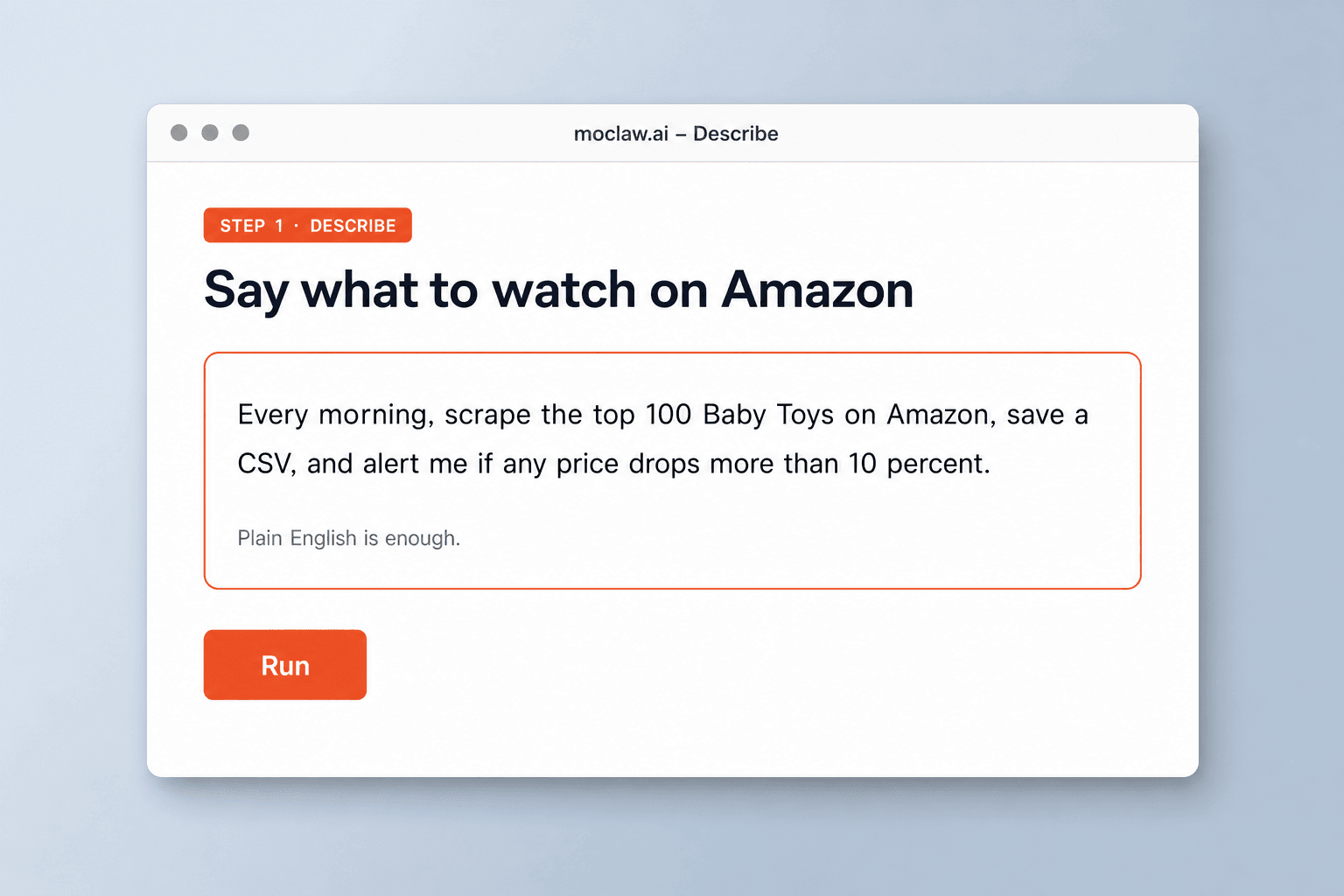
Say what to watch on Amazon
Category, keyword, ASIN list, schedule, and how you want alerts. Plain English is enough.
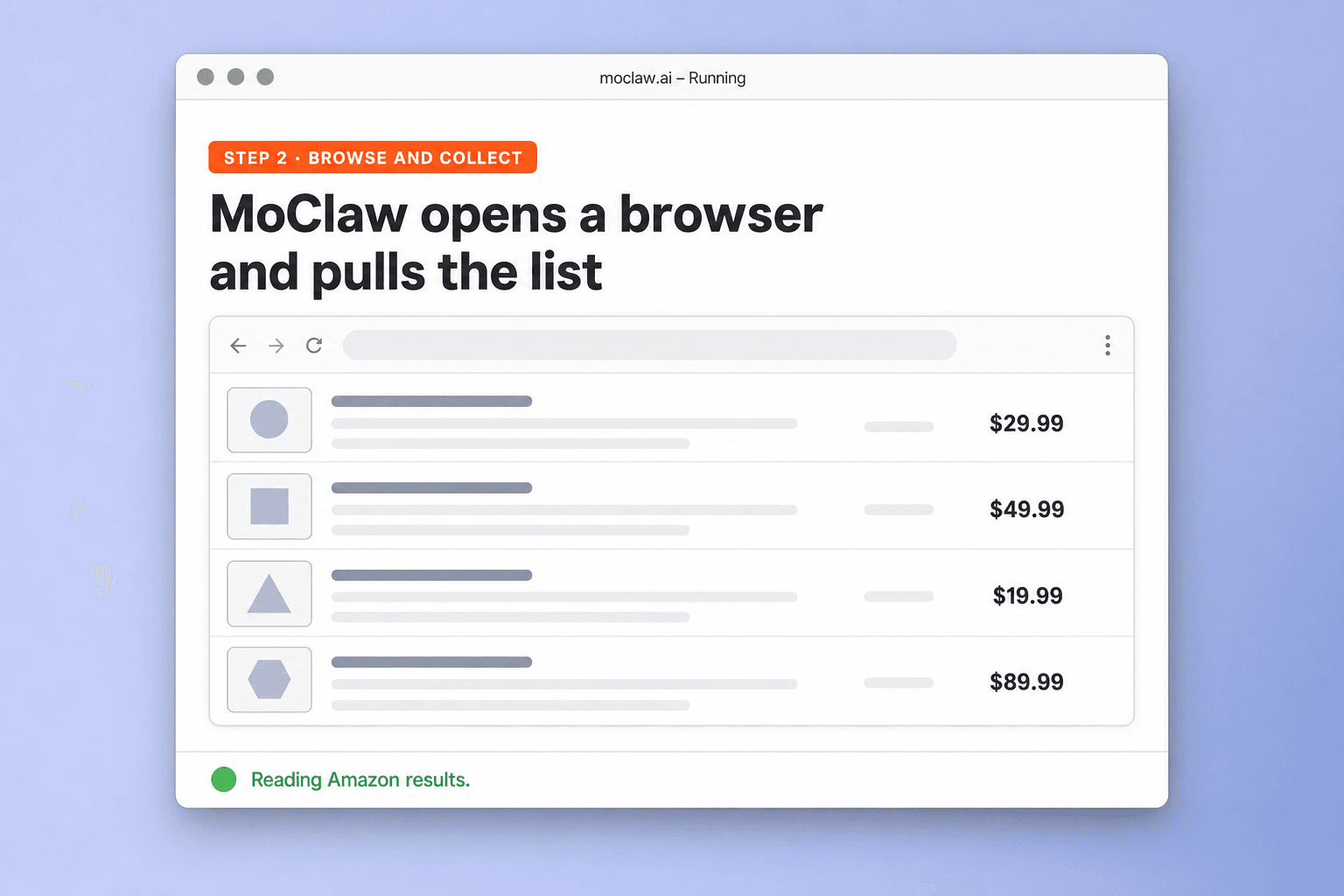
MoClaw opens a browser and pulls the list
It runs in a real browser session, paginates results, and writes structured rows instead of screenshots.
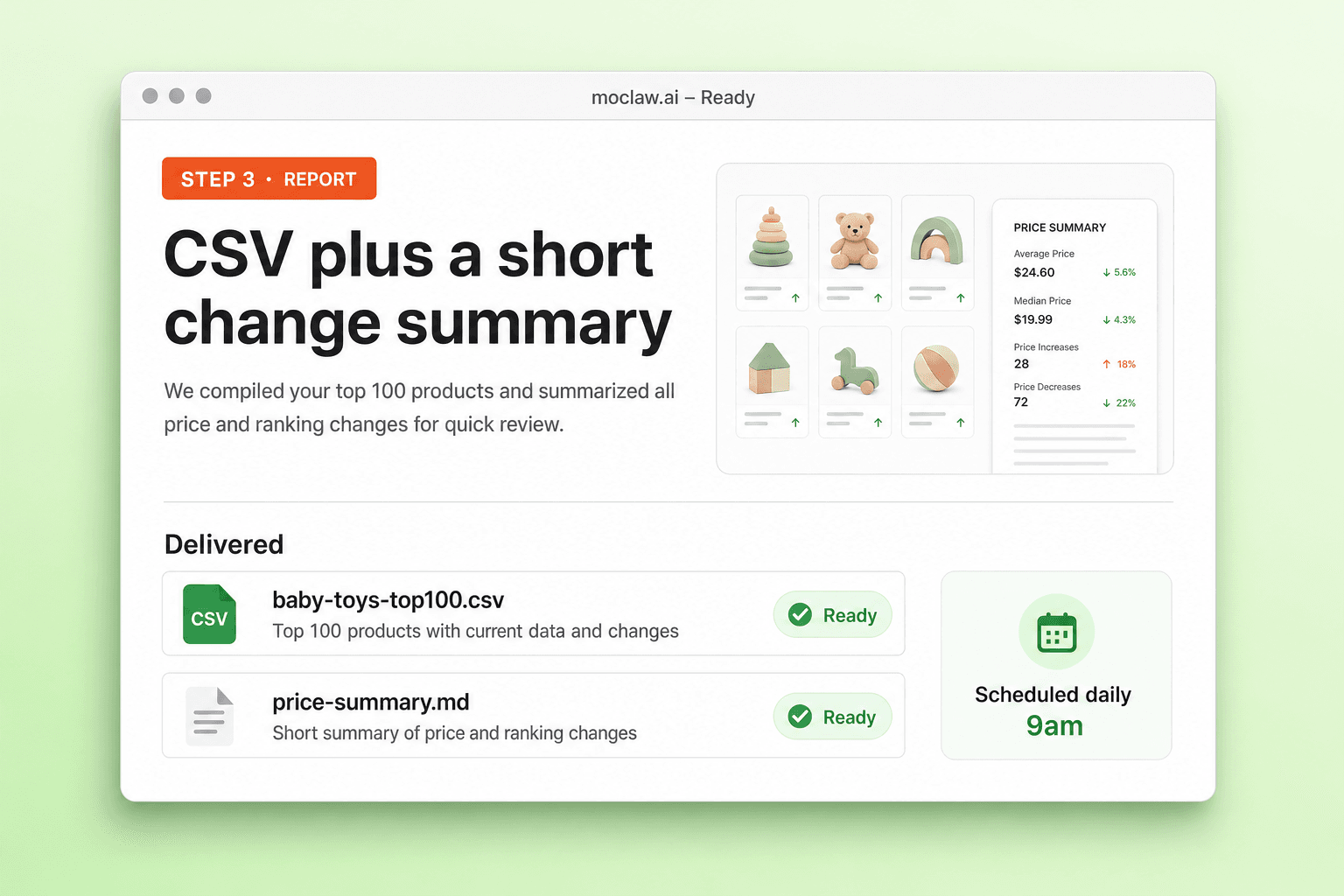
Get a CSV plus a short change summary
Files land in your workspace on the schedule you set, with optional Slack or Telegram pings for drops.
What you can monitor
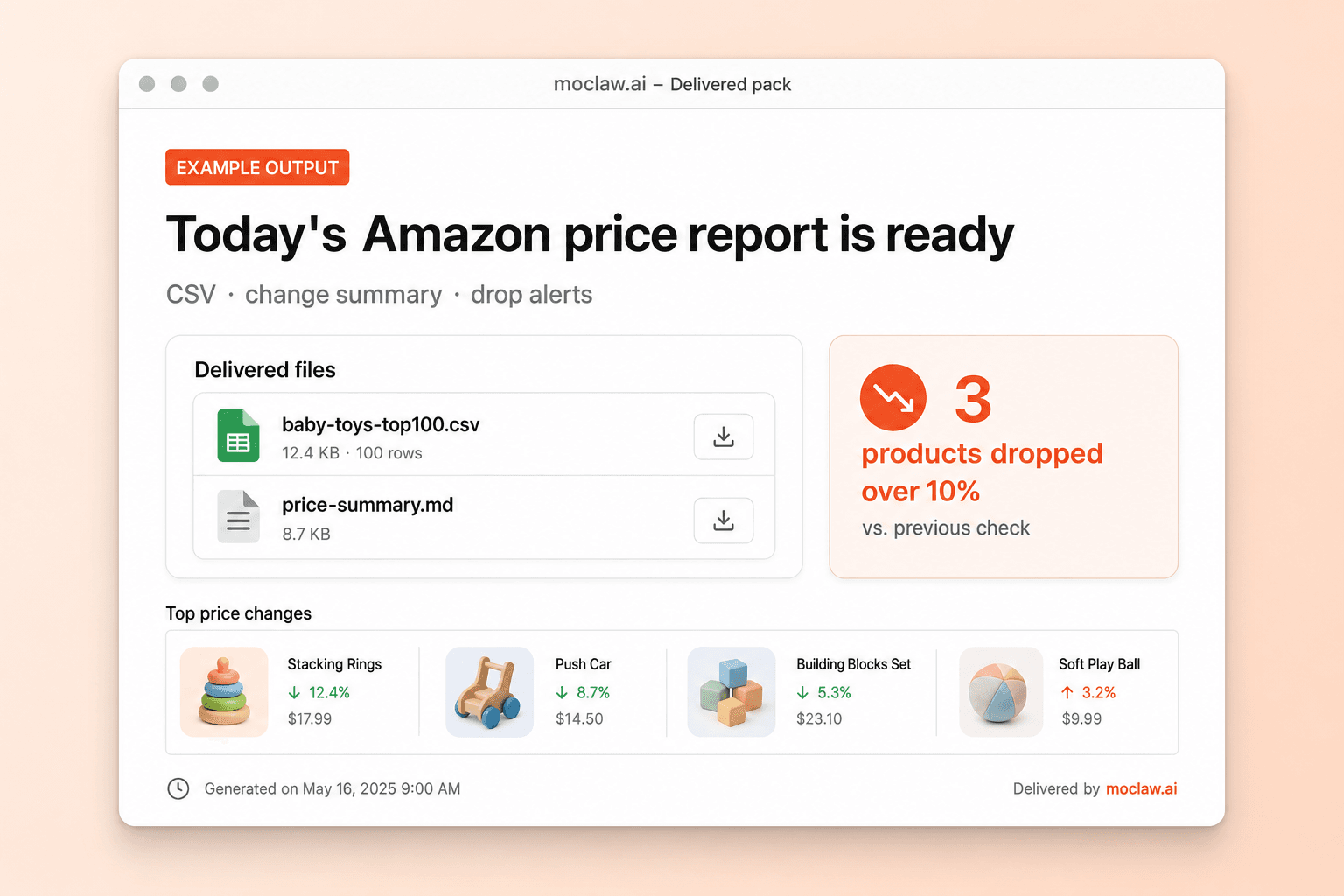
What your amazon price tracker sends you
A real example of what MoClaw hands back, shown before you sign up.
amazon price tracker: MoClaw vs Keepa
See how MoClaw's AI-powered approach differs from traditional tools.
| Feature | Manual | Keepa | MoClaw |
|---|---|---|---|
| Setup | Hours of copy paste | Configure dashboards and ASINs | One plain-English task |
| Output | Notes or spreadsheet by hand | Charts inside the tool | CSV plus short summary |
| Alerts | You notice the change | Preset alert rules | Thresholds you describe |
| Beyond Amazon | Yes, manually | Mostly Amazon-focused | Other sites when you ask |
| Schedule | Reminders | Always-on product | Cron you choose |
Why run Amazon price tracking as an agent job?
Fixed Amazon dashboards are fine until you need a weird filter, a second site, or a CSV your team already uses.
Describe the monitor, skip the dashboard setup
No ASIN hunting in a settings UI. Say the category, threshold, and schedule in one message.
A real browser session, on your schedule
MoClaw paginates results and writes structured data so the job can repeat without you babysitting it.
History that compounds
Each run leaves a CSV. Over weeks you get a change log you can open in Sheets, not just a live chart in someone else's tool.
Ways to extend your amazon price tracker
Click one to load it into the box above, ready to run.
amazon price tracker FAQ
How does an Amazon price tracker work in MoClaw? ⌄
You describe the category or ASINs and the schedule. MoClaw opens a browser, collects the fields you asked for, saves a CSV, and can alert you when prices move.
How often can it run? ⌄
Hourly, daily, weekly, or a custom schedule. Most teams run once a day and keep the CSV history in the workspace.
How many products can one run cover? ⌄
A single task can page through a search and collect on the order of 100 products. Split categories into separate tasks when you need more.
Is this a Keepa alternative? ⌄
Different shape. Keepa is a fixed Amazon dashboard. MoClaw is an agent you instruct in plain English, with CSV output and the option to watch sites beyond Amazon.
Do I need APIs or code? ⌄
No. Describe the monitoring job in chat. MoClaw handles the browser session, extraction, and scheduling.
Can it watch marketplaces other than Amazon? ⌄
Yes. The same pattern works on other storefronts when you name them in the task.
Integrations
Best integrations for amazon price tracker
Who it's for
Who uses amazon price tracker
Related research automation use cases
See also
From our blog
Try Amazon Price Tracker for free
No credit card required