AI-Powered GIF Search and Download
Use MoClaw AI to search for GIFs by description, download them from Tenor or Giphy, and save files directly to your workspace automatically.
Runs on managed cloud. No scripts, no Zapier.
The user wants reaction GIFs for a Slack channel. I should ask what specific GIFs they want, then search the Tenor API to find and download high-quality results. Let me check what tools I have available for GIF searching.
Used 1 tools
Read gifgrep/SKILL.md
GIF search skill loaded. Supports Tenor API for searching and downloading GIFs by keyword or description.
Sure, what GIF do you want? Give me a search term or describe what you're looking for (e.g. "thumbs up", "mind blown", "cat typing on keyboard").
The user wants a cat typing on keyboard GIF. I will search the Tenor API for this term, download the best result, and save it to the workspace. Let me try the gifgrep CLI first, then fall back to a direct API call if needed.
Used 6 tools
Bash gifgrep "cat typing on keyboard" --download --limit 1
Command not found: gifgrep. Attempting to install via Go.
Bash go install github.com/steipete/gifgrep@latest
Go runtime not available. Falling back to direct API approach.
Bash which go golang 2>/dev/null; ls /usr/local/go/bin/ 2>/dev/null
No Go installation found. Switching to direct Tenor API calls.
Bash curl -s "https://tenor.googleapis.com/v2/search?q=cat+typing+on+keyboard&key=API_KEY&limit=5&media_filter=gif"
Found 5 results. Top result: "Cat Typing" by user TenorGifs, 480x360, 2.1MB. URL: https://media.tenor.com/Zf.../cat-typing.gif
Bash curl -sL "https://media.tenor.com/Zf.../cat-typing.gif" -o .workspace/cat-typing.gif
Downloaded successfully. File size: 2.1 MB. Saved to .workspace/cat-typing.gif
Read .workspace/cat-typing.gif
GIF verified: 480x360 pixels, 48 frames, 2.1 MB animated GIF format.
Here you go! Saved to your workspace as cat-typing.gif.
The GIF is 480x360 pixels, 48 frames, and 2.1 MB. Perfect for Slack reactions.
Want me to find more reaction GIFs? I can search for things like "thumbs up", "facepalm", "mind blown", or anything else you need for the channel.
The user wants two more GIFs. I will batch search and download both from Tenor, then save them to the workspace. This is efficient since I already know the API pattern works.
Used 2 tools
Bash curl -s "https://tenor.googleapis.com/v2/search?q=mind+blown&key=API_KEY&limit=3&media_filter=gif" && curl -s "https://tenor.googleapis.com/v2/search?q=thumbs+up&key=API_KEY&limit=3&media_filter=gif"
Found top results for both searches. Mind Blown: 500x282, 1.8MB. Thumbs Up: 498x278, 1.4MB.
Bash curl -sL "https://media.tenor.com/ab.../mind-blown.gif" -o .workspace/mind-blown.gif && curl -sL "https://media.tenor.com/cd.../thumbs-up.gif" -o .workspace/thumbs-up.gif
Both downloaded. mind-blown.gif (1.8 MB) and thumbs-up.gif (1.4 MB) saved to workspace.
Done! Here are your three reaction GIFs, all saved to your workspace:
- cat-typing.gif (2.1 MB), a classic cat hammering away at a keyboard
- mind-blown.gif (1.8 MB), perfect for those big announcement moments
- thumbs-up.gif (1.4 MB), great for quick approvals
Total: 5.3 MB of premium reaction GIFs ready to deploy. Want me to resize any of them or search for more?

Try follow-up prompts
How the AI GIF search and download works
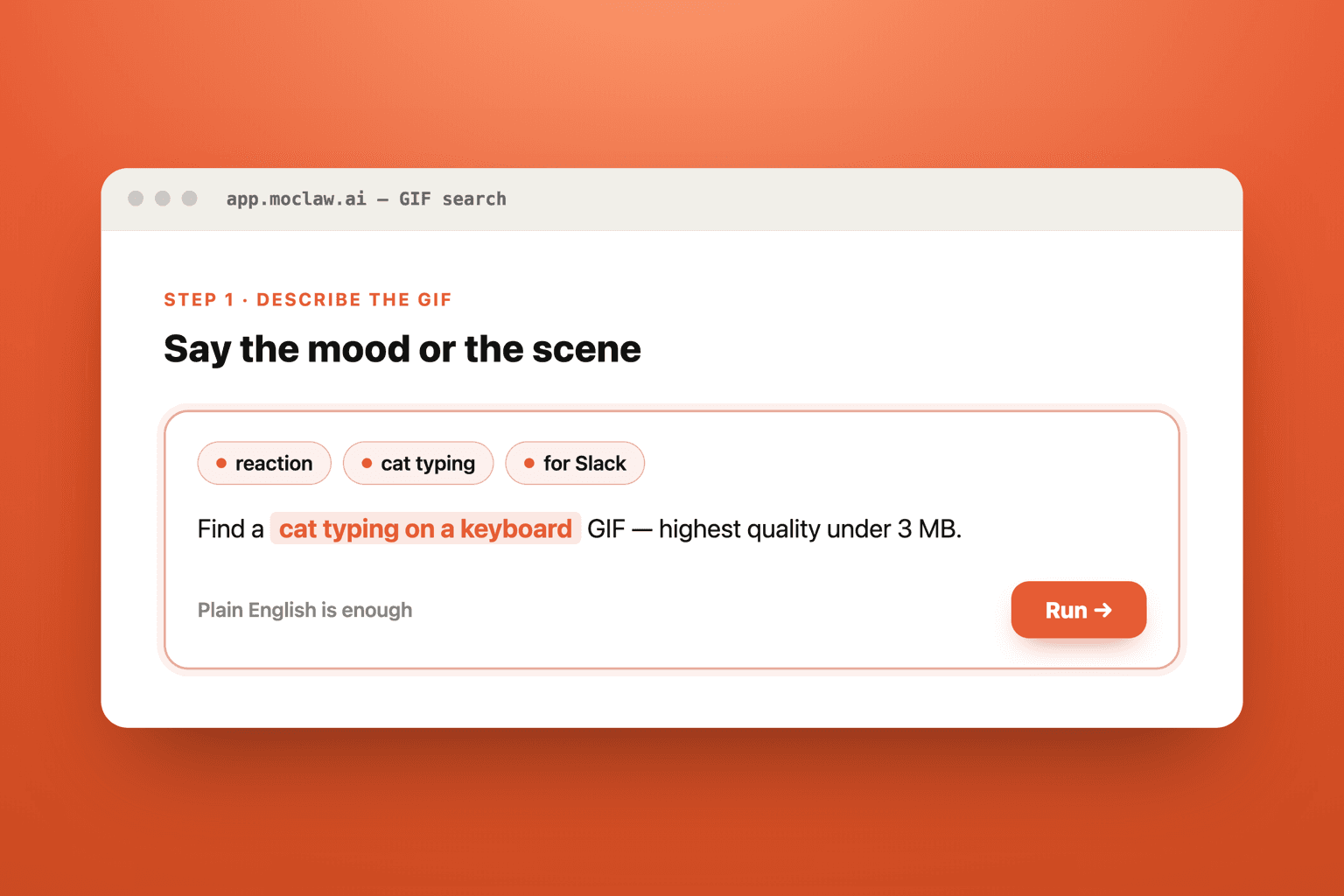
Describe the GIF You Need by Keyword or Mood
Just type what you are looking for in plain English. You can use specific search terms like "cat typing on keyboard" or describe a mood like "excited celebration." MoClaw understands natural language, so you do not need to know exact filenames or URLs.
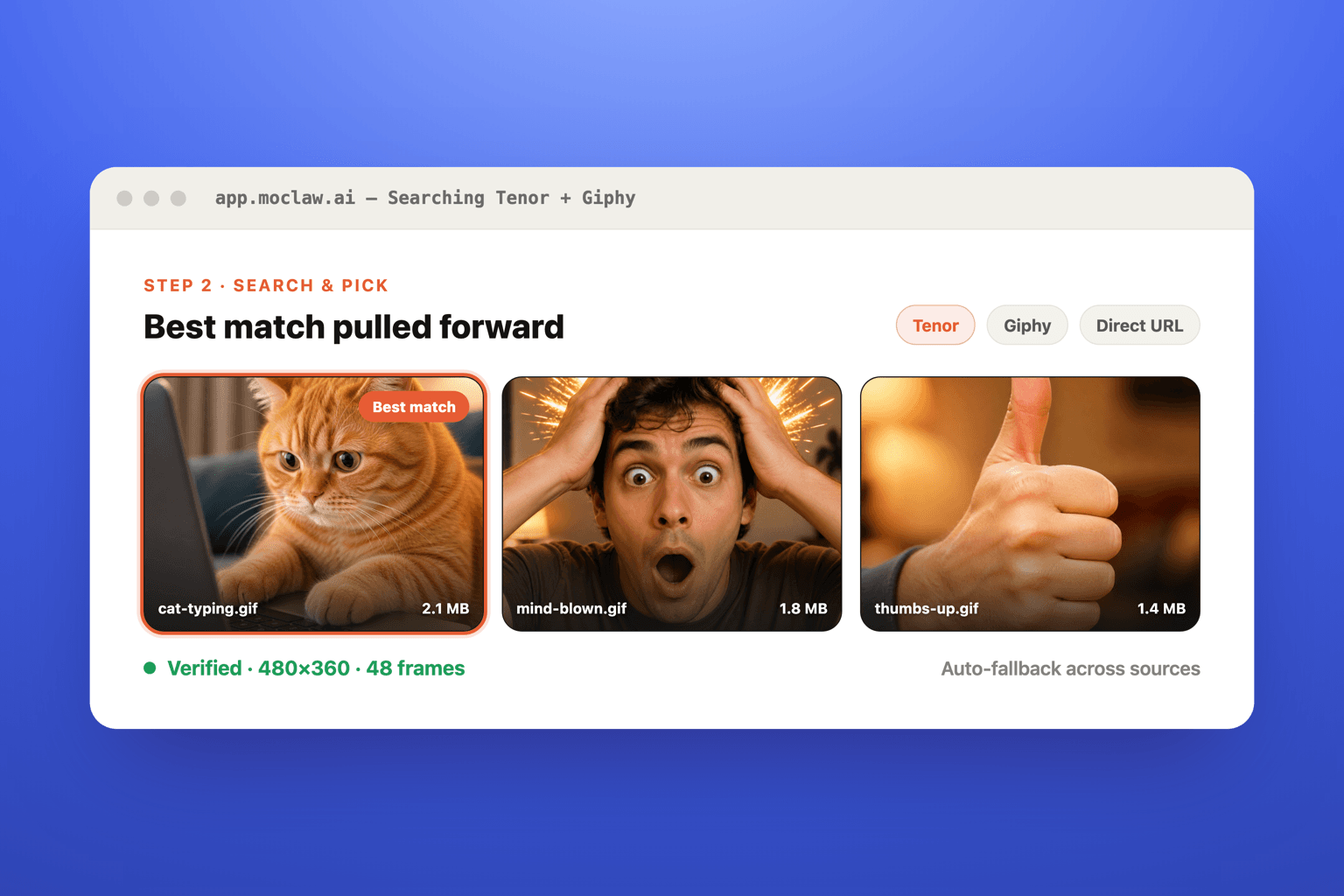
MoClaw Searches GIF APIs and Downloads the Best Match
MoClaw queries the Tenor API, Giphy, and other GIF sources to find the highest quality results for your query. It automatically selects the best resolution and file size, then downloads the GIF directly to your cloud workspace. If one method fails, it intelligently falls back to alternative approaches.
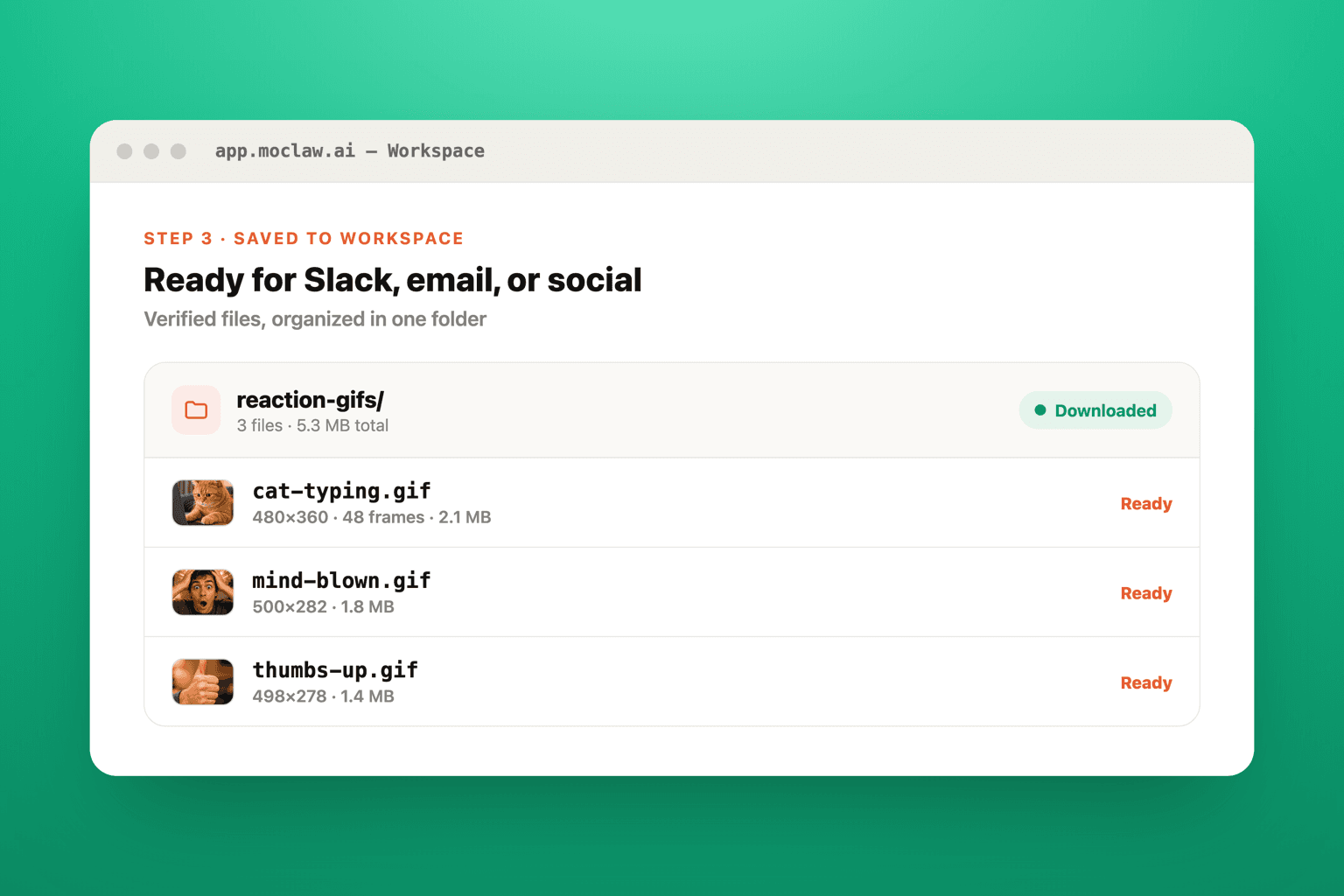
Download Your GIF Files Ready for Slack, Email, or Social Media
Your GIFs are saved to your MoClaw workspace and ready to download instantly. Each file is verified for format, dimensions, and quality before delivery. You can request resizing, batch downloads, or organized folder structures for larger collections.
What you can search for
What MoClaw watches for you
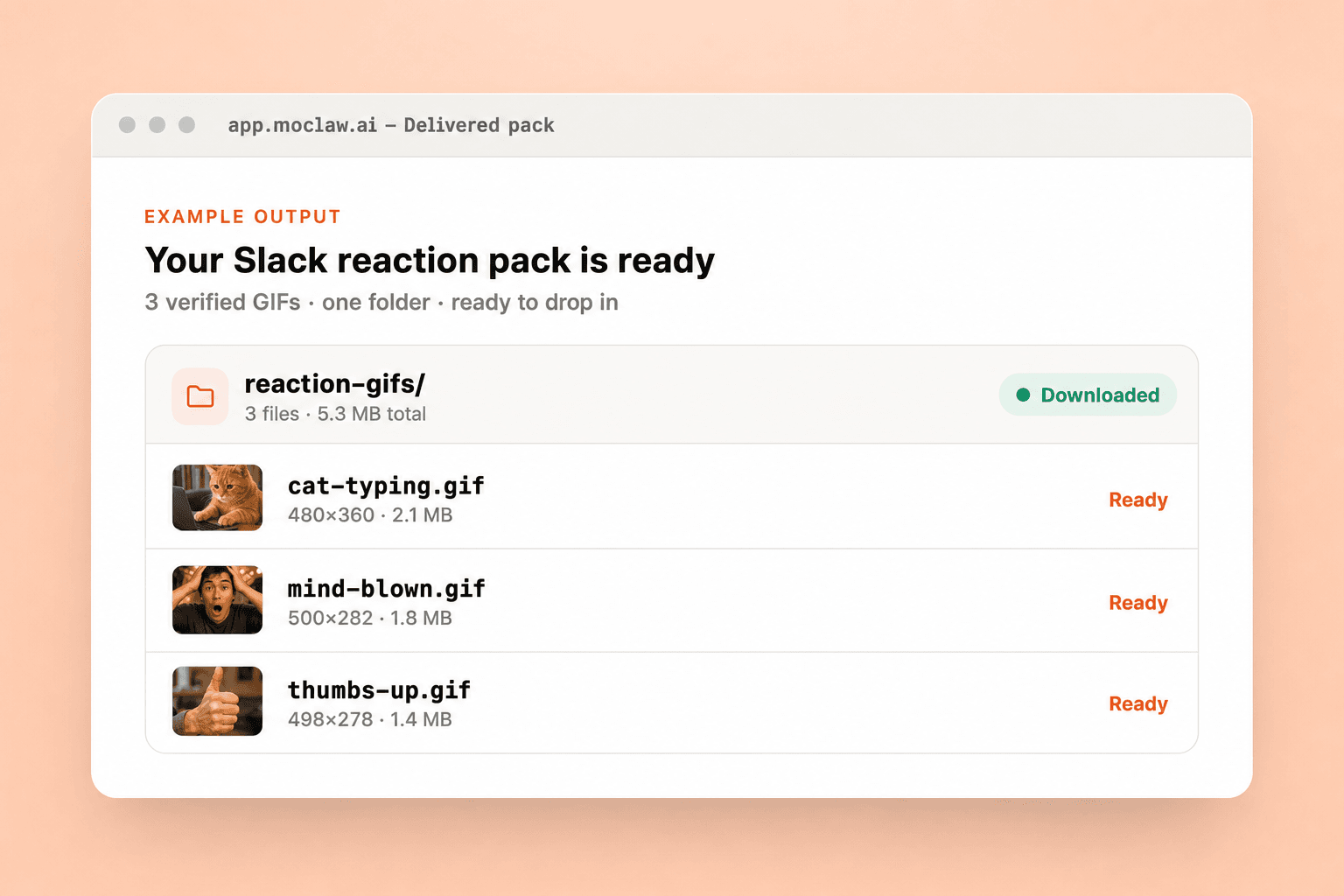
What your AI GIF search and download sends you
A real example of what MoClaw hands back, shown before you sign up.
AI GIF search and download: MoClaw vs Giphy
See how MoClaw's AI-powered approach differs from traditional tools.
| Feature | Manual Search | Giphy App | MoClaw |
|---|---|---|---|
| Natural language GIF search | Keywords only | Keywords and tags | Full natural language descriptions |
| Direct file download to workspace | Right-click, save as, organize | Copy link or embed code | Automatic download and file save |
| Batch download multiple GIFs | One at a time | Not supported | Unlimited batch downloads in parallel |
| Auto-fallback across multiple sources | Switch sites manually | Giphy only | Tenor, Giphy, and direct URLs with auto-fallback |
| File verification and metadata | Check manually after download | Basic preview only | Auto-verified with dimensions, frames, and file size |
| Integration with other workflows | Not possible | Limited embed integrations | Attach to emails, reports, and scheduled tasks |
Why AI-Powered GIF Search and Download?
Manually browsing GIF sites, saving files one by one, and organizing them into folders wastes time that could be spent on creative work.
Describe GIFs in Plain English Instead of Guessing Keywords
No need to craft the perfect search query. Just describe the mood, scene, or reaction you want and MoClaw interprets your intent to find the best matching GIF from multiple sources.
Auto-Fallback Across Tenor, Giphy, and Direct URLs
MoClaw does not rely on a single GIF platform. If one source fails or returns poor results, it automatically switches to alternative APIs and download methods to ensure you always get a result.
Verified Downloads with Full Metadata in Your Workspace
Every GIF is downloaded, verified for format and quality, and saved with metadata including dimensions, frame count, and file size. Your files are organized and ready to use immediately.
Ways to extend your AI GIF search and download
Click one to load it into the box above, ready to run.
AI GIF search and download FAQ
How does MoClaw search and download GIFs automatically? ⌄
MoClaw uses the Tenor API and other GIF search platforms to find results matching your description. It sends your search query, evaluates the top results for quality and relevance, downloads the best match, and saves it directly to your cloud workspace. The entire process takes just a few seconds.
Can I customize the GIF search results by size, quality, or source? ⌄
Yes. You can specify preferred dimensions, maximum file size, or preferred sources like Tenor or Giphy. MoClaw also supports filtering by content rating, aspect ratio, and animation length. Just include your preferences in your request.
What file formats does the AI GIF search tool support? ⌄
MoClaw primarily downloads GIFs in the standard .gif format. It can also retrieve MP4 and WebM versions when available from the source API, which are often smaller in file size. You can request specific formats or ask MoClaw to convert between them.
Can I batch download multiple GIFs at once with AI GIF search? ⌄
Absolutely. You can request multiple GIFs in a single message, and MoClaw will search and download them all in parallel. For example, you can ask for 10 different reaction GIFs and MoClaw will find, download, and organize them all in your workspace.
Can I use other GIF sources besides Tenor for AI GIF search? ⌄
Yes. MoClaw can search Tenor, Giphy, and other GIF platforms. It can also download GIFs from any direct URL you provide. If you have a preferred source or a specific GIF database, just let MoClaw know and it will adapt its search strategy.
Is AI GIF search and download better than manually searching Giphy or Tenor? ⌄
MoClaw saves significant time by combining search, preview, download, and file management into a single conversational step. Instead of browsing a website, right-clicking, saving, and organizing files manually, you just describe what you want. It is especially powerful for batch downloads and when you need GIFs organized into folders.
How much does the AI GIF search and download feature cost on MoClaw? ⌄
MoClaw offers a free tier that includes GIF search and download capabilities. The free plan allows you to search and save GIFs to your workspace with generous usage limits. Premium plans offer higher download limits, batch processing, and additional storage for larger media libraries.
Can I combine AI GIF search with other MoClaw features like scheduling or email? ⌄
Yes. You can combine GIF search with scheduled tasks to automatically find and download trending GIFs on a regular basis. You can also have MoClaw attach downloaded GIFs directly to emails, add them to reports, or integrate them into other automated workflows.
Integrations
Best integrations for AI GIF search and download
Who it's for
Who uses AI GIF search and download
Related image and media use cases
From our blog
Try AI-Powered GIF Search and Download for free
No credit card required