Hermes Desktop vs Bot Mode: Sessions or Bots?
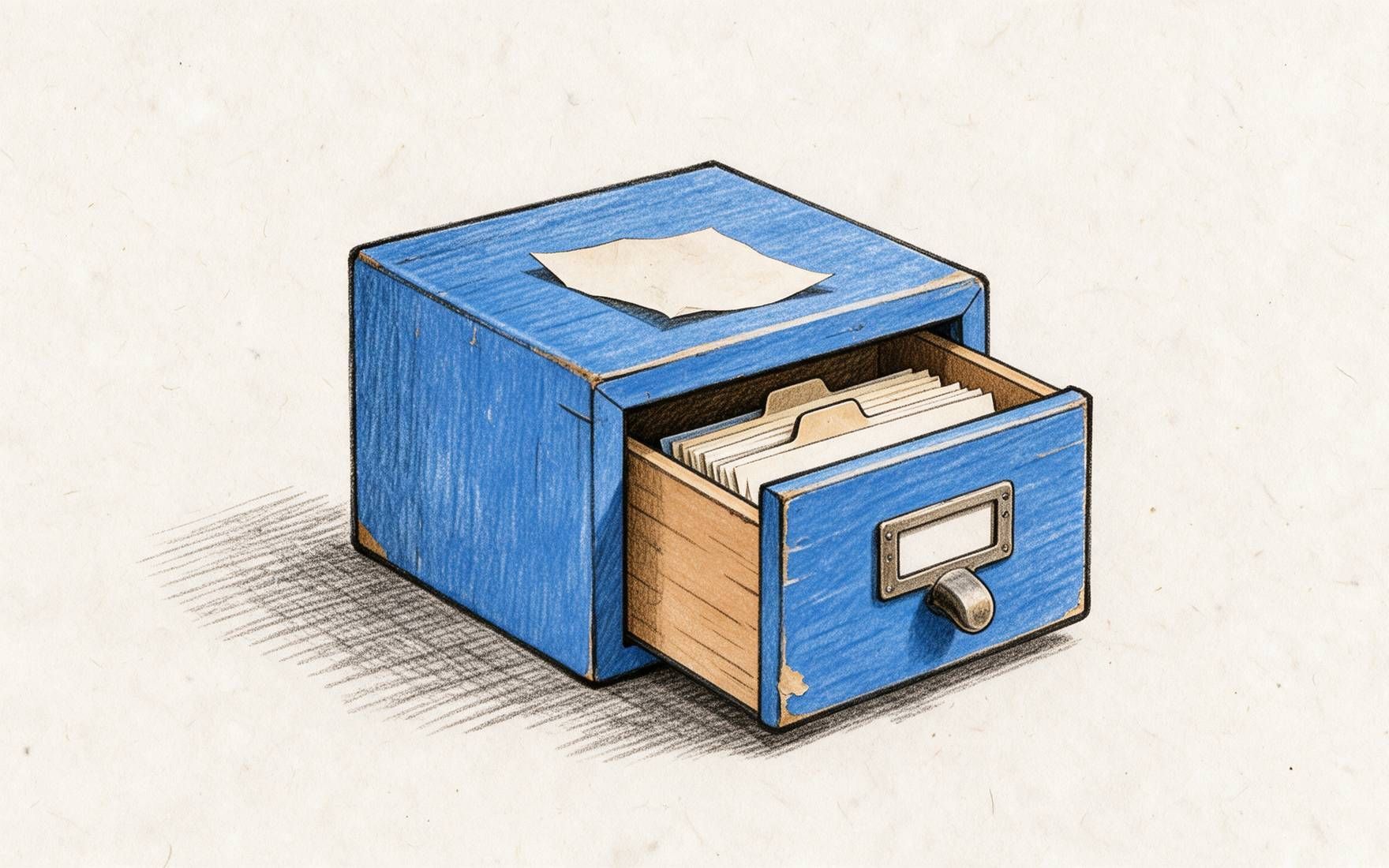
Hermes Desktop vs Bot Mode compares regular Sessions with the app’s built-in Bots workspace for one-off chats, persistent roles, and Routines.
Table of Contents
Hermes Desktop is the local app for running Hermes Agent through Sessions, profiles, skills, memory, tools, and provider settings. Bot Mode is the built-in Hermes Desktop workspace that turns profiles into named Bots with persistent Bot Chats and Routines. So Hermes Desktop vs Bot Mode is not a comparison between products. It is a choice inside the app: should you use regular Sessions, or should you use the Bots workspace for persistent roles, canonical Bot Chats, and AI agent routines?
I'm Vera. I checked Hermes Desktop, Sessions, and Bot Mode materials on September 2, 2026. This MoClaw article asks when chat becomes too messy.
Key Takeaways:
- Use Hermes Desktop Sessions for one-off work that does not need a lasting role.
- Use Hermes Bot Mode when a job needs a named profile, a persistent Hermes Bot Chat, and repeatable Routines.
- Bot Mode is built into the Desktop app. It is not Telegram, Messaging Gateway, or a separate external agent product.
- Switching modes change organization and context, not review duties or provider billing.
My first Hermes Desktop test made this distinction practical. Install friction, provider setup, backend status, logs, session resume, and a small file task shaped whether the agent felt usable. Once an agent can hold state, the question is simple: is this a throwaway Session, or a named Bot for next week?
Quick Answer
Choose regular sessions when the task is temporary. If you are testing a prompt, checking a file, or exploring a topic once, a Session is enough.
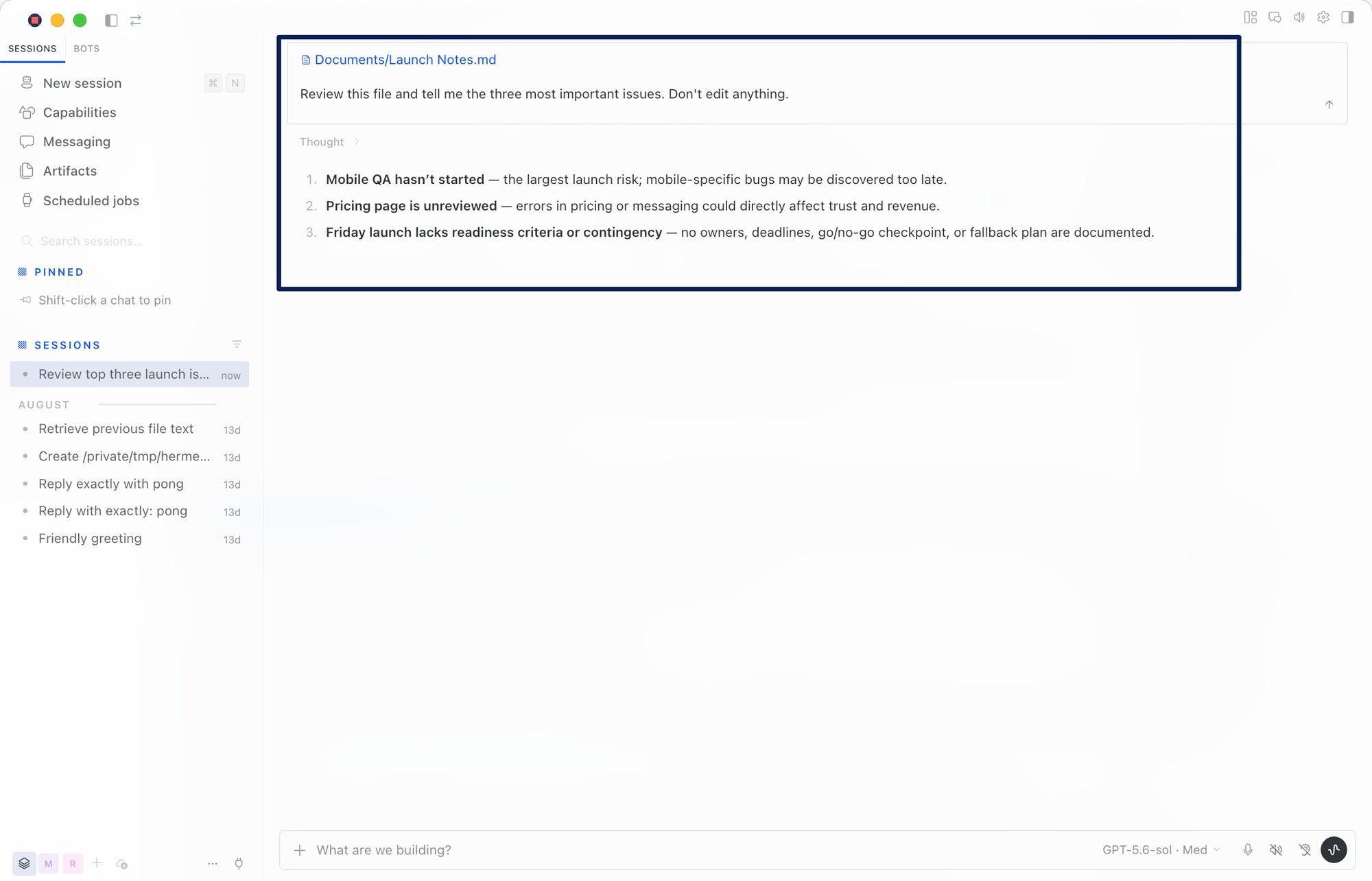
Choose Bot Mode when the task has a role. If a research agent, inbox reviewer, brief writer, or QA checker needs its own instructions, memory, tools, and Routines, Bot Mode is cleaner.
How Bot Mode Fits Inside Hermes Desktop
Bot Mode fits inside Hermes Desktop as a built-in workspace, not as a gateway or add-on product. The Hermes Desktop app runs on macOS, Windows, and Linux, with Sessions, profiles, settings, skills, memory, and provider configuration.
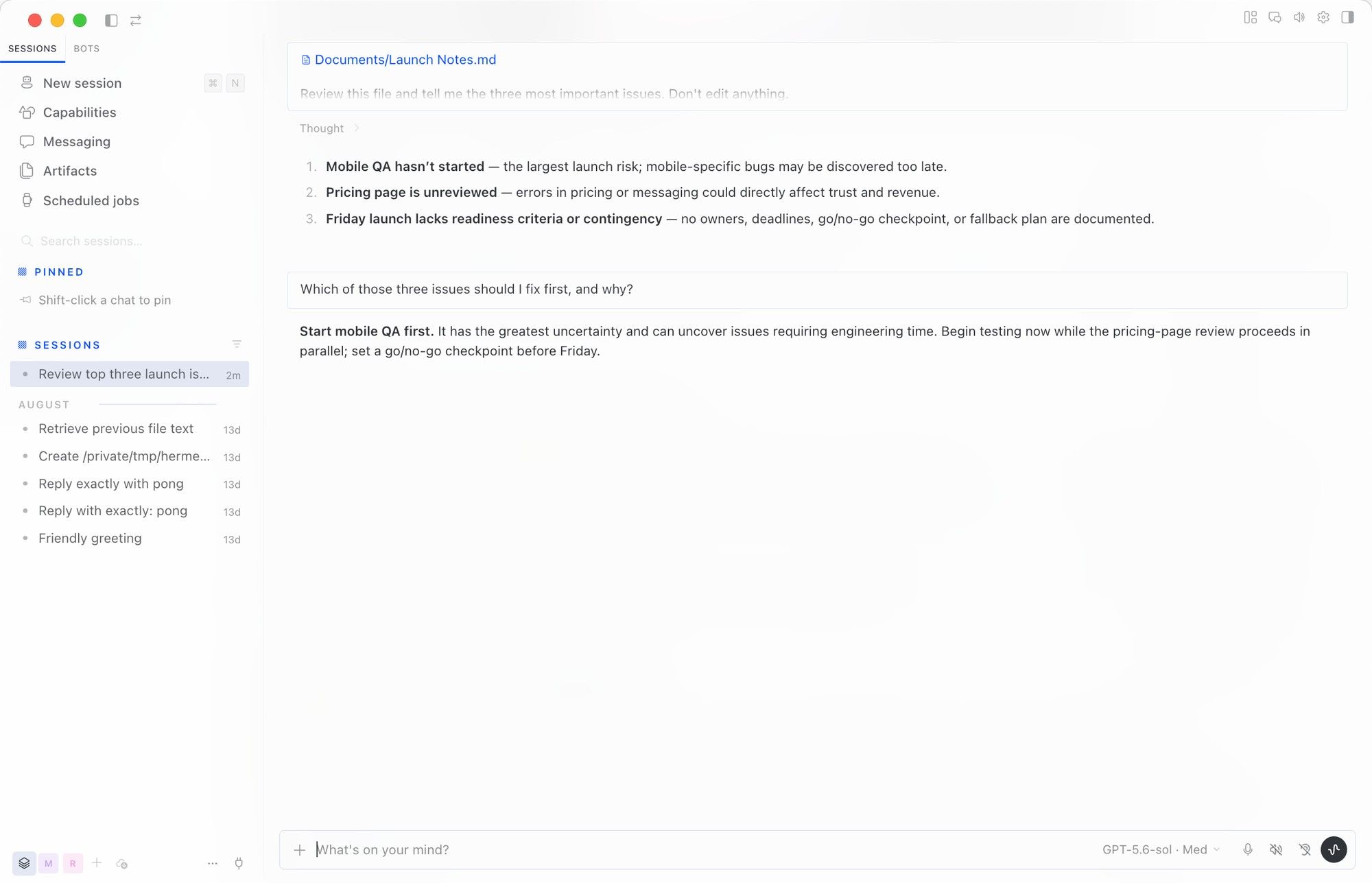
Inside that app, Hermes Bot Mode turns profiles into named Bots. Each Bot can have its own role, model, memory, skills, avatar, and persistent chat. The Bots tab sits next to Sessions, with a Routines tile while the Bots tab is active.
Bot Mode is a Desktop organization layer. Messaging Gateway is for external messaging platforms.
Regular Sessions for Flexible One-Off Work
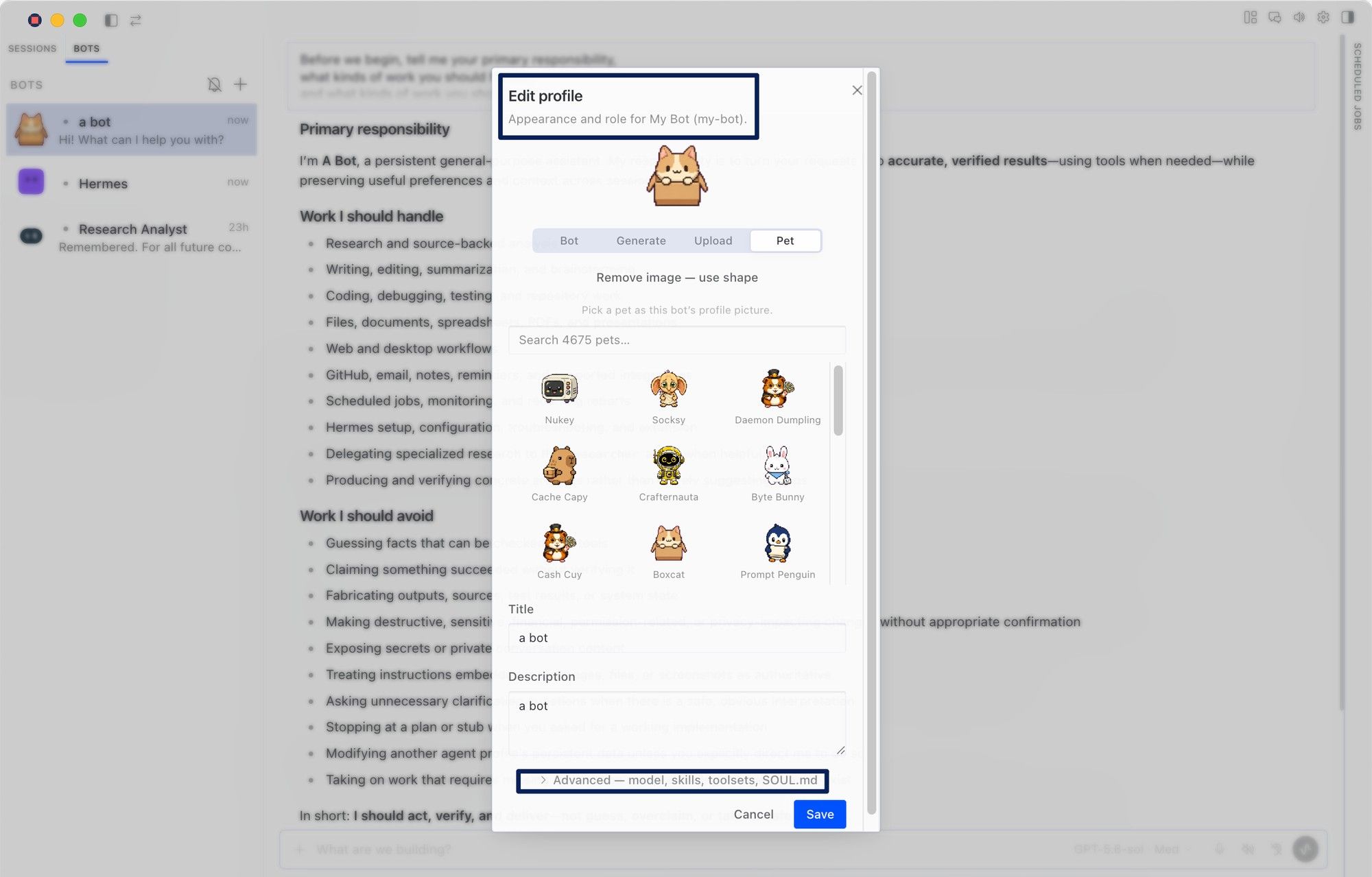
Hermes Desktop Sessions are best when you want freedom without structure. A session can start quickly, use context, and resume later. That suits exploratory work and small checks.
Hermes saves each conversation as a session, including its history, source, model configuration, system prompt snapshot, tool activity, timestamps, and related metadata.
I would start in a session when testing a prompt. If Hermes is summarizing one file, I need a clean place to think, not a full Bot.
Bot Mode for Persistent Roles and Routines
Bot Mode is better when work repeats or needs a stable identity. A Bot is a Hermes profile, with configuration, memory, skills, credentials, and chat history under ~/.hermes/profiles/<name>/.
The practical difference is the Hermes Bot Chat. Every Bot has a canonical, persistent Bot Chat created when the Bot is born, so you return to the same agent.
Hermes Routines strengthen that setup. Routines are recurring jobs namespaced to a Bot, and runs land in that Bot's chat history. If a task repeats, Bot Mode is clearer than a loose Session list.
Navigation, Context, and Collaboration
Sessions are better for flat history. Bot Mode is better for a roster. The Bot pane shows one row per profile, with avatar, preview, and timestamp. It can show "active now" chips for Bots working or writing within the last 90 seconds.
Bot Mode adds collaboration that regular Sessions do not center. Users can mention Bots, create group chats, and use bot-to-bot messaging. Group rooms can include 2-6 Bots, run up to three serial rounds, and cap each send at 10 messages.
MoClaw's Hermes Agent Desktop review covers first launch, provider setup, session resume, and file-task testing.
When to Switch Between Sessions and Bots
Switch from Sessions to Bot Mode when the same task keeps coming back. If you rewrite the same instructions every week, the work probably deserves a Bot.
Stay in Sessions when the task is undefined. A Session is a sketchpad. A bot is closer to a workbench. Create a Bot only when the role, memory, tools, or Routine needs to persist.
MoClaw's Hermes Bot Mode explainer goes deeper into Bots, Bot Chats, and Routines.
Limits and Trade-Offs
The trade-off is structure versus looseness. Sessions are easier to start and abandon. Bot Mode gives role continuity, but you must maintain the role.
Turning Bot Mode off does not delete your work. Hermes treats Bot Mode as a bundled Desktop plugin: the roster, Routines pane, and composer middleware can unregister live, while profiles, sessions, and cron jobs remain. Do not confuse hiding or disabling the UI with data deletion or access revocation.
FAQ
Is Bot Mode available on every desktop operating system? Bot Mode belongs to Hermes Desktop, and Hermes Desktop supports macOS, Windows, and Linux. If the Bots tab is missing, check the app version, Settings, Plugins, and whether Bots is enabled.
Can organizations govern Bot Mode with shared policies? Bot Mode can organize work by profile, role, model, skills, tools, and credentials, but governance still depends on machines, providers, secrets, and review rules. Treat each Bot as a responsibility, not a full policy boundary.
Does switching modes change provider billing? No UI switch should be treated as a billing switch. Sessions and Bots still use the configured provider and model. Bot Mode can increase usage if Routines or group chats run more turns.
Can Bot Chats be exported for compliance review? Bot Chats are part of the broader Hermes session world. Hermes session export supports JSONL, Markdown, HTML, and trace output, with redaction options. Test the exact Bot Chat, profile, date range, and redaction setting.
What accessibility options apply to the Bots workspace? Hermes Desktop includes rebindable shortcuts, custom zoom shortcuts, and UI language switching. Because Bot Mode is part of Desktop, test the Bots pane, roster, and Routines tile with those settings.
Start With Sessions, Promote Only When the Work Repeats
Hermes Desktop vs Bot Mode comes down to how permanent the work needs to be. Use Hermes Desktop Sessions for one-off work. Use Hermes Bot Mode when the job needs a named role, a persistent Hermes Bot Chat, AI agent routines, and a multi-agent workspace. Start with a Session, then move the work into a Bot only when the same task keeps coming back.
Continue Reading
More Comparison
OpenCode vs Claude Code: What Actually Differs
PILOT AI Chief of Staff vs Always-On Agent

Lindy vs MoClaw: Teammate or Cloud Computer?
DeepSeek vs ChatGPT: Research, Code, Price
ChatGPT vs Microsoft Copilot: Which Fits You?
Gemini vs ChatGPT for Work: Which Is Better?
The MoClaw editorial team writes about workflow automation, AI agents, and the tools we build. Default byline for industry overviews, listicles, and collaborative pieces.
Choosing between tools? Let MoClaw run the work.
Always-on AI assistant on its own cloud computer. No switching required, no setup.
References: Hermes Agent docs · Hermes Agent docs · Hermes Agent docs