What Is ChatGPT Work? Features, Tasks, and Limits

What is ChatGPT Work? See how OpenAI's GPT-5.6 agent handles multi-step tasks, files, plugins, recurring updates, approvals, and access limits to verify.
Table of Contents
What Is ChatGPT Work? Features, Tasks, and Limits
ChatGPT Work is OpenAI's agent in ChatGPT for delegating longer, multi-step work when the goal is a reviewable task outcome, not just a quick answer.
Key takeaways:
- OpenAI introduced ChatGPT Work in its July 6-10, 2026 update cycle, with the desktop merger dated July 9, 2026.
- Work is for briefs, decks, analyses, recurring updates, files, and workflows that need review.
- Chat is best for quick answers, while Codex keeps the dedicated coding experience.
- Plugins, desktop access, browser use, schedules, and approvals depend on plan, client, workspace policy, and permissions.
- ChatGPT Work is an AI work agent, not guaranteed 24/7 autonomously.
I explain it this way: Chat is where I ask, "What should this report cover?" Work is where I ask, "Use these files, build the report, show weak claims, and stop before sharing." That small shift changes the job from conversation to task execution.
What ChatGPT Work Is
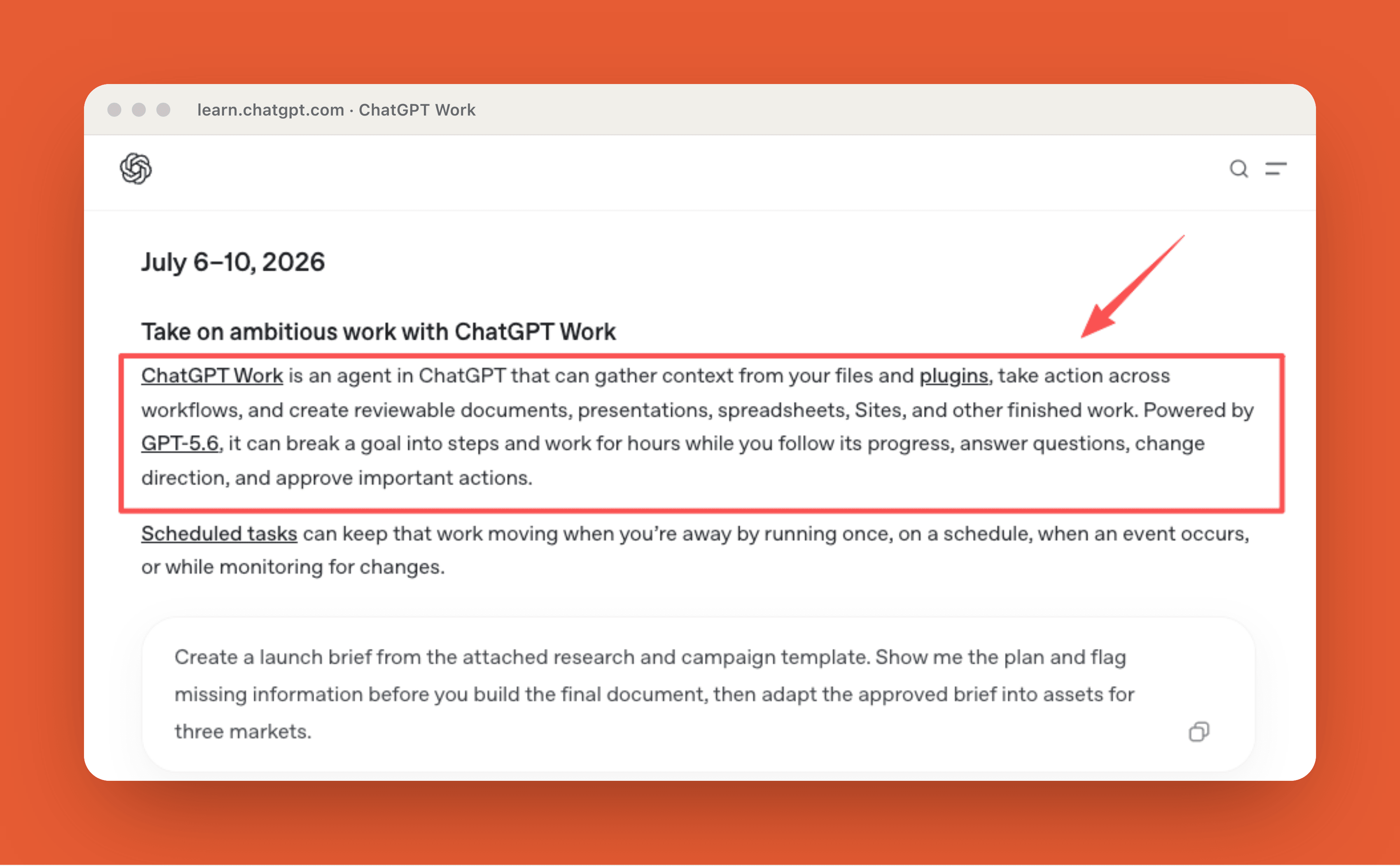
OpenAI's July 6-10 feature digest describes ChatGPT Work as an agent in ChatGPT that can gather context from files and plugins, take action across workflows, and create reviewable documents, presentations, spreadsheets, Sites, and other finished work. It says Work is powered by GPT-5.6 and can break a goal into steps while the user follows progress, answers questions, changes direction, and approves important actions.
Work vs Chat
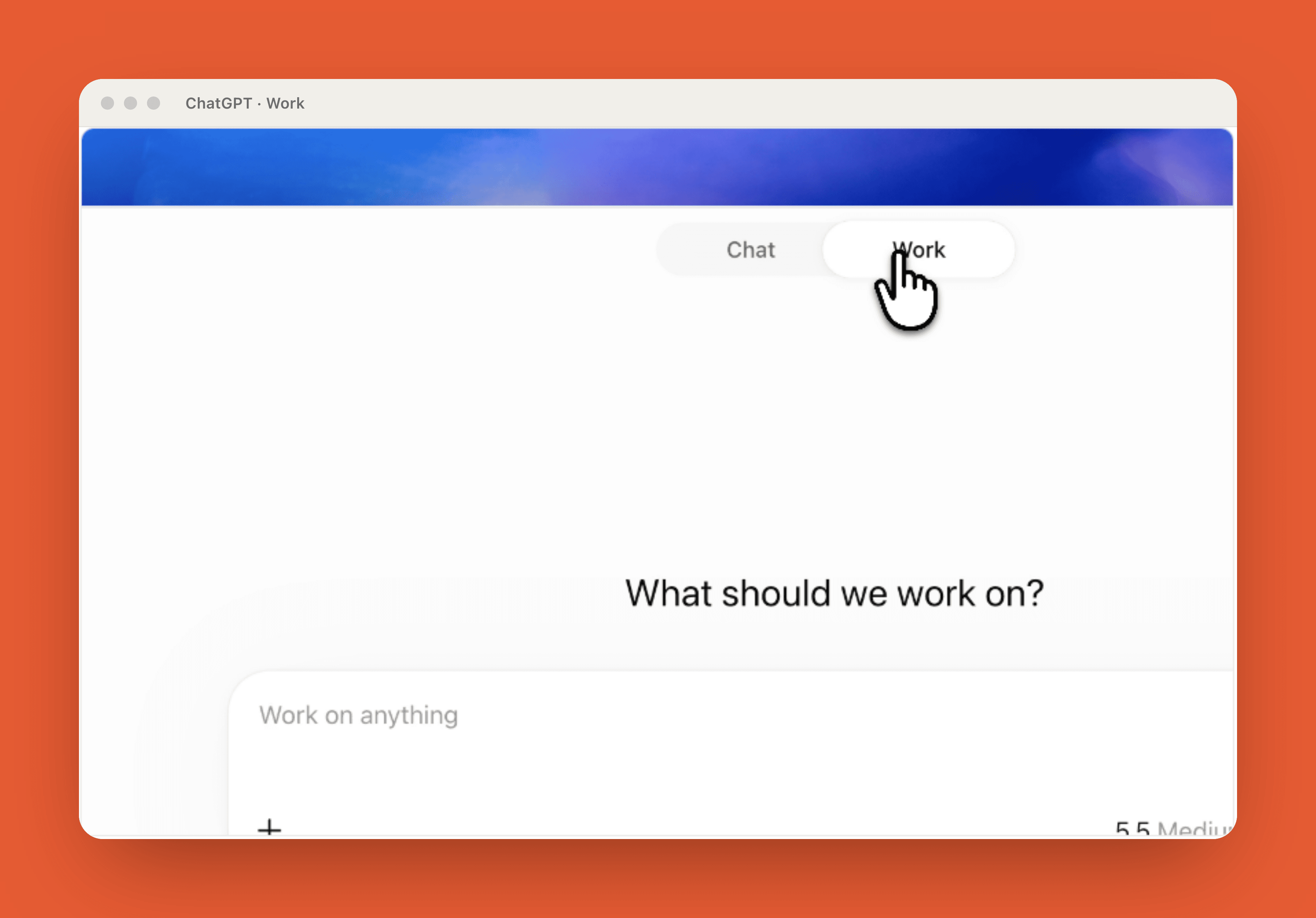
OpenAI's getting started with Work draws the boundary clearly: use Chat for answers, explanations, brainstorming, or short drafts. Use Work when ChatGPT should complete a task with a clear outcome.
That makes OpenAI ChatGPT Work more like a task surface than a normal chat tab. A good prompt gives the outcome, sources, constraints, review criteria, and stopping point.
Review-ready outcomes
"Review-ready" is the key phrase. Work should return something a person can inspect, edit, reuse, or approve. A market brief should separate facts from interpretation. A spreadsheet should show assumptions. A deck should flag weak claims before anyone presents it.
How Work Uses Context and Tools
Work becomes more useful with the right context, and riskier when tool access is too broad.
Files and workspace resources
File-producing tasks need more than an instruction like "make a report." The prompt should name the source data, expected file type, structure, and review criteria, and it should account for where the review will happen because desktop and web review surfaces may differ.
In practice, do not ask Work to "make a report." Tell it which files to use, what to ignore, what format to return, and what evidence to show.
Plugins and approved tools
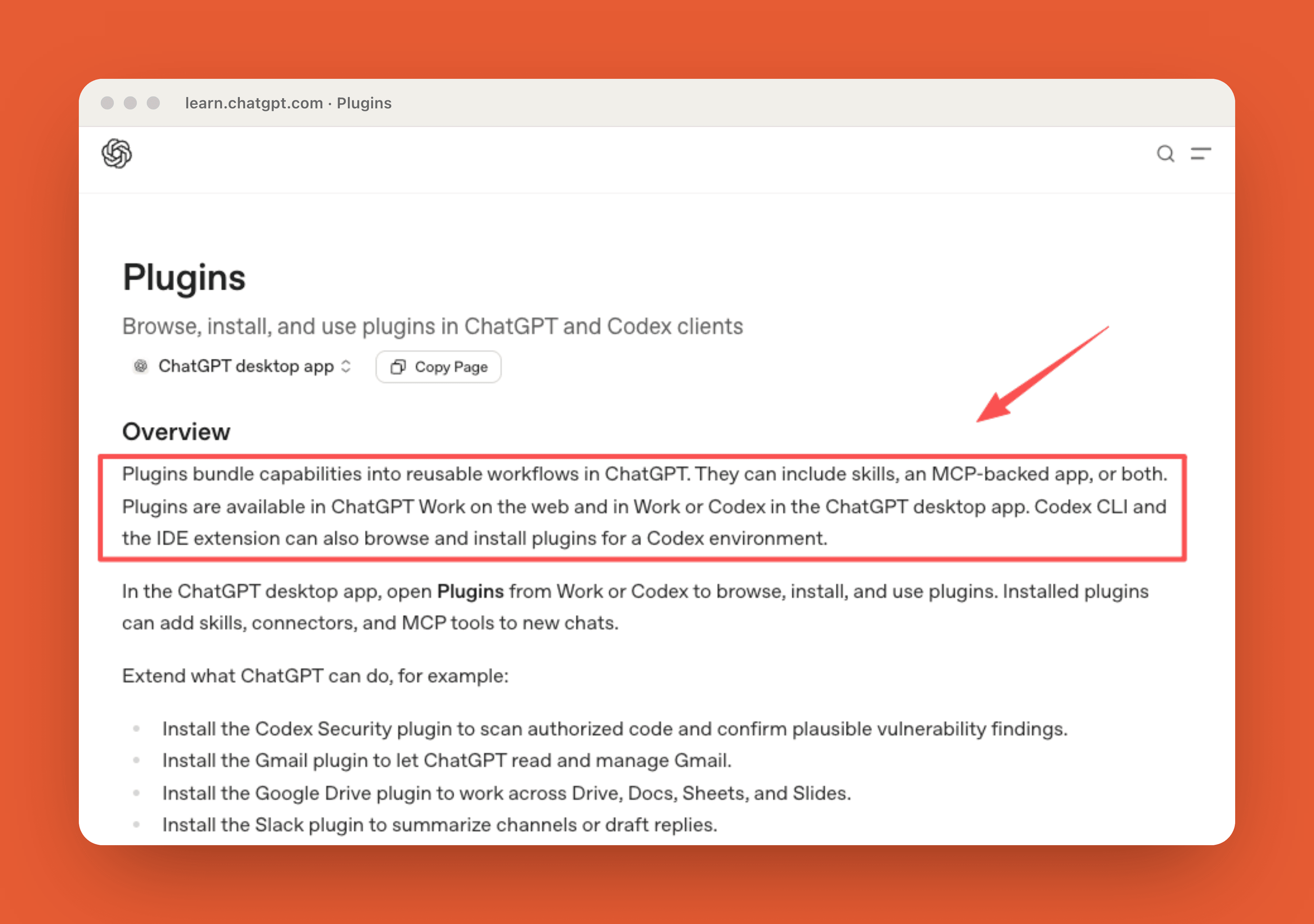
Plugins expand what Work can reach: skills, apps, MCP servers, browser extensions, hooks, scheduled task templates, and connected services such as Gmail, Google Drive, Slack, or code-scanning tools.
This is where ChatGPT for work starts to resemble an operations layer. Plugins can connect Work to external systems, so teams should review what each plugin can read or change before relying on it for business tasks.
Desktop files, apps, and browser access
The desktop app matters because Work can use local files, apps, and browser access when those tools are available. Codex remains the dedicated surface for software tasks such as code editing, tests, diffs, and repositories. Work is the broader surface for everyday professional deliverables.
What Work Can Produce
Work is strongest when the output has a clear shape.
Briefs, decks, and analyses
Typical fits include launch briefs, comparison spreadsheets, account prep, research summaries, status reports, and presentations. The best outputs show evidence. I would rather receive a rough brief with source notes than a polished brief that hides assumptions.
Recurring updates and workflows
Scheduled tasks can be useful for recurring updates, but they are still conditional on workspace settings, connected tools, uploaded context, and where the task runs. They should not be treated as automatic access to every local file, folder, or business system.
A realistic task is a Monday project update: check Slack and Google Drive, refresh blockers and owners, draft an agenda, then wait before sharing. That is task automation, but the schedule, permissions, and review step still need design.
In one small review of 8 recurring update drafts, 6 were useful as first drafts, but 5 still needed a human check before sharing: 2 had outdated owners, 2 missed a blocker from the latest document, and 1 used the wrong level of detail for the audience.
Review, Approvals, and Task Control
The safest way to use Work is delegated execution with steering.
Following and steering progress
Longer Work tasks need clear outcomes, constraints, and completion criteria. They also need room for steering: if source material is missing, add it; if direction changes, redirect before the final file is built; if the task is drifting, ask for status and adjust the scope.
That means you can steer midstream. If source material is missing, add it. If direction changes, redirect before the final file is built.
Approval before consequential actions
Approvals matter when Work touches connected systems, files, browser actions, or external services. Users may be asked to approve important actions as work progresses, but teams should still define their own review rules for business workflows.
For non-technical teams, the rule is simple: keep human approval before sending, publishing, deleting, buying, changing records, or modifying shared files.
Availability and Limits to Verify
Before planning around ChatGPT Work, verify current access in your account. Check plan, region, workspace admin policy, desktop vs web behavior, installed plugins, connected accounts, scheduled task support, local file access, browser access, approval settings, and model availability.
The safest assumption is that Work is powerful but conditional. Do not describe it as guaranteed 24/7 execution or fully autonomous business operation.
How MoClaw Fits This Workflow
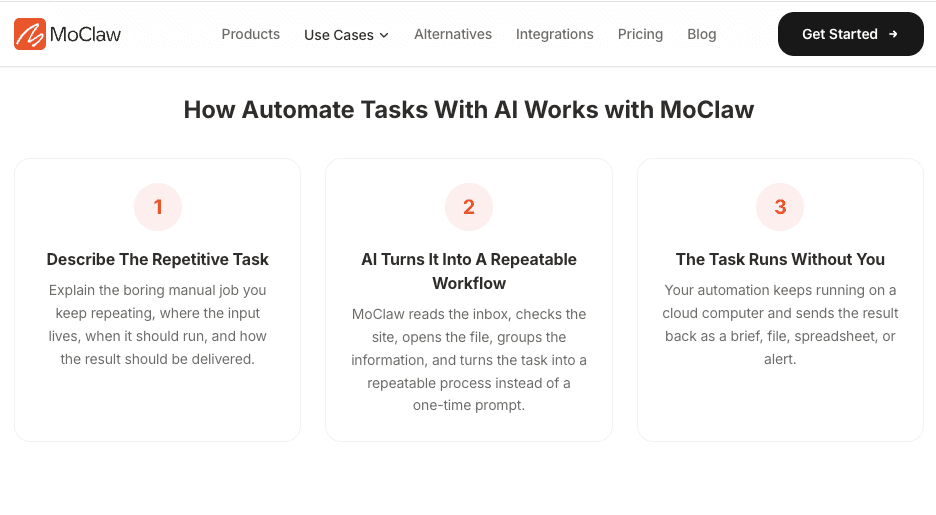
MoClaw fits as a separate managed cloud assistant path for recurring digital work and browser-based workflows, not as a replacement for ChatGPT Work or Codex. The useful comparison is workflow shape: sources, task instructions, browser actions, files, logs, delivery, and review.
For recurring browser and report workflows, see MoClaw's automate tasks with AI. If the question is persistent cloud workspace, MoClaw's cloud computer integration is the more relevant layer.
FAQ
Can Work continue after a plugin is disconnected?
Usually not for tasks that depend on that plugin's live data or actions. The task may keep prior conversation context, but fresh retrieval, updates, or external actions can fail once the connector is unavailable.
Who owns files created after a Work task finishes?
Ownership depends on where the file is created, downloaded, stored, or shared. For business use, assign a human owner before the file becomes the canonical version.
Can one Work task be shared across workspace members?
It depends on workspace sharing, project access, and connected-tool permissions. A shared task should not assume every teammate can access the same Drive file, Slack channel, CRM record, or local folder.
What happens to schedules when a user leaves?
Scheduled tasks should be reviewed when a user leaves, changes role, or loses access to connected tools. Reassign ownership, check plugin authorization, pause sensitive schedules, and confirm the task still has required context.
ChatGPT Work Turns Prompts Into Reviewable Work
ChatGPT Work is best understood as a task layer inside ChatGPT. It takes a goal, uses context and approved tools, works through steps, and returns something a person can review. Its value is not removing human judgment. Its value is moving the messy middle into a visible workflow where files, tools, progress, and approvals are easier to inspect.
Vera note: This article is workflow guidance, not an OpenAI official guide or availability guarantee. Before using ChatGPT Work for business workflows, verify current OpenAI documentation, plan access, workspace policy, connected-tool permissions, data handling, and approval settings.
Continue Reading
More Guide
ChatGPT Codex: From Chat to Tasks

Is ChatGPT Agent Free? It Starts at Plus $20

Praxist License: Fair Source, Not Open Source

What Is GLM-5.3-Flash? Specs and Price

Tokentab: See What Claude Code Actually Costs

Open Higgsfield: One Prompt Bar, 40 Models

The MoClaw editorial team writes about workflow automation, AI agents, and the tools we build. Default byline for industry overviews, listicles, and collaborative pieces.
Ready to put this into practice?
MoClaw runs browser tasks, research, and schedules automatically. Try it free.
References: https://learn.chatgpt.com/docs/artifacts-viewer?surface=app · https://learn.chatgpt.com/docs/get-started-with-work · https://learn.chatgpt.com/docs/plugins?surface=app · https://learn.chatgpt.com/docs/whats-new