Paperclip AI: An Org Chart for Your Agents

Paperclip AI is an open-source app that runs a team of AI agents like a company: org charts, budgets, approvals. What it does, and how to self-host it.
Table of Contents
Paperclip AI is an open-source Node.js server with a React dashboard that runs a group of AI agents the way a company runs staff: roles, reporting lines, monthly budgets, and a human who can approve, override, or shut down any of them. The repo went public on March 2, 2026 and had crossed 76,600 stars by August 11, which works out to roughly 470 a day sustained across five months. MIT license, TypeScript, and a README that states its framing without hedging: if OpenClaw is an employee, Paperclip is the company.
Most projects in this category describe themselves as a framework and hand you primitives. This one describes itself as an app and hands you a task board.
Key Takeaways:
- It manages agents; it isn't one. Paperclip sits above OpenClaw, Claude Code, Codex, or Cursor and assigns them work, rather than replacing any of them.
- MIT-licensed and free to self-host commercially, which is a materially looser deal than the AGPL terms attached to a lot of comparable agent infrastructure.
- The hosted version is waitlist-only as of August 11, 2026. The 76,600 stars measure appetite for the idea, not signups to a running service.
- Per-agent monthly budgets are enforced at checkout time, so a runaway loop stops at the ceiling instead of after you read the invoice.
- First run binds to local loopback in trusted mode. Putting it on a LAN without switching to authenticated mode exposes every scoped secret in the org chart.
What Paperclip AI actually is
The technical shape is small enough to hold in your head. A Node.js server exposes an API on localhost:3100, a React UI sits on top, and an embedded PostgreSQL instance gets created on first run so there's no database to provision. Agents connect as adapters. They don't live inside Paperclip; they're external processes that receive work from it, which is why the project README can claim that anything capable of receiving a heartbeat is hireable.
What you get on top of that is the part worth paying attention to, because it's the part everyone rebuilds badly by hand. Tasks are tickets, and they persist across reboots. Every task carries its full goal ancestry, so an agent picking one up can see the company objective it rolls into rather than just a title someone typed at midnight. Budgets are enforced per agent per month, and task checkout is atomic, meaning two agents can't quietly do the same work twice or blow past a spend ceiling in a race.
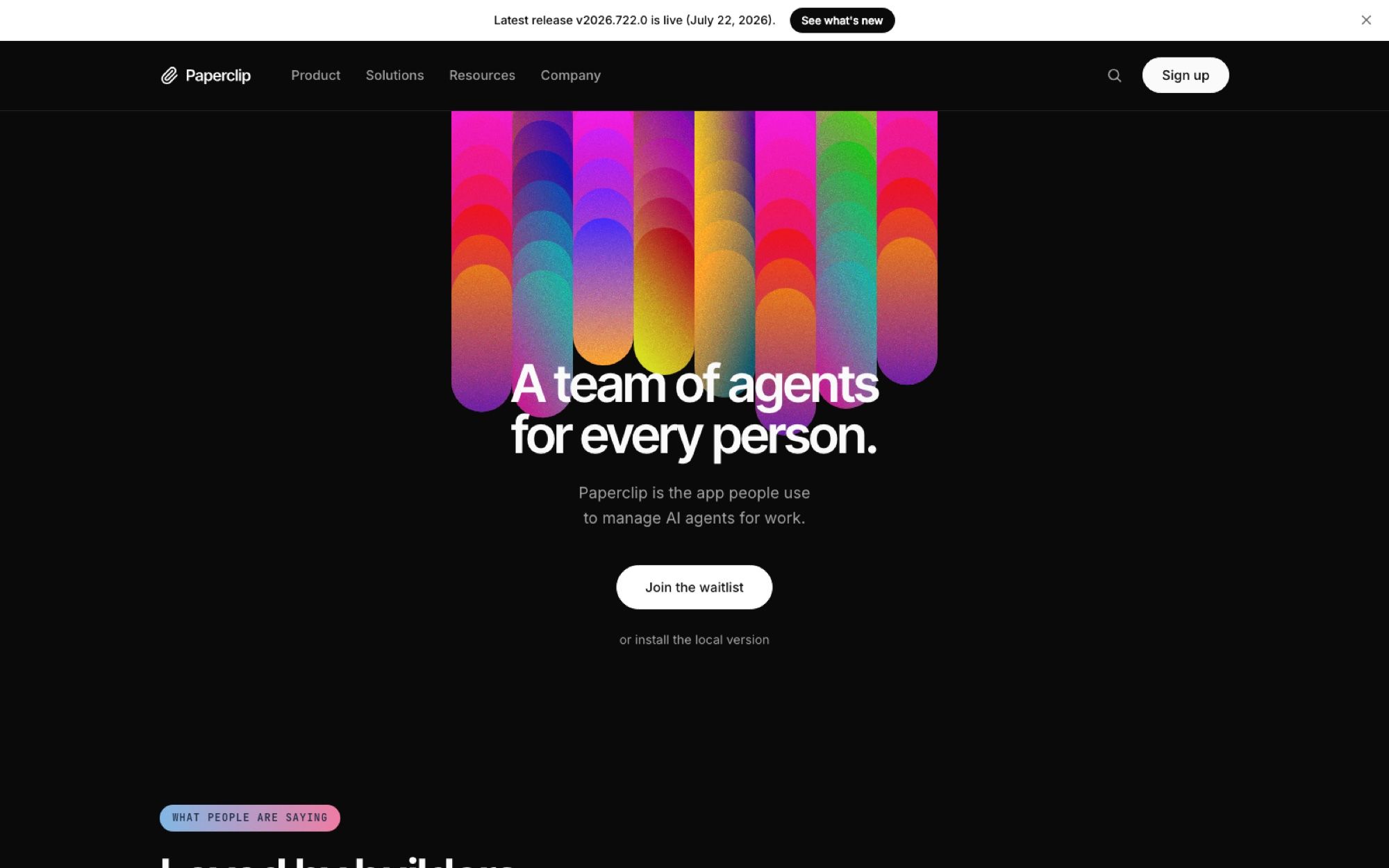
The marketing leans hard on the company metaphor. Its site headline reads "A team of agents for every person," and the GitHub description goes further, calling it the app everyone uses to manage agents at work. Treat that as positioning rather than measurement; the star count is real, the word "everyone" is copywriting.
What managing agents at work means day to day
Strip the org-chart language away and the problem it targets is mundane. You open a coding agent in one terminal, another in a second, a third for something unrelated, and within an hour you've lost track of which one is doing what. Reboot and the context is gone. The README names this directly, down to the specific failure of having twenty Claude Code tabs open with no way to tell them apart.
Paperclip's answer is to stop treating agent runs as terminal sessions and start treating them as tickets. You file work against a project, the project rolls up to a goal, and an agent checks the ticket out when its heartbeat fires. Conversations stay threaded against that ticket, so the audit trail is a side effect of how the work flows rather than something you remember to turn on.
Heartbeats are the scheduling mechanism, and they're what makes the system feel less like a chat window. An agent wakes on a schedule, looks at what's assigned, does something, and goes back to sleep. Recurring work like a weekly report or a support triage pass doesn't need you to remember to kick it off. Delegation moves in both directions along the reporting lines, so an agent with a job too big for it can push subtasks down to agents that report to it.
Cost control is the other half. Each agent carries a monthly budget, and when it's spent, that agent stops. Anyone who has watched a loop burn through a quota overnight will recognise why this is a headline feature rather than a footnote.
The four pillars, and what each one covers
The project organises itself around four areas, and the split is genuinely useful for working out whether you need the whole thing or one slice of it.
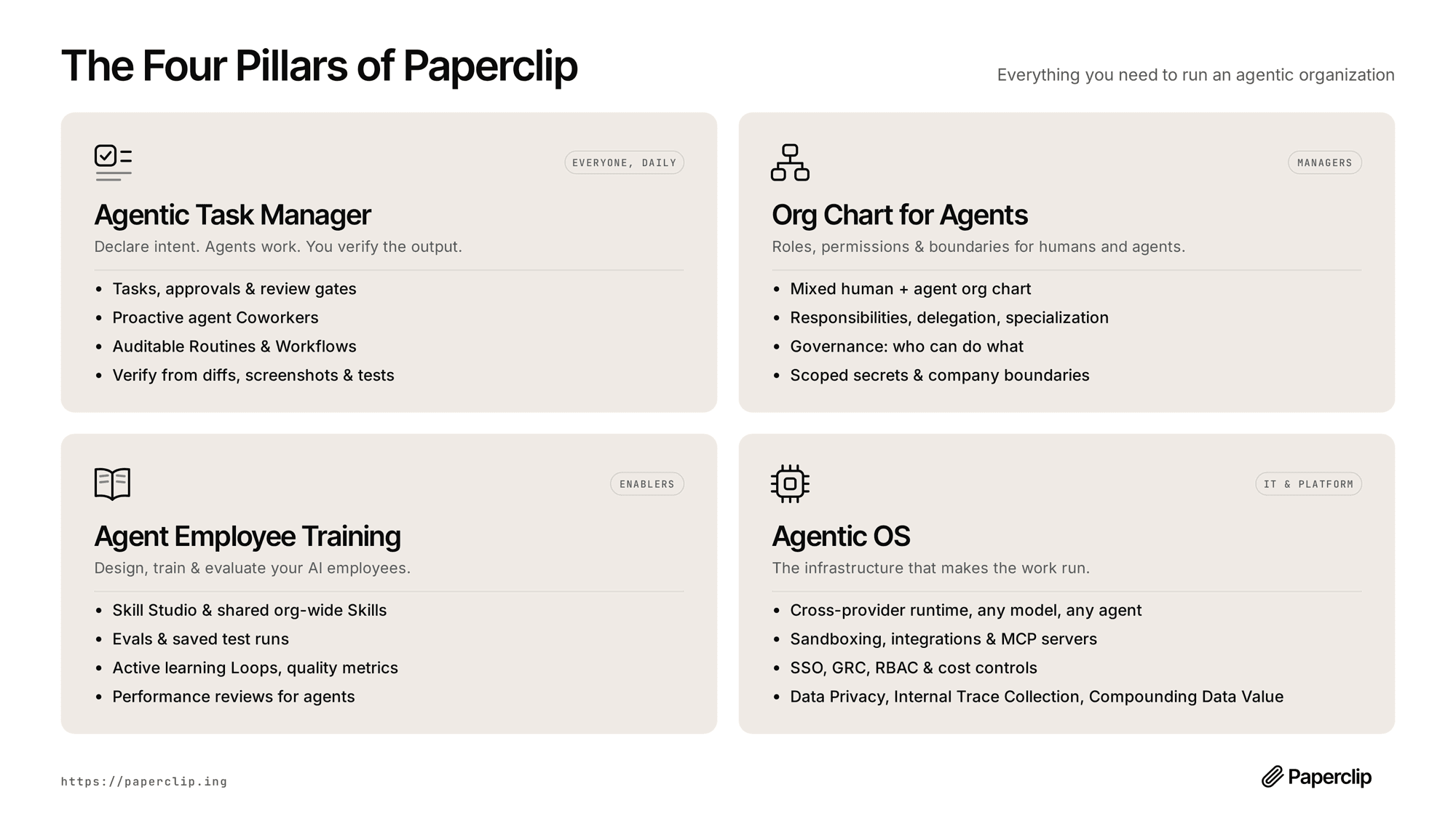
The Agentic Task Manager is the daily surface: tickets, approval gates, review steps, and verification from diffs, screenshots, and test output. The Org Chart for Agents is aimed at whoever is managing the thing, covering mixed human and agent hierarchies, delegation paths, scoped secrets, and rules about who is allowed to do what. Agent Employee Training is the part that looks least like other tools in this space; it bundles a skill studio, saved eval runs, quality metrics, and what the docs unironically call performance reviews for agents. Underneath sits the Agentic OS: a cross-provider runtime, sandboxing, MCP server support, SSO, role-based access control, and the cost tracking that feeds those budgets.
One deployment can host many companies with data isolated between them, which is aimed squarely at people running a portfolio of small businesses rather than one team. Orgs, agents, and skills export and import as templates, with secret scrubbing on the way out.
Which agents it can actually manage
The "bring your own agent" claim gets concrete here. The repo lists adapters for OpenClaw, Claude Code, Codex, Cursor, plain bash processes, and HTTP or webhook bots. The design brief is that Paperclip AI doesn't compete with any of them; it schedules them, gives them a role, watches what they spend, and files their output.
So the question to ask isn't whether Paperclip AI replaces your coding agent. It doesn't, and it isn't trying to. The question is whether you're running enough separate agents that coordinating them has become its own job. Below roughly three, a task list in a text file still wins. Somewhere past that, the coordination overhead starts eating the time the agents were supposed to give back, which is the same threshold that makes agent orchestration worth setting up at all.
There is a second question underneath that one, and Paperclip deliberately leaves it open: where do the agents actually run? It schedules them, scopes their budgets, and files their output, but it assumes something is already there to execute against. MoClaw answers that half — a hosted cloud AI computer the agents run on, rather than another supervisor competing for the org-chart job.
Installing it: requirements, modes, and the bits people trip on
Self-hosting is the default path and doesn't require an account. The documented install fetches install.sh from paperclip.ing alongside a .sha256 file, verifies the checksum, and runs it. The docs are candid that this checksum is served from the same origin as the script, so it catches a botched upload rather than a compromised host; if you need an independent source, they point you at a commit-pinned copy on GitHub. That's an unusually honest caveat to publish about your own installer.
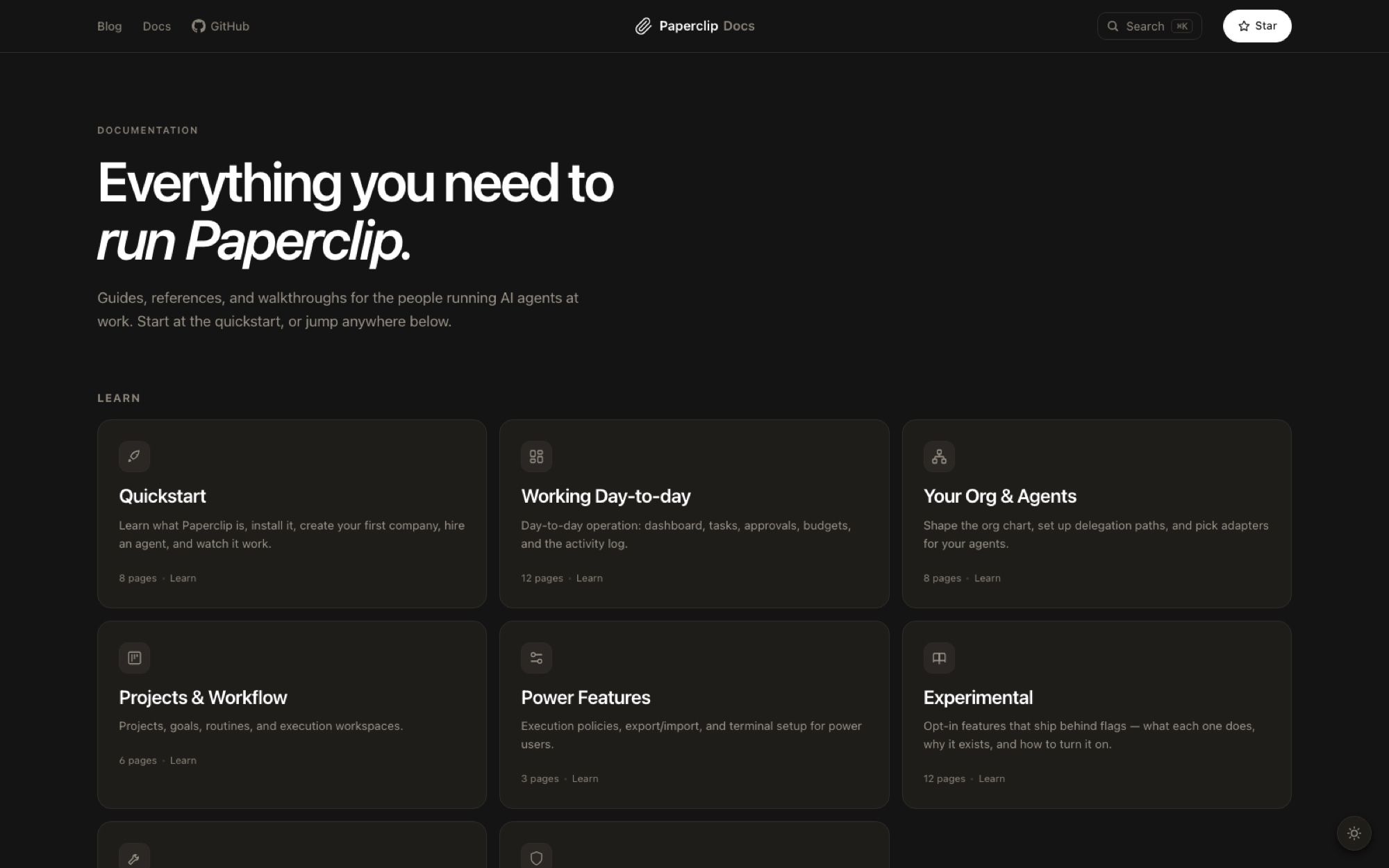
Requirements are Node.js 20 or newer and pnpm 9.15 or newer for a manual clone. The installer will sort Node out for you and can register Paperclip as a background service on Linux and macOS. There's also a no-install trial route through npx, which the docs flag as a common failure point: if you have a private npm registry configured globally, npx resolves paperclipai against it and returns a 404, and the fix is to force the public registry on that one command.
One setting deserves a second look before you expose anything. First run defaults to trusted local loopback mode, which assumes anyone who can reach the port is you. Binding it to a LAN or a Tailscale network means switching to authenticated mode explicitly with --bind lan or --bind tailnet. Getting that wrong on a shared network hands the org chart, and every scoped secret in it, to whoever else is on the wifi.
Releases follow calendar versioning rather than semver, so v2026.722.0 is simply July 22, 2026. Five releases landed between June 18 and July 22, and the repo was still receiving pushes on the morning of August 11.
Read that install list again and notice what it quietly assumes: a machine you own, kept patched, with Node, pnpm, a database, and a background service living on it. That is fine on a spare box and much less fine on the laptop you shut at six. Putting the install on a hosted cloud AI computer such as MoClaw moves the dependency off your own hardware, which stops mattering in theory and starts mattering the first night the scheduler fires while you are asleep.
Hosted or self-hosted, and why that matters right now
Here's the detail that the star count hides. As of August 11, 2026, the hosted version isn't generally available. The landing page's primary button says "Join the waitlist," with a smaller link underneath offering the local install instead. So the 76,600 stars measure interest in the idea and in the self-hosted build; they don't measure a running SaaS you can sign up for this afternoon.
For a solo operator the docs suggest running it locally and reaching it over Tailscale, then deploying properly later. That works, and it also quietly relocates the reliability problem onto your own hardware. Heartbeats fire on a schedule whether or not your machine is awake, which is a different requirement from the one a laptop is built to satisfy, and the same gap that pushes people toward a managed agent service once the novelty wears off. MoClaw covers that exact shape: a hosted cloud AI computer that stays up so the heartbeat has somewhere to land, running alongside the Paperclip install you already have rather than replacing it.
Who this is for, and who should skip it
If you coordinate several agents from different vendors toward one objective, and you've already felt the specific pain of not knowing what any of them is currently doing, this is aimed at you. Same if you need spend caps you can prove, or an audit log you didn't have to build.
Skip Paperclip AI if you run one agent well. The org chart, the approval gates, and the performance reviews are overhead until there's a team to apply them to, and installing a control plane to manage a single worker is a good way to spend a Saturday achieving nothing. Skip it too if you need a managed product with a support contract today, because the waitlist means that isn't on offer yet.
If the waitlist is the only thing blocking you, the self-hosted build on a managed host is the version you can run this week: Paperclip keeps the org chart and the audit trail, MoClaw supplies the always-on machine underneath it. You get the coordination layer now, and moving to their hosted tier later costs you nothing in how the agents are organised.
The more interesting reason to look at it now is architectural rather than practical. Paperclip AI is a fairly complete argument that the unit of agent work is a ticket with a budget and a boss, not a chat session, and that argument is going to outlive whatever happens to this particular repo. If you're building anything in this space, the DESIGN.md is worth an hour even if you never install it.
FAQ
What does Paperclip AI do?
It runs and supervises a team of AI agents from one dashboard. You define a goal, assign agents to roles in an org chart, give each one a monthly budget, and file work as tickets. The agents wake on a schedule, pick up tickets, and report back; you approve, review, or stop them. It supplies the coordination layer, not the agents themselves.
Is Paperclip AI free?
The code is MIT-licensed and free to self-host, including commercial use, with no account required. MIT is permissive: keep the copyright notice and you can do essentially what you like. A hosted version is on a waitlist as of August 11, 2026, and no pricing has been published for it.
Is this connected to the paperclip maximizer thought experiment?
Nothing in the repo says so. The paperclip maximizer is Nick Bostrom's illustration of an AI pursuing a harmless goal to catastrophic ends, and it's the reason that search term is crowded with unrelated results. Given that this project's actual features are budget caps, approval gates, and a kill switch on every agent, the collision is at minimum a decent joke.
Can one install run more than one company?
Yes. Every entity is scoped to a company, and a single deployment can run an unlimited number of them with separate data and separate audit trails. That isolation is the reason the multi-company setup is treated as a first-class feature rather than a workaround.
How is it different from Claude Code or OpenClaw?
Those are agents; this manages agents. Paperclip uses them as adapters, so you'd run Claude Code underneath it rather than instead of it. If you want a comparison of that supervisory layer against the alternatives, the concept sits close to what an agent harness does, with the difference that Paperclip adds the organisational scaffolding on top: roles, budgets, and someone accountable.
Do I need to expose it to the internet?
No, and you shouldn't by default. First run binds to local loopback in trusted mode. Reaching it from your phone means either a Tailscale network or a proper authenticated bind, both of which are documented; the mistake to avoid is putting it on a LAN while still in trusted mode.
Facts in this article were checked against the paperclipai/paperclip repository, its LICENSE file, its published releases, and paperclip.ing on August 11, 2026. Star counts and availability move fast on a project this young.
Continue Reading
More Guide
Orca ADE: Parallel AI Agent Fleet Explained

Is ChatGPT Agent Free? It Starts at Plus $20

Is Manus AI Free? What You Actually Get

Is Genspark Free? The Free Tier Is 1 a Day

Is Skywork AI Free? The 120-Credit Daily Cap

AI Optimization Travel Under Human Review
The MoClaw editorial team writes about workflow automation, AI agents, and the tools we build. Default byline for industry overviews, listicles, and collaborative pieces.
Ready to put this into practice?
MoClaw runs browser tasks, research, and schedules automatically. Try it free.
References: paperclipai/paperclip on GitHub · Paperclip official site · Paperclip documentation · Paperclip DESIGN.md · Paperclip releases · MIT License · Claude Code · OpenClaw · Model Context Protocol · Tailscale · Calendar Versioning