DeepSeek Harness Plugins vs Skills

Plugins change what a DeepSeek Harness agent can reach. Skills change how it works. Why that difference decides who has to review each one.
Table of Contents
DeepSeek Harness plugins are runtime extensions that change what the agent environment can do. Skills package reusable instructions. The distinction sounds like vocabulary until you notice they need different reviewers: a plugin changes what the agent can reach, a skill only changes how it works.
Key Takeaways:
- Plugins change runtime capability; skills package a reusable method
- The review test is one question: does this change the environment, or the procedure?
- Harness skills are discovered through a catalog and loader, but portability depends on the runtime, resources, and configuration around them
- Managed skills move discovery, loading, and workspace access into the service — they do not remove the need to trust the source
Vera here. I learned this during a small extension review for a reporting workflow. At first the team called everything a "skill": one item summarized meeting notes, one cleaned CSV files, one added browser access, and one changed where model calls were routed.
When I separated them, the difference became obvious. Two were reusable methods. The other two changed the runtime environment. That meant a different review owner, because browser access and model routing are not just writing instructions — they change what the agent can reach and how the work runs.
My quick test is this: does the change alter the environment, or the method? I ask because non-technical teams often treat every extension as a workflow asset, then discover later that one item quietly changed tool access, model routing, or sandbox behavior.
The Short Difference
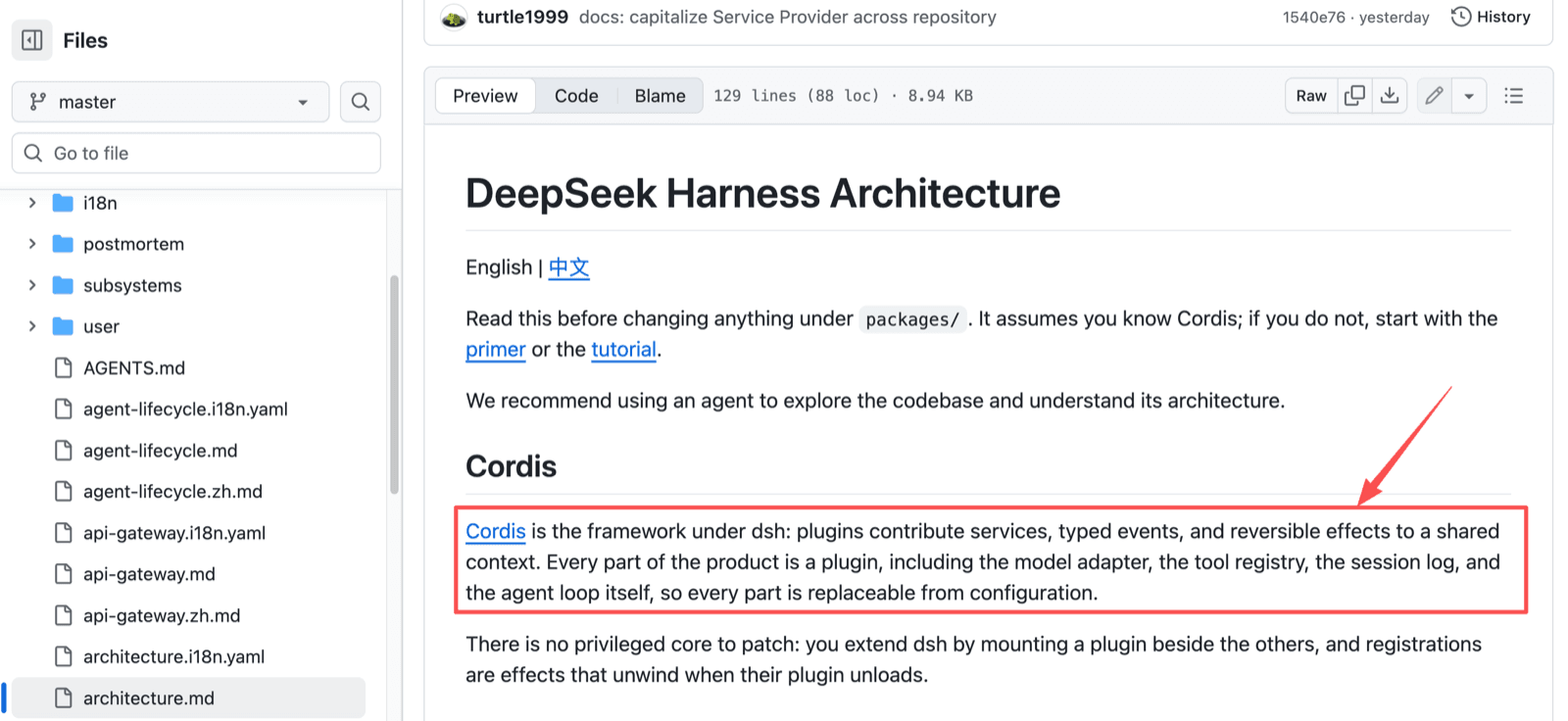
A plugin changes what the system can do. In DeepSeek Harness, Cordis plugins contribute services, typed events, and reversible effects to a shared context — including the model adapter, tool registry, session log, and agent loop itself.
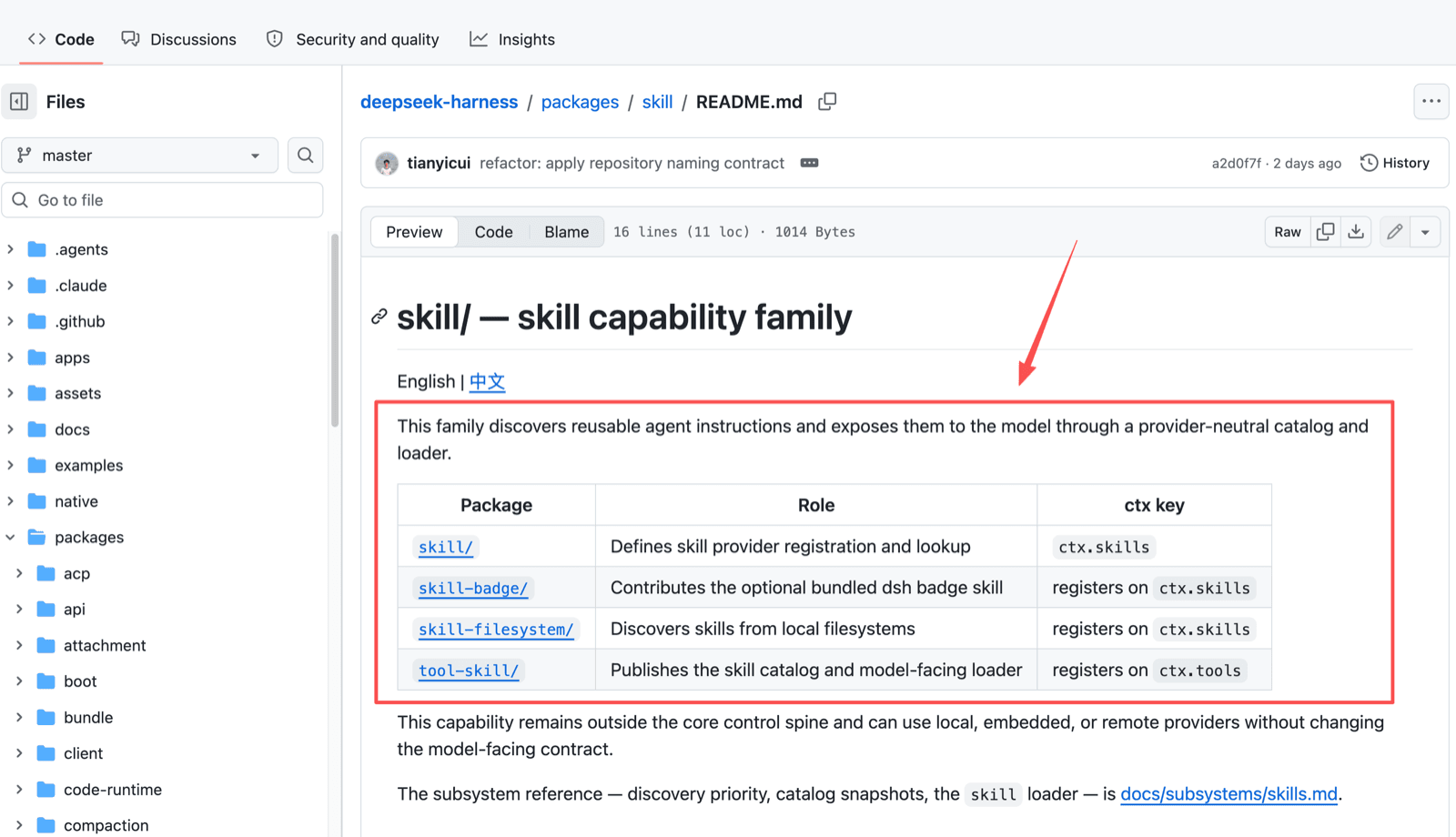
A skill provides reusable instructions or resources that shape how an agent performs a workflow. The Harness skill capability family discovers reusable agent instructions through a provider-neutral catalog and loader, split across packages for registration, filesystem discovery, and the model-facing loader.
A plugin may add the capability. A skill shapes the method. Notice that the skill family is itself delivered as plugins, which is exactly why the words get tangled.
What a Plugin Means for an Everyday User
For a non-technical user, a plugin is not a smarter prompt. It may affect model access, files, tools, sandbox behavior, or what happens after a tool call.
Capabilities added behind the interface
Cordis plugins change the environment behind the screen. A model adapter connects models. Provider routing decides where requests go. A sandbox limits where work can happen. The agent loop controls step flow. None of that is visible in the chat window.
Maintenance owned by the operator
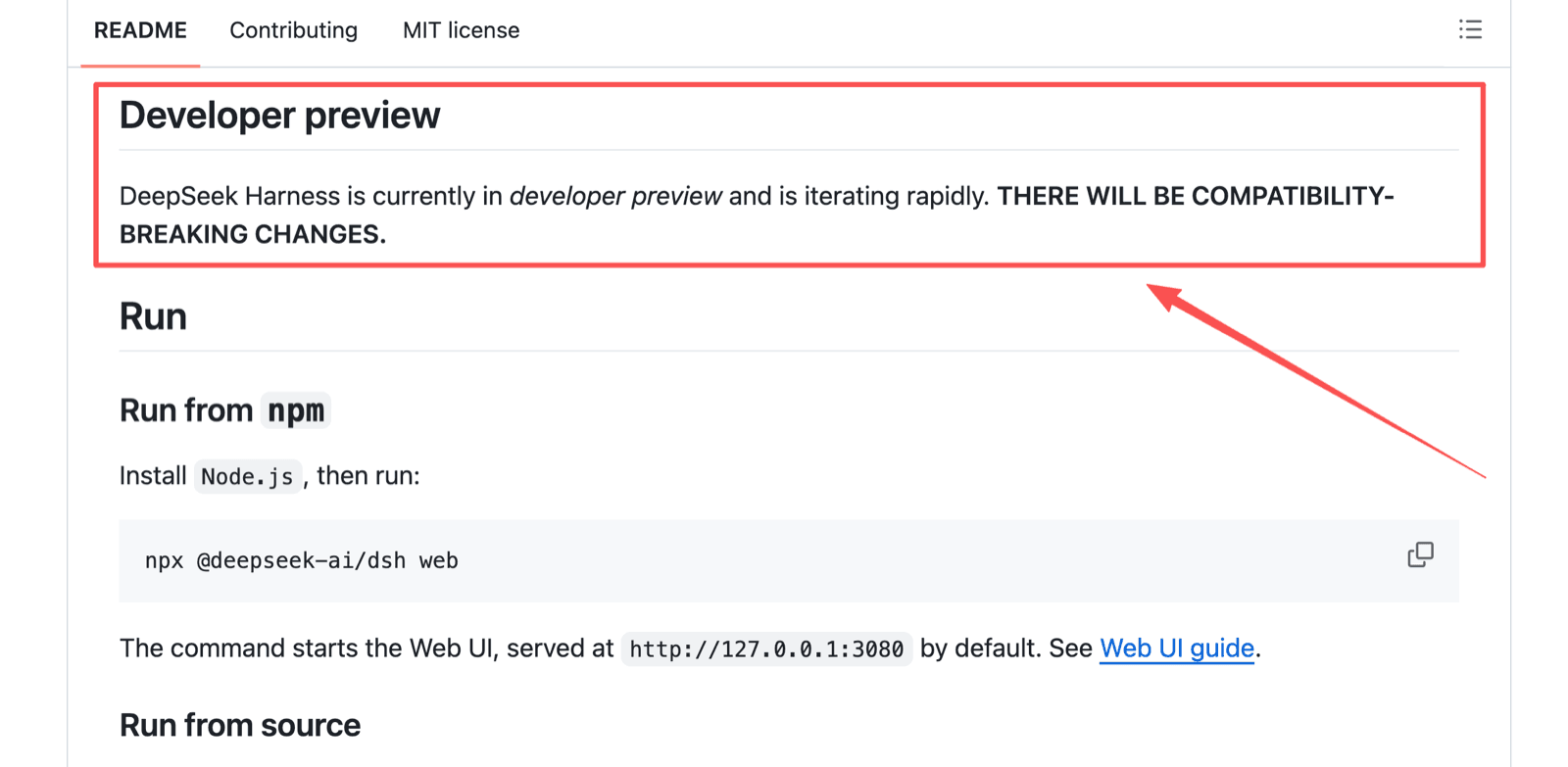
Plugins need an operator because they behave like software dependencies. The Harness repository marks the project as developer preview and warns, in capitals, that compatibility-breaking changes are coming.
Someone must update, test, and disable plugins when needed. In my own checklist, plugin review splits into six checks: what it can read, what it can write, which model or provider it touches, whether it uses network access, where logs are stored, and who can disable it.
Skill review is lighter: source instructions, output format, examples, stop rules, and human approval points. That asymmetry is the whole argument for keeping the two words apart.
What a Skill Means for an Everyday User
An agent skill is closer to a reusable recipe. It may include instructions, examples, files, scripts, or resource guidance, but its job is repeatability.
Reusable instructions and resources
For everyday work, a skill might define how to write a brief, compare vendor pages, clean a CSV, or prepare a response. Our guide to AI agent skills frames the value around rules, examples, output shape, and review points.
A workflow you can inspect
A good skill shows what it reads, what it produces, and where it stops. That visibility is what makes skills different from hidden runtime extensions. Still, a SKILL.md file or a managed skill may rely on tools, files, or model behavior that another environment does not have.
Why the Difference Changes Portability
Plugins and skills work together, but they travel differently. A plugin often depends on runtime versions, permissions, and packages. A skill depends on instructions, resource paths, and available tools.
Harness presets add another layer. A preset can give one session its own tools and prompt sections while other sessions keep different compositions. So "same system" does not reliably mean "same environment" — two sessions on one install can disagree about what the agent can do.
If you are comparing this against other ecosystems, Claude Skills vs OpenClaw Skills covers the same portability problem across vendors.
Questions to Ask Before Adopting Either
The safest choice is the one your team can explain and maintain.
Who installs and updates it? A plugin needs a runtime owner. A skill needs a method owner. In a small team those may be different people, and pretending otherwise is how things rot.
Can you review what it reaches? For plugins, review tools, files, credentials, routes, and network access. For skills, review resources, scripts, approval stops, and outputs.
Can you move it elsewhere? Maybe, but do not assume it. Harness skills, managed skills, and OpenClaw-compatible SKILL.md files may all need edits in another environment. Test with non-sensitive data first.
How Managed Skills Reduce Overhead
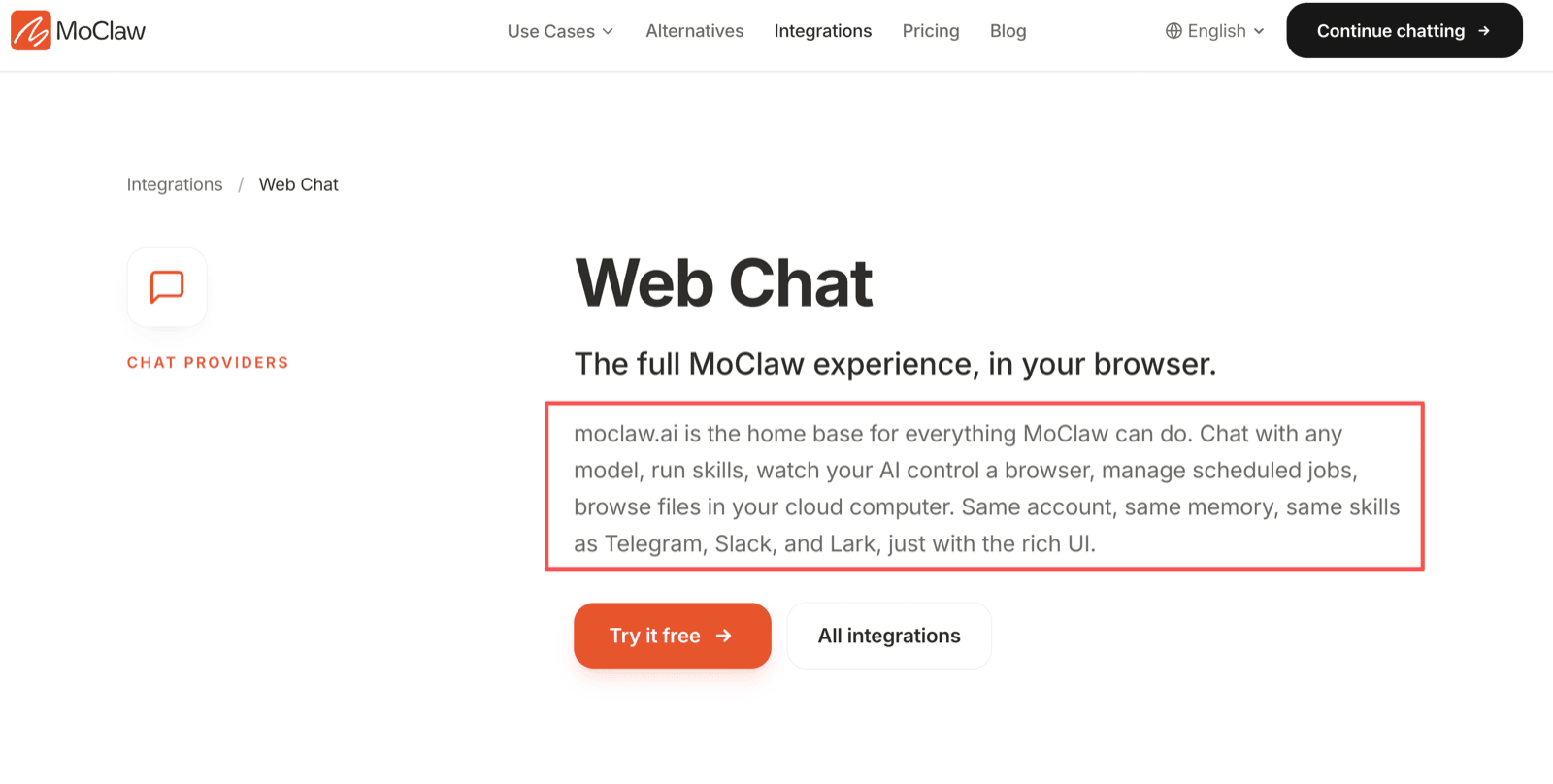
Managed skills reduce overhead by moving discovery, loading, workspace access, and part of the review UI into the service. MoClaw's Web Chat is where skills run and tasks get reviewed, while the AI Cloud Computer gives those workflows a persistent workspace.
That does not make skills setup-free. You still need to trust the source, inspect instructions, approve sensitive actions, and limit private data.
FAQ
Can one person create a skill for someone else to run?
Yes, but the runner should receive the skill text, files, setup notes, and approval boundaries. For client work, keep an approved copy rather than a link.
What happens if a skill author removes the original download?
Availability after removal is not documented as a universal guarantee. Keep an internal copy, record the source or commit, and test it before recurring use.
Do plugins and skills maintain separate version histories?
They can, but no universal rule is publicly documented across all Harness plugin and skill sources. Track plugins as dependencies and skills as workflow assets.
Where should users report a malicious third-party extension?
Report it to the platform or repository that distributes it, then remove access. For GitHub-hosted extensions, use the issue, discussion, or security contact when one is available.
Who owns instructions written by an outside contractor?
Define ownership before work starts. The client should control the skill text, resource files, scripts, version notes, and credentials, and contractor access should be removable.
Plugins Are Runtime Choices, Skills Are Workflow Choices
DeepSeek Harness plugins and skills answer different questions. Plugins decide what the runtime can become. Skills decide how repeated work should run. For non-technical users, treat plugins as operator-owned infrastructure and skills as reviewable workflow assets — and when someone hands you an "extension," ask which one it actually is before installing it.
Checked on 14 August 2026 against the DeepSeek Harness repository, architecture documentation, and skill and preset package READMEs. DeepSeek Harness is in developer preview, so package layout and behavior should be rechecked before production use.
Continue Reading
More Comparison
DeepSeek Harness vs MoClaw (2026)

Grok Bot vs Claude Cowork vs ChatGPT Work

Business Travel App vs AI Travel Agent Workflow

Free AI Agent: Where Each Free Tier Stops

Travel Agency App vs AI Workflow for Clients

AI Copilot vs AI Agent for Recurring Work
The MoClaw editorial team writes about workflow automation, AI agents, and the tools we build. Default byline for industry overviews, listicles, and collaborative pieces.
Choosing between tools? Let MoClaw run the work.
Always-on AI assistant on its own cloud computer. No switching required, no setup.
References: DeepSeek Harness architecture documentation · DeepSeek Harness skill package README · DeepSeek Harness preset package README